Customer Ratings & Reviews
- Model:
- 82XJ0000US
- |
- SKU:
- 6531742
Customer reviews
Rating 4.6 out of 5 stars with 2474 reviews
(2,474 customer reviews)Rating by feature
- Battery Life4.7
Rating 4.7 out of 5 stars
- Speed4.5
Rating 4.5 out of 5 stars
- Display4.7
Rating 4.7 out of 5 stars
Customers are saying
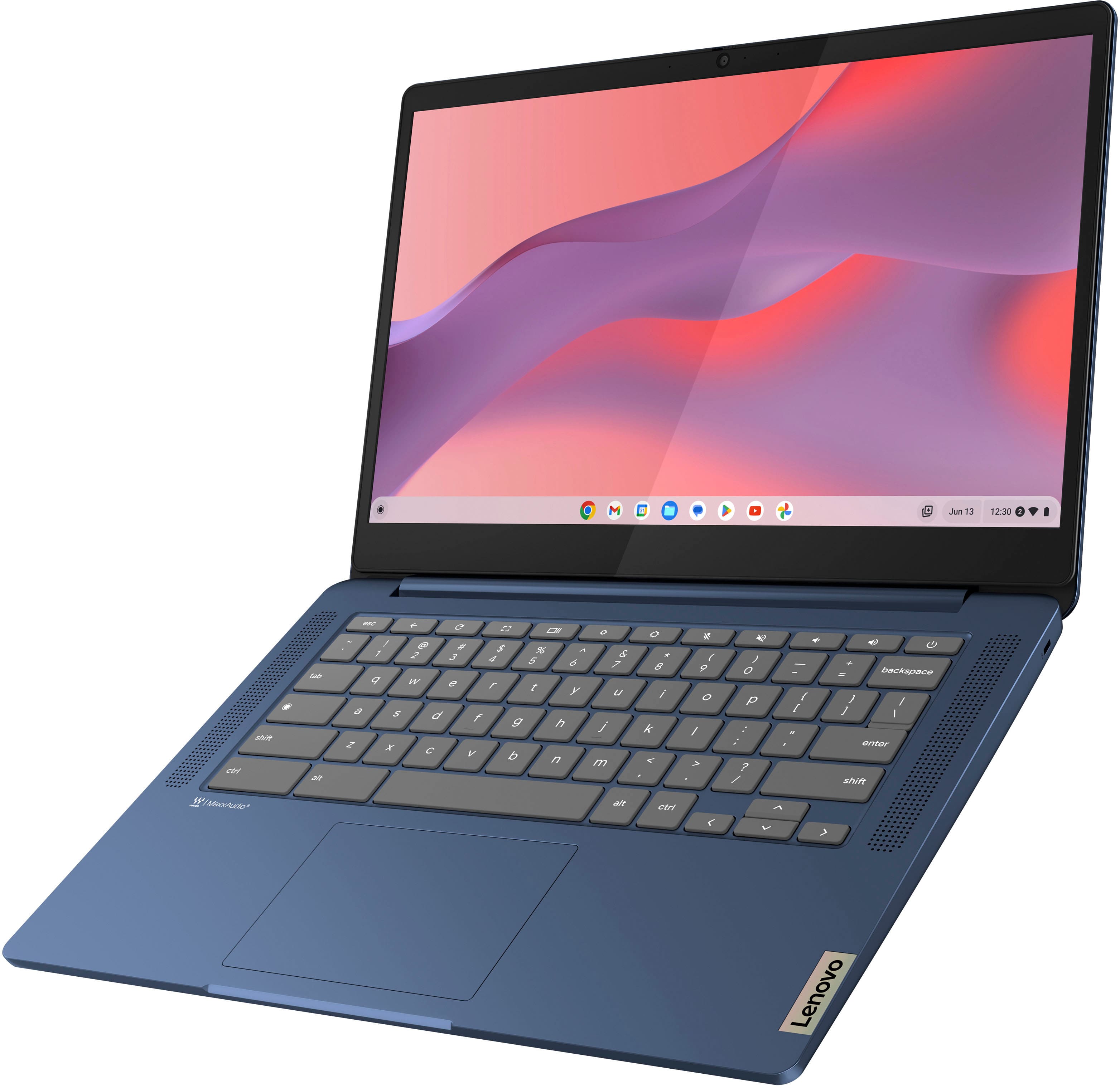
Customers appreciate the IdeaPad Slim 3 Chromebook for its overall performance, user-friendliness, and responsive touchscreen. The long-lasting battery, satisfactory speed, reasonable price, and lightweight design are also well-received. While the laptop is praised, some users find the RAM and storage capacity to be somewhat limited.
This summary was generated by AI based on customer reviews.
Rated 1 out of 5 stars
Poorly built
||Posted .This reviewer received promo considerations or sweepstakes entry for writing a review.You can’t use it unless you link it to your Google account. It’s built poorly. The outer skin gets scratched so easily.
No, I would not recommend this to a friendBrand response from Lenovo Product Expert
Posted .Hi A123,
Thank you for sharing your feedback and concerns with us. We are sorry to hear that you are dissatisfied with the operating system and its requirements, along with the design. We wish to share that Chromebook devices do require a Google account for setup, not too dissimilar to (if you're familiar with Windows systems) Windows 11 devices requiring a Microsoft account to setup the system.
We appreciate your comment regarding the exterior finish of the device, as we will investigate this point to make the necessary design improvements.
Please feel free to reach out to us via the Q&A section of the product page to share any further comments or questions, as your satisfaction is important to us.
Best regards,
Lenovo
Rated 2 out of 5 stars
Its ok
||Posted . Owned for 3 months when reviewed.This reviewer received promo considerations or sweepstakes entry for writing a review.If you know the chrome OS then its an ok computer. If your trying to switch from windows its a lot to learn if your in your golden years.
I would recommend this to a friendRated 1 out of 5 stars
Laptop
||Posted .This reviewer received promo considerations or sweepstakes entry for writing a review.Stop charging after a few month , going to bring in to see if the will be able to fix it .
No, I would not recommend this to a friendBrand response from Lenovo Product Expert
Posted .Hi PamelaS,
Thank you for sharing your feedback with us. We are sorry to hear that you are having trouble with your IdeaPad Slim 3 Chromebook. We wish to provide the best experience possible for those using our products, and it is disappointing to read that this is not the case for you. We apologize for the convenience that this has caused you, and if you'd like, we wish to work with you to resolve this issue.
To start, we recommend visiting this Google Support webpage: https://support.google.com/chromebook/answer/6309225?hl=en#zippy=%2Cchromebook-wont-turn-on-or-wont-charge%2Cbattery-wont-charge, that shares troubleshooting steps to follow if your device won't charge, as we believe this can improve your experience.
Please update us when you can regarding this and don't hesitate to reach out to us should you have any questions or need further assistance, as your satisfaction is important to us.
Best regards,
Lenovo
Rated 2 out of 5 stars
No good
||Posted . Owned for 3 weeks when reviewed.This reviewer received promo considerations or sweepstakes entry for writing a review.Returned item not working for me kept shutting off
No, I would not recommend this to a friendBrand response from Lenovo Product Expert
Posted .Hey Char,
We are sorry to hear that you had trouble with your Chromebook, leading to you returning it. In the future, should you encounter any issues with our product, please feel free to contact Lenovo Support for assistance in resolving your issues.
We hope that you choose our product again in the future and appreciate you taking the time to share your perspective with us.
Rated 1 out of 5 stars
cheap
||Posted .This reviewer received promo considerations or sweepstakes entry for writing a review.very cheap feeling for it on sale for around $130 would definitely NOT recommend even if you are on a budget
No, I would not recommend this to a friendBrand response from Lenovo Product Expert
Posted .Hi Montana,
Thank you for sharing your feedback with us. We are sorry to hear that you are dissatisfied with the design finish of the IdeaPad Slim 3 Chromebook. We wish to provide devices at various ranges for different user needs and believe in quality systems at competitive prices like with this Slim 3 Chromebook, so we appreciate your comment, as this has been noted to be considered for future improvements.
Please feel free to reach out to us via the Q& A section of this product page should you have any questions or need assistance, as we wish to do what we can to improve your experience.
Best regards,
Lenovo
Rated 1 out of 5 stars
World of disappointment for stepdaughter...
||Posted . Owned for 4 months when reviewed.This reviewer received promo considerations or sweepstakes entry for writing a review.I got this for my stepdaughter for Christmas since she needed a Chromebook for school anyway. I understand why the price was and is what it is. It's laggy, it has connectivity issues, and the feel of the laptop all around is cheap. She has problems when using it and hardly uses it unless she MUST. That's not a gift I'm proud to say I bought her.
No, I would not recommend this to a friendBrand response from Lenovo Product Expert
Posted .Hi, CilantroKing333. We are sorry to hear that you have experienced an issue with your Chromebook. To try to remedy this, first, please look for any applicable updates in the “About ChromeOS” tab in system settings. After applying these updates, should your issue persist, we recommend trying to complete a powerwash or factory reset to see if this resolves the issue. To complete a reset, here is a link to a Google Support page that details how to reset a Chromebook: https://support.google.com/chromebook/answer/183084?hl=en. After these steps, if this doesn’t resolve your problem, we recommend reaching out to Lenovo Tech Support for Chromebooks at this number: 800-426-7378, for assistance. We appreciate you sharing your experience so that we may use it to continue to better our products and services for yourself and others.
Rated 1 out of 5 stars
Battery Failed.
||Posted . Owned for 7 months when reviewed.This reviewer received promo considerations or sweepstakes entry for writing a review.I got this for my kid and battery failed in less than 6 months. I tried contacting Lenovo warranty but its not easy to get anything done from there.
No, I would not recommend this to a friendBrand response from Lenovo Product Expert
Posted .Hi SudharshanB,
Thank you for sharing your feedback with us. We are sorry to hear that you are having trouble with your IdeaPad Slim 3 Chromebook and with finding a way to contact Lenovo. We apologize for the frustration and inconvenience that this may have caused you, and we'd like to work with you to resolve this issue.
To start, you can contact Lenovo Support at this number: 877-453-6686.
Please update us when you can regarding this and reach out to us via the Q&A section of this product page should you have any questions or need further assistance.
Best regards,
Lenovo
Rated 1 out of 5 stars
Constantly freezes and crashes
||Posted . Owned for 1 month when reviewed.This reviewer received promo considerations or sweepstakes entry for writing a review.From the day I first opened it up it constantly freezes and crashes. I would never recommend buying. I can’t open up yahoo with out it freezing and getting stuck. I can’t open up any webpages that’s might require scrolling down for a while. I hate it but I guess you get what you pay for
No, I would not recommend this to a friendBrand response from Lenovo Product Expert
Posted .Hello, Alexis. We are sorry to hear that you have experienced an issue with your Chromebook. To try to remedy this, first, please look for any applicable updates in the “About ChromeOS” tab in system settings. After applying these updates, should your issue persist, we recommend trying to complete a powerwash or factory reset to see if this resolves the issue. To complete a reset, here is a link to a Google Support page that details how to reset a Chromebook: https://support.google.com/chromebook/answer/183084?hl=en. After these steps, if this doesn’t resolve things, we recommend reaching out to Lenovo Support here:800-426-7378, and providing a representative with details of your issue, so that they may help by providing a solution for you. Thank you for taking the time to share your feedback with us.
Rated 1 out of 5 stars
Freezing Problems
||Posted . Owned for 1 month when reviewed.This reviewer received promo considerations or sweepstakes entry for writing a review.We purchased two of these computers, mainly for streaming shows. The first two weeks were fine. Then one of the computers started freezing while streaming Netflix. Now they both continually freeze while streaming shows on netflix and disney+.
No, I would not recommend this to a friendBrand response from Lenovo Product Expert
Posted .Hello, RebV. We are sorry to hear that you encountered an issue with your Slim 3 Chromebook. Regarding your problem, we recommend searching for available app updates for Netflix and Disney+ and the operating system to help ensure you are running the latest software and drivers as this can remedy most errors. If your issue persists after attempting this fix, we recommend reaching out to Lenovo Tech Support for Chromebooks and providing a representative with details of your issue, so that they may help by providing a solution for you. Here is a phone number to speak with a tech support representative to further resolve your issue: 800-426-7378. We appreciate you sharing your experience so that we may use it to continue to better our products and services for yourself and others.
Rated 2 out of 5 stars
doesn't work unless plugged in
||Posted . Owned for 3 months when reviewed.This reviewer received promo considerations or sweepstakes entry for writing a review.Ordered in August my daughter started using in Sept for middle school. It's now December and doesn't work unless it's plugged in?
No, I would not recommend this to a friendRated 1 out of 5 stars
Poor service.
||Posted . Owned for 1 week when reviewed.This reviewer received promo considerations or sweepstakes entry for writing a review.Worst experience ever! Bought Chrome book for $300 and 12 days later took my receipt in for a price adjustment as it was marked down to $200. I was told no price adjustment was possible. So I bought a new one for $200 and was in my return window for the $300 purchase so I planned on returning that one the next day but forgot and now I’m outside the return window. So now I have 2 laptops just because I couldn’t get a price adjustment.
No, I would not recommend this to a friendRated 1 out of 5 stars
Sucks
||Posted .This reviewer received promo considerations or sweepstakes entry for writing a review.Doesn’t work half the time. Very slow. Couldn’t even video call
No, I would not recommend this to a friendBrand response from Lenovo Product Expert
Posted .Hey TroiB,
Thank you for sharing your feedback with us. We are sorry to hear that you are having trouble with your IdeaPad Slim 3 Chromebook. We apologize for the inconvenience that this has caused you, and we'd like to work with you to resolve this issue.
To start, try doing a hardware reset (visit the following link to learn how to do so: https://support.google.com/chromebook/answer/3227606?hl=en&sjid=11168473644130281663-NA), which reboots the embedded controller that manages various system components.
If this doesn't resolve your issue, you may need to factory reset your Chromebook, which you can learn more about towards the bottom of the webpage tied to the previously embedded link. So long as your Chromebook is backed up and the data is tied to the same Google account you used to setup your Chromebook, you can restore your system from a backup point to prevent you having to go through the full setup process again or having to make setting adjustments and customizations again.
Please update us when you can and feel free to reach out to us via the Q&A section of the product page should you have any questions or need further assistance.
Best regards,
Lenovo
Rated 2 out of 5 stars
Don't buy!
||Posted . Owned for 1 month when reviewed.This reviewer received promo considerations or sweepstakes entry for writing a review.This chromebook is slow. I have owned plenty of Chromebooks in my day. This one is by far the worst!
No, I would not recommend this to a friendBrand response from Lenovo Product Expert
Posted .Hello, ToyaM414. We are sorry to hear that you have experienced an issue with your Slim 3 Chromebook. To try to remedy this, first, please look for any applicable updates in the “About ChromeOS” tab in system settings. Also, we recommend taking the steps to ensure that this is not an internet speed/Wi-Fi bandwidth issue, as this can be a large proponent of slow load times. If after these steps should your issue persist, we recommend reaching out to Lenovo Tech Support for Chromebooks and providing a representative with details of your issue, so that they may help by providing a solution for you. Here is a phone number to speak with a tech support representative to further resolve your issue: 800-426-7378. We appreciate you sharing your experience so that we may use it to continue to better our products and services for yourself and others.
Rated 2 out of 5 stars
Slow
||Posted . Owned for 3 weeks when reviewed.This reviewer received promo considerations or sweepstakes entry for writing a review.Was very slow and i couldn't do the tasks i wanted to on this because it was compatible with the programs. But I guess that's what you get for the price
No, I would not recommend this to a friendRated 1 out of 5 stars
dubious value
||Posted . Owned for 1 month when reviewed.This reviewer received promo considerations or sweepstakes entry for writing a review.poor mouse/cursor operation. cursor disappears for a while then returns. address bar typing is slow to fill as typed screen is nice, tho. the worst Chromebook I have ever bought. probable 10 over the years.
No, I would not recommend this to a friendBrand response from Lenovo Product Expert
Posted .Hey, WilliamT. We are sorry to hear that you are having trouble with your Chromebook. To try to remedy this, first, please look for any applicable updates in the “About ChromeOS” tab in system settings. After applying these updates, should your issue persist, we recommend trying to complete a powerwash or factory reset to see if this resolves the issue. To complete a reset, here is a link to a Google Support page that details how to reset a Chromebook: https://support.google.com/chromebook/answer/183084?hl=en. After these steps, if this doesn’t resolve things, we recommend reaching out to Lenovo Support here: 800-426-7378, for further troubleshooting. We appreciate you taking the time to share your perspective with us.
Rated 1 out of 5 stars
Worse lenovo chromebook I ever had
||Posted . Owned for 1 month when reviewed.This reviewer received promo considerations or sweepstakes entry for writing a review.Freezes up no power button. The mouse button is insanely loud. I wish i returned it within the return window. Light basic use for emails and such started freezing up right after return window. Normally lenovo is good. Must be shrinkflation.
No, I would not recommend this to a friendBrand response from Lenovo Product Expert
Posted .Hi there, we're sorry to hear that you're having such trouble with your Chromebook. To try to remedy this, first, please look for any applicable updates in the “About ChromeOS” tab in system settings. After applying these updates, should your issue persist, we recommend trying to complete a powerwash or factory reset to see if this resolves the issue. To complete a reset, here is a link to a Google Support page that details how to reset a Chromebook: https://support.google.com/chromebook/answer/183084?hl=en. After these steps, if this doesn’t resolve things, we recommend reaching out to Lenovo Support here: 800-426-7378, and providing a representative with details of your issue, so that they may help by providing a solution for you. Also, the system supports streaming services via browser, progressive web apps, and their respective apps in the Google Play Store, so if you are experiencing differently, please share this with Support as well. We appreciate you taking the time to share your experience and feedback with us.
Rated 1 out of 5 stars
One more try Not working and it suddenly damage
||Posted . Owned for 1.5 years when reviewed.This reviewer received promo considerations or sweepstakes entry for writing a review.Damage and i expect the next one that i ordered today. Hopefully its not going to be the same
No, I would not recommend this to a friendBrand response from Lenovo Product Expert
Posted .Hey ROVIEJOYA,
Thank you sharing your feedback with us. We are sorry to hear that you ran into an issue. We apologize for any inconvenience that this may have caused you.
We hope that your new Slim 3 Chromebook is working out smoothly for you so far.
Please feel free to reach out to us via the Q& A section of this product page should you have any questions or need assistance.
Best,
Lenovo
Rated 2 out of 5 stars
Basic Chromebook
||Posted . Owned for 1 month when reviewed.This reviewer received promo considerations or sweepstakes entry for writing a review.This is a base Chromebook that will not offer performance like extended Video playback or gaming. Basic web browsing only is the best use.
I would recommend this to a friendRated 1 out of 5 stars
slow very slow
||Posted . Owned for 1.5 years when reviewed.This reviewer received promo considerations or sweepstakes entry for writing a review.no speed, very slow and takes forever. would not buy again
No, I would not recommend this to a friendRated 1 out of 5 stars
Trust me don’t get this for editing videos
||Posted . Owned for 1 month when reviewed.This reviewer received promo considerations or sweepstakes entry for writing a review.I looked at the so called specifications on this and Best Buy says it has a fast processor (go look for yourself) it also says “it’s great for editing videos” But the lie detector determined that was a lie! It is slow man. Couldn’t even run YouTube at 2160 with a couple google tabs open. Anyway it was on sale for Black Friday I took it back.
No, I would not recommend this to a friend