Skip to contentGo to Product Search
Main Content

Customer Ratings & Reviews
$299.00
Save $100
The comparable value is $399.00

Customer reviews

Rating 4.6 out of 5 stars with 2591 reviews

Rating Filter

Rating by feature

  • Battery Life

    Rating 4.7 out of 5 stars

  • Speed

    Rating 4.5 out of 5 stars

  • Display

    Rating 4.7 out of 5 stars

Pros mentioned filter

Cons mentioned filter

92%would recommend to a friend

Customers are saying

Customers appreciate the IdeaPad Slim 3 Chromebook for its overall performance, user-friendliness, and responsive touchscreen. The long-lasting battery, satisfactory speed, reasonable price, and lightweight design are also well-received. While the laptop is praised, some users find the RAM and storage capacity to be somewhat limited.

This summary was generated by AI based on customer reviews.

The vast majority of our reviews come from verified purchases. Reviews from customers may include My Best Buy members, employees, and Tech Insider Network members (as tagged). Select reviewers may receive discounted products, promotional considerations or entries into drawings for honest, helpful reviews.
Page 122 Showing 2,421-2,440 of 2,591 reviews
  • Rated 2 out of 5 stars

    Not user friendly

    |
    |
    Posted . Owned for 1 month when reviewed.
    This reviewer received promo considerations or sweepstakes entry for writing a review.

    Can't figure out how to work it right UI is to complicated i thought it was going to be more like a pc

    No, I would not recommend this to a friend
    • Brand response from Lenovo Product Expert
      Posted .

      Hi AnthonyG, we're sorry to hear that you're having trouble navigating and using your Slim 3 Chromebook. To try to resolve this, here's a link to a Google Support page to learn more about "How to Chromebook": (https://www.google.com/chromebook/howto/). Let us know if this helps, and we appreciate you taking the time to share your feedback with us. Lenovo

  • Rated 3 out of 5 stars

    Laptop

    |
    |
    Posted . Owned for 1 month when reviewed.
    This reviewer received promo considerations or sweepstakes entry for writing a review.

    Good price but requires to much to use it I wish it was simpler.

    I would recommend this to a friend
  • Rated 2 out of 5 stars

    No happy with the purchase

    |
    |
    Posted .
    This reviewer received promo considerations or sweepstakes entry for writing a review.

    It's been less then 9 months and already I have to buy a new battery.

    No, I would not recommend this to a friend
    • Brand response from Lenovo Product Expert
      Posted .

      Hi bambam4283,

      Thank you for sharing your feedback with us. We are sorry to hear that you are having trouble with your IdeaPad Slim 3, and we apologize for the inconvenience that this has caused you.

      If we can help you with your battery issues and more, please don't hesitate to reach out to us here or by contacting Lenovo Support online or at this number: 877-453-6686.

      Please update us when you can regarding this.

      Best regards,
      Lenovo Lenovo

  • Rated 1 out of 5 stars

    Would not recommend

    |
    |
    Posted .
    This reviewer received promo considerations or sweepstakes entry for writing a review.

    Did not like it at all couldn’t get it to show to double. Screens

    No, I would not recommend this to a friend
    • Brand response from Lenovo Product Expert
      Posted .

      Hello GloriaV,

      Thank you for sharing your feedback with us. We're sorry to hear that you ran into an issue, leading to you returning the system.

      We have noted your comments, as your input is important in our review of opportunities for improvement. We hope that you choose our products again in the future, and that you feel free to reach out to us with any issues, as we strive to provide the best experience possible.

      Best regards,
      Lenovo Lenovo

  • Rated 3 out of 5 stars

    It's decent

    |
    |
    Posted . Owned for 3 weeks when reviewed.
    This reviewer received promo considerations or sweepstakes entry for writing a review.

    Decent laptop, some things could be better! Can be slow and touchy

    I would recommend this to a friend
  • Rated 2 out of 5 stars

    Issues out of the box

    |
    |
    Posted . Owned for 1 month when reviewed.
    This reviewer received promo considerations or sweepstakes entry for writing a review.

    Myriad connectivity problems and a mishmash of minor technical issues all equate to being frustrated with the machine despite the savings. Don't be afraid to buy a little higher end and save yourself some headaches.

    No, I would not recommend this to a friend
  • Rated 2 out of 5 stars

    Don’t know how to feel

    |
    |
    Posted .
    This reviewer received promo considerations or sweepstakes entry for writing a review.

    Wish it had a webcam there was a cover up sticker for it but wasn’t a camera

    I would recommend this to a friend
    • Brand response from Lenovo Product Expert
      Posted .

      Hey KaylaL,

      Thank you for sharing your feedback with us. We are sorry to hear that you are having trouble with your system. We'd like to work with you to resolve any issues.

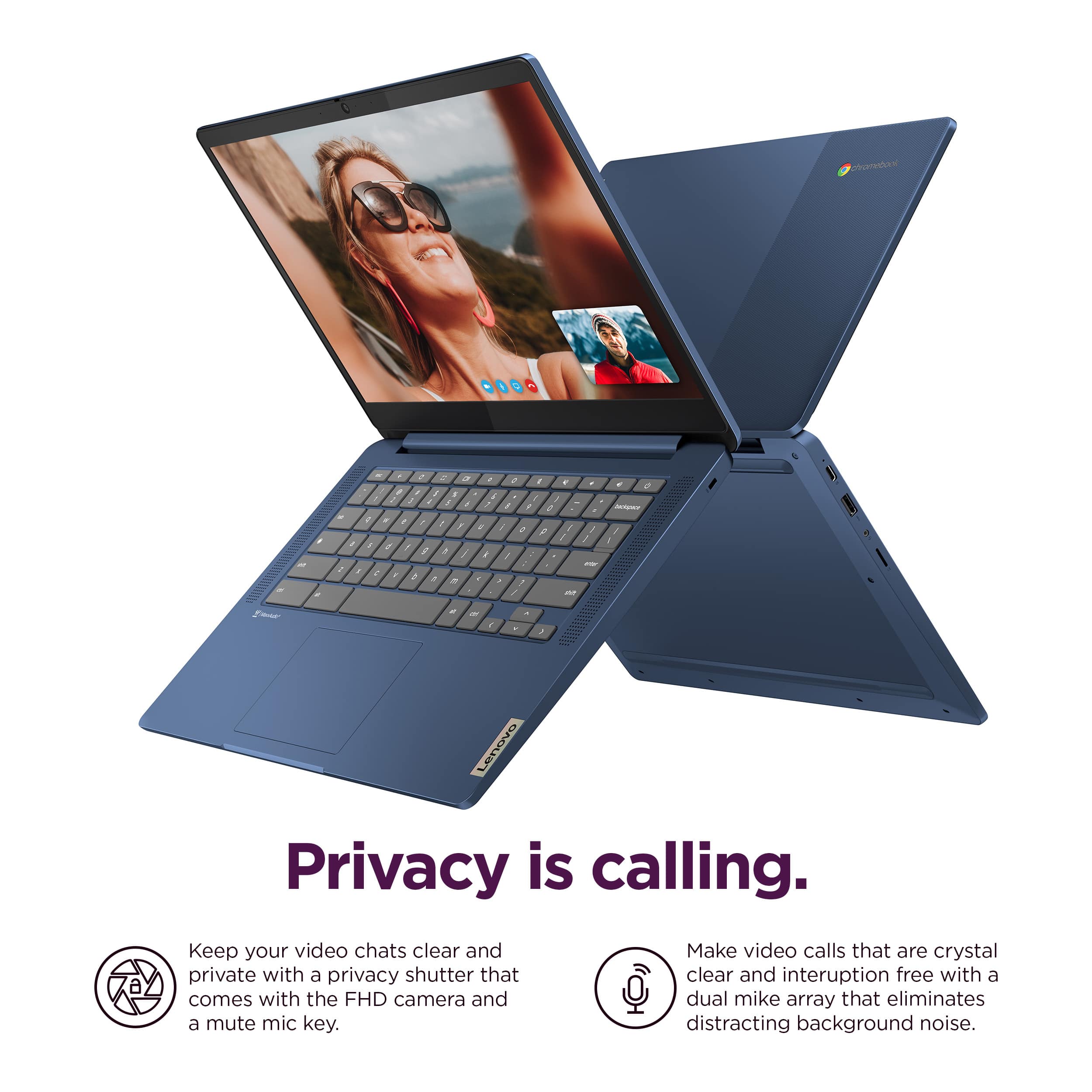
      To start and clarify, this IdeaPad Slim 3 Chromebook does come with an HD camera with a Privacy Shutter. Out-of-the-box you may find a graphic covering the camera area, but with this removed, you should be able to us your camera and the privacy shutter.

      If the graphic is removed but you are still having trouble with your camera, please attempt to do a hardware reset. To learn how to do so, please visit the following link to a Google Support webpage with details: https://support.google.com/chromebook/answer/3227606?hl=en&sjid=11168473644130281663-NA, which the process will reboot the embedded controller that manages various system components, including the camera.

      With the privacy shutter, please be sure the Privacy Shutter is completely open before trying to use the webcam or the webcam will not operate. There is a small slider, directly above the webcam lens. Move the tab to the right to open the Privacy Shutter. There is a red dot over the webcam lens that will disappear when the Privacy Shutter is fully open. This will indicate that the webcam is really to use. You can close the Privacy Shutter when you are done with the webcam for your security, by sliding the tab to the left to close the Privacy Shutter. The Red Dot will appear over the webcam lens when the Privacy Shutter is closed.

      We hope that this information helps you. Please reach out to us should you have any questions or need further assistance.

      Best regards,
      Lenovo Lenovo

  • Rated 1 out of 5 stars

    Chrome Book SUCKS!!!

    |
    |
    Posted . Owned for 1 month when reviewed.
    This reviewer received promo considerations or sweepstakes entry for writing a review.

    I thought this was a PC and that it would use Microsoft Products. If I can trade it in for a laptop PC I would do it in a heartbeat.

    No, I would not recommend this to a friend
  • Rated 1 out of 5 stars

    Laptop

    |
    |
    Posted .
    This reviewer received promo considerations or sweepstakes entry for writing a review.

    I returned the laptop was not aware it was a chromebook. I wanted windows

    No, I would not recommend this to a friend
  • Rated 3 out of 5 stars

    Computer

    |
    |
    Posted . Owned for 1 month when reviewed.
    This reviewer received promo considerations or sweepstakes entry for writing a review.

    Iv had the computer for less than a month and it glitched out on me

    No, I would not recommend this to a friend
  • Rated 1 out of 5 stars

    Intermittent problem with wifi

    |
    |
    Posted .
    This reviewer received promo considerations or sweepstakes entry for writing a review.

    I tried 2 of these chormebooks and both have the same problem. They occasionally lose sight of all available wifi networks. The only way to get them back is to reboot.

    No, I would not recommend this to a friend
    • Brand response from Lenovo Product Expert
      Posted .

      Hi JohnG,

      Thank you for sharing your feedback with us. We are sorry to hear that you are having trouble with your IdeaPad Slim 3 Chromebooks. We apologize for the inconvenience that this may be causing you. We wish to provide the best experience possible, so if you'd like, we want to work with you to try to improve your experience.

      To start, here's a web address tied to a Google Support webpage (https://support.google.com/chromebook/answer/6318213?hl=en) that lists troubleshooting steps for Wi-Fi connectivity issues, as well as other links embedded to help with branching issues.

      We hope that the information shared helps to improve your experience. Please update us when you can regarding this and reach out to us again should you have any questions or need further assistance, as your satisfaction is important to us.

      Best regards,
      Lenovo Lenovo

  • Rated 1 out of 5 stars

    Waste of money

    |
    |
    Posted .
    This reviewer received promo considerations or sweepstakes entry for writing a review.

    This thing sucks. Made the mistake of buying a chromebook. I hate it. I think it sucks. Everything is internet based and its microsoft program - copilot is garbage.

    No, I would not recommend this to a friend
    • Brand response from Lenovo Product Expert
      Posted .

      Hi JoelV,

      Thank you for your time taken to share your opinion. We are sorry to hear that this IdeaPad Slim 3 Chromebook ended up not being the right fit for you. We understand your perspective and wish to help ensure that you are satisfied with your system as much as possible.

      Please reach out to us via the Q&A section of the product page to share any details or request as to what we can do to improve your experience so that we can help improve your experience.

      Best regards,
      Lenovo Lenovo

  • Rated 1 out of 5 stars

    HORRIBLE computers

    |
    |
    Posted . Owned for 3 weeks when reviewed.
    This reviewer received promo considerations or sweepstakes entry for writing a review.

    These computers were such a waste of money. not even 30 days later It says I'm passed my returnable time. Both of my sons are constantly having to restart their computers because it just stops work, stops being connected to internet. restarting always does the trick, but we do homeschool and it the biggest pain in the but when we have to restart between and during every class!!

    No, I would not recommend this to a friend
  • Rated 2 out of 5 stars

    Yikes

    |
    |
    Posted . Owned for 1 month when reviewed.
    This reviewer received promo considerations or sweepstakes entry for writing a review.

    Couldn't run too many tabs at once, struggled out of the box

    No, I would not recommend this to a friend
    • Brand response from Lenovo Product Expert
      Posted .

      Hey DominickD,

      We are sorry to hear that you had trouble with your Slim 3 Chromebook and that it wasn't a good fit for you from a performance perspective. We apologize for the frustration and inconvenience that this may have caused you.

      For context, this Chromebook is an entry-level device, designed for singular-light use tasks. If you are using the device as it was designed to be, yet are dissatisfied with performance, ensuring your system is up to date may improve your experience. To update the system, navigate to Settings > About ChromeOS > Check for updates, then apply the latest software.

      Please reach out us with any questions or request for assistance that you may have.

      Best regards,
      Lenovo Lenovo

  • Rated 2 out of 5 stars

    Frustrated

    |
    |
    Posted . Owned for 3 weeks when reviewed.
    This reviewer received promo considerations or sweepstakes entry for writing a review.

    Won’t stay connected to Internet. Apparently this is a known problem with the product that I didn’t see beforehand. But it’s very frustrating to have to restart all of the time when it disconnects from the internet. I lost projects I was working in due to this

    No, I would not recommend this to a friend
  • Rated 1 out of 5 stars

    DO NOT PURCHASE CHROMEBOOK GET WINDOWS

    |
    |
    Posted . Owned for 6 months when reviewed.
    This reviewer received promo considerations or sweepstakes entry for writing a review.

    Worst tech ever! I rather use my android tablet, it does way more then this Chromebook. I am totally disappointed with this brand as well. I keep having to power wash the thing, the function keep lagging and it feels like it is being controlled by another device. I enter the correct password to the wifi and it is telling me it is incorrect, as well as my google account password. This device is a hot mess! Can I get my money back?

    No, I would not recommend this to a friend
    • Brand response from Lenovo Product Expert
      Posted .

      Hey, FrankDJC. We're sorry to hear that you're having so much trouble with your Slim 3 Chromebook. If you'd accept our help, please reach out to Lenovo Support to rectify this. If you unfortunately would like to return your device, please refer to this link (https://www.bestbuy.com/site/help-topics/return-exchange-policy/pcmcat260800050014.c?id=pcmcat260800050014) that spells out Best Buy's return policy. In either result, we hope that your situation improves, and we thank you for sharing your experience with us. Lenovo

  • Rated 1 out of 5 stars

    Buyer Beware!

    |
    |
    Posted . Owned for 4 months when reviewed.
    This reviewer received promo considerations or sweepstakes entry for writing a review.

    I purchased this device for my daughter to use for school. She used the device for approximately 3 months before it went black and stopped working! We were well within the manufactor's warranty and they DENIED to fix it and shared that it wasnt covered under the "limited warranty" and told me it would cost 150$ to repair it. It will not turn on. Buyer beware!

    No, I would not recommend this to a friend
  • Rated 2 out of 5 stars

    Its ok

    |
    |
    Posted . Owned for 3 months when reviewed.
    This reviewer received promo considerations or sweepstakes entry for writing a review.

    If you know the chrome OS then its an ok computer. If your trying to switch from windows its a lot to learn if your in your golden years.

    I would recommend this to a friend
  • Rated 2 out of 5 stars

    Freezes up frequently

    |
    |
    Posted . Owned for 2 months when reviewed.
    This reviewer received promo considerations or sweepstakes entry for writing a review.

    Laptop freezes up often for no apparent reason. Very frustrating. Runs slowly

    No, I would not recommend this to a friend
    • Brand response from Lenovo Product Expert
      Posted .

      Hey LindsayC, we're sorry to hear that you ran into this issue with your Chromebook. To try to resolve this, try doing a hardware reset (visit the following link to learn how to do so: https://support.google.com/chromebook/answer/3227606?hl=en&sjid=11168473644130281663-NA), which reboots the embedded controller that manages your touchpad. If this doesn't resolve your issue, you may need to factory reset your Chromebook, which you can learn more about towards the bottom of the webpage tied to the previously embedded link. We appreciate you taking the time to share your experience with us. Lenovo

  • Rated 1 out of 5 stars

    World of disappointment for stepdaughter...

    |
    |
    Posted . Owned for 4 months when reviewed.
    This reviewer received promo considerations or sweepstakes entry for writing a review.

    I got this for my stepdaughter for Christmas since she needed a Chromebook for school anyway. I understand why the price was and is what it is. It's laggy, it has connectivity issues, and the feel of the laptop all around is cheap. She has problems when using it and hardly uses it unless she MUST. That's not a gift I'm proud to say I bought her.

    No, I would not recommend this to a friend
    • Brand response from Lenovo Product Expert
      Posted .

      Hi, CilantroKing333. We are sorry to hear that you have experienced an issue with your Chromebook. To try to remedy this, first, please look for any applicable updates in the “About ChromeOS” tab in system settings. After applying these updates, should your issue persist, we recommend trying to complete a powerwash or factory reset to see if this resolves the issue. To complete a reset, here is a link to a Google Support page that details how to reset a Chromebook: https://support.google.com/chromebook/answer/183084?hl=en. After these steps, if this doesn’t resolve your problem, we recommend reaching out to Lenovo Tech Support for Chromebooks at this number: 800-426-7378, for assistance. We appreciate you sharing your experience so that we may use it to continue to better our products and services for yourself and others. Lenovo