Customer Ratings & Reviews




- Model:
- 82XB00C2US
- SKU:
- 11231691
Rating by feature
- Battery Life
Rating 4.6 out of 5 stars
- Speed
Rating 4.5 out of 5 stars
- Display
Rating 4.6 out of 5 stars
to a friend
Customers are saying
Customers are pleased with the product's performance. They specifically noted that the speed of the laptop is decent.
This summary was generated by AI based on customer reviews.
Broke after one month
||Posted . Owned for 2 weeks when reviewed.This reviewer received promo considerations or sweepstakes entry for writing a review.It had been less than a month after it was purchased before it broke. The store refused to exchange it because it was outside their 14-day return window and tried to get me to sign up for their paid membership. Terrible computer and even worse customer service.
No, I would not recommend this to a friendMy Nemesis
||Posted . Owned for 3 weeks when reviewed.This reviewer received promo considerations or sweepstakes entry for writing a review.Still trying to figure this product out. Should've purchased the next level product
No, I would not recommend this to a friendIt's a cheap computer for sure
||Posted . Owned for 2 weeks when reviewed.This reviewer received promo considerations or sweepstakes entry for writing a review.Very slow and very little space, can't do much with it
No, I would not recommend this to a friendBrand response from Lenovo Product Expert
Posted .Hello NicholasG,
We are sorry to hear that you have experienced an issue with your IdeaPad. We strive to provide the best experience possible, so we'd like to work with you to speak to your points and try to improve your experience.
To start, this model is an entry level, light use system designed for singular, non-demanding tasks. Should you feel you are using the device for its intended use and still experiencing a performance issue, we recommend searching for and applying any available updates through Windows Update Settings. Also, ensure that your home Wi-Fi network is compatible with, and is capable of supplying your laptop with sufficient bandwidth to deliver the performance you desire for internet-based tasks. If after these steps your issue persists, we then recommend reaching out to Lenovo Tech Support at this number: 877-453-6686, and providing a representative with details of your issue, so that they may help by providing a solution for you.
We hope that this information helps to improve your sentiments on the device and resolve the issues you've had.
Please don't hesitate to let us know what else we can do to improve your experience, as your satisfaction is important to us.
Best regards,
Lenovo
It’s fine
||Posted .This reviewer received promo considerations or sweepstakes entry for writing a review.It’s bigger than I thought and when you have multiple tabs open, it slows done a lot.
No, I would not recommend this to a friendBrand response from Lenovo Product Expert
Posted .Hi AddieB,
Thanks for choosing Lenovo and for sharing your feedback with us.
We are pleased to read that this IdeaPad Slim 3i is working fine for you.
Please feel free to reach out to us via the Q& A section of this product page should you have any questions or need assistance, as your satisfaction is important to us.
Best,
Lenovo
Useful only if you do web browsing
||Posted .This reviewer received promo considerations or sweepstakes entry for writing a review.Very basic level of laptop. My kid had an issue while using some of applications. So returned it.
No, I would not recommend this to a friendBrand response from Lenovo Product Expert
Posted .Hey DevendarBukyaa,
We are sorry to hear that you had trouble with your IdeaPad Slim 3i, leading to you returning it. We understand your perspective, and we apologize for any inconvenience that this may have caused you.
Your comments have been noted, and we hope that you choose our products again in the future, along with reaching out to us regarding any issues so that we can assist you.
Best regards,
Lenovo
missing cursor
||Posted . Owned for 2 weeks when reviewed.This reviewer received promo considerations or sweepstakes entry for writing a review.I bought it and within 1 month started acting strange. Need to take it back to the store.
No, I would not recommend this to a friendBrand response from Lenovo Product Expert
Posted .Hi JenniferD-
Thank you for sharing your experience with us. We are disappointed to hear that you encountered issues with the IdeaPad Slim 3i. We strive to provide excellent user experience for our customers and would like to recommend a possible solution to the issue you described.
We recommend running and installing all available drivers updates through Lenovo Vantage and Windows Update Settings, these updates are crucial to the device’s health and can fix outdated/ corrupted touchpad drivers that are causing your cursor to disappear. To check for updates within Lenovo Vantage begin by launching the application, then select the “Check for updates” button on the top of the right-hand of the display. To check for Windows Updates, start by launching the Settings app, then selecting the Windows Update tab on the left-hand side of the page, finally select the “Check for updates’ button located in the top right of the page.
We would also like to know more details on how your device performing. Were there other issues like the missing cursor?
Please reach out to us through the Q & A section of this product page if you would like to share more details or if you would like any assistance.
Best wishes,
Lenovo
It's ok for the money I guess
||Posted .This reviewer received promo considerations or sweepstakes entry for writing a review.It's ok kinda slow and you have to restart it all the time for it to work sometimes and it's new. The memory is low because some games require more than it has. They should let us know that. Screen resolution not great also.
No, I would not recommend this to a friendBrand response from Lenovo Product Expert
Posted .Hello,
Thank you for sharing your feedback with us. We're sorry to hear that you ran into an issue. We strive to provide the best experience possible, so if you'd like to, we want to work with you to try to resolve what we can.
To start, we recommend ensuring you have the latest software by checking for updates, as this could correct the performance and stability issue. To do so, first, open the Settings app > Select the Windows update tab > Select the Check for updates button, apply all available updates. Next, open the Lenovo Vantage app > on the homepage, select the Check for updates button, following on-screen prompts to apply all available updates here as well.
If after the available updates are applied and the system restarts, yet the issue persists, in-depth troubleshooting will be necessary to fix the problem. We recommend contacting Lenovo Support here: 877-453-6686, for further assistance.
Please don't hesitate to let us know what else we can do to improve your experience, as your satisfaction is important to us.
Best regards,
Lenovo
Ukmar
||Posted .This reviewer received promo considerations or sweepstakes entry for writing a review.To slow to play games and slows down some time on works heavy apps
No, I would not recommend this to a friendBrand response from Lenovo Product Expert
Posted .Hi UmeshK,
Thank you for sharing your feedback with us. We are sorry to hear that your IdeaPad Slim 3i has fallen short of your expectations. We understand your perspective, and we'd like to work with to try to improve your experience.
To start, we wish to share that this IdeaPad Slim 3i is an entry-level system that is not designed with heavy workload processing and gaming in mind. This may be why are experiencing slowdowns in speeds when completing these tasks. What we can help with is ensuring your system is up to date, working optimally, as this may improve overall system responsiveness. We recommend ensuring you have the latest software by checking for updates, as this could correct the issue. To do so, first, open the Settings app > Select the Windows update tab > Select the Check for updates button, apply all available updates. Next, open the Lenovo Vantage app > on the homepage, select the Check for updates button, following on-screen prompts to apply all available updates here as well.
Please let us know what else we can do to try to improve your experience, as your satisfaction is important to us.
Best regards,
Lenovo
wrong product for me
||Posted . Owned for 1 month when reviewed.This reviewer received promo considerations or sweepstakes entry for writing a review.I did not like the Lenovo laptop and how it has Microsoft /Windows. I am only use to crome and Google.
No, I would not recommend this to a friendgood for the price
||Posted .This reviewer received promo considerations or sweepstakes entry for writing a review.I was looking for a low cost windows 11 laptop to replace my windows 10 laptop. This meets my needs for less than $300.
I would recommend this to a friendBrand response from Lenovo Product Expert
Posted .Hey BryanEE,
Thanks for choosing Lenovo and for sharing your feedback with us!
We are glad to read that this IdeaPad Slim 3i meets your needs.
Please feel free to reach out to us via the Q& A section of this product page should you have any questions or need assistance.
Best,
Lenovo
It’s okay, a basic computer
||Posted .This reviewer received promo considerations or sweepstakes entry for writing a review.It’s an okay computer. It is a little slow sometimes and lags at times. Good for the price I guess.
No, I would not recommend this to a friendBrand response from Lenovo Product Expert
Posted .Hey YamarisC,
Thanks for choosing Lenovo and for sharing your feedback with us.
Please feel free to reach out to us via the Q& A section of this product page should you have any questions or need assistance.
Best,
Lenovo
Poor color quality
||Posted .This reviewer received promo considerations or sweepstakes entry for writing a review.The laptop has very poor color quality. It’s very hard to actually see. I have looked into enhancing the color but it didn’t make a difference. I would not recommend this laptop for that reason. It works and I only use it once in a while so I can deal with it.
No, I would not recommend this to a friendBrand response from Lenovo Product Expert
Posted .Hi,
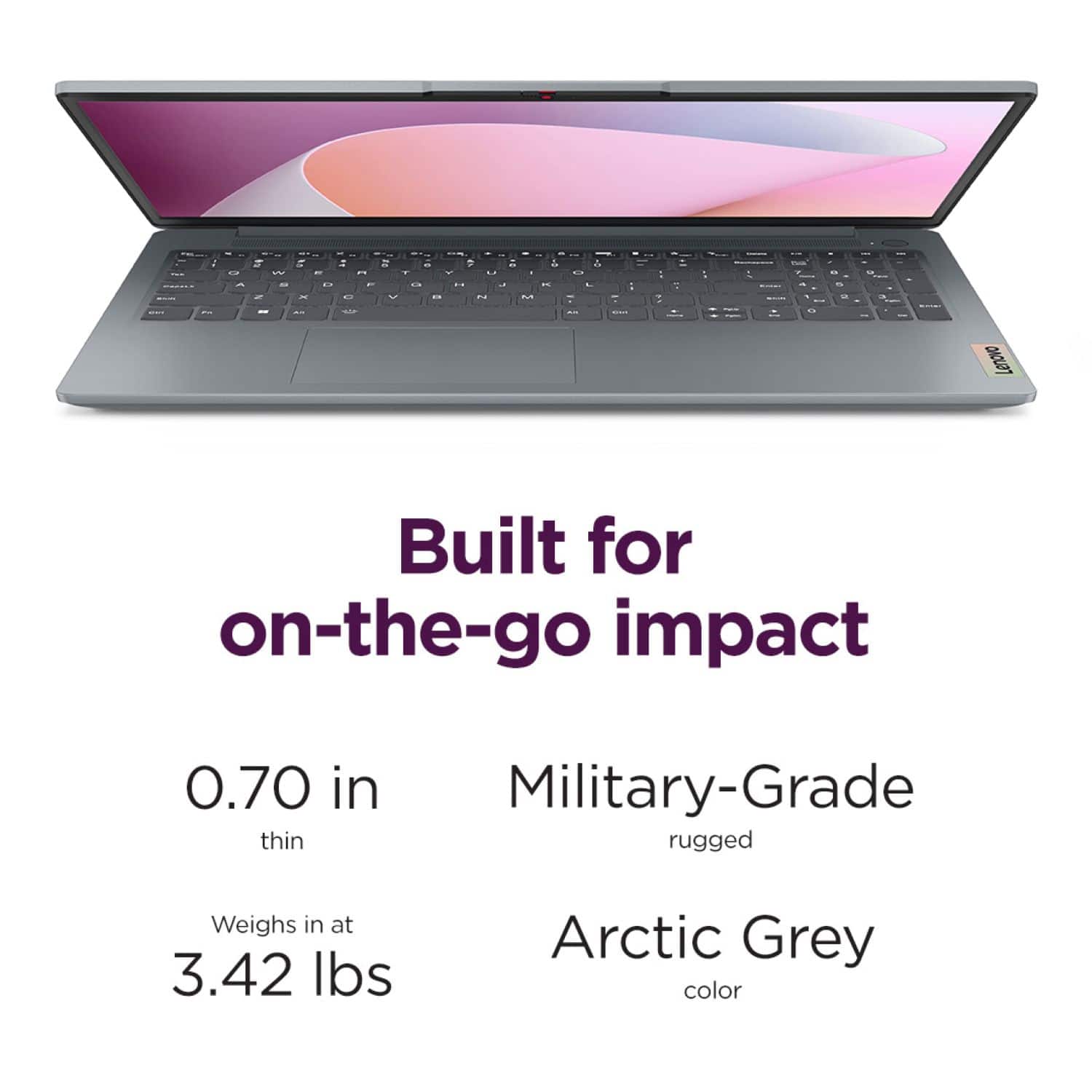
Thanks for choosing Lenovo and for sharing your feedback with us. We appreciate your sharing your comments on the system's display. We wish to share context regarding this. This IdeaPad features a TN panel display, which is traditionally a lower resolution and viewing angle display compared to higher tiered panels like IPS. This panel was chosen to enable keeping this model as competitive in pricing as possible, and it's found in other devices within this price range.
We are glad to read that you are satisfied with your purchase overall.
Please don't hesitate to reach out to us via the Q& A section of this product page or contact Lenovo Support should you have any questions or need assistance.
Regards,
Lenovo
Disappointly Short Battery Life
||Posted .This reviewer received promo considerations or sweepstakes entry for writing a review.This laptop has a pathetically short battery life that renders it pretty useless. Now I know why Bestbuy was selling this model so cheaply. What use is a machine that can only last 4 hours on a full charge when all I'm doing is checking email? I would never have purchased this had I known how poor the battery was.
No, I would not recommend this to a friendBrand response from Lenovo Product Expert
Posted .Hello ToddH,
thank you for taking the time to share your experience with us. We’re very sorry to hear about the frustration you encountered with the battery life of your IdeaPad Slim 3i. We understand how disappointing it can be when a new device doesn’t work as expected, and we appreciate you reaching out to us about this. We strive to provide the best experience possible, so we'd like to work with you to address this pain point.
Regarding the battery life—there are many variables that contribute to shorter battery life. Thankfully, many of those variables can be adjusted. By default, the system will tend to give more speed when needed, which can sacrifice battery life. If you want to squeeze out more battery life, we recommend utilizing the Lenovo Vantage application that is preinstalled to adjust settings related to power and battery performance (to access relevant settings, open Vantage > Device Settings > Power). You can also take advantage of the keyboard shortcut, Fn + Q to toggle thermal modes and easily switch between prioritizing battery life or power, or even the best of both worlds.
Please don't hesitate to let us know what else we can do to improve your experience, as your satisfaction is important to us.
Best regards,
Lenovo
Basic PC
||Posted . Owned for 2 weeks when reviewed.This reviewer received promo considerations or sweepstakes entry for writing a review.Nice display and keyboards, but it ran pretty slow.
No, I would not recommend this to a friendLaptop
||Posted . Owned for 1 week when reviewed.This reviewer received promo considerations or sweepstakes entry for writing a review.Limited capacity and capability. Constructed well, operating system slow
No, I would not recommend this to a friendBrand response from Lenovo Product Expert
Posted .Hello JohnC,
We are sorry to hear that you have experienced an issue with your IdeaPad. This model is an entry level, light use system designed for singular, non-demanding tasks. Should you feel you are using the device for its intended use and still experiencing a performance issue, we recommend searching for and applying any available updates through Windows Update Settings. Also, ensure that your home Wi-Fi network is compatible with, and is capable of supplying your laptop with sufficient bandwidth to deliver the performance you desire for internet-based tasks.
If after these steps your issue persists, we then recommend reaching out to Lenovo Tech Support at this number: 877-453-6686, and providing a representative with details of your issue, so that they may help by providing a solution for you.
Please update us when you can.
Best regards,
Lenovo
Don’t purchase for Remote work
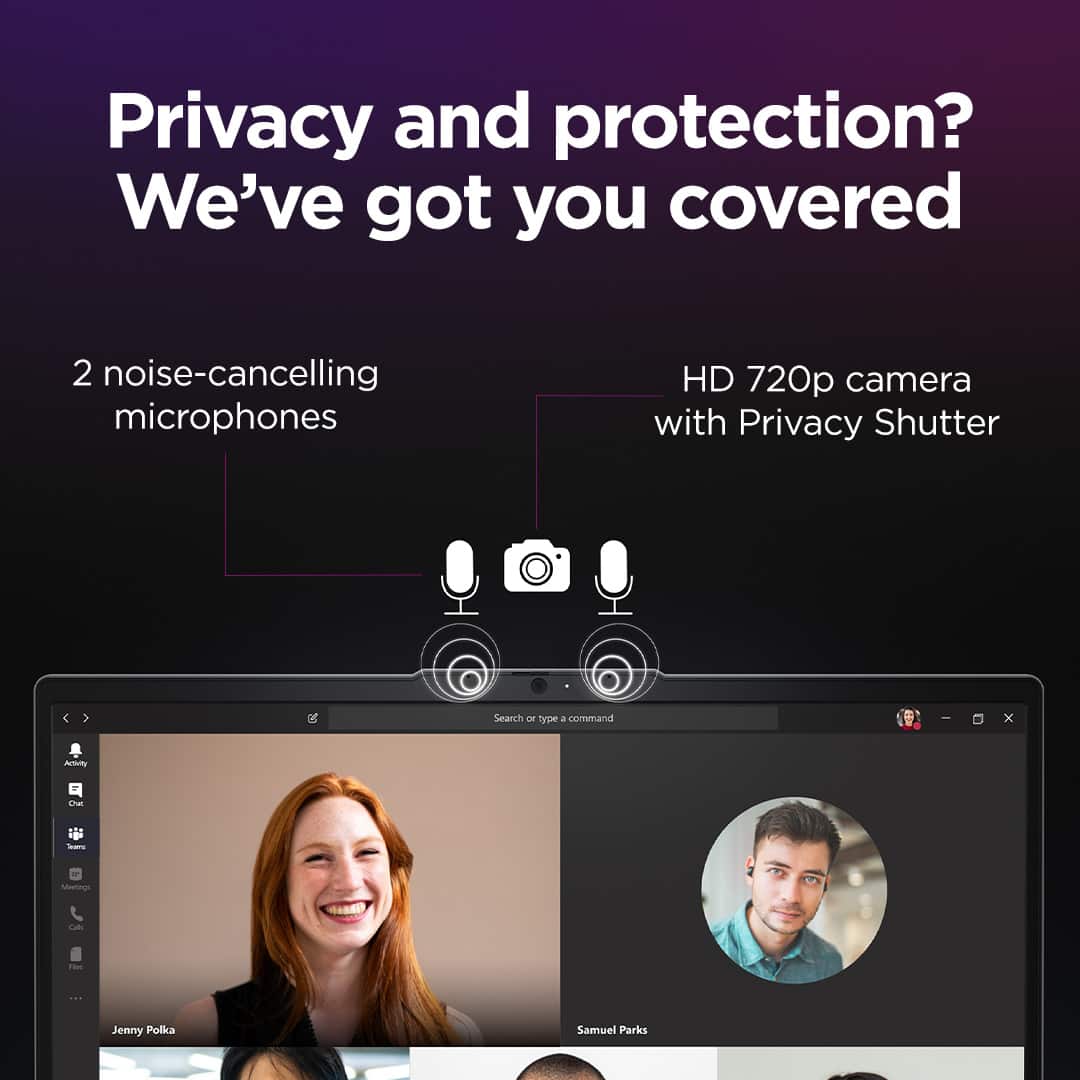
||Posted . Owned for 3 months when reviewed.This reviewer received promo considerations or sweepstakes entry for writing a review.Very poor laptop, struggles with Teams and cost me jobs because of it. Charger is antiquated. Feel and look is cheap. Display dim even at the brightest setting
No, I would not recommend this to a friendCheap
||Posted . Owned for 1 week when reviewed.This reviewer received promo considerations or sweepstakes entry for writing a review.It is Affordable under current sales and promotions.
No, I would not recommend this to a friendNot worth it.
||Posted . Owned for 1 month when reviewed.This reviewer received promo considerations or sweepstakes entry for writing a review.Not even a week but it already freezing up. Then it shut down and super slow
No, I would not recommend this to a friendLenovo
||Posted .This reviewer received promo considerations or sweepstakes entry for writing a review.froze up during set up, can't get it to do anything. Have to take back for someone to look at No happy
No, I would not recommend this to a friendBrand response from Lenovo Product Expert
Posted .Hello,
Thank you for sharing your feedback with us. We're sorry to hear that you ran into an issue. We strive to provide the best experience possible, so we're disappointed and apologize that this wasn't the case for you.
We recommend contacting Lenovo Support at this number: 877-453-6686, to work with the Customer Care team for swift action as we look to resolve this matter for you and make things right.
Please don't hesitate to let us know what else we can do to improve your experience, as your satisfaction is important to us.
Best regards,
Lenovo
Don’t buy
||Posted . Owned for 1 month when reviewed.This reviewer received promo considerations or sweepstakes entry for writing a review.Was good until it wasn’t. The backlight turned off and wouldn’t turn back on within a day of having the laptop. It made it very hard to use
No, I would not recommend this to a friendBrand response from Lenovo Product Expert
Posted .Hello,
Thank you for sharing your feedback with us. We're sorry to hear that you ran into an issue. We strive to provide the best experience possible. We're disappointed and apologize that this wasn't the case for you, and we'd like to work with you to try to improve your experience.
We wish to clarify that this model IdeaPad Slim 3i does not feature a backlit keyboard. Regardless, if you're experiencing this issue still, we recommend contacting Lenovo Support at this number: 877-453-6686, to work with the Customer Care team for swift action as we look to resolve this matter for you and make things right.
Please don't hesitate to let us know what else we can do to improve your experience, as your satisfaction is important to us.
Best regards,
Lenovo