Customer Ratings & Reviews




- Model:
- 81LW005PUS
- SKU:
- 6350522
Rating by feature
- Battery Life
Rating 4.0 out of 5 stars
- Speed
Rating 3.5 out of 5 stars
- Display
Rating 4.1 out of 5 stars
Customers are saying
Customers are satisfied with the price, storage, ease of use, gaming capabilities, memory, lightweight design, and performance of the L340-15API 15.6" Laptop. However, they have concerns about its slow speed, battery life, touchpad, and multitasking capabilities.
This summary was generated by AI based on customer reviews.
Great for my needs
||Posted . Owned for 3 weeks when reviewed.This reviewer received promo considerations or sweepstakes entry for writing a review.I'm 60+ and was looking for a light weight easy to use laptop to do mostly genealogy on. Wasn't looking forward to learning a new OS. But it wasn't to painful. Found my network. Connected right up. Added my music. Like the ease of cropping and doing other adjustments to pictures. Still learning. But I'm very pleased with my new laptop.
I would recommend this to a friendBrand response from Lenovo Product Expert
Posted .Thank you for choosing the Lenovo IdeaPad L340-15 laptop. The heart of the IdeaPad L340-15 is the Windows 10 Operating System. With regard to learning your way around Windows 10, you may want to try YouTube.com (just type that address in your browser address window). There are hundreds for free instructional videos there about Windows 10. Just type Windows 10 Introduction in to the YouTube search window. You can watch free videos there that will show you the basics all the way up to tips and tricks videos and they're all free. The Lenovo IdeaPad L340-15 is a mid-level, moderate use configuration, with its AMD Ryzen 3 3200U processor. This Dual-Core processor has a base speed of 2.6GHz and a boost speed of up to 3.5GHz. This configuration has 8GB of DDR4-2133MHz RAM. It is good with Microsoft Office type programs, internet browsing and other moderate work. This model ships with Windows 10 S-Mode Operating System. Windows 10 S-Mode provides added security by only allowing APPs available ( and therefore certified by Microsoft) at the Microsoft Store. If you don't need the added security or you need to install APPs not available at the Microsoft Store, you can switch to standard Windows 10 Home 64-bit Operating System, at no additional cost.

Nice unit for all around use.
||Posted . Owned for 3 weeks when reviewed.This reviewer received promo considerations or sweepstakes entry for writing a review.This unit has twice the capacities of a similar laptop that I had purchased at a similar price.It is fast efficient and with a beautiful screen.I also use it as a tool for pulling up stock charts and trying to trade securities and analyze their technical properties.After 3 weeks of ownership this is by far the best unit that I have owned
I would recommend this to a friendBrand response from Lenovo Product Expert
Posted .Thank you for choosing the lenovo IdeaPad L340-15 laptop. We are pleased to hear that the performance of the IdeaPad 330s-15 meets your computing needs so well. This is a mid-level, moderate use configuration, with its AMD Ryzen 3 3200U processor. This Dual-Core processor has a base speed of 2.6GHz and a boost speed of up to 3.5GHz. This configuration has 8GB of DDR4-2400MHz RAM. It is good with Microsoft Office type programs, internet browsing and other moderate work. This model ships with Windows 10 S-Mode Operating System. Windows 10 S-Mode provides added security by only allowing APPs available ( and therefore certified by Microsoft) at the Microsoft Store. If you don't need the added security or you need to install APPs not available at the Microsoft Store, you can switch to standard Windows 10 Home 64-bit Operating System, at no additional cost.
Love my New Laptop
||Posted . Owned for 3 weeks when reviewed.This reviewer received promo considerations or sweepstakes entry for writing a review.I love my new Laptop. It is a great value for home and/or student use. The two key points that make it a 5 star review are the ease of how the keyboard is super smooth and the quickness of how fast the pages load when connected to the Internet. I would recommend this to anyone.
I would recommend this to a friendBrand response from Lenovo Product Expert
Posted .Thank you for choosing the Lenovo IdeaPad L340-15 laptop. We are pleased to hear that the features and performance of the IdeaPad L340-15 meets your computing needs so well. This is a mid-level, moderate use configuration, with its AMD Ryzen 3 3200U processor. This Dual-Core processor has a base speed of 2.6GHz and a boost speed of up to 3.5GHz. This configuration has 8GB of DDR4-2400MHz RAM. It is good with Microsoft Office type programs, internet browsing and other moderate work. This model ships with Windows 10 S-Mode Operating System. Windows 10 S-Mode provides added security by only allowing APPs available ( and therefore certified by Microsoft) at the Microsoft Store. If you don't need the added security or you need to install APPs not available at the Microsoft Store, you can switch to standard Windows 10 Home 64-bit Operating System, at no additional cost.
- Pros mentioned:Easy to use
Perfect for work
||Posted . Owned for 2 weeks when reviewed.This reviewer received promo considerations or sweepstakes entry for writing a review.Very easy to use, looks great and great size! I use this computer for work and it’s been great!
I would recommend this to a friendBrand response from Lenovo Product Expert
Posted .Thank you for choosing the Lenovo IdeaPad L340-15 laptop. We are pleased to hear that the ease of use, features and performance of the IdeaPad L340-15 meets your computing needs so well. This is a mid-level, moderate use configuration, with its AMD Ryzen 3 3200U processor. This Dual-Core processor has a base speed of 2.6GHz and a boost speed of up to 3.5GHz. This configuration has 8GB of DDR4-2400MHz RAM. It is good with Microsoft Office type programs, internet browsing and other moderate work. This model ships with Windows 10 S-Mode Operating System. Windows 10 S-Mode provides added security by only allowing APPs available ( and therefore certified by Microsoft) at the Microsoft Store. If you don't need the added security or you need to install APPs not available at the Microsoft Store, you can switch to standard Windows 10 Home 64-bit Operating System, at no additional cost.
- Cons mentioned:Slow
I am saddened by my waste of money
||Posted . Owned for 1 month when reviewed.This reviewer received promo considerations or sweepstakes entry for writing a review.This is not a good laptop and am disappointed that I have to use it. It constantly cuts me off from the internet and I have to refresh all the time to get reconnected. All. The. Time. It is very slow and freezes up alot. Unfortunately, due to the small time frame given to return it, I am stuck with it. I just have to grit my teeth and bear it, which is very aggravating.
No, I would not recommend this to a friendBrand response from Lenovo Product Expert
Posted .We are sorry to hear that you are having issues with your Lenovo IdeaPad L340-15 laptop. Windows 10 should not freeze. Be sure any software you installed is compatible with Windows 10. There is no need to install Microsoft Office software. The software is already part of the operating system, you just need to activate the software with a purchased product key. If you have installed a copy of Microsoft Office, this is conflicting with the existing copy on the system and this will slow your system down. If you have installed a 3rd party anti-virus program, be sure that Windows Defender is turned off and that the trial version of McAfee Anti-Virus software is uninstalled. There can only be one anti-virus program on the system. You may need to restore your system to original factory default settings if any of the programing errors have occurred. You can do that by typing "restore" in the Cortana search window. Just click on the magnifying glass icon at the bottom left of your Windows 10 Desktop. Click on "Reset This PC" Then click on "Get Started" and follow the on screen directions to restore to factory defaults. Regarding WiFi connectivity, be sure you have the latest version of Windows 10 on the computer. Then update all of the BIOS files and drivers, including the drivers for WiFi, up to that latest version of Windows 10. You can easily accomplish this by scanning the computer with the Lenovo Utility software installed on the computer. This system has Lenovo utilities installed to help maintain the health of the device and keep the operating system software up to date. Type "Lenovo Vantage" in the Cortana Search window (if Lenovo Vantage is not installed on your device, you can download the APP and install it now). Select Lenovo Vantage from the list. In the window that opens, click on "Health and Support". In the expanded menu, select "Hardware Scan" In the window that opens, select "Run Quick Tests". This will scan your entire system for errors. Follow any directions that may pop up. If the problem continues after this scan, now click on "System Update". First select Windows update from the menu. Scan your system to be sure you have the latest version of Windows 10. Once that scan is complete, select "Additional Updates". This will scan your device to be sure there are no new BIOS/Driver updates needed. Follow any instructions that may pop up. If the issue still continues after these updates, we recommend you call Lenovo Tech Support at: 877-453-6686 for additional help.
- Pros mentioned:Price
Excellent for the price
||Posted . Owned for less than 1 week when reviewed.This reviewer received promo considerations or sweepstakes entry for writing a review.Got this for my mom and what she dies and needs it for is excellent and great for the price
I would recommend this to a friendBrand response from Lenovo Product Expert
Posted .Thank you for choosing the Lenovo IdeaPad L340-15 laptop for your mother. We are pleased to hear that the value and performance of the IdeaPad L340-15 meets your mother's computing needs so well. This is a mid-level, moderate use configuration, with its AMD Ryzen 3 3200U processor. This Dual-Core processor has a base speed of 2.6GHz and a boost speed of up to 3.5GHz. This configuration has 8GB of DDR4-2400MHz RAM. It is good with Microsoft Office type programs, internet browsing and other moderate work. Windows 10 S-Mode provides added security by only allowing APPs available ( and therefore certified by Microsoft) at the Microsoft Store. If you don't need the added security or you need to install APPs not available at the Microsoft Store, you can switch to standard Windows 10 Home 64-bit Operating System, at no additional cost.
- Pros mentioned:Price
Excellent laptop
||Posted . Owned for 2 weeks when reviewed.This reviewer received promo considerations or sweepstakes entry for writing a review.Great laptop for a great price. Has been an excellent purchase for my daughter in college.
I would recommend this to a friendBrand response from Lenovo Product Expert
Posted .Thank you for choosing the lenovo IdeaPad L340-15 laptop for your daughter. We are pleased to hear that the IdeaPad L340-15 meets your daughter's computing needs so well. This is a mid-level, moderate use configuration, with its AMD Ryzen 3 3200U processor. This Dual-Core processor has a base speed of 2.6GHz and a boost speed of up to 3.5GHz. This configuration has 8GB of DDR4-2400MHz RAM. It is good with Microsoft Office type programs, internet browsing and other moderate work. This model ships with Windows 10 S-Mode Operating System. Windows 10 S-Mode provides added security by only allowing APPs available ( and therefore certified by Microsoft) at the Microsoft Store. If you don't need the added security or you need to install APPs not available at the Microsoft Store, you can switch to standard Windows 10 Home 64-bit Operating System, at no additional cost.
- Pros mentioned:Price
Great little laptop
||Posted . Owned for 3 weeks when reviewed.This reviewer received promo considerations or sweepstakes entry for writing a review.Quick easy and at a great price. After looking for several weeks this one excided my needs.
I would recommend this to a friendBrand response from Lenovo Product Expert
Posted .Thank you for choosing the Lenovo IdeaPad L340-15 laptop. We are pleased to hear that the value and performance of the IdeaPad L340-15 meets your computing needs so well. This is a mid-level, moderate use configuration, with its AMD Ryzen 3 3200U processor. This Dual-Core processor has a base speed of 2.6GHz and a boost speed of up to 3.5GHz. This configuration has 8GB of DDR4-2400MHz RAM. It is good with Microsoft Office type programs, internet browsing and other moderate work. This model ships with Windows 10 S-Mode Operating System. Windows 10 S-Mode provides added security by only allowing APPs available ( and therefore certified by Microsoft) at the Microsoft Store. If you don't need the added security or you need to install APPs not available at the Microsoft Store, you can switch to standard Windows 10 Home 64-bit Operating System, at no additional cost.
- Cons mentioned:Battery life, Slow
Not good
||Posted . Owned for 1 year when reviewed.This reviewer received promo considerations or sweepstakes entry for writing a review.Started slowing down almost right away. It's just a bad laptop. Gets the job done, just takes twice as long. Battery drains fast.
No, I would not recommend this to a friend - Cons mentioned:Slow
HORRIBLE
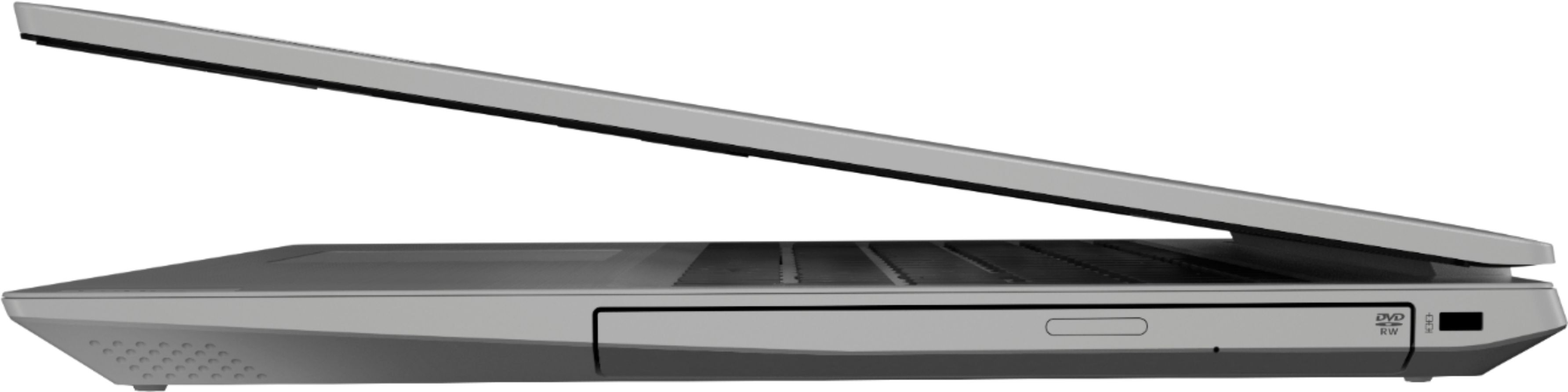
||Posted . Owned for 1 month when reviewed.This reviewer received promo considerations or sweepstakes entry for writing a review.I’m disappointed I had medical issues going on and was unable to use this laptop after I purchased this. By the time I could use it I was outside the return window. I am not exaggerating when I say this is the worst computer/laptop etc I have ever used and that is saying a lot. It is incredibly slow and doesn’t process anything. I have tried restarting it, that does nothing. There isn’t even any content on this computer and I haven’t used it enough to justify why it is so slow. I will likely buy another laptop even though this is only a month old bc I dislike it so much I render it basically useless. I can use it as a DVD player. That’s about all it’s good for. It even freezes if I’m just browsing the internet. I would not ever recommend this laptop. Even if you are short on money
No, I would not recommend this to a friendBrand response from Lenovo Product Expert
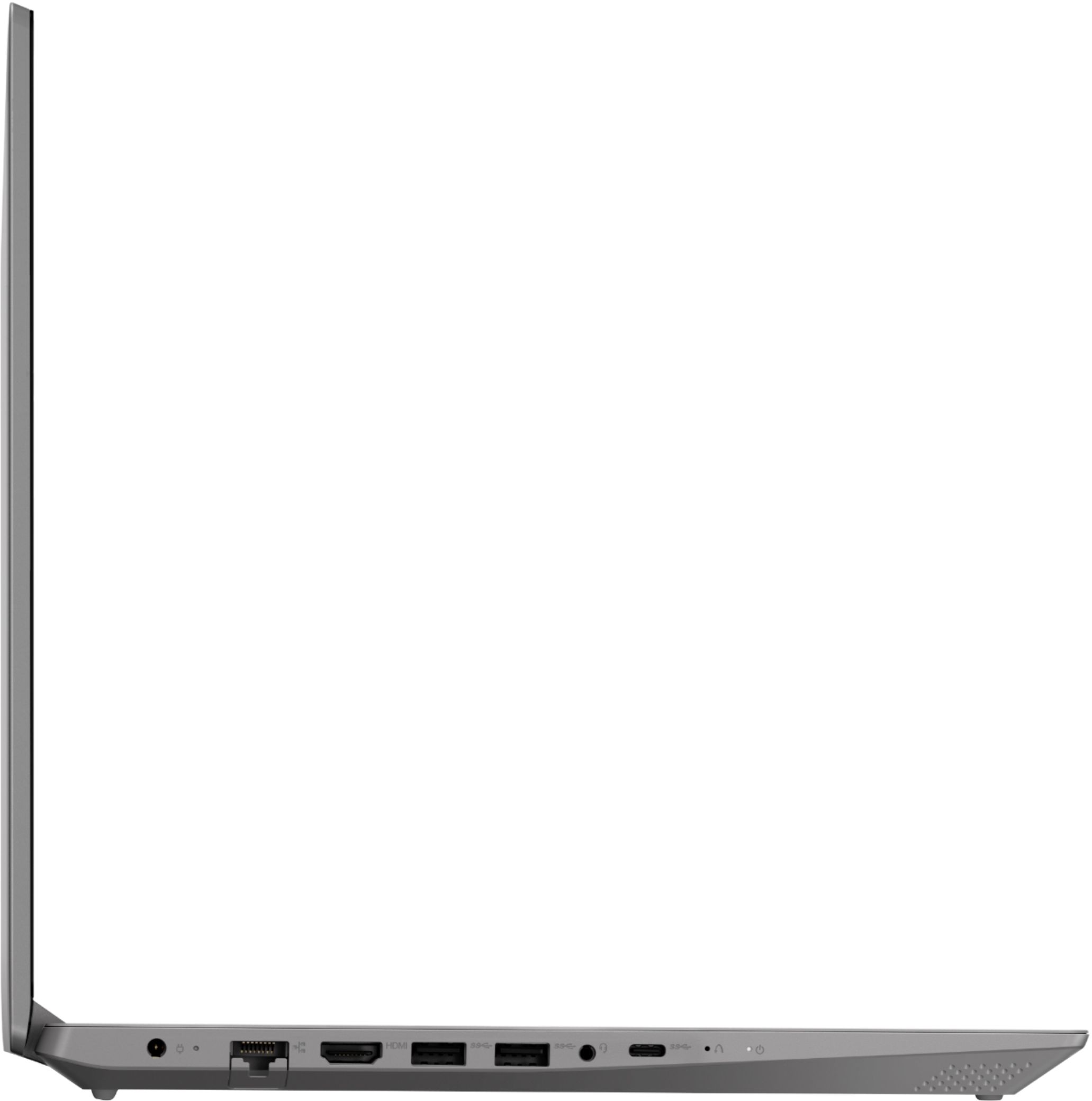
Posted .We are sorry to hear that you are having issues with your Lenovo IdeaPad L340-15 laptop. It is possible that resetting the computer back to original factory settings may correct the issue you describe. This system is equipped with OneKey Recovery System. There is a very small pin hole on the left side of the device, right near the USB-c port on the device. You will need a pin to push this reset button. Plug the device in. Let the battery charge for about 15 minutes. Push the reset button. The system should boot to a choice screen where you can choose "Restore To Factory Default". Select this. It will delete everything from the hard drive except the original factory install of the operating system. You will need to reinstall all programs and files after the reset. If you don't have copies of the files, try to make one before you restore by selecting "Boot to desktop" and trying to back up your files. If the problem persists after the factory reset, we recommend you contact Lenovo Tech Support at: 877-453-6686.
- Pros mentioned:Price
Great laptop for the family
||Posted . Owned for 3 weeks when reviewed.This reviewer received promo considerations or sweepstakes entry for writing a review.This is a great laptop, lightweight, family friendly and a good investment for the price
I would recommend this to a friendBrand response from Lenovo Product Expert
Posted .Thank you for choosing the lenovo IdeaPad L340-15 laptop for your family. This is a mid-level, moderate use configuration, with its AMD Ryzen 3 3200U processor. This Dual-Core processor has a base speed of 2.6GHz and a boost speed of up to 3.5GHz. This configuration has 8GB of DDR4-2400MHz RAM. It is good with Microsoft Office type programs, internet browsing and other moderate work. This model ships with Windows 10 S-Mode Operating System. Windows 10 S-Mode provides added security by only allowing APPs available ( and therefore certified by Microsoft) at the Microsoft Store. If you don't need the added security or you need to install APPs not available at the Microsoft Store, you can switch to standard Windows 10 Home 64-bit Operating System, at no additional cost.
- Cons mentioned:Slow
Slow laptop
||Posted . Owned for less than 1 week when reviewed.This reviewer received promo considerations or sweepstakes entry for writing a review.I bought this laptop partly because it was supposed to faster than my Acer laptop with a i5-7200u that I got 2 years ago, but it is not. In fact, it seem slower than my laptop with a i3-4100u. Applications, such as Chrome, often become unresponsive. I have to wait sometimes 10s of seconds for a menu to come up. Overall a sluggish laptop, especially considering this has 8 GB of memory. In addition, it seems to be defective. I tried to transfer photos from my iPhone over USB, and it always gets stuck after transferring about 300 MB. I tried many times. On my Acer laptop, the files transfer just fine using the same USB cable. This problem happens on both USB ports. I will be returning this laptop.
No, I would not recommend this to a friendBrand response from Lenovo Product Expert
Posted .The Lenovo IdeaPad L340-15 laptop, model number 81LW005PUS ships with the Dual-Core/Four-Thread AMD Ryzen 3 3200U processor, with a base speed of 2.6GHz and a boost speed of up to 3.5GHz. This processor is supported by 8GB DDR4-2400MHz RAM. If the performance you are experiencing is slower, be sure any software you installed is compatible with Windows 10. There is no need to install Microsoft Office software. The software is already part of the operating system, you just need to activate the software with a purchased product key. If you have installed a copy of Microsoft Office, this is conflicting with the existing copy on the system and this will slow your system down. If you have installed a 3rd party anti-virus program, be sure that Windows Defender is turned off and that the trial version of McAfee Anti-Virus software is uninstalled. There can only be one anti-virus program on the system. You may need to restore your system to original factory default settings if any of the programing errors have occurred. You can do that by typing "restore" in the Cortana search window. Just click on the magnifying glass icon at the bottom left of your Windows 10 Desktop. Click on "Reset This PC" Then click on "Get Started" and follow the on screen directions to restore to factory defaults. If the problem persists, we recommend you contact Lenovo Tech Support at: 877-453-6686.
- Pros mentioned:Price
Perfect
||Posted . Owned for 1 month when reviewed.This reviewer received promo considerations or sweepstakes entry for writing a review.Great price. Purchased for my mom to upgrade from her 10 year old PC. Pretty pleased!
I would recommend this to a friendBrand response from Lenovo Product Expert
Posted .Thank you for choosing the lenovo IdeaPad L340-15 laptop for your mother. We are pleased to hear that the value and performance of the IdeaPad L340-15 is working out so well for your mother. This is a mid-level, moderate use configuration, with its AMD Ryzen 3 3200U processor. This Dual-Core processor has a base speed of 2.6GHz and a boost speed of up to 3.5GHz. This configuration has 8GB of DDR4-2400MHz RAM. It is good with Microsoft Office type programs, internet browsing and other moderate work. This model ships with Windows 10 S-Mode Operating System. Windows 10 S-Mode provides added security by only allowing APPs available ( and therefore certified by Microsoft) at the Microsoft Store. If you don't need the added security or you need to install APPs not available at the Microsoft Store, you can switch to standard Windows 10 Home 64-bit Operating System, at no additional cost.
- Cons mentioned:Battery life
laptop is great vivid color & works fine
||Posted . Owned for 1 month when reviewed.This reviewer received promo considerations or sweepstakes entry for writing a review.this laptop works fine only problem the battery doesn't last needs recharging a lot
I would recommend this to a friendBrand response from Lenovo Product Expert
Posted .The Lenovo IdeaPad L340-15 laptop ships with a 3CELL_36WH_INTERNAL, Lithium Polymer Battery, with a battery life of up to 8 hours, depending on the work that the device is performing. If you are getting substantially less battery life, be sure any software you installed is compatible with Windows 10. Incompatible software will cause the battery to drain at a faster rate. There is no need to install Microsoft Office software. The software is already part of the operating system, you just need to activate the software with a purchased product key. If you have installed a copy of Microsoft Office, this is conflicting with the existing copy on the system and this will slow your system down. If you have installed a 3rd party anti-virus program, be sure that Windows Defender is turned off and that the trial version of McAfee Anti-Virus software is uninstalled. There can only be one anti-virus program on the system. You may need to restore your system to original factory default settings if any of the programming errors have occurred. You can do that by typing "restore" in the Cortana search window. Just click on the magnifying glass icon at the bottom left of your Windows 10 Desktop. Click on "Reset This PC" Then click on "Get Started" and follow the on screen directions to restore to factory defaults. If there is no incompatible software installed, To maximize battery life, first adjust your battery saver settings. Here is a link to instruction for doing this in Windows 10: https://www.digitalcitizen.life/how-use-configure-battery-saver-windows-10. Next, to maximize battery life, be sure there are no unwanted programs running in the background, draining the battery. Here is a link to some tips for finding out what is draining your battery:
https://www.laptopmag.com/articles/battery-saver-windows-10. Also, to maximize battery life, try changing your power management setting to a more conservative one. You can do this in the control panel, in the power management category on your system. Select a more conservative power management setting to extend battery life. Finally, if the battery life does not improve, a battery reset may help. Here is a link to instructions for reconditioning a non-removable battery, using the Battery Management Software installed on the computer. If you need further assistance, we recommend you call Lenovo Tech Support at: 877-453-6686. Here is the link: https://windowsreport.com/laptop-battery-not-charging-windows-10/
Perfect for My Needs
||Posted . Owned for 1 month when reviewed.This reviewer received promo considerations or sweepstakes entry for writing a review.My teenage granddaughter needed a well-featured laptop including current technology for her schoolwork and pleasure. This model among the Lenovo assortment of laptops fulfilled those requirements for the right price. She is elated with its features and her parents will buy an identical one for their other daughter.
I would recommend this to a friendBrand response from Lenovo Product Expert
Posted .Thank you for choosing the Lenovo IdeaPad L340-15 laptop for your grand daughter. We are pleased to hear that the performance of the IdeaPad L340-15 meets your grand daughter's computing needs so well. This is a mid-level, moderate use configuration, with its AMD Ryzen 3 3200U processor. This Dual-Core processor has a base speed of 2.6GHz and a boost speed of up to 3.5GHz. This configuration has 8GB of DDR4-2400MHz RAM. It is good with Microsoft Office type programs, internet browsing and other moderate work. This model ships with Windows 10 S-Mode Operating System. Windows 10 S-Mode provides added security by only allowing APPs available ( and therefore certified by Microsoft) at the Microsoft Store. If you don't need the added security or you need to install APPs not available at the Microsoft Store, you can switch to standard Windows 10 Home 64-bit Operating System, at no additional cost.
- Pros mentioned:Price
excellent computer for beginners
||Posted . Owned for 1 month when reviewed.This reviewer received promo considerations or sweepstakes entry for writing a review.EXCELLENT STARTER COMPUTER FOR TEENAGERS. ALSO GOOD PRICE FOR BRAND NEW COMPUTER
I would recommend this to a friend - Pros mentioned:Easy to use
Easy to work
||Posted . Owned for 1 month when reviewed.This reviewer received promo considerations or sweepstakes entry for writing a review.Very good product..easy too learn to work on for my work things..easy too work..
I would recommend this to a friendBrand response from Lenovo Product Expert
Posted .Thank you for choosing the Lenovo IdeaPad L340-15 laptop. We are pleased to hear that the ease of use and the performance of the IdeaPad L340-15 meets your computing needs so well. This is a mid-level, moderate use configuration, with its AMD Ryzen 3 3200U processor. This Dual-Core processor has a base speed of 2.6GHz and a boost speed of up to 3.5GHz. This configuration has 8GB of DDR4-2400MHz RAM. It is good with Microsoft Office type programs, internet browsing and other moderate work. This model ships with Windows 10 S-Mode Operating System. Windows 10 S-Mode provides added security by only allowing APPs available ( and therefore certified by Microsoft) at the Microsoft Store. If you don't need the added security or you need to install APPs not available at the Microsoft Store, you can switch to standard Windows 10 Home 64-bit Operating System, at no additional cost.
Easy to use
||Posted . Owned for 1 month when reviewed.This reviewer received promo considerations or sweepstakes entry for writing a review.Easy to use, very lightweight, I brought this laptop for my son and he loves it.
I would recommend this to a friendBrand response from Lenovo Product Expert
Posted .Thank you for choosing the Lenovo IdeaPad L340-15 laptop for your son. We are pleased to hear that the features and performance of the IdeaPad L340-15 meets your son's computing needs so well. This is a mid-level, moderate use configuration, with its AMD Ryzen 3 3200U processor. This Dual-Core processor has a base speed of 2.6GHz and a boost speed of up to 3.5GHz. This configuration has 8GB of DDR4-2400MHz RAM. It is good with Microsoft Office type programs, internet browsing and other moderate work. This model ships with Windows 10 S-Mode Operating System. Windows 10 S-Mode provides added security by only allowing APPs available ( and therefore certified by Microsoft) at the Microsoft Store. If you don't need the added security or you need to install APPs not available at the Microsoft Store, you can switch to standard Windows 10 Home 64-bit Operating System, at no additional cost.
Basic laptop good value
||Posted . Owned for 1 week when reviewed.This reviewer received promo considerations or sweepstakes entry for writing a review.Replaced older laptop, minimal usage, emails, bill pay and tax preparation once a year, have only had for a short time but happy with product would recommend for anyone with light usage and on a budget.
I would recommend this to a friendBrand response from Lenovo Product Expert
Posted .Thank you for choosing the Lenovo IdeaPad L340-15 laptop. This is a mid-level, moderate use configuration, with its AMD Ryzen 3 3200U processor. This Dual-Core processor has a base speed of 2.6GHz and a boost speed of up to 3.5GHz. This configuration has 8GB of DDR4-2400MHz RAM. It is good with Microsoft Office type programs, internet browsing and other moderate work. This model ships with Windows 10 S-Mode Operating System. Windows 10 S-Mode provides added security by only allowing APPs available ( and therefore certified by Microsoft) at the Microsoft Store. If you don't need the added security or you need to install APPs not available at the Microsoft Store, you can switch to standard Windows 10 Home 64-bit Operating System, at no additional cost.
- Pros mentioned:Price
Excellent Laptop
||Posted . Owned for 3 weeks when reviewed.This reviewer received promo considerations or sweepstakes entry for writing a review.Love my new laptop. It is light and does all I need and more. Great price too.
I would recommend this to a friendBrand response from Lenovo Product Expert
Posted .Thank you for choosing the Lenovo IdeaPad L340-15 laptop. We are pleased to hear that the IdeaPad L340-15 is working out so well for you. This is a mid-level, moderate use configuration, with its AMD Ryzen 3 3200U processor. This Dual-Core processor has a base speed of 2.6GHz and a boost speed of up to 3.5GHz. This configuration has 8GB of DDR4-2400MHz RAM. It is good with Microsoft Office type programs, internet browsing and other moderate work. This model ships with Windows 10 S-Mode Operating System. Windows 10 S-Mode provides added security by only allowing APPs available ( and therefore certified by Microsoft) at the Microsoft Store. If you don't need the added security or you need to install APPs not available at the Microsoft Store, you can switch to standard Windows 10 Home 64-bit Operating System, at no additional cost.