Customer Ratings & Reviews


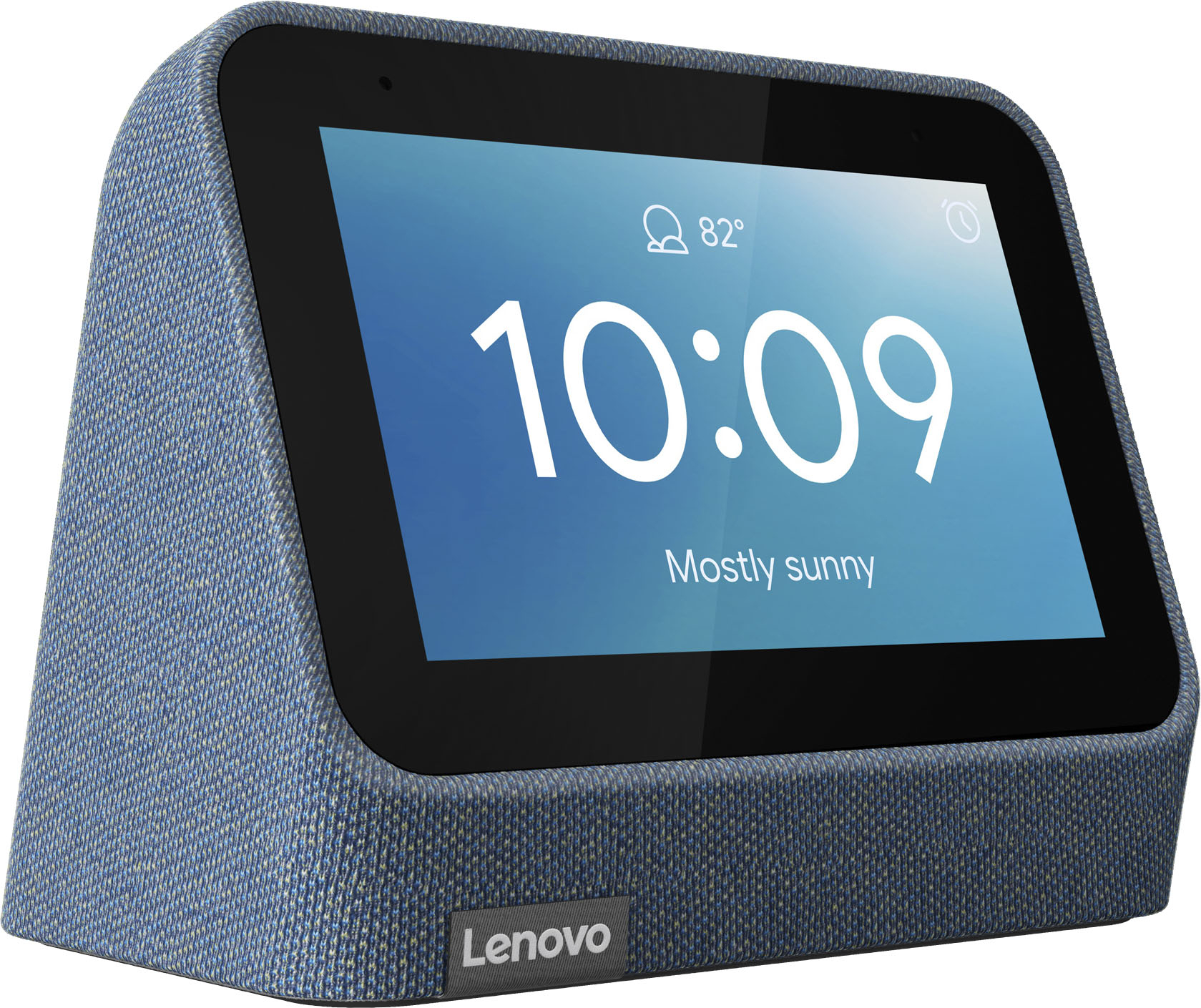
- Model:
- ZA970028US
- SKU:
- 6481518
Rating by feature
- Value
Rating 4.3 out of 5 stars
- Quality
Rating 4.3 out of 5 stars
- Ease of Use
Rating 4.3 out of 5 stars
Customers are saying
Customers frequently mention the wireless charging and surprisingly good sound quality as top features. The ease of use and the alarm functionality also receive positive feedback. However, some customers express that the screen size could be larger and there are concerns about the battery life and price point for some users.
This summary was generated by AI based on customer reviews.
Great clock+
||Posted . Owned for 3 weeks when reviewed.This reviewer received promo considerations or sweepstakes entry for writing a review.Love it I recommend this alarm clock and iPhone charger
I would recommend this to a friendBrand response from Lenovo Product Expert
Posted .Thank you for choosing the Lenovo Smart Clock with Wireless Charging Dock. The wireless charger is compatible with the Qi and the MagSafe Wireless Charging format and will charge any compatible device. We are pleased to hear that the features and performance of the Smart Clock 2 with Wireless Charger meets your needs so well.

Great, If You Don't Have a Pixel 6
||Posted . Owned for less than 1 week when reviewed.This reviewer received promo considerations or sweepstakes entry for writing a review.It's good, but it doesn't charge the Pixel 6 which is the phone I happen to have. Other Pixel 6 users are having the same issue.
I would recommend this to a friendBrand response from Lenovo Product Expert
Posted .The Lenovo Smart Clock 2 with Wireless Charging Dock supports compatible Qi Wireless and MagSafe wireless charging. We recommend you check with your phone manufacturer's web site for the compatibility of your specific model phone. If you continue to have issues with wireless charging with your compatible phone, we recommend you contact Lenovo Tech Support for Smart Devices at: 866-426-0911.
Clock
||Posted . Owned for 3 weeks when reviewed.This reviewer received promo considerations or sweepstakes entry for writing a review.Very good .......... .. .
I would recommend this to a friendBrand response from Lenovo Product Expert
Posted .thank you for choosing the Lenovo Smart Clock 2 with Wireless Charging Dock. We are pleased to hear that the Smart Clock 2 with Wireless Charger is working out so well for you.
Useful
||Posted . Owned for 3 weeks when reviewed.This reviewer received promo considerations or sweepstakes entry for writing a review.I like it and it is more useful than I thought at first
I would recommend this to a friendBrand response from Lenovo Product Expert
Posted .Thank you for choosing the Lenovo Smart Clock 2 with wireless Charging Dock. We are pleased to hear that the Smart Clock 2 is working out so well for you.
Great product
||Posted . Owned for 3 weeks when reviewed.This reviewer received promo considerations or sweepstakes entry for writing a review.Got this for a Christmas gift. Great gift to give
I would recommend this to a friendBrand response from Lenovo Product Expert
Posted .Thank you for choosing the Lenovo Smart Clock 2 with Wireless Charging Dock as a gift. We are leased to hear that the Smart Clock 2 with Wireless Charger is working out so well for your recipient.
Great little clock, but….
||Posted . Owned for 3 weeks when reviewed.This reviewer received promo considerations or sweepstakes entry for writing a review.This is a great little clock but it has issues Q charging the iPhone 14. So I had to return it.
I would recommend this to a friendOk device
||Posted . Owned for 1 week when reviewed.This reviewer received promo considerations or sweepstakes entry for writing a review.Took several days for device to update for wireless charger to charge google pixel phones.
No, I would not recommend this to a friend- Cons mentioned:Screen size
Lenovo Smart Clock 2
||Posted . Owned for 3 weeks when reviewed.This reviewer received promo considerations or sweepstakes entry for writing a review.I returned it because it did not work correct. The screen just locked up.
No, I would not recommend this to a friendBrand response from Lenovo Product Expert
Posted .We are sorry to hear that you had issues with your Lenovo Smart Clock 2 with Wireless Charging Dock. Resetting the Smart Clock 2 back to original factory settings may correct the issues you are having. Just hold down both the plus and minus buttons at the top of the Smart Clock 2 at the same time for 12-seconds. This will reset the Smart Clock 2 back to original factory settings. Follow any on-screen instructions. If the issue continues after this factory reset, we recommend you contact Lenovo Tech Support for Smart Devices at: 866-426-0911.
Just ok
||Posted . Owned for 3 weeks when reviewed.This reviewer received promo considerations or sweepstakes entry for writing a review.Charging dock is fickle, however clock is nice. Buy the clock solo and get a good wireless charger.
No, I would not recommend this to a friendCan’t keep time or internet connection
||Posted . Owned for 1 month when reviewed.This reviewer received promo considerations or sweepstakes entry for writing a review.Why won’t this stay connected to the internet? A clock that doesn’t work without the internet is worthless.
No, I would not recommend this to a friendBrand response from Lenovo Product Expert
Posted .We are sorry to hear that you are having WiFi connectivity issues with your Lenovo Smart Clock 2 with Wireless Charging Dock. Try these troubleshooting tips: 1. Check the wireless router and make sure it is working properly. 2. Restart the wireless router and make sure the Lenovo Smart Clock 2 is within the Wi-Fi range. 3. Try to unplug and reinsert the power cable from the Lenovo Smart Clock 2 and wait for a few minutes for the device to boot up. 3. Try reset the device (Swipe up from Home screen, tap setting icon > About device > Factory reset). 4. If the issue is still not resolved, please call Lenovo Smart Device Customer Support at: 866-426-0911.
Not Magsafe compatable
||Posted . Owned for less than 1 week when reviewed.This reviewer received promo considerations or sweepstakes entry for writing a review.Nice product except it does not work in charging my iPhone 13 Pro Max with MagSafe charging.
No, I would not recommend this to a friendBrand response from Lenovo Product Expert
Posted .The Lenovo Smart Clock 2 with Wireless Charging Dock is compatible with both Qi Wireless Charging Format as well as MagSafe Wireless Charging Format. If you are having difficulty charging your compatible phone, be sure that the specific model number phone you have is compatible. If it is, we recommend you contact Lenovo Tech Support for Smart Devices at: 866-426-0911.
Don’t buy chargeing base
||Posted . Owned for 1 month when reviewed.This reviewer received promo considerations or sweepstakes entry for writing a review.Charging base is useless put 65% and 8 hours still the same
No, I would not recommend this to a friendBrand response from Lenovo Product Expert
Posted .We are sorry to hear that you have encountered an issue with your Lenovo Smart Clock. Here is a link to a Lenovo Support webpage that details some troubleshooting steps for issues: https://support.lenovo.com/us/en/solutions/ht512647-lenovo-smart-clock-2-frequently-asked-questions-faqs#53 . If after reviewing this content and following troubleshooting steps your issue persist, we recommend reaching out to Lenovo Tech Support for additional assistance at this phone number: 877-453-6686.
Cool Concept, Crap Design
||Posted . Owned for 1 month when reviewed.This reviewer received promo considerations or sweepstakes entry for writing a review.medicore, crap probably will break in a year, constantly has to be restarted
No, I would not recommend this to a friendBrand response from Lenovo Product Expert
Posted .We are sorry to hear that you are having difficulty with your Lenovo Smart Clock 2 with Wireless Charging Dock. Resetting your Smart Clock 2 back to original factory settings may correct the issue you are having. Hold down both the minus and plus buttons at the top of the Smart Clock 2 for 12-seconds, while it is attached to the Wireless Charging Dock, then follow the on screen instructions. If the issues continue after this reset, we recommend you contact Lenovo Tech Support for Smart Devices for additional help at: 866-426-0911.
Okay clock
||Posted . Owned for less than 1 week when reviewed.This reviewer received promo considerations or sweepstakes entry for writing a review.Works okay. The charger doesn’t make a good connection
I would recommend this to a friendnot for me
||Posted . Owned for 2 months when reviewed.This reviewer received promo considerations or sweepstakes entry for writing a review.Retuned this it was not compatible with Ring products.
I would recommend this to a friendNo internet, no alarm..
||Posted . Owned for 1 month when reviewed.This reviewer received promo considerations or sweepstakes entry for writing a review.Absolutely loved this alarm clock till it woke me up at 2am telling me the internet was disconnected. If your internet isnt reliable then look elsewhere because once its out you have a fancy paper weight. Cant chang or add alarms and the existing alarms may not go off..
No, I would not recommend this to a friendIssue right out of the box
||Posted .This reviewer received promo considerations or sweepstakes entry for writing a review.Purchased 2 of these displays because of the price and form factor. 1 of them worked fine for about 20 minutes until it updated and then wireless charger stopped working . The Display would always flash charging . Moved the wireless charging pad to the other display same results . Then it started to reboot after a few hours The second one worked for about 3 days then reboots every 3-4 hours and more often when the charger is connected . I have followed the requests on the joke they call a support forum on their website and nothing has worked. I recommend to save your money and time and go with the original Google displays. I can't return these since the return period has passed again save your money .
No, I would not recommend this to a friendCannot get the correct time.
||Posted . Owned for 1 month when reviewed.This reviewer received promo considerations or sweepstakes entry for writing a review.I cannot get the time to be correct and can’t find anyway to fix it.
No, I would not recommend this to a friendBrand response from Lenovo Product Expert
Posted .We are sorry to hear that you are having issues with the setup of your Lenovo Smart Clock with Wireless Charging Dock. Here is a link to a YouTube video that will demonstrate the initial setup of the Lenovo Smart Clock 2: https://www.youtube.com/watch?v=8rC5W0WEjXM&t=28s. This Lenovo Smart Clock 2 will use internet time once connected to your WiFi network to maintain the correct time for your local area. If you have questions about your Lenovo Smart Clock 2 with Wireless Charging Dock, we recommend you contact lenovo Tech Support for Smart Devices at: 866-426-0911.
Wireless charging dock not working
||Posted . Owned for less than 1 week when reviewed.This reviewer received promo considerations or sweepstakes entry for writing a review.So i do like the problem but lenovo needs to set out a new firmware update for the dock because it is not working at all apart of the reason why i bought the device today was because it had the dock and for it not working is disappointing
No, I would not recommend this to a friendDO NOT BUY - COMPLETE JUNK
||Posted . Owned for 2 weeks when reviewed.This reviewer received promo considerations or sweepstakes entry for writing a review.You would think Lenovo would have fixed the Wi-Fi signal dropping issues the smart clock 1 had with the gen 2. But if anything, they're worse. The gen 1 at least lasted a few months before refusing to reconnect to wi-fi. The gen 2 has lasted less than a month before it absolutely REFUSES to reconnect to Wi-Fi. Oh, and the Qi charging pad is useless too. You have to precisely position your phone in just the right place for it to even consider charging. This clock has every feature I want in a smart clock, but if it needs to be connected to Wi-Fi to work, and constantly drops Wi-Fi signal requiring a hard restart to reconnect, it's worthless.
No, I would not recommend this to a friendBrand response from Lenovo Product Expert
Posted .We are sorry to hear that you are having issues connecting your Lenovo Smart Clock 2 with Wireless Charging Dock to your WiFi. Resetting the Smart Clock back to original factory settings, then allowing the Smart Clock 2 to rediscover your WiFi signal may correct the problem. Hold down both the minus and plus volume controls on the top of the Smart Clock 2 for 12-seconds. Follow the on screen instructions to reset your Smart Clock 2. You will need to download the Google Home APP to your smart phone or tablet from either the Google Play Store or the Apple APP Store. Have the Bluetooth feature turned on, on the device you use to setup the Smart Clock 2. Be sure you are connecting the Smart Clock 2 to the same WiFi network that the device you are using to setup the Smart Clock 2 is connected to. Follow the on screen instructions within the Google Home APP to connect your Smart Clock 2 to your WiFi network. Regarding charging a compatible Qi or MagSafe wirelessly chargeable device on the Smart Clock 2 wireless charging dock, look for the charging light indicator on the device you want to charge as you place the device on the wireless charging dock. You will know the device is in the optimum position to charge when the device charging indicator signals that the device is charging. If you have questions about your Smart Clock 2 with Wireless Charging Dock, we recommend you contact Lenovo Tech Support for Smart Devices at: 866-426-0911.