Customer Ratings & Reviews
- Model:
- ZA740005US
- SKU:
- 6429528
Rating by feature
- Value
Rating 4.6 out of 5 stars
- Quality
Rating 4.5 out of 5 stars
- Ease of Use
Rating 4.4 out of 5 stars
Customers are saying
Customers enjoy the sound quality, ease of use, and display of the Smart Clock Essential. Many appreciate the included night light and the convenient size, finding it ideal for bedside tables. Positive feedback also highlights the Google Assistant integration and the alarm clock functionality. While some users experienced challenges with WiFi connectivity and initial setup, the overall sentiment is positive.
This summary was generated by AI based on customer reviews.
Not a good incestment
||Posted . Owned for 1 month when reviewed.This reviewer received promo considerations or sweepstakes entry for writing a review.Did not hook up to 2.4g,I returned it and bought a Rolex.
No, I would not recommend this to a friendKenneth Murphy
||Posted . Owned for 3 weeks when reviewed.This reviewer received promo considerations or sweepstakes entry for writing a review.Item requires that purchaser have internet access. I do not. Returning the product.
No, I would not recommend this to a friendBrand response from Lenovo Product Expert
Posted .Hello, we are sorry to hear you experienced this issue with the Lenovo Smart Clock Essential. This is an always-on, smart device, and does require an active internet connection to function. If you need further assistance please don't hesitate to reach out to Lenovo Tech Support at 866-426-0911

junk
||Posted . Owned for 1 month when reviewed.This reviewer received promo considerations or sweepstakes entry for writing a review.Stopped working after 1 day, just use your phone for alarm.
No, I would not recommend this to a friendBrand response from Lenovo Product Expert
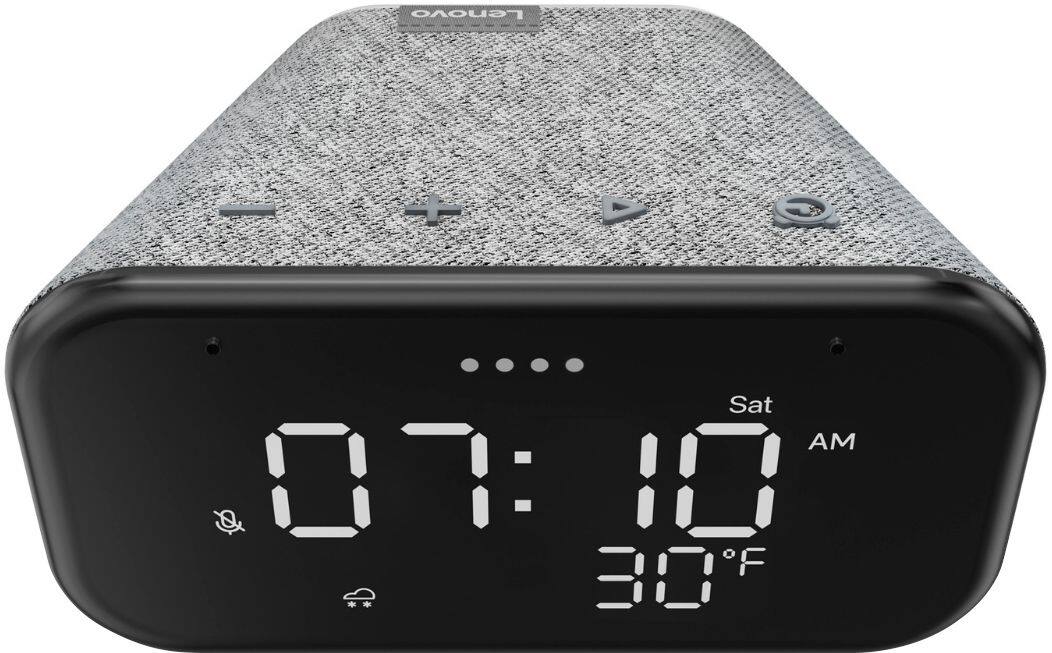
Posted .We are sorry to hear that you are having issues with your Lenovo Smart Clock Essential. Resetting the Smart Clock Essential may correct the problem. With the Smart Clock Essential plugged in, hold down both the minus button and the alarm button on the top of the Smart Clock Essential for 6-seconds, then follow the Google Assistant Voice instructions provided. If the issue continues after this reset, we recommend you call Lenovo Tech Support for Smart Devices at: 866-426-0911.
peten
||Posted . Owned for 3 weeks when reviewed.This reviewer received promo considerations or sweepstakes entry for writing a review.restricts options, can not turn off backlight and when turn off alarm all is off
No, I would not recommend this to a friendBrand response from Lenovo Product Expert
Posted .Hello, we are sorry to hear you are experiencing this issue turning off the nightlight on your Lenovo Smart Clock Essential. To turn off the Nightlight you can say "Okay Google turn off my nightlight". You can also turn off the Nightlight by holding and pressing the "Volume -" Button. If the screen is too bright simply say "Okay Google Screen brightness 1% to 100%) Depending on the level of brightness you want. If you need a Smart Clock that can Auto Dim with an ambient light sensor and turn off completely in the dark we recommend the Lenovo Smart Clock with Google Assistant as it has these features. https://www.bestbuy.com/site/lenovo-smart-clock-with-google-assistant-gray/6335321.p?skuId=6335321
Smart clock
||Posted . Owned for 2 weeks when reviewed.This reviewer received promo considerations or sweepstakes entry for writing a review.Cannot get it to work with my internet. Really can’t give a review
No, I would not recommend this to a friendBrand response from Lenovo Product Expert
Posted .Hello, We are sorry to hear you are experiencing WIFI connectivity issues with your Lenovo Smart Clock Essential. We recommend switching between 2.4Ghz and 5Ghz bands of your router. In some instances overlap from other wireless devices can cause this issue. To do this please ensure your device is within good range of your router. Then please perform a factory reset on the device by holding down the “Volume + and – ” buttons on top of your device for 8 Seconds. During setup please select a different band *Either 2.4 Ghz or 5 Ghz when connecting to your WiFi Network. Lastly please reset your model and router by powering them down for 20 seconds then back on again. If the issue persists, please contact our customer support team at 866-426-0911
Review
||Posted . Owned for 4 months when reviewed.This reviewer received promo considerations or sweepstakes entry for writing a review.This product is cheap, and works well with other smart devices.
I would recommend this to a friendnot worth it
||Posted .This reviewer received promo considerations or sweepstakes entry for writing a review.not worth it .. google voice assist doesnot work on this
No, I would not recommend this to a friendBrand response from Lenovo Product Expert
Posted .We are sorry to hear that you are having issues with your Lenovo Smart Clock Essential. The Smart Clock Essential ships with Hey Google capabilities. If you are having difficulty activating Hey Google on your Smart Clock Essential, please double check whether the mute button has been switched on or volume has been turned to minimum. Or get closer to the Lenovo Smart Clock Essential. If the issue continues, we recommend you contact Lenovo Tech Support for Smart Devices at: 866-426-0911.
Bad product
||Posted . Owned for 2 months when reviewed.This reviewer received promo considerations or sweepstakes entry for writing a review.Will not configure. No matter how many time I reset it.
No, I would not recommend this to a friendBrand response from Lenovo Product Expert
Posted .We are sorry to hear that you are having issues with the initial setup of your Lenovo Smart Clock Essential. Try resetting your Lenovo Smart Clock Essential back to original factory settings before trying to start the setup process again. You can do that by pressing and holding the Alarm button and the Volume Down button at the same time for 12 seconds. If this does not fix the issue, we recommend you contact Lenovo Tech Support for Smart Devices at: 866-426-0911.
Smart clock
||Posted . Owned for 3 months when reviewed.This reviewer received promo considerations or sweepstakes entry for writing a review.The product has a hard time understanding your voice.
No, I would not recommend this to a friendBrand response from Lenovo Product Expert
Posted .We are sorry to hear that you are having issues communicating with Hey Google within your Lenovo Smart Clock Essential. Double check whether the mute button has been switched on or volume has been turned to minimum. Or get closer to the Lenovo Smart Clock Essential. If the Issue continues, we recommend you contact Lenovo Tech Support for Smart Devices at: 866-426-0911.

Stylish alarm clock
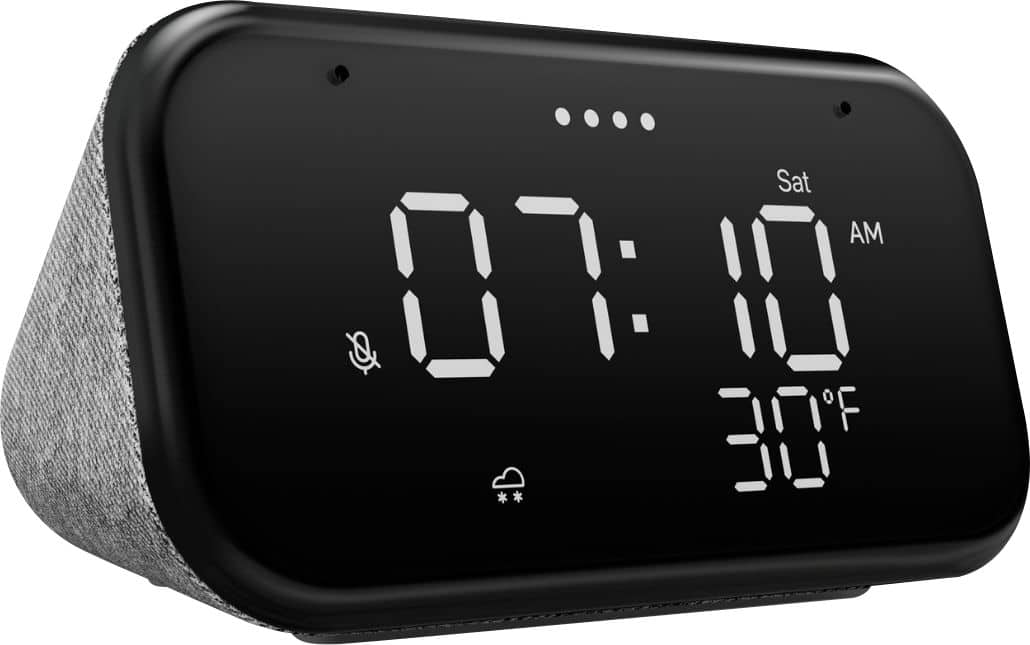
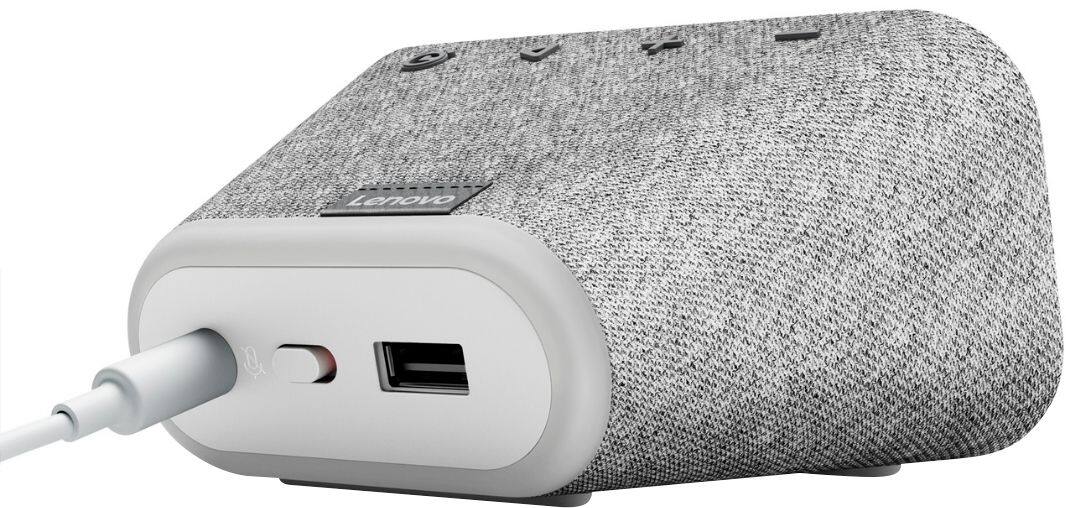
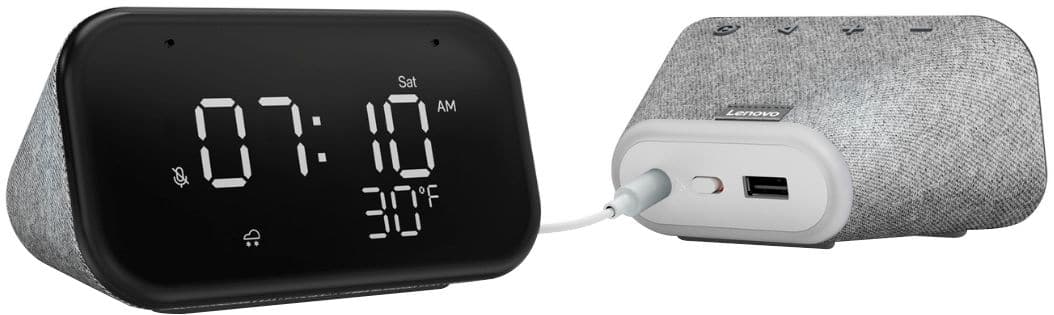
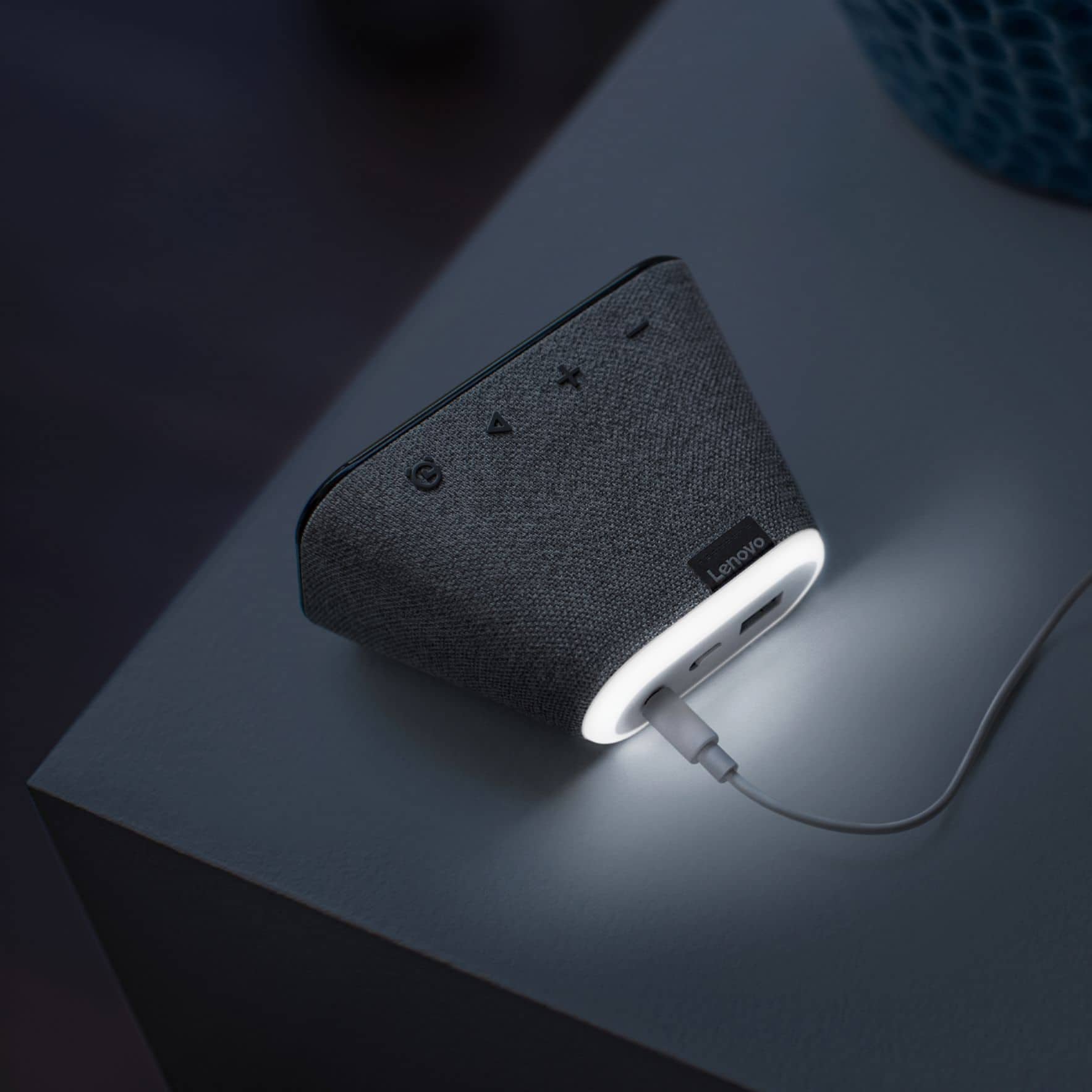
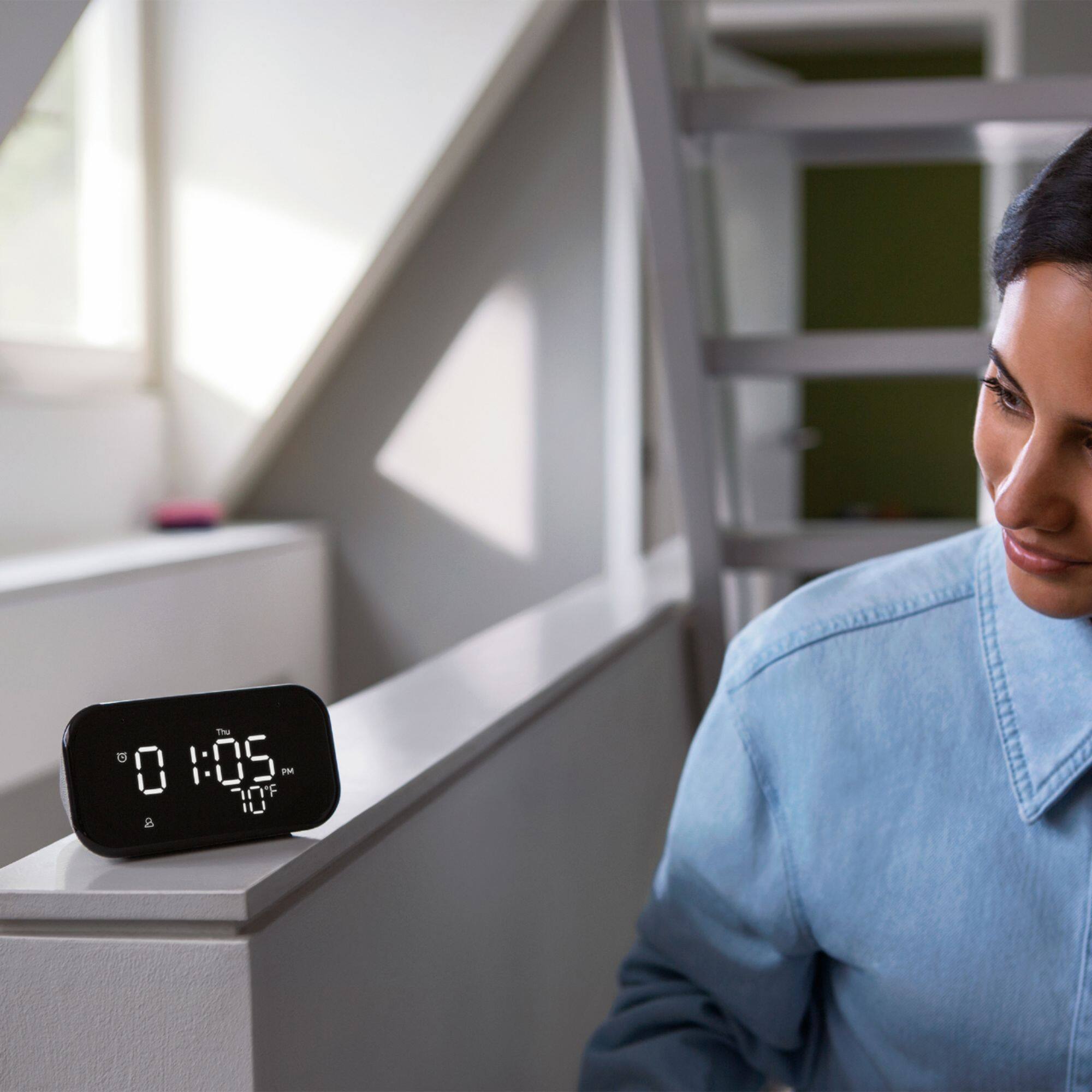
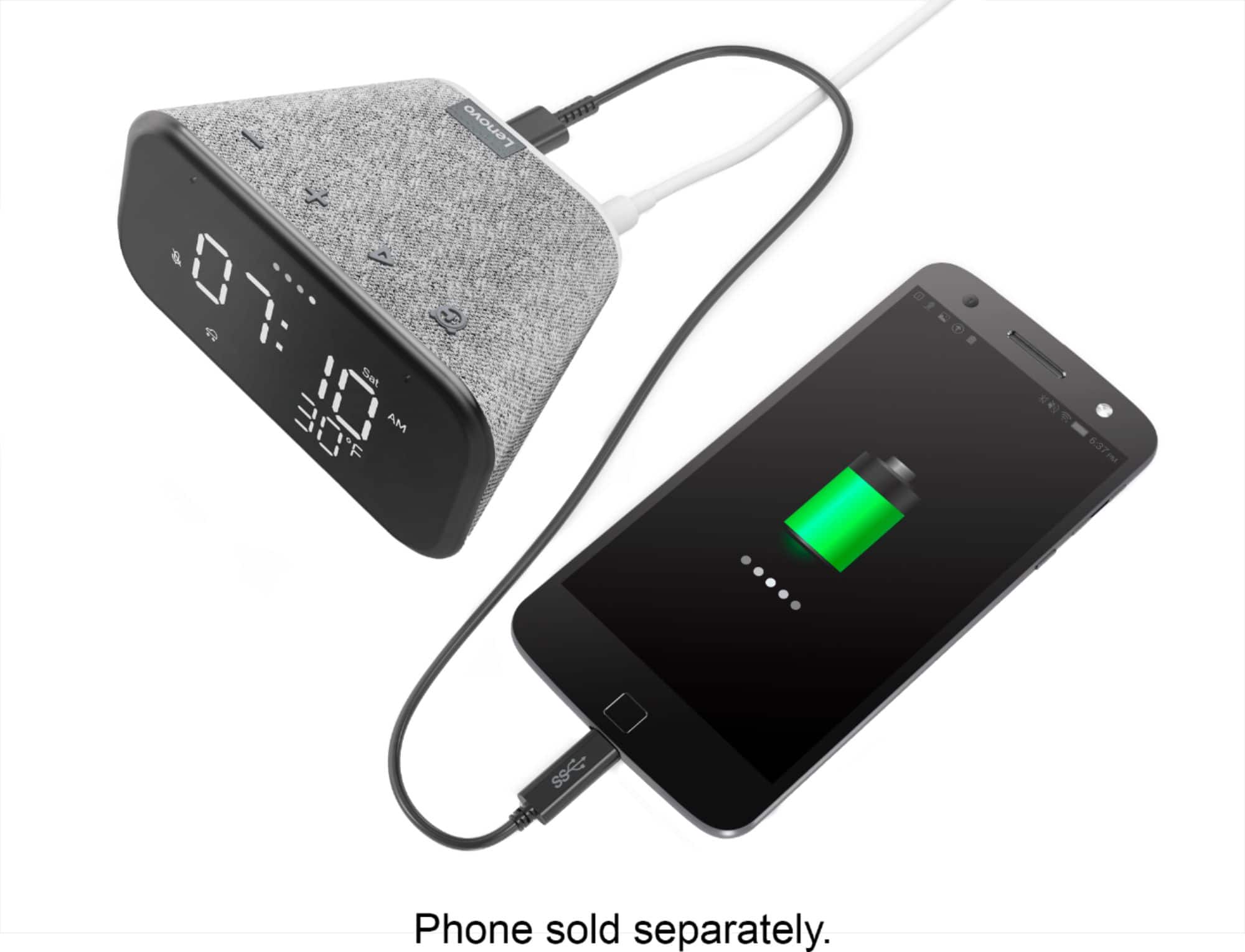
|Posted .This reviewer received promo considerations or sweepstakes entry for writing a review.The Lenovo smart essential clock is a very nice addition to my bedside nightstand, The unit is smaller than I imagined. But for its size is really good. The alarm is loud enough to wake, but wish it could be a little louder. Especially after late nights, and you are dead asleep. Music is just the right level for my bedroom. Although it could have better lower tones (aka bass). Set up was quick. I added it to my google home and it married itself to my home with everything mirroring my other preset options. Time and temp was automagically set! Below the time are weather icons that light up to the corresponding weather conditions (nice touch). I like to have an initial alarm, then at least one snooze. Snooze is set by tapping any button as the alarm is sounding. (10 minutes). You can use your google commands to operate your google home smart devices. You can also tell it to turn on the night light on the back. This can also be dimmed via voice command. Like music in the morning? Just tell it to play one of your connected music services, and then how loud you like it. The unit also has a USB port in the rear so you can charge your phone or whatever. Note: this unit is not compatible with BT. (you don't need it really since it attached to your home network and can stream free music services as well as paid ones.) I really enjoyed playing my podcasts at night while going to bed. Since my podcast player is from google this was a no brainer. Should you worry that big brother is listening in to your conversations or other bedroom events. The Lenovo has a mute Mic option that can be activated by sliding the button in the back. This unit has room for improvement such as dual alarms or individual day alarms. But this isn't a deal breaker. This clock fits the bill for an everyday smart device for your bedroom, kitchen or wherever. I would recommend this to family and friends.
I would recommend this to a friendBrand response from Lenovo Product Expert
Posted .Hi! Thanks for choosing the Lenovo Smart Clock Essential. We are pleased to hear the features like seamless smart home integration, design, and performance of the Smart Clock Essential is working out so well for you. In regards to the speaker you can adjust the EQ (treble and bass) by selecting your device in the Google Home App and selecting "EQ" under sound settings. We do appreciate your feedback as we are always searching for ways to improve our Smart Devices
- Pros mentioned:Sound quality
Loud and Clear
Posted .This reviewer received promo considerations or sweepstakes entry for writing a review.Got this for my daughter as a gift. It was very easy to setup. The sound is incredible and it also has a nightlight.
I would recommend this to a friend Basically the google mini w/ simple clock display
|Posted .This reviewer received promo considerations or sweepstakes entry for writing a review.This digital assistant really no different than a Google mini but with a basic clock display. The mics pick me up from across the room without issue. However, some of the features shown on the box do not display. There are basic icons for weather and temperature displays that do not seem to work nor is there any option to toggle them on/off. Not sure if this feature needs to be enabled down the road. But I would gladly update review if I can manage to figure that out. It functions the same as the mini, but works better as a clock since i can just look at it rather than say 'hey google' and wait for the response. I usually hate any kind of ambient light while I'm sleeping, so the auto dimming feature is appreciated and non intrusive while falling asleep. That being said, I have the paranoia of keeping a snooping dev.... I mean... Digital assistant in the bedroom listening to pillow talk or bedroom activies. There is a toggle switch on the rear which 'disables' the mic... But does it really or does it tell the device to no longer respond and just listen. I am not smart enough to figure that out on my own. So at the end of the (next) day after testing out the night time functionality of this digital assistant it has been kicked out of the bedroom and into a room that needed a clock and digital assistant and it is working just fine there.
I would recommend this to a friendBrand response from Lenovo Product Expert
Posted .Hello, Thank you for choosing the Lenovo Smart Clock with Google Assistant. The weather icon will display current weather conditions based off of your location from your WiFi connection. To utilize this feature please ensure you have location data enabled for your Google Home App. If you have location data enabled and the weather icon still won't display please perform a factory reset of your device by holding down the + and - buttons for 10 seconds and then setting up your device on your network again. In regards to the microphone you can rest easy knowing the on/off switch is a dedicated microphone kill switch that indeed turns the microphone off completely.
- Pros mentioned:Sound quality
Convince
Posted .This reviewer received promo considerations or sweepstakes entry for writing a review.Very convenient and reliable. Speaker was good for the size.
I would recommend this to a friend Alarm clock
Posted .This reviewer received promo considerations or sweepstakes entry for writing a review.The best for my 7 yr old .. she can set her alarms, turn her lights on and off by talking to Google.
I would recommend this to a friendIt's good but needs some tweaking
|Posted .This reviewer received promo considerations or sweepstakes entry for writing a review.This is my first smart alarm clock in the house where I am surrounded by google nest and google mini's as well as other smart appliances. For this clock, deemed essential because it tone down the display to just a digi display with no option to change the clock face. The set up is nice and easy the hardware is very well done. This was to replace my old school alarm clock. I had to adjust myself in using this a bit because there is no dedicated snooze button, rather hitting any of the buttons other than the dedicated clock button-that will turn off the current alarm and NOT snooze (snooze is defaulted to 10 minutes but can be extended via voice prompts). What I want is to have the night light function to have an option to turn off that light all together. Also alarms cannot be turned off only deleted, which is very annoying because you have to set up the alarms if you want to "turn off" your alarm if you are taking a day off, or going out of town, or staying home during a holiday, etc. These are some of my scenarios where turning off an alarm would work and be convenient. Can this be done? I think it can be added into the google home app by adding the options to turn off the alarms in each alarm that is set through the clock. Also add in the night light switch. I did learn that the Lenovo clock with the color screen has an option to do this, however, I cannot find that same option on the Essential. So I cannot really say this is a perfect alarm clock, which it is currently not for me because of the items stated above. If these can be addressed, I'd be over the moon and will feel better keeping this as an alarm clock. So I cannot recommend this as is at this point because of that.
No, I would not recommend this to a friendBrand response from Lenovo Product Expert
Posted .Hi there! The Lenovo Smart Clock Essential has a snooze feature. To enable snooze, while the alarm is sounding, give a nice quick, firm tap on top of the device above the buttons where the fabric is. To turn the nightlight on or off hold the volume "-" buttons. This can also be accomplished with voice commands ex "Okay Google night light on"
Excellent
Posted .This reviewer received promo considerations or sweepstakes entry for writing a review.Very good product, does everything you need it to like alarm, and even plays music from your device. I also like how the alarm is super loud.
I would recommend this to a friend- Pros mentioned:Size
Perfect clock for the price
Posted .This reviewer received promo considerations or sweepstakes entry for writing a review.I had been wanting a better alarm clock with the Google Assistant built-in, and this was perfect. It costs the same as a Nest mini and while it probably doesn't sound quite as good, it has a simple clock interface and doesn't try to do too much. I didn't want a touchscreen like the model from last year had, just a slightly more useful alarm clock. My only complaint would be that it's not great for music, so an actual Nest speaker would be better for that. I had an Insignia Voice that had superior sound quality to this, but this Essential has a bigger and better display.
I would recommend this to a friendBrand response from Lenovo Product Expert
Posted .Hi! Thanks for choosing the Lenovo Smart Clock Essential. We are pleased to hear the features, design, and performance of the Smart Clock Essential is working out so well for you. In regards to the speaker you can adjust the EQ (bass and treble) in the Google Home App by selecting your Essential Smart Clock from the home screen and selecting "EQ". This will allow you to fine tune the sound a little more. We do appreciate your feedback as we are always looking for ways to improve our Smart Devices.
A Modern Marvel
Posted .This reviewer received promo considerations or sweepstakes entry for writing a review.Wonderful little device. Shows time, temperature and an icon for weather type. PLUS, it plays radio stations, or music services you've subscribed to. Alarm clock, timer, a USB plug to charge devices, if power goes out you don't have to reset the clock, a lot of other stuff you can program or change using the app. I own FOUR, bought them in sets of 2.
I would recommend this to a friendExcellent
Posted .This reviewer received promo considerations or sweepstakes entry for writing a review.This is a great product . I've always wanted a smart clock and was happy to find this one. I love that google assistant is included because I've set it up to turn on and off my lights plus control my TV . It works great for playing music as well . I've had no issues with it so far and I use it almost daily
I would recommend this to a friendPersonal Assistance Has Arrived
Posted .This reviewer received promo considerations or sweepstakes entry for writing a review."The gift that keeps on giving"...Reliable, robust audio, contains myriad duties, affordably priced. In this day and age of technology, I am glad to have a clock radio that says "Just doing my job" and "Glad to help". I am enjoying my Smart Clock with Google Assoistant.
I would recommend this to a friend