Customer Ratings & Reviews
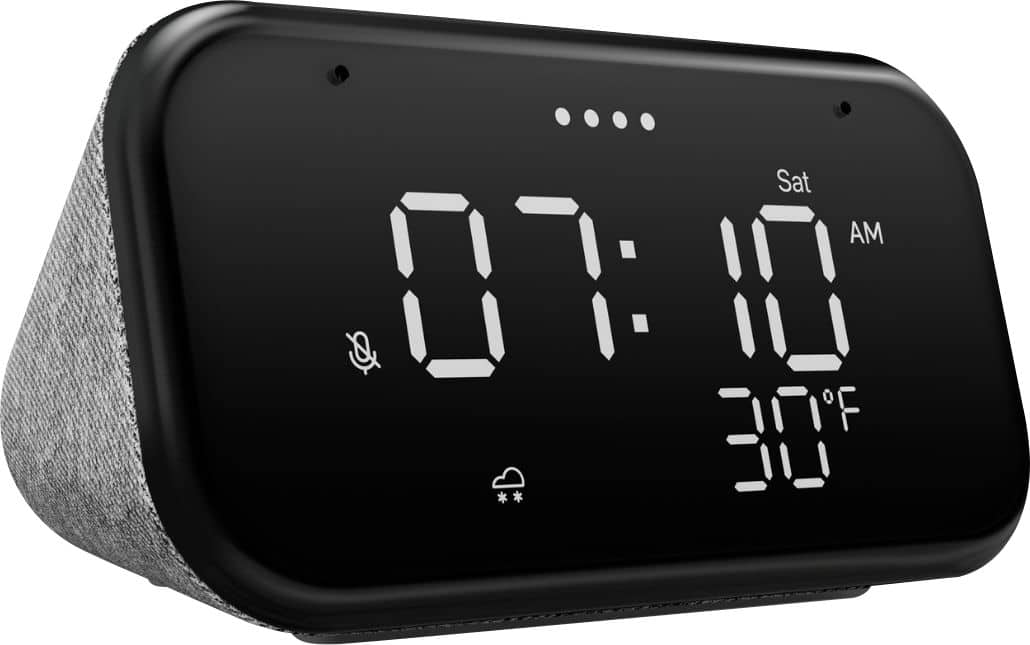
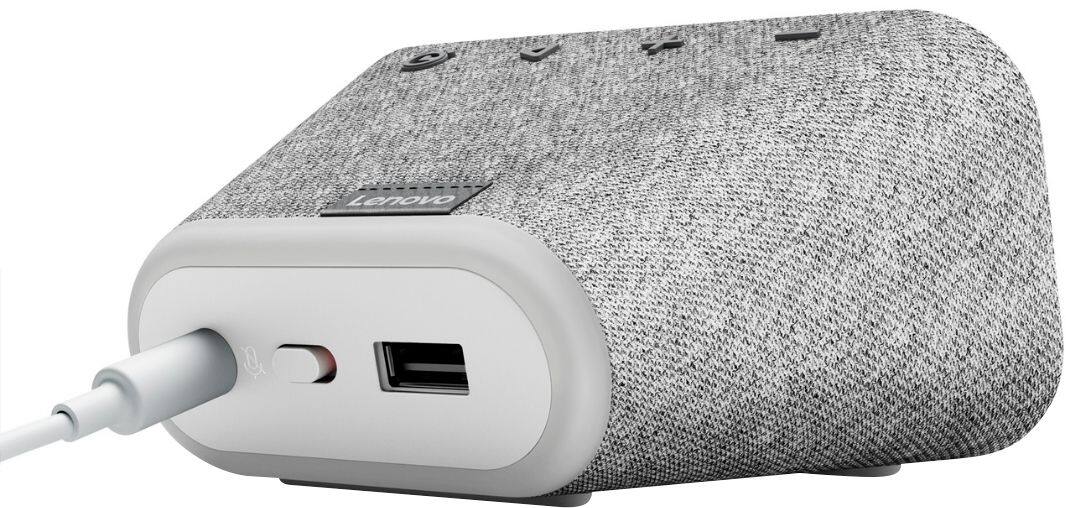
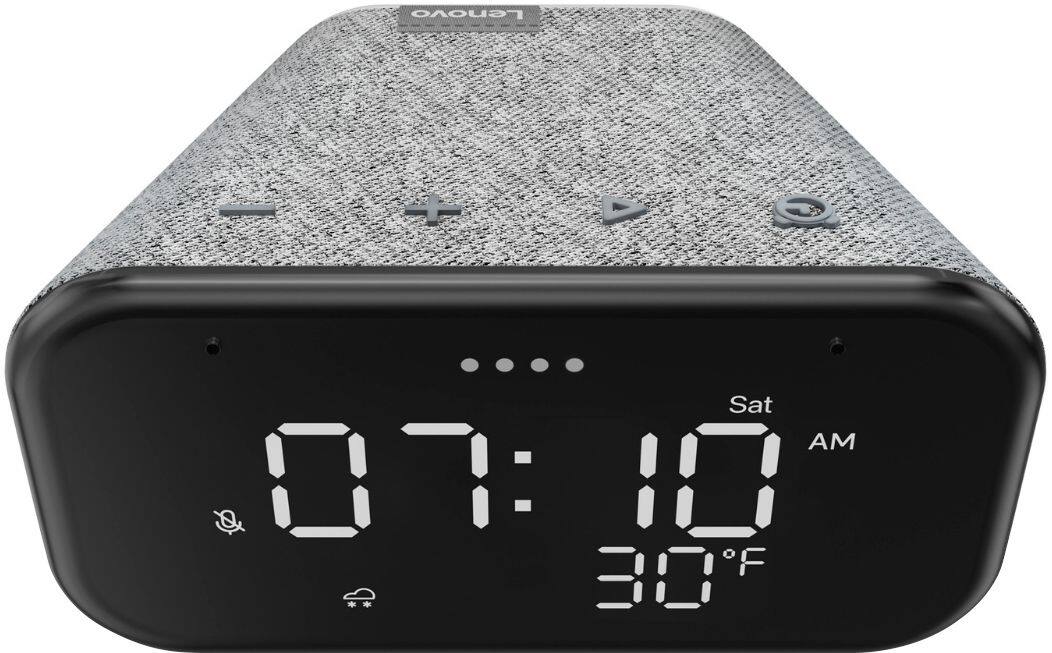
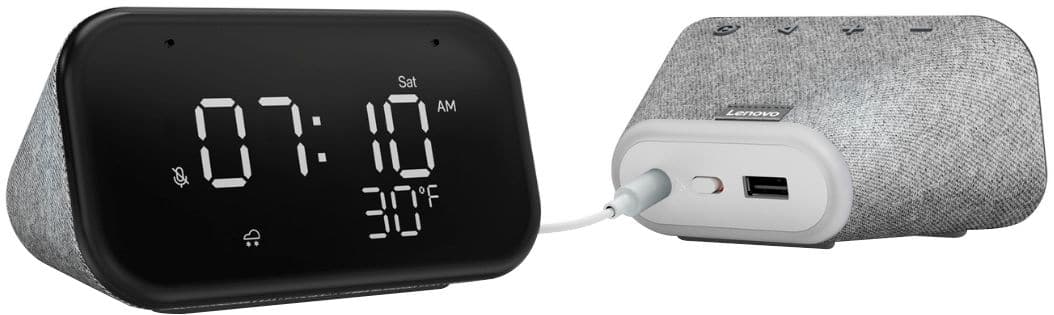
- Model:
- ZA740005US
- SKU:
- 6429528
Rating by feature
- Value
Rating 4.6 out of 5 stars
- Quality
Rating 4.5 out of 5 stars
- Ease of Use
Rating 4.4 out of 5 stars
Customers are saying
Customers enjoy the sound quality, ease of use, and display of the Smart Clock Essential. Many appreciate the included night light and the convenient size, finding it ideal for bedside tables. Positive feedback also highlights the Google Assistant integration and the alarm clock functionality. While some users experienced challenges with WiFi connectivity and initial setup, the overall sentiment is positive.
This summary was generated by AI based on customer reviews.
Great Product
Posted .This reviewer received promo considerations or sweepstakes entry for writing a review.I bought one a while ago I liked it so much I bought another for my daughters room. Love the hey google feature. Great product
I would recommend this to a friendNice clock, weak speaker, and insensitive mic
Posted .This reviewer received promo considerations or sweepstakes entry for writing a review.There's a reason this device's price is reduced. While you do get an LED clock display there are compromises made to get to this price point. Compared to a traditional (1st gen) Google Mini, the Lenovo's speaker is muddled and its microphone is not nearly as sensitive. If I am laying in bed with the Lenovo right next to me on a night stand and looking up I say Hey G it doesn't respond but my kitchen device does instead. I have to be speaking directly to this device for it to discern it should be the one responding. It's very weak. I restored my old Gen 1 mini and put it back in the same spot and I could be 6 feet away not facing it and the mini responded instead of my kitchen device. I was really looking forward to a clock radio design paired to a Google assistant smart speaker. But over time I grew more and more frustrated with this device. I'm returning it to Lenovo for my money back. I'd suggest you not waste your money.
No, I would not recommend this to a friendWorks well
Posted .This reviewer received promo considerations or sweepstakes entry for writing a review.Love it. The only issue is that I am unable to turn the light off. Otherwise it works perfectly.
I would recommend this to a friendWorks Ok but …
Posted .This reviewer received promo considerations or sweepstakes entry for writing a review.Works well. The case material is rough, collects dust but hard to clean.
I would recommend this to a friendPencil
Posted .This reviewer received promo considerations or sweepstakes entry for writing a review.Bought as a gift. Am sure will be used a lot. Price was just right and sure she will enjoy it.
I would recommend this to a friendBrand response from Lenovo Product Expert
Posted .Thank you for choosing the Lenovo Smart Clock Essential as a gift. We are pleased to hear that the Smart Clock Essential is working out so well for your recipient.

Alarm
Posted .This reviewer received promo considerations or sweepstakes entry for writing a review.My son loves this. We bought him this for alarm clock and he uses it every day for school
I would recommend this to a friendBrand response from Lenovo Product Expert
Posted .Thank you for choosing the Lenovo Smart Clock Essential for your son. We are pleased to hear that the Smart Clock Essential is working out so well for your son.
Good
Posted .This reviewer received promo considerations or sweepstakes entry for writing a review.Good product and service I would like to recommend
I would recommend this to a friendBrand response from Lenovo Product Expert
Posted .Thank you for choosing the Lenovo Smart Clock Essential. We are pleased to hear that the Smart Clock Essential is working out so well for you.
Display doesn't last.
Posted .This reviewer received promo considerations or sweepstakes entry for writing a review.If you are in the habit of buying a new alarm clock every 12 1/2 months, this is the way to go. Because for the first year, while under warranty, it will work perfectly. Then magically, at the 54 week mark, the screen will crap out. Little lines will disappear and you won't know what time it is, if it is am or pm, what the temperature is-- it'll all be jacked up. Very aggravating.
No, I would not recommend this to a friendBrand response from Lenovo Product Expert
Posted .We are sorry to hear that you are having issues with your Lenovo Smart Clock Essential. Resetting the Smart Clock Essential may correct the issues you are having with the screen. You can reset this Smart Clock Essential by holding down both the minus button and the alarm button at the same time, for 6-seconds. Follow the Google Voice Assistant instructions. If the issue with the screen continues after this reset, we recommend you contact Lenovo Tech Support for Smart Devices for additional help at: 866-426-0911.
Home
Posted .This reviewer received promo considerations or sweepstakes entry for writing a review.I like it using it.I like that you can look up recipes with it.
I would recommend this to a friendBrand response from Lenovo Product Expert
Posted .By using the Google Assistant feature by saying Hey Google, The Lenovo Smart Clock Essential will verbally tell you the recipe you are looking for but the Smart Clock Essential can not display a recipe on its screen.
Cheap for a reason
Posted .This reviewer received promo considerations or sweepstakes entry for writing a review.I needed a clock, I bought this. The clock doesn't work. Google assistant works, but I get no actual numbers on the clock face. Lenovo is impossible and no help. Best Buy didn't link this to my account so I'm spending all day trying to return this stupid thing. Don't buy this. Spend the money to get something that works and has decent customer support.
No, I would not recommend this to a friendBrand response from Lenovo Product Expert
Posted .We are sorry to hear that you are having issues with the initial setup of your Lenovo Smart Clock Essential. Here is a link to a YouTube video that demonstrates the setup and use of the Smart Clock Essential: https://www.youtube.com/watch?v=oebcueXBCeU&t=4s. If the issue continues, we recommend you contact Lenovo Tech Support for Smart Devices at: 866-426-0911.
Lenovo smart clock essential 4 inch
Posted .This reviewer received promo considerations or sweepstakes entry for writing a review.Does not connect with my phone. And until it connects, I can not even use as a simple clock !!!!
No, I would not recommend this to a friendStops playing and frequently disconnects from wifi
Posted .This reviewer received promo considerations or sweepstakes entry for writing a review.Stops playing sometimes after a few minutes, sometimes after a couple of hours. Frequently disconnects from wi-fi even though I have a Series 6 mesh wi-fi with a router and two satellites and the clock was within 20 feet of one of the satellites. I returned this item to Best Buy and bought the Echo Dot with the clock instead. The Echo plays continuously without any problems.
No, I would not recommend this to a friendBrand response from Lenovo Product Expert
Posted .We are sorry to hear that you had issues with WiFi connectivity with your Lenovo Smart Clock Essential. Resetting the Smart Clock Essential back to original factory settings may correct the problem: Press and hold the alarm setup button and the volume down button at the same time for 12 seconds. If the issue continues, we recommend you contact Lenovo Tech Support for Smart Devices at: 866-426-0911.
- Cons mentioned:Setup
GARBAGE
Posted .This reviewer received promo considerations or sweepstakes entry for writing a review.i have been trying to set this up for hours and nothing this thing is total garbage
No, I would not recommend this to a friendBrand response from Lenovo Product Expert
Posted .Hello, we are sorry to hear you are experiencing an issue setting up the Lenovo Smart Clock Essential. To setup the clock you will need to download the Google Home App on your smart phone or tablet that is connected to your home WIFI network. Then plug in the Smart Clock Essential and allow it to power on. Open the Google Home App and follow the on screen instructions. If you need any further assistance please don't hesitate to reach out to Lenovo Tech Support at 866-426-0911
Avoid at all costs
Posted .This reviewer received promo considerations or sweepstakes entry for writing a review.I bought one of these and within days of the return period, it died. No display, no touchscreen, nothing. It's not even heavy enough to work as a decent doorstop. Basically I spent $60 on a clock that never worked.
No, I would not recommend this to a friendBrand response from Lenovo Product Expert
Posted .Hello, we are sorry to hear you are experiencing an issue with the Display on your Lenovo Smart Clock Essential. It is possible your device will still be covered under manufacturers warranty. Please contact Lenovo Tech Support at 866-426-0911 for the next steps.
Garbage
Posted .This reviewer received promo considerations or sweepstakes entry for writing a review.I can whisper louder than this so called "alarm". Very low volume level even when turned on high. This "alarm" wouldn't wake anyone.
No, I would not recommend this to a friendBrand response from Lenovo Product Expert
Posted .We are sorry to hear that you are having issues adjusting the alarm alert volume for your Lenovo Smart Clock Essential. You can adjust the alarm alert sound volume within the Google Home APP you used for the initial setup of this Smart Clock Essential. Open The Google Home APP for this Lenovo Smart Clock Essential. The first screen you see is the volume control for the audio content the Smart Clock Essential streams from your selected sources, like music from Pandora. To adjust the alarm alert sound, tap the Settings Gear icon at the top right of this screen. Now select Audio from the Settings Menu. Now select Alarms and Timers from this Audio Settings Menu. Here you will see a slider to adjust the alarm alert sound for each individual alarm you have saved to this Smart Clock Essential. If you have questions about your Lenovo Smart Clock Essential, we recommend you contact Lenovo Tech Support for Smart Devices at: 866-426-0911.