Customer Ratings & Reviews
- Model:
- ZA740005US
- SKU:
- 6429528
Rating by feature
- Value
Rating 4.6 out of 5 stars
- Quality
Rating 4.5 out of 5 stars
- Ease of Use
Rating 4.4 out of 5 stars
Customers are saying
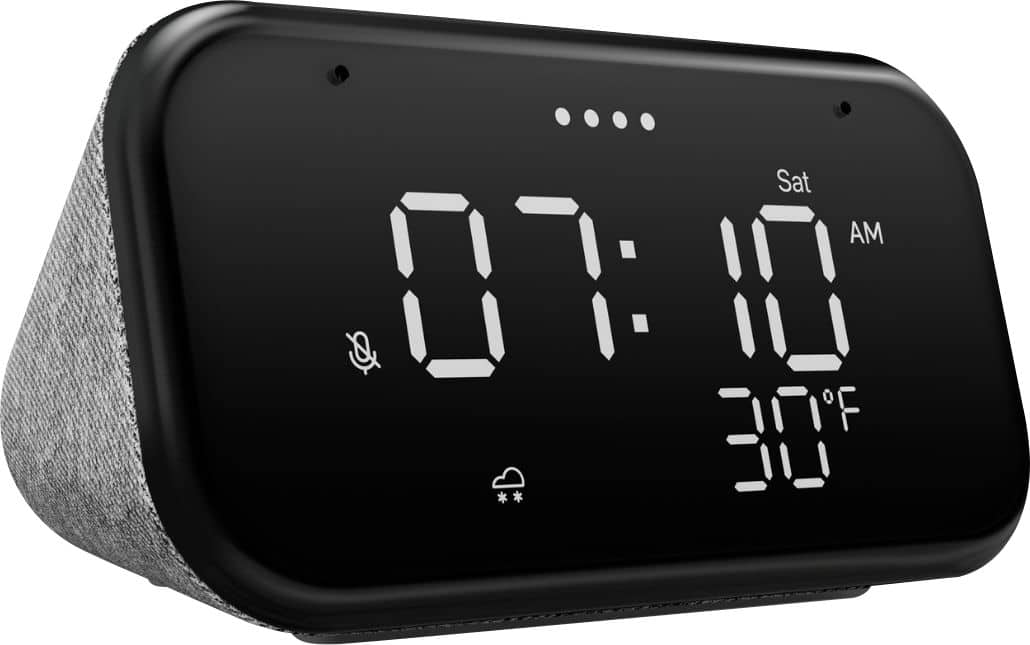
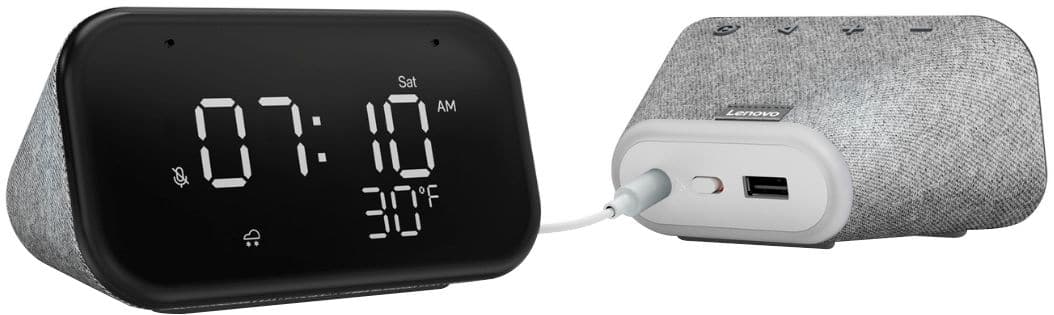
Customers enjoy the sound quality, ease of use, and display of the Smart Clock Essential. Many appreciate the included night light and the convenient size, finding it ideal for bedside tables. Positive feedback also highlights the Google Assistant integration and the alarm clock functionality. While some users experienced challenges with WiFi connectivity and initial setup, the overall sentiment is positive.
This summary was generated by AI based on customer reviews.
- Pros mentioned:Ease of use
Great purchase
||Posted . Owned for 1 week when reviewed.This reviewer received promo considerations or sweepstakes entry for writing a review.Super easy to setup and use. For the price can’t beat it. I probably will not even use this to its full capacity and am still satisfied.
I would recommend this to a friendBrand response from Lenovo Product Expert
Posted .Hi! Thanks for choosing the Lenovo Smart Clock Essential. We are pleased to hear the features, design, and performance of the Smart Clock Essential is working out so well for you.

Solid and reliable
||Posted . Owned for 1 year when reviewed.This reviewer received promo considerations or sweepstakes entry for writing a review.Love having this smart assistant with the weather icon. It's subtle and darkens under low light conditions.
I would recommend this to a friend- Pros mentioned:Display, Size
Good looking clock to wake up to
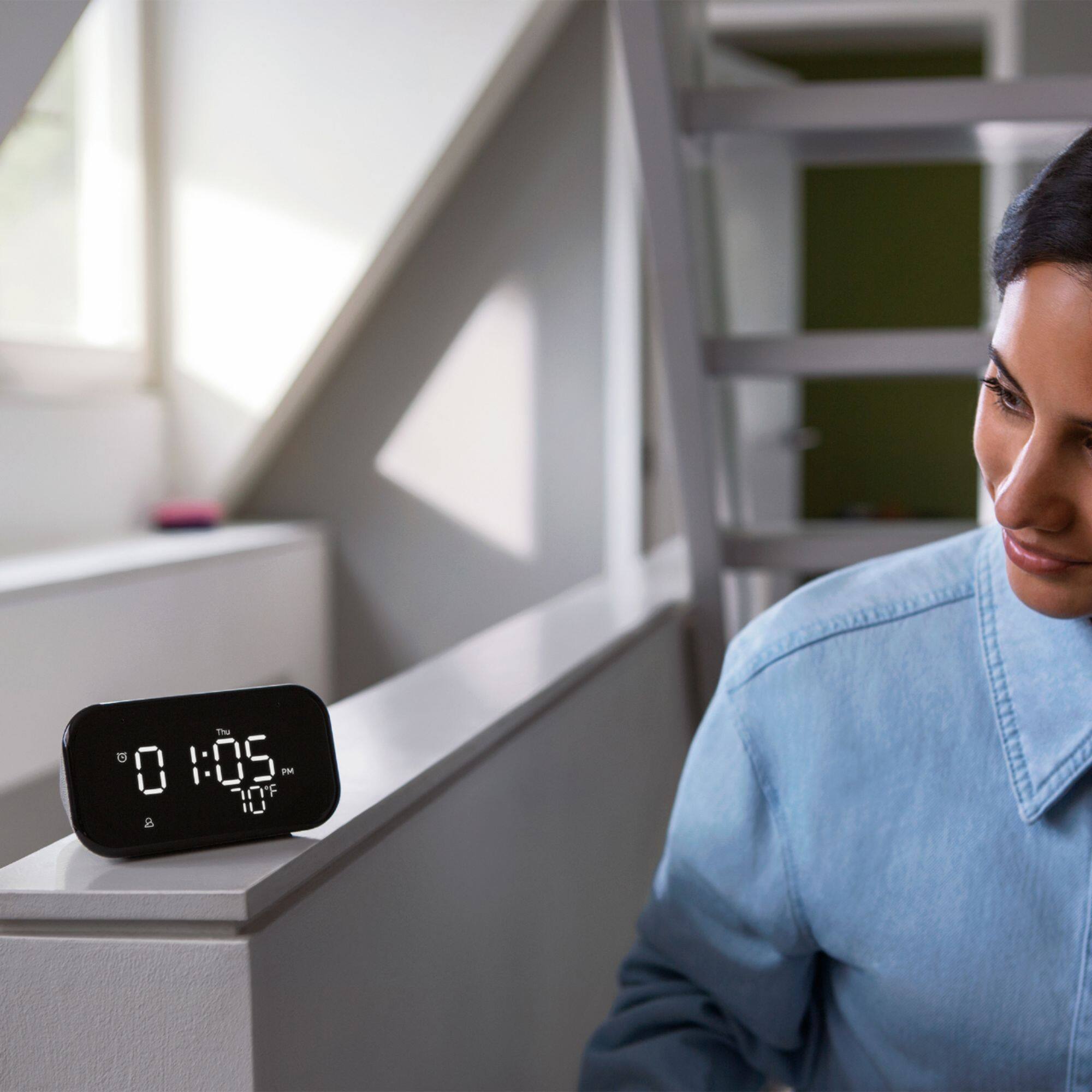
||Posted . Owned for 2 months when reviewed.This reviewer received promo considerations or sweepstakes entry for writing a review.Nice little alarm clock. Perfect size for my nightstand. Love the white display and how it auto adjust the display for room brightness!
I would recommend this to a friendBrand response from Lenovo Product Expert
Posted .Hi! Thanks for choosing the Lenovo Smart Clock Essential. We are pleased to hear the features, design, and performance of the Smart Clock Essential is working out so well for you.
- Pros mentioned:Sound quality
Love this thing.
||Posted . Owned for 3 weeks when reviewed.This reviewer received promo considerations or sweepstakes entry for writing a review.Love this thing. Super sleek works with google. Louder than my google nests. I keep it on my desk and control my lights and tv from it.
I would recommend this to a friendBrand response from Lenovo Product Expert
Posted .Hi! Thanks for choosing the Lenovo Smart Clock Essential. We are pleased to hear the features, design, and performance of the Smart Clock Essential is working out so well for you.
Great
||Posted . Owned for 1.5 years when reviewed.This reviewer received promo considerations or sweepstakes entry for writing a review.I . Like this clock it does everything from calling to playing pandora to setting alarm and more
I would recommend this to a friend- Pros mentioned:Size, Sound quality
great for the price and abilities
||Posted . Owned for 3 months when reviewed.This reviewer received promo considerations or sweepstakes entry for writing a review.small but with a lot of power. looks great and works well with other google home items. back light is too soft, but great unit
I would recommend this to a friendBrand response from Lenovo Product Expert
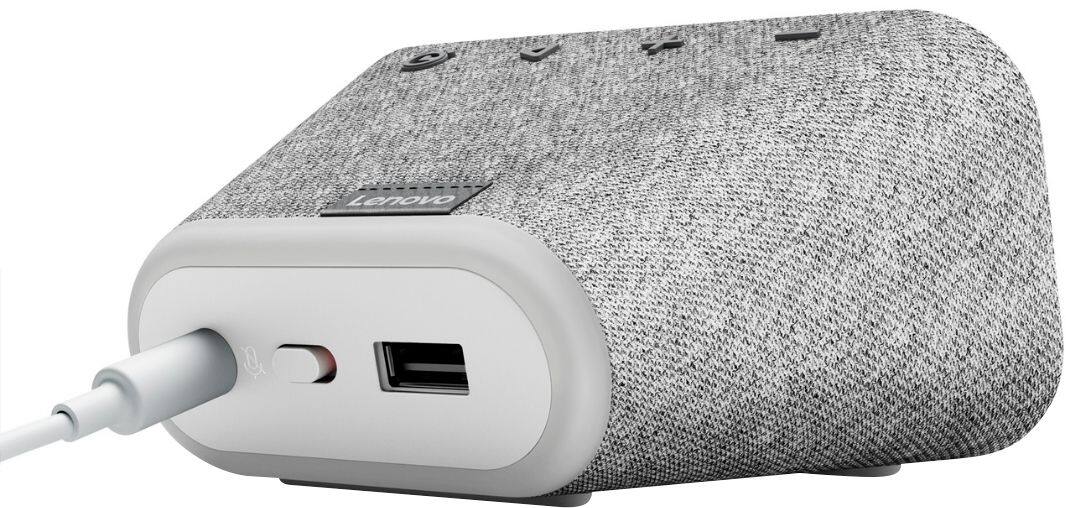
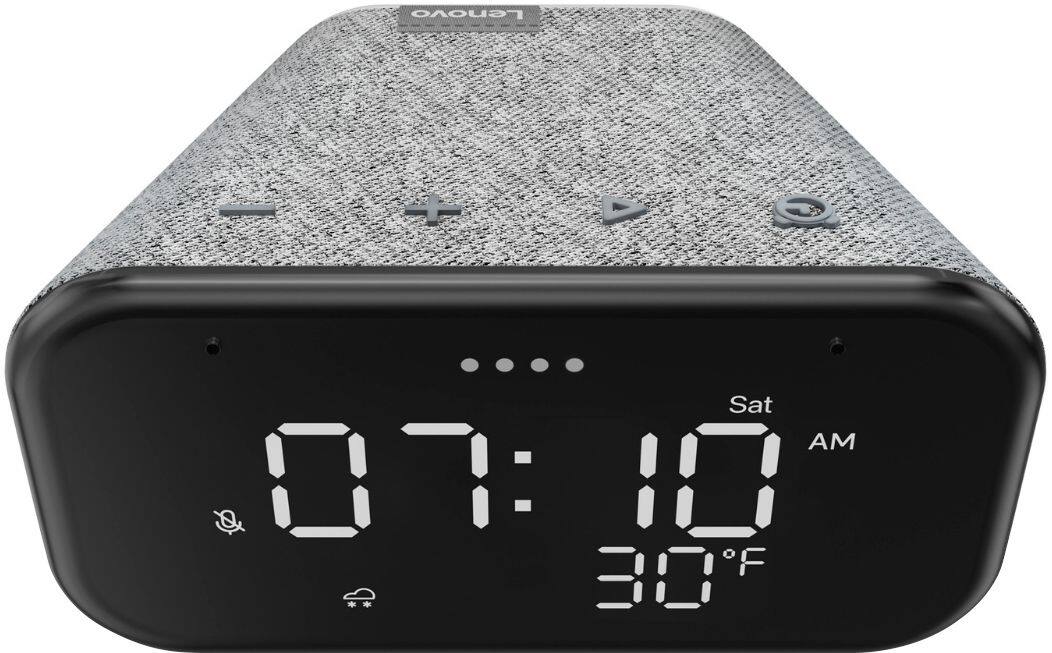
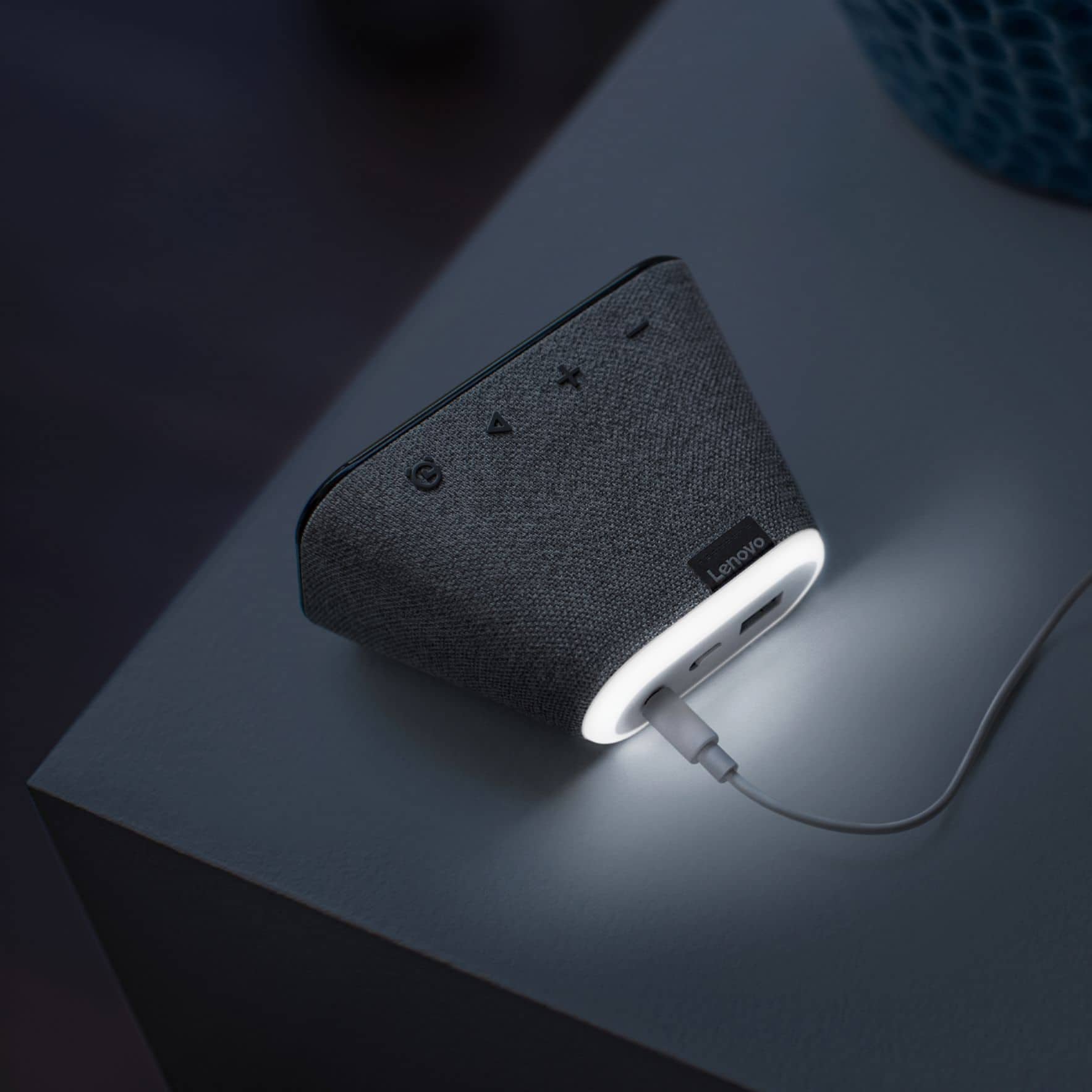
Posted .Thank you for choosing the Lenovo Smart Clock Essential. You turn on the nightlight by pressing and holding the volume-down button (the volume controls require multiple short presses to function). The light bar puts out 31 lumens at maximum brightness, but you can adjust it on a scale of 0 to 100 with a voice command: “Hey Google, set the nightlight to 50,” for example.
- Pros mentioned:Ease of use
Nice Product
||Posted . Owned for 1 month when reviewed.This reviewer received promo considerations or sweepstakes entry for writing a review.very easy to setup you dont need to setup your alarm manually just say it its very convenient good for the price
I would recommend this to a friendBrand response from Lenovo Product Expert
Posted .Thank you for choosing the Lenovo Smart Clock Essential. We are pleased to hear that the value, easy setup, features and functions of the Smart Clock Essential meets your needs so well.
- Pros mentioned:Night light
Works
||Posted . Owned for 1 week when reviewed.This reviewer received promo considerations or sweepstakes entry for writing a review.This does what it’s supposed to do and that’s tell the time the night light is cool and it is a steal for the price highly recommend
I would recommend this to a friendBrand response from Lenovo Product Expert
Posted .Hi! Thanks for choosing the Lenovo Smart Clock Essential. We are pleased to hear the features, design, and performance of the Smart Clock Essential is working out so well for you.
- Pros mentioned:Ease of use
Great clock at a great price!
||Posted . Owned for 3 weeks when reviewed.This reviewer received promo considerations or sweepstakes entry for writing a review.This alarm clock is well worth the money. I bought it for my 9 year old son and he loves it. He loves being able to talk to Google, turn on night time sounds, play music, ask about the weather for the day, etc. He also likes being able to dim the brightness of the clock display. The set up was extremely easy as well! All around, a great clock for the money! Would definitely recommend, especially if you already have other Google devices!
I would recommend this to a friend - Pros mentioned:Night light, Sound quality
Great clock
||Posted . Owned for 3 weeks when reviewed.This reviewer received promo considerations or sweepstakes entry for writing a review.Great bedside clock. I bought a few of them as gifts and everyone is happy. Sound quality is good and I love the nightlight feature.
I would recommend this to a friendBrand response from Lenovo Product Expert
Posted .Hi! Thanks for choosing the Lenovo Smart Clock Essential. We are pleased to hear the features, design, and performance of the Smart Clock Essential is working out so well for you.
A Great Little Smart Clock For the Money
||Posted .This reviewer received promo considerations or sweepstakes entry for writing a review.I love this litlle device, but sometimes it is non-responsive. I speculate that the OS is off doing something else when this happens. I wish they designed the voice cammand input events to be interrupt driven, so they can be handled when the OS is done doing what it's doing when it's off doing somethnig else. Other than this problem, it's a great little device for the money. I own two other Lenovo non-essential smart clocks, and they do not exhibit this occaisional non-responsiveness.
I would recommend this to a friendBrand response from Lenovo Product Expert
Posted .Hi there, Thanks for choosing the Lenovo Smart Clock Essential. We are sorry to hear you are experiencing this issue with the mic/assistant. It is possible setting up voice match and raising the "okay google" sensitivity will help with this. to setup voice match please open the Google Home app.
At the top right, tap your account.
Verify that the Google Account shown is the one linked to your speaker or display. To switch accounts, tap another account or Add another account.
Tap Assistant settings Voice Match Add devices.
Make sure any devices you want to link your voice to are checked.
Tap Next I agree.
Follow the in-app steps.
To adjust the sensitivity of the mic please open the Google Home app .
At the bottom, tap Home .
Select your speaker or Smart Display.
At the top right, tap Device settings. ...
Choose how sensitive you want Google Assistant to be when it responds to you.
- Pros mentioned:Night light, Sound quality
Simple and effective
||Posted . Owned for 1 month when reviewed.This reviewer received promo considerations or sweepstakes entry for writing a review.Simple, non invasive, smart and loud enough. To turn on the night light, keep the minus button pressed.
I would recommend this to a friend - Pros mentioned:Display, Size
Great alarm clock
||Posted . Owned for 3 weeks when reviewed.This reviewer received promo considerations or sweepstakes entry for writing a review.Nice size for bedroom night stand, responds great tot Google commands, shows day & temperature and alarm easily set on command.
I would recommend this to a friend - Pros mentioned:Ease of use, Size
Great little clock
||Posted . Owned for 1 month when reviewed.This reviewer received promo considerations or sweepstakes entry for writing a review.Great little clock with large numbers you can see easy at night and has google with all the info from it
I would recommend this to a friend - Pros mentioned:Sound quality
Quick & Easy Set Up
||Posted . Owned for less than 1 week when reviewed.This reviewer received promo considerations or sweepstakes entry for writing a review.Quick and easy to add to existing network. Good sound quality thus far. Clean and sharp look to it. Now I have access in my basement.
I would recommend this to a friendBrand response from Lenovo Product Expert
Posted .Hi! Thanks for choosing the Lenovo Smart Clock Essential. We are pleased to hear the features, design, and performance of the Smart Clock Essential is working out so well for you.
- Pros mentioned:Ease of use, Size
Smart clock
||Posted . Owned for less than 1 week when reviewed.This reviewer received promo considerations or sweepstakes entry for writing a review.I LOVE this. Very easy to set up. Very pretty and the light is not overbearing. I like the size and the price was good.
I would recommend this to a friendBrand response from Lenovo Product Expert
Posted .Thank you for choosing the Lenovo Smart Clock Essential. We are pleased to hear that the Smart Clock Essential meets your needs so well.
- Pros mentioned:Display
Inexpensive "clock radio" for the 21st century
||Posted . Owned for 1 month when reviewed.This reviewer received promo considerations or sweepstakes entry for writing a review.Perfect "clock radio" to replace my bedroom DVR which I used for a clock and to listen to music at night. Now I can listen to SiriusXM and still have a clearly visible clock. The display dims in low light so it does not overwhelm a dark room at night. The Google Home app makes it easy to get my music playing without waking the wife with voice commands. Having the outside temperature and weather information displayed is a bonus.
I would recommend this to a friend Great Clock!
||Posted . Owned for less than 1 week when reviewed.This reviewer received promo considerations or sweepstakes entry for writing a review.Clock and alarm work flawlessly, having Google Assistant on it makes it even better!
I would recommend this to a friend- Pros mentioned:Ease of use
Smart, Small, and sweet
||Posted . Owned for 1 month when reviewed.This reviewer received promo considerations or sweepstakes entry for writing a review.Very nice smart clock, for an excellent price. Simple, straightforward to use, and smart. Nice and simplistically elegant.
I would recommend this to a friendBrand response from Lenovo Product Expert
Posted .Hi! Thanks for choosing the Lenovo Smart Clock Essential. We are pleased to hear the features, design, and performance of the Smart Clock Essential is working out so well for you.
- Pros mentioned:Display, Sound quality
Better than phone or alarm clock
||Posted . Owned for 1 month when reviewed.This reviewer received promo considerations or sweepstakes entry for writing a review.Easy set up, dimmable display, decent sound, and non-annoying alarm. Find one on sale & even better.
I would recommend this to a friend