Customer Ratings & Reviews
- Model:
- ZA740005US
- SKU:
- 6429528
Rating by feature
- Value
Rating 4.6 out of 5 stars
- Quality
Rating 4.5 out of 5 stars
- Ease of Use
Rating 4.4 out of 5 stars
Customers are saying
Customers enjoy the sound quality, ease of use, and display of the Smart Clock Essential. Many appreciate the included night light and the convenient size, finding it ideal for bedside tables. Positive feedback also highlights the Google Assistant integration and the alarm clock functionality. While some users experienced challenges with WiFi connectivity and initial setup, the overall sentiment is positive.
This summary was generated by AI based on customer reviews.
Simple elegance
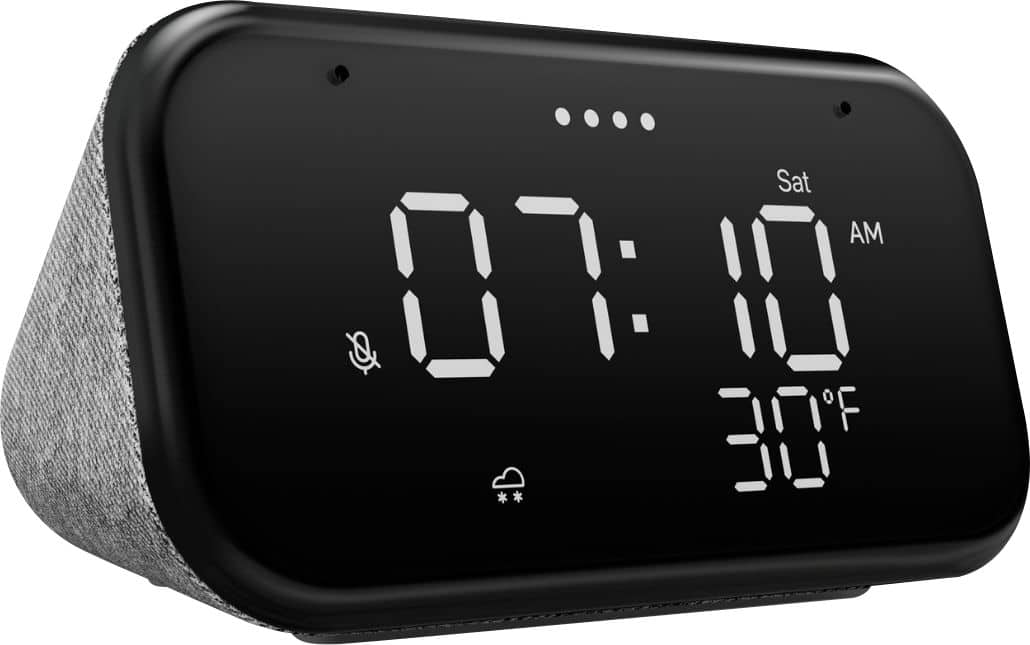
||Posted . Owned for 1 month when reviewed.This reviewer received promo considerations or sweepstakes entry for writing a review.This is exactly what I hoped it would be - a small, tasteful, readable alarm clock with ever present weather and Google Assistant. The microphone for the assistant is capable and hears me well across a large room with background noise. It features not just the base features that are obvious but also: 1. Audio equalizer bass/treble 2. Pairable with other Google speakers 3. Pairable with Bluetooth 4. Default TV selection 5. Voice Calls (via Duo) 6. Night mode 7. Do not disturb mode (where timer/alarm notifications will override by default - so don't worry) 8. YouTube restriction mode I've included pictures to show the relative sizing of the clock with a tube of Chapstick lip balm. The setup was simple - use Google Home to add the discovered device to one's Home and room. Note that there is no battery backup built in. A full-fledged UPS strip or unit can be added for < $30 which would provide enough power to run the clock for months. (The least expensive on Best Buy as of today is $45 retail.) I have a UPS which powers my phone chargers for my wife and I as well as both our "alarm clocks", hers a Nest Hub and mine this Lenovo Smart Clock Essential.
I would recommend this to a friendBrand response from Lenovo Product Expert
Posted .Thank you for choosing the Lenovo Smart Clock Essential. This model number ZA740005US, can not make out-going audio calls. The dimensions of the Smart Clock Essential are: (H x W x D) - 2.52 x 4.76 x 3.27 inches. We are pleased to hear that the Smart Clock Essential is working so well for you.

- Pros mentioned:Display, Night light, Size

Much more than a clock
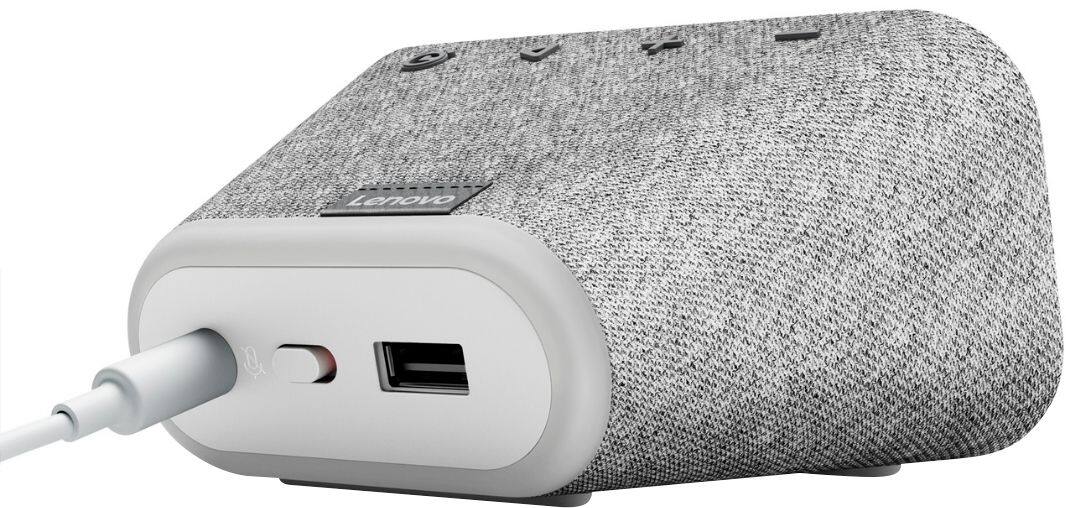
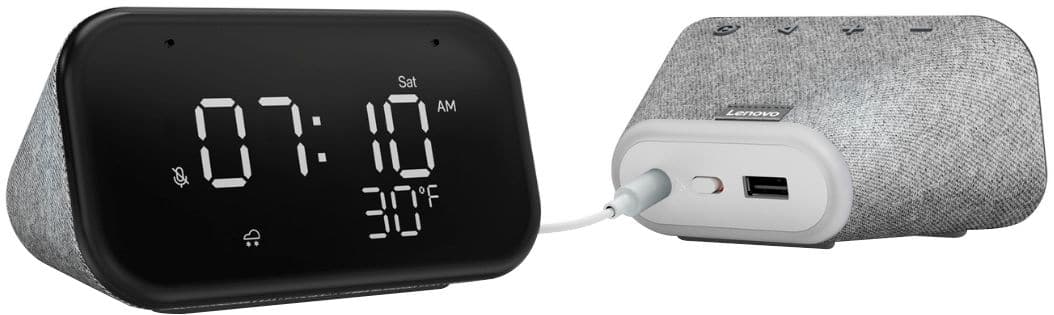
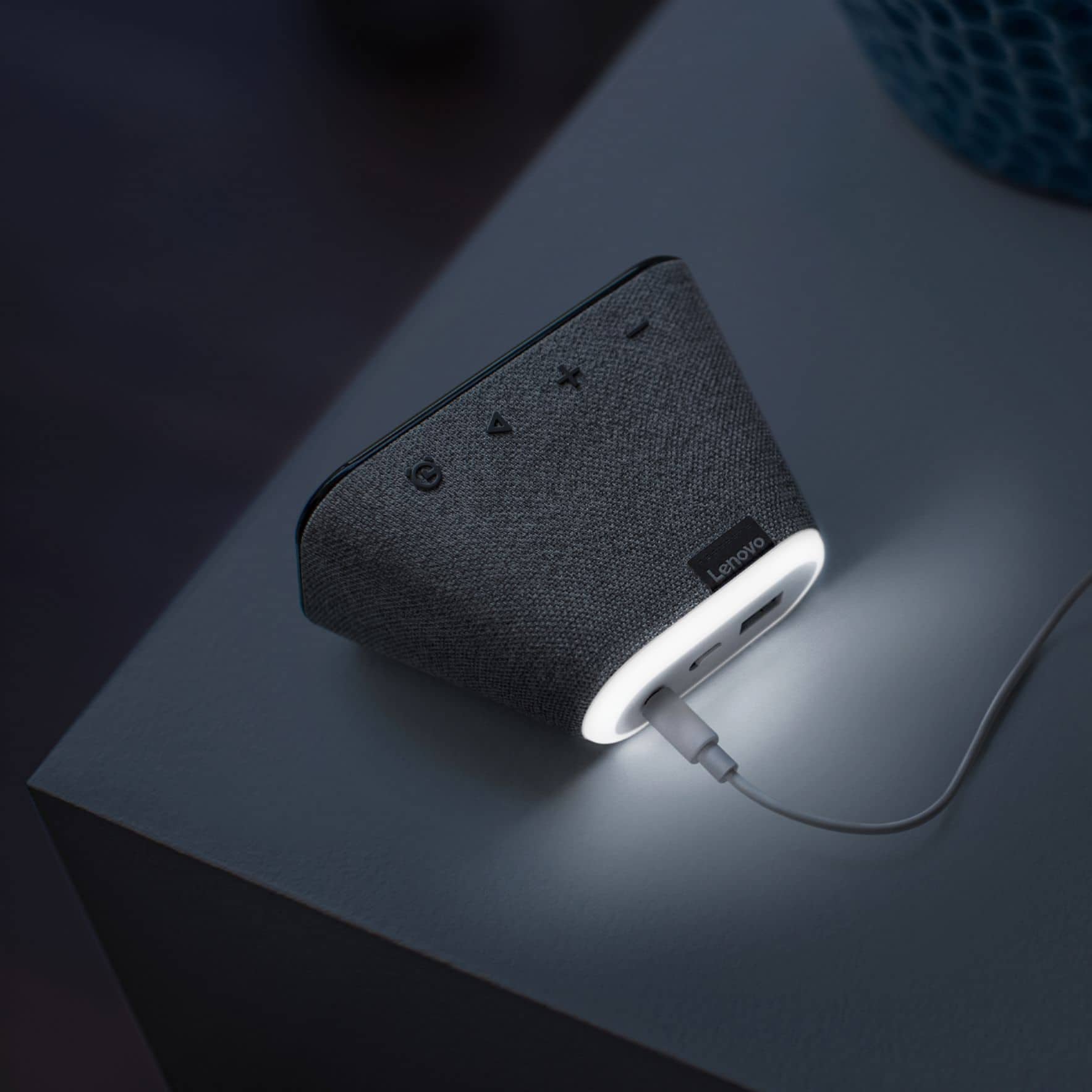
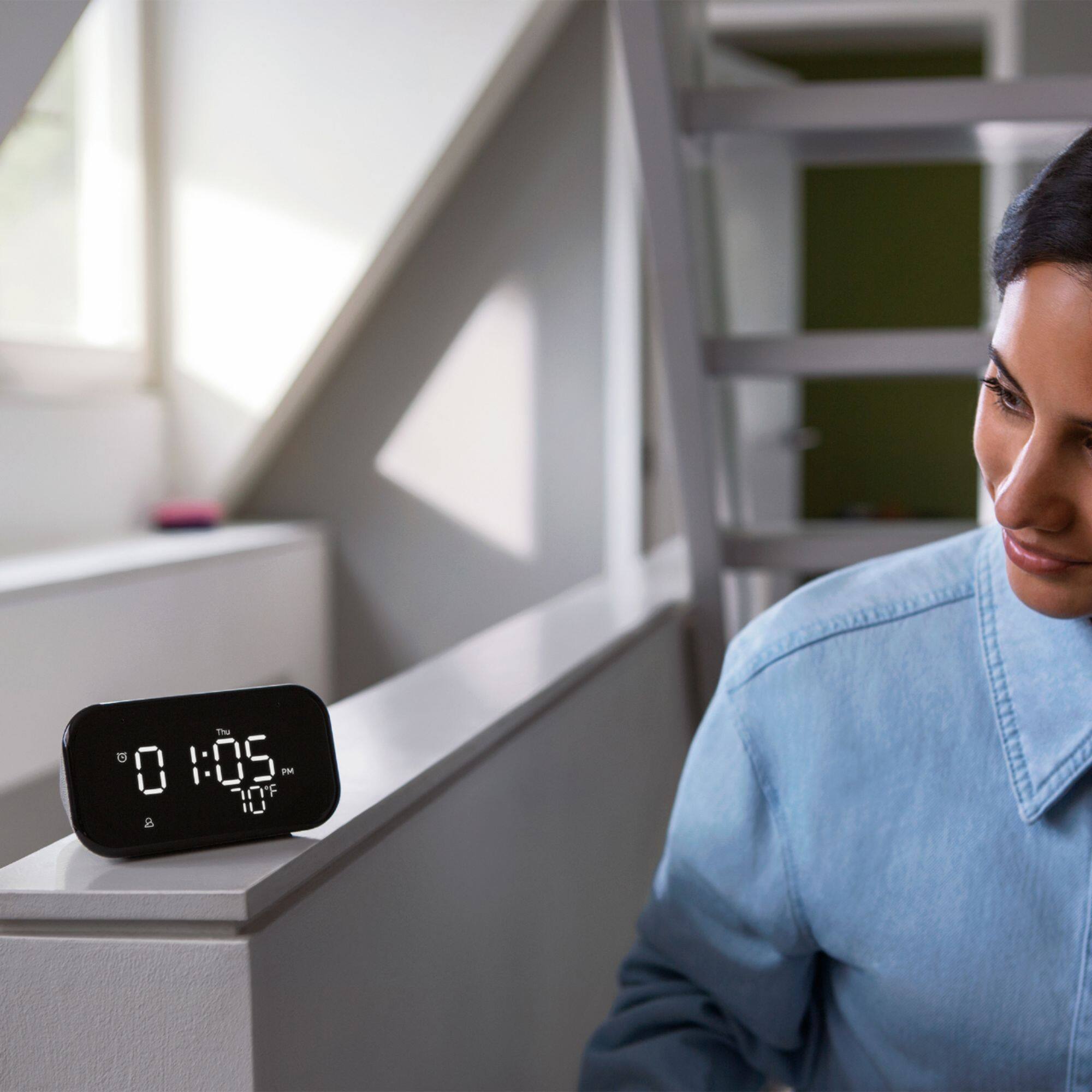
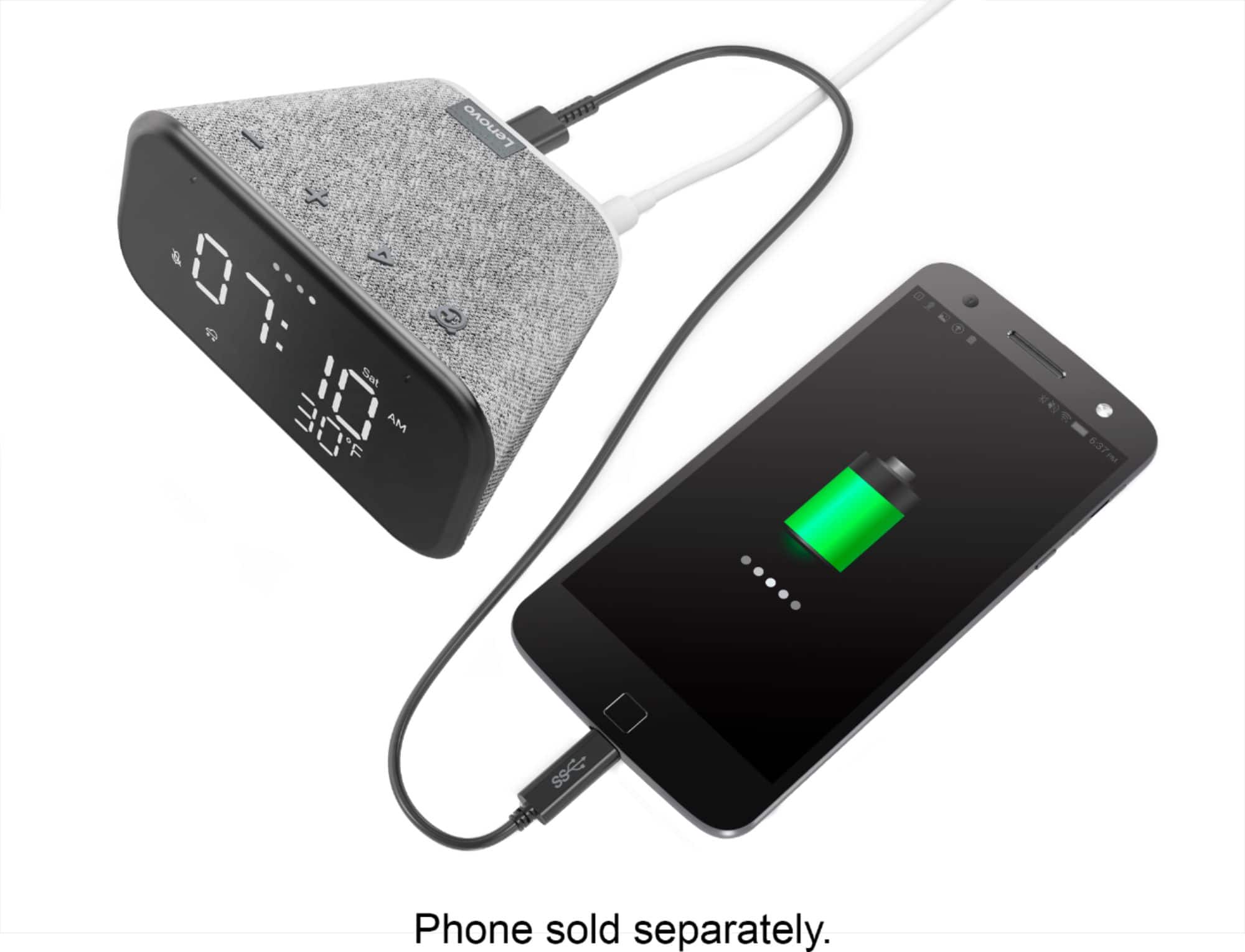
|Posted .This reviewer received promo considerations or sweepstakes entry for writing a review.Lenovo Smart Clock Essential After unboxing this Lenovo Smart Clock Essential and plugging it in, you go online and download the Google Home app. Once that’s done, you open the app and use it to setup your Smart Clock. Make sure you select the same network for both the setup device (your phone or tablet) and the clock. After connecting to my network, the clock face automatically displayed the correct time, day of the week and temperature. There was no option to add the available weather display, but that’s not a big deal for me since I live in Florida, the sunshine state. However, because I chose to use it on my office desk to not only keep track of the time, but to also make ongoing use of the included google assistant, I would love to see the date added to the display. There’s plenty of room to display the date on the same line as the day of the week. I suspect that I’m not alone with that request, and I feel that it could be an easy and welcome update. The device’s LED digital time display is large and bright, and you can choose between three brightness levels. Even the temperature display is large enough to read from across the room. And there’s a built-in night light on the back of the unit that sheds just enough light to keep you from stumbling around in the dark. You can turn the night light feature on and off, depending on your needs. The built-in Google Assistant is a huge bonus. You activate it just as you do on any other device (OK Google, Hey Google). It’s really nice having Google set your alarm to the correct time for you, rather than you having to mess around setting it by pressing buttons for the time and then having to double check to make sure that’s it’s set for AM or PM. Just tell google “Set an alarm for 8am” and it’s done. The unit can play music that you can control using the Google Assistant. Chose your genre, favorite artist, or even your favorite radio station and enjoy the surprisingly decent sound emanating from such a small device. Another surprise bonus is that the clock can make phone calls. It connects to your contact list and you can simply say something like “Hey Google, call home.”, or “Hey Google, call John Smith.” One additional nice feature that you don’t normally expect to find on a clock is a USB port on the back of the unit. You can use that port to charge your phone, smart watch or other device. For those concerned with privacy, there’s a mute switch in the back of the unit that turns the microphone off when it’s not in use. Finally, you can connect via Bluetooth and use it as a speaker to play music from your phone or other device. The documentation is sparce, as is typically the case for most of today’s devices, but there’s an excellent online user’s guide where you can get full details. Bottom Line: This device is so much more than a clock. It’s well worth the reasonable price for a device that can do so much. I love this versatile little device and would certainly recommend it to others.
I would recommend this to a friendBrand response from Lenovo Product Expert
Posted .Hi, thanks for choosing the Lenovo Smart Clock Essential. We are pleased to hear the functions, performance, and design of the Lenovo Smart Clock Essential are working out so well for you! We greatly appreciate your detailed review and recommendation.
Great choice
||Posted . Owned for 1.5 years when reviewed.This reviewer received promo considerations or sweepstakes entry for writing a review.Bought on a whim, love it. Coolest little clock I ever owned. It even tells me jokes.
I would recommend this to a friendTime & temp
||Posted . Owned for 11 months when reviewed.This reviewer received promo considerations or sweepstakes entry for writing a review.I like the fact it's small and it shows me the temperature where I don't have to look it up before heading out.
I would recommend this to a friendCute, works well
||Posted . Owned for 1.5 years when reviewed.This reviewer received promo considerations or sweepstakes entry for writing a review.Love this little clock. Used to just use my phone but i honestly love this more
I would recommend this to a friendPerfect bedside clock/assistant! Very simplistic
||Posted . Owned for 8 months when reviewed.This reviewer received promo considerations or sweepstakes entry for writing a review.I purchased this clock from my daughter's room. I wanted to get her something that could be added to my Google Home but had minimal controls to mess with. This thing fit the bill perfectly! Overall, we both love it. She uses it for her alarm clock, to play spotify music, and I use it as an "intercom" to get her attention or tell her things when she is in her room. The screen is crisp and simple to read and the controls are just enough for a bedside clock. My ONLY complaint is that you cannot set alarms from the Google Home app. This is inconvenient because at times, I forget to have her set an alarm for something after she has already gone to sleep. It would be nice to be able to set an alarm for her from my Home app. Other than that, we love it! The value you get for the price can't really be beat. I definitely recommend adding this to your Google Home setup! NOTE: Please ignore the pre-teen mess in the photo!
I would recommend this to a friendGoogle home mini with a clock
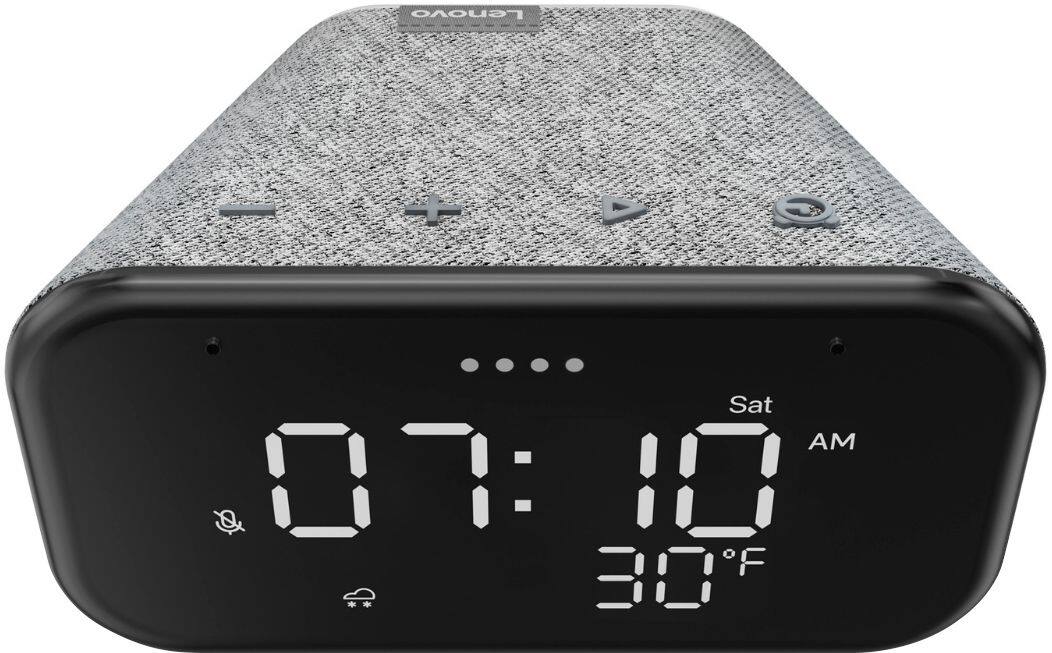
||Posted . Owned for 1 month when reviewed.This reviewer received promo considerations or sweepstakes entry for writing a review.I needed more clocks, and this works perfectly. It has 2 brightness levels that adjusts to the light around it. The sound is pretty good, a little tinny compared to a regular google home mini, but nothing too unbearable. I like the physical buttons on top, better than the touch controls on a Google home mini. The alarm function is okay at best. I haven't figured out how to change the alarm sound, so I'm not sure if you can. Outside of that, it's a great purchase, and get it on sale if you can!
I would recommend this to a friend- Pros mentioned:Night light
Greatest alarm clock you will ever get.
||Posted .This reviewer received promo considerations or sweepstakes entry for writing a review.I love this product. Smart alarm clock! It is what I have been waiting for. The coolest feature is that is has a night light that you can just ask to turn it on! It is not touch screen, which I like and the display is no bright which is perfect for the bedroom.
I would recommend this to a friend Perfect
||Posted . Owned for 1 year when reviewed.This reviewer received promo considerations or sweepstakes entry for writing a review.Excellent alarm clock!!! Google makes it even better!!!
I would recommend this to a friendGgreat quality! However...
||Posted . Owned for 1 month when reviewed.This reviewer received promo considerations or sweepstakes entry for writing a review.Great clock works well, never knew I'd be a fan of talking to set my alarm but it saves me from having to push all the buttons to make my alarm. However, it is not touch screen as it says it is, and its not the loudest alarm out there..
I would recommend this to a friendBrand response from Lenovo Product Expert
Posted .Thank you for choosing the Lenovo Smart Clock Essential. The Smart Clock Essential does not have a touchscreen. Just say HEY GOOGLE and tell the Smart Clock Essential want you want it to do.
- Pros mentioned:Night light
If you ever had any thing smart you k ow what it i
||Posted . Owned for less than 1 week when reviewed.This reviewer received promo considerations or sweepstakes entry for writing a review.Welcome to the 21centry What can i say its smart clock wit google Assistant lil smart speaker smart cloock eazy to ues my 13 year old set it up with his phone came wit a plug in and has a usb to charge and a night light!
I would recommend this to a friendBrand response from Lenovo Product Expert
Posted .Thank you for choosing the Lenovo Smart Clock Essential. We are pleased to hear that the easy setup, features and performance of the Smart Clock Essential meets your needs so well.
- Cons mentioned:Wifi connectivity
Don't waste your time.
||Posted . Owned for 2 months when reviewed.This reviewer received promo considerations or sweepstakes entry for writing a review.It worked fine until I made the mistake of upgrading my WiFi net and needed to add the clock to the new network. Then the nightmare began. I unplugged the clock for more than 10 seconds and then plugged it back in. But there was no way to simply add the existing clock to the new network. So I deleted the clock from my Google Home App and tried to add it as a completely new device. I got "Lenovo [device number] found. Would you like to set up this device?". I clicked "Next". Then I got a "Connection failed. Couldn't connect to Lenovo [device number]. Try factory resetting your device." I went to the Lenovo site and evidently there isn't a way to factory reset this device. You can only unplug it and plug it back in. I did so went through the same steps and got the same error. The clock shows as connected to my iPhone 12 Pro Max via Bluetooth. So why it can find the device but can't connect to it is a mystery. Then I tried to connect my phone to the clock via WiFi. It connected. Google App asks "Do you hear the sound? This lets you know you're connected to the right device." Nope, there's no sound. I turn up both my phone AND the clock's volume to maximum and hit "Try Again". Still no sound anywhere. Well it's the only Lenovo device I have so I click "Yes" hoping it will somehow all work out. No such luck. Next Google Home asks me to connect to WiFi. No WiFi networks show up in the list (and I'm in a very busy WiFi neighbourhood), so eventually "Other Wi-Fi Network" does show up. Okay fine. I'll enter all the network information manually. I enter the WiFi name and password in, ensured the Security protocol was set to WPA-2 and clicked "Next". I got "Connected!". Hallelujah! We've made some progress! Then it said "Please Connect to [network name]" so I left the Google Home App went into my iPhone settings and connected to my network and went back into Google Home and got "Connecting to WiFi". I plunged back into disappointment when it finally came back with "Something went wrong. [Device Name] may be set up but we could not communicate with it from your iPhone. Make sure you have enabled local network access in your iPhone's privacy settings. Then try again." I went into my iPhone settings and Local Network Access is enabled for Google Home. I click "Try Again" and got the same error. After 2 hours of unplugging/plugging back in the clock, deleting and reinstalling the Google Home app on my phone, I'm done. It shouldn't be this hard. I've scoured the net looking for others who has the same errors with this particular clock and can't find anything. I was able to move all my other devices onto my new network without a hitch in less time than it took with this clock Unfortunately it's too late to send it back, so into the bin it goes. I've learned my lesson.
No, I would not recommend this to a friendBrand response from Lenovo Product Expert
Posted .We are sorry to hear that you are having issues connecting your Lenovo Smart Clock Essential to your new WiFi router. Resetting the the Smart Clock Essential back to original Factory Settings will allow you to setup the Smart Clock Essential again with your new WiFi. To reset the Smart Clock Essential: Press and hold the Alarm button and the Volume Down button at the same time for 12 seconds. Then set up the Smart Clock Essential with your new WiFi: 1. Make sure the Smart Clock Essential is plugged in an powered on. 2. Access the “Google Home” app on your phone/tablet and sign in with your Google account. 3. The app will show you a new Lenovo Smart Clock is nearby. Click to set it up. 4. Follow the instructions inside the application until the setup is completed. 5. Then you can start your conversation with “Hey Google”. If you are still unable to connect to your new WiFi signal, we recommend you contact Lenovo Tech Support for Smart Devices at: 866-426-0911.
NICE CLOCK RADIO
||Posted . Owned for 1 month when reviewed.This reviewer received promo considerations or sweepstakes entry for writing a review.This is a nice clock radio. It also serves as a Google Assistant. You can ask it questions, the weather, play music, etc. You can’t go wrong for the price.
I would recommend this to a friend- Pros mentioned:Night light
Easy to setup
||Posted . Owned for 1 month when reviewed.This reviewer received promo considerations or sweepstakes entry for writing a review.A good addition to any room in the house. Integrated easily to my google home setup. Added to my home, assigned a room and was turning on and off light right away. Looks great in the dark, especially with the night light function.
I would recommend this to a friendBrand response from Lenovo Product Expert
Posted .Hi! Thanks for choosing the Lenovo Smart Clock Essential. We are pleased to hear the features, design, and performance of the Smart Clock Essential is working out so well for you.
Favorite Smart Clock
||Posted . Owned for 1 week when reviewed.This reviewer received promo considerations or sweepstakes entry for writing a review.For the price, this is an excellent product. The bass is pretty weak and that's my only complaint. If you want a simple and visually appealing alarm then this is it.
I would recommend this to a friendBrand response from Lenovo Product Expert
Posted .Hi! Thanks for choosing the Lenovo Smart Clock Essential. We are pleased to hear the features, design, and performance of the Smart Clock Essential is working out so well for you. We appreciate your feedback as we are always looking for ways to improve our Smart Devices. You can adjust the bass and treble of the speaker by opening the Google Home App--->Smart Clock Essential---> Select the three bars with a line through them at the top of the screen.
- Pros mentioned:Size
Clock
||Posted .This reviewer received promo considerations or sweepstakes entry for writing a review.Simple but Perfect!! Replaced my boring Google Home mini. Does the same thing a Google mini does but with a digital clock with date and temperature.
I would recommend this to a friendBrand response from Lenovo Product Expert
Posted .Thank you for choosing the Lenovo Smart Clock Essential. We are pleased to hear that the features and performance of the Smart Clock Essential meets your needs so well.
- Pros mentioned:Display
LOVE Lenovo Google smart Clock!
||Posted . Owned for less than 1 week when reviewed.This reviewer received promo considerations or sweepstakes entry for writing a review.The Lenovo Google smart Clock I bought is so awesome! Trying to buy another for Guest room but this one wouldn't let me change display face like original. So MANY options and very affordable.
I would recommend this to a friendBrand response from Lenovo Product Expert
Posted .Thank you for choosing the Lenovo Smart Clock Essential. This Smart Clock Essential does not have changeable clock face options. Here is a link to a YouTube video that demonstrates the setup, features and functions of the Lenovo Smart Clock Essential: https://www.youtube.com/watch?v=Fo0yA5mWgFQ&t=556s
- Pros mentioned:Night light
Great digital clock.
||Posted . Owned for 3 weeks when reviewed.This reviewer received promo considerations or sweepstakes entry for writing a review.Awesome digital clock at a great price point . What makes this a plus is the addition of the Google smart assistant, and even comes with a night light.
I would recommend this to a friendBrand response from Lenovo Product Expert
Posted .Hi! Thanks for choosing the Lenovo Smart Clock Essential. We are pleased to hear the features, design, and performance of the Smart Clock Essential is working out so well for you.
Good alarm clock
||Posted . Owned for 6 months when reviewed.This reviewer received promo considerations or sweepstakes entry for writing a review.Really nice alarm clock. I like how it has Google assistant included, and before the alarm goes off, it lets you slowly ease in with a very faint light.
I would recommend this to a friendVery useful Bluetooth clock
||Posted . Owned for 4 months when reviewed.This reviewer received promo considerations or sweepstakes entry for writing a review.I was so impressed with my first one that I bought a second one for the guestroom. I use this every single day and night. This is the most useful clock radio I have ever owned. Set up is very easy. Every night I ask it to play a deep sleep music for an hour to help me fall asleep. I love my little Bluetooth clock.
I would recommend this to a friendBrand response from Lenovo Product Expert
Posted .Thank you for choosing the Lenovo Smart Clock Essential. We are pleased to hear that the Smart Clock Essential is working out so well for you.