Customer Ratings & Reviews
- Model:
- ZA740005US
- SKU:
- 6429528
Rating by feature
- Value
Rating 4.6 out of 5 stars
- Quality
Rating 4.5 out of 5 stars
- Ease of Use
Rating 4.4 out of 5 stars
Customers are saying
Customers enjoy the sound quality, ease of use, and display of the Smart Clock Essential. Many appreciate the included night light and the convenient size, finding it ideal for bedside tables. Positive feedback also highlights the Google Assistant integration and the alarm clock functionality. While some users experienced challenges with WiFi connectivity and initial setup, the overall sentiment is positive.
This summary was generated by AI based on customer reviews.
- Pros mentioned:Size, Sound quality

A better alternative to Google Mini
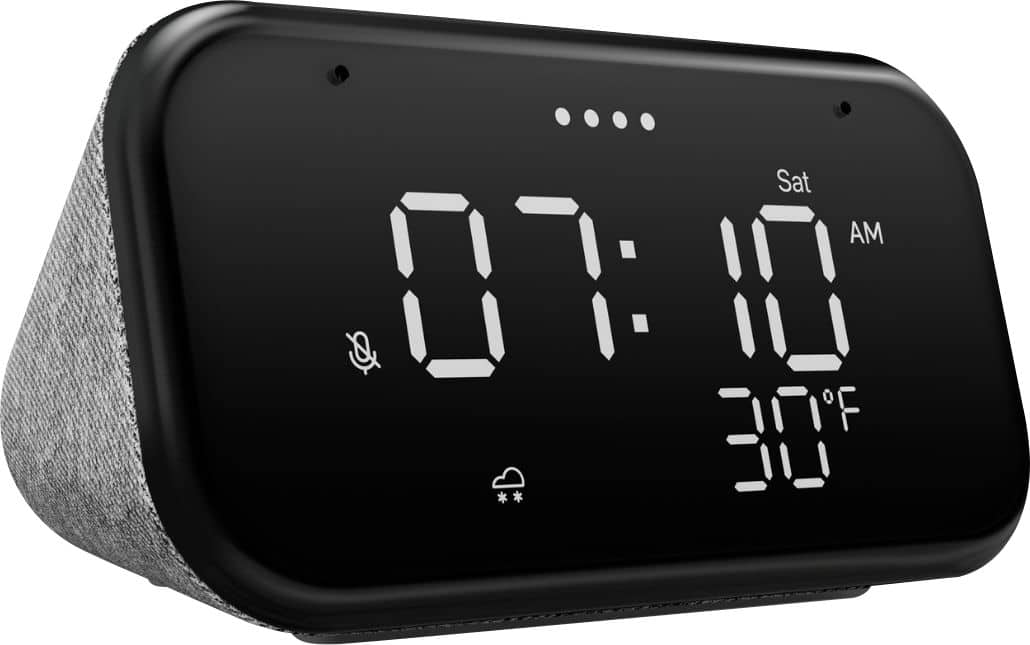
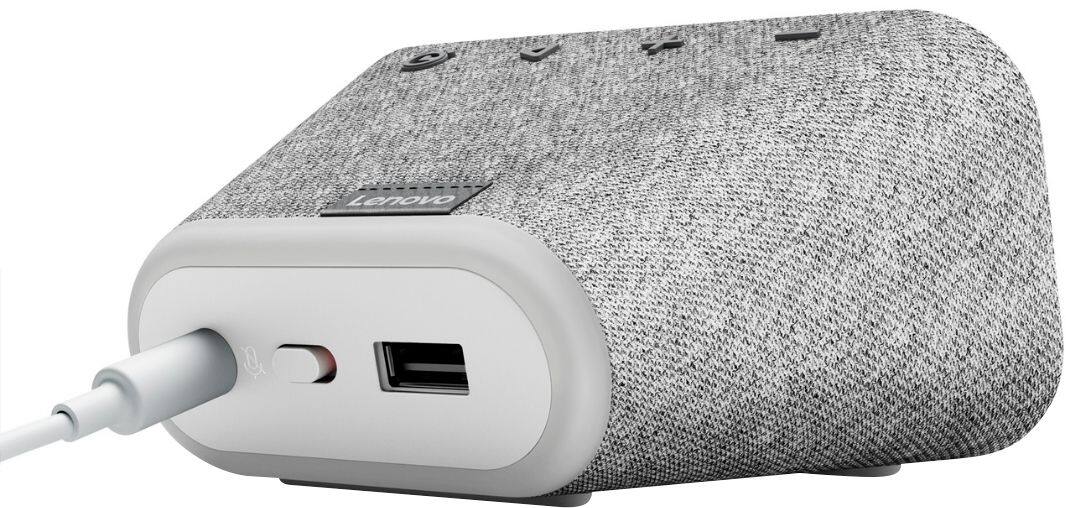
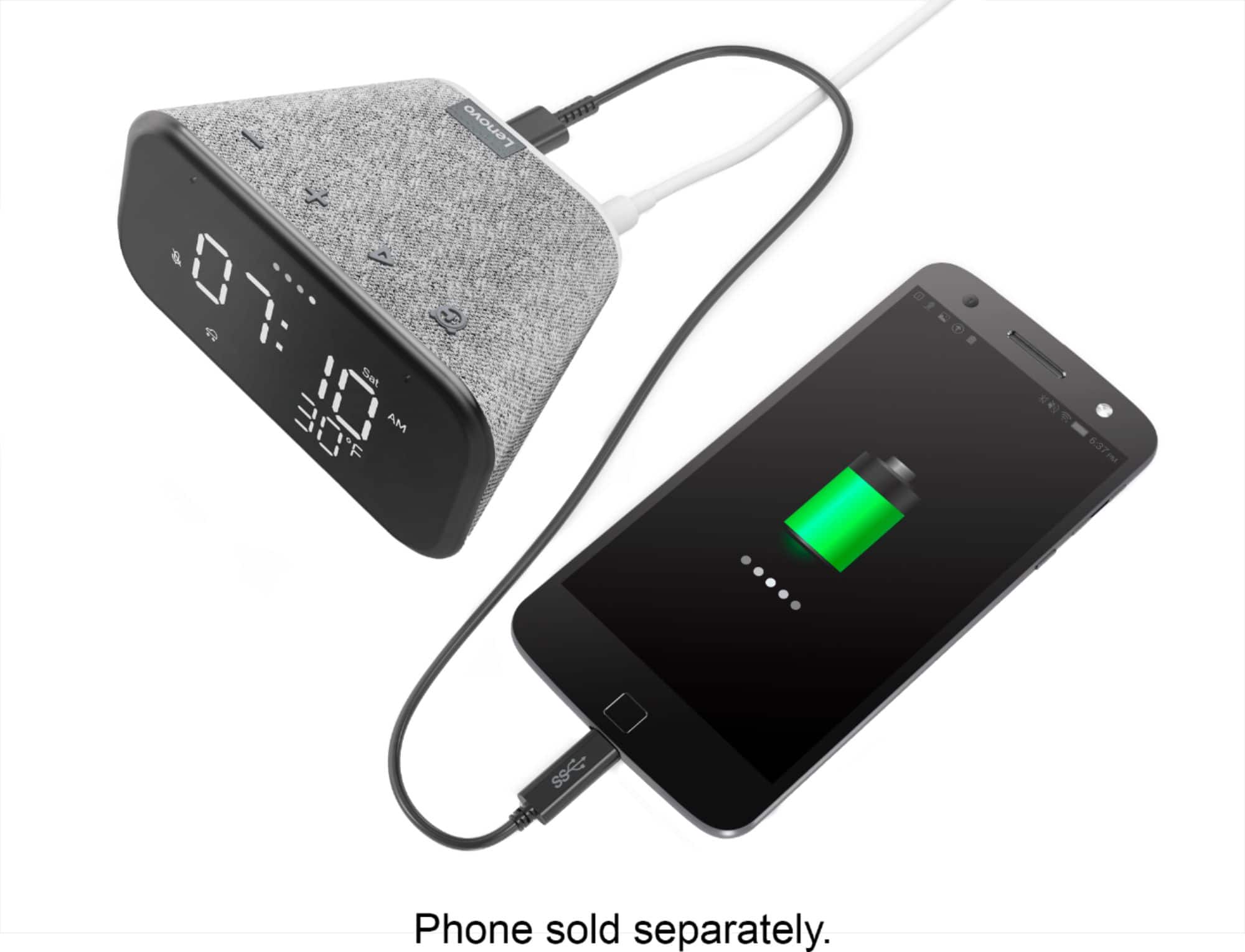
|Posted .This reviewer received promo considerations or sweepstakes entry for writing a review.When I unboxed the Lenovo Smart Clock I was taken by surprise on how small the unit was. It still manages to be big enough for the display to be readable at night from a couple of feet. Now before I played anything back I was expecting sound quality to be on the tiny side. I was actually caught off guard on how loud it can get. Compared to the Google Mini it’s almost a night a day difference. At loud volumes it still manages to stay crisp not like the Google Mini that distorts at high volumes. There is no bass so if you’re expecting at least some bass you will be disappointed. Even without the bass it is still good enough to fill a room with music. Mics performed well and had no issues getting a response at high volumes. I also had no issues casting music from apps like Spotify, iHeart Radio and Pocketcast. On the back you do get a USB port to charge your devices. With Google Assistant onboard it makes it so easy to find out what the weather will be, set a reminder or alarm and control your smart home devices too. Pros: Google Assistant Improved sound quality over the Google Mini Big bright readable screen that shows temperature, time and date. 3 levels of brightness setting Very small footprint. Overall If it came down to the Lenovo Smart Clock or the Google Mini I would say go for the Lenovo instead. You get a display that shows useful information throughout the day and produces a much more nicer sound. At the current price you’re getting a lot more bang for your buck. “Reviewers in this invitation-only program are provided products for the purpose of writing honest, unbiased reviews
I would recommend this to a friendBrand response from Lenovo Product Expert
Posted .Hi, thanks for choosing the Lenovo Smart Clock Essential. We are pleased to hear the functions, performance, and design of the Lenovo Smart Clock Essential are working out so well for you! We greatly appreciate your detailed review and recommendation.

Did the job.
||Posted . Owned for 1 month when reviewed.This reviewer received promo considerations or sweepstakes entry for writing a review.Did the job cheap and loud, wakes my butt up, everyday
I would recommend this to a friendNeat little thing.
||Posted . Owned for 1 month when reviewed.This reviewer received promo considerations or sweepstakes entry for writing a review.Surprised at how much I like and use this product. Smaller than I thought. But I like it
I would recommend this to a friendBrand response from Lenovo Product Expert
Posted .Hi! Thanks for choosing the Lenovo Smart Clock Essential. We are pleased to hear the features, design, and performance of the Smart Clock Essential is working out so well for you.
- Cons mentioned:Wifi connectivity
Doesn't last.
||Posted . Owned for 3 months when reviewed.This reviewer received promo considerations or sweepstakes entry for writing a review.(Lasted less than a year. The lines don't always show so it doesn't accurately tell time and now it doesn't connect to wifi for some reason! Literally every other device connects no problem, but now this one doesn't. Glad I got the GSP, bc this is going BACK! (Posted a pic, look at what the clock reads vs what the actual time is at the top of the photo...)
No, I would not recommend this to a friendBrand response from Lenovo Product Expert
Posted .We are sorry to hear that you are having issues with your Lenovo Smart Clock Essential. Try a reset of your Smart Clock Essential back to original factory settings: Press and hold the Alarm button and the Volume Down button at the same time for 12 seconds. If the issue continues after this reset, we recommend you contact Lenovo Tech Support for Smart Devices at: 866-426-0911.
Worth a bit of money but not a lot
||Posted . Owned for 5 months when reviewed.This reviewer received promo considerations or sweepstakes entry for writing a review.Continuously drops from my dental work don’t know if it’s the network or my unit but I have three of these units and one will not connect one drops the other one works great I think it’s the product who knows I would not recommend it above $35
No, I would not recommend this to a friendBrand response from Lenovo Product Expert
Posted .We are sorry to hear that you are having issues with your Lenovo Smart Clock Essential staying connected to your WiFi. Please try these steps one by one until it can be resolved. 1. Make sure to link the Device with the same WiFi connection as the mobile device. 2. Please check whether WiFi works correctly by using another device to link with the same WiFi. 3. Please try to reboot the Device. 4. Unplug your Smart Clock for 1 minute. 5. Plug your Smart Clock back in. Then check it again. If the issue continues, then please reset the Device (Long press VOL+ and VOL- 10 Seconds). Please find your router’s manufacturer and model. Check with the manufacturer to find out if your router model has Smart Connect. If your router has Smart Connect, check with the manufacturer for steps on how to turn off Smart Connect. Then try it again. If the issue with WiFi connectivity still continues, we recommend you contact Lenovo Tech Support for Smart Devices for additional help at: 866-426-0911.
- Pros mentioned:Night light
Great alarm clock and more in a small package.
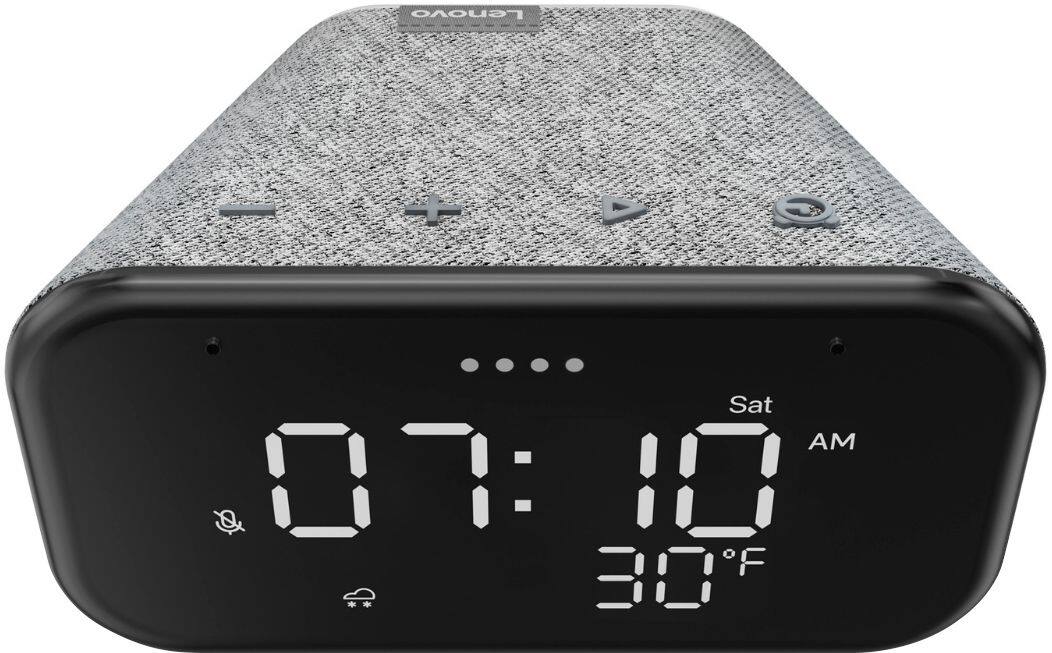
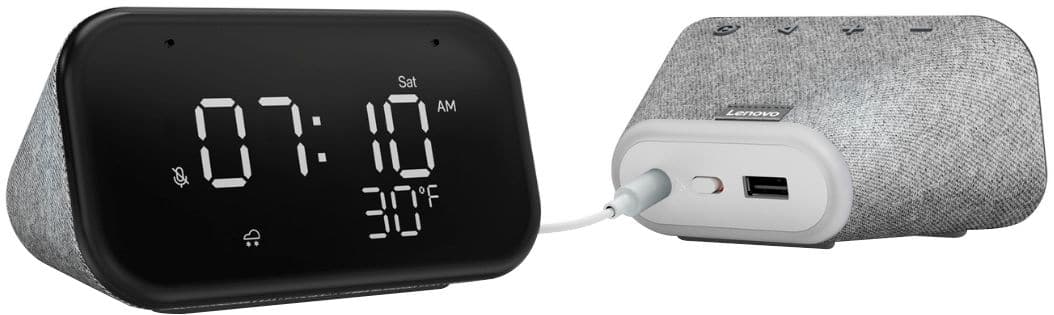
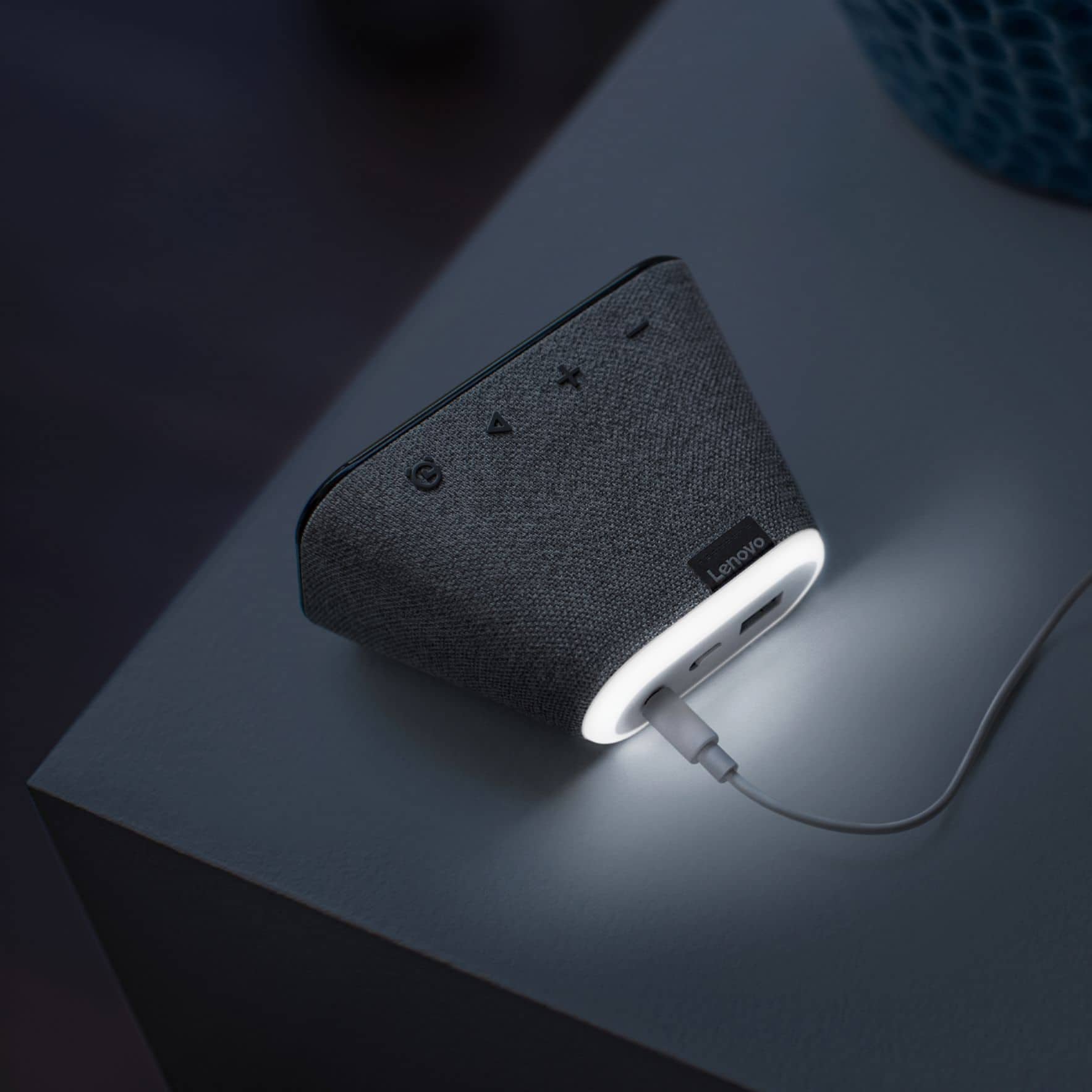
|Posted .This reviewer received promo considerations or sweepstakes entry for writing a review.Automatically resets time/date/temperature/ when moved from one room to another. The Lenovo Smart Clock Essential also uses voice commands to set alarms. The Smart Clock and also find your phone just by asking “Hey Google call XXX-XXX-XXXX” and it will ring your phone. That’s a big help for me as I’m always forgetting where I put my phone. The Google Home app is easy to follow and gives instructions on how to set up different smart devices that use Google. Unfortunately, it is NOT compatible with Amazon devices. The Lenovo Smart Clock Essential front view shows time and temperature on the screen as well as the local weather conditions using a small icon on the bottom left of the screen. If you prefer your local temperature in C you can just ask Google to switch to either C or F. The back has a USB port and a mute button. The USB port comes in handy for charging your devices. The Smart Clock display is nice and big so you can check out the time from across the room. Just by saying “Hey Google” you can ask it questions, play music, control smart home devices, and more. It also features a built-in nightlight, speaker, and microphones. I love setting my alarm by just asking, "Hey Google, set my alarm for tomorrow morning at xxx o’clock," and the clock will answer you. Check the weather, set timers for cooking, set reminders, and research facts. The Lenovo Smart Clock lets you set multiple alarms and appointment reminders just by asking it. The Lenovo Smart Clock Essential has a built-in nightlight that lets you get up at night without stumbling around looking for a light switch. The Lenovo Smart Clock lets you play your favorite music playlists, radio stations, audiobooks, podcasts, and more. All you need is your voice—just ask Google and listen. Or just tap the Play Music icon on the GOOGLE HOME app and start streaming your playlist straight from the clock. The amazing ability of the Lenovo Smart Clock Essential to control over 40,000 compatible smart devices from 5,000 brands is a big plus. Ask Google to set the temperature, dim the lights, and more. Just start with “Hey Google.” I haven’t used all the different functions yet, but I have used it to make sure my front door is locked, set alarms, use the nightlight, listen to podcasts and music. Its small size fits perfect on my nightstand without taking up a lot of room. Controls my August Smart Lock, Sirius XM radio, Android playlist, and more. I recommend it for everyone as it is not only is a great alarm clock, but it has so many other functions in such a small package, that makes it practical as well as fun.
I would recommend this to a friendBrand response from Lenovo Product Expert
Posted .Hi, thanks for choosing the Lenovo Smart Clock Essential. We are pleased to hear the functions, performance, and design of the Lenovo Smart Clock are working out so well for you! We appreciate your detailed review and if you'd like some 'tips and tricks" to get the most out of your assistant we made this short YouTube video. https://www.youtube.com/watch?v=L_eZfuMeOU8
Wonderful product, would definitely purchase again
||Posted . Owned for more than 2 years when reviewed.This reviewer received promo considerations or sweepstakes entry for writing a review.Wonderful product, would definitely purchase again
I would recommend this to a friendOkay
||Posted . Owned for 2 weeks when reviewed.This reviewer received promo considerations or sweepstakes entry for writing a review.It’s a digital Clock with a speaker. It’s Pretty good like the Lenovo Smart Clock Gen 2. but mine came in defective. Return it. I’m not keeping this one prefer the SmartClock Gen 2 but 20$ is a good buy.
No, I would not recommend this to a friendStay Away
||Posted .This reviewer received promo considerations or sweepstakes entry for writing a review.Not that simple to setup. On date of purchase I plugged in device, followed reset instructions and couldn’t get alarm set up. I then unplugged device to move into another room. Screen is now blank after plugging back in. What a disappointment. It shouldn’t be difficult to use a $30 alarm
No, I would not recommend this to a friendBrand response from Lenovo Product Expert
Posted .We are sorry to hear that you are having issues with the initial setup of your Lenovo Smart Clock Essential. Reset your Smart Clock Essential back to original factory settings: Press and hold the Alarm button and the Volume Down button at the same time for 12 seconds. Here is a link to a short YouTube video that demonstrates the setup process for the Smart Clock Essential: https://www.youtube.com/watch?v=oebcueXBCeU&t=33s. If you continue to have issues, we recommend you contact Lenovo Tech Support for Smart Devices at: 866-426-0911.
- Pros mentioned:Night light, Sound quality
Awesome Little Clock, Speaker, Night Light, Alarm!
Posted .This reviewer received promo considerations or sweepstakes entry for writing a review.I replaced my 4 year old Best Buy Insignia Voice Clock Speaker with this one. I use these for simple bedside use (I didn't need or want another device/tablet type clock system next to me at bedtime), so these are my opinions for that purpose exclusively. I Love this unit over the Insignia model. The physical buttons vs the hand gestures on the Insignia are easier to use, when you don't want to use voice commands. The Clocks digits are larger, easier to see, and its easier to adjust the overall brightness of the screen. The Screen does adjust automatically to the ambient light in the room, but you can also adjust to your preferences. The mic is way more responsive than the Insignia. The speaker sound is great for bedside use! The Insignia had a "fuller/deeper" sound, but IMO was too "punchy" for bedside use, I rarely used the Insignia speaker because of this reason. This speaker has better balance/clarity for bedside/nighttime usage. I love the weather icon, and the larger easier to read temp display. The Night light is AWESOME! I've used it every night now, and found that if you hold the volume down button, it toggles the night light on and off without having to use voice commands. I don't use the alarm features, but I tested it and it works great. You can set it for a gently alarm sound, or to wake to a music station on one of the radio/music apps in the google home system. The only (minor) negative is the silly zero displayed ahead of the hours between 12:59 and 9:59 am/pm, but I'm already used to it. The ability to charge your phone via the USB on back is another bonus. For the $25 I paid for this unit, I am Extremely Happy with this Simple "Do Everything", clock, speaker, night light, alarm unit! I have been waiting for this simple type of unit for many years!
I would recommend this to a friendBrand response from Lenovo Product Expert
Posted .Hi! Thanks for choosing the Lenovo Smart Clock Essential. We are pleased to hear the features, design, and performance of the Smart Clock Essential is working out so well for you! We appreciate your detailed and thoughtful review and we value your feedback =)
- Pros mentioned:Display
Perfect clock that doubles as a smart speaker
|Posted .This reviewer received promo considerations or sweepstakes entry for writing a review.As a heavy user of “smart home” technologies and a use of another Lenovo smart display-clock, I liked the idea of a clock only, without the other features. Having a cable box without the time displayed on it is annoying, which is why I purchased the older 4in Lenovo color smart display-clock, but at its lowest, I couldn’t really see the time and at a good brightness, it was too bright when watching movies or TV. This ‘new’ clock has a traditional dash-to-form-numbers look, with a few minor on-screen differences. With the other clock, having the current temp and forecast was great and we don’t lose it with this clock! Setting it up into the Google Ecosystem was as straight-forward as all of the other devices and the responsiveness is what I’d expect. I know that there are no integration issues, when my wife yells something at Google and it responds; in this case, it was the new clock and she had no idea that anything had changed. If you want a simple clock, snag this without hesitation. If you want a nice pretty screen and cool on-screen functionality, pick up a Nest hub or the like. For me and the need to have a clock that doesn’t light up the entire room, this was perfection.
I would recommend this to a friendBrand response from Lenovo Product Expert
Posted .Hi! Thanks for choosing the Lenovo Smart Clock Essential. We are pleased to hear the features like seamless smart home integration, design, and performance of the assistant on the Smart Clock Essential is working out so well for you.
Didn’t turn on.
||Posted .This reviewer received promo considerations or sweepstakes entry for writing a review.Straight out of the box and I can’t get it to turn on. It just doesn’t work. Do not order this unless you can verify it works and return in the allotted time. Basically just trashed it and the money it cost me.
No, I would not recommend this to a friendBrand response from Lenovo Product Expert
Posted .We are sorry to hear that you are having issues powering up your Lenovo Smart Clock Essential. Try to factory reset your Smart Clock: With the Smart Clock plugged, press and hold the Alarm button and the Volume Down button at the same time for 12 seconds. When the Smart Clock finishes resetting, if you have not yet setup the Smart Clock here is a link to a short YouTube video with instructions for the initial setup of your Smart Clock Essential: https://www.youtube.com/watch?v=qEz9qdj9bfc. If the issue continues, we recommend you contact Lenovo Tech Support for Smart Devices for additional help at: 866-426-0911.
not a good product
||Posted . Owned for 5 months when reviewed.This reviewer received promo considerations or sweepstakes entry for writing a review.very complicated and not friendly..not loud enough. wish i can return it now for my money.
No, I would not recommend this to a friend- Pros mentioned:Sound quality
Good Google Assistant clock from Lenovo
Posted .This reviewer received promo considerations or sweepstakes entry for writing a review.It's a great desktop clock with Google Assistant built in. The sound is clear and good enough to listen to music, and loud too. The display is crisp, and looks very nice. The only thing which is difficult to figure out it turning on the night light on the clock itself. It would have helped if Lenovo had some physical button on the clock itself to turn the light on/off
I would recommend this to a friend A nice smart bedside clock
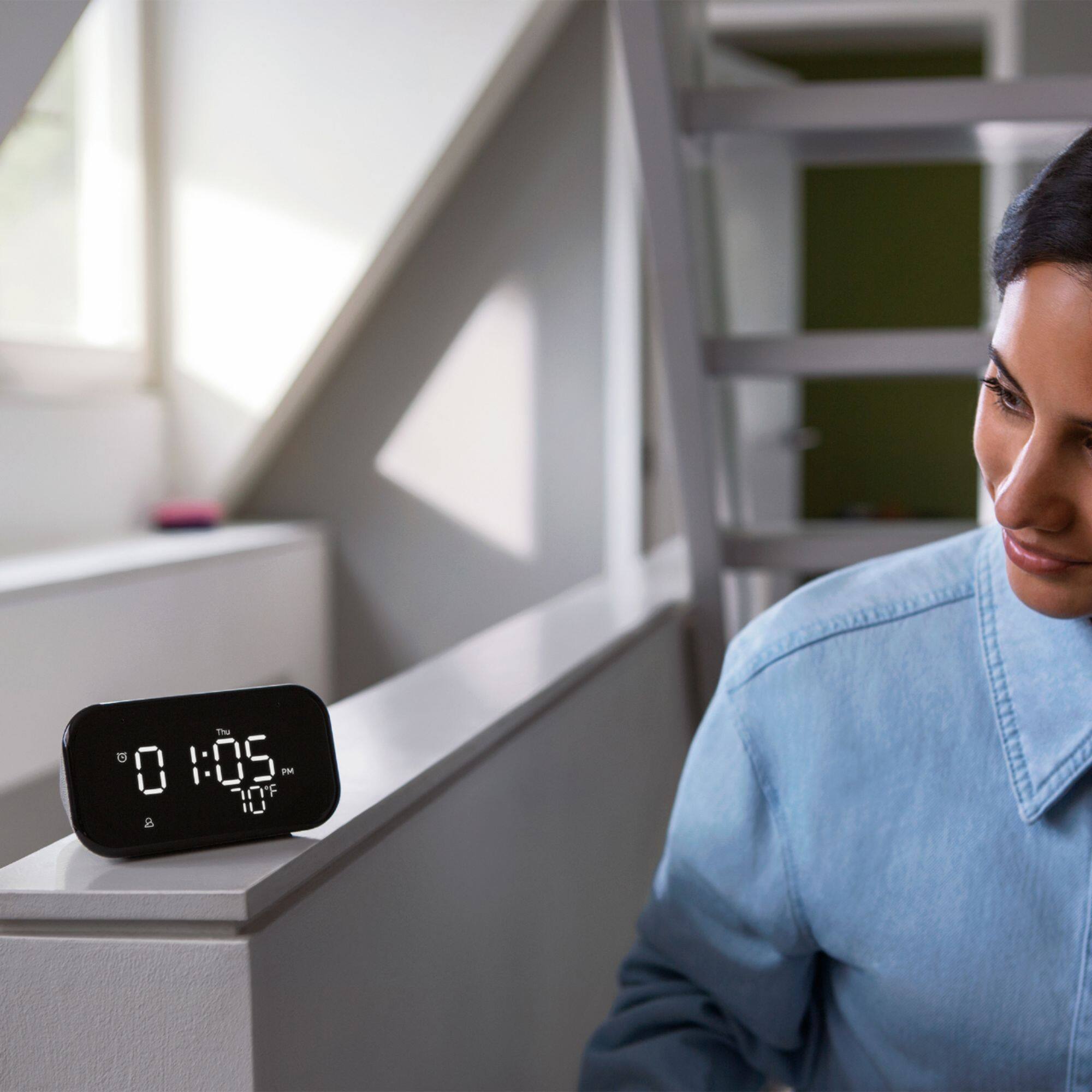
|Posted .This reviewer received promo considerations or sweepstakes entry for writing a review.I recieved this item in exchange of my unbiased and fair review. Ill start by saying this is one of 5 smart speakers/displays I own. It functions just as well as any other Google smart speaker does. I really like that this is more of a alarm clock looking device so it blends in better in a bedroom decor. I really like that it has a outside temperature reading on the clock display. Atwell as sunny, windy, etc... The sound from this is sort of tinny or lacking of much bass, but its on the small side. So I wasn't expecting anything big. My one complaint is the display is on the small side. I wish it were 1"x1" larger of a display, as my bedroom is on the larger side, and the display can be difficult at times to read the time and temperature, and I don't wear glasses or contacts. The rear has a usb a style port for charging a phone or watch, I don't use it as I hate seeing clutter or cords, but it does work as I confirmed. Overall, I really like this smart alarm clock style smart speaker, I just wish the display was a tad larger.
I would recommend this to a friendBrand response from Lenovo Product Expert
Posted .Hi! Thanks for choosing the Lenovo Smart Clock Essential. We are pleased to hear the features and performance of the Smart Clock Essential is working out so well for you. We appreciate your feedback in regards to the size of the display as we are always looking for ways to improve our Smart Devices.
- Pros mentioned:Display, Ease of use, Size
Nice Clock
||Posted . Owned for 3 weeks when reviewed.This reviewer received promo considerations or sweepstakes entry for writing a review.Really nice clock. Love the size, not too big or small. Fits and looks good on my bedroom night stand. Love the nice bright display and that you can glance at it to not only see the time but the temperature outside. Love the voice commands through Google Home. Easy to use and setup. You would think because of the size that it would not sound good but it is suprisingly loud. Nice crisp sounds. Highly recommend this product.
I would recommend this to a friendBrand response from Lenovo Product Expert
Posted .Hi! Thanks for choosing the Lenovo Smart Clock Essential. We are pleased to hear the features, design, and performance of the Smart Clock Essential is working out so well for you.
- Pros mentioned:Display, Night light, Size
East setup, perfect for small places.
||Posted . Owned for 3 weeks when reviewed.This reviewer received promo considerations or sweepstakes entry for writing a review.perfect for small places. The numbers are easy to read. The night light is bright enough to see things on my night stand when needed. I like the fact that I don't have to manually set my alarm. I just ask Google to set it for a certain time and it's done. It's easy to set up and the Google Home app is also very easy to follow. This is my second one.
I would recommend this to a friend - Pros mentioned:Night light, Sound quality
Nice clock that sets itself
||Posted . Owned for 7 months when reviewed.This reviewer received promo considerations or sweepstakes entry for writing a review.Got a few of these on clearance and put them in all of my bedrooms in the house. It's nice as a speaker and clock. It sets the time after a power outage which is nice. Sound is ok compared to other options but good enough. There is an auto dimming feature and a nightlight that is rather bright and can be adjusted. Overall, if you need a clock and use Google a nice addition to my collection.
I would recommend this to a friend - Pros mentioned:Display
Good alarm and more
||Posted . Owned for 1 year when reviewed.This reviewer received promo considerations or sweepstakes entry for writing a review.Searched for a replacement radio alarm for a long time and finally found this. Great contrast so easy to read at night without glasses. Good display with date, temperature, day of week, alarm set. Easy to set alarm by talking to “HEY Google.” Alarm is a nice series of tone with the nightlight. Internet radio when desired. Compact and light.
I would recommend this to a friend - Pros mentioned:Size
Built-in Google Assistant
||Posted . Owned for 1.5 years when reviewed.This reviewer received promo considerations or sweepstakes entry for writing a review.The Lenovo Smart Clock Essential is a great option for anyone looking for a simple and affordable smart display. It has a 4-inch display that is perfect for checking the time, weather, and news, and it also has a built-in Google Assistant so you can control your smart home devices and get answers to your questions.
I would recommend this to a friend