Customer Ratings & Reviews
- Model:
- ZA740005US
- SKU:
- 6429528
Rating by feature
- Value
Rating 4.6 out of 5 stars
- Quality
Rating 4.5 out of 5 stars
- Ease of Use
Rating 4.4 out of 5 stars
Customers are saying
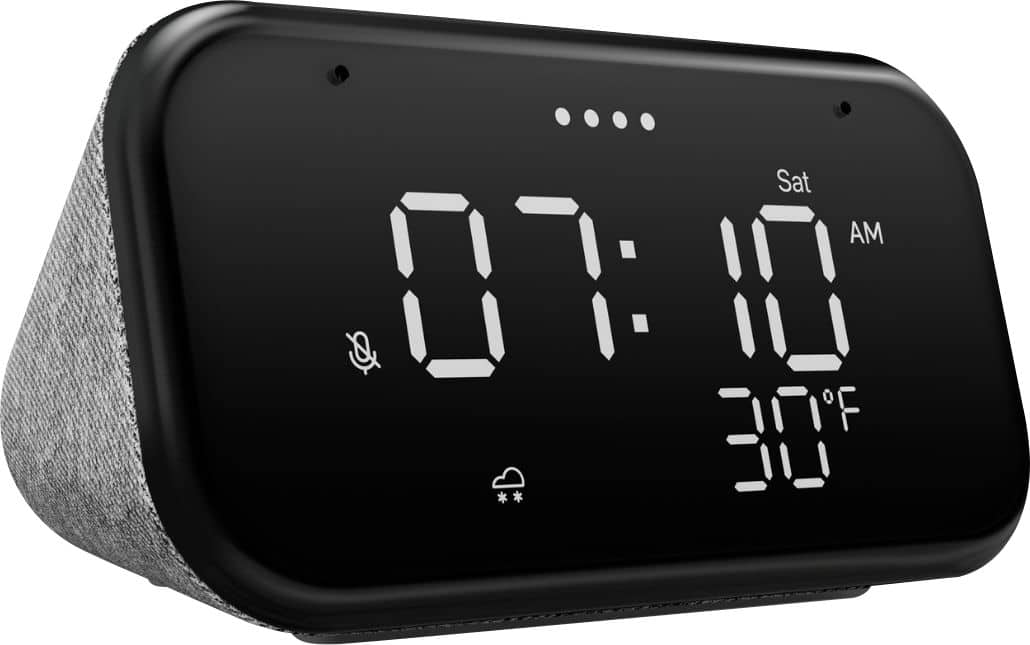
Customers enjoy the sound quality, ease of use, and display of the Smart Clock Essential. Many appreciate the included night light and the convenient size, finding it ideal for bedside tables. Positive feedback also highlights the Google Assistant integration and the alarm clock functionality. While some users experienced challenges with WiFi connectivity and initial setup, the overall sentiment is positive.
This summary was generated by AI based on customer reviews.
Does everything I needed..
||Posted . Owned for 2 weeks when reviewed.This reviewer received promo considerations or sweepstakes entry for writing a review.Was looking for a bedside clock replacement, and this is perfect for the price. Was worried about excessive brightness before purchasing, but is suitably adjustable...
I would recommend this to a friendGood product
||Posted .This reviewer received promo considerations or sweepstakes entry for writing a review.I like the light behind this clock. The sound is not very loud but it is enough for me in my bed room. I like this and it meets my needs. If you want loud sound a different device will be better
I would recommend this to a friendBrand response from Lenovo Product Expert
Posted .Thank you for choosing the Lenovo Smart Clock Essential. To increase the volume on the Smart Clock Essential, try using the Google Home APP you used when setting up the Smart Clock Essential. You can adjust the Smart Clock Essential's volume within the Google Home APPs settings.

Inexpensive smart alarm
||Posted . Owned for 1 month when reviewed.This reviewer received promo considerations or sweepstakes entry for writing a review.Alarm clock is nice but I could not figure out how to turn off the alarm quickly without using my voice. It was going off after I left for work even. Is nice for some who wants to have everything "smart" in their house.
I would recommend this to a friendBrand response from Lenovo Product Expert
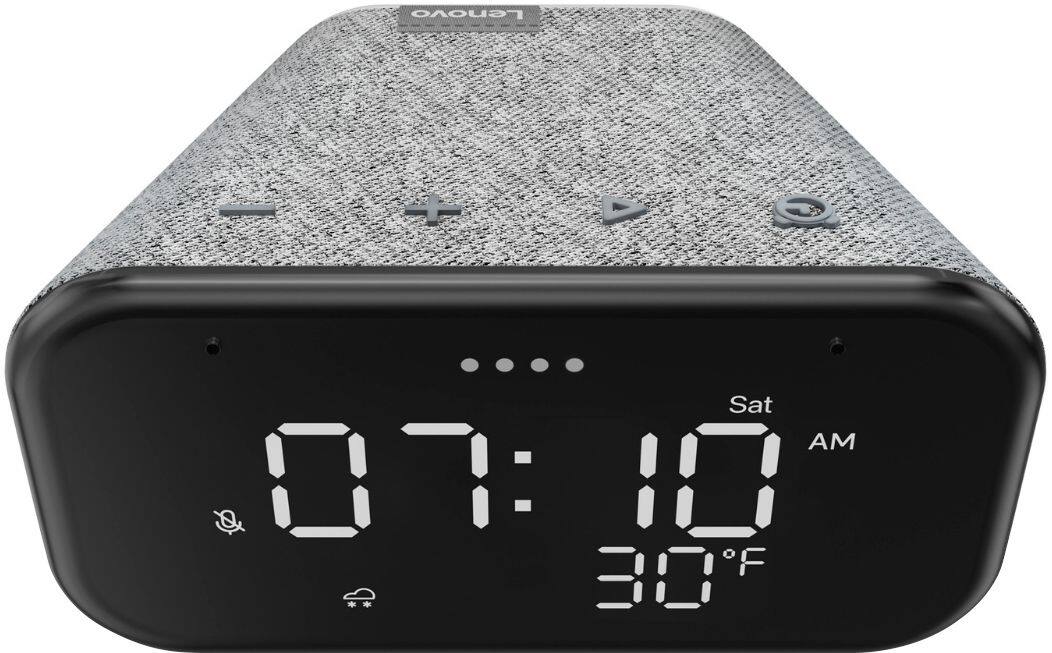
Posted .Hi there, I can help with this. stop an alarm clock, short press the alarm setup button on top of the device. To snooze the alarm firmly tap on top of the device above the buttons or press the triangle shaped play button. You may also simply say "stop" to turn off alarms.
Alarm clock with a Google Assistant speaker.
||Posted . Owned for 1 month when reviewed.This reviewer received promo considerations or sweepstakes entry for writing a review.It's a clock with a Google assistant speaker embedded in it. You cannot manage the clock or alarms through Google Home. Alarms can only be set like a regular alarm clock (using the physical buttons).
I would recommend this to a friendBrand response from Lenovo Product Expert
Posted .Thank you for choosing the Lenovo Smart Clock Essential. You can set alarm functions by just directly talking to Lenovo Smart Clock Essential. Say something like: Hey Google, set an
alarm for 8 a.m. You can also use the buttons on the Smart Clock Essential to set an alarm. Here is a link to a YouTube Video that demonstrates the setup of the Lenovo Smart Clock Essential: https://www.youtube.com/watch?v=oebcueXBCeU
Great Little Device
||Posted . Owned for 2 months when reviewed.This reviewer received promo considerations or sweepstakes entry for writing a review.Great clock. I have three of these. Easy to connect with my Google home account and with my YouTube music account. Great time and weather display. And there's a volume control on the device as well. Would recommend to anyone!
I would recommend this to a friendNice Smart Clock
||Posted . Owned for 3 months when reviewed.This reviewer received promo considerations or sweepstakes entry for writing a review.Display is good and the Google assistant works good. Speaker sounds okay. Connects easy and works good with Pandora. The price is very good, most regular clocks are this price.
I would recommend this to a friendBest clock that I have ever owned!
||Posted . Owned for 1 year when reviewed.This reviewer received promo considerations or sweepstakes entry for writing a review.Best clock that I have ever owned! Love that it gives you the temperature and weather conditions. Also, love the Google features. Owned it over a year! Ordering 1 for my Mom!
I would recommend this to a friendKeeps perfect time, doesn't need setting
||Posted . Owned for 1 month when reviewed.This reviewer received promo considerations or sweepstakes entry for writing a review.Great clock - keeps perfect time, doesn't need setting. Far better (and more accurate) than a battery-powered clock. I'm taking one with me on my trip to Vietnam.
I would recommend this to a friendLove it!
||Posted . Owned for 11 months when reviewed.This reviewer received promo considerations or sweepstakes entry for writing a review.I love this alarm clock! Small and looks nice on the night stand. Does just what I want it to do and I never have to touch a button. The light sensor is a great feature for sure. Highly recommend!
I would recommend this to a friendBrand response from Lenovo Product Expert
Posted .Thank you for choosing the Lenovo Smart Clock Essential. We are pleased to hear that the features and performance of the Smart Clock Essential meets your needs so well.
NEto
||Posted . Owned for 1 week when reviewed.This reviewer received promo considerations or sweepstakes entry for writing a review.Its amazing for the price does all you need it to do and more smart home device connectivity can be a little tricky for people that have difficulty understanding technology but set up is more than straightforward
I would recommend this to a friendBrand response from Lenovo Product Expert
Posted .Hi! Thanks for choosing the Lenovo Smart Clock Essential. We are pleased to hear the features, design, and performance of the Smart Clock Essential is working out so well for you.
The following website has a list of useful commands to help you get the most out of your assistant. https://www.androidauthority.com/google-assistant-commands-727911/
Alarm Clock with Smarts (and no distractions)
||Posted . Owned for 3 months when reviewed.This reviewer received promo considerations or sweepstakes entry for writing a review.This reminds me of a traditional alarm clock but with the added bonuses of auto-brightness adjustments, google mini built in, and a nightlight! Great for kids who won’t get lost in the menus of the regular smart clock.
I would recommend this to a friendBrand response from Lenovo Product Expert
Posted .Thank you for choosing the Lenovo Smart Clock Essential. We are pleased to hear that the features and performance of the Smart Clock Essential Meets your needs so well.
Nice clock
||Posted . Owned for 1 month when reviewed.This reviewer received promo considerations or sweepstakes entry for writing a review.This is a great watch. Some of the downsides are that it sometimes picks up commands from the noises coming from my devices by accident. And I'm not sure about how to adjust the brightness on it.
I would recommend this to a friendBrand response from Lenovo Product Expert
Posted .Thank you for choosing the Lenovo Smart Clock Essential. You can manually adjust screen brightness by using a Voice Command with the Google Assistant like, Hey Google, set screen brightness to 50 Percent.
Great little bedside assistant
||Posted . Owned for 1 month when reviewed.This reviewer received promo considerations or sweepstakes entry for writing a review.Setup through the google home app was a breeze, and the ambient light sensor works really well so the display is too bright next to the bed at night. Just wish the speaker had a little more oomph for music.
I would recommend this to a friendBrand response from Lenovo Product Expert
Posted .Hi! Thanks for choosing the Lenovo Smart Clock Essential. We are pleased to hear the features, design, and performance of the Smart Clock Essential is working out so well for you. You can fine tune the speaker by opening the Google Home App on your Smart Phone or Tablet, opening the Lenovo Smart Clock Essential, and selecting the three bars with a line through them at the top of the screen. This will allow you to adjust the Bass and Treble to your preference.
Nice clock and smart home unit
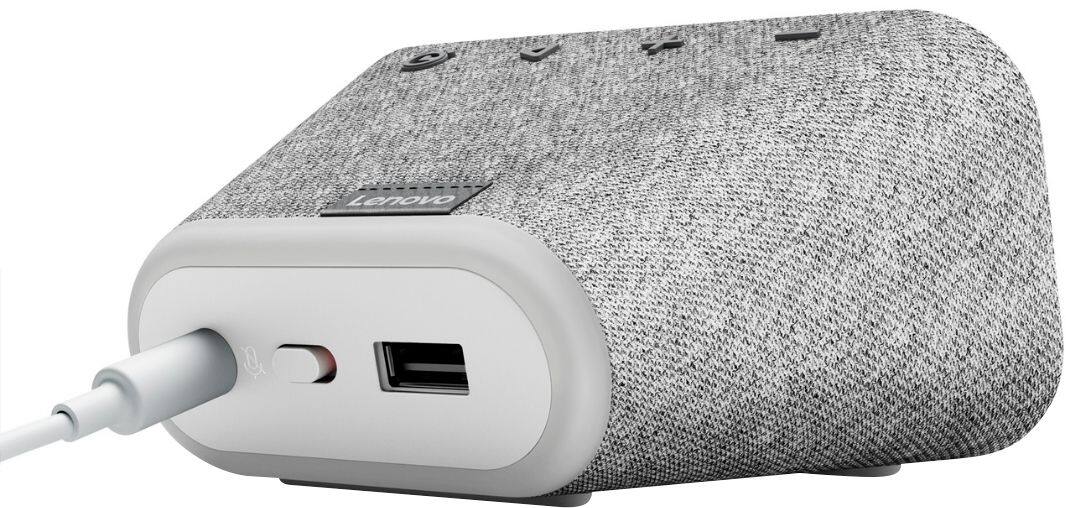
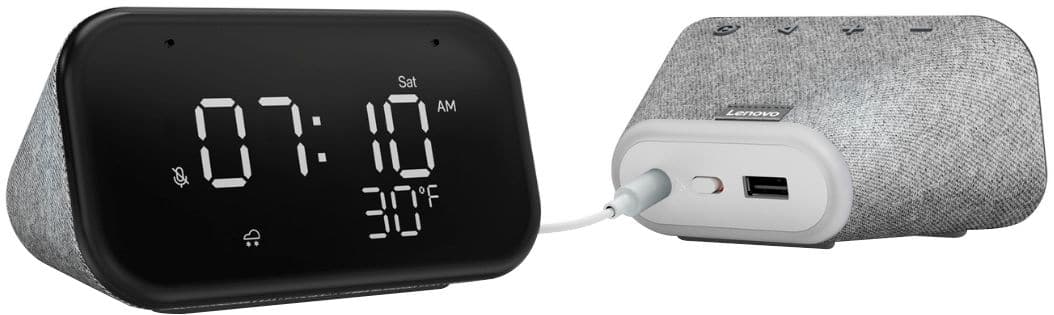
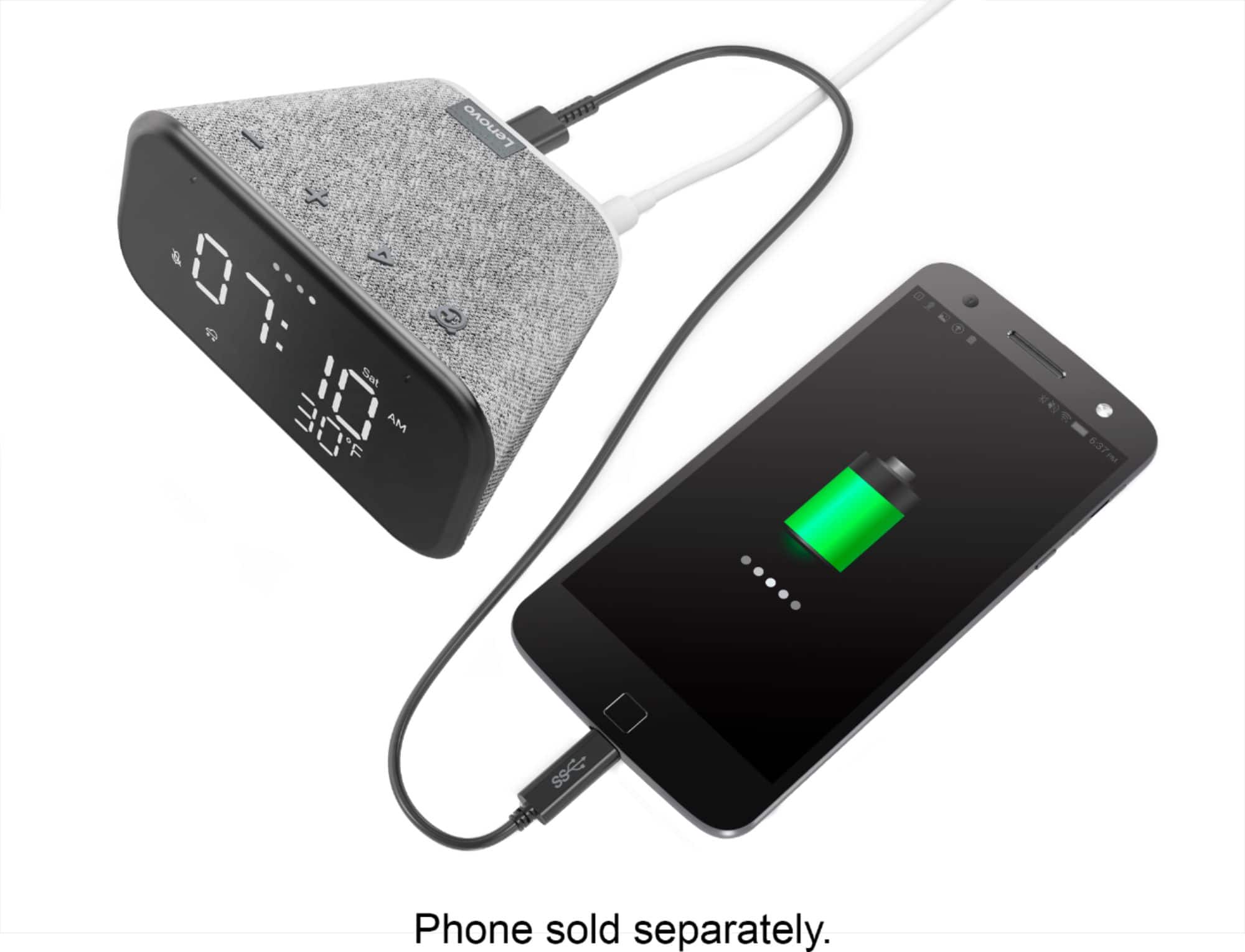
||Posted . Owned for 8 months when reviewed.This reviewer received promo considerations or sweepstakes entry for writing a review.I have a couple of these. They work really well as clocks, and Google home devices. It declutters the bed table and desk quite well. having a USB port on the back is a nice feature.
I would recommend this to a friendBest value for a clock ever lol!
||Posted . Owned for 6 months when reviewed.This reviewer received promo considerations or sweepstakes entry for writing a review.Great little clock that can also play your music, radio stations, answer all your questions, control the smart tech in your home, tell you the weather and just about everything for a great price
I would recommend this to a friendBrand response from Lenovo Product Expert
Posted .Thank you for choosing the Lenovo Smart Clock Essential. We are pleased to hear that the features and functions of this Smart Clock Essential meets your needs so well.
Introduction to smart devices
||Posted . Owned for 1 year when reviewed.This reviewer received promo considerations or sweepstakes entry for writing a review.I purchased this for a relative to get them started on automating their home and controls. It was a bit of a learning curve for someone new to smart devices but she caught on
I would recommend this to a friendBrand response from Lenovo Product Expert
Posted .Thank you for choosing the Lenovo Smart Clock Essential for your relative. We are pleased to hear that the Smart Clock Essential is working out so well. Here is a link to a YouTube video that demonstrates the features and functions of the Lenovo Smart Clock Essential: https://www.youtube.com/watch?v=Rbf4OUkE_XA. If your relative has questions about their Smart Clock Essential, we recommend they call Lenovo Tech Support for Smart Devices at: 866-426-0911.
Great little clock plus more….
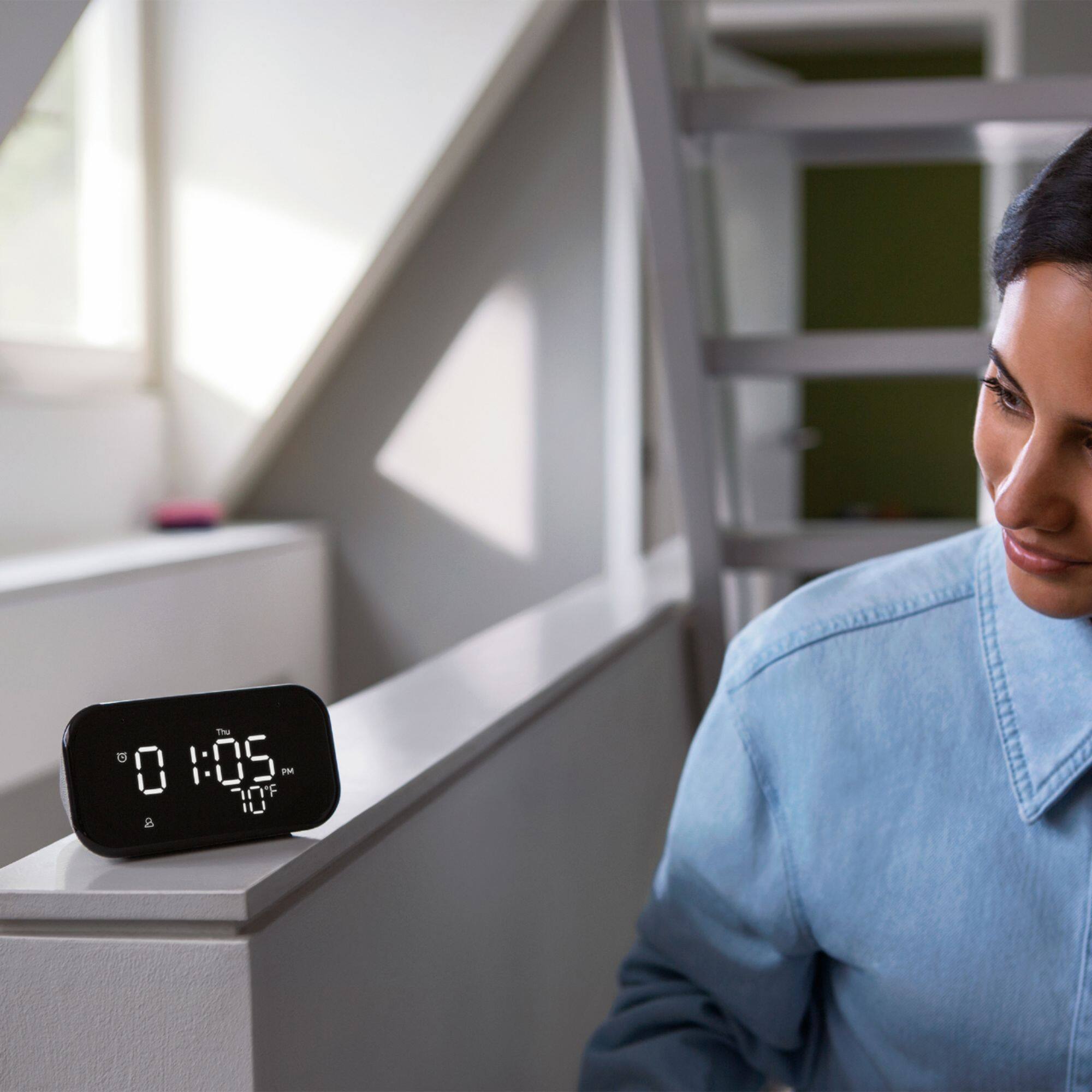
||Posted . Owned for 3 weeks when reviewed.This reviewer received promo considerations or sweepstakes entry for writing a review.Excellent! I can now open one eye while laying on my side and see the time and temp. No more fumbling around in the dark for my cell. I haven’t started to unlock all its potential. You won’t be disappointed.
I would recommend this to a friendBrand response from Lenovo Product Expert
Posted .Thank you for choosing the Lenovo Smart Clock Essential. We are pleased to hear that the Smart Clock Essential is working out so well for you. Just say HEY GOOGLE to see what the Smart Clock Essential can do.
Good product
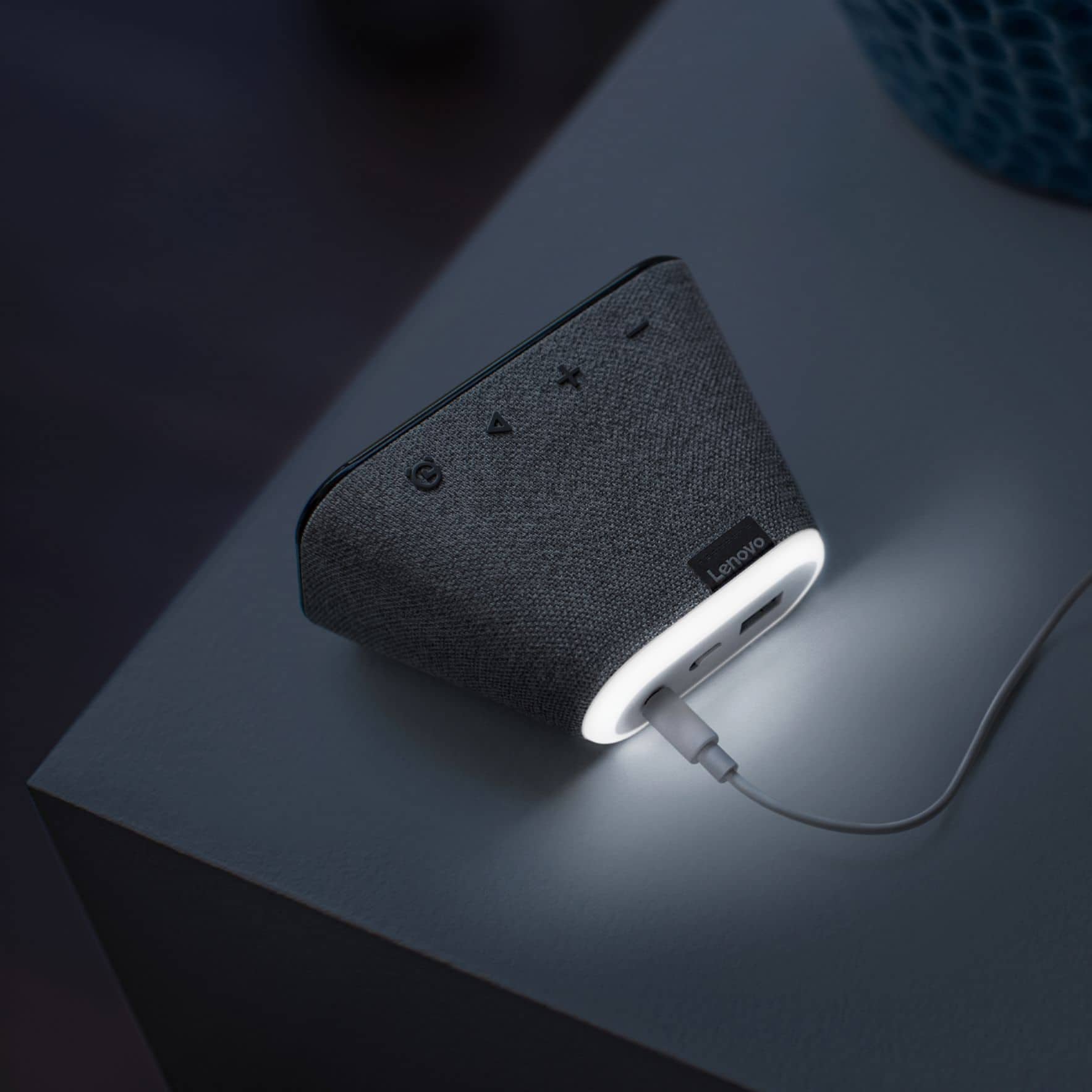
||Posted . Owned for 1 week when reviewed.This reviewer received promo considerations or sweepstakes entry for writing a review.Its good product, but turning on night light behind the clock is really hard. When we try to turn on with voice command sometimes it mutes tge speaker insted of turning on. And clock display is pretty neat.
No, I would not recommend this to a friendBrand response from Lenovo Product Expert
Posted .Hi! Thanks for choosing the Lenovo Smart Clock Essential. You can turn on the nightlight by holding the volume - button for 3 seconds or by using the voice command, "Okay google nightlight on/off" . Additionally you can adjust the brightness of the nightlight with the command, Okay google nightlight brightness 1-100%. If you need further assistance please don't hesitate to reach out to Lenovo Tech Support at 866-426-0911
Great clock especially when on sale.
||Posted . Owned for 1 month when reviewed.This reviewer received promo considerations or sweepstakes entry for writing a review.It has served me really well. Only issue I have sometimes is its bluetooth stops working correctly sometimes, so I have to replug the clock to get it to work right again.
I would recommend this to a friendFather time vs bass
||Posted . Owned for 7 months when reviewed.This reviewer received promo considerations or sweepstakes entry for writing a review.I'm a Google fan boy. Have numerous minis scattered around the house. One draw back, they don't have a time display. So I tried this instead. The time and weather are very useful at a glance now. But the audio of this compared to the Google mini is disappointing. It works well otherwise. Just doesn't have as good of sound as what I had in the room. Granted, they arent meant for jamming loud tunes. But the mini held it's own nicely. This thing, not so much. No bass.
I would recommend this to a friend