Customer Ratings & Reviews
- Model:
- ZA740005US
- SKU:
- 6429528
Rating by feature
- Value
Rating 4.6 out of 5 stars
- Quality
Rating 4.5 out of 5 stars
- Ease of Use
Rating 4.4 out of 5 stars
Customers are saying
Customers enjoy the sound quality, ease of use, and display of the Smart Clock Essential. Many appreciate the included night light and the convenient size, finding it ideal for bedside tables. Positive feedback also highlights the Google Assistant integration and the alarm clock functionality. While some users experienced challenges with WiFi connectivity and initial setup, the overall sentiment is positive.
This summary was generated by AI based on customer reviews.
Good
||Posted . Owned for 5 months when reviewed.This reviewer received promo considerations or sweepstakes entry for writing a review.Its an okay clock with google assistant. Everything has to be done with voice other wise a pain to use
I would recommend this to a friendBrand response from Lenovo Product Expert
Posted .Thank you for choosing the Lenovo Smart Clock Essential. Here is a link to a YouTube Video that demonstrates all of the manual settings features available to use on the Smart Clock Essential, in addition to using Google Voice commands: https://www.youtube.com/watch?v=y5blzxjVlig&t=1060s

Good quality smart clock
||Posted . Owned for 1 month when reviewed.This reviewer received promo considerations or sweepstakes entry for writing a review.This is our first smart clock.It’s useful and simple clock with voice control , the look of the clock very nice to use in any room.
I would recommend this to a friendGood buy
||Posted . Owned for 1 month when reviewed.This reviewer received promo considerations or sweepstakes entry for writing a review.Does exactly what I need it to do. Very stylish with my decor. Wish I had purchased it for $25 before $80
I would recommend this to a friendBrand response from Lenovo Product Expert
Posted .Thank you for choosing the Lenovo Smart Clock Essential. We are pleased to hear that the Smart Clock Essential is working out so well for you.
- Pros mentioned:Ease of use
Does not play well with your Echo
||Posted . Owned for 1 month when reviewed.This reviewer received promo considerations or sweepstakes entry for writing a review.The google home app is a little clumsy. The voice commands are not easy. Easy to setup right out of the box.
I would recommend this to a friendBrand response from Lenovo Product Expert
Posted .Hi! Thanks for choosing the Lenovo Smart Clock Essential. We are sorry to hear you are experiencing these issues. This device features the Google Assistant and is not compatible with Amazon/Alexa products at this time. In regards to the Voice Commands..... Please ensure you have removed the plastic film that is on the screen to protect the unit during shipping. If the issue persists, it is possible setting up voice match and raising the "okay google" sensitivity will help with this. to setup voice match please open the Google Home app.
At the top right, tap your account.
Verify that the Google Account shown is the one linked to your speaker or display. To switch accounts, tap another account or Add another account.
Tap Assistant settings Voice Match Add devices.
Make sure any devices you want to link your voice to are checked.
Tap Next I agree.
Follow the in-app steps.
To adjust the sensitivity of the mic please open the Google Home app .
At the bottom, tap Home .
Select your speaker or Smart Display.
At the top right, tap Device settings. ...
Choose how sensitive you want Google Assistant to be when it responds to you. If you need further assistance please don't hesitate to reach out to Lenovo Tech Support at 866-426-0911
Nice entry point to use google home
||Posted . Owned for 10 months when reviewed.This reviewer received promo considerations or sweepstakes entry for writing a review.Its a nice way to get in to the google home world. Functions as a google home/mini but you also get a clock and weather at a glance
I would recommend this to a friendBrand response from Lenovo Product Expert
Posted .Thank you for choosing the Lenovo Smart Clock Essential. We are pleased to hear that the features and performance of the Smart Clock Essential meets your needs so well.
Great purchase
||Posted . Owned for 2 weeks when reviewed.This reviewer received promo considerations or sweepstakes entry for writing a review.Works just like the puck with an added light on the tail end. Should have called it the Google firefly, hehe
I would recommend this to a friendGreat alarm clock!
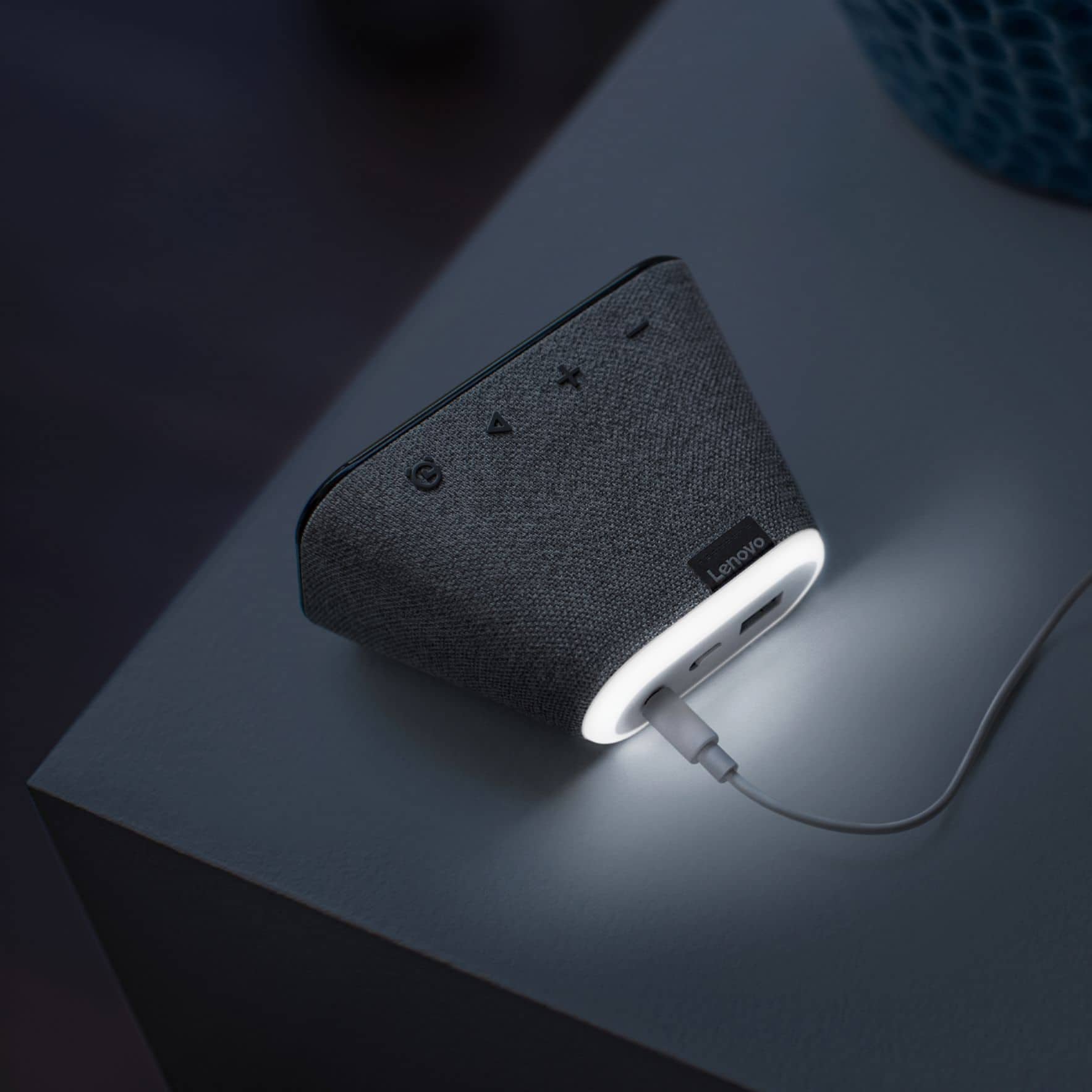
||Posted . Owned for 2 weeks when reviewed.This reviewer received promo considerations or sweepstakes entry for writing a review.Great clock for a person who likes tech. Only issue is the nightlight on the back that comes on with the same voice command as turning on smart lights
I would recommend this to a friendBrand response from Lenovo Product Expert
Posted .Hi! Thanks for choosing the Lenovo Smart Clock Essential. We are pleased to hear the features, design, and performance of the Smart Clock Essential is working out so well for you.
Good Clock
||Posted . Owned for 2 months when reviewed.This reviewer received promo considerations or sweepstakes entry for writing a review.Good Clock for its purpose. The google interface is a little buggy with multiple devices but it works perfectly for what I need it to.
I would recommend this to a friendBrand response from Lenovo Product Expert
Posted .Thank you for choosing the Lenovo Smart Clock Essential. Here is a link to a summary of the features and functions of the Google Home APP that is used with this Smart Clock Essential and other Google Assistant devices: https://support.google.com/chromecast/answer/7071794?hl=en&co=GENIE.Platform%3DAndroid. If you have issues with your Lenovo Smart Clock Essential, you can call Lenovo Tech Support for Smart Devices at: 866-426-0911.
Love it
||Posted . Owned for 3 weeks when reviewed.This reviewer received promo considerations or sweepstakes entry for writing a review.Love it !! My wife wanted a simple alarm clock that would fit its purpose and this little thing is great !! And little speaker is pretty loud
I would recommend this to a friendBrand response from Lenovo Product Expert
Posted .Thank you for choosing the Lenovo Smart Clock Essential. We are pleased to hear that the Smart Clock Essential is working out so well for you and your wife.
Very poor google assistant device
||Posted . Owned for 1 month when reviewed.This reviewer received promo considerations or sweepstakes entry for writing a review.It works as a clock. It displays time, probably accurately. But as a google assistant device it fails. It takes several "hey google" attempts to get the clock to alert to my voice, even when there is no other sound in the room. I replaced a google mini device with this unit, and that almost always responded to the first "hey google". Very frustrating. I unfortunately missed the return period for item, but if I did not it would have gone back to the store.
No, I would not recommend this to a friendBrand response from Lenovo Product Expert
Posted .Hi there, Thanks for choosing the Lenovo Smart Clock Essential. We are sorry to hear you are experiencing this issue with the mic/assistant. Please ensure you have removed the plastic film that is on the screen to protect the unit during shipping. This can block the microphone. If the issue persists, it is possible setting up voice match and raising the "okay google" sensitivity will help with this. to setup voice match please open the Google Home app.
At the top right, tap your account.
Verify that the Google Account shown is the one linked to your speaker or display. To switch accounts, tap another account or Add another account.
Tap Assistant settings Voice Match Add devices.
Make sure any devices you want to link your voice to are checked.
Tap Next I agree.
Follow the in-app steps.
To adjust the sensitivity of the mic please open the Google Home app .
At the bottom, tap Home .
Select your speaker or Smart Display.
At the top right, tap Device settings. ...
Choose how sensitive you want Google Assistant to be when it responds to you. If you need further assistance please don't hesitate to reach out to Lenovo Tech Support at 866-426-0911
Smart clock
||Posted . Owned for 1 month when reviewed.This reviewer received promo considerations or sweepstakes entry for writing a review.This is a great clock and it does so many things. So glad that I got this smart clock the Novo is a very good brand. I was so happy with it I bought another one.
I would recommend this to a friendBrand response from Lenovo Product Expert
Posted .Hi! Thanks for choosing the Lenovo Smart Clock Essential. We are pleased to hear the features, design, and performance of the Smart Clock Essential is working out so well for you. We appreciate your loyalty to the Lenovo brand.
Wakes cat up which wakes me up 5 stars
||Posted . Owned for 1 month when reviewed.This reviewer received promo considerations or sweepstakes entry for writing a review.My cat hears the alarm go off and runs over to me and paws me in the face to wake up. So it does its job
I would recommend this to a friendBrand response from Lenovo Product Expert
Posted .Thank you for choosing the Lenovo Smart Clock Essential. We are pleased to hear that the Smart Clock Essential is working out so well, for you and your cat.
Great addition!
||Posted . Owned for 1 month when reviewed.This reviewer received promo considerations or sweepstakes entry for writing a review.Great addition to my Google Home !! I love this! I can control my lights and set alarms! You can even adjust the brightness so it doesn't bother you at night.
I would recommend this to a friendBrand response from Lenovo Product Expert
Posted .Hi! Thanks for choosing the Lenovo Smart Clock Essential. We are pleased to hear the features, design, and performance of the Smart Clock Essential is working out so well for you.
Great buy
||Posted . Owned for 1 month when reviewed.This reviewer received promo considerations or sweepstakes entry for writing a review.Wonderful product I bought it for my wife loves it. She enjoys the fact that she can speak responses on Google listens and response.
I would recommend this to a friendBrand response from Lenovo Product Expert
Posted .Thank you for choosing the Lenovo Smart Clock Essential for your wife. We are pleased to hear that the features and performance of the Smart Clock Essential meets your wife's needs so well.
Simple and Useful
||Posted . Owned for 5 months when reviewed.This reviewer received promo considerations or sweepstakes entry for writing a review.Great little clock, I use it at my home office to stream music while I work. Probably one of the best purchases I made when we began working remote.
I would recommend this to a friendBrand response from Lenovo Product Expert
Posted .thank you for choosing the Lenovo Smart Clock Essential. We are pleased to hear that the Smart Clock Essential meets your needs so well.
Great for anyone.
||Posted . Owned for 2 weeks when reviewed.This reviewer received promo considerations or sweepstakes entry for writing a review.This is great for people that are kind of paranoid of smart devices with a built-in camera but wants something that can show the time and also have google home.
I would recommend this to a friendBrand response from Lenovo Product Expert
Posted .Hi! Thanks for choosing the Lenovo Smart Clock Essential. We are pleased to hear the features, design, and performance of the Smart Clock Essential is working out so well for you.
Small Wi-fi Clock
||Posted . Owned for 6 months when reviewed.This reviewer received promo considerations or sweepstakes entry for writing a review.Inexpensive automatic clock set with wi-fi. This is a nice looking device. Works well and easy to set up. You must have wi-fi for it to work properly.
I would recommend this to a friendBrand response from Lenovo Product Expert
Posted .Thank you for choosing the Lenovo Smart Clock Essential. We are pleased to hear that the features and performance of the Smart Clock Essential meets your needs so well.
Love it
||Posted . Owned for 1 week when reviewed.This reviewer received promo considerations or sweepstakes entry for writing a review.Bought this for my wife to replace a traditional alarm clock. She loves this smart clock. She set it up herself and enjoys how easy it is to use.
I would recommend this to a friendBrand response from Lenovo Product Expert
Posted .Hi! Thanks for choosing the Lenovo Smart Clock Essential. We are pleased to hear the features, design, and performance of the Smart Clock Essential is working out so well for you.
Great, easy-to-use clock
||Posted . Owned for 1 month when reviewed.This reviewer received promo considerations or sweepstakes entry for writing a review.This clock works with Google Home devices and is very easy to use and set alarms. My only complaint is that it often disconnects from my wi-fi.
I would recommend this to a friendBrand response from Lenovo Product Expert
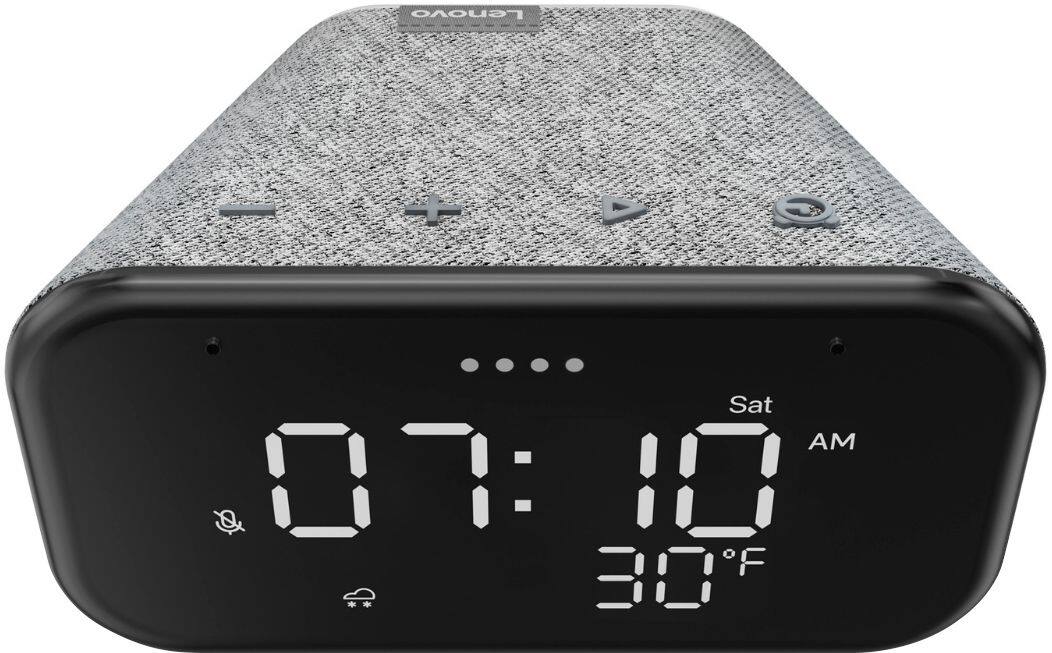
Posted .Hello, We are sorry to hear you are experiencing WIFI connectivity issues with your Lenovo Smart Clock Essential. We recommend switching between 2.4Ghz and 5Ghz bands of your router. In some instances overlap from other wireless devices can cause this issue. To do this please ensure your device is within good range of your router. Then please perform a factory reset on the device by holding down the “Volume + and – ” buttons on top of your device for 8 Seconds. During setup please select a different band *Either 2.4 Ghz or 5 Ghz when connecting to your WiFi Network. Lastly please reset your model and router by powering them down for 20 seconds then back on again. If the issue persists, please contact our customer support team at 866-426-0911
good alarm clock
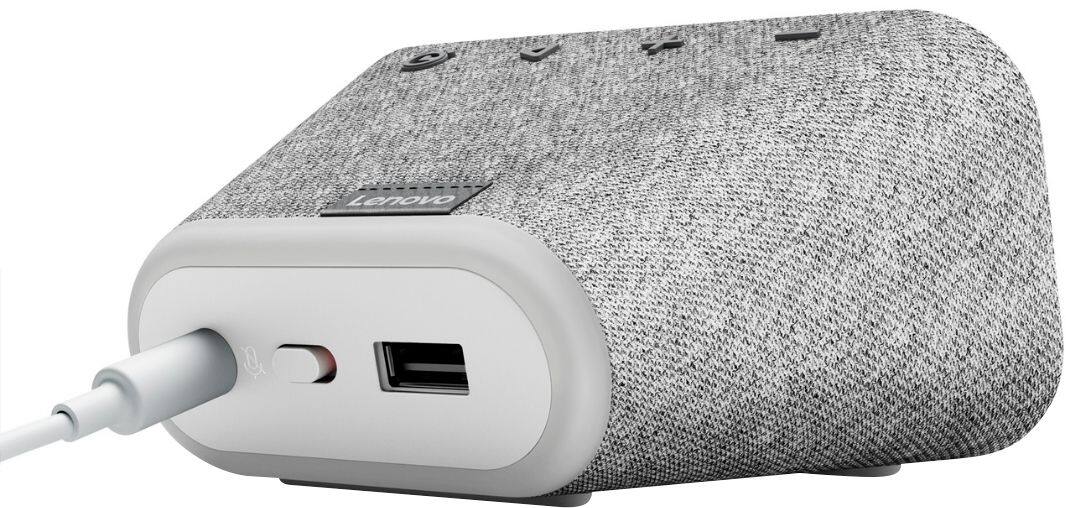
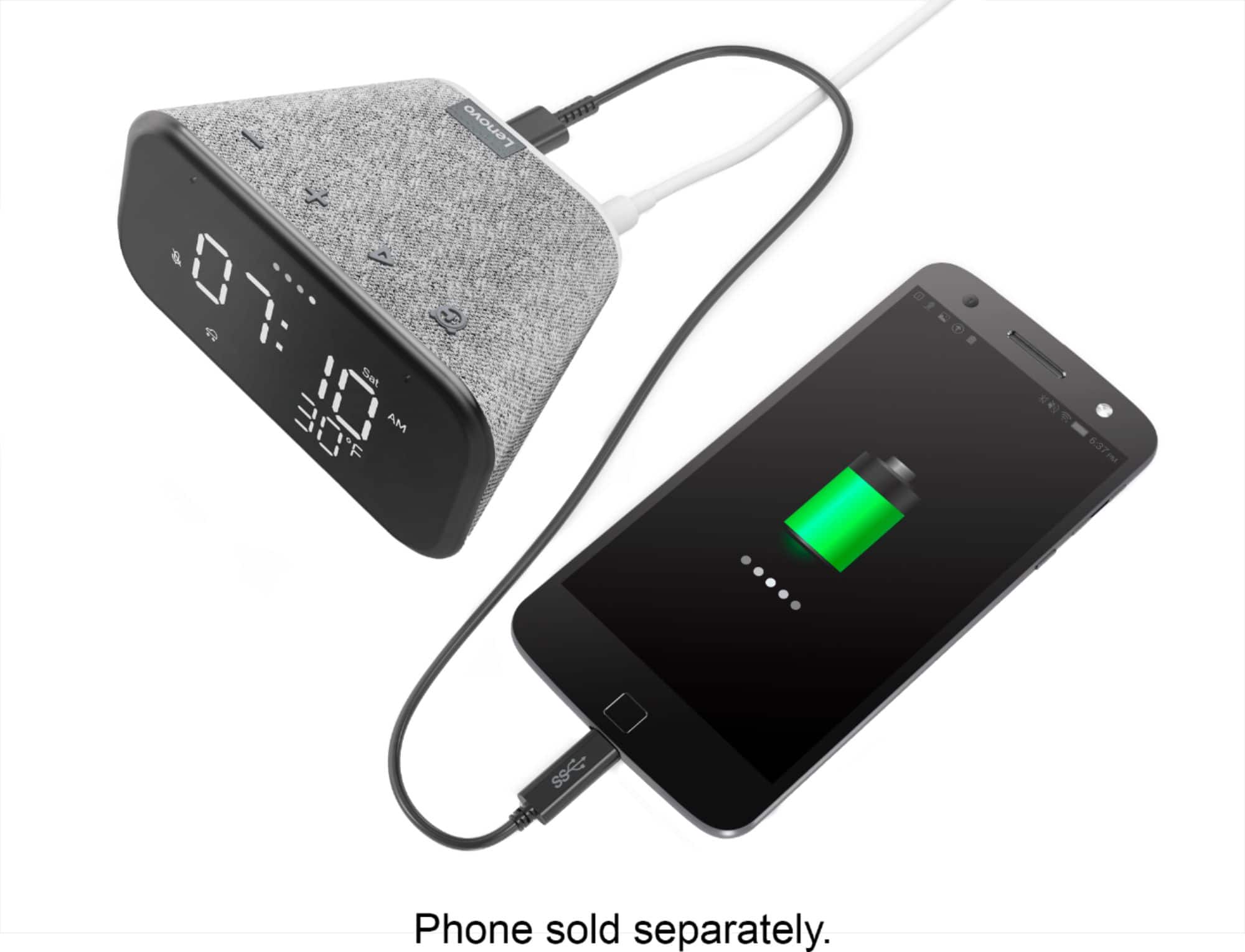
||Posted . Owned for 3 weeks when reviewed.This reviewer received promo considerations or sweepstakes entry for writing a review.great basic alarm clock, isnt too fancy and can be glitchy with my google home but good for a alarm clock oh and you can charge your phone as it has a usb port
I would recommend this to a friendBrand response from Lenovo Product Expert
Posted .Hi! Thanks for choosing the Lenovo Smart Clock Essential. We are pleased to hear the features, design, and performance of the Smart Clock Essential is working out so well for you. If your device is misbehaving we recommend to power cycle the device by unplugging it for 1-2 minutes. Plugging it back in, and allowing it to power on. If the issue remains please perform a factory reset by holding down the “Volume + and – ” buttons on top of your device for 8 Seconds. If the issue persists, please contact our customer support team at 866-426-0911