Customer Ratings & Reviews
- Model:
- ZA4R0037US
- SKU:
- 6441962
Rating by feature
- Value
Rating 4.5 out of 5 stars
- Quality
Rating 4.6 out of 5 stars
- Ease of Use
Rating 4.5 out of 5 stars
Customers are saying
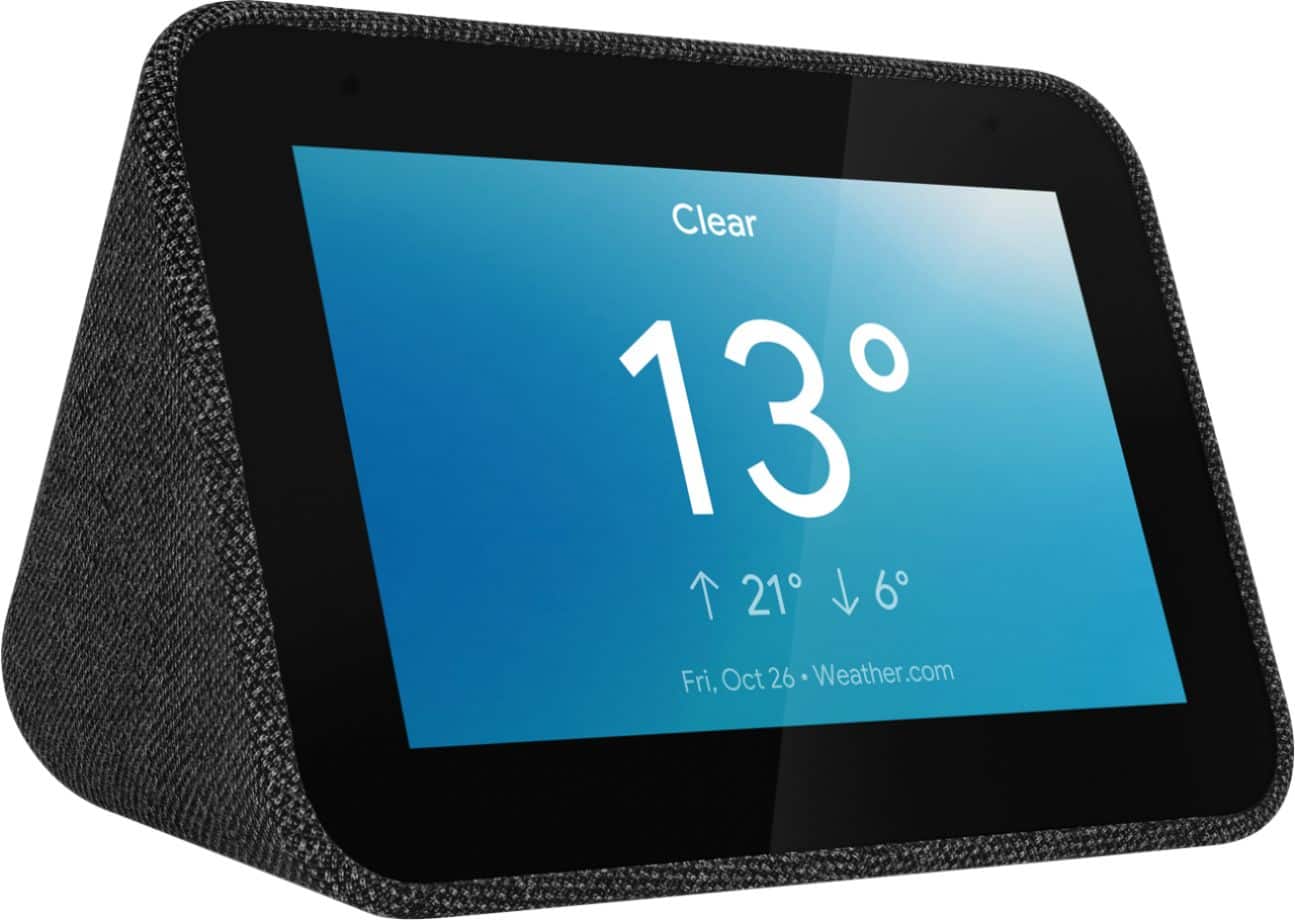
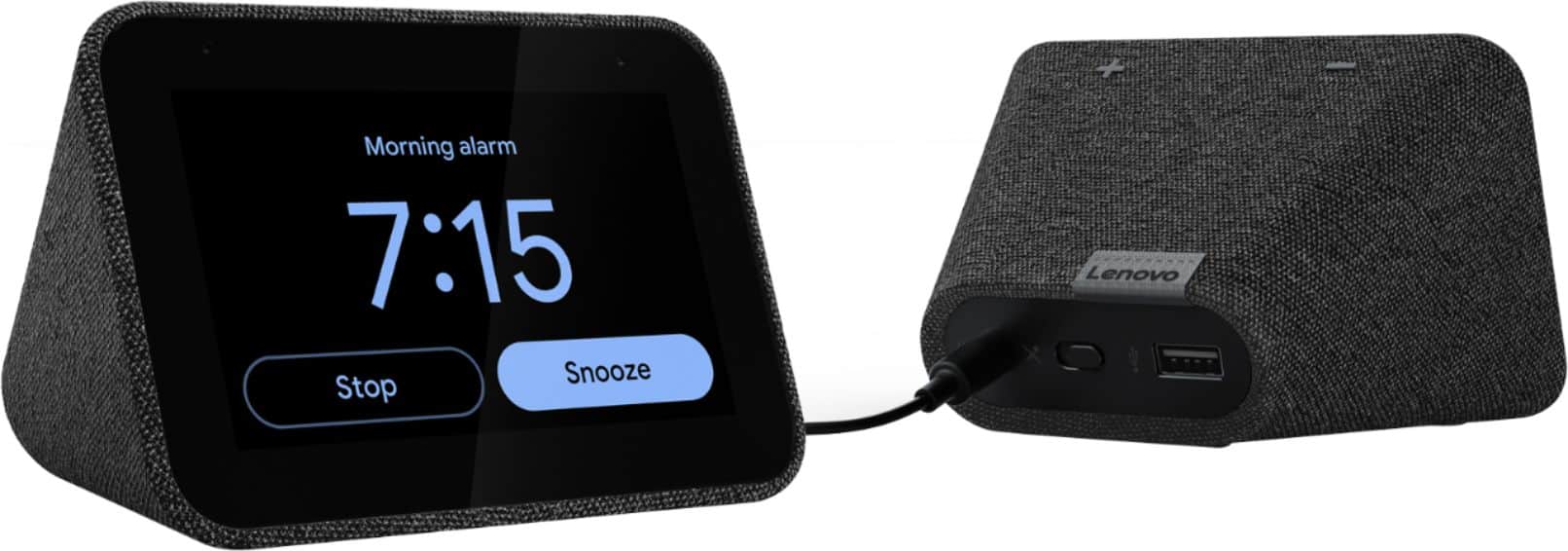
Customers frequently mention the ease of use, sound quality, and alarm features as positive aspects of the Smart Clock with Google Assistant. Many also appreciate the Google Assistant integration, the clock's size, and its display. However, some users reported issues with maintaining a consistent WiFi connection. A lack of battery backup was another recurring negative comment.
This summary was generated by AI based on customer reviews.
- Pros mentioned:Ease of use
Clock
||Posted .This reviewer received promo considerations or sweepstakes entry for writing a review.My son loves it! Super easy to use and fun. Would buy for my other kids.
I would recommend this to a friendBrand response from Lenovo Product Expert
Posted .Hi, thanks for choosing the Lenovo Smart Clock with Google Assistant. We are pleased to hear the functions, performance, and design of the Lenovo Smart Clock are working out so well for you!

- Pros mentioned:Google assistant
Great Clock
||Posted . Owned for 3 months when reviewed.This reviewer received promo considerations or sweepstakes entry for writing a review.Awesome alarm clock, displays weather. Google assistant is very helpful.
I would recommend this to a friendBrand response from Lenovo Product Expert
Posted .Hi, thanks for choosing the Lenovo Smart Clock with Google Assistant. We are pleased to hear the functions, performance, and design of the Lenovo Smart Clock are working out so well for you!
- Pros mentioned:Ease of use
Great clock with tons of features
||Posted . Owned for 3 months when reviewed.This reviewer received promo considerations or sweepstakes entry for writing a review.Great clock with tons of features. Easy to use. The "Hey google" is a handy feature.
I would recommend this to a friend - Pros mentioned:Alarm
Good Alarm Clock for the money
||Posted . Owned for 3 weeks when reviewed.This reviewer received promo considerations or sweepstakes entry for writing a review.Great alarm clock but some of the commands don't always work.
I would recommend this to a friendBrand response from Lenovo Product Expert
Posted .Hi, thanks for choosing the Lenovo Smart Clock with Google Assistant. We are pleased to hear the functions, performance, and design of the Lenovo Smart Clock are working out so well for you!
- Pros mentioned:Sound quality
clock
||Posted . Owned for 11 months when reviewed.This reviewer received promo considerations or sweepstakes entry for writing a review.excellent the sound amazing love them I brought two more
I would recommend this to a friendBrand response from Lenovo Product Expert
Posted .Thank you for choosing the Lenovo Smart Clock Essential. We are pleased to hear that the Smart Clock Essential is working out so well that you purchased two more. We appreciate your loyalty to the Lenovo Smart Clock Essential.
Great clock
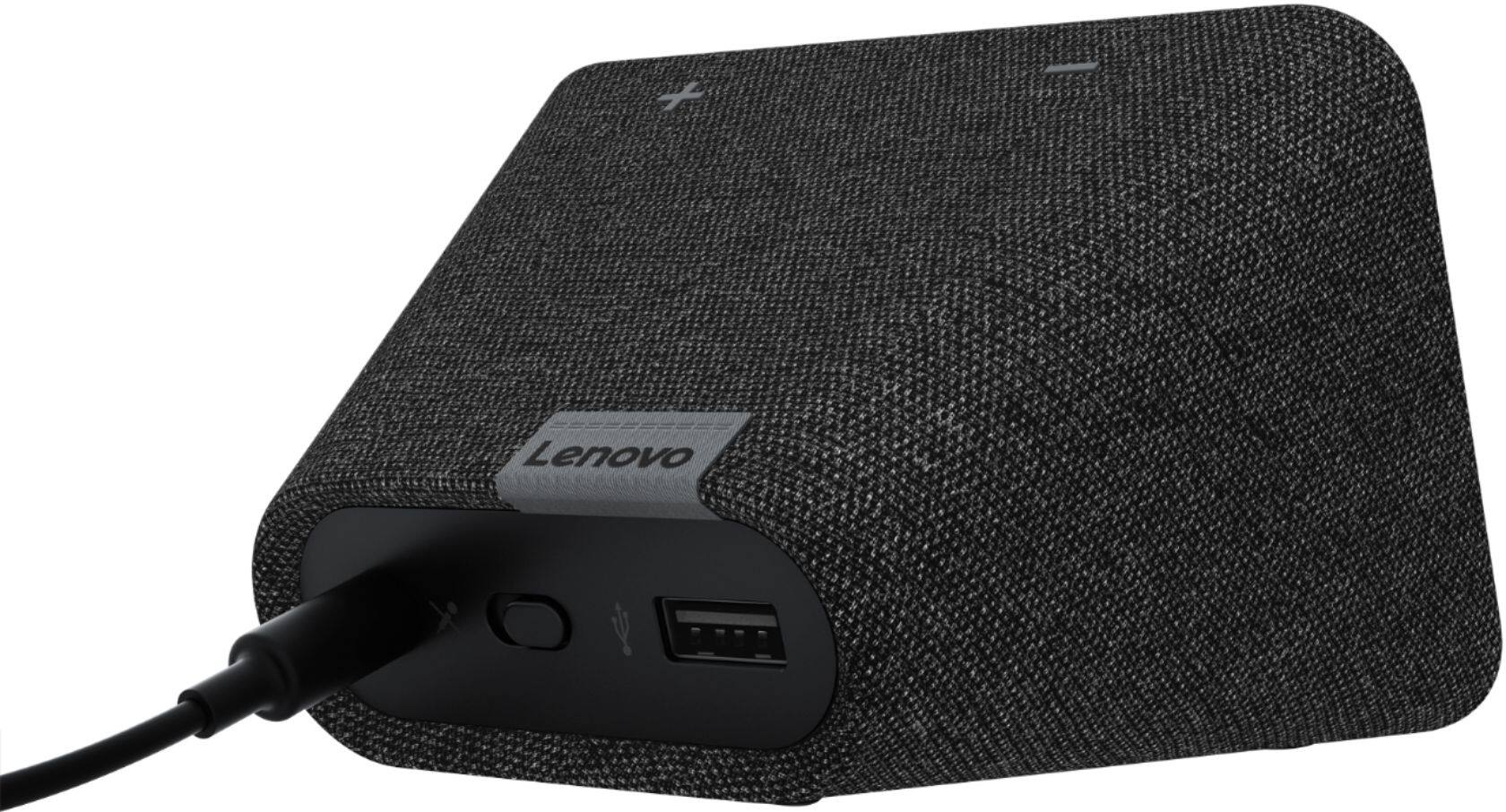
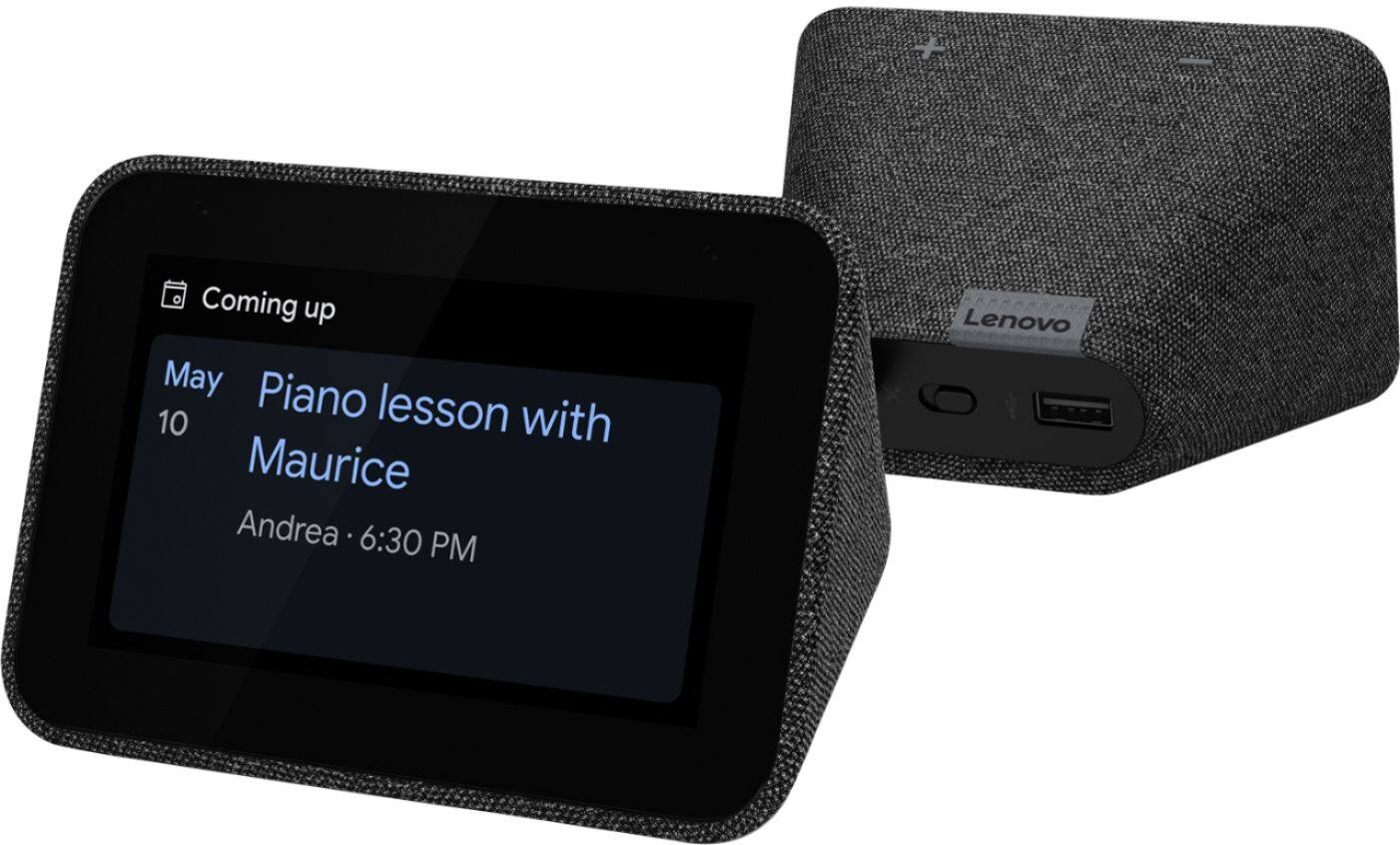
||Posted . Owned for less than 1 week when reviewed.This reviewer received promo considerations or sweepstakes entry for writing a review.Love the clock works great has great volume and fills up the whole room. Get my weather updates, news play music, podcast, pandora. Love the display it’s bright and adjust volume by just speaking to it. Has the option to turn of mic and just use it as a clock has a usb charging port in the back for cellphone.
I would recommend this to a friendBrand response from Lenovo Product Expert
Posted .Thank you for choosing the Lenovo Smart Clock with Google Assistant. We are pleased to hear that the features and performance of the Smart Clock meets your needs so well.
- Pros mentioned:Alarm
Cute little clock
||Posted . Owned for 1 week when reviewed.This reviewer received promo considerations or sweepstakes entry for writing a review.Excellent cute little clock with alarm , where I can set dynamic wallpapers.
I would recommend this to a friendBrand response from Lenovo Product Expert
Posted .Hi, thanks for choosing the Lenovo Smart Clock with Google Assistant. We are pleased to hear the features like the changeable backgrounds and even "Photo Frame" slideshow backgrounds with Google Photos, performance, and design of the Lenovo Smart Clock are working out so well for you!
Honestly let down
||Posted . Owned for 1 month when reviewed.This reviewer received promo considerations or sweepstakes entry for writing a review.Very limited functionality—no video playback—would recommend getting something with little more capabilities
No, I would not recommend this to a friendBrand response from Lenovo Product Expert
Posted .While the Lenovo Smart Clock does not play videos for entertainment currently (you can view your home security camers), your device provides lots of great features and functions to be a perfect compact smart home device. I recommend going to our How-To & Solutions Guide to learn some more about the different functions and settings.
- Pros mentioned:Sound quality
Smart Clock
||Posted .This reviewer received promo considerations or sweepstakes entry for writing a review.Great living room click and sound is mighty. Display good.
I would recommend this to a friendBrand response from Lenovo Product Expert
Posted .Thank you for choosing the Lenovo Smart Clock with Google Assistant. We are pleased to hear that the Smart Clock is working out so well for you.
- Pros mentioned:Sound quality
Easy to use and Great Clock
||Posted . Owned for less than 1 week when reviewed.This reviewer received promo considerations or sweepstakes entry for writing a review.My son loves the clock and it is easy to use. The sound is great for his room
I would recommend this to a friendBrand response from Lenovo Product Expert
Posted .Hi, thanks for choosing the Lenovo Smart Clock with Google Assistant. We are pleased to hear the functions like playing your favorite music from Pandora, Spotify, YouTube Music and more, performance of the speakers, and user friendly design of the Lenovo Smart Clock are working out so well for your son!
Good clock with some flaws
||Posted . Owned for 1 month when reviewed.This reviewer received promo considerations or sweepstakes entry for writing a review.Good little alarm clock, but two things somewhat annoy me. 1) (and this may be more a Google problem) is I can't set an alarm using my voice, it makes me manually enter it on the screen. 2) I wish the screen turned completely off at night. Having any brightness in my room makes it hard to sleep, and I hate waking up to see the time at night.
I would recommend this to a friendBrand response from Lenovo Product Expert
Posted .Hi Blake! Setting an alarm with your voice should be as simple as saying "Okay Google Set an Alarm for 8 am". You can adjust how much the display dims in low light or tell it to turn off completely. To do this please swipe up on the screen of your Lenovo Smart Clock. Then select the "settings" gear shaped icon on the right. Last select "Display Settings" You can now further adjust the brightness of the screen to your preference. If your assistant is having trouble hearing/recognizing your voice there are some steps we recommend. It is possible setting up voice match and raising the "okay google" sensitivity will help with this. to setup voice match please open the Google Home app.
At the top right, tap your account.
Verify that the Google Account shown is the one linked to your speaker or display. To switch accounts, tap another account or Add another account.
Tap Assistant settings Voice Match Add devices.
Make sure any devices you want to link your voice to are checked.
Tap Next I agree.
Follow the in-app steps.
To adjust the sensitivity of the mic please open the Google Home app .
At the bottom, tap Home .
Select your speaker or Smart Display.
At the top right, tap Device settings. ...
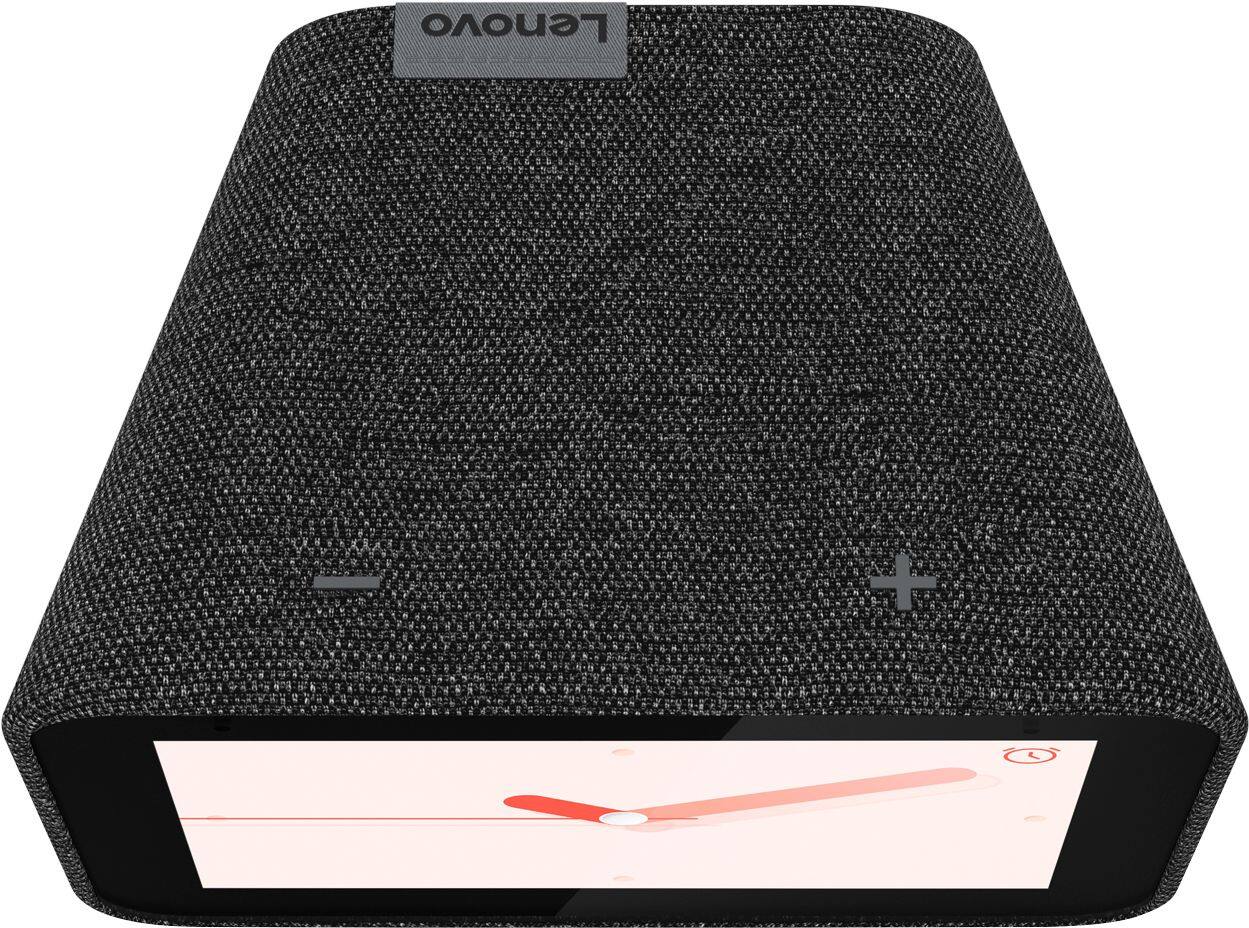
Choose how sensitive you want Google Assistant to be when it responds to you. If your device still isn't behaving properly please perform a factory reset by holding down the “Volume + and – ” buttons on top of your device for 8 Seconds. If the issue persists, please contact our customer support team at 866-426-0911
amazing clock!
||Posted . Owned for 10 months when reviewed.This reviewer received promo considerations or sweepstakes entry for writing a review.i love this device so much! wakes me up with weather, reminders and music!
I would recommend this to a friendBrand response from Lenovo Product Expert
Posted .Hi, thanks for choosing the Lenovo Smart Clock with Google Assistant. We are pleased to hear the functions, performance, and design of the Lenovo Smart Clock are working out so well for you!
- Pros mentioned:Ease of use
My Lenovo Smart Clock
||Posted . Owned for 1 month when reviewed.This reviewer received promo considerations or sweepstakes entry for writing a review.So happy with my Lenovo Smart Clock. Easy to operate with Google Assistant
I would recommend this to a friendBrand response from Lenovo Product Expert
Posted .Hi, thanks for choosing the Lenovo Smart Clock with Google Assistant. We are pleased to hear the functions, performance, and design of the Lenovo Smart Clock are working out so well for you!
Never change a clock again!
||Posted . Owned for 1 week when reviewed.This reviewer received promo considerations or sweepstakes entry for writing a review.It’s nice not to have to change the clock while also being able to use the google smart home feature. The clock dims nicely for night time hours and is nice and bright during the day. I love the option to have a picture background and really great to see the weather! I use my cell phone for alarms but I would imagine the alarm feature would be really helpful to some!
I would recommend this to a friendBrand response from Lenovo Product Expert
Posted .Hi, thanks for choosing the Lenovo Smart Clock with Google Assistant. We are pleased to hear the functions, performance, and design of the Lenovo Smart Clock are working out so well for you!
Warning...Family Bell feature does not work
||Posted . Owned for less than 1 week when reviewed.This reviewer received promo considerations or sweepstakes entry for writing a review.I bought this solely for the family bell feature to help me with virtual learning for my kids, only to find out that the family bell feature does not work with it. Beside that its great though. Google/Lenovo need to make this fix asap https://forums.lenovo.com/t5/Lenovo-Smart-Display-Lenovo-Smart-Clock-with-Google-Assistant/Family-Bell/m-p/5033715
I would recommend this to a friendBrand response from Lenovo Product Expert
Posted .Hi Jamie, we are sorry you are experiencing this issue with your Lenovo Smart Clock. We appreciate your feedback and thank you bringing this issue to our attention on the forums. While we investigate this further may we suggest you use the "Broadcast" feature instead. This will allow you to use the Lenovo Smart Clock as an intercom and it will even chime a sound before the message. To utilize this function just say "Hey Google Broadcast a message". Another possible work around would be to add calendar events to a connected Google Calendar. This will give an audible notification as well as on on screen notification when the event time comes to pass. If you need anything further please don't hesitate to reach out to our customer service team at 866-426-0911.
- Pros mentioned:Sound quality
Google clock
||Posted . Owned for 1 month when reviewed.This reviewer received promo considerations or sweepstakes entry for writing a review.Love the clock. Sound is great too. Like that also shows the weather.
I would recommend this to a friendBrand response from Lenovo Product Expert
Posted .Hi, thanks for choosing the Lenovo Smart Clock with Google Assistant. We are pleased to hear the functions, performance, and design of the Lenovo Smart Clock are working out so well for you!
Wake up!!
||Posted . Owned for 1 month when reviewed.This reviewer received promo considerations or sweepstakes entry for writing a review.Great looking clock works great! Best smart clock I have!
I would recommend this to a friendBrand response from Lenovo Product Expert
Posted .Hi, thanks for choosing the Lenovo Smart Clock with Google Assistant. We are pleased to hear the functions, performance, and design of the Lenovo Smart Clock are working out so well for you!
- Pros mentioned:Google assistant
Pretty good
||Posted .This reviewer received promo considerations or sweepstakes entry for writing a review.Good clock. Google assistant works well, no complaints
I would recommend this to a friendBrand response from Lenovo Product Expert
Posted .Thank you for choosing the lenovo Smart Clock with Google Assistant. We are pleased to hear that the Smart Clock meets your needs so well.
- Pros mentioned:Google assistant
nice clock
||Posted .This reviewer received promo considerations or sweepstakes entry for writing a review.good qc good price good design google assisstant working
I would recommend this to a friendBrand response from Lenovo Product Expert
Posted .Thank you for choosing the Lenovo Smart Clock with Google Assistant. We are pleased to hear that the value, features and performance of the Smart Clock meets your needs so well.
Don’t Snooze
||Posted . Owned for 3 weeks when reviewed.This reviewer received promo considerations or sweepstakes entry for writing a review.Great alarm clock with many other features. Great price!
I would recommend this to a friendBrand response from Lenovo Product Expert
Posted .Thank you for choosing the Lenovo Smart Clock with Google Assistant. We are pleased to hear that the value and performance of the Smart Clock meets your needs so well.