Customer Ratings & Reviews
- Model:
- ZA4R0037US
- SKU:
- 6441962
Rating by feature
- Value
Rating 4.5 out of 5 stars
- Quality
Rating 4.6 out of 5 stars
- Ease of Use
Rating 4.5 out of 5 stars
Customers are saying
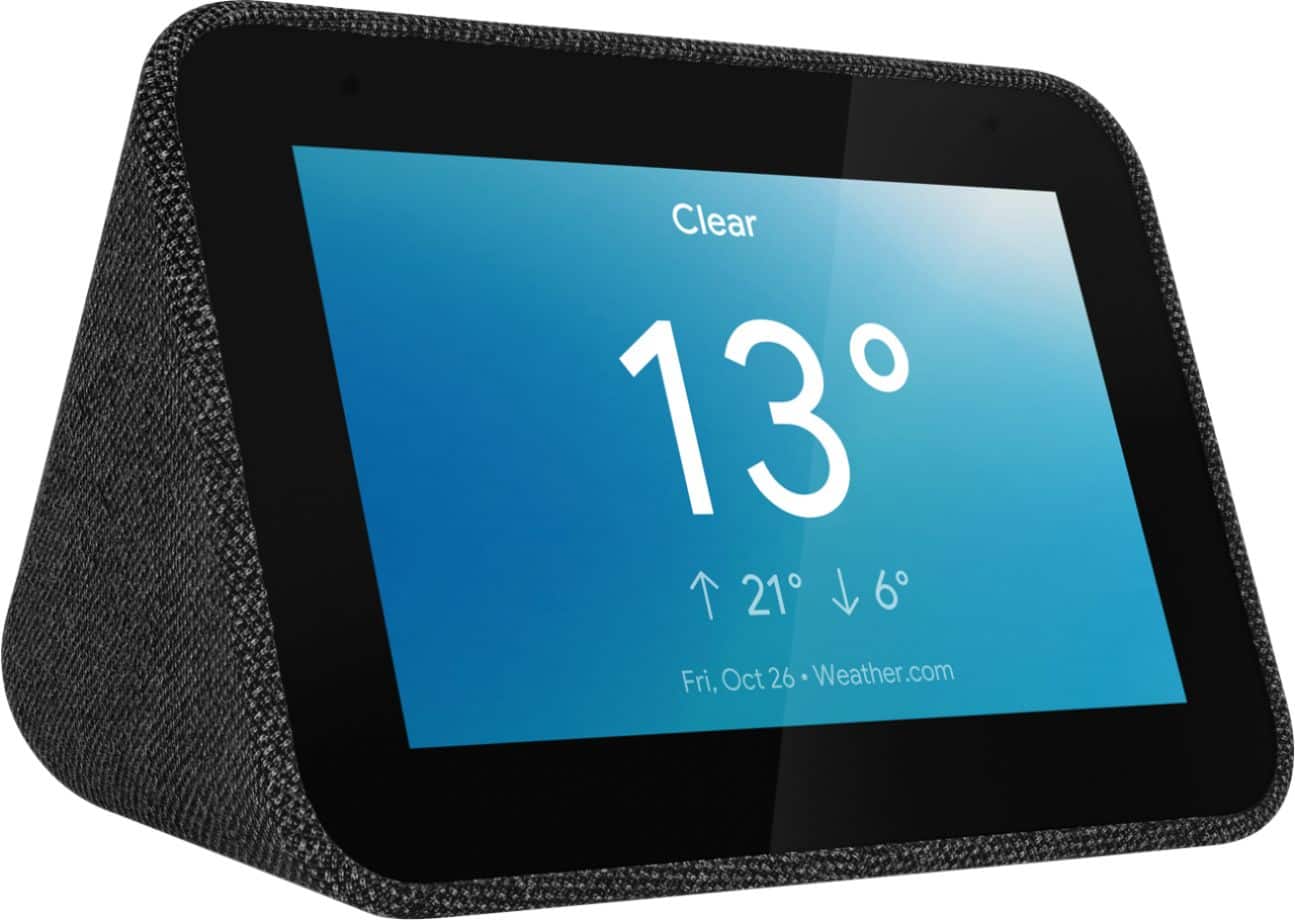
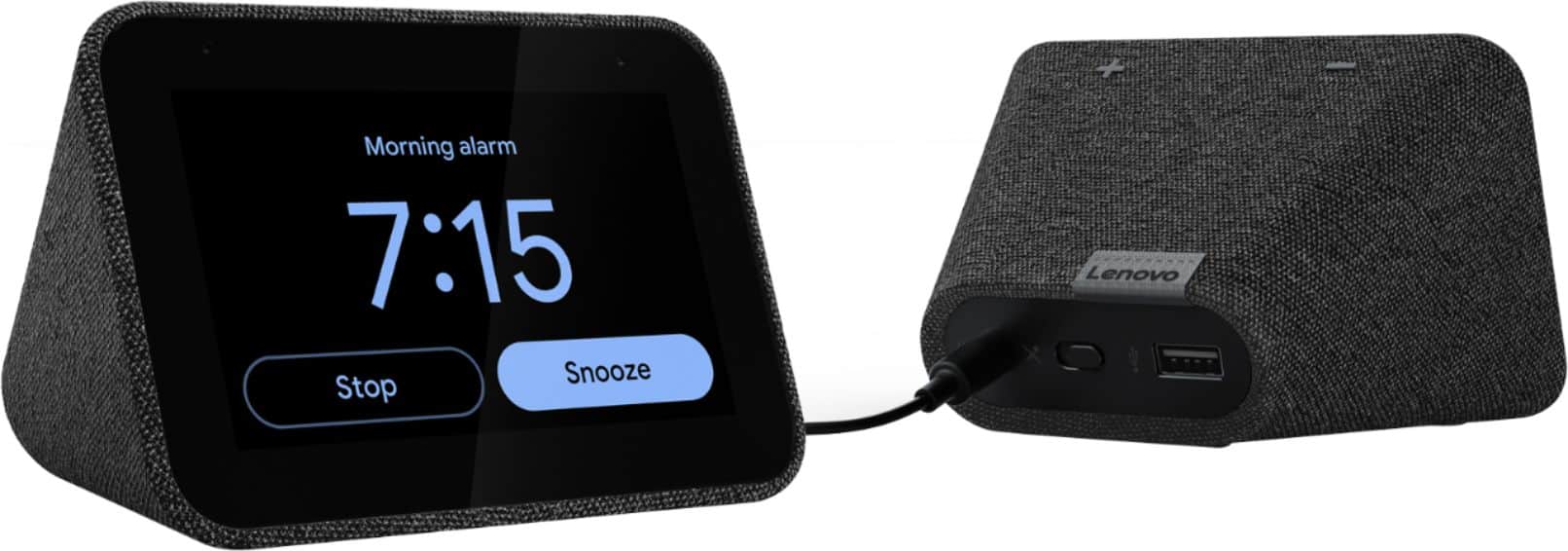
Customers frequently mention the ease of use, sound quality, and alarm features as positive aspects of the Smart Clock with Google Assistant. Many also appreciate the Google Assistant integration, the clock's size, and its display. However, some users reported issues with maintaining a consistent WiFi connection. A lack of battery backup was another recurring negative comment.
This summary was generated by AI based on customer reviews.
- Pros mentioned:Ease of use
Announcements
||Posted . Owned for 3 weeks when reviewed.This reviewer received promo considerations or sweepstakes entry for writing a review.Practical and user friendly. However, it randomly goes off announcing information that was not requested and while trying to make out what it is announcing it goes silent just a suddenly.
I would recommend this to a friendBrand response from Lenovo Product Expert
Posted .We are sorry to hear that you are having issues with your Lenovo Smart Clock with Google Assistant. Try resetting your Smart Clock back to original settings. With the device powered on, press down both the volume+ / volume- button for 10 seconds. Follow the on-screen instructions to set up your device. If the issue continues after this reset, we recommend you contact lenovo Tech Support for Smart Devices at: 866-426-0911.

Great little smart speaker.
||Posted . Owned for 2 weeks when reviewed.This reviewer received promo considerations or sweepstakes entry for writing a review.Great little smart speaker. The UI is intuitive, the sound quality is acceptable but not amazing, and the small form factor is perfect for fully utilizing those tight spaces. Only con is that this only appears to support 2.4 ghz wifi which I try to avoid but o well.
I would recommend this to a friendBrand response from Lenovo Product Expert
Posted .Hi! Thanks for choosing the Lenovo Smart Clock with Google Assistant. We are pleased to hear the features, design, and performance of the Smart Clock is working out so well for you. The Lenovo Smart Clock is Compatible with both 2.4 and 5 GHZ. Depending on your router one band may be more compatible than the other. We typically recommend the 2.4 GHZ band if you are having some issues with the connection on the 5GHZ band.
great when it works
||Posted . Owned for 1 month when reviewed.This reviewer received promo considerations or sweepstakes entry for writing a review.well, I wanted a clock like this that shows me the time....all the time...this one doesn't...it gets dark at night.....which is when I need to see it...in the settings you are suppose to be able to fix this issue...doesn't work...why does it dims so dark you cant see it...doesn't make sense....
No, I would not recommend this to a friendBrand response from Lenovo Product Expert
Posted .Hi there! If you are finding the auto-dimming function to be too dark, you can select the auto-dimming function by swiping up on the bottom of the clock. The far left icon represents the brightness. If you tap it until the "A" is gone, that will deselect the auto-brightness feature. If you ever have questions on your device, we've created an online How-To & Solutions Guide to offer support.
Totally Satisfied
||Posted . Owned for 1 month when reviewed.This reviewer received promo considerations or sweepstakes entry for writing a review.I’m totally satisfied with this smart clock I even gave this as gift to my friends and they loved it too. With the google smart assistant, you can ask anything under the sun by voice control and responses are accurate! I’m not a very techie person but I never had a hard time with this gadget
I would recommend this to a friendBrand response from Lenovo Product Expert
Posted .Hi, thanks for choosing the Lenovo Smart Clock with Google Assistant. We are pleased to hear the functions, performance, and design of the Lenovo Smart Clock are working out so well for you!
Lenovo Smart Clock
||Posted . Owned for 2 weeks when reviewed.This reviewer received promo considerations or sweepstakes entry for writing a review.We are still playing with the clock's features but it was easier to set up than a "non" smart alarm clock. Our google nest found the clock right away. It takes up less room than a conventional alarm clock but the display is good size and easy to read. I wouldn't put it across the room though.
I would recommend this to a friendBrand response from Lenovo Product Expert
Posted .Hi, thanks for choosing the Lenovo Smart Clock with Google Assistant. We are pleased to hear the functions, performance, and design of the Lenovo Smart Clock are working out so well for you!
Awesome
||Posted . Owned for 3 weeks when reviewed.This reviewer received promo considerations or sweepstakes entry for writing a review.Clock is awesome, it was the hit of this Christmas for my college age daughter's room, both at home and dorm. Connects to your phone so you can call right from it and use speaker option, can control lights in your house, so many options. We're going to buy a second one to keep for ourselves.
I would recommend this to a friendBrand response from Lenovo Product Expert
Posted .Hi, thanks for choosing the Lenovo Smart Clock with Google Assistant. We are pleased to hear the functions, performance, and design of the Lenovo Smart Clock are working out so well for you!
Smart, modern clock
||Posted . Owned for 4 months when reviewed.This reviewer received promo considerations or sweepstakes entry for writing a review.This unit pairs just enough smart features with the basic clock functions. My only complaint is the screen is a bit on the small size. I’d prefer it to be about 20% bigger. That way it would be easier to see from the other side of the room. Otherwise, I’m satisfied with it, especially since I bought it on sale.
I would recommend this to a friendGood Assistant, better alarm clock
||Posted . Owned for 1 month when reviewed.This reviewer received promo considerations or sweepstakes entry for writing a review.This is just like a google home mini, but with a clock face. This is a perfect alarm clock and you can add voice commands to help you get up like "Ok Google, Turn on the lights". The only complaint is that this is nightstand clock and is hard to see from far away across the room.
I would recommend this to a friendBrand response from Lenovo Product Expert
Posted .Hey there! Thank you for choosing the Lenovo Smart Clock with Google Assistant. We are happy to hear all of the assistant capabilities are working so well for you in your bedroom. The device is equipped with an ambient light sensor that automatically adjusts the brightness of your clock face. For better visibility try adjusting the clock face to day or night mode, and adjusting the brightness of your screen manually by swiping up on the face of your clock.
Good Not Excellent Smart Clock
||Posted . Owned for 1 month when reviewed.This reviewer received promo considerations or sweepstakes entry for writing a review.Had an older Lenovo Smart Clock, wanted to upgrade to this one with a touch screen, only one slight issue so far when it just turned off for no reason but replugging the power cord, it was fine and no issues since, works as intended.
I would recommend this to a friendBrand response from Lenovo Product Expert
Posted .Thank you for choosing the Lenovo Smart Clock with Google Assistant. We are leased to hear that the Smart Clock is working out so well for you. Occasionally the Smart Clock will require a restart after downloading an update. Unplugging the Smart Clock then plugging it back in finishes the install process of the new update.
good for the money
||Posted . Owned for 3 weeks when reviewed.This reviewer received promo considerations or sweepstakes entry for writing a review.It works pretty well. The microphone doesn't pick up voice commands as well as a normal google device if it's close to a TV. I love the weather screen on this. It changes its front face to show if its snowing, raining, cloudy, sunny etc. Its pretty cool actually.
I would recommend this to a friendBrand response from Lenovo Product Expert
Posted .Hi there, Thanks for choosing the Lenovo Smart Clock. We are sorry to hear you are experiencing this issue with the mic/assistant. Please ensure you have removed the plastic film that is on the screen to protect the unit during shipping. If the issue persists, it is possible setting up voice match and raising the "okay google" sensitivity will help with this. to setup voice match please open the Google Home app.
At the top right, tap your account.
Verify that the Google Account shown is the one linked to your speaker or display. To switch accounts, tap another account or Add another account.
Tap Assistant settings Voice Match Add devices.
Make sure any devices you want to link your voice to are checked.
Tap Next I agree.
Follow the in-app steps.
To adjust the sensitivity of the mic please open the Google Home app .
At the bottom, tap Home .
Select your speaker or Smart Display.
At the top right, tap Device settings. ...
Choose how sensitive you want Google Assistant to be when it responds to you. If you need further assistance please don't hesitate to reach out to Lenovo Tech Support at 866-426-0911
Smart Clock
||Posted . Owned for 6 months when reviewed.This reviewer received promo considerations or sweepstakes entry for writing a review.It's "okay". As a wifi enabled clock, it works great. The only issues that I've run to is that it somehow or another decides on its own that it doesn't want to be managed from the Google Home app. Could be user error, could be the clock. Not sure. I like it.
I would recommend this to a friendBrand response from Lenovo Product Expert
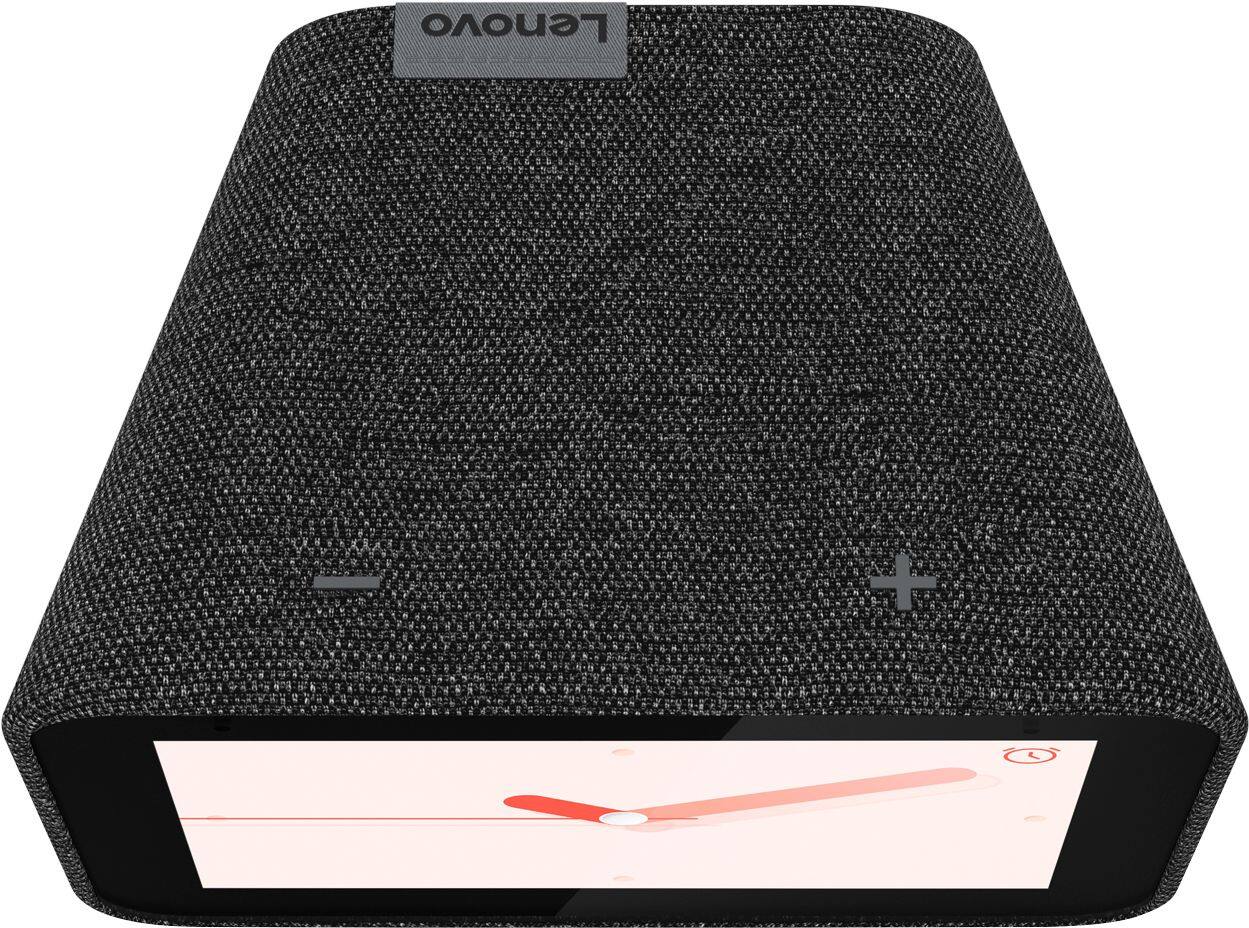
Posted .Hi, thanks for choosing the Lenovo Smart Clock with Google Assistant. We are sorry to hear you are experiencing this issue with the Google Home App. Please power cycle the device by unplugging it for 1-2 minutes. Plugging it back in and allowing it to power on. If the issue remains please perform a factory reset by holding down the “Volume + and – ” buttons on top of your device for 8 Seconds. If the issue persists, please contact our customer support team at 866-426-0911
Does it's job as a clock and speaker/assistant
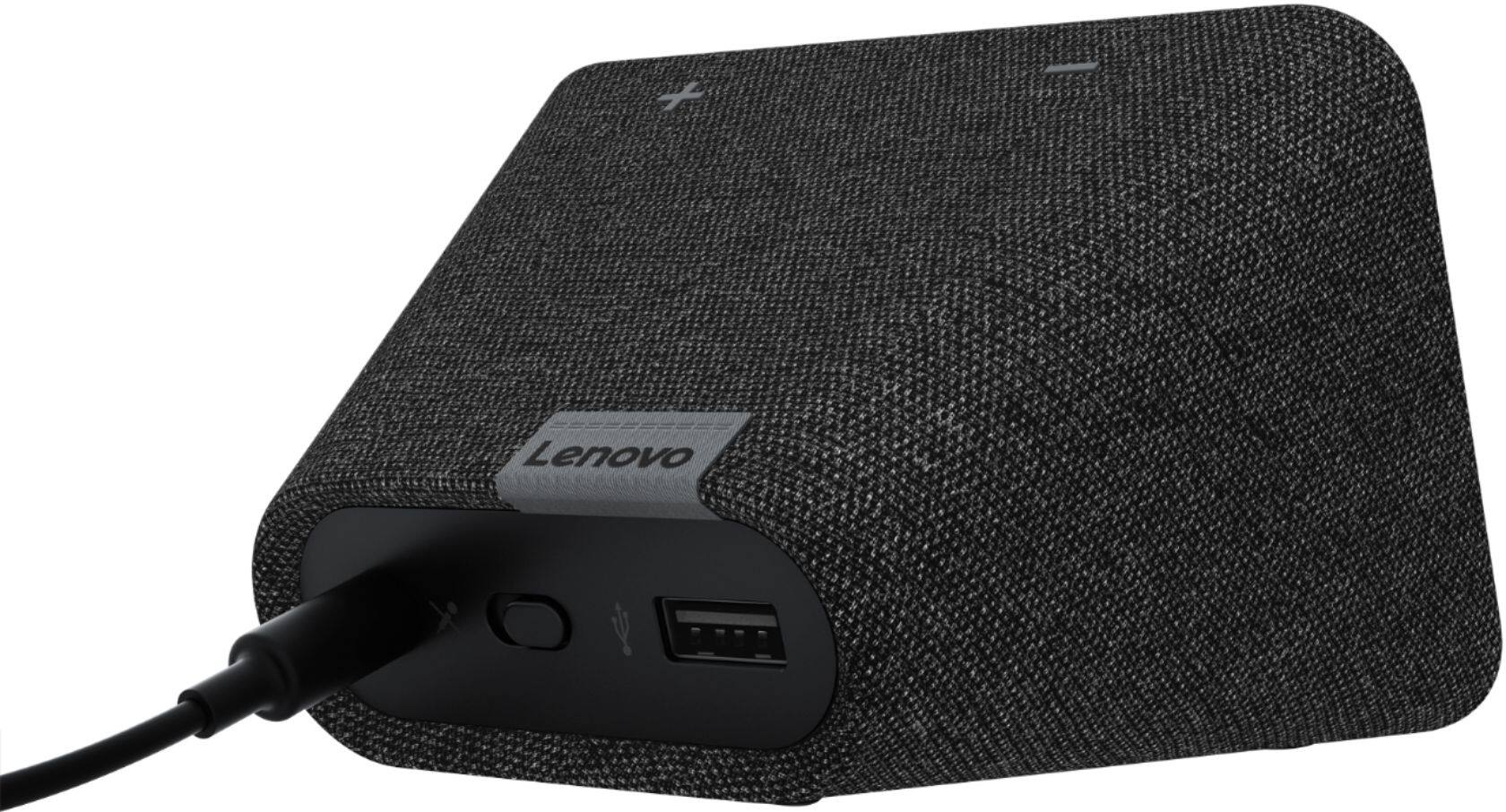
||Posted . Owned for 1 month when reviewed.This reviewer received promo considerations or sweepstakes entry for writing a review.Great little clock we mostly bought it for the speaker, ability to display time and play music hands free. We didn't want any frills or cameras especially since it will be in a bedroom most of the the time. I like that it has a physical mute switch.
I would recommend this to a friendBrand response from Lenovo Product Expert
Posted .Thank you for choosing the Lenovo Smart Clock with Google Assistant. We are pleased to hear that the features as well as the performance of the Smart Clock meets your needs so well.
Great gift
||Posted . Owned for 2 months when reviewed.This reviewer received promo considerations or sweepstakes entry for writing a review.I bought this for my niece & she really likes it. It helps her with her calendar updates for her going off to college. She also likes listening to Spotify to study. I am happy I bought this for her! I got jealous & need one myself, so, I got a charcoal one for me, too. It's great! :)
I would recommend this to a friendBrand response from Lenovo Product Expert
Posted .Hi, thanks for choosing the Lenovo Smart Clock with Google Assistant. We are pleased to hear the functions, performance, and design of the Lenovo Smart Clock are working out so well for you! We appreciate your loyalty to the Lenovo brand.
Terrible, spend the extra money for the Nest Hub.
||Posted . Owned for 5 months when reviewed.This reviewer received promo considerations or sweepstakes entry for writing a review.I bought this around May because I have a Nest Hub and love it, I thought this would be the similar but in a smaller size so I moved my Nest Hub to the kitchen and put this on my nightstand instead. Well, I was wrong. This "Smart Clock" is garbage and is just a bottom feeder product trying to take money away from Nest/Google. The screen will not turn off automatically after you turn off the lights for bed, the setting for it is broken so be prepared to yell at it to turn off the screen. Oh and if you like to play white noise when you sleep, good luck getting this thing to hear you talk to it over anything that's playing. The mic is so bad that anytime the speaker is playing it has a very hard time hearing you, you have to yell "Hey Google" 5 times. You can imagine my frustration as I'm lying in bed with the lights off, yelling at this thing to turn it off the screen over the white noise. And yes, you have to start playing white noise BEFORE you tell it to turn off the screen, if you turn the screen off first then tell it to play white noise, the screen turns back on. It will also randomly activate quite frequently, I hear this thing beeping at itself several times a day, and guess what? It happens at night too and when it does, you guessed it, the screen turns on and you have to go through yelling at it several times to turn off the screen, all while in the middle of the night. The speaker quality is terrible, if you were expecting this to sound as good as a Home/Nest mini, prepare to be disappointed. My phone has better speakers than this. You might be thinking "Oh, no worries, I will pair it to a Bluetooth speaker and have it play through that". Tough luck, that feature is not supported. Want to cast YouTube videos or Netflix to it? Not gonna happen either. Want to charge your phone through the USB port? Have fun waiting twice as long as a when you use a simple 5-watt iPhone plug. Want to customize it? Ha, that's funny. Overall this product is a horrible attempt to copy the Nest Hub, spend the extra money and get the real deal, because this is not it. I wouldn't pay $20 for this. My product is not defective in any way, shape or form, this thing really is just that bad. I've had it for 6 months and these problems have not improved, even a little, after all the software updates. And before the Lenovo guy posts a condescending response, yes I have unplugged it and plugged it back in. Yes the software is up to date. No, the wattage of the USB port is not the same as most laptops. There is nothing they can say, do or imply to change the reality that this product is terrible and anyone considering buying this should hit the back button right now and buy a real Google product.
No, I would not recommend this to a friendBrand response from Lenovo Product Expert
Posted .Hi Henry we are sorry to hear you are experiencing issues with your Lenovo Smart Clock with Google Assistant. You can adjust how much the display dims in low light or tell it to turn off completely. To do this please swipe up on the screen of your Lenovo Smart Clock. Then select the "settings" -> "Display Settings" -> "Turn off in low light". Easily setup a bedtime routine with '"Okay Google Goodnight" to turn off your lights -> play white noise -> auto dim/turn off screen. Here are detailed instructions for setting up a routine. https://www.tomsguide.com/us/google-home-routine,review-5232.html If your Smart Clock is having trouble picking up your voice we recommend changing the mic sensitivity by opening your Google Home App on your Smart Phone or Tablet -> Select Smart Clock -> "Settings" -> "Hey Google Sensitivity". We also recommend turning on "Lower Volume when Listening" So you and your Assistant can hear you speak more clearly when audio is playing. Regarding the USB charger more information can be found on the Lenovo Forum https://forums.lenovo.com/t5/Lenovo-Smart-Display-Lenovo/Lenovo-Smart-Clock-USB-Charging-Output/m-p/4446352#:~:text=%22The%20Smart%20Clock%20USB%20follows,USB%20port%20of%20a%20notebook.%22
. If you have additional cast enabled products in your house there is no need to connect the Smart Clock with Bluetooth. The Lenovo Smart Clock can cast audio to any cast enabled speaker. You can pair it or setup multiple speaker groups if you need additional audio. Video casting is not supported on this model. The Lenovo Smart Display 7" has the ability to play videos form YouTube and many other sources that are Chrome Cast enabled. If your device isn't functioning in this manner please perform a factory reset by holding down the “Volume + and – ” buttons on top of your device for 8 Seconds. If the issue persists, please contact our customer support team at 866-426-0911
It's Time for This Smart Clock
||Posted . Owned for 1 month when reviewed.This reviewer received promo considerations or sweepstakes entry for writing a review.Really nice little bedside (for me anyway) smart clock. Easy set up and touch screen use. The audio is really nice for the small size. Enjoying telling it to play rain, ocean waves, etc. on sleep timer. Interacts with all Google uses I need for now.
I would recommend this to a friendBrand response from Lenovo Product Expert
Posted .Thank you for choosing the Lenovo Smart Clock with Google Assistant. We are pleased to hear that the features and functions of the Smart Clock meet your needs so well.
Love this little clock!
||Posted . Owned for 2 months when reviewed.This reviewer received promo considerations or sweepstakes entry for writing a review.What a difference two decades makes! That’s how long I lived with my last alarm clock. This upgrade provides much improved wake sounds, sunrise alarm, good speech pickup, reasonable audio. I’ll be honest, though, this clock has a Klipsch The One as the primary sound output :)
I would recommend this to a friendBrand response from Lenovo Product Expert
Posted .Hi, thanks for choosing the Lenovo Smart Clock with Google Assistant. We are pleased to hear the functions, performance, and design of the Lenovo Smart Clock are working out so well for you! We appreciate your detailed and helpful review =)
- Pros mentioned:Google assistant
So so
||Posted .This reviewer received promo considerations or sweepstakes entry for writing a review.Good Google assistant and click function but I wanted to be able to wake up to certain music or a radio station and couldn’t figure it out. Ended up sticking with my regular clock with a nest mini instead.
I would recommend this to a friendBrand response from Lenovo Product Expert
Posted .Hello there! Setting up an Alarm with your favorite radio station on the Lenovo Smart Clock with Google Assistant is possible with a voice command. The interaction will go something like this.
"Hey Google, set a music alarm"
"Okay, when's the alarm for?"
"6 am weekdays"
"Alright, on weekdays. And what would you like me to play?"
"CHYM"
"Got it, I'll play CHYM FM radio on weekdays at 6 am
- Pros mentioned:Alarm
Pretty great. Could use software updates
||Posted . Owned for 1 year when reviewed.This reviewer received promo considerations or sweepstakes entry for writing a review.Overall really happy with this, use it all the time for lighting, setting alarms and reminders, as well as for white noise at night. There could be more user preferences and screen customizations available.
I would recommend this to a friendBrand response from Lenovo Product Expert
Posted .Hello, thank you for choosing the Lenovo Smart Clock with Google Assistant. Your Smart Clock atomically updates silently in the background with frequent updates from the Google product team. There are several custom clock faces you can access by pressing and holding in the center of the screen for 5 seconds then swiping left to right to choose your design. Easily access your display and auto brightness settings by swiping up from the home screen. Easily access your alarm settings by swiping down from the home screen. Additionally there are many different user defined settings that can be adjusted by opening the device in the Google Home App on your smart phone or tablet. If you need any further assistance with adjusting your Smart Clock please don't hesitate to reach out to the Lenovo Tech Support team at 66-426-0911
Great!
||Posted . Owned for 3 months when reviewed.This reviewer received promo considerations or sweepstakes entry for writing a review.Bought this watch for the wife it let me say it’s really worth it she only liked the old school watches finally Convinced to get this one and she really liked it! It pairs with all their other google speakers just fine and the speaker sounds really good as well. Got it on sale and it was worth it!
I would recommend this to a friendBrand response from Lenovo Product Expert
Posted .Hi, thanks for choosing the Lenovo Smart Clock with Google Assistant. We are pleased to hear the functions, performance, seamless integration with your Google speakers, and design of the Lenovo Smart Clock are working out so well for your wife!
A+ Amazing
||Posted . Owned for 1 month when reviewed.This reviewer received promo considerations or sweepstakes entry for writing a review.Amazing. The Google Assistant hears everything and it very quick to reply. I love the relaxing sounds I play to fall asleep. It's a virtual alarm clock, nothing less with a bit extra more. Alarm is great and snooze function is nice too. I love it.
I would recommend this to a friendBrand response from Lenovo Product Expert
Posted .Thank you for choosing the Lenovo Smart Clock with Google Assistant. We are pleased to hear that the features and performance of the Smart Clock meets your needs so well.