Customer Ratings & Reviews
- Model:
- ZA4R0037US
- SKU:
- 6441962
Rating by feature
- Value
Rating 4.5 out of 5 stars
- Quality
Rating 4.6 out of 5 stars
- Ease of Use
Rating 4.5 out of 5 stars
Customers are saying
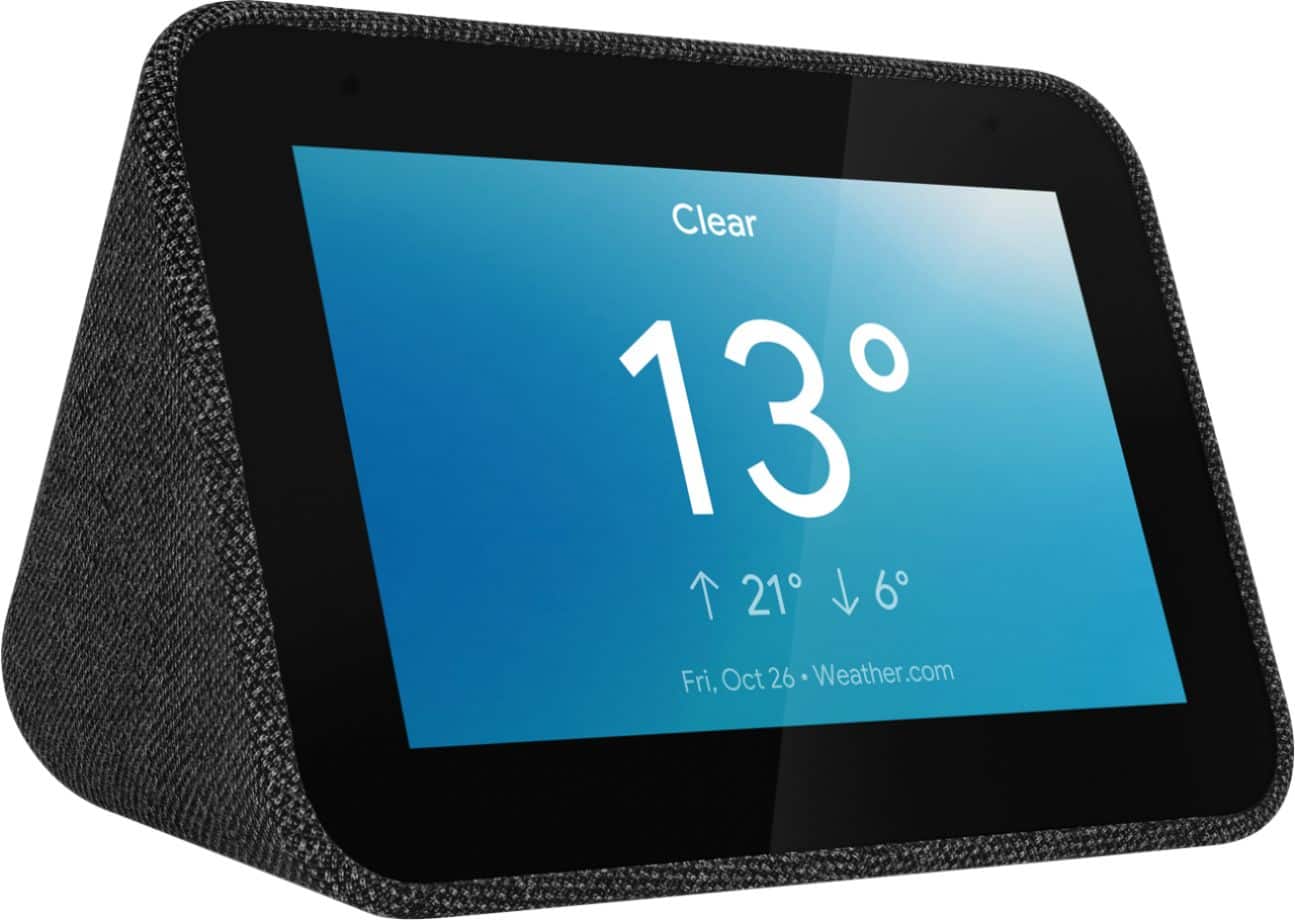
Customers frequently mention the ease of use, sound quality, and alarm features as positive aspects of the Smart Clock with Google Assistant. Many also appreciate the Google Assistant integration, the clock's size, and its display. However, some users reported issues with maintaining a consistent WiFi connection. A lack of battery backup was another recurring negative comment.
This summary was generated by AI based on customer reviews.
Smart Clock
||Posted . Owned for 1 year when reviewed.This reviewer received promo considerations or sweepstakes entry for writing a review.Had to purchase this separately due to problem at the post office returning my order instead of delivering it! But clock works great and easy to see in light or dark room.
I would recommend this to a friendBrand response from Lenovo Product Expert
Posted .Thank you for choosing the Lenovo Smart Clock with Google Assistant. We are pleased to hear that the Smart Clock is working out so well for you.

Best alarm clock ever
||Posted . Owned for 3 weeks when reviewed.This reviewer received promo considerations or sweepstakes entry for writing a review.This clock is even better than I imagined. The display brightens and dims based on the brightness of the room, there’s Google assistant, it plays music from a couple of streaming services, and can control your smart home devices too.
I would recommend this to a friendBrand response from Lenovo Product Expert
Posted .Hi there! Thank you for choosing the Lenovo Smart Clock with Google Assistant. We are happy to hear the ambient light sensor, Google Assistant, and ability to stream Pandora, Youtube Music, Spotify and radio from TuneIn are working so well for you!
Glorified Alarm Clock
||Posted . Owned for 3 weeks when reviewed.This reviewer received promo considerations or sweepstakes entry for writing a review.The speakers are loud enough to fill a small room, but they lack bass and do not sound incredibly good. The screen is four inches and is very lackluster in terms of features.
I would recommend this to a friendBrand response from Lenovo Product Expert
Posted .Thank you for choosing the Lenovo Smart Clock with Google Assistant. Here is a link to a YouTube video that demonstrates the initial setup, features and functions of the Smart Clock: https://www.youtube.com/watch?v=Mzj580tTico&t=204s. If you have questions about your Smart Clock with recommend you contact lenovo Tech Support for Smart Devices at: 866-426-0911.
Clock
||Posted . Owned for 2 weeks when reviewed.This reviewer received promo considerations or sweepstakes entry for writing a review.I ended up returning cause its pretty small! It is good for its price but I rather buy echo show 5 for $10 more cause I prefer alexa than google assistant.
I would recommend this to a friendBrand response from Lenovo Product Expert
Posted .Hi there, we are sorry to hear you had this experience with the Lenovo Smart Clock with Google Assistant. The crisp, 4" color, touch display and the dimensions of the unit is listed in the products' specifications of the product page. The screen size and dimensions are also listed on the packaging of the unit.
1yr old drop test approved
||Posted . Owned for 3 months when reviewed.This reviewer received promo considerations or sweepstakes entry for writing a review.Great clock. We have two. Just ran into an issue where we hace to reset the clock to change daylight savings time. But ither than that great. And more dyrable than a 1yr old.
I would recommend this to a friendGreat Little Assistant
||Posted . Owned for 3 weeks when reviewed.This reviewer received promo considerations or sweepstakes entry for writing a review.Got this to replace my wife's other Google Gizmo. Works great right out of the box, but connecting to your wi-fi takes a little effort. Once it's connected your ready to go. Plus it's a Lenovo.
I would recommend this to a friendBrand response from Lenovo Product Expert
Posted .thank you for choosing the Lenovo Smart Clock with Google Assistant. Here is a link to a YouTube video that demonstrates the initial setup of the Smart Clock and the features and functions of the Smart Clock once it is setup: https://www.youtube.com/watch?v=Mzj580tTico&t=15s
Solid addition to google home ecosystem
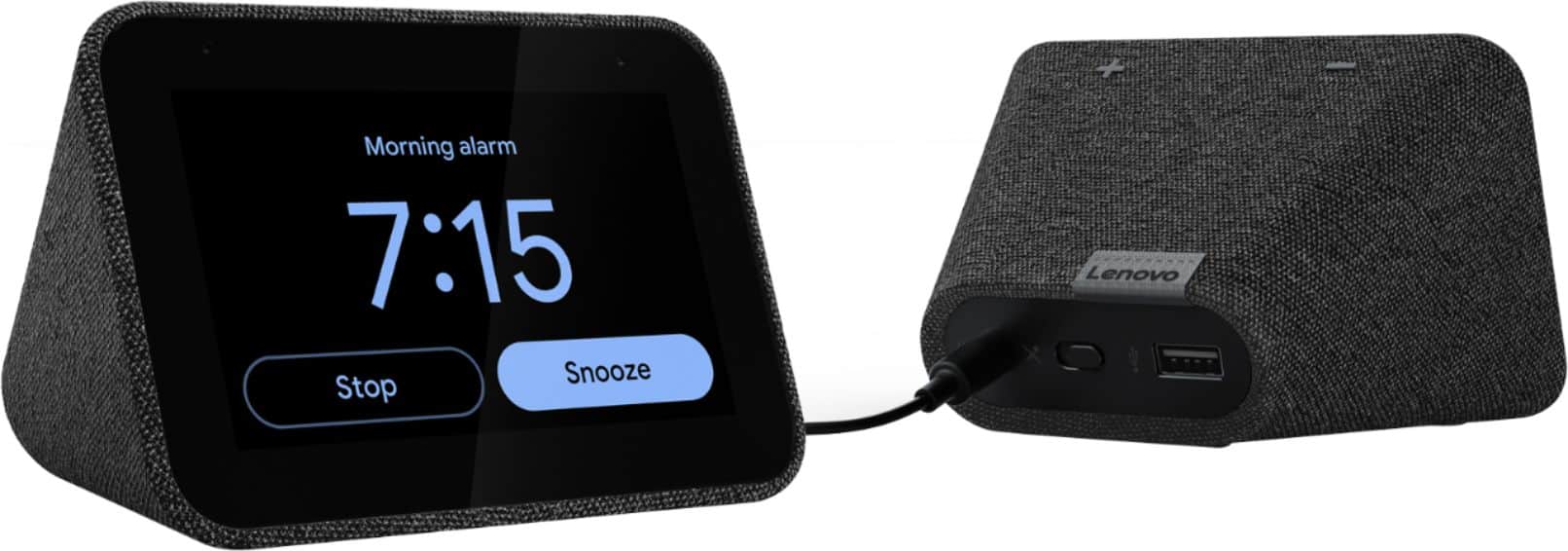
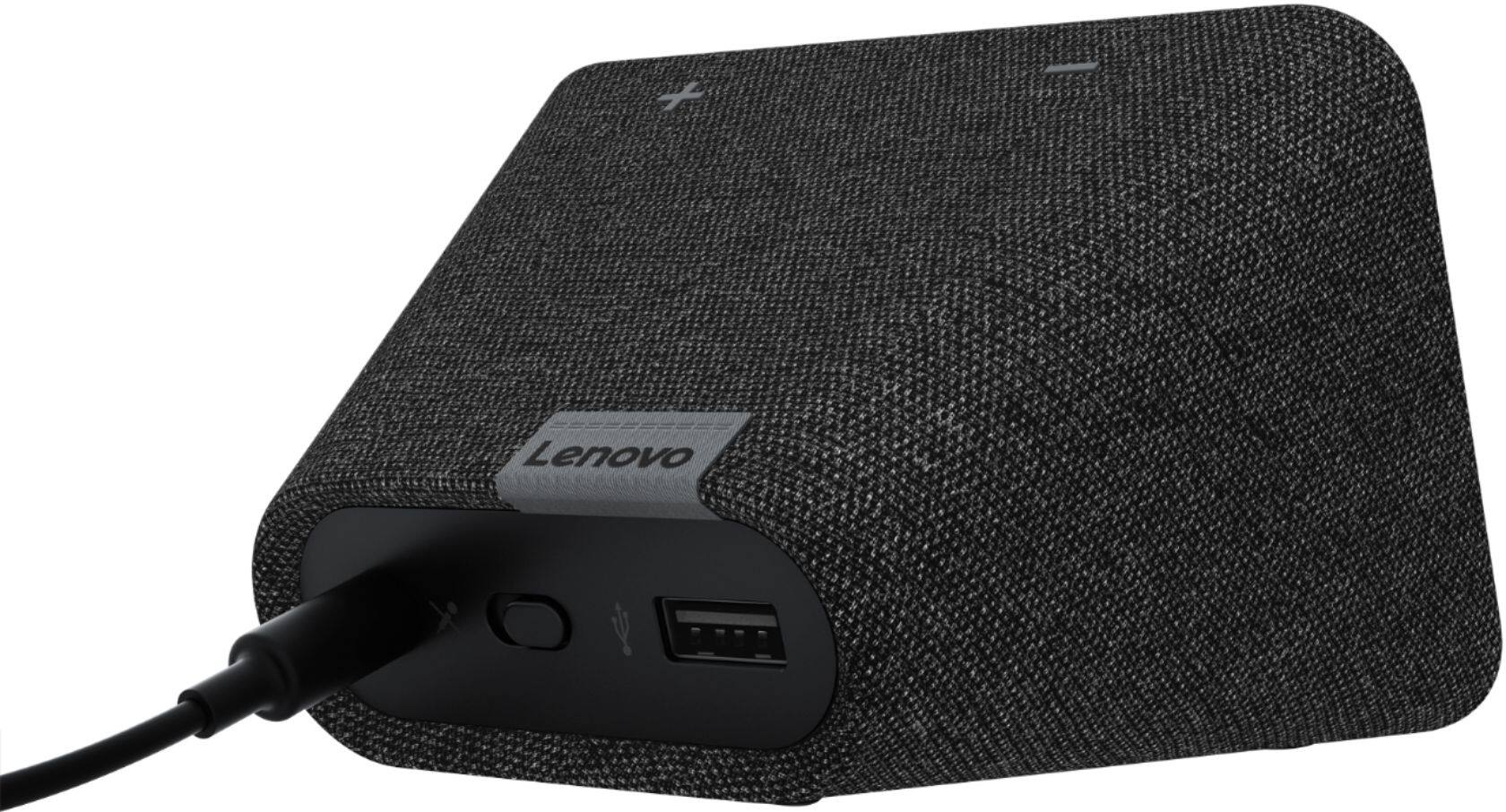
||Posted . Owned for 2 months when reviewed.This reviewer received promo considerations or sweepstakes entry for writing a review.Doesn't have the functionality of some of the other options at a similar price point, but if you can get it cheaper it functions as a great office companion or alarm clock/sleep fan. USB port is nice to have
I would recommend this to a friendBrand response from Lenovo Product Expert
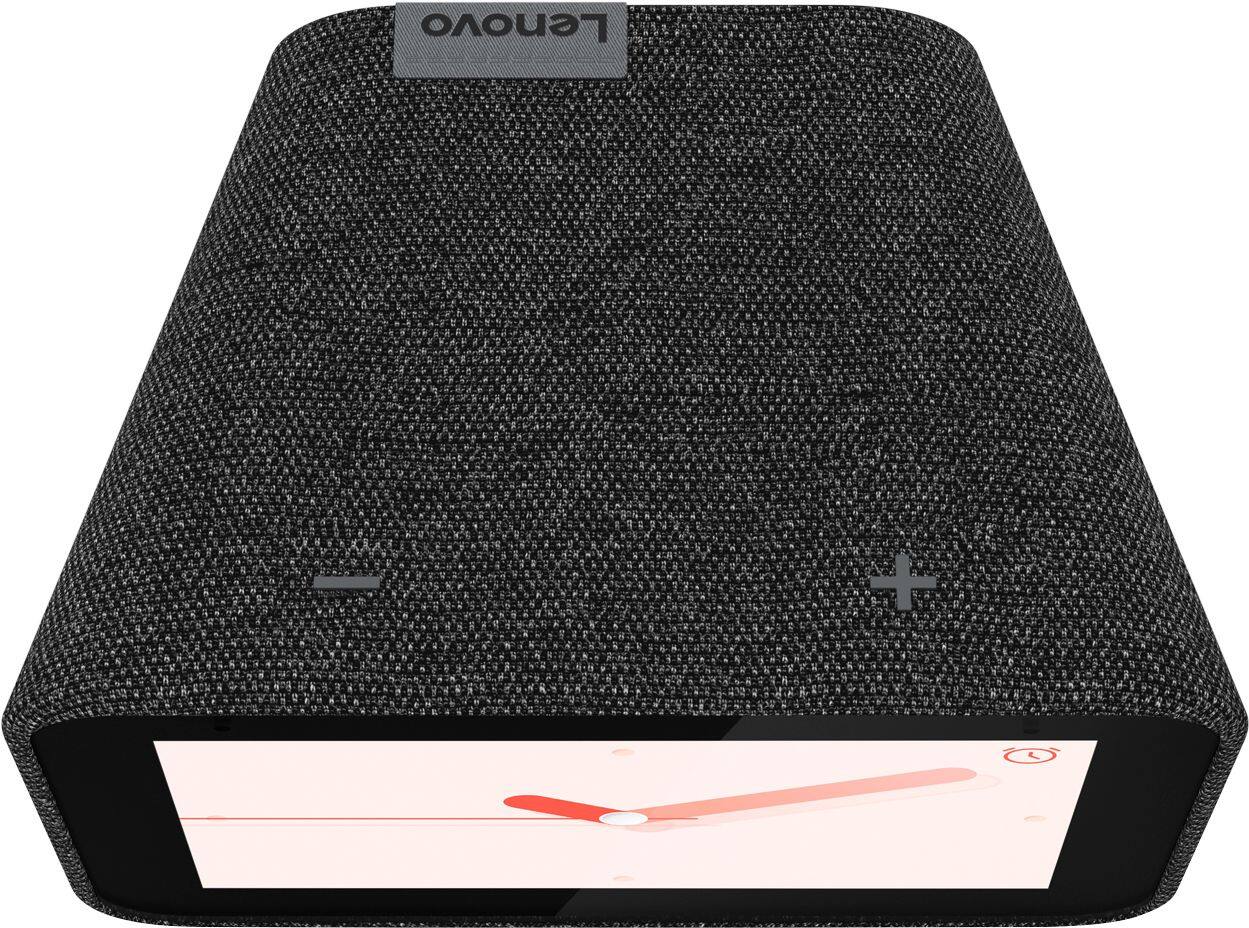
Posted .Hi, thanks for choosing the Lenovo Smart Clock with Google Assistant. We are pleased to hear the functions, performance, and design of the Lenovo Smart Clock are working out so well for you! With its fabric soft-touch cover, the compact Lenovo Smart Clock with the Google Assistant blends perfectly into any room. During the day, when the 4" screen is not in use it showcases the time with a choice of customizable clock faces. And to respect your privacy, there’s a convenient mute button to stop the device from listening.
Can’t go wrong
||Posted . Owned for 1 month when reviewed.This reviewer received promo considerations or sweepstakes entry for writing a review.This is a good product it just takes a little time to get used toO. The clock light will adjust itself with the light in the room The radio part I’m impressed with the sound it’s just a good little clock radio
I would recommend this to a friendBrand response from Lenovo Product Expert
Posted .Hi Patrick! Thanks for choosing the Lenovo Smart Clock with Google Assistant. We are pleased to hear the alarm, sound, access to radio and music, and ambient light sensor are working out so well for you! Music, podcasts, audiobooks, the radio. Lenovo Smart Clock with the Google Assistant lets you listen to what you like, when you like.
Decent value if bought on sale
||Posted .This reviewer received promo considerations or sweepstakes entry for writing a review.I use it as a bedside clock to control my lights and music. It auto dims and isn't too bright when the lights are off. I rarely use the touchscreen other than to adjust settings but it's fairly responsive.
I would recommend this to a friendBrand response from Lenovo Product Expert
Posted .Hi, thanks for choosing the Lenovo Smart Clock with Google Assistant. We are pleased to hear the functions like "Auto Dim" with ambient light sensor, performance, and design of the Lenovo Smart Clock are working out so well for you!
LOVE It!
||Posted . Owned for 10 months when reviewed.This reviewer received promo considerations or sweepstakes entry for writing a review.I love this smart clock! It dims when you turn off the lights so its doesn't bother me at night. Also being connected to Google is awesome. I would definitely recommend this for someone looking for a smarter alarm clock.
I would recommend this to a friendBrand response from Lenovo Product Expert
Posted .Hi, thanks for choosing the Lenovo Smart Clock with Google Assistant. We are pleased to hear the functions, performance, and design of the Lenovo Smart Clock are working out so well for you!
We appreciate your recommendation.
Works Great!
||Posted . Owned for 1 month when reviewed.This reviewer received promo considerations or sweepstakes entry for writing a review.I bought this for my husband and he really likes it. We have echo's in our house too, but he likes this because it gives a little different information than the echo. Plus you have the time showing which echo's don't.
I would recommend this to a friendBrand response from Lenovo Product Expert
Posted .Hi, thanks for choosing the Lenovo Smart Clock with Google Assistant. We are pleased to hear the functions, performance, and design of the Lenovo Smart Clock are working out so well for you!
Great as an alarm clock
||Posted . Owned for 2 months when reviewed.This reviewer received promo considerations or sweepstakes entry for writing a review.Works great i use it every morning to listen to news after my alarm. Sound isn't as good as the normal homes and is really only functionable for an alarm clock. Its a happy middle ground between the hub and the mini.
I would recommend this to a friendBrand response from Lenovo Product Expert
Posted .Hi, thanks for choosing the Lenovo Smart Clock with Google Assistant. We are pleased to hear the functions, performance, and design of the Lenovo Smart Clock are working out so well for you! We appreciate your feedback as we are always looking for ways to improve our Smart Devices. You may group the Lenovo Smart Clock with you other cast enabled smart speakers for full room or whole house audio. If you need further assistance please don't hesitate to reach out to Lenovo Tech Support at 866-426-0911
Great Alarm. Missing Apple Music streaming ability
||Posted . Owned for 3 weeks when reviewed.This reviewer received promo considerations or sweepstakes entry for writing a review.Great little alarm clock with access to your Google home and calendar. It syncs most music streaming services EXCEPT Apple Music. That’s the only reason I did not give it 5 stars.
I would recommend this to a friendBrand response from Lenovo Product Expert
Posted .Thank you for choosing the Lenovo Smart Clock with Google Assistant. To pair your Apple Music Account with Google Assistant within this Smart Clock, try this: 1. On your iPhone, iPad, or Android device that you installed the Google Home APP on to setup your Lenovo Smart Clock, open the Google Home app. 2. Tap Settings. 3. Tap Music. 4. Under More music services, tap the Link icon next to Apple Music. 5. Tap Link Account. 6. Sign in with the Apple ID that you use with Apple Music and follow the onscreen steps to complete setup. If you continue to have issues, we recommend you contact Lenovo Tech Support for Smart Devices at: 866-426-0911.
Good, but not many alarm options
||Posted . Owned for 6 months when reviewed.This reviewer received promo considerations or sweepstakes entry for writing a review.Dimmer function, Google commands work, only thing is it does NOT have a wake up alarm to music which I thought it would through Spotify or some such. The alarm sound options are a bit annoying.
No, I would not recommend this to a friendBrand response from Lenovo Product Expert
Posted .Hello, the Lenovo Smart Clock with Google Assistant does have the ability to wake up to a music alarm. Frist be sure you have connected your favorite streaming services by opening the Google home App in your Smartphone or Tablet--->Settings--->Music and linking your services. To set a music alarm start by saying "Okay Google set a music alarm" From there your Google Assistant will ask you what time and what station you would like to play. You can respond by saying something like "8am" and "Play my favorite station from Pandora"
GREAT Google tool
||Posted . Owned for 1 week when reviewed.This reviewer received promo considerations or sweepstakes entry for writing a review.It is small, but we love it. Does everything the google mini do, but more. Connects to Google photos so it can be a photo frame too! Shows you what music is playing, and the temperature outside. The touch screen is nice too.
I would recommend this to a friendBrand response from Lenovo Product Expert
Posted .Hey there! Thanks for choosing the Lenovo Smart Clock with Google Assistant. We are pleased to hear the assistant integration, Google Photos "Photo Frame", music from Pandora, Spotify, YouTube Music and more, and touch screen are working out so well for you!
Have not been able to use it.
||Posted . Owned for 3 weeks when reviewed.This reviewer received promo considerations or sweepstakes entry for writing a review.The smart clock requires that you download goggle home. Both my wife and I have spent hours trying to download and still have not been able to do it. If the download does not happen soon the clock is going to be returned.
No, I would not recommend this to a friendBrand response from Lenovo Product Expert
Posted .We're sorry to hear you are having issues with downloading the Google Home app. Perhaps try to restart your phone and/or delete out any unused apps to make sure your phone has enough space for the app.
Difficult to set up on Spectrum Community WiFi
||Posted . Owned for 1 month when reviewed.This reviewer received promo considerations or sweepstakes entry for writing a review.Was not able to set up with my WiFi. Since we have Spectrum community WiFi through tour apartment complex you need to have the MAC address in order to add it to your personal WiFi router. There is no way to get the MAC address without having it first set up. Typically you are able to get the MAC address when setting up these devices while working through the set up process but when trying you will get an error and that the MAC can be found on the device. But until it is set up you cannot get out of the set up screen and the settings does not show the address.
I would recommend this to a friendBrand response from Lenovo Product Expert
Posted .Hello, we are sorry to hear you are experiencing this issue with the mac address and community WIFI compatibility. We appreciate your feedback as we are always looking for ways to improve our Smart Devices. We will pass this along the the product team. In the mean time if you need further assistance please don't hesitate to reach out to Lenovo Tech Support at 866-426-0911
Easy to use and perfect size
||Posted . Owned for 2 weeks when reviewed.This reviewer received promo considerations or sweepstakes entry for writing a review.Device works as described and the google interface is exactly like the Home devices but cheaper. Definitely worth the trade off. Also I like that it has a privacy shield for the camera so it can only see when you want it to.
I would recommend this to a friendBrand response from Lenovo Product Expert
Posted .Hi, thanks for choosing the Lenovo Smart Clock with Google Assistant. We are pleased to hear the functions, performance, and design of the Lenovo Smart Clock are working out so well for you! Lenovo Smart Clock with the Google Assistant lets you wake up feeling more rested. As the screen brightness gently increases, you can ease yourself into the day. Set up a Good Morning Routine to bring you the local traffic, news, weather, and sports automatically. And if you need more rest, simply tap the device to snooze or dismiss the alarm.
Way more than expected
||Posted . Owned for 3 weeks when reviewed.This reviewer received promo considerations or sweepstakes entry for writing a review.Love it! Bought 4 more for Christmas gifts for the family. Surprised all the features I didn’t even know came along with this clock. The small footprint is awesome.
I would recommend this to a friendBrand response from Lenovo Product Expert
Posted .Hi, thanks for choosing the Lenovo Smart Clock with Google Assistant. We are pleased to hear the functions, performance, and design of the Lenovo Smart Clock are working out so well for you! We appreciate your loyalty to the Lenovo brand.
Best Alarm Clock I've ever owned!!
||Posted . Owned for 1 month when reviewed.This reviewer received promo considerations or sweepstakes entry for writing a review.I really enjoy these little clocks, they're perfect because I can use my voice to set alarms. Very handy when your comfortable already. This is my second purchase for another residence.
I would recommend this to a friendBrand response from Lenovo Product Expert
Posted .Thank you for choosing the Lenovo Smart Clock with Google Assistant. We appreciate your loyalty to the Lenovo Smart Clock and we are pleased to hear that the Smart Clocks meet your needs so well.