Customer Ratings & Reviews
- Model:
- ZA4R0037US
- SKU:
- 6441962
Rating by feature
- Value
Rating 4.5 out of 5 stars
- Quality
Rating 4.6 out of 5 stars
- Ease of Use
Rating 4.5 out of 5 stars
Customers are saying
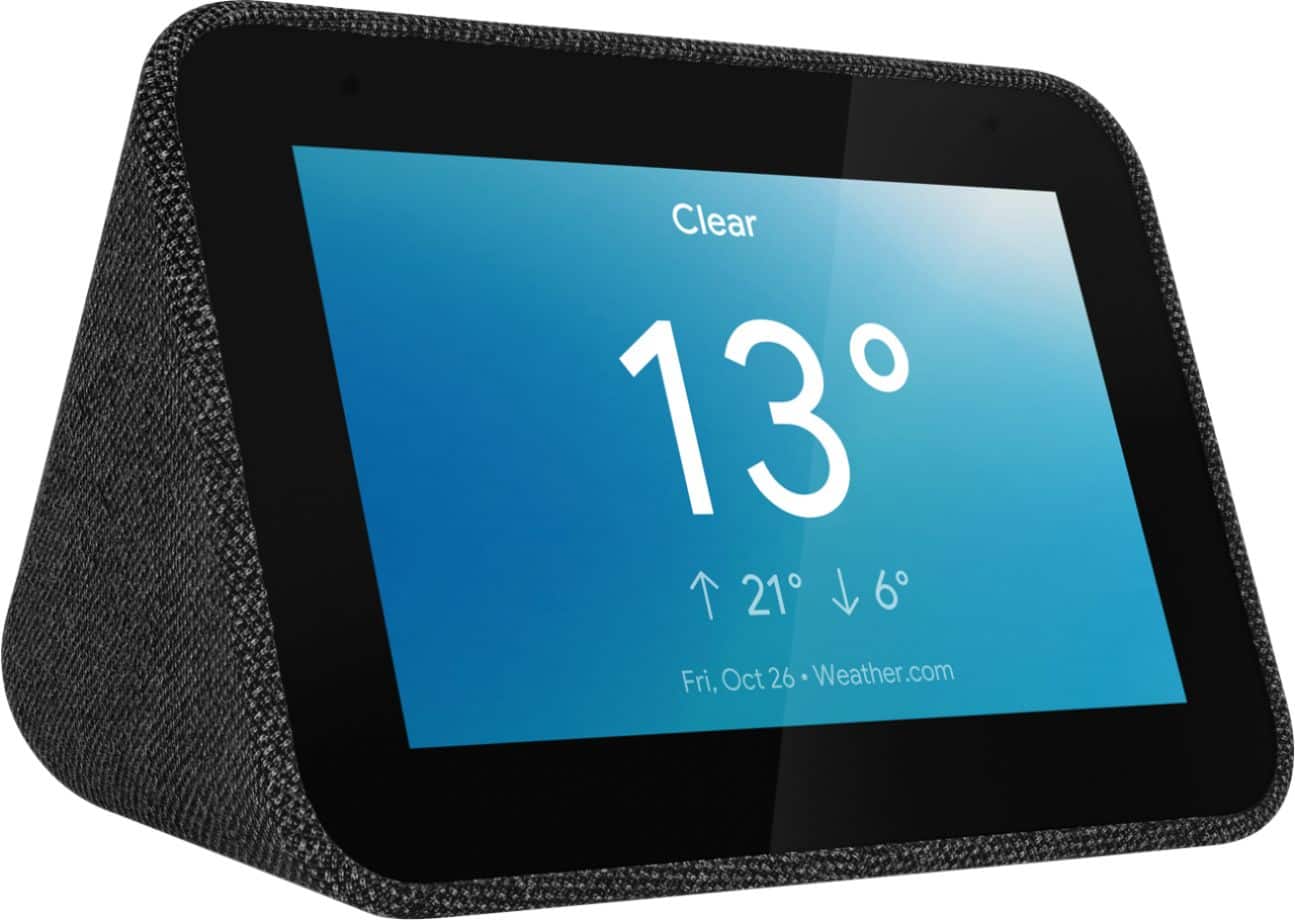
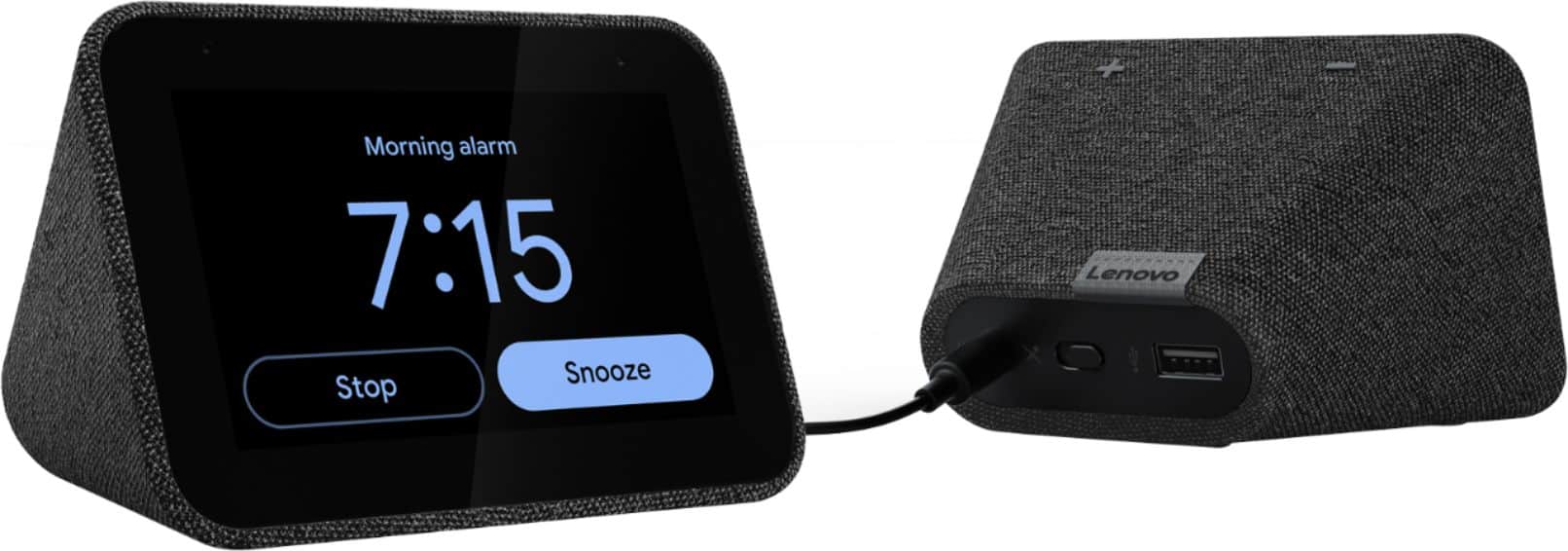
Customers frequently mention the ease of use, sound quality, and alarm features as positive aspects of the Smart Clock with Google Assistant. Many also appreciate the Google Assistant integration, the clock's size, and its display. However, some users reported issues with maintaining a consistent WiFi connection. A lack of battery backup was another recurring negative comment.
This summary was generated by AI based on customer reviews.
Great buy
||Posted . Owned for 1 month when reviewed.This reviewer received promo considerations or sweepstakes entry for writing a review.Great black friday grab. Reviews and specs state not able to view webcams but it can within specs
I would recommend this to a friendBrand response from Lenovo Product Expert
Posted .Thank you for choosing the Lenovo Smart Clock with Google Assistant. The Smart Clock is compatible with Google video cameras and video doorbells, like the Nest video cameras.

Smart Clock
||Posted . Owned for 1.5 years when reviewed.This reviewer received promo considerations or sweepstakes entry for writing a review.Nice little clock, but just wasn't what I was looking for. Had to return it.
I would recommend this to a friendHelpful
||Posted . Owned for 3 weeks when reviewed.This reviewer received promo considerations or sweepstakes entry for writing a review.Great looking unit and awesome functionality. I have two now and very pleased. Various operating settings which make it a good item
I would recommend this to a friendBrand response from Lenovo Product Expert
Posted .Hi, thanks for choosing the Lenovo Smart Clock with Google Assistant. We are pleased to hear the functions, performance, and design of the Lenovo Smart Clock are working out so well for you! We appreciate your loyalty to the Lenovo brand.
Wifi was weak, but Self resolved
||Posted . Owned for 1 year when reviewed.This reviewer received promo considerations or sweepstakes entry for writing a review.At first it had a lot of problems connecting to my Wi-Fi network I have Google home Wi-Fi after about a week wait no longer had issues
I would recommend this to a friendBrand response from Lenovo Product Expert
Posted .Hi, thanks for choosing the Lenovo Smart Clock with Google Assistant.
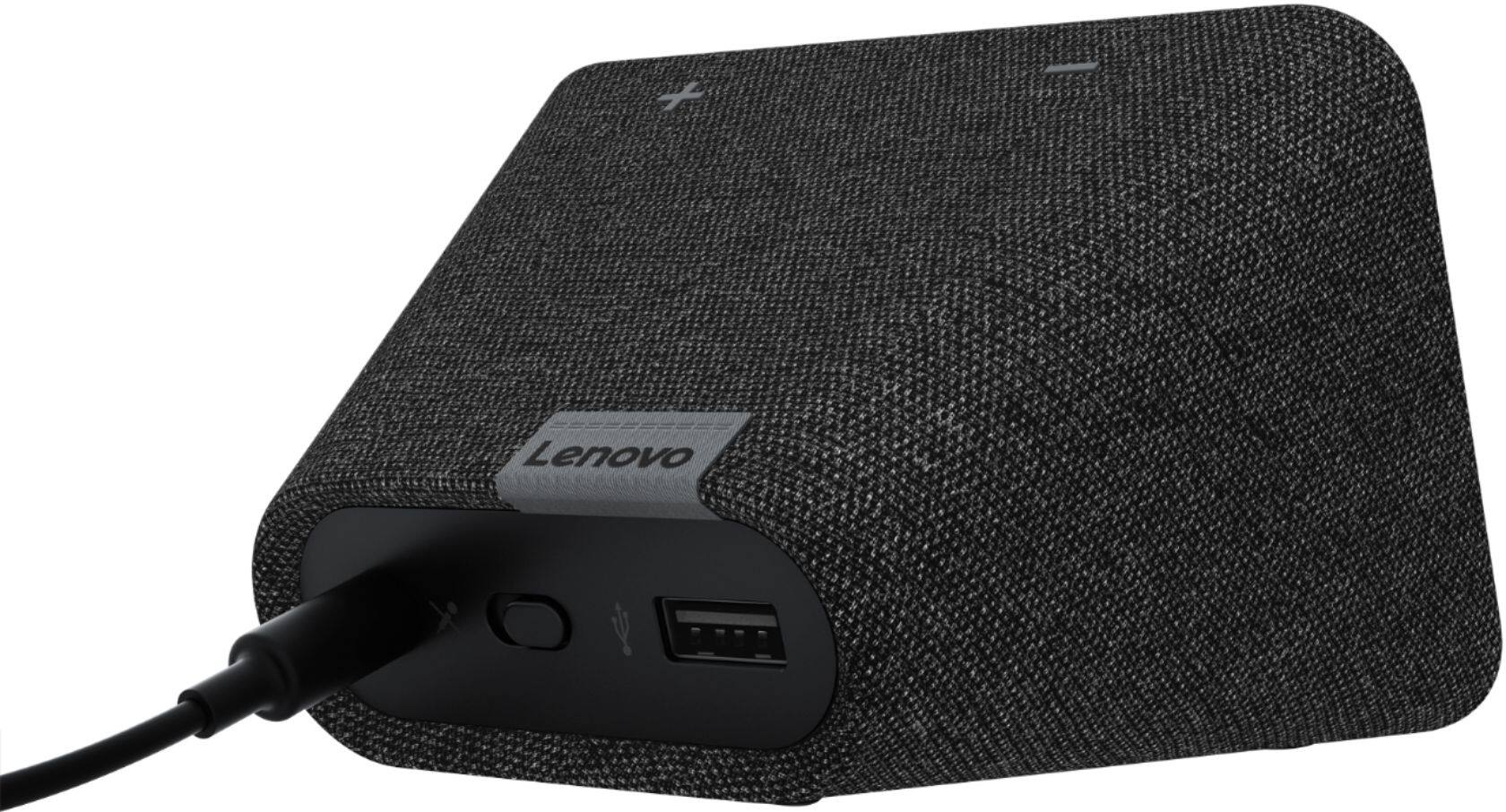
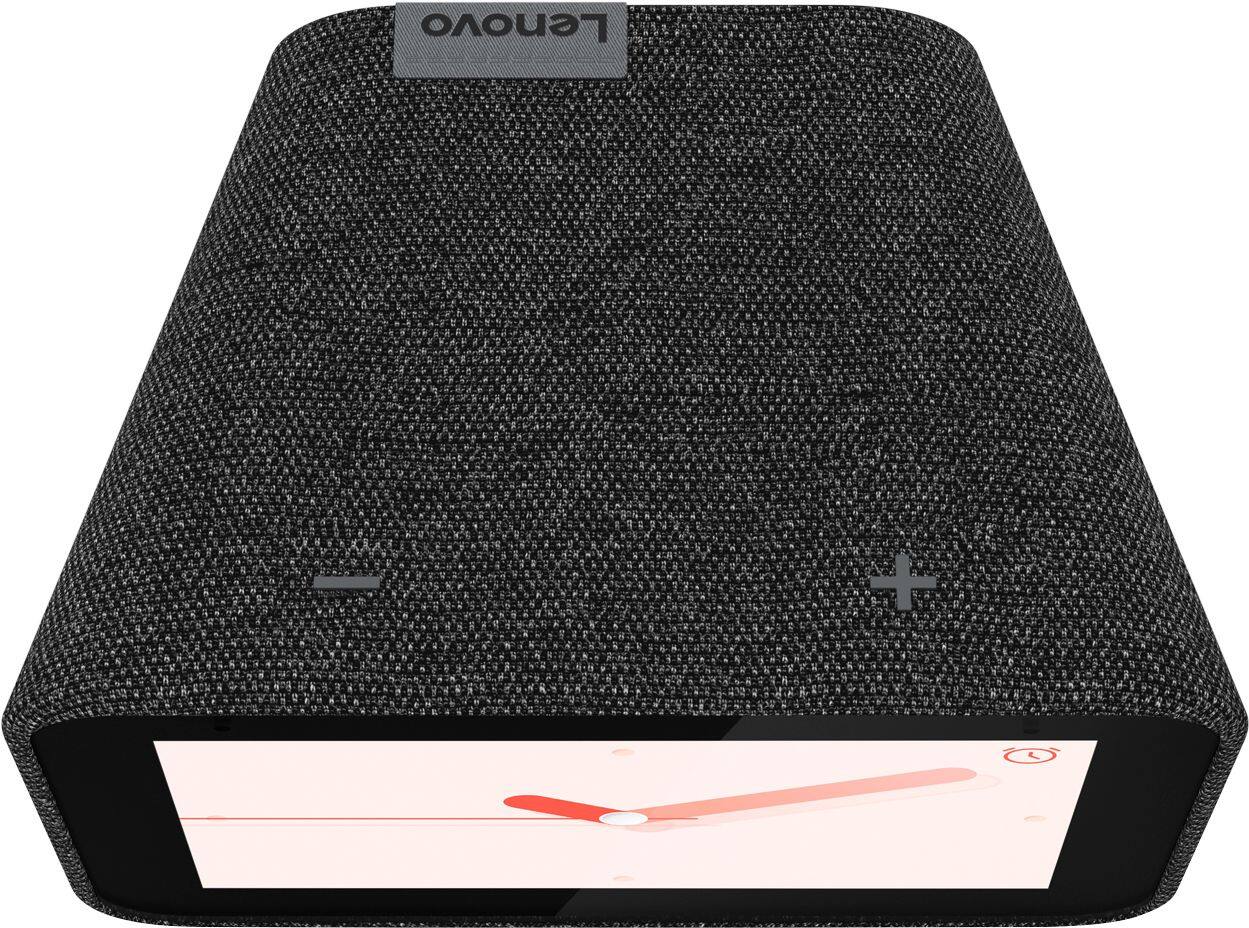
We are sorry to hear you are experiencing WIFI connectivity issues. We recommend switching between 2.4Ghz and 5Ghz bands of your router. In some instances overlap from other wireless devices can cause this issue. To do this please ensure your device is within good range of your router. Then please perform a factory reset on the device by holding down the “Volume + and – ” buttons on top of your device for 8 Seconds. During setup please select a different band *Either 2.4 Ghz or 5 Ghz when connecting to your WiFi Network. Lastly please reset your model and router by powering them down for 20 seconds then back on again. If the issue persists, please contact our customer support team at 866-426-0911
ovo Smart Clock with Google Assistant.
Smart Clock by Lenovo
||Posted . Owned for more than 2 years when reviewed.This reviewer received promo considerations or sweepstakes entry for writing a review.My new bedside clock that integrates with my Google Home system. It works great, no surprises, no issues.
I would recommend this to a friendGreat
||Posted .This reviewer received promo considerations or sweepstakes entry for writing a review.Works very well. Even though the size of the screen is a bit small, it is exactly the size that is in the description. Fast delivery.
I would recommend this to a friendBrand response from Lenovo Product Expert
Posted .Hi, thanks for choosing the Lenovo Smart Clock with Google Assistant. We are pleased to hear the functions, performance, and design of the Lenovo Smart Clock are working out so well for you! We do offer a larger 7" screen Smart Display with Google Assistant available at best buy. Product link here : https://www.bestbuy.com/site/lenovo-7-smart-display-with-google-assistant-blizzard-white/6411151.p?skuId=6411151 . If you need further assistance please don't hesitate to reach out to Lenovo Tech Support at 866-426-0911
Lenovo Smart Clock is great
||Posted . Owned for 1 month when reviewed.This reviewer received promo considerations or sweepstakes entry for writing a review.Great clock. Tells me outside temp, dims at night, and I can connect to Google Home and issue commands while in bed! Excellent product!
I would recommend this to a friendBrand response from Lenovo Product Expert
Posted .Hi, thanks for choosing the Lenovo Smart Clock with Google Assistant. We are pleased to hear the functions, performance, and design of the Lenovo Smart Clock are working out so well for you
Great addition for any kids bedroom!
||Posted . Owned for 1.5 years when reviewed.This reviewer received promo considerations or sweepstakes entry for writing a review.Great of you are using it in a home with your personal WiFi network. I got this for niece as a graduation present and it is glitchy in her dorm where the smart clock is not connecting to the WiFi network. It must be the university’s measures for added security. If it’s for personal use at a home, it works perfectly!
I would recommend this to a friendGreat clock
||Posted . Owned for 1 month when reviewed.This reviewer received promo considerations or sweepstakes entry for writing a review.Great clock. Bought for my kids. I just wish I can set a sleep timer and change the alarm from the app. Other than that, no issues.
I would recommend this to a friendBrand response from Lenovo Product Expert
Posted .Hi, thanks for choosing the Lenovo Smart Clock with Google Assistant. We are pleased to hear the functions, performance, and design of the Lenovo Smart Clock are working out so well for you. We appreciate your feedback as we are always looking for ways to improve our Smart Devices.
Jdogg
||Posted . Owned for 10 months when reviewed.This reviewer received promo considerations or sweepstakes entry for writing a review.Overall, good assistant. It does reset at times without warning. Don't know why. Would buy again.
I would recommend this to a friendBrand response from Lenovo Product Expert
Posted .Thank you for choosing the Lenovo Smart Clock with Google Assistant. The Smart Clock may reset itself as part of an update download and install. If the issue continues, we recommend you contact lenovo Tech Support for Smart Devices at: 866-426-0911.
How do you steam music
||Posted . Owned for 2 weeks when reviewed.This reviewer received promo considerations or sweepstakes entry for writing a review.It’s ok. I just can’t figure out how to stream music thru it I have tried everything even went and bought another one just like to see if the one I got was something wrong with it and the other does the same will not play my Apple Music or display my photos. It says it connected to the internet but won’t play music or anything else just alarm goes off
No, I would not recommend this to a friendBrand response from Lenovo Product Expert
Posted .You will need to pair your streaming accounts to the Lenovo Smart Clock through the Google Home APP. Here is a link to a YouTube video that demonstrates the initial setup of the Smart Clock and the features and functions of the Smart Clock. Although Apple Music is compatible with Google Assistant, there have been issues with streaming through Google Assistant devices like this Smart Clock: https://www.youtube.com/watch?v=Mzj580tTico&t=3s. If you continue to have issues, we recommend you contact Lenovo Tech Support for Smart Devices for additional help at: 866-426-0911.
Fun!
||Posted .This reviewer received promo considerations or sweepstakes entry for writing a review.Super convenient, subtle enough to to fit into any setting, tons of features and fun to use!
I would recommend this to a friendBrand response from Lenovo Product Expert
Posted .Hi, thanks for choosing the Lenovo Smart Clock with Google Assistant. We are pleased to hear the functions like photo frames, streaming your favorite music from Spotify, Pandora, YouTube Music and more, performance, and design of the Lenovo Smart Clock are working out so well for you!
- Pros mentioned:Google assistant
Good it you like google
||Posted . Owned for 2 weeks when reviewed.This reviewer received promo considerations or sweepstakes entry for writing a review.Needs to setup with Google home. Ok if you like thet but cant access Amazing Music
No, I would not recommend this to a friendBrand response from Lenovo Product Expert
Posted .Hi there thanks for choosing the Lenovo Smart Clock with Google Assistant. The Lenovo Smart Clock is compatible with Youtube Music, Spotify, iHeart Radio, TuneIn, Pandora, sirius xm, and more! It is not compatible with Amazon Music as it is not an Amazon product.
College student’s friend
||Posted . Owned for 5 months when reviewed.This reviewer received promo considerations or sweepstakes entry for writing a review.I bought this as a gift for my nephew for his 1st year at college. He loves it. Use it for an alarm and to play music.
I would recommend this to a friendBrand response from Lenovo Product Expert
Posted .Hi, thanks for choosing the Lenovo Smart Clock with Google Assistant. We are pleased to hear the functions, performance, and design of the Lenovo Smart Clock are working out so well for you!
Minor issue
||Posted . Owned for 1 month when reviewed.This reviewer received promo considerations or sweepstakes entry for writing a review.Decent device however there is a hardware issue that cause the MAC address to constantly change which I see on my internet security list. The connection is fine I just end up seeing many devices" for this unit due to the alternating mac address. Not all units apparently have the issue depends on one of the parts used inside the device. Holding out hope a software update fixes the issue.
I would recommend this to a friendGreat Smart Clock at Competitive Price
||Posted . Owned for 8 months when reviewed.This reviewer received promo considerations or sweepstakes entry for writing a review.I like this clock. It's smartclock functionality works well and blends with my smart home ecosystem very well.
I would recommend this to a friendBrand response from Lenovo Product Expert
Posted .Thank you for choosing the Lenovo Smart Clock with Google Assistant. We are pleased to hear that the Smart Clock is working out so well for you.
Not a Home Hub Replacement
||Posted .This reviewer received promo considerations or sweepstakes entry for writing a review.It’s good. Does what it needs to BUT I recommend the hub instead if possible. It’s only like $20 more if that.
I would recommend this to a friendBrand response from Lenovo Product Expert
Posted .Thank you for choosing the Lenovo Smart Clock with Google Assistant. This Smart Clock is a purpose-driven smart device. It is not meant as a do-all device. There is no webcam on this Smart Clock making it appropriate for those areas in a Home where privacy is important.
Really like.... but
||Posted . Owned for 5 months when reviewed.This reviewer received promo considerations or sweepstakes entry for writing a review.Love this smart clock, but it has one downfall. If you have a Google Smart TV, it will turn off the tv’s volume randomly.
I would recommend this to a friendBrand response from Lenovo Product Expert
Posted .Hi, thanks for choosing the Lenovo Smart Clock with Google Assistant. We are pleased to hear the functions, performance, and design of the Lenovo Smart Clock are working out so well for you! We appreciate your feedback and will pass this on to the Google Team.
We love this smart Clock
||Posted . Owned for 7 months when reviewed.This reviewer received promo considerations or sweepstakes entry for writing a review.We love this smart Clock. We have sometimes funny moments with this clock. The clock sometimes speaks with TV or other devices.
I would recommend this to a friendPretty but difficult
||Posted .This reviewer received promo considerations or sweepstakes entry for writing a review.Loved the look of this clock & found the perfect alarm tone. However, I wish I could just turn off the "smart clock" features. It's just too much work setting everything up with the Google home connection. It never just did what I wanted it to do. Ended up replacing it within 3 months.
No, I would not recommend this to a friendBrand response from Lenovo Product Expert
Posted .We are sorry to hear that the Lenovo Smart Clock with Google Assistant did not meet your needs. Once you have your alarms set, you can turn the microphone off so you do not need to interact with the smart clock verbally. The alarm functions will continue as you set them up.