Customer Ratings & Reviews
- Model:
- ZA4R0037US
- SKU:
- 6441962
Rating by feature
- Value
Rating 4.5 out of 5 stars
- Quality
Rating 4.6 out of 5 stars
- Ease of Use
Rating 4.5 out of 5 stars
Customers are saying
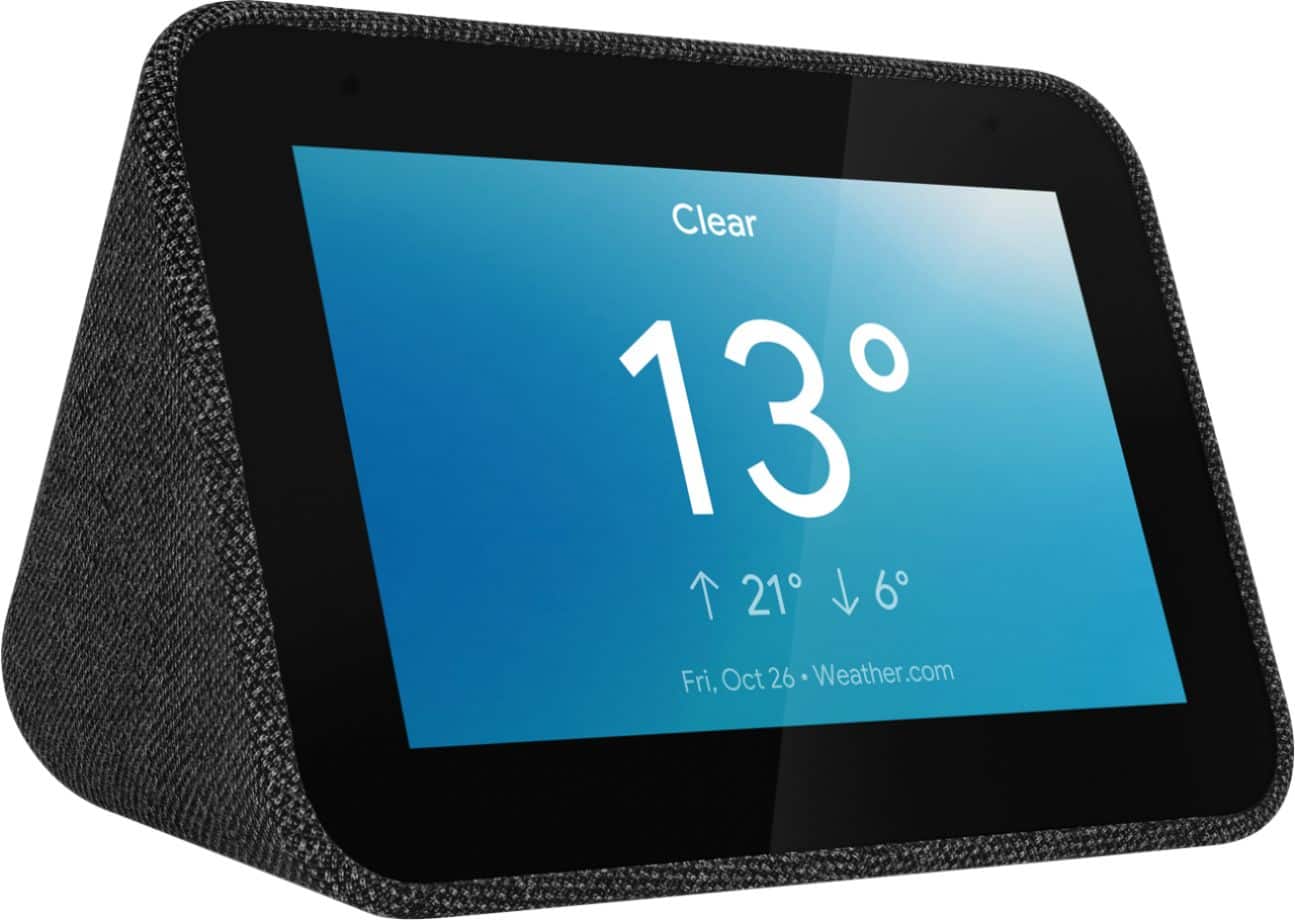
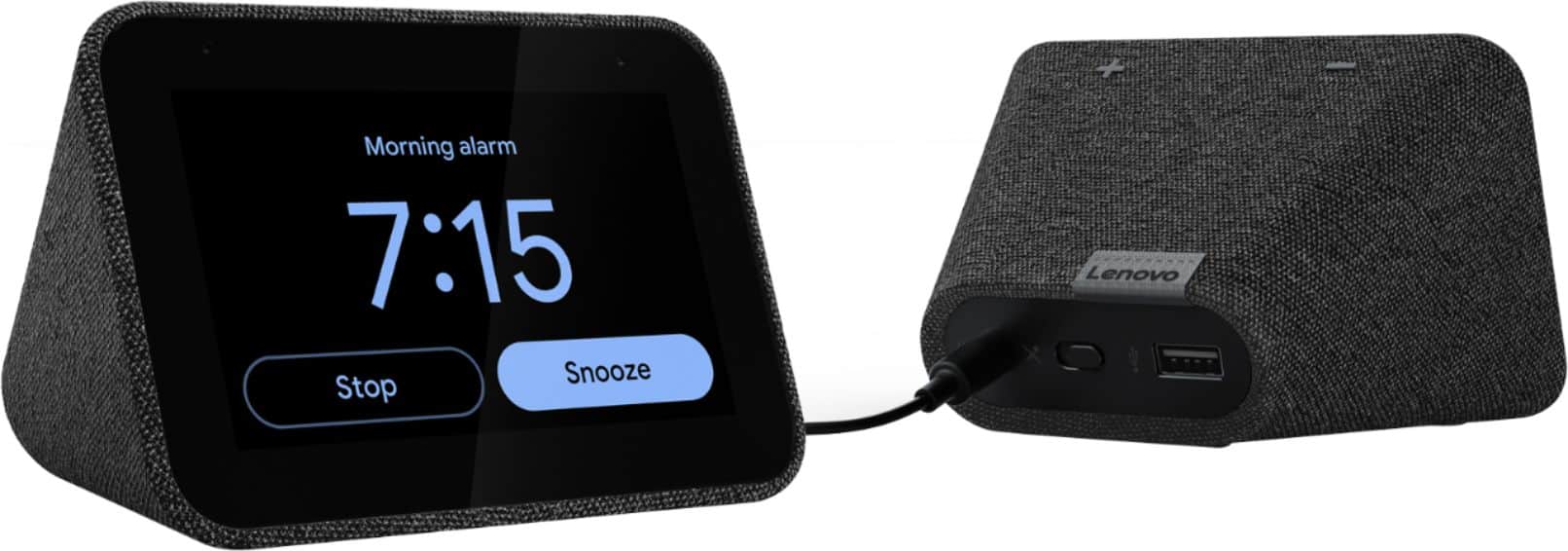
Customers frequently mention the ease of use, sound quality, and alarm features as positive aspects of the Smart Clock with Google Assistant. Many also appreciate the Google Assistant integration, the clock's size, and its display. However, some users reported issues with maintaining a consistent WiFi connection. A lack of battery backup was another recurring negative comment.
This summary was generated by AI based on customer reviews.
too bright
||Posted . Owned for 1 year when reviewed.This reviewer received promo considerations or sweepstakes entry for writing a review.I guess it does what its supposed to do. I ended up returning it because I didn't like the available clock designs and it stays pretty bright for a room you intend to sleep in.
No, I would not recommend this to a friendBrand response from Lenovo Product Expert
Posted .We are sorry to hear that the Smart Clock with Google Assistant does not meet your needs. You can either manually set screen brightness with the onscreen settings menu or use the auto-brightness control that will automatically dim the screen when the room becomes dark. If you have questions about your Lenovo Smart Clock, we recommend you contact Lenovo Tech Support for Smart Devices at: 866-426-0911.

waste of time and money
||Posted . Owned for 3 months when reviewed.This reviewer received promo considerations or sweepstakes entry for writing a review.terrible!!! stops playing music for no reason. then the company is unreachable for assistance with the device. I have tried their stupid forum. but I get the picture they sold these as smart devices but forgotten the smarts for them. the forum is full of software issues!!!! I realize this was a mistake. I will buy the Nest Mini instead.
No, I would not recommend this to a friendBrand response from Lenovo Product Expert
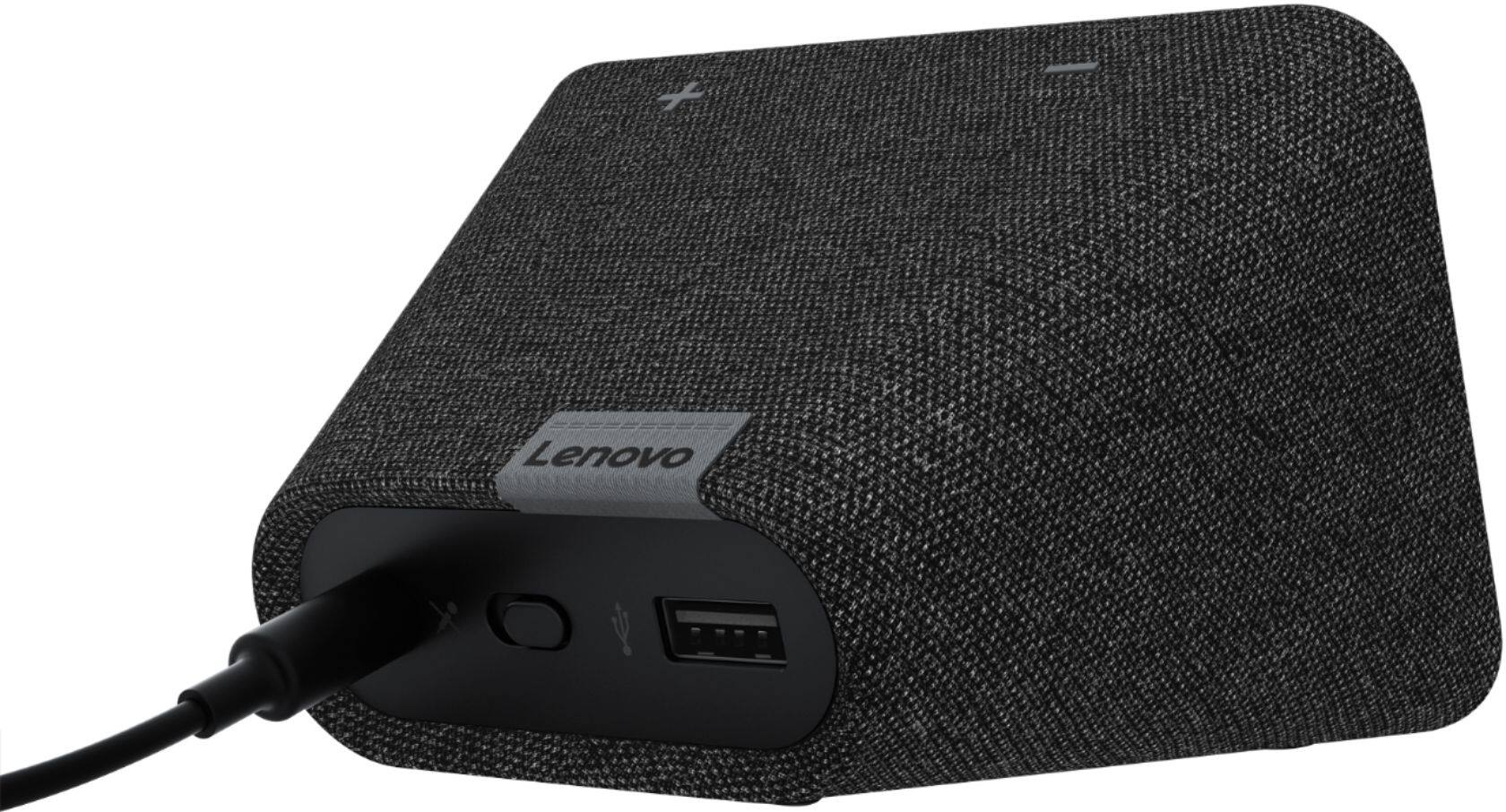
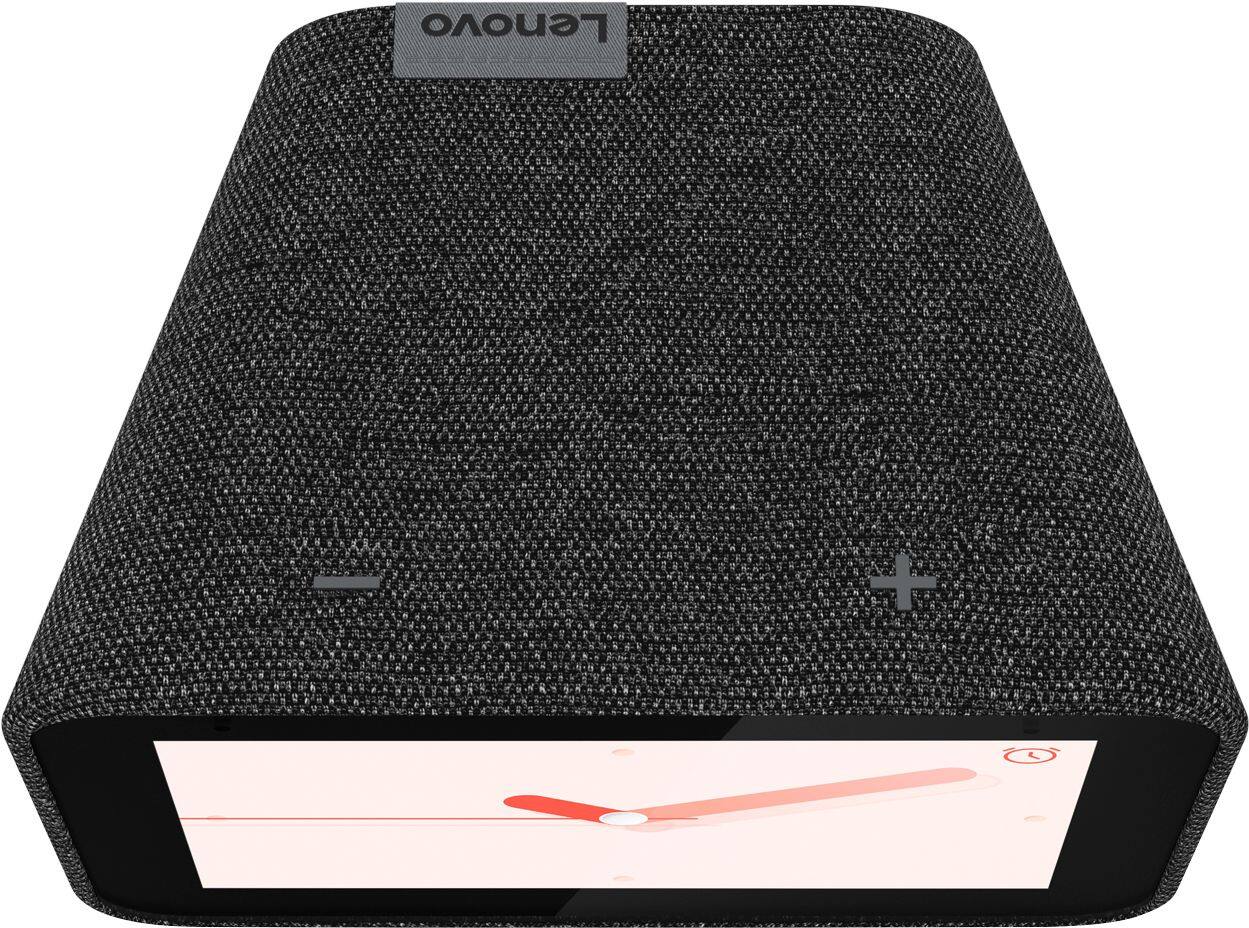
Posted .We are sorry to hear that you are having issues with your Lenovo Smart Clock with Google Assistant. First try a restart of your Smart Clock: 1. Unplug your device then wait 10 seconds. 2. Plug it back in. Try your music streaming service now to see if the issue has been fixed. If the issue continues, now reset the Smart Clock back to original factory settings: 1. With the device powered on, press down both the volume+ / volume- button for 10 seconds. 2. Follow the on-screen instructions to set up your device. If the issues continue, we recommend you contact Lenovo Tech Support for Smart Devices at: 866-426-0911.
- Pros mentioned:Size, Sound quality
Great addition to a Google smart home!
Posted .This reviewer received promo considerations or sweepstakes entry for writing a review.Love it. It's a lot smaller then even the Google/Nest hub; fits perfectly on my nightstand. Looks like the alarm time is stored locally so internet outages and Google problems won't stop your alarms from working, unless you lose electricity (I played with the alarms during an internet outage and they worked with no connectivity). Doesn't play video streams (YouTube, Netflix, etc), but it will display video and doorbell cams. Tried it with the Nest Hello and it worked like the full-size screens. The speaker to it seems to be on par with the minis, maybe a bit more fidelity. The snooze time is customizable, which is nice. And my favorite, you smack it to snooze or turn off the alarm (your choice)!
I would recommend this to a friendBrand response from Lenovo Product Expert
Posted .We're so happy you are loving the new Lenovo Smart Clock! We've created a handy How-To & Solutions, if you ever have questions on your device.
Exactly what I wanted for the night stand
Posted .This reviewer received promo considerations or sweepstakes entry for writing a review.This is the third device I have used to replace my old alarm clock. The first one was the Lenovo Smart Display. Worked well but even with only an 8" screen it took up too much space. So used the Google Home Hub. Much better space wise but really still too much screen for a bedside clock. So I was waiting with bated breath since this was announced. I am not disappointed. It is about the same size as the regular $10 clock radios you can get anywhere. I wish the screen were just slightly larger, but not going to complain. The display is crisp and clear and can easily be seen from across the room. Several options for clock faces but I chose the one that has the current weather images in the background with the temperature just above the clock. Love how it changes as the conditions change. (The stars twinkle at night) The adaptive brightness works really well. Also using the night mode for the volume is a truly appreciated feature. Since I use the Assistant to control my bed lamp it is nice that it automatically turns down the volume so it is not screaming at me as I'm trying to go to sleep. Compared to all the other smart displays I use this one has fewer features than the full blown ones. And that is nice. I don't want to use Google Duo from the bedroom. I don't need to view/control my cameras. It does what you would normally expect for a Google Assistant for the bedroom. Now any and all of the Google routines work, just you don't have the densely populated control screens. Overall I have zero complaints. This is exactly what I wanted when I got the survey from Lenovo right after the larger displays were released. I cannot think of one thing that is missing or could be better. More clock faces might be nice, but far from necessary. Thank you Lenovo for the perfect beside clock!
I would recommend this to a friendBrand response from Lenovo Product Expert
Posted .We're so happy you love the new Lenovo Smart Clock, it sounds like its integrated nicely into your routine. If you ever have questions about the device, please go and visit How-To & Solutions to get more customer service support.
Not sure if I Got a bad clock or Not?
||Posted . Owned for 1 year when reviewed.This reviewer received promo considerations or sweepstakes entry for writing a review.The bedside clock worked great at first, but it comes and goes now. Not exactly sure...I plug it in & it works, then a few days later it doesn't?
I would recommend this to a friendBrand response from Lenovo Product Expert
Posted .We are sorry to hear that you are having issues with your Lenovo Smart Clock with Google Assistant. Resetting the Smart Clock back to original factory settings may correct the issues you are having. To factory reset your device - With the device powered on, press down both the volume+ / volume- button for 10 seconds. Follow the on-screen instructions to set up your device. If the issue continues, we recommend you contact Lenovo Tech Support for Smart Devices for additional help at: 866-426-0911.
Not a very good item
||Posted . Owned for 1 month when reviewed.This reviewer received promo considerations or sweepstakes entry for writing a review.We have mac address filter enabled in our home for extra safety, so this item is useless to us. I can't believe that anyone would randomize mac addresses for "safety reasons" when enabling mac address filters is enough. It's not as if we're going to take this on the road. This is one of the most stupidly built devices out there. Lenovo should really rethink this item. Otherwise, it would be great in an unsecure wifi network. We returned this immediately when we found out what it was doing with its mac address.
No, I would not recommend this to a friendBrand response from Lenovo Product Expert
Posted .Hello, thanks for choosing the Lenovo Smart Clock with Google Assistant. We are sorry to hear you had this experience with the Lenovo Smart Clock with Google Assistant. We value your feedback as we are always looking for ways to improve our Smart Devices. I will pass this along the product team.
Frustrating experience
||Posted .This reviewer received promo considerations or sweepstakes entry for writing a review.I tried several times to get Google to listen to me and do what I was telling it to do. I'm returning the item. On another note BB doesn't show any history of me purchasing this item
No, I would not recommend this to a friendBrand response from Lenovo Product Expert
Posted .Hi Misty, We are sorry to hear you had this experience. We recommend performing a factory reset on the device by holding down the "Volume + and Volume -" buttons in unison on top of the device or 10 seconds. For the best results with your Google Assistant enable the "Voice Match" feature during setup. Please check out out Tips and Tricks - Useful Commands for Google Assistant video to learn more about what your device can do by following the link in your browser https://smartsupport.lenovo.com/us/en/products/smart/smart-home/smart-clock/za4r/videos/VID500113
You have to own an android phone to use
||Posted . Owned for 1 month when reviewed.This reviewer received promo considerations or sweepstakes entry for writing a review.Thought it was a good buy for my wife who is an iPhone user. To make this clock radio work you need to have an android phone to set it up and use it. Had to return the item
No, I would not recommend this to a friendBrand response from Lenovo Product Expert
Posted .Hi there, you can setup the Lenovo Smart Clock with Google Assistant with any smart device that has the Google Home App. The Google Home App is available for download on Android and IOS. https://apps.apple.com/us/app/google-home/id680819774
Not reliable
||Posted . Owned for 5 months when reviewed.This reviewer received promo considerations or sweepstakes entry for writing a review.Very unreliable clock. Google assistance works when it wants. Constantly saying " sorry something went wrong" when you ask it to do something. Looks good though.
No, I would not recommend this to a friendBrand response from Lenovo Product Expert
Posted .We are sorry to hear that you are having issues with your Lenovo Smart Clock with Google Assistant. Try clearing the cache within the device. You can do this by: Go to Setting> App and Notif> App info> Wallpaper> Storage> Clear cache. If the issues continues after clearing the cache, we recommend you contact Lenovo Tech Support for Smart Devices at: 866-426-0911.
- Pros mentioned:Sound quality
Way too small
||Posted . Owned for 5 months when reviewed.This reviewer received promo considerations or sweepstakes entry for writing a review.Sound is good and looks nice but is way too small. Changing the settings and things is very annoying since it’s all done through voice.
No, I would not recommend this to a friend Dull screen, slow device, no date
||Posted . Owned for 1 week when reviewed.This reviewer received promo considerations or sweepstakes entry for writing a review.Screen is really dim and unimpressive. And no real usefulness of the screen. Biggest flaw is that this ‘smart clock’ does not show the date- not a single watch face includes date.
No, I would not recommend this to a friendBrand response from Lenovo Product Expert
Posted .The Lenovo Smart Clock has lots to offer you with the help of the Google Assistant. I recommend checking out our online How-To & Solutions Guide for information on functions and features. You can learn how to set your brightness and dimness manually, or set it to auto-function.
Not Worth It.
||Posted . Owned for 6 months when reviewed.This reviewer received promo considerations or sweepstakes entry for writing a review.Awful speaker, limited customization, no video playback/casting (sound only). If you are seriously thinking about buying this, wait for it to go on sale.
No, I would not recommend this to a friendBrand response from Lenovo Product Expert
Posted .Hello, we are sorry to hear you are having this experience with your Lenovo Smart Clock with Google Assistant. We appreciate your feedback as we are always looking for ways to improve our smart devices. The Lenovo Smart Clock features a 1x1.5” 3W Speaker (Peak power of 6W) with 2 x Passive Radiators. Currently the only video you can watch on the screen is from smart/doorbell cameras that have the "Works with Google Assistant" badge. You may ask your smart clock to cast video to other cast enabled devices like TV's and Smart Displays. If you would like some helpful tips and tricks to get the most out of your device we recommend checking out this short YouTube video our support team put together https://www.youtube.com/watch?v=mCnHBXn5aEw
Poor product, frustrating
||Posted . Owned for 1 month when reviewed.This reviewer received promo considerations or sweepstakes entry for writing a review.Got this clock in March 30, 2021, wanted to love it. Does not ‘play’ music for alarm unless you subscribe to a service. (My mistake for not doing better research) It is now May 20, 2021 and it no longer functions at all. I am out of my return period, did not buy warranty protection, so now I am stuck with a ‘clock’ that does not work. Second Lenovo product I have purchased and it is my last. Very disappointing. Would not recommend.
No, I would not recommend this to a friendBrand response from Lenovo Product Expert
Posted .We are sorry to hear that you are having issues with your Lenovo Smart Clock with Google Assistant. First, try to restart the device. Unplug your device then wait 10 seconds. Plug it back in. If this does not correct the issue, factory reset your device. With the device powered on, press down both the volume+ / volume- button for 10 seconds. Follow the on-screen instructions to set up your device. Once you have the Smart Clock running properly again, there are free music streaming services you can create an account with such as Spotify, YouTube Music or Pandora. All offer a free version of their service. You will play music in a phone or Mobile Device like a tablet connect to WiFi, then choose the sound output device as the Lenovo Smart Clock. You are streaming through the Lenovo Smart Clock. If you have questions about your Lenovo Smart Clock we recommend you contact Lenovo Tech Support for Smart Devices at: 866-426-0911.
Get a hub instead.
||Posted . Owned for 1 month when reviewed.This reviewer received promo considerations or sweepstakes entry for writing a review.Limited functionality compared to the smart hubs. Considering the small price difference between the two, go for the hub.
No, I would not recommend this to a friendBrand response from Lenovo Product Expert
Posted .Smart Devices today are purpose-driven. Not all Smart Features are appropriate for all situations. This Lenovo Smart Clock with Google Assistant does not have a webcam. Here is a link to a YouTube video that demonstrates the features and functions of this Lenovo Smart Clock with Google Assistant: https://www.youtube.com/watch?v=Mzj580tTico&t=306s
Really annoying MAC address monkey business!
||Posted .This reviewer received promo considerations or sweepstakes entry for writing a review.This model has a very annoying flaw - it keeps changing its MAC address periodically which confuses the heck out of any advanced wireless router and prevents any meaningful policy setting. To add insult to injury only specific chipset (InPro Comm) is susceptible to this problem and there is no way to tell until you connect. Until this problem is fixed, I recommend staying away from it (unless you run a fairly simplistic WiFi setup and don't care).
No, I would not recommend this to a friendSave your money
||Posted . Owned for 5 months when reviewed.This reviewer received promo considerations or sweepstakes entry for writing a review.These units do not last very long. Lenovo knows there is problem with units not wanting to connect to network. Worked great when it was functioning correctly
No, I would not recommend this to a friendBrand response from Lenovo Product Expert
Posted .Hi there! If you are finding your connection is unreliable, please ensure you are connected to a 2.4ghz WiFi band - as it works best on that. I also recommend checking your WiFi settings to see how many devices it can support and also your connection range. Sometimes that can be resolved with an inexpensive WiFi extender. If you ever have questions on your device, we've created an online How-To & Solutions Guide to offer support.
- Cons mentioned:Wifi connectivity
Worst purchase ever
||Posted . Owned for less than 1 week when reviewed.This reviewer received promo considerations or sweepstakes entry for writing a review.It wouldn't even connect to WiFi. The Google Home app wouldn't recognize it and it would work without this. Terrible
No, I would not recommend this to a friend Don't buy.
||Posted . Owned for 1 month when reviewed.This reviewer received promo considerations or sweepstakes entry for writing a review.I have purchased 3 of these Lenovo google assist smart alarm clocks; 2 for me and one as a gift. Of the 2 I kept, 1 worked for several months while the other worked for less time than that. Neither work now. When the alarm goes off, no sound is heard so as alarm clocks, they are useless. The one given as a gift can't be paired with a network. Best Buy says, too bad. You should have bought insurance.
No, I would not recommend this to a friendBrand response from Lenovo Product Expert
Posted .We are sorry to hear that you are having issues with your Lenovo Smart Clock with Google Assistant. Here is a link to a YouTube Video that demonstrates the initial setup, features and functions of the Smart Clock: https://www.youtube.com/watch?v=lFBSRkh8oVk&t=11s. If issues continue with your Smart Clock or the one you gave as a gift continues to have network pairing issues, try restarting the Smart Clock: Unplug your device then wait 10 seconds. Plug it back in. If the issues continue after this restart, now reset the Smart Clock back to original factory settings: With the device powered on, press down both the volume+ / volume- button for 10 seconds
Follow the on-screen instructions to set up your device. If the issues still continue, we recommend you contact Lenovo Tech Support for Smart Devices at: 866-426-0911.
Not very high quality speakers.
||Posted . Owned for 1 month when reviewed.This reviewer received promo considerations or sweepstakes entry for writing a review.Great for a little clock in th bedroom but not the best for music. The speakers are small as expected but they are also really low quality speakers.
No, I would not recommend this to a friendBrand response from Lenovo Product Expert
Posted .Hi there, We are sorry to hear the speakers on The Lenovo Smart Clock with Google Assistant aren't living up to expectations. The Lenovo Smart Clock features 1x1.5” 3W Speaker (Peak power of 6W) - 2 x Passive Radiators. Music, podcasts, audiobooks, the radio. Lenovo Smart Clock with the Google Assistant lets you listen to what you like, when you like—even as you go from room to room. Group it with smart speakers to hear it across your home. You can also cast videos to your smart TV and music around your home through Chromecast. All you have to do is say the word.
I will never buy from bestbuy.com again
||Posted .This reviewer received promo considerations or sweepstakes entry for writing a review.Will never buy from This was a freebie for a fitbit I bought. This showed up but the fitbit didn't. The fitbit was the 300+$ gift for my spouse and the only reason I bought it from best buy was because it was faster shipping than directly from fitbit. This is complete junk. The main reason I don't have lenovo products. So I'm stuck with a junkie freebie and no 300+$ watch as the gift was intended. I will NEVER buy from bestbuy again!
No, I would not recommend this to a friendBrand response from Lenovo Product Expert
Posted .Hello, we are sorry to hear you are having this experience with the Lenovo Smart Clock with Google Assistant. The Lenovo Smart Clock with the Google Assistant works easily and seamlessly with over 10,000 smart home devices, across more than 1,000 different brands. For some useful tips and trick to help you get the most out of your assistant please check out this short video https://www.youtube.com/watch?v=mCnHBXn5aEw
Alternatively the following website has a list of useful commands. https://www.androidauthority.com/google-assistant-commands-727911/ ... If you need further assistance please don't hesitate to reach out to Lenovo Tech Support at 866-426-0911