Customer Ratings & Reviews
- Model:
- ZA4R0037US
- SKU:
- 6441962
Rating by feature
- Value
Rating 4.5 out of 5 stars
- Quality
Rating 4.6 out of 5 stars
- Ease of Use
Rating 4.5 out of 5 stars
Customers are saying
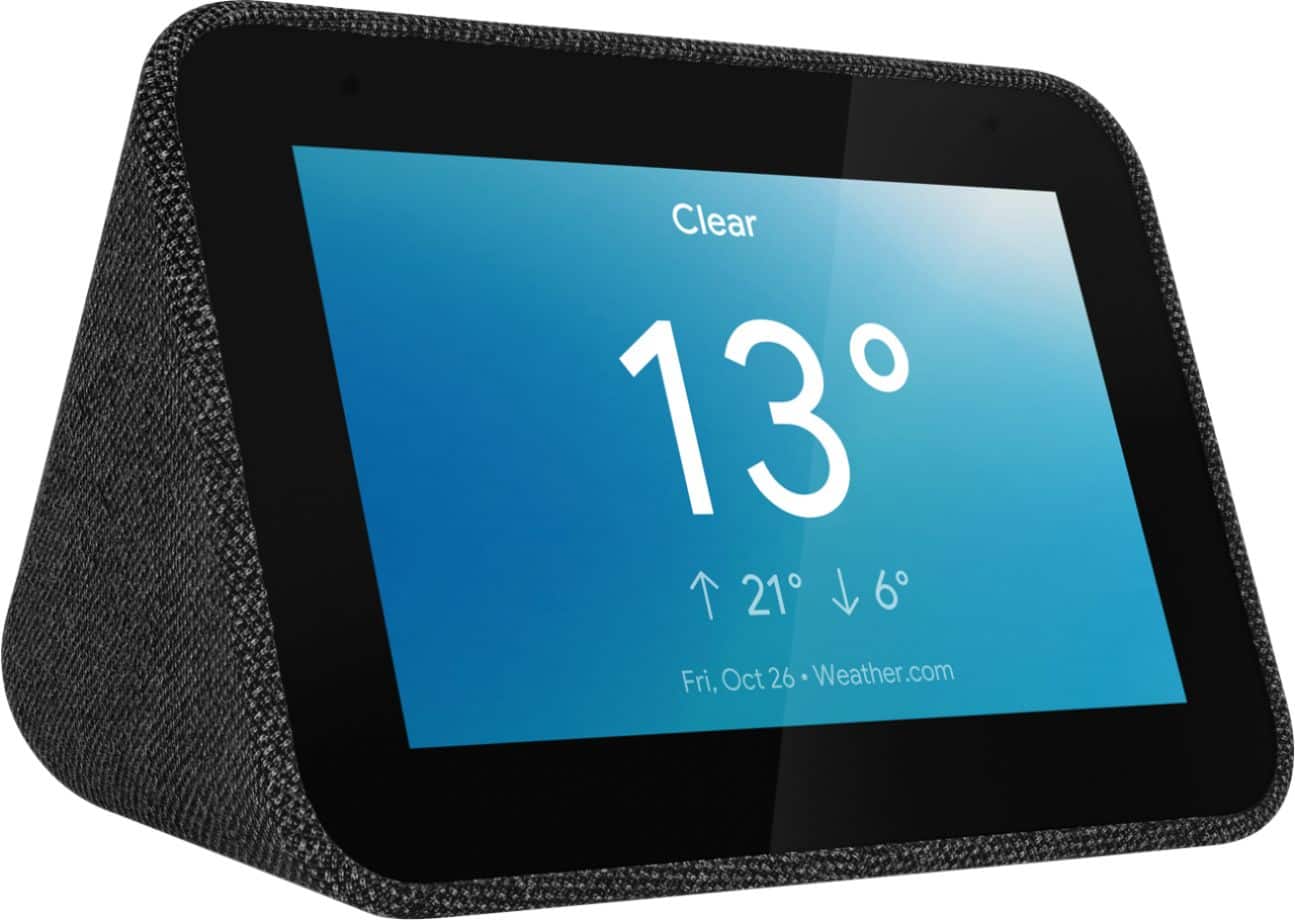
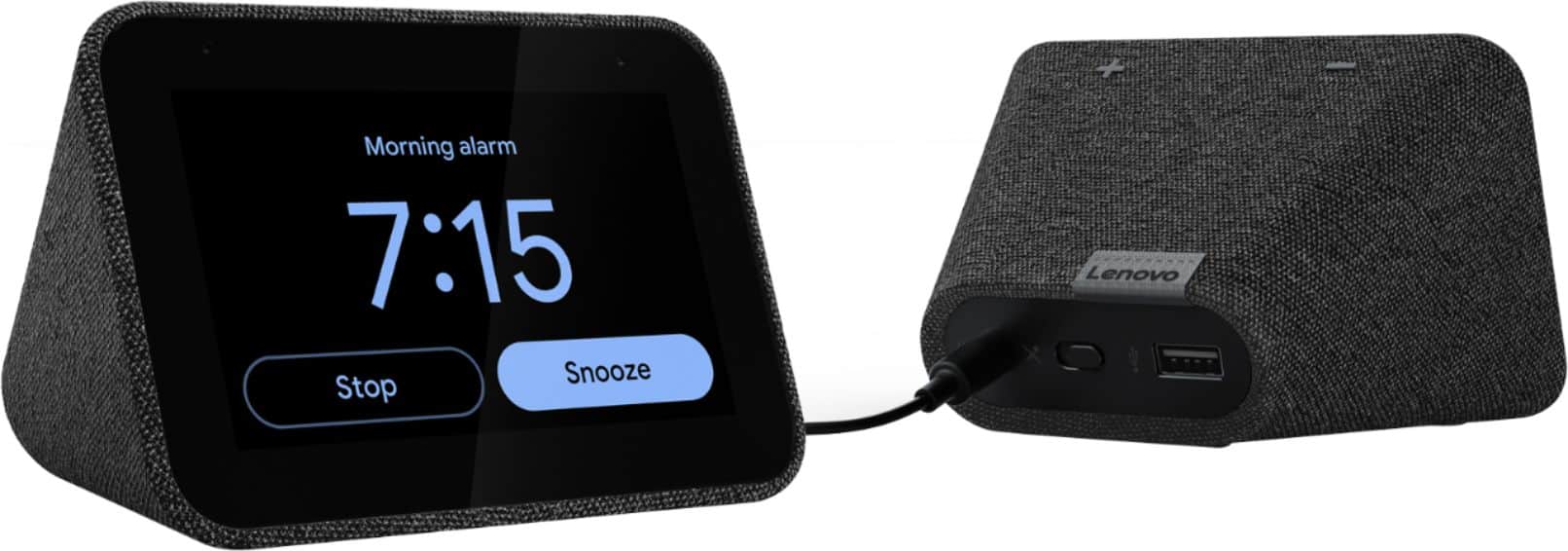
Customers frequently mention the ease of use, sound quality, and alarm features as positive aspects of the Smart Clock with Google Assistant. Many also appreciate the Google Assistant integration, the clock's size, and its display. However, some users reported issues with maintaining a consistent WiFi connection. A lack of battery backup was another recurring negative comment.
This summary was generated by AI based on customer reviews.
Stopped working after mobths
||Posted . Owned for 7 months when reviewed.This reviewer received promo considerations or sweepstakes entry for writing a review.I have the Lenovo Smart Display that's been working fine for months. However, it completely died today. The screen never lights up at all. I tried to "press the volume up and volume down keys" reset method without success. I would like to see if this is a known issue and whether I can get an exchange.
No, I would not recommend this to a friendBrand response from Lenovo Product Expert
Posted .Hello, we are sorry to hear you are experiencing this issue with your device. Please get in touch with our product support team at support.lenovo.com or by phone at 866-426-0911.

Ok when display shows
||Posted . Owned for 1 year when reviewed.This reviewer received promo considerations or sweepstakes entry for writing a review.Good when it works but display is difficult to read in daylight. It also requires Google Home to work, as far as I can tell.
No, I would not recommend this to a friendBrand response from Lenovo Product Expert
Posted .You can set your Lenovo Smart Clock with Google Assistant to auto-brightness control and have the Smart Clock set the screen brightness based on the ambient lighting. You can also manually control the screen brightness by just saying Hey Google, increase the screen brightness to 100 Percent. Here is a link to a YouTube video that demonstrates the setup features and functions of the Lenovo Smart Clock with Google Assistant: https://www.youtube.com/watch?v=Mzj580tTico&t=17s
Piece of junk
||Posted . Owned for 8 months when reviewed.This reviewer received promo considerations or sweepstakes entry for writing a review.Do not buy this item. It will not connect to the internet or any WiFi items. Lenovo offers no support or solutions. They sent a replacement and it had all of the same issues. The support desk ran out the clock for me to return the item and I am now stuck with 2 doorstops. This item is junk - Lenovo should offer a refund and return for all people who were ripped off on this purchase...but of course they don’t...they just send you another one.
No, I would not recommend this to a friendBrand response from Lenovo Product Expert
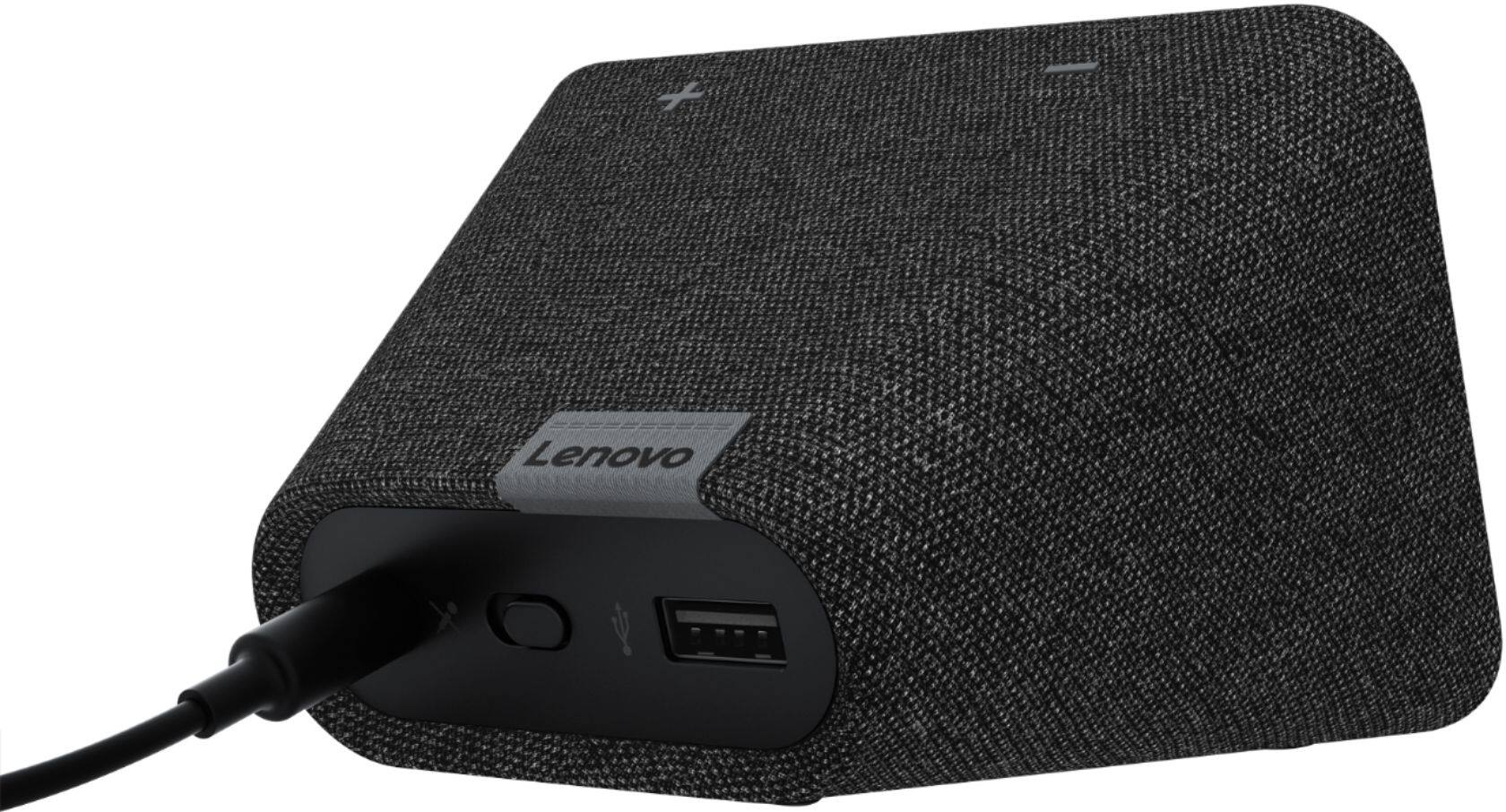
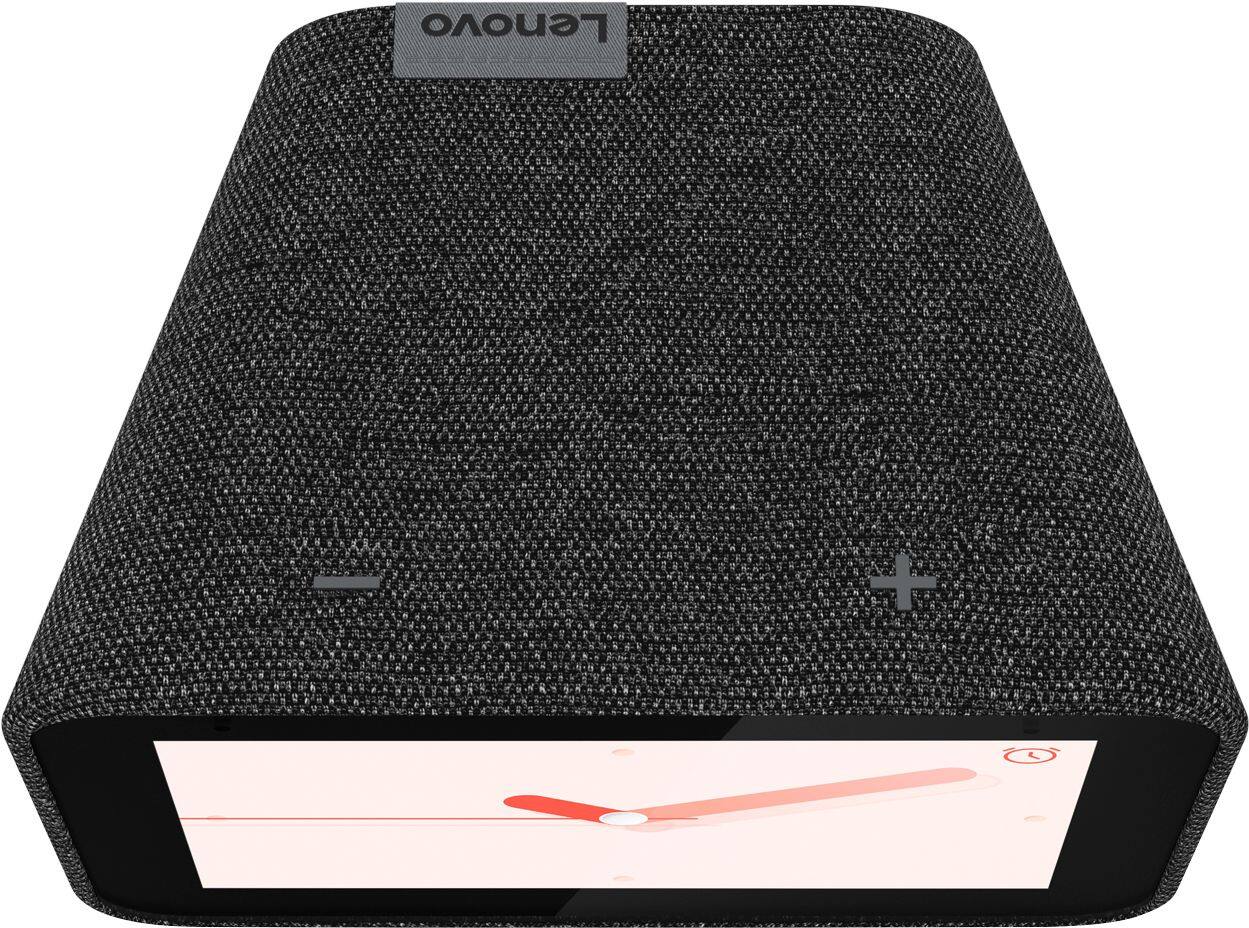
Posted .Hi there, we are sorry to hear you are having an issue with connecting your device to your home network. We always recommend connecting smart home devices to the 2.4G band of your router. By doing this after applying a factory reset to your device it is possible the issue will be resolved. to perform a factory reset hold down the “Volume + and – ” buttons on top of your device for 8 Seconds. The fact that you are experiencing this issue with more than one device may also mean that there is a compatibility issue with your router. If your issue remains beyond these troubleshooting steps please reach out to out customer support team at 866-426-0911
Doesnt work with Arlo
||Posted .This reviewer received promo considerations or sweepstakes entry for writing a review.Doesnt work with arlo. Would prob give 5 stars if it did. Mostly frustrated because it specifically says its compatible
No, I would not recommend this to a friendBrand response from Lenovo Product Expert
Posted .We are sorry to hear that you are having issues connecting your Lenovo Smart Clock with Google Assistant to your Arlo cameras. Here is a link to instructions for doing this from Arlo: https://kb.arlo.com/000055108/How-do-I-connect-my-Arlo-cameras-to-the-Google-Assistant-app
If you continue to have issues, we recommend you contact Lenovo Tech Support for Smart Devices at: 866-426-0911.
Skip
||Posted . Owned for 10 months when reviewed.This reviewer received promo considerations or sweepstakes entry for writing a review.I wanted this because it was so small and cute however I would never buy another Lenovo product again, I have bought a few and I’ve had nothing but problems and this was no exception to the rule. I would ask you to see my front camera through Google and it would show me a blank area if there was people at my door it would show me an old feed I don’t know why but it did not in love .
No, I would not recommend this to a friendBrand response from Lenovo Product Expert
Posted .We are sorry to hear that you are having issues with your Lenovo Smart Clock with Google Assistant. Be sure that the 3rd party camera you are trying to access with the Smart Clock is compatible. The Smart Clock is compatible with Nest Camera systems through the Google Home APP. For additional information about compatible devices we recommend you contact Lenovo Tech Support for Smart Devices at: 866-426-0911.
Doesn't work properly
||Posted .This reviewer received promo considerations or sweepstakes entry for writing a review.Has a serious flaw It will start an alarm at full blast and then stop After like a quarter of a second, very jarring.
No, I would not recommend this to a friendBrand response from Lenovo Product Expert
Posted .Hello, we are sorry to hear you are experiencing an issue with the Alarm on your Smart Clock Essential. This appears to be an issue with only certain alarm sounds. We recommend trying a different alarm sound like "Beautiful Mind" or setting a music alarm with your favorite radio station, artist, or song. To set a music alarm start by saying "Okay Google set a music alarm" From there your Google Assistant will ask you what time and what station you would like to play. You can respond by saying something like "8am" and "Play my favorite station from Pandora"
You can also adjust the master volume of your alarms/timers by swiping down from the top of the home screen, selecting alarms, scrolling to the bottom of the menu, and selecting alarm settings.
Not working in US!
||Posted .This reviewer received promo considerations or sweepstakes entry for writing a review.When I tried to setup the clock, it said that the clock is manufactured for a different region and is not compatible for your WiFi. I believe BestBuy is selling Lenovo Smart Clocks manufactured for EU at sale price in the US. Not cool!
No, I would not recommend this to a friendBrand response from Lenovo Product Expert
Posted .We are sorry to hear that you are having issues setting up your Lenovo Smart Clock with Google Assistant. Try to restart the device. Unplug your device then wait 10 seconds. Plug it back in. If the issue continues after this restart, now try resetting the Smart Clock back to original factory settings: With the device powered on, press down both the volume+ / volume- button for 10 seconds. Follow the on-screen instructions to set up your device. If the issue continues, we recommend you contact Lenovo Tech Support for Smart Devices at: 866-426-0911.
Great but buy the new one with wireless charger
||Posted . Owned for 10 months when reviewed.This reviewer received promo considerations or sweepstakes entry for writing a review.great but now outdated by the newer version of itself with the phone charging stand built into it
No, I would not recommend this to a friendBrand response from Lenovo Product Expert
Posted .The Lenovo Smart Clock with Google Assistant is the solution for those looking for a Smart Clock and don't have a need for a Wireless Charging dock that is Qi and MagSafe Wireless Charging Compatible.
A littler disappointed
||Posted . Owned for 1 month when reviewed.This reviewer received promo considerations or sweepstakes entry for writing a review.When I purchased this clock I thought it was a wireless one. However, it is not and that was very disappointing.
No, I would not recommend this to a friendBrand response from Lenovo Product Expert
Posted .Hello, we are sorry to hear you had this experience with the Lenovo Smart Clock with Google Assistant. This is an always on smart device that requires power to an AC outlet.
Dead in less than 4 months.
||Posted . Owned for 3 months when reviewed.This reviewer received promo considerations or sweepstakes entry for writing a review.Picked up on 11/23/21 from Best Buy and set it up the same day and clock is already dead (03/14/22). Today is day 111. Screen is black. Unplugged, re-plugged in. Tried multiple plugs all with other working appliances. Still won't turn on. What a waste of money to not even last 4 month. I would give it zero stars if I could.
No, I would not recommend this to a friendNot worth it.
||Posted . Owned for 11 months when reviewed.This reviewer received promo considerations or sweepstakes entry for writing a review.It's a good product but not worth it! There are another good options in the same price range.
No, I would not recommend this to a friendBrand response from Lenovo Product Expert
Posted .We are sorry to hear that the Lenovo Smart Clock with Google Assistant does not meet your needs.
Here is a link to a YouTube video that describes the features and functions of the Smart Clock with Google Assistant: https://www.youtube.com/watch?v=PpidA-n6fLM&t=714s
If you have a ghome...
||Posted . Owned for 10 months when reviewed.This reviewer received promo considerations or sweepstakes entry for writing a review.Its really pointless. Doesnt really work half the time and i blame hoogle not the product for it...
No, I would not recommend this to a friendBrand response from Lenovo Product Expert
Posted .We are sorry to hear that you are having issues with your Smart Clock with Google Assistant. Here is a link to a YouTube video demonstrating the features and function of the Smart Clock: https://www.youtube.com/watch?v=PpidA-n6fLM
Not a good product
||Posted . Owned for 2 months when reviewed.This reviewer received promo considerations or sweepstakes entry for writing a review.I like Alexa much better. For me this is just work as a digital clock. Not much of function.
No, I would not recommend this to a friendBrand response from Lenovo Product Expert
Posted .We are sorry to hear that the Lenovo Smart Clock with Google Assistant does not meet your needs.
Stopped working after 1 year.
||Posted . Owned for 1 year when reviewed.This reviewer received promo considerations or sweepstakes entry for writing a review.Great clock. Bought as a present for my parents. Sadly they reported that it stopped working after 1 year.
No, I would not recommend this to a friendBrand response from Lenovo Product Expert
Posted .Hello, We are sorry to hear you are experiencing this issue with your Lenovo Smart Clock with Google Assistant. please power cycle the device by unplugging it for 1-2 minutes. Plugging it back in and allowing it to power on. If the issue remains please perform a factory reset by holding down the “Volume + and – ” buttons on top of your device for 8 Seconds. If the issue persists, please contact our customer support team at 866-426-0911
Not sure
||Posted . Owned for 4 months when reviewed.This reviewer received promo considerations or sweepstakes entry for writing a review.Like to start talking in the middle of the night when their its completely quiet great for a alarm clock with pictures
No, I would not recommend this to a friendImage on box misinterpreted real size of clock.
||Posted . Owned for less than 1 week when reviewed.This reviewer received promo considerations or sweepstakes entry for writing a review.In store, there wasn't a sample of clock. I was disappointed in purchase. For the money, no its not worth it.
No, I would not recommend this to a friendBrand response from Lenovo Product Expert
Posted .Hi, The Lenovo Smart Clock with Google Assistant features a crisp, 4", IPS touch screen that is designed to complement your home. With its fabric soft-touch cover, the compact Lenovo Smart Clock with the Google Assistant blends perfectly into any room. During the day, when the 4" screen is not in use it showcases the time with a choice of customizable clock faces. And to respect your privacy, there’s a convenient mute button to stop the device from listening. For some helpful tips and tricks with using the Google Assistant on your Lenovo Smart Clock we recommend checking out this short video https://www.youtube.com/watch?v=mCnHBXn5aEw. The Lenovo Smart Clock with the Google Assistant works easily and seamlessly with over 10,000 smart home devices, across more than 1,000 different brands. Switch the porch lights off, turn on the espresso machine, or control any product featuring a ‘works with the Google Assistant’ badge—from the comfort of your bed, with just your voice. By making your home smarter, you can save time, too.
Could have done without.
||Posted . Owned for 1 year when reviewed.This reviewer received promo considerations or sweepstakes entry for writing a review.Takes up too much WiFi, gets hot, doesn’t really do anything beyond show the time and weather.
No, I would not recommend this to a friendBrand response from Lenovo Product Expert
Posted .Hello, we are sorry to hear you are having this experience with the Lenovo Smart Clock with Google Assistant. For some useful tips and tricks to help you get the most out of your assistant please check out this short video https://www.youtube.com/watch?v=mCnHBXn5aEw
Alternatively the following website has a list of useful commands. https://www.androidauthority.com/google-assistant-commands-727911/
Does not connect to wifi
||Posted . Owned for 1.5 years when reviewed.This reviewer received promo considerations or sweepstakes entry for writing a review.Hard to connect to network No customer support for itwm
No, I would not recommend this to a friendSmaller than I thought.
||Posted . Owned for 1 month when reviewed.This reviewer received promo considerations or sweepstakes entry for writing a review.I bought it and then returned it. It was very small. The echo device has a much bigger screen.
No, I would not recommend this to a friendBrand response from Lenovo Product Expert
Posted .Hi there, the Lenovo Smart Clock with Google Assistant features a vibrant and crisp 4" color touch display. If you're looking for a larger screen we recommend the Lenovo Smart Display 7" with Google Assistant.
Ok, but fades in and out randomly
||Posted . Owned for 1 month when reviewed.This reviewer received promo considerations or sweepstakes entry for writing a review.My friend returned his but I kept mine. It does seem to blank out from time to time but comes back on.
No, I would not recommend this to a friendBrand response from Lenovo Product Expert
Posted .Hello, We are sorry to hear you are having this issue. Please try power cycling the device by unplugging it. Waiting 20 seconds, and then plugging it back in. It The issue remains please factory reset the device by holding down the VOLUME + and VOLUME - buttons simultaneously for 10 seconds. If the issue persists, please reach out to our customer support team at support.lenovo.com or by calling 866-426-0911