Customer Ratings & Reviews
- Model:
- ZA4R0037US
- SKU:
- 6441962
Rating by feature
- Value
Rating 4.5 out of 5 stars
- Quality
Rating 4.6 out of 5 stars
- Ease of Use
Rating 4.5 out of 5 stars
Customers are saying
Customers frequently mention the ease of use, sound quality, and alarm features as positive aspects of the Smart Clock with Google Assistant. Many also appreciate the Google Assistant integration, the clock's size, and its display. However, some users reported issues with maintaining a consistent WiFi connection. A lack of battery backup was another recurring negative comment.
This summary was generated by AI based on customer reviews.
Don’t buy
||Posted . Owned for 1 month when reviewed.This reviewer received promo considerations or sweepstakes entry for writing a review.Clock screen started glitching and I just bout it mid January. Useless! 30 day warranty started when I ordered so I can’t return it!
No, I would not recommend this to a friendBrand response from Lenovo Product Expert
Posted .Hello, we are sorry to hear you are experiencing this issue with your Lenovo Smart Clock with Google Assistant. Please power cycle the device by unplugging it for 1-2 minutes. Plugging it back in and allowing it to power on. If the issue remains please perform a factory reset by holding down the “Volume + and – ” buttons on top of your device for 8 Seconds. If the issue persists, please contact our customer support team at 866-426-0911

Problematic casting
||Posted . Owned for 7 months when reviewed.This reviewer received promo considerations or sweepstakes entry for writing a review.Casting doesn't work anymore. I have tried everything. No support options work. Think didn't even work for a year. Junk.
No, I would not recommend this to a friendBrand response from Lenovo Product Expert
Posted .The Lenovo Smart Clock with Google Assistant ships with built in Chromecast. You can cast shows, music, and videos to Chromecast-enabled devices, such as your TV or speakers, in and around your home using only your voice. If this casting feature no longer works with your Smart Clock, try resetting your Smart Clock back to original factory settings. To do this: First, with the device powered on, press down both the volume+ / volume- button for 10 seconds. Now follow the on-screen instructions to set up your device. If the issue continues, we recommend you contact lenovo Tech Support for Smart Devices at: 866-426-0911.
Stopped working after few months.
||Posted . Owned for 5 months when reviewed.This reviewer received promo considerations or sweepstakes entry for writing a review.Stopped working after few months and its keep on getting restarted. Tried factory reset but no use.
No, I would not recommend this to a friendGoogle app limits usefulness of this device
||Posted . Owned for 1 week when reviewed.This reviewer received promo considerations or sweepstakes entry for writing a review.Impossible to get a work calendar synced with device, one of the main reasons for buying this. Thus pretty much useless, even for $40.
No, I would not recommend this to a friendBrand response from Lenovo Product Expert
Posted .Hi there! We are Sorry to hear you are having this Issue with the Lenovo Smart Clock with Google Assistant. Currently you can view appointments and reminders for the day, week, and month, but you do not have access to a full calendar at this time. The Lenovo Smart Clock with the Google Assistant does more than just tell you the time and wake you up. Designed to reduce smartphone screen-time at night, it can help you unwind and sleep better. It can also run your smart home, play your favorite music across your home, manage your schedule, and much more. All hands-free, quickly, and easily. Just say “Hey Google” to get started!
Crap
||Posted . Owned for 1.5 years when reviewed.This reviewer received promo considerations or sweepstakes entry for writing a review.Piece of junk. Returned 60 minutes after hooking up. Never stayed connected to anything
No, I would not recommend this to a friendAvoid
||Posted .This reviewer received promo considerations or sweepstakes entry for writing a review.Absolutely terrible. This smart clock does nothing but tell time. Avoid.
No, I would not recommend this to a friendBrand response from Lenovo Product Expert
Posted .The Lenovo Smart Clock with the Google Assistant is no ordinary alarm clock. From easing you into the day to unwinding at night, this sleek 4 inch touchscreen/speaker is there to play music, find information, manage your schedule, control your smart home, and more. To get started, just say Hey Google. Here is a link to a YouTube video that demonstrates the features and functions of the Lenovo Smart Clock with Google Assistant: https://www.youtube.com/watch?v=jeDmAOF5Eag
These products only work as expected 4 short time
||Posted . Owned for 1.5 years when reviewed.This reviewer received promo considerations or sweepstakes entry for writing a review.Don’t buy google products. Save your money and buy a nice meal instead.
No, I would not recommend this to a friendBad product
||Posted . Owned for 2 months when reviewed.This reviewer received promo considerations or sweepstakes entry for writing a review.Stopped working after just a few weeks! Returned it with Best Buy. Glad they let me return it within time frame though.
No, I would not recommend this to a friendBrand response from Lenovo Product Expert
Posted .Hello we are sorry to hear you experienced this issue with your Lenovo Smart Clock with Google Assistant. It can be possible to fix this issue. please power cycle the device by unplugging it for 1-2 minutes. Plugging it back in, and allowing it to power on. If the issue remains please perform a factory reset by holding down the “Volume + and – ” buttons on top of your device for 8 Seconds. If the issue persists, we recommend calling Lenovo Tech Support at 866-426-0911
Terrible item
||Posted . Owned for 7 months when reviewed.This reviewer received promo considerations or sweepstakes entry for writing a review.Terrible product. Loses connectivity all the time no matter where it’s placed
No, I would not recommend this to a friendLenovo Smart Clock
||Posted . Owned for 1 month when reviewed.This reviewer received promo considerations or sweepstakes entry for writing a review.Item is not even worth the sale price. It should come with a magnifying glass to facilitate reading the clock.
No, I would not recommend this to a friendBrand response from Lenovo Product Expert
Posted .Hi, thanks for choosing the Lenovo Smart Clock with Google Assistant. We are sorry to hear you are having difficulty reading the clock face of your Lenovo Smart Clock with Google Assistant. There are 8 different stock clock faces to choose from featuring a varying degree of color and font sizes. You can select the one that works the best for you by pressing and holding one finer on to the touch screen of the smart clock for 3 seconds. You can now swipe left to right to choose the best looking clock face for you. In addition if you want a more simplified version of this clock that offers larger numbers but same great Google Assistant features, we recommend checking out the "Lenovo Smart Clock Essential" https://www.bestbuy.com/site/lenovo-smart-clock-essential-soft-touch-gray/6429528.p?skuId=6429528 ... If you need further assistance please don't hesitate to reach out to Lenovo Tech Support at 866-426-0911
A lot smaller than it looks
||Posted . Owned for 1 month when reviewed.This reviewer received promo considerations or sweepstakes entry for writing a review.This camera was a lot smaller than what I was looking for. I ended up going w an echo show better and was much better.
No, I would not recommend this to a friendBrand response from Lenovo Product Expert
Posted .Hi there! We are sorry to hear the Lenovo Smart Clock with Google Assistant's screen size didn't live up to expectations for you. We appreciate your feedback as we are constantly looking for ways to improve our smart devices. The Lenovo Smart Clock with Google Assistant is designed to help you unwind and recharge. At the end of the day, let Lenovo Smart Clock with the Google Assistant help make your life easier. Activate your Good Night Routine to play music, dim the lights, and even lock the doors—without lifting a finger. Receive alarm suggestions according to your schedule or past alarms. You can also recharge your phone via the USB port. Best of all, the 4" screen dims in the dark to give you a better night's sleep.
Noo good
||Posted . Owned for 2 months when reviewed.This reviewer received promo considerations or sweepstakes entry for writing a review.from the ada it turned off it did not turn on again I am trying to communicate with lenovo they always close
No, I would not recommend this to a friendBrand response from Lenovo Product Expert
Posted .Hello we are sorry to hear you are experiencing an issue with your Lenovo Smart Clock with Google Assistant powering up. Sometimes the devices can take 30- seconds or longer to power on. Please ensure you leave the device plugged in for a few minutes to make sure it isn't trying to boot up. If the issue remains please perform a factory reset by holding down the “Volume + and – ” buttons on top of your device for 8 Seconds. If the issue persists, please contact our customer support team at 866-426-0911
This alarm clock is horrible
||Posted .This reviewer received promo considerations or sweepstakes entry for writing a review.When you set a alarm to repeat it goes off without any sound. Really defeats the purpose of this being an alarm clock.
No, I would not recommend this to a friendBrand response from Lenovo Product Expert
Posted .Hi there! You may have accidentally lowered the volume on your device, or set the default alarm sound to something else. I recommend resetting your repeating alarm, and follow the steps in our handy online How-To & Solutions Guide to ensure your alarm is set up without worry.
Just get a Google device
||Posted . Owned for 1 year when reviewed.This reviewer received promo considerations or sweepstakes entry for writing a review.Not reliable, likes to freeze, does not really have as much functionality as the actual Google devices.
No, I would not recommend this to a friendBrand response from Lenovo Product Expert
Posted .Hello, thanks for choosing the Lenovo Smart Clock with Google Assistant. We are sorry to hear you are having issues with your Lenovo Smart Clock. Please power cycle the device by unplugging it for 1-2 minutes. Plugging it back in and allowing it to power on. If the issue remains please perform a factory reset by holding down the “Volume + and – ” buttons on top of your device for 8 Seconds. If the issue persists, please contact our customer support team at 866-426-0911
Waste
||Posted . Owned for 1 month when reviewed.This reviewer received promo considerations or sweepstakes entry for writing a review.Stopped working after a month and a half. Now its way past the return date. Glad I kept my old alarm clock.
No, I would not recommend this to a friendBrand response from Lenovo Product Expert
Posted .Hello, we are sorry to hear you are experiencing this issue with your Lenovo Smart Clock. Please perform a factory reset by holding down the “Volume + and – ” buttons on top of your device for 10 Seconds. If the issue persists, please contact our customer support team at 866-426-0911
Not good
||Posted . Owned for 5 months when reviewed.This reviewer received promo considerations or sweepstakes entry for writing a review.Small screen low sounding speaker, bad microphone you have to speak loudly for it to hear you
No, I would not recommend this to a friendBrand response from Lenovo Product Expert
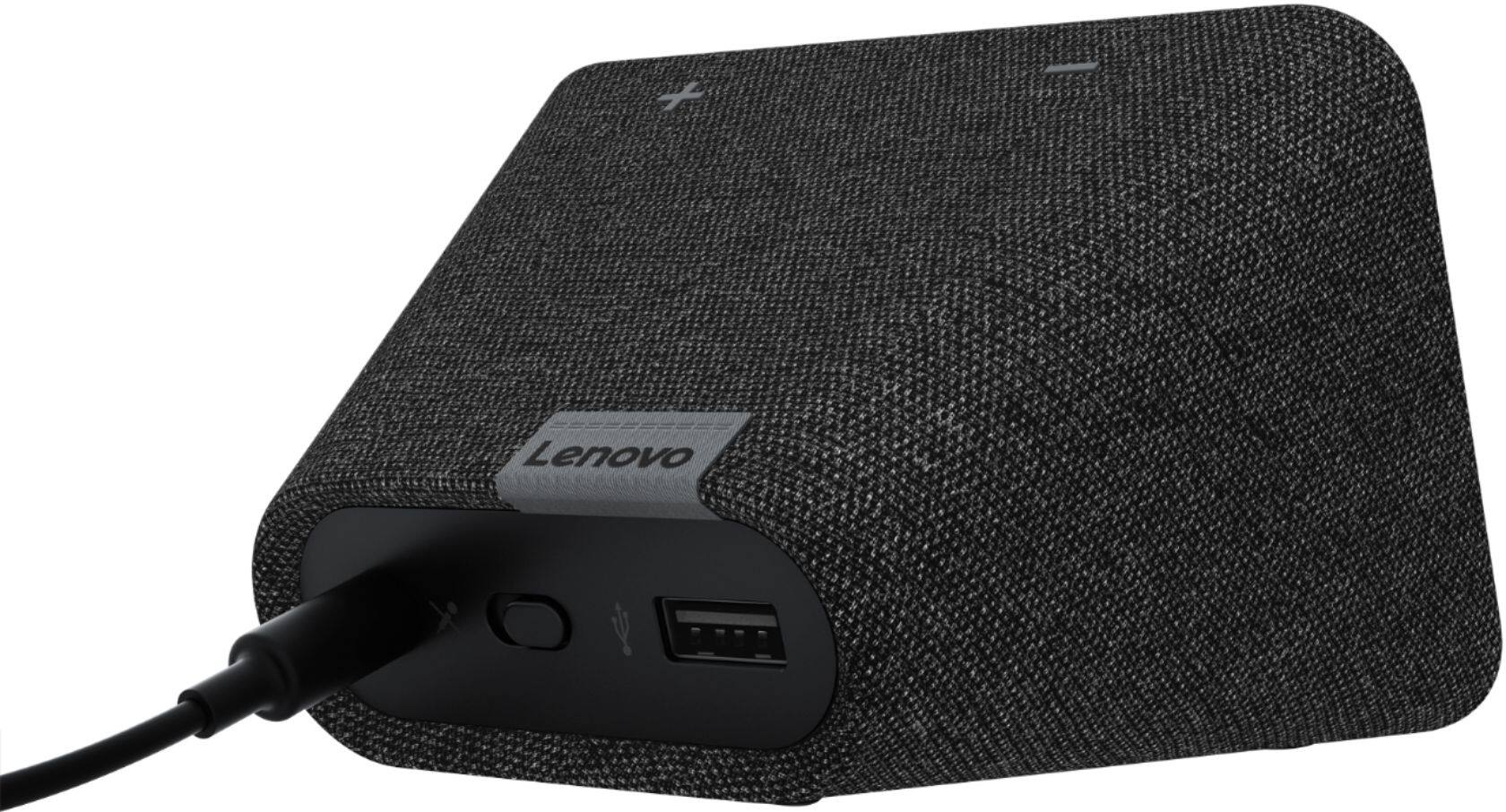
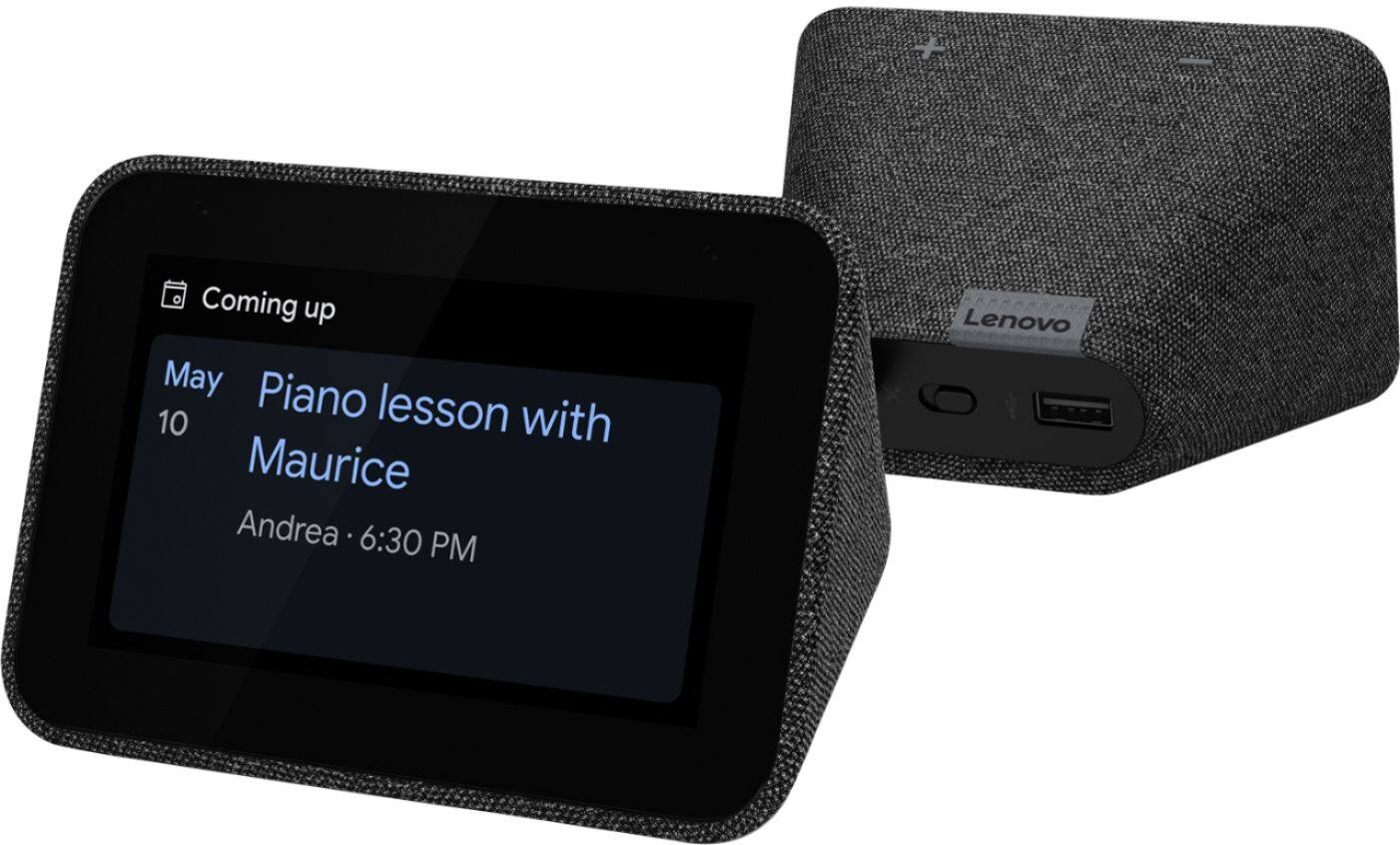
Posted .The overall dimensions of the Lenovo Smart Clock are: W x H x D - 4.48 x 3.14 x 3.12 Inches. Audio from the Smart Clock is through a 1.5 Inch 3W speaker, with 2x passive radiators. There is a built in microphone with a manual mute control for your privacy. We are sorry to hear that the features and performance of the Lenovo Smart Clock with Google Assistant did not meets your needs. We recommend you contact Lenovo Tech Support for Smart Devices for additional help with your Smart Clock and its settings at: 866-426-0911.
Clock
||Posted . Owned for less than 1 week when reviewed.This reviewer received promo considerations or sweepstakes entry for writing a review.I was able to do the set up. Then I unplugged it and it now won’t turn on. I’ll be returning this.
No, I would not recommend this to a friendBrand response from Lenovo Product Expert
Posted .Hello, we are sorry to hear you are experiencing an issue with your Lenovo Smart Clock with Google Assistant. Sometimes it can take some time for the Smart Clock to turn on when you plug it in. If after 30 seconds to 1min your clock still wont turn on please try a different wall outlet. If your issue persists please get in touch with Lenovo Tech Support for the next steps 866-426-0911
Lenovo
||Posted . Owned for 3 months when reviewed.This reviewer received promo considerations or sweepstakes entry for writing a review.Numbers are too small. numbers are to light. Keeps resetting often.
No, I would not recommend this to a friendLenovo alarm clock
||Posted . Owned for 1 month when reviewed.This reviewer received promo considerations or sweepstakes entry for writing a review.i returned it to BestBuy. It was too cheap and it did not work right.
No, I would not recommend this to a friendBrand response from Lenovo Product Expert
Posted .We are sorry to hear that the Lenovo Smart Clock with Google Assistant did not meet your needs.
Crap
||Posted . Owned for 1 month when reviewed.This reviewer received promo considerations or sweepstakes entry for writing a review.I tried to return this it but best buy wouldnt let me even though it was still sealed.
No, I would not recommend this to a friendBrand response from Lenovo Product Expert
Posted .Hi, we are sorry to hear you are having a problem with your device. Please reach out to our customer support team at support.lenovo.com or call 877-426-0911.