Customer Ratings & Reviews
- Model:
- ZA4R0037US
- SKU:
- 6441962
Rating by feature
- Value
Rating 4.5 out of 5 stars
- Quality
Rating 4.6 out of 5 stars
- Ease of Use
Rating 4.5 out of 5 stars
Customers are saying
Customers frequently mention the ease of use, sound quality, and alarm features as positive aspects of the Smart Clock with Google Assistant. Many also appreciate the Google Assistant integration, the clock's size, and its display. However, some users reported issues with maintaining a consistent WiFi connection. A lack of battery backup was another recurring negative comment.
This summary was generated by AI based on customer reviews.
Avoid
||Posted . Owned for 3 months when reviewed.This reviewer received promo considerations or sweepstakes entry for writing a review.Avoid this item. Can't stay connected to wireless for more than an hour.
No, I would not recommend this to a friendBrand response from Lenovo Product Expert
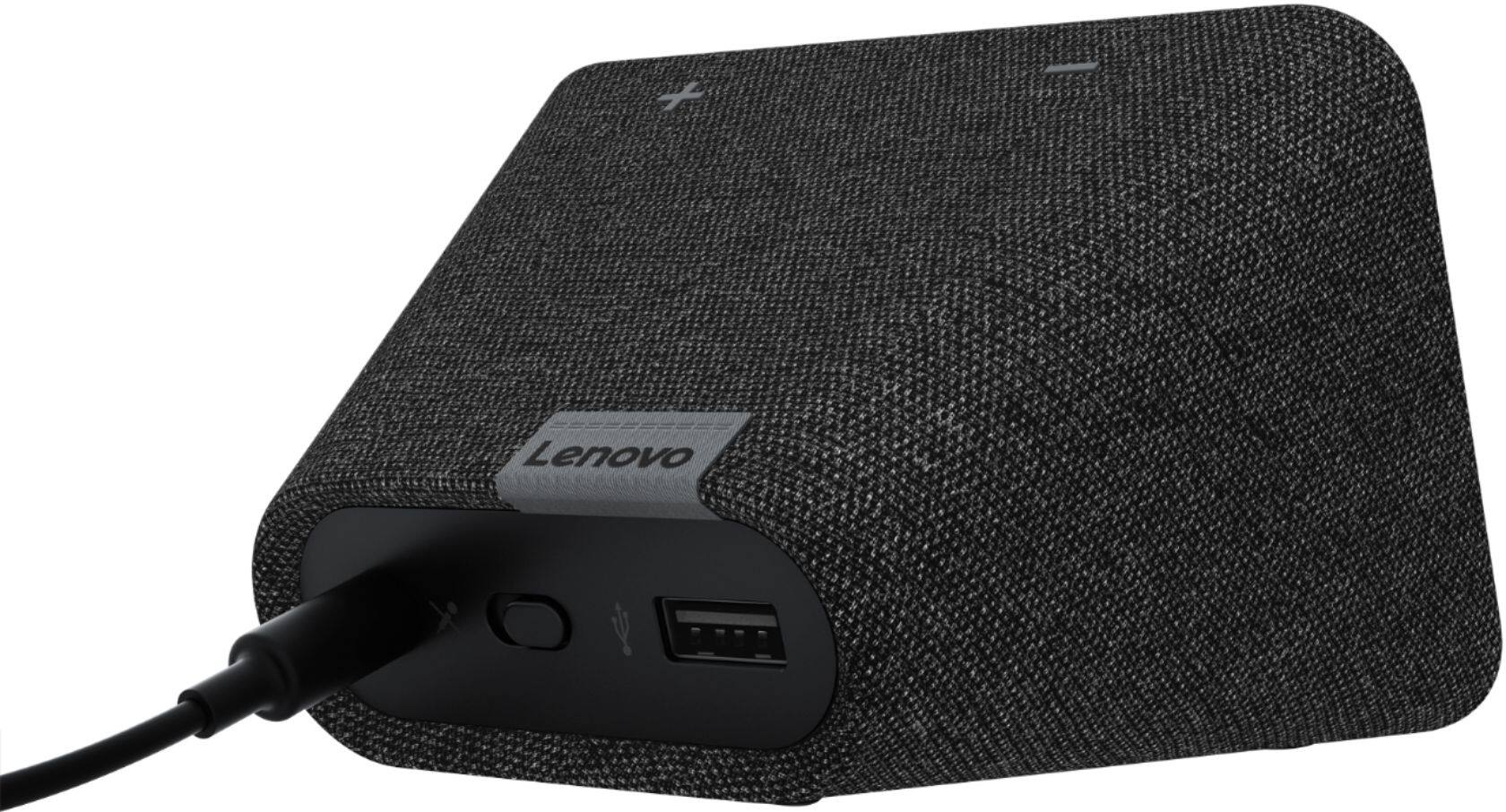
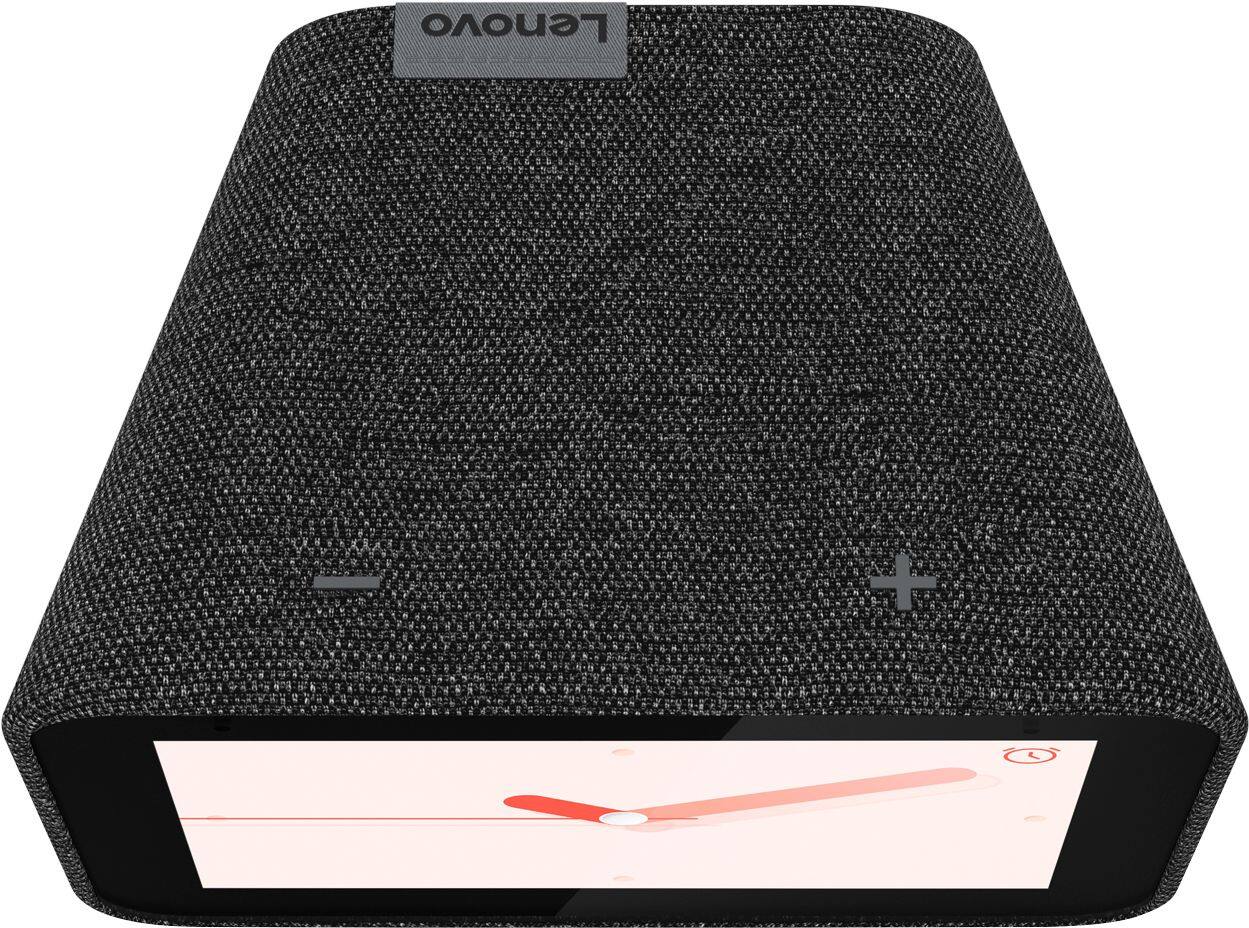
Posted .We are sorry to hear you are experiencing WIFI connectivity issues. We recommend switching between 2.4Ghz and 5Ghz bands of your router. In some instances overlap from other wireless devices can cause this issue. To do this please ensure your device is within good range of your router. Then please perform a factory reset on the device by holding down the “Volume + and – ” buttons on top of your device for 8 Seconds. During setup please select a different band *Either 2.4 Ghz or 5 Ghz when connecting to your WiFi Network. Lastly please reset your model and router by powering them down for 20 seconds then back on again. If the issue persists, please contact our customer support team at 866-426-0911

Not user friendly
||Posted . Owned for 3 months when reviewed.This reviewer received promo considerations or sweepstakes entry for writing a review.not user friendly product. I still have not properly set up this device yet
No, I would not recommend this to a friendBrand response from Lenovo Product Expert
Posted .Hello, We are sorry to hear you are experiencing this issue with your device. To setup the Lenovo Smart Clock with Google Assistant first please take the unit out of the box and plug it in. Once powered on download and open the Google Home App on your smart device or tablet. Please ensure the device is connected to the same WiFi network that you'd like to use your Lenovo Smart Clock on. From there the Google Home App will walk you through connecting and setting up your device. We also have a short 4 min video explaining these steps in more detail as well as some useful commands to get you started =) https://www.youtube.com/watch?v=lFBSRkh8oVk
Sucks
||Posted . Owned for 5 months when reviewed.This reviewer received promo considerations or sweepstakes entry for writing a review.Would not buy another Google product again not as easy to use as the Alexa as
No, I would not recommend this to a friendAlexa is better
||Posted . Owned for 1 month when reviewed.This reviewer received promo considerations or sweepstakes entry for writing a review.After a week it was not responding Alexa works much better.
No, I would not recommend this to a friendBrand response from Lenovo Product Expert
Posted .Hello, we are sorry to hear you are experiencing this issue with the Lenovo Smart Clock with Google Assistant. Please power cycle the device by unplugging it for 1-2 minutes. Plugging it back in and allowing it to power on. If the issue remains please perform a factory reset by holding down the “Volume + and – ” buttons on top of your device for 8 Seconds. If the issue persists, please contact our customer support team at 866-426-0911
Don't recommend
||Posted . Owned for 11 months when reviewed.This reviewer received promo considerations or sweepstakes entry for writing a review.I would not recommend this product. It doesn't work on my wifi.
I would recommend this to a friendBrand response from Lenovo Product Expert
Posted .Hello, we are sorry to hear you are experiencing this issue with your Lenovo Smart Clock with Google Assistant. In regards to the WiFi please ensure you are connected to the 2.4 GHZ band of your router and that you are in good range. If your issue remains please perform a factory reset by holding down the “Volume + and – ” buttons on top of your device for 8 Seconds. If the issue persists, please contact our customer support team at 866-426-0911
Lasted for 4 days.
||Posted . Owned for 2 weeks when reviewed.This reviewer received promo considerations or sweepstakes entry for writing a review.Died after 4 days of use.. Returned to Bestbuy for refund.
No, I would not recommend this to a friendBrand response from Lenovo Product Expert
Posted .Hello, we are sorry to hear you are experiencing this issue with your Lenovo Smart Clock with Google Assistant. It is possible a reset will fix your device. To do this please power cycle the device by unplugging it for 1-2 minutes. Plugging it back in and allowing it to power on. If the issue remains please perform a factory reset by holding down the “Volume + and – ” buttons on top of your device for 8 Seconds. If the issue persists, please contact our customer support team at 866-426-0911 for the next steps in resolving your issue.
smart home sys
||Posted . Owned for 1 month when reviewed.This reviewer received promo considerations or sweepstakes entry for writing a review.This item is not compatible with our smart home system.
I would recommend this to a friendBrand response from Lenovo Product Expert
Posted .Hello, thanks for choosing the Lenovo Smart Clock with Google Assistant. We are sorry to hear you are having compatibility issues with your Smart home device/s. The Lenovo Smart Clock with Google assistant works easily and seamlessly with over 10,000 smart home devices, across more than 1,000 different brands. The Lenovo Smart Clock with Google Assistant works with smart home devices that carry the "Works with Google Assistant" badge. If you need further assistance please don't hesitate to reach out to Lenovo Tech Support at 866-426-0911
Not dependable.
||Posted . Owned for 1 month when reviewed.This reviewer received promo considerations or sweepstakes entry for writing a review.Unfortunately, it shorted out after a couple of weeks.
No, I would not recommend this to a friendBrand response from Lenovo Product Expert
Posted .Hello, we are sorry to hear you are experiencing an issue with your Lenovo Smart Clock with Google Assistant. Please get in touch with Lenovo Tech Support for the next steps 866-426-0911
lack of a time on face
||Posted . Owned for 1 month when reviewed.This reviewer received promo considerations or sweepstakes entry for writing a review.Returned due to a lack of interest. Couldn't read time !
No, I would not recommend this to a friendBrand response from Lenovo Product Expert
Posted .Hello, we are sorry to hear you experienced this issue your Lenovo Smart Clock with Google Assistant. By pressing and holding down on the home screen for 2 seconds you can select between 10 different clock faces. The faces have different size clock fonts, colors, pictures, analog, digital, information like the weather, and even photo frames. Our Smart Clock Essential has even larger numbers and a more simple user interface if you don't need the touch screen display.
Only lasted 2 weeks!
||Posted . Owned for 1 month when reviewed.This reviewer received promo considerations or sweepstakes entry for writing a review.Worked good for 2 weeks, now it's DEAD!, DEAD!, DEAD!
No, I would not recommend this to a friendBrand response from Lenovo Product Expert
Posted .We are sorry to hear you are experiencing this issue with your Lenovo Smart Clock with Google Assistant. Please contact Lenovo Customer Support at 866-426-0911
cheap
||Posted .This reviewer received promo considerations or sweepstakes entry for writing a review.did not work......................................
No, I would not recommend this to a friendBrand response from Lenovo Product Expert
Posted .Hi there we are sorry to hear you experienced this problem setting up your Lenovo Smart Clock Essential. To setup the Smart Cock Essential you will need to download the Google Home App on your Smart Phone or Tablet. Then plug in your Smart Clock Essential, Power it on, and open The Google Home App. Follow the on screen instructions. Your Clock is now Setup. If your issue remains, please perform a factory reset by holding down the “Volume + and – ” buttons on top of your device for 8 Seconds. If the issue persists, please contact our customer support team at 866-426-0911
Good alarm while it worked
||Posted . Owned for 11 months when reviewed.This reviewer received promo considerations or sweepstakes entry for writing a review.Bought it right before Christmas. It already broke
No, I would not recommend this to a friendBrand response from Lenovo Product Expert
Posted .Hello, we are sorry too hear you are experiencing an issue with your Lenovo Smart Clock with Google Assistant. Please perform a factory reset by holding down the “Volume + and – ” buttons on top of your device for 8 Seconds. If the issue persists, please contact our customer support team at 866-426-0911
Returned to small. Not what i expected.
||Posted . Owned for 6 months when reviewed.This reviewer received promo considerations or sweepstakes entry for writing a review.Returned to small. Not what i expected. I got google hub
I would recommend this to a friendBrand response from Lenovo Product Expert
Posted .Hello, we are sorry to hear the Lenovo Smart Clock with Google Assistant didn't live up to expectations. Lenovo offers Smart Displays with Google Assistant in 7", 8", and 10" screen sizes.
- Pros mentioned:Size
A Modern Re-Imagining of Your Alarm Clock
Posted .This reviewer received promo considerations or sweepstakes entry for writing a review.Some folks have compared this to other smart devices and found it lacking in some areas (e.g. no camera). It would be better to compare this clock to other alarm clocks. With this device, I turn off my phone as I head to bed and still maintain a connection to my music, as well as news and audio books. It's great to be able to get the weather forecast, check my calendar and set an alarm with just my voice. No, I can't watch videos, but if I need to do that I have my tablet. And I really don't want a camera in by my bedside. The clock faces are appealing and the size is just right.
I would recommend this to a friendBrand response from Lenovo Product Expert
Posted .Thank you so much for your wonderful feedback. We're so happy to hear you are loving the Lenovo Smart Clock. If you ever have questions about the device, we've created a simple How-To & Solutions Guide to answer all your questions.
Great product. Horrible support.
Posted .This reviewer received promo considerations or sweepstakes entry for writing a review.The product itself is great but be warned if you have a question or issue with the device. Short of returning/exchanging it, it is hard to get support for it. Granted, it is relatively new so the community forums are not fully going yet but Lenovo support has been nothing but silence or extremely difficult to contact. Continued conversation feature is not working yet (or on mine). I cannot get an answer on if it is my device, it is coming, or anything. I posted the question on their site and they responded with the product feature sheet. Documentation is a little lacking regarding the USB port use and specifications. It does have some limitations relative to google home devices regarding multiple people/users in a household. Example: Allows execution of good morning routine with an alarm but it cannot figure out (or no documentation) on whose routine to execute based off voice. I do recommend this as a google assistant smart alarm clock as long as there are no questions or issues on how it works that needs Lenovo to answer..
I would recommend this to a friendBrand response from Lenovo Product Expert
Posted .Thank you for your feedback. We do apologize that you were unable to find the answers you were looking for. We've created a handy How-To & Solutions Guide - you will be able to find information on everything your Smart Clock can do for you and all the steps to setup. I'm not sure if that was what you were given before, but there is a lot of helpful information over there and its very user friendly.
As for voice recognition. The Google Assistant can also support voice recognition and give personalized answers to multiple members through their associated Google account. The Lenovo Smart Clock can be linked to up to 6 accounts via the Google Home app on Android or iOS. When you have set up Voice Match in the app, the Google Assistant on your Lenovo Smart Clock will be able to return customized answers to your queries based on your calendar, settings, preferences, and subscriptions. Make sure everyone in your household has set up their own account and created their voice profile and you should have no problems.
Perfect Alarm Clock
Posted .This reviewer received promo considerations or sweepstakes entry for writing a review.This is the perfect smart alarm clock that you have been waiting for. Great replacement for those who love having an alarm clock on their nightstand rather than staring at your phone all night. Can still call up my favorite radio stations with ease, and much clearer as well! Like being able to see and ask for the weather as I get up. Great device.
I would recommend this to a friendBrand response from Lenovo Product Expert
Posted .We're so happy you are loving the new Lenovo Smart Clock! Make sure to set up your Morning and Goodnight Routines. You can completely personalize it, which is a favorite feature of mine.
Great Alarm Clock!
Posted .This reviewer received promo considerations or sweepstakes entry for writing a review.Great alarm clock to help me start my day! Love the weather page/announcement! Def recommend
I would recommend this to a friendI love it!
Posted .This reviewer received promo considerations or sweepstakes entry for writing a review.I already owned a large JBL Link View, which is a large 10 inch speaker and display with the Google Assistant. However, I was intrigued by this smart clock and decided to give it a shot. I like it even more than my JBL device. It's brilliantly-constructed and has exceeded every one of my expectations. Thank you Lenovo for this awesome smart clock.
I would recommend this to a friend- Pros mentioned:Alarm
Beware- Smart Clock with major issues
Posted .This reviewer received promo considerations or sweepstakes entry for writing a review.This is an easy to use smart clock, that doesn't do much more than operate as a clock. It has a lot of functionality that rarely works as it should or is underwhelming, to say the least. Examples: 1. If you'd like to schedule a basic alarm using "Hey Google," it will do that- no problem. But, if you try to turn on the "Sunrise Alarm" feature and your "Good Morning Routine" using voice prompts, it doesn't work ... it will only turn on the alarm. Additionally, the "Good Morning Routine" functionality only works about 1/2 the time when it is turned on. 2. The speaker is terrible. If you want to listen to music of any type, even to wake up to... it sounds small and far away. Honestly, the speaker on my phone is better. This might be ok at a really high volume setting for news or podcasts, but nothing else. 3. Voice prompts will randomly not work- "Hey Google- turn down screen brightness to 3".... repeat 5 times before you get frustrated enough to just walk over. Then the next time you say the exact same command, it works fine. Major Issues: Not sure if the device is doing an update or what, but sometimes the screen will go blank and not respond to commands... then it will come back on again and everything is fine. I think my clock may be defective. I bought this Smart Clock the day after Christmas 2019. Today is January 12, 2020. So I've owned it for about 20 days- I'm outside of the return window for Best Buy (which is why I will never buy another product from Best Buy). I just spent 25 minutes registering my product on Lenovo's website and, despite me having bought the product less than a month ago, I only have 10 months remaining on my 13 month warranty.... What is going on?... It's showing that my warranty started in October. I'm having quite a bit of difficulty figuring out where to make warranty claims on the site- which isn't by accident, I'm sure. So- This is an underwhelming product that the manufacturer barely warranties and the retailer won't help with. I think this clock is destined to end up in my trash or on "Offer Up" in the near future.
No, I would not recommend this to a friendBrand response from Lenovo Product Expert
Posted .The Lenovo Smart Clock provides lots of great features and functions to be a perfect compact smart home device, aside from just being a standard clock. I recommend going to our How-To & Solutions Guide to learn more about the different functions and settings. As for the issue you described with voice commands not being heard at first, this could depend on how large your living room is and where the Lenovo Smart Clock is placed. The far-field microphones will be able to pick up a command from up to 8 meters. With regards to your screen going black, this could be an update coming through or your device may be trying to connect to your WiFi. Check your Wifi settings to ensure that you are on a 2.4ghz WiFi band. You may also want to look into how many devices you have connected to your router and the location of it, as that can also effect the performance. I do highly suggest looking at the How-To & Solutions Guide though, as it has a lot of helpful information on troubleshooting and getting used to your device.
- Pros mentioned:Alarm, Ease of use
Lenovo Smart Clock is a good choice
Posted .This reviewer received promo considerations or sweepstakes entry for writing a review.If you are looking for an alarm clock with a good time display and easy to use, the Lenovo Smart Clock is a good choice. It is very convenient to say "Hey Google" to set alarm times and turn off the alarm. I also like being able to play and wake to my SiriusXM radio. I thought that it should play my Apple Music too but have not been able to get that to work. Overall, this clock is a good value.
I would recommend this to a friendBrand response from Lenovo Product Expert
Posted .Thank you for choosing the Lenovo Smart Clock with Google Assistant. We are pleased to hear that the performance of the Smart Clock meets your needs so well. Currently, the Smart Clock is not compatible with Apple Music.