Customer Ratings & Reviews
- Model:
- ZA4R0037US
- SKU:
- 6441962
Rating by feature
- Value
Rating 4.5 out of 5 stars
- Quality
Rating 4.6 out of 5 stars
- Ease of Use
Rating 4.5 out of 5 stars
Customers are saying
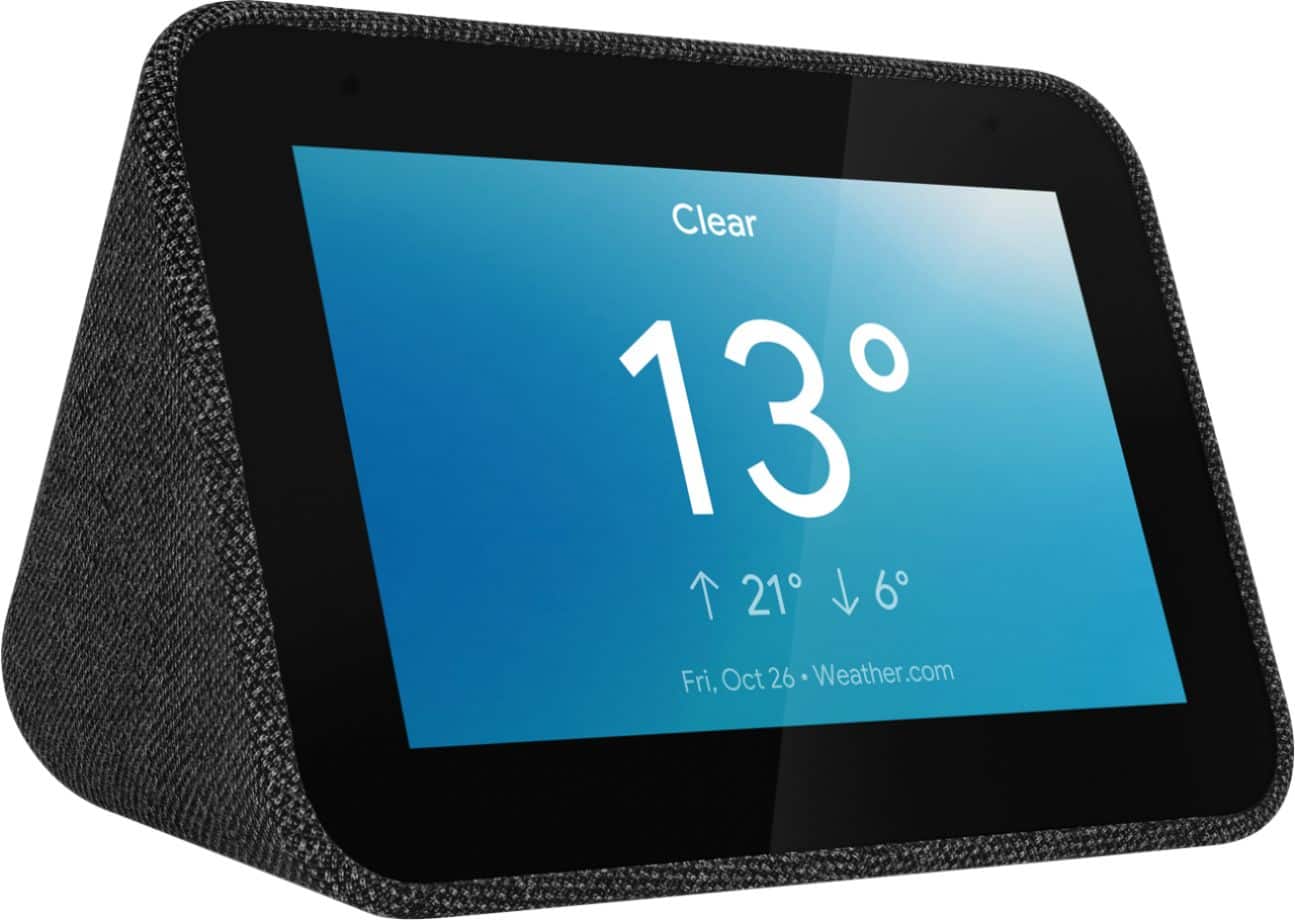
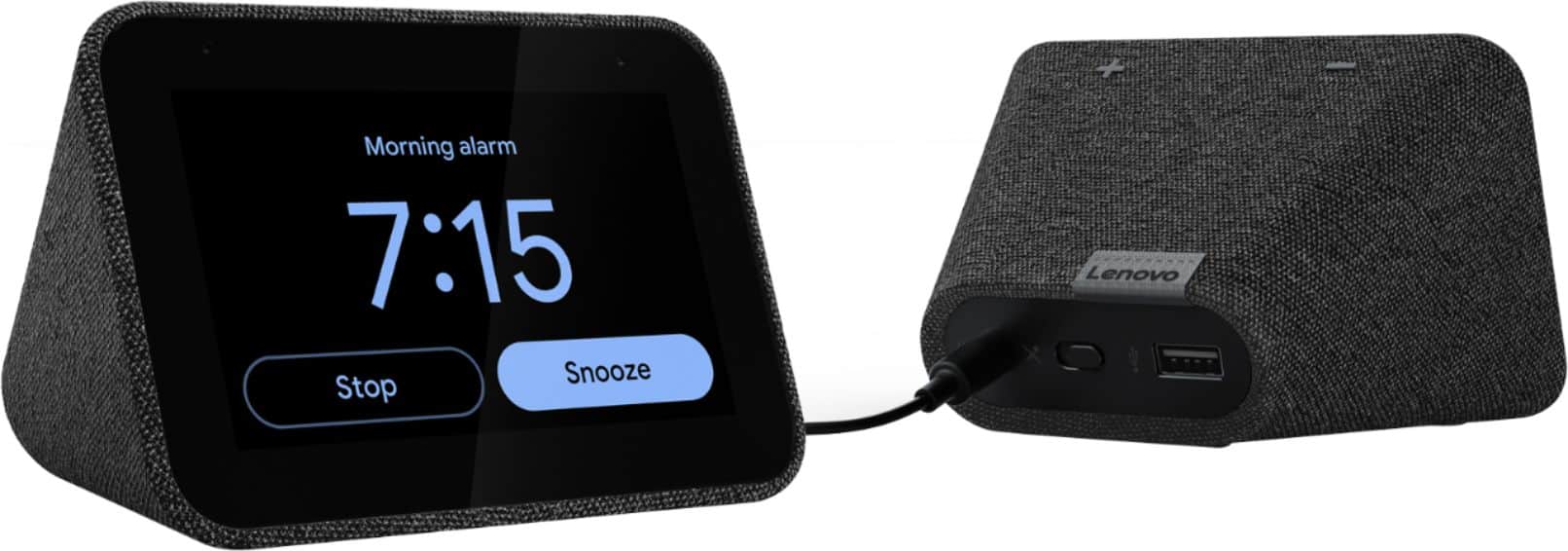
Customers frequently mention the ease of use, sound quality, and alarm features as positive aspects of the Smart Clock with Google Assistant. Many also appreciate the Google Assistant integration, the clock's size, and its display. However, some users reported issues with maintaining a consistent WiFi connection. A lack of battery backup was another recurring negative comment.
This summary was generated by AI based on customer reviews.
- Pros mentioned:Ease of use
Great
Posted .This reviewer received promo considerations or sweepstakes entry for writing a review.Very easy to use. Does it's purpose excellent. Very easy to hook up
I would recommend this to a friendBrand response from Lenovo Product Expert
Posted .Thank you for choosing the Lenovo Smart Clock with Google Assistant. We are leased to hear that the easy setup and use as well as the performance of the Smart Clock, meets your needs so well.

Ideal alarm clock
Posted .This reviewer received promo considerations or sweepstakes entry for writing a review.Perfect for someone who just wants a simple alarm clock but with some cool bonus features like morning routines to tell you the weather, traffic, etc. The auto brightness is a nice touch for keeping your room dark at night. I bought it on sale due to my phone alarm randomly refusing to go off before work a few times. Very happy with the purchase.
I would recommend this to a friendBrand response from Lenovo Product Expert
Posted .Thank you for choosing the Lenovo Smart Clock with Google Assistant. We are pleased to hear that the features of the Smart Clock meets your needs so well.
Like the device, but hard to set alarm for music
Posted .This reviewer received promo considerations or sweepstakes entry for writing a review.I am glad I bought the clock and I am learning some of the Google Assistant tricks to make it do more than the screen allows. But I still can't figure out how to wake to Spotify or YouTube music. It might be possible based on internet searches, but it is not straightforward. The 8 tones you can choose from are not enough. Just keep it in mind when purchasing.
I would recommend this to a friendBrand response from Lenovo Product Expert
Posted .We're so happy you are enjoying the Lenovo Smart Clock. To set up your Spotify and YouTube Music accounts, you will need to do so in your Google Home app first, before using voice commands to wake up the assistant for this. If you ever have questions on your device, we've created an online How-To & Solutions Guide to offer support.
Great purchase!
Posted .This reviewer received promo considerations or sweepstakes entry for writing a review.Love this smart clock. Adds google assistant to the bedroom and adds a functional clock on top of it. The mic is very sensitive and picks up voice from a very long distance.
I would recommend this to a friendWay overpriced!
Posted .This reviewer received promo considerations or sweepstakes entry for writing a review.$79 for a smart clock is crazy! Come on, we're in 2019!! I bought an Insignia Voice Activated Smart speaker w/clock for $25 in April 2018 and it has the same features except for the touch screen (touch screen has almost no use for a clock anyway!) but I can make a call from it and this thing can't! The screen is a little smaller but I can read the time from the far side of the bed. Best Buy had a few sales last year and I regret that I didn't buy 2 or more because Best Buy has discontinued it!! I'd rather spend $20 more for a Google Hub with smart display which has more uses for only $20 more!
No, I would not recommend this to a friendBrand response from Lenovo Product Expert
Posted .The Lenovo Smart Clock is designed to live on your nightstand and provide all that the Google Assistant has to offer on a 4” touch screen - allowing you to have a stylish Smart device in the bedroom, without being invasive. The display has a range of fun clock faces to personalize it and will showcase the weather forecast, what music you're listening to, and much more. You can use the function that simulates daylight to gently wake you up in the morning. It also allows you to control other Smart Home devices right on the display. In comparison to the device you mentioned, the Smart Clock offers you a smaller device with a digital screen that allows you to manage so much more than a display-free voice assistant. As for making calls, you can ask the Google Assistant to make phone calls to your friends, family, and businesses on your Smart Clock. Learn how to make calls on Google Home You can also learn more about the Smart Clock and all its functions on our How-To & Solutions Guide.
Why does it have bluetooth??
Posted .This reviewer received promo considerations or sweepstakes entry for writing a review.The smart clock supposedly has bluetooth but to what use?? You cannot connect this clock to an external bluetooth speaker. You can connect to a chrome cast device but that uses Wi-Fi not bluetooth. I wanted to use this clock to connect to my Samsung bluetooth speaker for better sound, but in the google app for the clock, there is no setting to pair with a bluetooth device & you cannot use the clock as a bluetooth speaker. Again, why does it have bluetooth?? I am returning this clock.
No, I would not recommend this to a friendBrand response from Lenovo Product Expert
Posted .Hi there, the Bluetooth function is for you to connect your cell phone or tablet to the speaker-portion of the Smart Clock and play music, a podcast, or audiobook. Currently, the Bluetooth function is not for pairing with external speakers.
One annoying quirk...
Posted .This reviewer received promo considerations or sweepstakes entry for writing a review.The clock works fine but every time the alarm goes off in the morning, there is a loud obnoxious noise right as the alarm starts. Lenovo knows about it per this support page (https://forums.lenovo.com/t5/Lenovo-Smart-Display-Lenovo-Smart-Clock-with-Google-Assistant/Smart-clock-alarm-volume-too-loud-at-first/m-p/5040962?page=6#5247212), but the problem is still not fixed. Not thrilled about this.
I would recommend this to a friendBrand response from Lenovo Product Expert
Posted .Hi, thanks for choosing the Lenovo Smart Clock with Google Assistant. We are sorry to hear you are experiencing this issue with the alarm on your Smart Clock. We understand this must be very frustrating. While the product team works hard on a fix we have some suggestions that may hep. We recommend to try a different alarm sound than default/ one you are using that is causing the problem. For example please try changing the alarm to "A beautiful mind". If the issue persist with the different stock alarm sounds we recommend to try setting a music alarm. You can set an alarm for your favorite radio station, artist, or song. To get started simply say "Hey Google Set a Music Alarm" If you need further assistance please don't hesitate to reach out to Lenovo Tech Support at 866-426-0911
OK to use.
Posted .This reviewer received promo considerations or sweepstakes entry for writing a review.Works to specifications - it's an OK product based upon usage so far.
I would recommend this to a friendBrand response from Lenovo Product Expert
Posted .Thank you for choosing the Lenovo Smart Clock with Google Assistant. We are pleased to hear that the Smart Clock meets your needs so well.
All good.
Posted .This reviewer received promo considerations or sweepstakes entry for writing a review.The product arrived promptly and as advertised and in good condition.
I would recommend this to a friendBrand response from Lenovo Product Expert
Posted .Thank you for choosing the Lenovo Smart Clock with Google Assistant. We are pleased to hear that the Smart Clock is working out so well for you.
Great clock
Posted .This reviewer received promo considerations or sweepstakes entry for writing a review.Excellent clock for the price! Great online features.
I would recommend this to a friendBrand response from Lenovo Product Expert
Posted .Thank you for choosing the Lenovo Smart Clock with Google Assistant. We are pleased to hear that the features and performance of the Smart Clock meets your needs so well.
Great clock
Posted .This reviewer received promo considerations or sweepstakes entry for writing a review.This is a wonderful digital clock for the money!!!
I would recommend this to a friendBrand response from Lenovo Product Expert
Posted .Thank you for choosing the Lenovo Smart Clock with Google Assistant. We are pleased to hear that the value and performance of the Smart Clock meets your needs so well.
- Pros mentioned:Size
Simple features didn't work right out of the box
Posted .This reviewer received promo considerations or sweepstakes entry for writing a review.I wanted it to be great. I loved the size because it is so small and simple...perfect for a nightstand. However, the first night it wouldn't allow me to set an alarm with my voice. It repeated to say "try again in a few seconds". Then I wanted to connect my phone via Bluetooth and it wouldn't connect. But the most frustrating part is trying to get any sort of support from Lenovo website. It's absolutely a waste of time. Why must it be so hard to fill out a support request and email it? I finally gave up. Its more a pain in the butt than it's worth and it will be returned.
No, I would not recommend this to a friendBrand response from Lenovo Product Expert
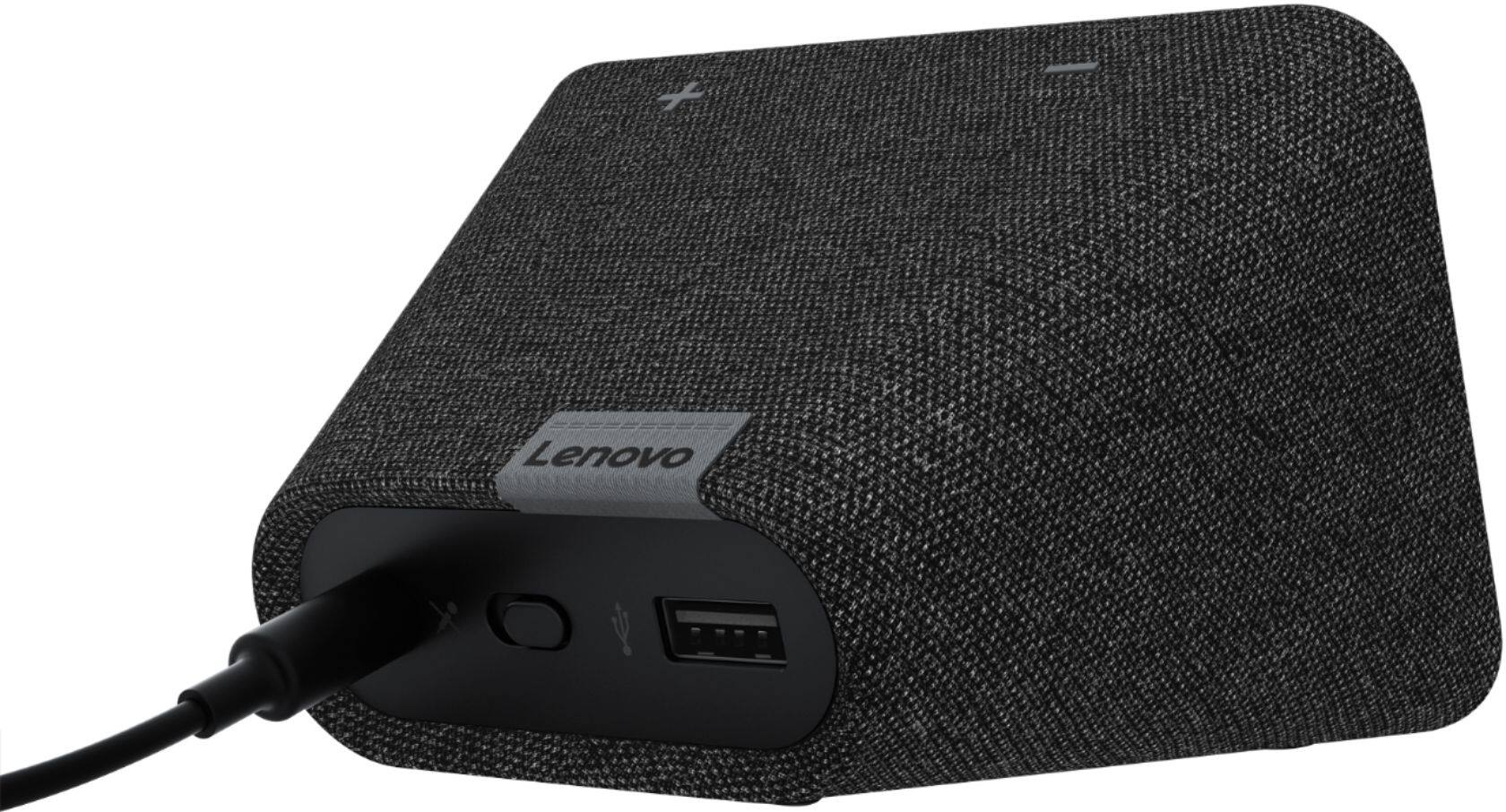
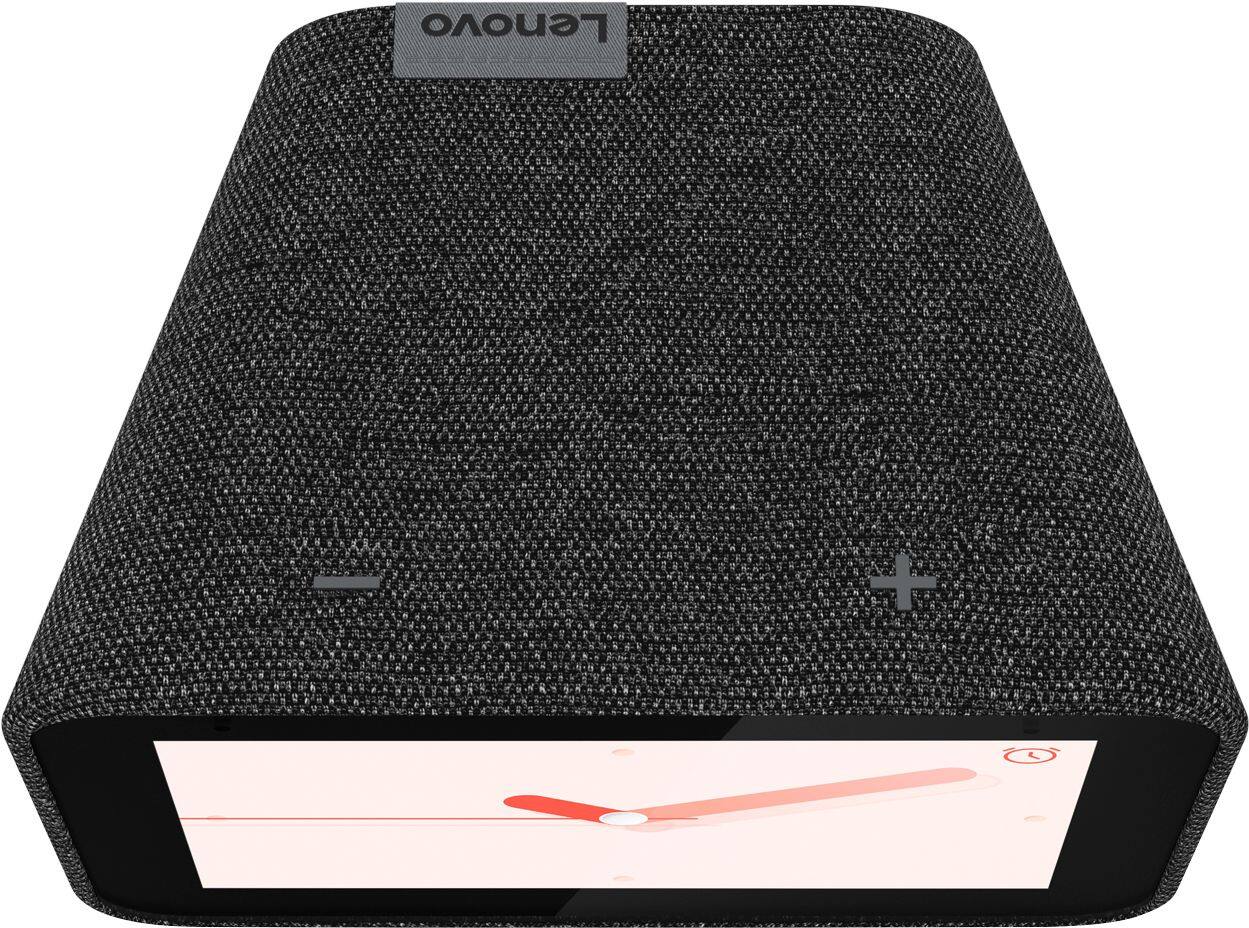
Posted .Hello, setting an alarm should be as simple as saying "Okay google set an alarm". For best results with your assistant we always recommend setting up "voice match" so the device can better recognize you. To connect to Bluetooth say "Okay Google Connect to Bluetooth". Then open your Bluetooth settings on your phone and pair with the Smart Clock which should show up in your device list. If your device isn't functioning in this manner please power cycle the device by unplugging it for 1-2 minutes. Plugging it back in, and allowing it to power on. If the issue remains please perform a factory reset by holding down the “Volume + and – ” buttons on top of your device for 8 Seconds. If the issue persists, please contact our customer support team at 866-426-0911
Build quality is lacking
Posted .This reviewer received promo considerations or sweepstakes entry for writing a review.I love the look and functionality of this smart clock and have been using one for almost a year now. However, the original clock I purchased failed in less than a month, although Lenovo promptly sent a replacement. Now just this morning, I woke up about 5:40 AM and noticed the Lenovo clock showed a time of 2:10 AM and was unresponsive. Had to unplug and plug back in to reset it. If you're looking for a smart clock to reliably wake you up every morning, this is not it. Nice to have Google Assistant next to the bed, but I have been unimpressed with the clock's reliability and build quality. I would not buy another nor recommend.
No, I would not recommend this to a friendBrand response from Lenovo Product Expert
Posted .Hello. We are sorry to hear you are experiencing this issue with your Lenovo Smart Clock. in addition to power resetting the device it is possible a factory reset will fix this. Please perform a factory reset by holding down the “Volume + and – ” buttons on top of your device for 8 Seconds. If the issue persists, please contact our customer support team at 866-426-0911
Small, short cord.
Posted .This reviewer received promo considerations or sweepstakes entry for writing a review.Its ok, its small wont connect to apple music only Pandora. cord is really short (2 feet) cant put it where I wanted it. over all not great.
No, I would not recommend this to a friendBrand response from Lenovo Product Expert
Posted .We are sorry to hear that you are having issues with your Lenovo Smart Clock with Google Assistant. The Smart Clock is not currently compatible with Apple Music. You can stream music from Pandora, Spotify, IHeartRadio, SiriusXM and many more.
clock
Posted .This reviewer received promo considerations or sweepstakes entry for writing a review.Serves is purpose...large digits visible from a distance. Don't utilize its full functionality
I would recommend this to a friendBrand response from Lenovo Product Expert
Posted .We are sorry to hear that the Lenovo Smart Clock with Google Assistant does not meet your needs. Here is a link to a YouTube video that demonstrates the setup, features and functions of the Smart Clock. Possibly there are features that could be of value to you: https://www.youtube.com/watch?v=Mzj580tTico&t=18s
Old School
Posted .This reviewer received promo considerations or sweepstakes entry for writing a review.Call me "Old School" but the Clapper works very well for turning my lights on and off.... Thank you very much!
I would recommend this to a friendBrand response from Lenovo Product Expert
Posted .Hi, thanks for choosing the Lenovo Smart Clock with Google Assistant. At the end of the day, let Lenovo Smart Clock with the Google Assistant help make your life easier. Activate your Good Night Routine to play music, dim the lights, and even lock the doors—without lifting a finger. Receive alarm suggestions according to your schedule or past alarms. You can also recharge your phone via the USB port. Best of all, the 4" screen dims in the dark to give you a better night's sleep.
This may save you some headaches
Posted .This reviewer received promo considerations or sweepstakes entry for writing a review.Please read might save you several headaches: There appears to be an issue with certain versions of this device. Lenovo is aware and has not done anything to fix it. It seems for a lot of users the mac address will change on a daily basis meaning you will need to update this as a trusted device sometimes on the daily. If the device is not connected to the internet it can not be used as a smart alarm. This means your smart alarm clock can potentially attempt to access google to figure out when and if there is an alarm to actually play but as it is waiting for clearance to once again be on the network it will NOT play your scheduled alarms until you reconnect it. It is specific to this device. This is the support thread about it https://forums.lenovo.com/t5/Lenovo-Smart-Display-Lenovo-Smart-Clock-with-Google-Assistant/Has-the-MAC-address-bug-been-fixed-yet/m-p/5002850?page=16
No, I would not recommend this to a friendDifficult to setup, and usb port stopped working
Posted .This reviewer received promo considerations or sweepstakes entry for writing a review.I haven't even had this for two months, and the usb port has stopped charging - it was slow to begin with, but now does nothing. Difficult to setup with zero written instructions in the box. Seems more invasive about wanting private family information then our Amazon Echo
No, I would not recommend this to a friendBrand response from Lenovo Product Expert
Posted .Hi Tim, we are sorry to hear you are experiencing these issues with your Lenovo Smart Clock with Google Assistant. More detailed setup instructions can be found on our FAQ page at the following URL: https://smartsupport.lenovo.com/us/en/products/smart/smart-home/smart-clock/za4r/solutions/HT508387. In regards to your USB please try using a different cable to charge your device. If this doesn't fix the issue please perform a factory reset on the device by holding down the “Volume + and – ” buttons on top of your device for 10 Seconds. If your issue still persists please reach out to customer support at 866-426-0911.
Definitely not a "smart" clock
Posted .This reviewer received promo considerations or sweepstakes entry for writing a review.This clock is garbage as an alarm clock. When they first came out they had an issue that when you snoozed the alarm it would crash and turn off the alarm. It only took close to a year to fix it. Now it has been having an issue for the past 9 months that causes the alarm volume to go to 0 randomly. So good luck if you want to rely on it as an alarm clock. In case you are curious about the latest issue here is the support link from Lenovo: https://forums.lenovo.com/t5/Lenovo-Smart-Display-Lenovo-Smart-Clock-with-Google-Assistant/Alarm-randomly-stops-sounding-until-unit-has-power-cycled/m-p/4636478?page=1
No, I would not recommend this to a friendBrand response from Lenovo Product Expert
Posted .We are sorry to hear that you are having issues with your Lenovo Smart Clock with Google Assistant. Try resetting your Smart Clock back to original factory settings to clear the issues you are having: With the device powered on, press down both the volume+ / volume- button for 10 seconds, then follow the on-screen instructions to set up your device. If the issue continues, we recommend you contact Lenovo Tech Support for Smart Devices at: 866-426-0911.
This is not for me!
Posted .This reviewer received promo considerations or sweepstakes entry for writing a review.If there were a NO Star rating, that would be my choice. This stupid clock won't stay connected to my exceedingly sophisticated ASUS ZenWiFi AX router. I have had no problems with anything else in my house (LG TV, Samsung TV, SONOS speakers, HP printers, Dell Computers, or Apple iPhones & iPads) so I believe I am on fairly solid footing when I suggest that this Lenovo Smart Clock has some significant technical deficiencies. I got it today and I am returning it to Best Buy tomorrow. . . . . An exceedingly confusing user interface.
No, I would not recommend this to a friendBrand response from Lenovo Product Expert
Posted .We are sorry to hear that you are having difficulty connecting the Lenovo Smart Clock with Google Assistant to your home WiFi network. The Lenovo Smart Clock ships with WLAN: 2.4G/5G Dual Band, IEEE 802.11 a/b/g/n/ac compatible WiFi. Here is a link to a YouTube Video that demonstrates the setup of the Smart Clock: https://www.youtube.com/watch?v=oebcueXBCeU. If the issue continues, we recommend you contact Lenovo Tech Support for Smart Devices for additional help at: 866-426-0911.