Customer Ratings & Reviews
- Model:
- ZA4R0037US
- SKU:
- 6441962
Rating by feature
- Value
Rating 4.5 out of 5 stars
- Quality
Rating 4.6 out of 5 stars
- Ease of Use
Rating 4.5 out of 5 stars
Customers are saying
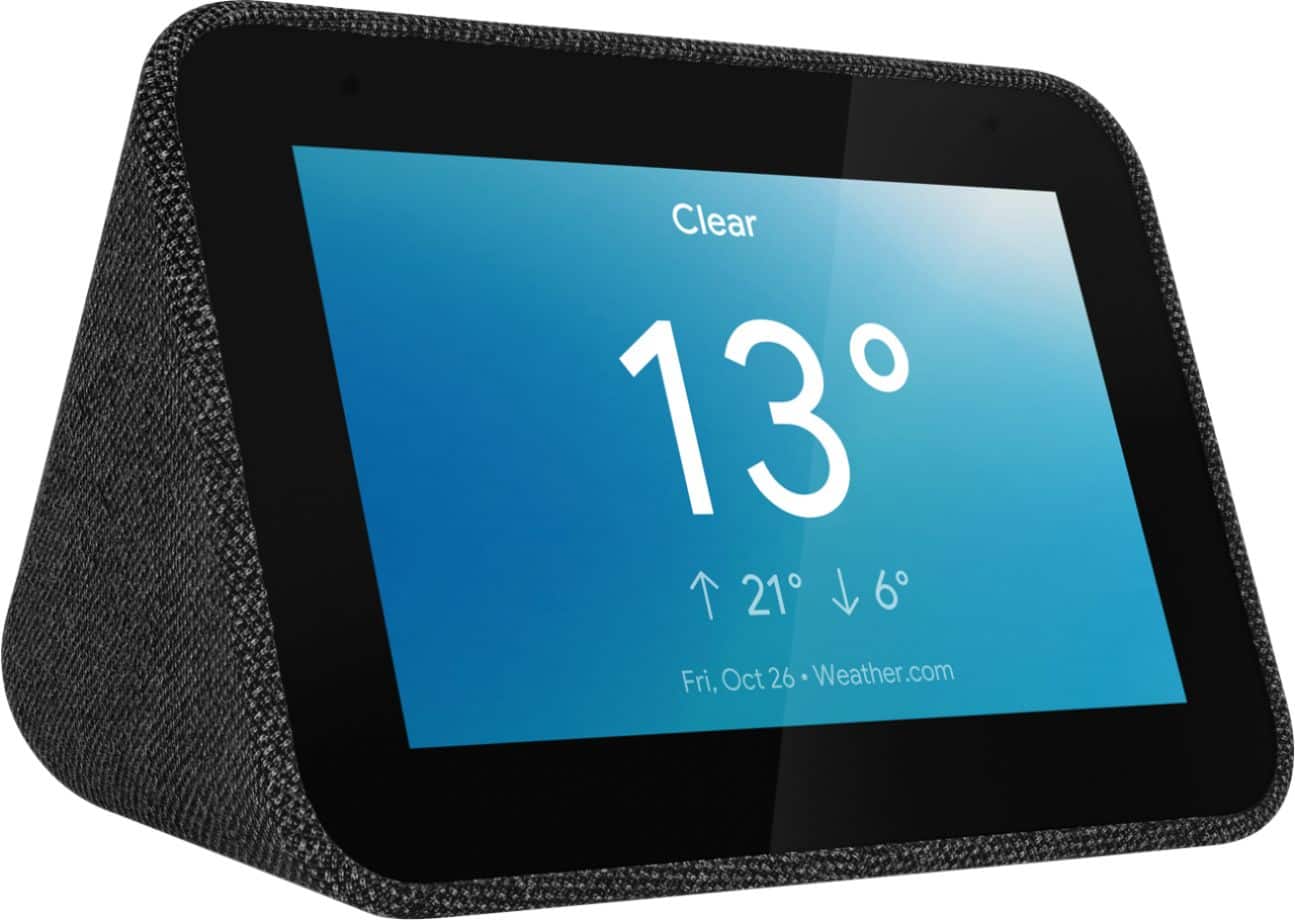
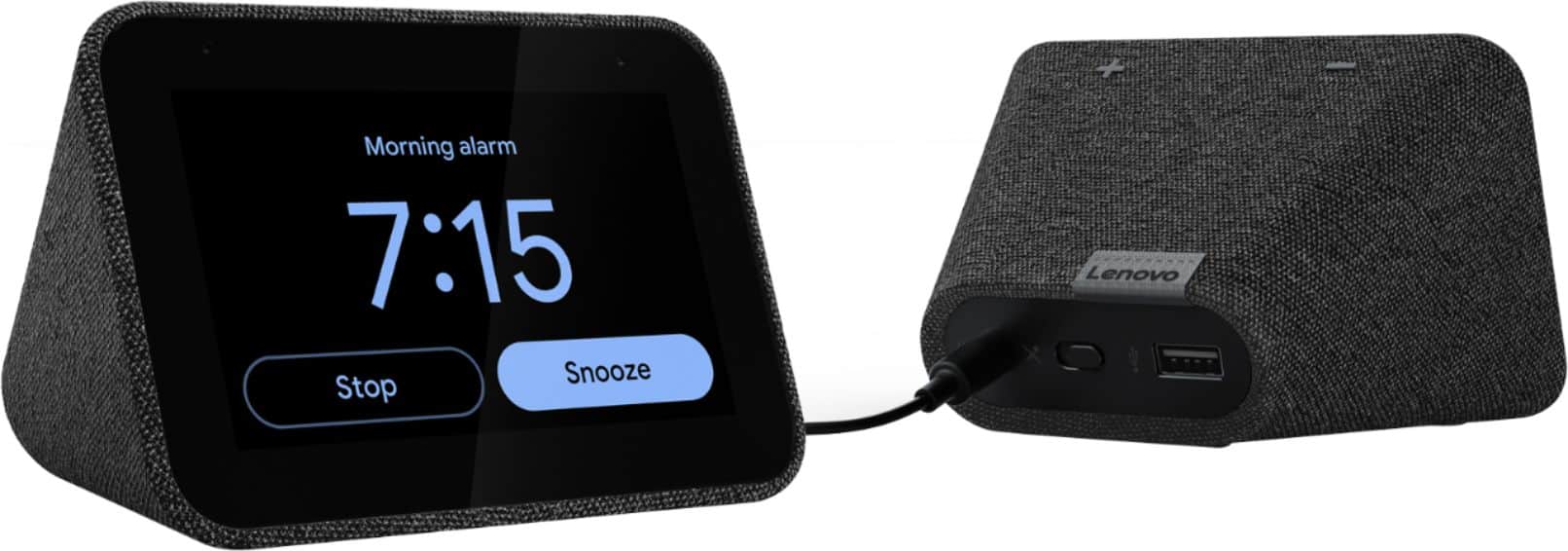
Customers frequently mention the ease of use, sound quality, and alarm features as positive aspects of the Smart Clock with Google Assistant. Many also appreciate the Google Assistant integration, the clock's size, and its display. However, some users reported issues with maintaining a consistent WiFi connection. A lack of battery backup was another recurring negative comment.
This summary was generated by AI based on customer reviews.
Great for My 1st Google Home Smart Device
||Posted . Owned for less than 1 week when reviewed.This reviewer received promo considerations or sweepstakes entry for writing a review.This is my 1st Google Home device. I love that the clock tells me the current weather, goodnight, & I can tell it to play music from Pandora. My problem is I can't find any real instructions on how to set the daily alarm to music &/or the various alarm sounds (other than what it shows on the alarm setting screen). I have been on the Lenova website & couldn't find the answer. I have free Pandora on my cell phone & have linked it to the smart clock & I have a paid subscription to SiriusXM Radio & have linked the radio to my smart clock.
I would recommend this to a friendBrand response from Lenovo Product Expert
Posted .Thank you for choosing the Lenovo Smart Clock with Google Assistant. Here is a link to information about setting up your Smart Clock: https://smartsupport.lenovo.com/us/en/products/smart/smart-home/smart-clock/za4r/solutions/ht508434

- Pros mentioned:Alarm
Cool alarm clock
||Posted . Owned for 5 months when reviewed.This reviewer received promo considerations or sweepstakes entry for writing a review.This is a great alarm clock, it’s so helpful that it has google ! Only complaint is that it’s a bit too bright even when on the lowest setting.
I would recommend this to a friendBrand response from Lenovo Product Expert
Posted .Hi Melissa, thanks for choosing the Lenovo Smart Clock with Google Assistant. You can adjust this setting by swiping UP on the clock face. Select the "Settings" icon . Then select "Display Settings" You can now choose between 3 options for maximum brightness. "Brighter", "Dim", and "Darker". You can also change the "In Low Light" setting to make the display turn completely off at night.
- Pros mentioned:Ease of use
Love the Google Home integration
||Posted . Owned for 3 weeks when reviewed.This reviewer received promo considerations or sweepstakes entry for writing a review.Best alarm clock I have owned. Easy to set up with the Google assistant and easy to use. You can link your preferred music streaming system to the clock.
I would recommend this to a friendBrand response from Lenovo Product Expert
Posted .Hi, thanks for choosing the Lenovo Smart Clock with Google Assistant. We are pleased to hear the functions like seamless smart home integration, music streaming from your favorite station like Pandora, YouTube Music, Spotify and more, performance, and design of the Lenovo Smart Clock are working out so well for you!
Alarm volume a little glitchy
||Posted . Owned for 1 month when reviewed.This reviewer received promo considerations or sweepstakes entry for writing a review.Honestly I only use this as an alarm clock. I have no desire to be talking to google through my alarm clock, in my bedroom no less. I keep the microphone muted all the time and I just hope it really is! Only reason for the 4 stars is that when the alarm goes off, it starts out at full volume for a split second right before it does its volume ramp up. I do like the feature of being able to just hit the clock anywhere for snooze, and being able to set any snooze time I want. Worth the price I paid (On sale)
I would recommend this to a friendBrand response from Lenovo Product Expert
Posted .Hi Chris, thanks for choosing the Lenovo Smart Clock with Google Assistant. We are pleased to hear the functions, performance, and design of the Lenovo Smart Clock are working out so well for you! In regards to the Alarm starting at full volume this appears to be an issue effecting only some of the Stock the Alarms. Please try changing your alarm to one of the other stock alarms like "beautiful mind" to remedy this while Google works on a fix. You can help speed up this process by leaving feedback from your device. This goes straight to google. You will have to turn on the mic for this.
- Pros mentioned:Sound quality
Great replacement for clock radios
||Posted . Owned for 1 month when reviewed.This reviewer received promo considerations or sweepstakes entry for writing a review.Replaced my bulky clock radio with this Lenovo clock. Controls my lights and NEST with google home app. Dims at nighttime and plays tunes as well.
I would recommend this to a friendBrand response from Lenovo Product Expert
Posted .Hi, thanks for choosing the Lenovo Smart Clock with Google Assistant. We are pleased to hear the functions, performance, and design of the Lenovo Smart Clock are working out so well for you!
- Pros mentioned:Size, Sound quality
Great little hub for small space.
||Posted . Owned for 4 months when reviewed.This reviewer received promo considerations or sweepstakes entry for writing a review.Great sound from such a small device. This is the perfect screen hub if you have limited space on a desk.
I would recommend this to a friend - Pros mentioned:Alarm
Clock
||Posted . Owned for more than 2 years when reviewed.This reviewer received promo considerations or sweepstakes entry for writing a review.This is a clock, weather, news music etc machine . I love it! Wakes me up with music, weather and news.
I would recommend this to a friend - Pros mentioned:Google assistant
Price/performance
||Posted . Owned for 1 month when reviewed.This reviewer received promo considerations or sweepstakes entry for writing a review.It is really good at price/performance. Google assistant response is good most of time. Google assistant need more language support.
I would recommend this to a friendBrand response from Lenovo Product Expert
Posted .Hi, thanks for choosing the Lenovo Smart Clock with Google Assistant. We are pleased to hear the functions, performance, and design of the Lenovo Smart Clock are working out so well for you! We appreciate your feedback as we are always working on ways to improve our smart devices.
- Pros mentioned:Size
Great Product
||Posted . Owned for 1 year when reviewed.This reviewer received promo considerations or sweepstakes entry for writing a review.Well made and very compact. Talks to me and even too smart as it synchronizes with my phone seamlessly
I would recommend this to a friend - Pros mentioned:Ease of use
Easy to use
||Posted . Owned for 2 weeks when reviewed.This reviewer received promo considerations or sweepstakes entry for writing a review.Much better than the google one that it replaces. Easy to use. The only gripe I have is that you cannot wake up to your favorite music.
I would recommend this to a friendBrand response from Lenovo Product Expert
Posted .Hi there! Thank you for choosing the Lenovo Smart Clock with Google Assistant. I'm pleased to inform you that waking up to your favorite music is a voice command away. To set a music alarm start by saying "Okay Google set a music alarm" From there your Google Assistant will ask you what time and what station you would like to play. You can respond by saying something like "8am" and "Play my favorite station from Pandora"
- Pros mentioned:Google assistant
Excellent alarm clock/ music machine
||Posted .This reviewer received promo considerations or sweepstakes entry for writing a review.Google assistant is a nice feature: wake up to music, news, weather if set . Taps into playlists on You Tube and Spotify. Easy to set up.
I would recommend this to a friendBrand response from Lenovo Product Expert
Posted .Hello! Thank you for choosing the Lenovo Smart Clock with Google Assistant. We are pleased to hear the features of this device and its user friendly setup are working so well for you.
- Pros mentioned:Google assistant
Perfect bedside clock
||Posted . Owned for 6 months when reviewed.This reviewer received promo considerations or sweepstakes entry for writing a review.So good that we bought two. Perfect bedside clock that dims, connects to Google assistant, and has a plethora of other options
I would recommend this to a friendBrand response from Lenovo Product Expert
Posted .Thank you for choosing the Lenovo Smart Clock with Google Assistant. We appreciate your loyalty to the Smart Clock and the Lenovo Brand. We are leased to hear that the Smart Clocks are working out so well for you.
- Pros mentioned:Size
Very cute!
||Posted . Owned for 10 months when reviewed.This reviewer received promo considerations or sweepstakes entry for writing a review.Super small and cute, use it as a nightstand clock and to play music. The display you can make different colors and that is what I like.
I would recommend this to a friendBrand response from Lenovo Product Expert
Posted .Thank you for choosing the Lenovo Smart Clock with Google Assistant. We are pleased to hear that the features and performance of the Smart Clock meets your needs so well.
Smart clock
||Posted . Owned for 3 weeks when reviewed.This reviewer received promo considerations or sweepstakes entry for writing a review.I was excited about getting this but after I got it up and running trying to set the lighting was very difficult and the directions did not say how to do it. Could not see the time in the dark
No, I would not recommend this to a friendBrand response from Lenovo Product Expert
Posted .Hi there! If you are finding the auto-dimming function to be too dark, you can select the auto-dimming function by swiping up on the bottom of the clock. The far left icon represents the brightness. If you tap it until the "A" is gone, that will deselect the auto-brightness feature. If you ever have questions on your device, we've created an online How-To & Solutions Guide to offer support.
Great smart clock
||Posted . Owned for 1 month when reviewed.This reviewer received promo considerations or sweepstakes entry for writing a review.Great clock with weather to replace my old clock radio. Works great in the morning.
I would recommend this to a friendBrand response from Lenovo Product Expert
Posted .Thank you for choosing the Lenovo Smart Clock with Google Assistant. We are pleased to hear that the performance of the Smart Clock meets your computing needs so well.
- Pros mentioned:Google assistant
great gadget
||Posted . Owned for 9 months when reviewed.This reviewer received promo considerations or sweepstakes entry for writing a review.Bought this for my 11 year old son to help him get up in the morning and he loves it. He loves asking google lots of question and enjoys playing games.
I would recommend this to a friendBrand response from Lenovo Product Expert
Posted .Hi, thanks for choosing the Lenovo Smart Clock with Google Assistant. We are pleased to hear the functions like voice activated alarms, music from your favorite stations like Pandora, Spotify, YouTube Music and more, performance of the assistant, and design of the Lenovo Smart Clock are working out so well for your son!
- Pros mentioned:Ease of use
Great purchase
||Posted . Owned for 3 weeks when reviewed.This reviewer received promo considerations or sweepstakes entry for writing a review.My daughter wanted this clock because she read all of the great reviews. She loves it and loves to play music on it. It’s really easy to use.
I would recommend this to a friendBrand response from Lenovo Product Expert
Posted .Hi, thanks for choosing the Lenovo Smart Clock with Google Assistant. We are pleased to hear the functions, performance, and design of the Lenovo Smart Clock are working out so well for you!
- Pros mentioned:Ease of use
Good clock
||Posted . Owned for 2 months when reviewed.This reviewer received promo considerations or sweepstakes entry for writing a review.Bought the clock for the flexibility to set a different alarm every day of the week. Easy to use and integrated seamlessly with my Google Home system.
I would recommend this to a friendBrand response from Lenovo Product Expert
Posted .Hi, thanks for choosing the Lenovo Smart Clock with Google Assistant. We are pleased to hear the functions like seamless smart home integration, performance, and design of the Lenovo Smart Clock are working out so well for you!
- Pros mentioned:Alarm
Lenovo Alarm Clock Google
||Posted . Owned for 1 month when reviewed.This reviewer received promo considerations or sweepstakes entry for writing a review.This is the best bedside alarm clock I have ever owned. It has Google assistant which makes it easy to set an alarm without touching a button.
I would recommend this to a friendBrand response from Lenovo Product Expert
Posted .Hi, thanks for choosing the Lenovo Smart Clock with Google Assistant. We are pleased to hear the functions, performance, and design of the Lenovo Smart Clock are working out so well for you!
- Pros mentioned:Ease of use
Good Clock
||Posted .This reviewer received promo considerations or sweepstakes entry for writing a review.Easy to setup. Works good. Only had a couple of days before Hurricane Ida hit so didn’t get to use much but will when power back.
I would recommend this to a friendBrand response from Lenovo Product Expert
Posted .Thank you for choosing the Lenovo Smart Clock with Google Assistant. We are pleased to hear that the easy setup and features of the Smart Clock meets your needs so well.