Customer Ratings & Reviews
- Model:
- ZA4R0037US
- SKU:
- 6441962
Rating by feature
- Value
Rating 4.5 out of 5 stars
- Quality
Rating 4.6 out of 5 stars
- Ease of Use
Rating 4.5 out of 5 stars
Customers are saying
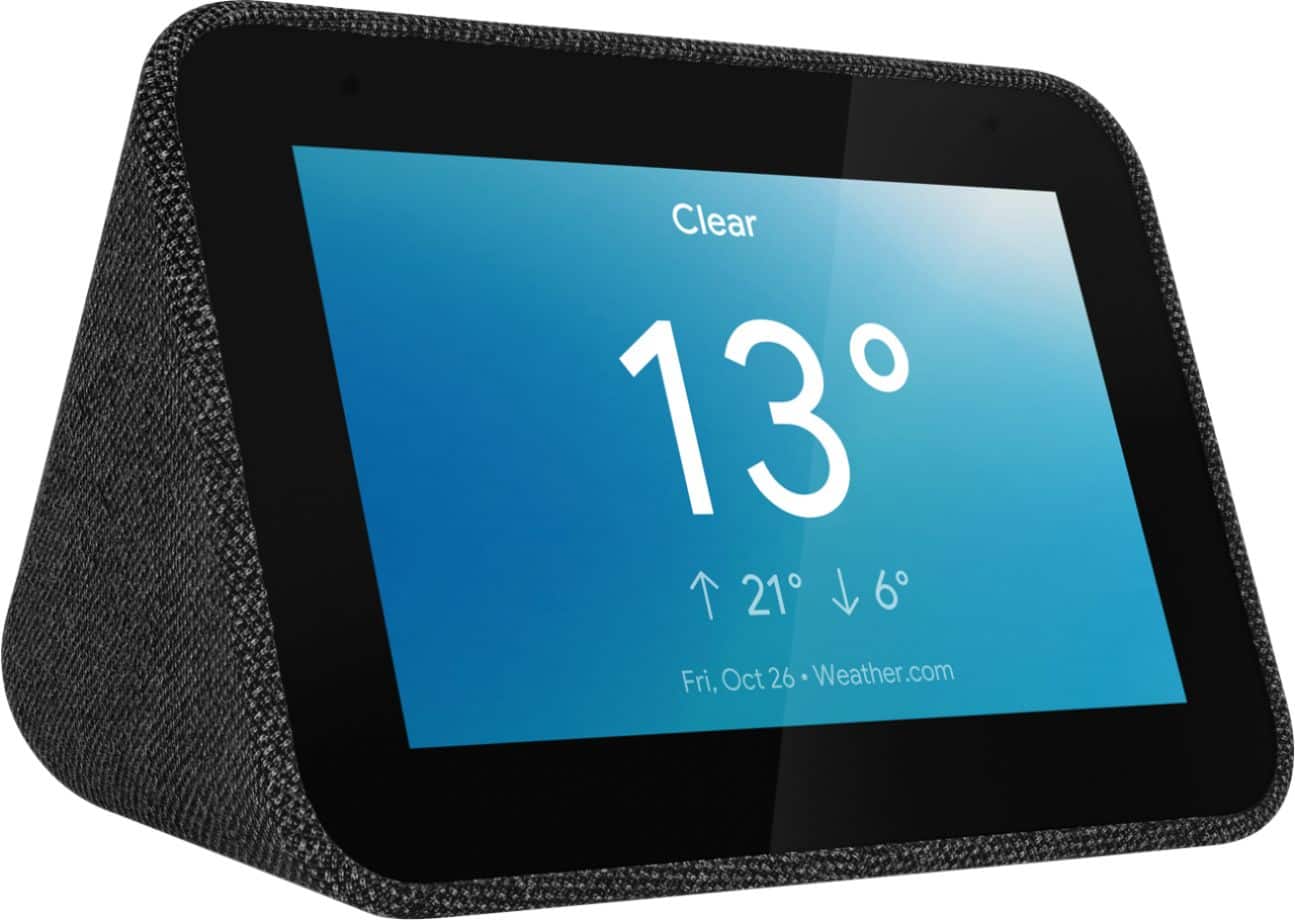
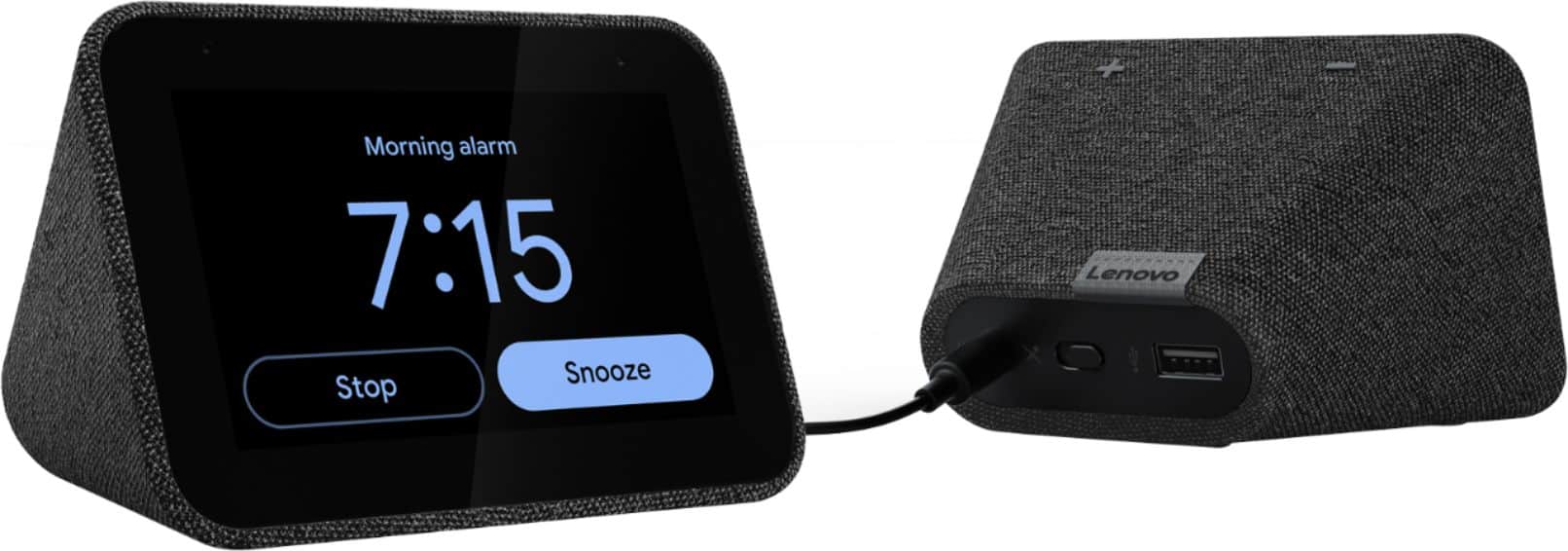
Customers frequently mention the ease of use, sound quality, and alarm features as positive aspects of the Smart Clock with Google Assistant. Many also appreciate the Google Assistant integration, the clock's size, and its display. However, some users reported issues with maintaining a consistent WiFi connection. A lack of battery backup was another recurring negative comment.
This summary was generated by AI based on customer reviews.
- Pros mentioned:Sound quality
Great clock
||Posted . Owned for 1 year when reviewed.This reviewer received promo considerations or sweepstakes entry for writing a review.Works great. Even charges devices. Sounds better than most clock radios. Got on sale for dirt cheap
I would recommend this to a friendBrand response from Lenovo Product Expert
Posted .Thank you for choosing the Lenovo Smart Clock with Google Assistant. We are pleased to hear that the value and performance of the Smart Clock meets your needs so well.

- Pros mentioned:Ease of use
Better Than Old Time Alarm Clocks
||Posted . Owned for 2 weeks when reviewed.This reviewer received promo considerations or sweepstakes entry for writing a review.Nice to control and set alarms with your voice. Many options as far as setting alarms. Google Assistant makes it all work well.
I would recommend this to a friendBrand response from Lenovo Product Expert
Posted .Hi, thanks for choosing the Lenovo Smart Clock with Google Assistant. We are pleased to hear the functions like voice activated alarms, performance of the Google Assistant, and user friendly design of the Lenovo Smart Clock are working out so well for you!
- Pros mentioned:Size
Thumbs up!
||Posted . Owned for 1 month when reviewed.This reviewer received promo considerations or sweepstakes entry for writing a review.Bought for my son, but will probably by another for myself. Great product, does not take up a lot of space. Great clock!
I would recommend this to a friendBrand response from Lenovo Product Expert
Posted .Hi, thanks for choosing the Lenovo Smart Clock with Google Assistant. We are pleased to hear the functions, performance, and design of the Lenovo Smart Clock are working out so well for you! We appreciate your loyalty to the Lenovo brand should you choose to pick up a second device.
- Pros mentioned:Alarm
Overall serves its purpose
||Posted . Owned for 1 month when reviewed.This reviewer received promo considerations or sweepstakes entry for writing a review.I like the way it adjust to the light and you are able to customize the alarm.
I would recommend this to a friendBrand response from Lenovo Product Expert
Posted .Hey there! Thanks for choosing the Lenovo Smart Clock with Google Assistant. We are pleased to hear the customized alarm and auto brightness feature is working so well for you. The Lenovo Smart Clock with the Google Assistant does more than just tell you the time and wake you up. Designed to reduce smartphone screen-time at night, it can help you unwind and sleep better. It can also run your smart home, play your favorite music across your home, manage your schedule, and much more. All hands-free, quickly, and easily. Just say “Hey Google” to get started.
- Pros mentioned:Alarm
Perfect
||Posted . Owned for 2 months when reviewed.This reviewer received promo considerations or sweepstakes entry for writing a review.I use this as a night table alarm clock. Bonus that it’s connected to Google, if I have any questions.
I would recommend this to a friend - Pros mentioned:Alarm
Great for helping me get up and ready to go
||Posted . Owned for 5 months when reviewed.This reviewer received promo considerations or sweepstakes entry for writing a review.Great for controlling all of the smart products in my room and house while also working as a great alarm clock and morning assistant.
I would recommend this to a friend - Pros mentioned:Sound quality
Smart speaker
||Posted . Owned for 1 month when reviewed.This reviewer received promo considerations or sweepstakes entry for writing a review.Nice display with loud speakers for the size. I am able to control all my smart devices with this. Would buy another one.
I would recommend this to a friendBrand response from Lenovo Product Expert
Posted .Hi, thanks for choosing the Lenovo Smart Clock with Google Assistant. We are pleased to hear the functions, performance, and design of the Lenovo Smart Clock are working out so well for you!
We appreciate your recommendation.
- Pros mentioned:Size
Smaller screen but a good price
||Posted . Owned for 2 weeks when reviewed.This reviewer received promo considerations or sweepstakes entry for writing a review.A nice option if you don't want to jump to the nest Hub and you are ok with a smaller screen,
I would recommend this to a friendBrand response from Lenovo Product Expert
Posted .Thank you for choosing the Lenovo Smart Clock with Google Assistant. We are leased to hear that the Smart Clock is working out so well for you.
Execellent for the money
||Posted . Owned for less than 1 week when reviewed.This reviewer received promo considerations or sweepstakes entry for writing a review.Whether using this device as a home assistant center or just as a plane clock for the bedroom you really can’t go wrong especially when on sale. You’ll need to first download Google Home onto your phone or tablet for the setup process. If you are using the smart clock in a bedroom it will automatically dim when you turn the lights off. Voice recognition was excellent when I tried it and the replies were quick. I have not tried this device with any smart home devices, such as light bulbs. Hope this helps.
I would recommend this to a friendBrand response from Lenovo Product Expert
Posted .Hi Edward! Thanks for choosing the Lenovo Smart Clock with Google Assistant, and for your detailed review and feedback. We are happy to hear the assistant's abilities and clock are working out so well for you. The Lenovo Smart Clock with the Google Assistant works easily and seamlessly with over 10,000 smart home devices, across more than 1,000 different brands.
- Pros mentioned:Google assistant
Affordable but Smart Clock
||Posted . Owned for 2 months when reviewed.This reviewer received promo considerations or sweepstakes entry for writing a review.Been looking for some nice digital clock and came into this that has smart feature with google assistant yet affordable.
I would recommend this to a friendBrand response from Lenovo Product Expert
Posted .Hi, thanks for choosing the Lenovo Smart Clock with Google Assistant. We are pleased to hear the functions, performance, and design of the Lenovo Smart Clock are working out so well for you.
- Pros mentioned:Google assistant
Alarm clock
||Posted . Owned for 1 month when reviewed.This reviewer received promo considerations or sweepstakes entry for writing a review.Nice clock with google assistant. I wish the screen could be used to display web pages.
I would recommend this to a friendBrand response from Lenovo Product Expert
Posted .Thank you for choosing the Lenovo Smart Clock with Google Assistant. The Smart Clock does not have a web browser installed so it can not display web pages on the screen. You can use the Google Assistant to answer questions you have by using the Voice Command feature of the Smart Clock.
Nice alarm clock
||Posted . Owned for 1 week when reviewed.This reviewer received promo considerations or sweepstakes entry for writing a review.Love this alarm clock. Really like how it’s gets brighter closer to the alarm going off.
I would recommend this to a friendBrand response from Lenovo Product Expert
Posted .Thank you for choosing the Lenovo Smart Clock with Google Assistant. We are pleased to hear that the features and performance of the Smart Clock meets your needs so well.
- Pros mentioned:Sound quality
Great Alarm Clock for the Price!
||Posted . Owned for 10 months when reviewed.This reviewer received promo considerations or sweepstakes entry for writing a review.Picked this up on sale for my Mom. Great value smart clock if you can pick up at discount. Solid sound in a compact package.
I would recommend this to a friendBrand response from Lenovo Product Expert
Posted .Hi, thanks for choosing the Lenovo Smart Clock with Google Assistant. We are pleased to hear the functions, performance, value, and design of the Lenovo Smart Clock are working out so well for your Mom!
- Pros mentioned:Sound quality
Best sound Q
||Posted . Owned for 3 weeks when reviewed.This reviewer received promo considerations or sweepstakes entry for writing a review.Best sound Q and google assistant. The problem is the alarm, its not waking me up. Lol.
I would recommend this to a friendBrand response from Lenovo Product Expert
Posted .Thank you for choosing the Lenovo Smart Clock with Google Assistant. You can change the volume of the alarm tone you are using, within your Google Home APP that you used for the initial setup of your Smart Clock. First, you will need to setup a test alarm for a few minutes way from your current time. This is so you will be able to see the Alarm and Timers settings within the Google Home APP. Once the test alarm sounds, open the Google Home APP for your Smart Clock, with the alarming activated and sounding as normal. Within the Google Home APP, go to settings (the gear icon at the top right of the welcome screen), then select Alarm and Timers from device features menu. Use the volume slider to increase the alarm tone volume while the alarm is sounding, to your personal preference.
- Pros mentioned:Ease of use
Warm addition to office
||Posted . Owned for less than 1 week when reviewed.This reviewer received promo considerations or sweepstakes entry for writing a review.Easy set up and looks great! I wish it would be more compatible with IOS devices, but works well with compatible devices.
I would recommend this to a friendBrand response from Lenovo Product Expert
Posted .Hi, thanks for choosing the Lenovo Smart Clock with Google Assistant. We are pleased to hear the functions, performance, and design of the Lenovo Smart Clock are working out so well for you! We appreciate your feedback.
- Pros mentioned:Size
Great Clock
||Posted . Owned for 9 months when reviewed.This reviewer received promo considerations or sweepstakes entry for writing a review.This clock with Google built into it is great. Small size, but easily readable that dims with the surrounding area at night.
I would recommend this to a friendBrand response from Lenovo Product Expert
Posted .Hi, thanks for choosing the Lenovo Smart Clock with Google Assistant. We are pleased to hear the functions like "Auto Dim" with ambient light sensor, performance, and design of the Lenovo Smart Clock are working out so well for you!
- Pros mentioned:Google assistant
Like the weather reports / alarm
||Posted . Owned for 1 month when reviewed.This reviewer received promo considerations or sweepstakes entry for writing a review.The alarm feature is great that it has the lighting to help wake you up; also we both like the Google Asst. weather report
I would recommend this to a friendBrand response from Lenovo Product Expert
Posted .Hi, thanks for choosing the Lenovo Smart Clock with Google Assistant. We are pleased to hear the functions like "Sunrise Alarm", performance of the assistant with voice activated weather reports, and design of the Lenovo Smart Clock are working out so well for you!
- Pros mentioned:Size
Awesome device...
||Posted . Owned for 1 month when reviewed.This reviewer received promo considerations or sweepstakes entry for writing a review.Everything is good, very satisfied! Next closest thing to Google Nest Hub. Compact in a small size & easy to manage.
I would recommend this to a friendBrand response from Lenovo Product Expert
Posted .Hi, thanks for choosing the Lenovo Smart Clock with Google Assistant. We are pleased to hear the functions, performance, and design of the Lenovo Smart Clock are working out so well for you!
- Pros mentioned:Sound quality
great clock...lots of options
||Posted . Owned for 1 month when reviewed.This reviewer received promo considerations or sweepstakes entry for writing a review.Great clock...from phone I can turn on/off and play music. I have not as yet tried any other options but there are plenty.
I would recommend this to a friendBrand response from Lenovo Product Expert
Posted .Hi Barbara! Thanks for choosing the Lenovo Smart Clock with Google Assistant. We are pleased to hear the functions, performance, and design of the Lenovo Smart Clock are working out so well for you. If you'd like some helpful tips and tricks for getting the most out of your Lenovo Smart Clock and Google Assistant we recommend checking out this short video https://www.youtube.com/watch?v=mCnHBXn5aEw
- Pros mentioned:Size
Small smart clock
||Posted . Owned for 1 month when reviewed.This reviewer received promo considerations or sweepstakes entry for writing a review.Needed a new alarm clock, figure we go the "smart way". A small clock but big enough to see the time across the room.
I would recommend this to a friendBrand response from Lenovo Product Expert
Posted .Hi, thanks for choosing the Lenovo Smart Clock with Google Assistant. We are pleased to hear the functions, performance, and design of the Lenovo Smart Clock are working out so well for you!