Customer Ratings & Reviews
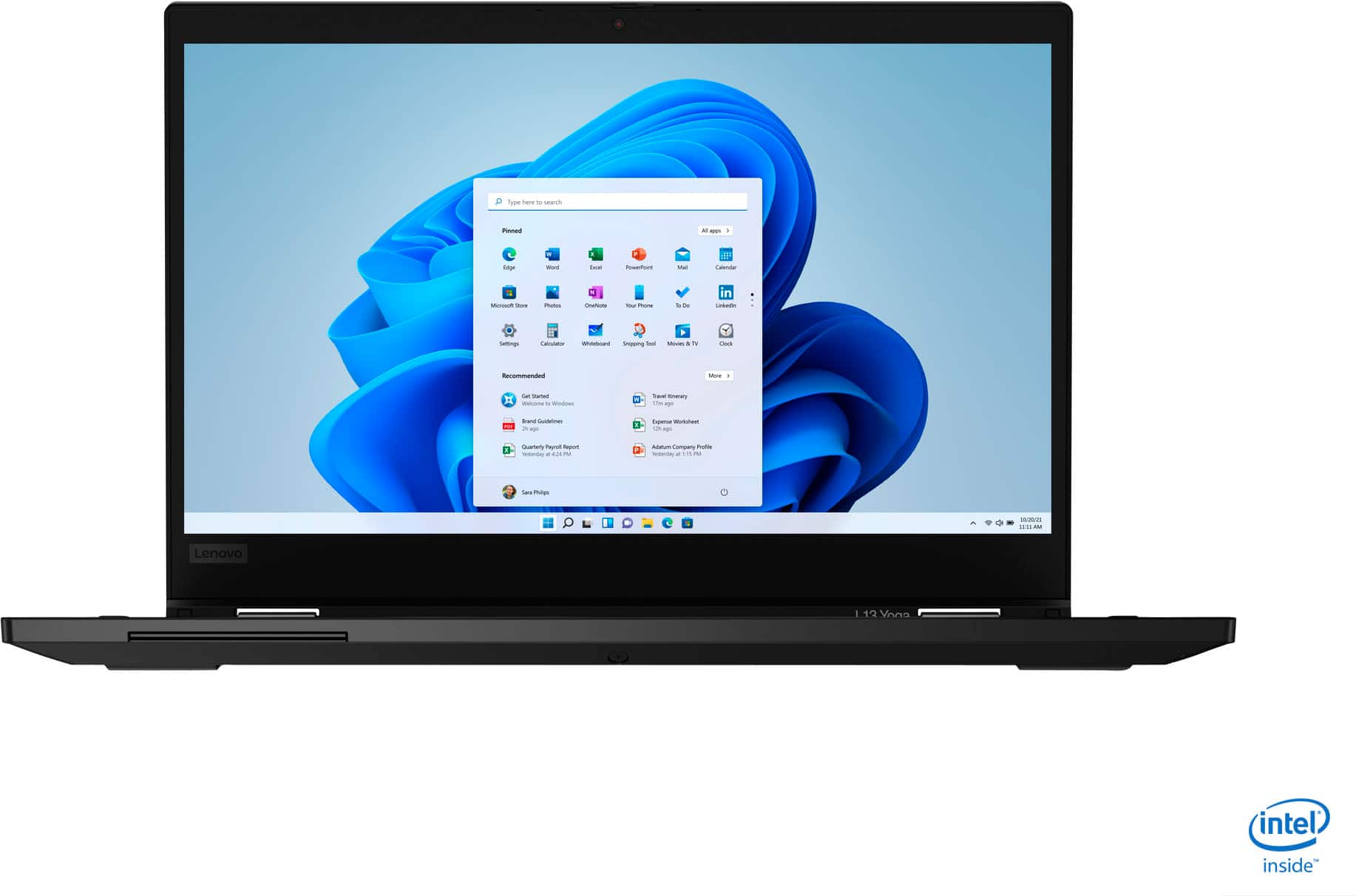

- Model:
- 20R5A000US
- SKU:
- 6393283
Rating by feature
- Battery Life
Rating 4.1 out of 5 stars
- Speed
Rating 4.1 out of 5 stars
- Display
Rating 3.9 out of 5 stars
Customers are saying
Customers highly value the ThinkPad L13 Yoga for its touch screen, light weight, user-friendly interface, and affordable price. Many users appreciate the laptop's 2-in-1 functionality, while some express concerns about battery life, overheating issues, pen malfunction, and limited RAM upgradability.
This summary was generated by AI based on customer reviews.
- Cons mentioned:Pen
Pen doesn't work
||Posted .This reviewer received promo considerations or sweepstakes entry for writing a review.Very disappointed to find the pen doesn't work. Have to return the laptop.
No, I would not recommend this to a friendBrand response from Lenovo Product Expert
Posted .We are sorry to hear that you are having issues with the included active pen for the Lenovo ThinkPad L13 Yoga. Be sure the pen is pushed all the way in so it will charge within the pen garage. Let the pen charge for about 15-minutes, then try the pen within a compatible APP like the Microsoft Paint APP. If the pen still does not work, we recommend you call Lenovo Tech Support at: 877-453-6686.

Thinkpad
||Posted . Owned for 2 weeks when reviewed.This reviewer received promo considerations or sweepstakes entry for writing a review.I bought this for my uncle and let me tell you it was worth it !! Great pricing at best buy. very fast but the battery was a little weird.
I would recommend this to a friendBrand response from Lenovo Product Expert
Posted .Hello thank you for choosing the Lenovo IdeaPad L13 Laptop model # 20R5A000US. This unit has an estimated battery life of Up to 12 Hours. If you are getting substantially less battery life, please adjust your screen brightness settings. A setting of 100% brightness will drain your battery much faster than a lower setting. We recommend setting the screen brightness to some value below 100% that is still comfortable for you to view. Next be sure Battery conservation Mode is turned off. This power management setting should only be used when the laptop is plugged in all the time. It will prolong overall battery life by only charging the battery to 60-percent of capacity. Here is a link to instructions for turning off Battery Conservation Mode: https://support.lenovo.com/us/en/solutions/ht103159. Also check what programs are running in the background on the computer. Be sure only the programs you want running in the background are. These programs will drain the battery. Here is a link to information about how to find out what programs are running in the background on your Windows 10 computer and how to manage them for better system performance: https://www.windowscentral.com/how-prevent-apps-running-background-windows-10. Then, finally, be sure any software you installed is compatible with Windows 10. Incompatible software will drain the battery at a faster rate. There is no need to install Microsoft Office software. The software is already part of the operating system, you just need to activate the software with a purchased product key. If you have installed a copy of Microsoft Office, this is conflicting with the existing copy on the system and this will slow your system down. If you have installed a 3rd party anti-virus program, be sure that Windows Defender is turned off and that the trial version of McAfee Anti-Virus software is uninstalled. There can only be one anti-virus program on the system. You may need to restore your system to original factory default settings if any of the programming errors have occurred. You can do that by typing "restore" in the Cortana search window. Just click on the magnifying glass icon at the bottom left of your Windows 10 Desktop. Click on "Reset This PC" Then click on "Get Started" and follow the on screen directions to restore to factory defaults. If the problem persists, we recommend you contact Lenovo Tech Support at: 877-453-6686.
No sound
||Posted .This reviewer received promo considerations or sweepstakes entry for writing a review.We were happy but we went to do a zoom meeting .The sound didn’t work we are bringing it back to store to see what is the other.
No, I would not recommend this to a friendVisuals sometime over promise
||Posted . Owned for 3 weeks when reviewed.This reviewer received promo considerations or sweepstakes entry for writing a review.I purchased this computer for my wife, it works fine but she complains that it is too small for her.
No, I would not recommend this to a friendGreat and light
||Posted . Owned for 1 month when reviewed.This reviewer received promo considerations or sweepstakes entry for writing a review.Great laptop very light when carrying it around! Enjoy having a tab that covers the camera already
I would recommend this to a friendBrand response from Lenovo Product Expert
Posted .The ThinkPad L13 Yoga features a redesigned chassis with much thinner bezels than its predecessors—yielding a cleaner, smarter display. The ThinkPad L13 Yoga is a lightweight 2-in-1 laptop that weighs just 3.17lbs. The ThinkPad L13 Yoga 2-in-1 laptop is tested against 12 military-grade requirements and more than 200 quality checks to ensure it runs in extreme conditions. From the Arctic wilderness to desert dust storms, from zero gravity to spills and drops, you can trust this laptop to handle whatever life throws your way.
Not worth it
||Posted . Owned for 1.5 years when reviewed.This reviewer received promo considerations or sweepstakes entry for writing a review.Do not buy. The first month the mother board went bad. They replace the board under warranty, but the same ay I got it back they delete and escape keys were sticking. Best Buy replaced the laptop without question. After the warranty expired the Wi-Fi started dropping intermittently. I had my 10 year old ACER laptop connected to the same network at the same time and it stays connected. I followed all troubleshooting for this issue on the Lenovo site and cannot overcome this problem. Now his $1000 laptop is a frustration. I do not think I will get another Lenovo laptop, even though I have heard good things about them. If you do not need to connect to Wi-Fi the laptop works well.
No, I would not recommend this to a friend- Cons mentioned:Microphone
All functions don't work
||Posted . Owned for 3 weeks when reviewed.This reviewer received promo considerations or sweepstakes entry for writing a review.The microphone doesn't work. After over an hour with the Lenovo help desk, him remote logging on, downloading several "updates", he said...see if this next update works. If not call back in. I will be returning.
No, I would not recommend this to a friendBrand response from Lenovo Product Expert
Posted .We are sorry to hear that you are having issues with your Lenovo ThinkPad L13 Yoga. You can quickly update all operating software, including all BIOS files and drivers, up to the latest version of Windows 10 by using the Lenovo Utility software available to this computer. This system has Lenovo utilities installed to help maintain the health of the device and keep the operating system software up to date. Type "Lenovo Vantage" in the Cortana Search window (if Lenovo Vantage is not installed on your device, you can download the APP and install it now). Select Lenovo Vantage from the list. In the window that opens, click on "Health and Support". In the expanded menu, select "Hardware Scan" In the window that opens, select "Run Quick Tests". This will scan your entire system for errors. Follow any directions that may pop up. If the problem continues after this scan, now click on "System Update". First select Windows update from the menu. Scan your system to be sure you have the latest version of Windows 10. Once that scan is complete, select "Additional Updates". This will scan your device to be sure there are no new BIOS/Driver updates needed. Follow any instructions that may pop up. If the issue still continues after these updates, we recommend you call Lenovo Tech Support at: 877-453-6686 for additional help.
First laptop
||Posted . Owned for 1 month when reviewed.This reviewer received promo considerations or sweepstakes entry for writing a review.not very satisfied with this laptop I tried calling the store in humble so speak with some one and could never get thru tried geek squad and also could not get any help. I feel like I am stuck with something I am not satisfied with and the day I went to purchase it I asked the sales associate for recommendations and he was no help.
No, I would not recommend this to a friendBrand response from Lenovo Product Expert
Posted .We are sorry to hear that you are having issues with your Lenovo ThinkPad L13 Yoga. If you need help with a hardware issue, we recommend you call Lenovo Tech Support at: 877-453-6686.
Terrible!
||Posted . Owned for 3 weeks when reviewed.This reviewer received promo considerations or sweepstakes entry for writing a review.We just bought this laptop on May 14th and it has had horrendous keyboard issues! First, the keyboard quit working altogether! We had to troubleshoot and finally it began working again. Now...only certain keys on the keyboard will operate! We can't type with some keys working and some not! This is a total waste of money! Do not bother! Save yourself a lot of headaches! Oh yeah... and nothing can be done about it because Best Buy doesn't answer their phones and you cannot schedule appointments with Geek Squad online! So, now we are past our return date and we are stuck with a hunk of junk!
No, I would not recommend this to a friendBrand response from Lenovo Product Expert
Posted .We are sorry to hear that you are having issues with your Lenovo ThinkPad L13 Yoga. First, be sure any software you installed is compatible with Windows 10. There is no need to install Microsoft Office software. The software is already part of the operating system, you just need to activate the software with a purchased product key. If you have installed a copy of Microsoft Office, this is conflicting with the existing copy on the system and this will slow your system down. If you have installed a 3rd party anti-virus program, be sure that Windows Defender is turned off and that the trial version of McAfee Anti-Virus software is uninstalled. There can only be one anti-virus program on the system. You may need to restore your system to original factory default settings if any of the programming errors have occurred. You can do that by typing "restore" in the Cortana search window. Just click on the magnifying glass icon at the bottom left of your Windows 10 Desktop. Click on "Reset This PC" Then click on "Get Started" and follow the on screen directions to restore to factory defaults. If there is no incompatible software installed, it is possible that restoring the computer back to original factory settings may fix the issue. Here is a link to instructions for resetting your Windows 10 computer: https://support.microsoft.com/en-us/help/12415. If the issue continues, we recommend you call Lenovo Tech Support at: 877-453-6686.
Overheating, bad sound, sub-par graphics
||Posted . Owned for 1 week when reviewed.This reviewer received promo considerations or sweepstakes entry for writing a review.For the price I paid for this product, I expected a lot more. When it arrived I plugged it in to charge it and get started. The keyboard started overheating instantly--apparently this isn't an isolated issue if you read other reviews. The speakers are at the bottom of the computer so the sound is bad. The screen was smaller than expected and the graphics weren't that good. The $300 Lenovo Ideapad I bought before this was a lot better. I had to return this product and exchange it for another brand.
No, I would not recommend this to a friendBrand response from Lenovo Product Expert
Posted .The Lenovo ThinkPad L13 Yoga will feel warm when the computer is plugged in and charging. The computer will also get warm under heavy workloads. There is an internal fan that will maintain the proper internal temperatures. If you feel the computer is becoming too hot, we recommend you have your local Best Buy Geek Squad examine the device to be sure it is operating properly. This configuration, model number 20R5A000US, ships with integrated Intel UHD Graphics processing within the 10th. Generation Intel Core i5-10210U processor. The ThinkPad L13 Yoga 2-in-1 laptop is tested against 12 military-grade requirements and more than 200 quality checks to ensure it runs in extreme conditions. From the Arctic wilderness to desert dust storms, from zero gravity to spills and drops, you can trust this laptop to handle whatever life throws your way.
- Cons mentioned:Overheats
Don’t buy
||Posted . Owned for 3 weeks when reviewed.This reviewer received promo considerations or sweepstakes entry for writing a review.It’s overheating and I can’t return it. It’s not even a month old. I recommend buying lenovo direct from the factory.
No, I would not recommend this to a friendBrand response from Lenovo Product Expert
Posted .We are sorry to hear that you are having issues with your Lenovo ThinkPad L13 Yoga model number 20R5A000US. First, Be sure any software you installed is compatible with Windows 10. There is no need to install Microsoft Office software. The software is already part of the operating system, you just need to activate the software with a purchased product key. If you have installed a copy of Microsoft Office, this is conflicting with the existing copy on the system and this will slow your system down. If you have installed a 3rd party anti-virus program, be sure that Windows Defender is turned off and that the trial version of McAfee Anti-Virus software is uninstalled. There can only be one anti-virus program on the system. You may need to restore your system to original factory default settings if any of the programming errors have occurred. You can do that by typing "restore" in the Cortana search window. Just click on the magnifying glass icon at the bottom left of your Windows 10 Desktop. Click on "Reset This PC" Then click on "Get Started" and follow the on screen directions to restore to factory defaults. If there is no incompatible software installed but the issues persist, check to be sure you have the latest version of Windows 10 on the computer. Then update all BIOS files and drivers up to that latest version of Windows 10. You can easily accomplish this by scanning the computer with the Lenovo Utility software available on this computer. This system has Lenovo utilities installed to help maintain the health of the device and keep the operating system software up to date. Type "Lenovo Vantage" in the Cortana Search window (if Lenovo Vantage is not installed on your device, you can download the APP and install it now). Select Lenovo Vantage from the list. In the window that opens, click on "Health and Support". In the expanded menu, select "Hardware Scan" In the window that opens, select "Run Quick Tests". This will scan your entire system for errors. Follow any directions that may pop up. If the problem continues after this scan, now click on "System Update". First select Windows update from the menu. Scan your system to be sure you have the latest version of Windows 10. Once that scan is complete, select "Additional Updates". This will scan your device to be sure there are no new BIOS/Driver updates needed. Follow any instructions that may pop up. If the issue still continues after these updates, we recommend you call Lenovo Tech Support at: 877-453-6686 for additional help.
Small
||Posted . Owned for 3 weeks when reviewed.This reviewer received promo considerations or sweepstakes entry for writing a review.It was a nice laptop but the screen was way to small for what I needed so I returned it and got a bigger one but it did work fine
No, I would not recommend this to a friendGeek Squad never showed up to set up the computer
||Posted . Owned for 1 month when reviewed.This reviewer received promo considerations or sweepstakes entry for writing a review.Computer is great but Geek Squad never came to set it up in home to connect with router it is still on sign in x finity. the numbers on the router security key password etc.. not working.They were supposed to trouble shoot it I cancelled and will have someone else do it..no phone call to say they had cancelled.
I would recommend this to a friendmouse pad starts to have problem after 45 days
||Posted . Owned for 1 month when reviewed.This reviewer received promo considerations or sweepstakes entry for writing a review.It is a great laptop when it is working. The mouse pad stopped to response to left hand click suddenly after only 45 days. I am not sure how the lenovo will handle this yet. I will update when this is fixed.
No, I would not recommend this to a friendBrand response from Lenovo Product Expert
Posted .We are sorry to hear that you are having issues with the touchpad on your Lenovo ThinkPad L13 Yoga. Here is a link to information about fixing issues with the touchpad on the Lenovo ThinkPad L13 Yoga https://support.lenovo.com/us/en/videos/vid500010. If the issue continues wit recommend you contact Lenovo Tech Support at: 877-453-6686.
Returning - bad display
||Posted . Owned for less than 1 week when reviewed.This reviewer received promo considerations or sweepstakes entry for writing a review.Purchased a week ago, and display flickered from the start and now won't work at all in laptop mode. Hinge seemed flimsy, so hoping this is just a lemon...
I would recommend this to a friendBrand response from Lenovo Product Expert
Posted .We are sorry to hear that you are having issues with your Lenovo ThinkPad L13 Yoga. It is possible that resetting the computer back to original factory settings will correct the issue you are having. Here is a link to instructions for resetting your Windows 10 computer: https://support.microsoft.com/en-us/help/12415. Once you have the computer reset, be sure any software you installed is compatible with Windows 10. There is no need to install Microsoft Office software. The software is already part of the operating system, you just need to activate the software with a purchased product key. If you have installed a copy of Microsoft Office, this is conflicting with the existing copy on the system and this will slow your system down. If you have installed a 3rd party anti-virus program, be sure that Windows Defender is turned off and that the trial version of McAfee Anti-Virus software is uninstalled. There can only be one anti-virus program on the system. You may need to restore your system to original factory default settings if any of the programming errors have occurred. You can do that by typing "restore" in the Cortana search window. Just click on the magnifying glass icon at the bottom left of your Windows 10 Desktop. Click on "Reset This PC" Then click on "Get Started" and follow the on screen directions to restore to factory defaults. If the problem persists, we recommend you contact Lenovo Tech Support at: 877-453-6686.
Gets very Hot
||Posted . Owned for 1 month when reviewed.This reviewer received promo considerations or sweepstakes entry for writing a review.Did reset thrice. Called Lenovo too but in vain. Severe heat issues WITHOUT doing more than browsing. Would've loved to keep it but was getting too dangerous to keep plugged in. Bad design. Look up reviews elsewhere too, similar problems reported by many.
No, I would not recommend this to a friendPathetic laptop
||Posted .This reviewer received promo considerations or sweepstakes entry for writing a review.One of the worst products ever. This laptop barely lasted 18 months before it’s motherboard went kaput. Never ever buying a lenevo product ever
No, I would not recommend this to a friendWhere is my laptop?!
||Posted .This reviewer received promo considerations or sweepstakes entry for writing a review.I ordered the item on Jan 7 but still didn't get it. It passed almost 2 month. Where is my laptop?! It is ridiculous!
No, I would not recommend this to a friendDead after two weeks
||Posted . Owned for less than 1 week when reviewed.This reviewer received promo considerations or sweepstakes entry for writing a review.Nice laptop, but it only lasted 2 weeks. After an update it totally stopped working. I returned it.
No, I would not recommend this to a friendvery bad laptop
||Posted . Owned for 1 month when reviewed.This reviewer received promo considerations or sweepstakes entry for writing a review.The laptop is very bad. It's restart two or three times in a day when i am work in the laptop.
No, I would not recommend this to a friendBrand response from Lenovo Product Expert
Posted .We are sorry to hear that you are having issues with Windows 10 on your Lenovo ThinkPad L13 Yoga. Be sure any software you installed is compatible with Windows 10. There is no need to install Microsoft Office software. The software is already part of the operating system, you just need to activate the software with a purchased product key. If you have installed a copy of Microsoft Office, this is conflicting with the existing copy on the system and this will slow your system down. If you have installed a 3rd party anti-virus program, be sure that Windows Defender is turned off and that the trial version of McAfee Anti-Virus software is uninstalled. There can only be one anti-virus program on the system. You may need to restore your system to original factory default settings if any of the programming errors have occurred. You can do that by typing "restore" in the Cortana search window. Just click on the magnifying glass icon at the bottom left of your Windows 10 Desktop. Click on "Reset This PC" Then click on "Get Started" and follow the on screen directions to restore to factory defaults. If the problem persists, we recommend you contact Lenovo Tech Support at: 877-453-6686.