Customer Ratings & Reviews



- Model:
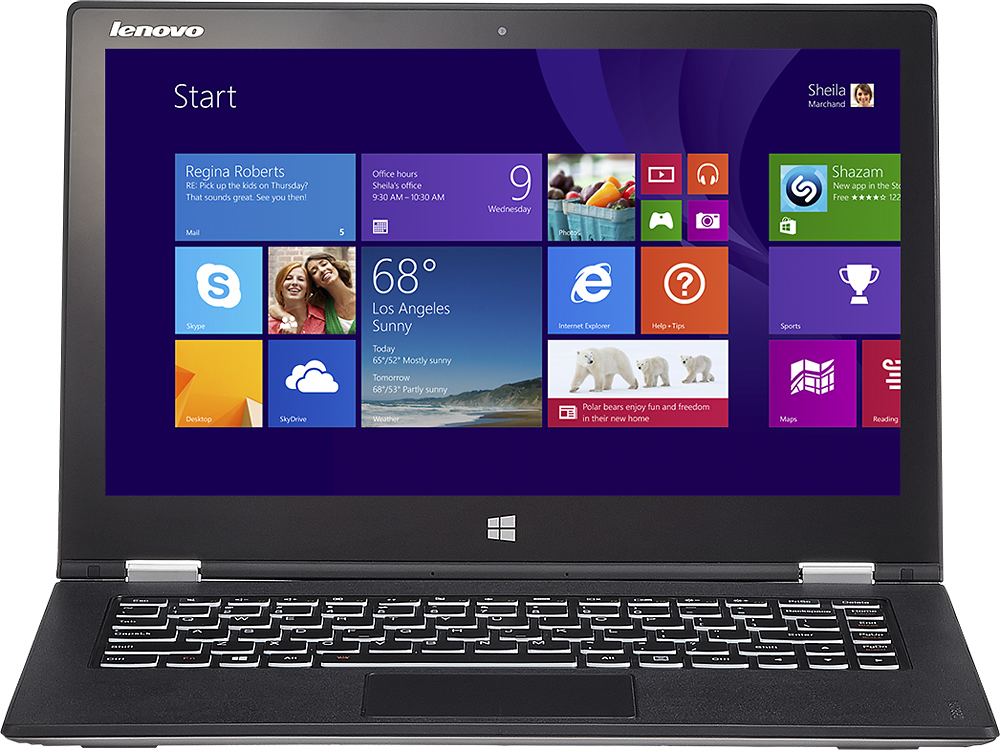
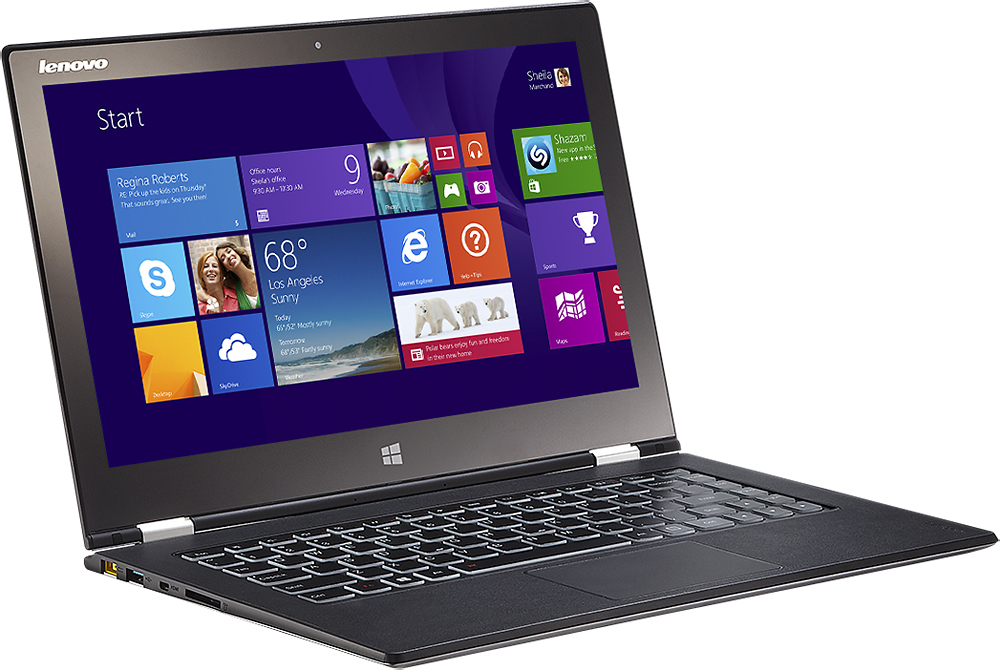
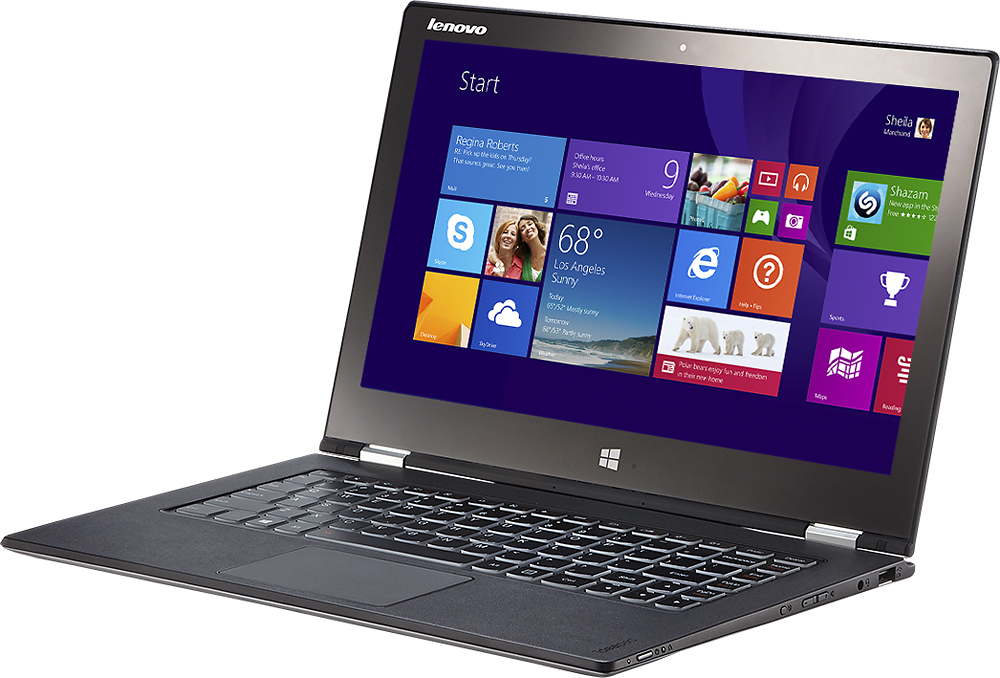
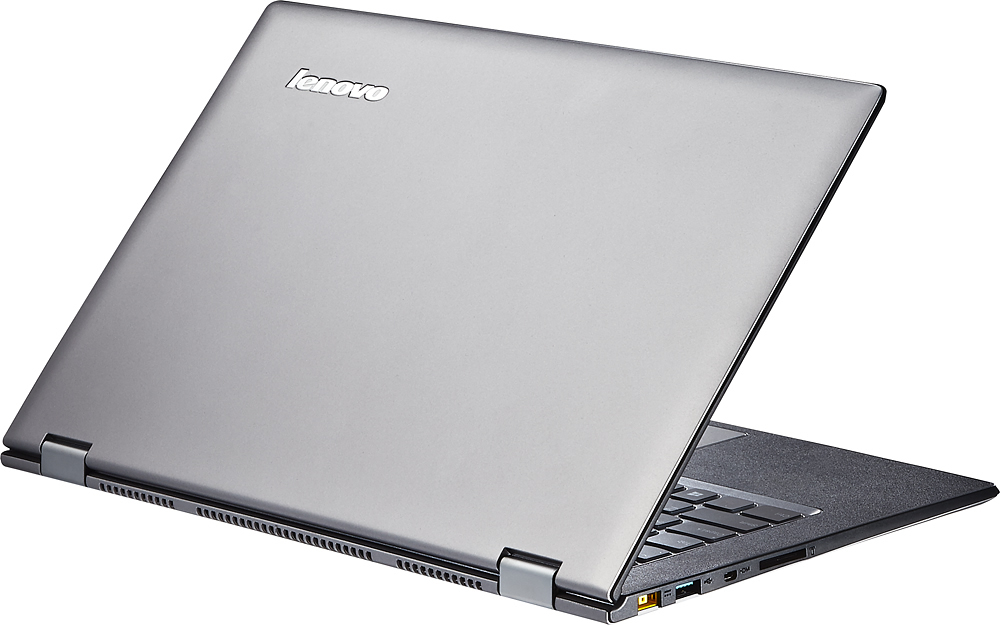
- Yoga 2 Pro - 59418309
- |
- SKU:
- 1817254
Customer reviews
Rating 4.3 out of 5 stars with 1659 reviews
(1,659 customer reviews)Rating by feature
- Display4.4
Rating 4.4 out of 5 stars
Customers are saying
Customers are impressed with the Yoga 2 Pro's touch screen, describing it as a great feature. They also appreciate its lightweight design, with comments noting how thin and light it is. However, some customers have concerns about the battery life and the Windows 8 operating system.
This summary was generated by AI based on customer reviews.
- Pros mentioned:Touch screen, Weight
Rated 4 out of 5 stars
Good Laptop w/ High Res Screen
Posted .This reviewer received promo considerations or sweepstakes entry for writing a review.Overall excellent laptop for average to advanced student users. Very light weight convenient for school plus long battery life is great for extended daytime activities without need to find a power plug. Very high res screen is great. Doesn't seem very adaptable to new peripheral hardware - only 2 usb ports. Not very adaptable or upgradeable - it's a great computer ... now, but won't be alterable in the future - you get what you get. Easy to clean / keep clean. Screen is glossy so glare is an issue outdoors. Back lighting is super bright when needed but doesn't seem to drain the battery much. Facial recognition password access is not recommended as it seems to allow most family members, etc to get in. Would buy it again, but would get the newer Yoga 3 version.
I would recommend this to a friend - Pros mentioned:Lightweight
Rated 4 out of 5 stars
Yoga good but........
Posted .This reviewer received promo considerations or sweepstakes entry for writing a review.We bought the Yoga so that my daughter could have a versatile laptop for college. The Yoga 2 Pro met and exceeded that requirement. I would recommend this laptop BUT..........be aware of a couple of things that we experienced. The Dragon assistant voice recognition software preloaded on the Yoga is a beta addition. When we first fired up the Yoga it worked perfectly and was a pleasant addition to this device. However, then came the software updates and a new version of Dragon Assistant was updated automatically. Well, it broke Dragon. We reported it in August of last year and Lenovo said they knew about it and that it would be fixed in 2 weeks. Well 5 months and many follow ups later it was still broke. Lenove said they would keep me advised.........didn't happen. So I cruised the web looking for others that shared my misery. I found a posting that said to contact Nuance (the designer of Dragon) That was interesting because I actually contacted them 1st and they said to contact Lenovo. Ha! Well I called Nuance and referenced the posting on THEIR chat postings and I am happy to report that they fixed it. Lenovo is still working on the fix and I didn't tell them it was fixed. Wonder how long that trouble ticket will be active. Ha. I am glad I waited to complete this review because as we speak the laptop is on it's way to repair. It completely died yesterday. It is covered by warrenty and Lenovo was very helpful in paying for shipping etc. However, I have owned many laptops and this is the 1st one that died this way. There are a couple of indicator lights on but it does nothing when the on/off button is pressed. This failure is very disappointing. Especially since my college daughter is now without a computer. Lenovo says it is a 7 business day turnaround. We will see. As I said at the beginning of this review we really like the laptop but not happy about the Dragon issue and now the laptop failure. I hope this is just a "one off" and that others have not had this problem. Hope this helps.
I would recommend this to a friend Rated 1 out of 5 stars
Do not purchase this one.
||Posted .This reviewer received promo considerations or sweepstakes entry for writing a review.Two different laptops within 5 weeks. Same problem. The connections between the screen and keyboard are bad. The screen has gone blank. Can no longer use it. Until it's fixed... again. What a pain!
No, I would not recommend this to a friend- Cons mentioned:Price
Rated 1 out of 5 stars
SSD crashed after 8 weeks
||Posted .This reviewer received promo considerations or sweepstakes entry for writing a review.What good is a $1200 notebook that becomes useless after 8 weeks? Enough said.
No, I would not recommend this to a friend Rated 1 out of 5 stars
Disappointed
||Posted .This reviewer received promo considerations or sweepstakes entry for writing a review.The laptop was great for about 5 minutes until it quit working. Best Buy directed to me to Lenovo who just found a reason to deny warranty. I got stuck with a brick, I had bought the 11" version prior and it was so slow it was not useable and this was a replacement. Guess what, 2 bricks later I bought an HP Envy which has worked great for a couple years.
No, I would not recommend this to a friendRated 2 out of 5 stars
the quality is not up to my expectations
||Posted .This reviewer received promo considerations or sweepstakes entry for writing a review.it sometimes lag.and the charger sometimes are too loose that the laptop could no be charged
No, I would not recommend this to a friendRated 2 out of 5 stars
Lenovo Yoga
||Posted .This reviewer received promo considerations or sweepstakes entry for writing a review.Laptop could have been top notch if not for the screen problem.
I would recommend this to a friend- Pros mentioned:WeightCons mentioned:Price
Rated 5 out of 5 stars
Lenovo vs. Sony
Posted .This reviewer received promo considerations or sweepstakes entry for writing a review.I first bought the Sony - VAIO Flip 14A 2-in-1 14" Touch-Screen Laptop - 8GB Memory - 500GB Hard Drive - Black, then returned it and got the Lenovo - IdeaPad Yoga 2 Pro Ultrabook 2-in-1 13.3" Touch-Screen Laptop - 8GB Memory. Both have the same processor, RAM. Here are the significant differences, in my opinion: 1. Lenovo has the best resolution screen on the market, including iPads, with 3200x1800 vs. Sony with regular HD 1920x1080. The Lenovo is awesome. 2. Lenovo has a fan which I can hardly hear vs. Sony's fan which is on most of the time and is very loud, almost as loud as a typical small room fan. 3. Sony's touch screen is touchy... 20% of the time I swiped up... instead of moving down on the browser screen, it upsized or downsized the text. Lenovo's touch screen is much more accurate with my touch. 4. Lenovo boots in 10sec.... Sony boots in 15sec.... in general Lenovo is faster on bringing up apps due to solid state memory instead of a disk-drive. Solid state memory probably requires less power and thus doesn't need the larger louder fan. 5. Sony has more disk memory 500GB hard disk vs. Lenovo's 256GB solid state memory. But, even with all my business data, including web design, pics, movies and all my personal data, pictures, music... it only takes half Lenovo's memory... so the smaller solid state memory was not a problem for my use. 6. Sony's screen is slightly larger 14" vs. 13.3" 7. Lenovo is much thinner 0.6" vs. Sony 0.8" 8. Lenovo is much lighter 3.1lb. vs. Sony 4.3lb. 9. Sony is less expensive at $899 vs. Lenovo $1199. For my money, I like Lenovo better. Hope this review helps.
I would recommend this to a friend Rated 1 out of 5 stars
STAY AWAY
||Posted .This reviewer received promo considerations or sweepstakes entry for writing a review.I was looking at the screen, wasn't even touching it and the screen went black. It won't turn on. I spent a lot of money to have a problem like this in about a months time. So much for the online schooling that is to start in a few days.
No, I would not recommend this to a friendRated 1 out of 5 stars
Not worth the money
||Posted .This reviewer received promo considerations or sweepstakes entry for writing a review.Bought for a small laptop for school since had high quality components. Put all together, though, it's not worth the money. Inconsistent performance from this computer. Two weeks into college and my kid wants back her old clunky laptop because it's more reliable.
No, I would not recommend this to a friendRated 1 out of 5 stars
Terrible Design - Don't Buy
||Posted .This reviewer received promo considerations or sweepstakes entry for writing a review.Had this computer for less than a week when the screen cracked. Very common for these due to cheap glass and no support built into design. Read online about this and you will see it is a common problem. IBM has no interest in backing this product when you call them.
No, I would not recommend this to a friendRated 2 out of 5 stars
Hard drive issues within a month
||Posted .This reviewer received promo considerations or sweepstakes entry for writing a review.I already have an issue. Told I have to send it out
No, I would not recommend this to a friend- Cons mentioned:Battery life
Rated 4 out of 5 stars
Good hardware that software isn't ready for
Posted .This reviewer received promo considerations or sweepstakes entry for writing a review.If you are coming to this device from an older computer with sub 1080p screen and sub windows 8, you are in a world of hurt. Between windows 8 and the insane DPI of the screen there is a huge lack of consistency in how different programs are displayed (scaled) and general confusion on how to do anything. I currently use IE, Chrome, and Firefox for browsing. One is good for youtube, one for touchscreen/tablet mode browsing and one for work stuff. None will do all three properly. Some programs will have toolbar icons smaller than the mouse. If you just do internet, word processing, and other basics you will probably be fine but more specialized programs will not like the high DPI. Windows 8 is very confusing when it comes to switching between the win7 like desktop and the touch screen tile stuff. I had assumed these were two ways to get to the same programs which is only the case sometimes, other times there are programs with are not cross compatible with the two viewing modes. To address the scaling I have just now cranked the resolution down to 1080p and put scaling to 125-150% which roughly matches the 250% I had at 3200x1800 as far as icon sizes and whatnot and now all programs seem to work just fine. You just lose out on the razor sharpness of the things that took advantage of the 3200x1800. 1080p on a 13" is still nice and sharp though. Maybe it will just be a year or so until software catches up and ultra high res screens are more mainstream and then I can switch back. All of the above is not the fault of Lenovo or the design of the yoga. I did a lot of research on the yoga2 and after using one for a couple weeks there are not many surprises hardware wise and is why I have not given an unfairly poor rating. The battery life does seem a little lackluster but maybe switching to 1080p will improve it. One thing I am a bit disappointed in is the clicking of the touchpad. The click buttons are integrated into the touchpad which I believe is pretty common now but they push fairly hard which usually causes the mouse to jump off target. This is only an issue when right clicking and click and drag as you can just light tap otherwise. (You can double light tap for a drag too.) My only other hardware complaint is that there are no keyboard media controls. There is mute, volume+/-, close window(I didn't mind pressing alt but ok), refresh, shut screen backlight off (why?), airplane mode (also doesn't need to be a direct button), open windows popup(same as alt+tab aka not needed), disable touchpad, ext/int display, brightness+/-. Could have eliminated 4 of those for media controls. Last hardware complaint is the backlit keyboard is either 100% or 0%. Not middle ground, no automatic anything. Not a big deal, it's never too bright but also never not bright enough either. Another issue is the bloatware (ex. non Adobe pdf reader) and many software wow features which you see a lot of in phones now days. There is just a lot of stuff which I don't find necessary. Take the yoga chef program which allows you to flip through recipes. I don't really need that but whatever. The problem I do have is that there is a separate application/process which runs in the background to allow Chef to use the camera for hand waving through the recipe. Then there is another program which allows you to do this vocally (and do some other vocal commands like say cheese to take a picture). There is a ton of background stuff like this which is probably why the battery life is poor. However, all of this should be removable. Finally, some of Lenovo's software is pointlessly doing things windows already does making settings confusing and eating more battery. Take their energy manager. The only reason to keep it is that it fixes the yellow issue (*Only when in certain power modes!). However, it has a screen auto brightness mode. The intel graphics driver program also has a screen auto brightness mode. Windows power settings also has an auto brightness mode. ALL THREE are set to ON defaultly so all they do is compete with each other and make the brightness wonky. (It surprisingly got worse as I shut the first two off.) Because there are direct screen brightness controls on the keyboard, I don't find this a necessary feature and would rather adjust to what's comfortable. Again, just nuisances to tweek out. All I did was complain in this review but that's what you come to the reviews for, the good things are all laid out in the specs, marketing, and the first couple reviews. So a lot of the issues you face is just tweeking it to work how you want it and getting rid of battery leachers you don't need, getting used to windows 8, and possibly not using all those pixels until software catches up. None of which are really model specific. I purchased this because of the hybrid form factor and the amazing bang for your buck. After turning the resolution down 1080p the yoga2 is a great system for anyone.
I would recommend this to a friend - Pros mentioned:Lightweight, Touch screen
Rated 5 out of 5 stars
Great computer! Wireless works great w/update
Posted .This reviewer received promo considerations or sweepstakes entry for writing a review.I've read the reviews here and have to disagree with several of the negative ones. First of all, some people have said that the hard drive failed. This machine doesn't HAVE a hard drive. What were they reviewing? Some claimed that the wifi doesn't work well. I went to the Lenovo site, saw that there were more recent versions of the BIOS and wifi drivers, downloaded them and installed them. Wifi works great! Nice screen and keyboard. My only (slightly) negative comment is that it runs a bit hot, but not so much you can't keep it on your lap. Speedy, great responsiveness, and it works well in stand, tablet, tent or PC modes. My wife bought her HP Spectre 360 a few days before I got this and she wants to return the HP and get the Lenovo.
I would recommend this to a friend Rated 1 out of 5 stars
Overheats
||Posted .This reviewer received promo considerations or sweepstakes entry for writing a review.Already sent it back once and now geek squad is trying to blame it on my game. No one else online is having trouble. Looks like this will have to escalate to a manager with some kind of empowerment to set this right and exchange the lemon.
No, I would not recommend this to a friend- Cons mentioned:Wifi
Rated 2 out of 5 stars
Good unless you want Wifi and like yellow
Posted .This reviewer received promo considerations or sweepstakes entry for writing a review.I want to be thorough in writing this but it’s rushed so I am sure there are tons of typos plus I have to cut it for being too long so there are parts missing so things may not flow; please bear with me. I purchased this ultra book and it was shipped to me February 7th, 2014 and between then and June 1st, 2014 it has had to go back to Lenovo 3 times for periods of up to "10 business days." For those who don't understand what that means we are talking about 2 weeks at a shot not inclusive of shipping time and how that is affected by weekends and not inclusive of holidays and how they affect the schedule. That means it has been nonfunctional in each of the first months I have had it and it has spent about a month and a half of the four months I have owned it in the shop as it were. Before you say that is anecdotal, this computer was recommended to me by an IT friend of mine who was really excited about it and purchased one. He came over and showed me his and when I found it is stock went out and bought one too. Since then, he has had to return his at least 2 or 3 times because the SD car reader was not functioning among other problems. Then there are the many users you can Google with a variety of problems from the minor issues that Lenovo has just made clear that we are supported to just deal with to the larger problems we also are supposed to just deal with. For example, look at the Bestbuy yellow. Compare that to a mustard or golden yellow. The same? On this computer they are. Yes you will never get real yellow on this computer tough luck because you see the resolution is so “awesome” to fix the battery life they needed to screw up the yellows. For all of us who live in a reality based world not on the my specs are better than yours planet, the specs are just too much when it comes to resolution. Cool you want to be better than the Retina display; cool story bro but you are on a tiny screen. What that amounts to is tiny buttons and hard to read text if you don’t have perfect vision. If my choice is between having a real yellow or a gratuitously over speced display I’d pick the former but that is for you to decide. Also no digitizer pen; the old x41 tablet Thinkpads had them, the Surface pro has one. It would be useful given the tiny buttons but I guess they blew the budget on the cool useless display. The “4” modes are a sham. I use this primarily in laptop mode because it is the most functional and logical one. Tent mode is an excuse to break it by letting it get knocked over and was just some engineers saying had technically we can leave it half way open and claim to have more modes. Presentation mode is laptop mode with no use of your keyboard because you know if you are watching something it is too much of a burden to have the keyboard out. Tablet I use if I want to carry it around and still use it but honestly it is kind of douchey like the Google glass. It is just telling people my computer can and yours can’t. Again if the trade off is having a functional computer and these cool “4” modes, I rather the former. Again your choice. The power supply is proprietary so when it goes you can expect a few bucks to go out of your wallet as well. Obviously non replaceable battery. The battery life is nowhere close to a MBA but I suppose about 5-6 hours is respectable. That brings me to another point, you will not open this machine without work and not much is replaceable. Like many other ultra books this is a ye shall not pass type of laptop when it comes to opening it up. Upgrade memory, no (You better buy the 8gb model if you want your investment to last). Memory is on the board. I think the SSD is technically replaceable as is the WiFi chip (more on that in a minute) if you can get to them which you can’t without a lot of work. My major problem is the WiFi. If you are going to build a laptop with limited hard drive space, no Ethernet jack and no Ethernet adapter and which you claim is portable, it should have spotless WiFi or at least functional WiFi. Lenovo did not get that message. This computer uses an Intel® Wireless-N 7260 (802.11bgn) card. It is cheap it is awful it is a deal breaker. I didn't realize this a first but I have come to find out. First let me say there is a better 7260NGW Intel® Dual Band Wireless-AC 7260 card which retails for like $35 but Lenovo is too cheap to just fix the problem and would rather spend money 3 times shipping a computer back and forward than fix what is a known faulty card. It is shameful. Google Yoga 2 pro and WiFi for yourself and see. Let me give you the summary, the WiFi is not good but if you upgrade to the card it should fix some of the problems but as spoken to above, you can’t open this laptop without serious work. When I first received my unit I was excited, no WiFi problems but there was this weird bug which switched stereo to mono. They RMAed it and I patiently waited my 14 business days with shipping and all to get my unit back. Then I used airplane mode andthat was the end of my WiFi. I tried to bring it back but the hardware, the adapter was not there huh? Being a bit tech savvy I run some diagnostics play with the drivers reset the WiFi etc. It’s gone. Was it put back in loose like my keyboard and the movement jarred it loose? Back to Lenovo because as you can read above, you can’t open this thing. Full back up again wait my 14 business days etc. The problem which they fixed by replacing the system board (why would you do that when the WiFi card is replaceable, just dumb) is still there. Self problem check the situation, the router, diagnostics, etc it’s the laptop back to Lenovo. Thoroughly frustrated after spending hours of my life on this issue I update the drivers fix a hack around involving turning off the computer and having to save everything for a reset ever hour or so but that is not reasonable so I call Lenovo again. I very patiently (I am proud of myself) explain the issue thoroughly including the sound issue which precipitated this entire situation still exists. The very apologetic support person says that I need to send it back again but I will be put on the “priority” list which does absolutely nothing because I am still 10 business days in the depot plus shipping time. I begrudgingly accept and explain can they just replace the WiFi card with the better card and I will PAY for it I just don’t want to deal with losing the computer again I had to cancel a business trip already because I work on the computer and needed it for the trip. Yes yes sir we will make this right I promise. I get the computer back after my wait period and out of the box it has the same issue nothing was fixed. The paperwork says they were able to replicate the problem but I guess they thought oh well tough for him just send it back who needs WiFi anyway right? They hadn't replaced the card, it clearly was still not working and I just wanted my money back at this point and they could have the computer because they clearly thought they could get it to work. Again, the very sorry and apologetic person on the phone told me that it would all be ok they would get a Customer relations manager to call me back within 3 business days. 5 days later an email no refund as promised no update or future discount, no we will install the card if you buy it only we will send you back the same broken computer that you have had all the issues with and good luck with your data. I don’t want to sound self entitled or like I deserve more than I bargained for but I purchased a laptop which depends on WiFi and was advertised to have WiFi. It does not and the response is too bad. This is Lenovo; this is their thinking; this is what you are buying. A system they know not to work, they don’t care doesn't work and has problems they don’t disclose to you and when you complain and ask for a simple fix to a major defect they tell you to kick rocks.
No, I would not recommend this to a friend - Pros mentioned:Speed, Touch screenCons mentioned:Battery life
Rated 5 out of 5 stars
Fabulous Little Device!!!
Posted .This reviewer received promo considerations or sweepstakes entry for writing a review.I originally purchased the Dell 14 inch 7000 Series with the i7. It was a little big & heavy for my taste plus the keyboard was quite flat with very little travel in the keys. I was hesitant to purchase this Lenovo b/c of the extra cost, but I must say, it was worth the difference in price (plus, I got it on sale!) The difference in the speed is quite noticeable between the 2 devices even though they're both an i7. Also, typing on this Lenovo has been a pleasure!! This device is also very light, it's fast and the display is fantastic!! The only 2 improvements I would make are with the trackpad being a bit too sensitive although, I have gotten used to it and improving the battery life (I seem to get an average of about 4-5 hours without heavy use, but battery life does seem to differ somewhat between units.) On the upside, my device charges very fast also. Overall, I don't regret spending the extra money for the Lenovo so far, it was money well spent! Hopefully, it's longevity will be impressive as well.
I would recommend this to a friend Rated 1 out of 5 stars
Think it just died
||Posted .This reviewer received promo considerations or sweepstakes entry for writing a review.Been a great laptop until yesterday when it Went into hibernate mode lo and won't reboot. Looked it and found out that others have had the same problem with no resolution after warranty expired.
No, I would not recommend this to a friendRated 1 out of 5 stars
Sleek, but had issues
||Posted .This reviewer received promo considerations or sweepstakes entry for writing a review.This laptop is sleek and light, but came with a pre-installed malware or virus, gave me a lot of trouble, eventually I ended up buying a different laptop
No, I would not recommend this to a friend- Pros mentioned:Light, Speed
Rated 5 out of 5 stars
Excellent 2 in 1 Laptop
Posted .This reviewer received promo considerations or sweepstakes entry for writing a review.I was looking to replace my Surface Pro 2 as I needed something larger for work but liked the "tablet" function of the Surface. First I purchased a HP Envy 2 in 1 13-j002dx with detachable keyboard which was fine for about 3 days but began to have Bluetooth and WiFi issues. I returned it for the Yoga and I'm glad I did First it is light and works well in laptop or tablet form. It fast with I7 and 8Gb RAM. The ultra high def screen looks great.
I would recommend this to a friend