Customer Ratings & Reviews
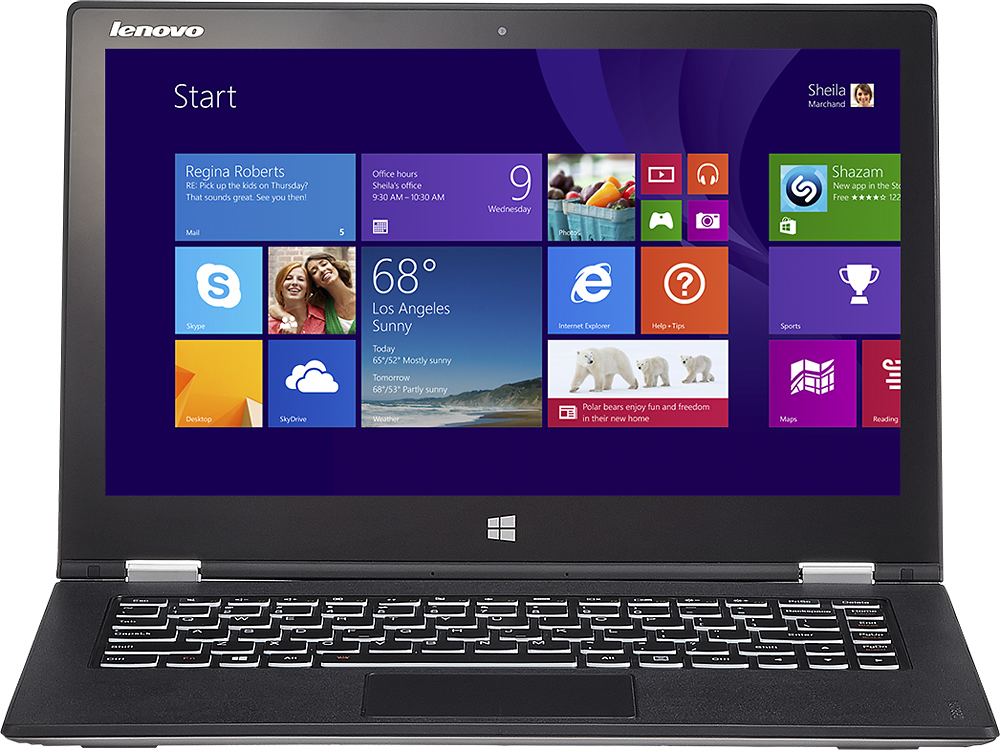
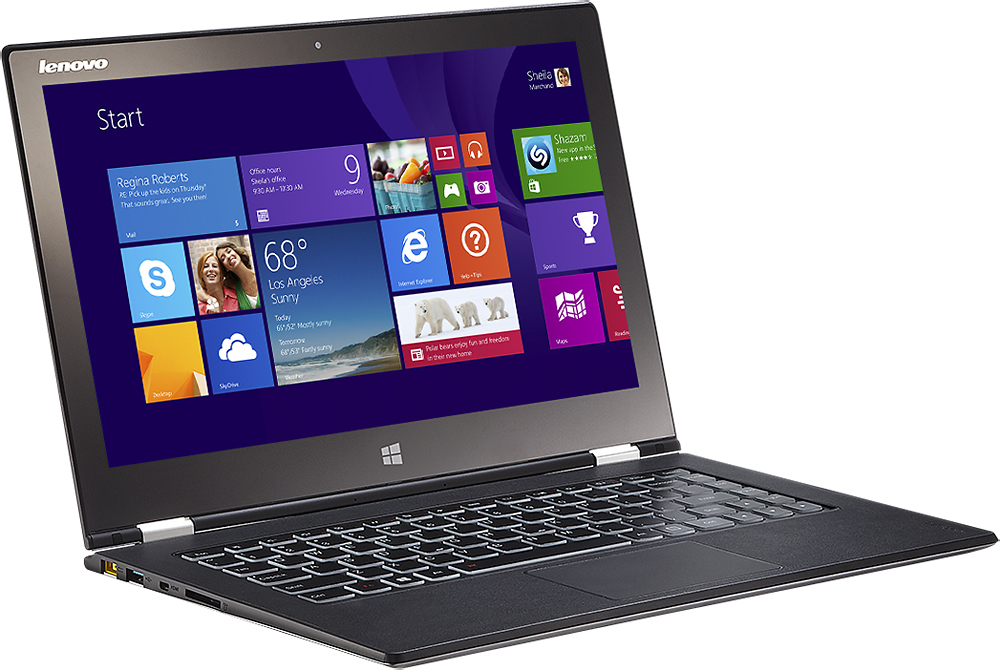
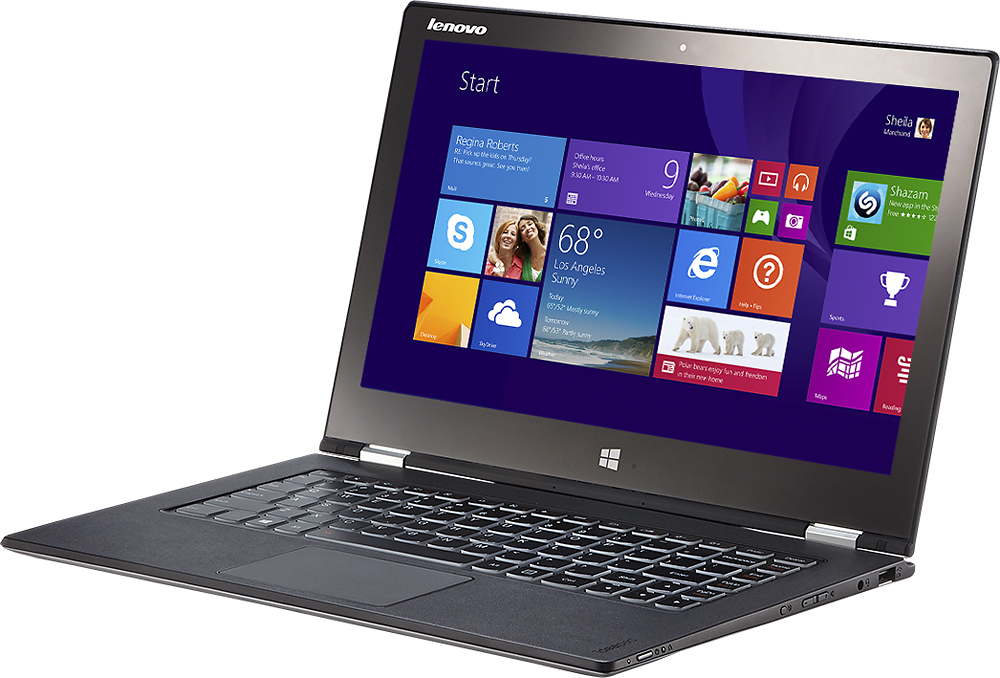
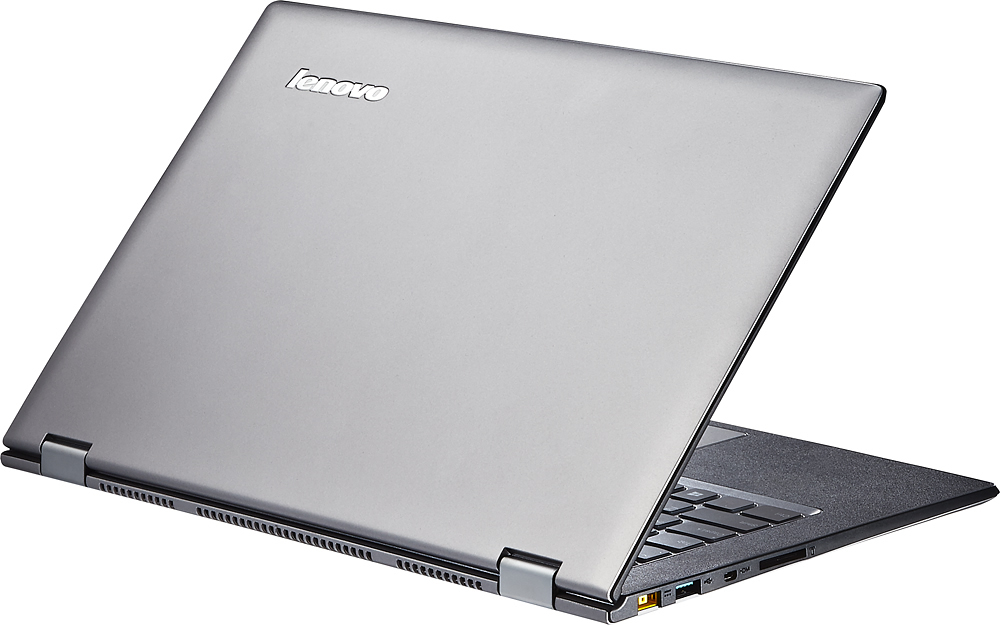



- Model:
- Yoga 2 Pro - 59418309
- |
- SKU:
- 1817254
Customer reviews
Rating 4.3 out of 5 stars with 1659 reviews
(1,659 customer reviews)Rating by feature
- Display4.4
Rating 4.4 out of 5 stars
Customers are saying
Customers are impressed with the Yoga 2 Pro's touch screen, describing it as a great feature. They also appreciate its lightweight design, with comments noting how thin and light it is. However, some customers have concerns about the battery life and the Windows 8 operating system.
This summary was generated by AI based on customer reviews.
- Pros mentioned:Lightweight
Rated 4 out of 5 stars
Almost Perfect! Poor LCD colors is a huge negative
Posted .This reviewer received promo considerations or sweepstakes entry for writing a review.I bought this yesterday to replace my broken Sony Vaio Z750 which was 4 yrs old. I loved my Sony since it was one of the only HD-res screens avail on a 13" laptop back then and had the best contrast, blacks, viewing, typing , CPU performance, built in DVD, all in a 3.2 lb ultra-portable. Nothing came close in that category of laptop in 2009. My mothboard is failing now so I bought the Lenovo Yoga 2. My first impressions of the Yoga 2 are that it is the most versitile laptop I have owned.The Yoga 2 is about an ounce lighter than my beloved Sony Vaio Z. But it has a more versatile purpose with the foldback screen, it has a higher res screen, its touch, has relatively long battery life, comfortable in the hands, comfortable in the lap, not top heavy (like many other touch screen laptops), has non-slip rubberized coating on shell (a trademark of IBM/lenovo), excellent trackpad and touch screen response, and best of all does NOT get hot. Itbarely even gets warm (my Sony Z got very warm to hot and the fan would always ramp up like a jet engine that I had to limit the CPU to keep it cool). The Yoga 2 stays very cool. My biggest complaint I discovered though is the LCD panel quality. Even though its Quad HD, it has extremely poor color reproduction. If you google "bright yellow" and compare the swatch with other laptops you will see the yellow is a brown mustard color. Also Im not sure yet, but I might be having a little eyestrain (similar to that of the Pentile screen on my old Motorola Droid Bionic). I also notice the lbacklight variation from the bottom when viewing darker colors. The viewing range is decent but not as good as my old sony or the screens I see on the non-touch Samsung 9 series. The Yoga defintiely has a cheaply made panel and I was spoiled on my Sony screen. I just dont understand why laptop manufacturers keep throwing in cheap panels. I also just learned hte panel on this Yoga 2 is the same as the new Samsung AP9 that recently came out and I was originally considering. So now I need to decide if I will keep my Yoga or return it. I am torn cause I like everything but the screen quality. And now my choices are limited since the Samsung AP9 is exactly the same thing spec wise as the Yoga2 but in an aluminum case without 360 degree tablet mode but at a pricetage $600 more. So overall the Yoga2 I bought for $1200 (i7, 8gb ram, 256 SSD) is practically a clone of the Sammy AP9 that was announced with same i7, 8gb, 256 for $1800. (the i5/4gb/128 sells for $1500),. So the Yoga2 is a super value at that. As long as the screen color issues dont bother you, its a fantastic laptop at a fantastic price.
I would recommend this to a friend Rated 1 out of 5 stars
The laptop is broken less than one month
||Posted .This reviewer received promo considerations or sweepstakes entry for writing a review.Only 3 weeks after purchase, it can not be turned on due to hardware problem. I have to send it back for repair.
No, I would not recommend this to a friend- Pros mentioned:Weight
Rated 4 out of 5 stars
Review from Senior Software Engineer @ Vanderbilt
Posted .This reviewer received promo considerations or sweepstakes entry for writing a review.I originally purchased the lower, $999 model. I found quickly that a 128GB hard drive fills up much faster than it used to. Also, 4GB of RAM is now inadequate to meet my needs. I really loved the lesser model, so I naturally looked for, found and purchased one that did meet my needs. (This one). WARNING AND PRIMARY COMPLAINT: The Bluetooth connections drop intermittently. Since any USB connection sticks out, I chose to use a Bluetooth mouse so the computer would fit into a 13" computer sleeve. When I returned the lesser model to upgrade to this one, I already had the experience of the computer dropping the Bluetooth connection to the mouse. I figured it was just a fluke with that computer. After I got this one, the mouse worked great for a while and then just dropped connection. I updated the Bluetooth drivers and continued to experience the connection drop. I googled it and found it seems to be an issue with a number of people. It happens randomly and the only fix is to repair the installation, so I have put a link to the driver to repair it on my desktop and generally have to run it, to connect my mouse again, once every few hours. PROS: 1) The screen resolution is better than my iPhone Retina screen. If you modify the power settings, you can have it not drastically adjust the brightness while plugged in. 2) The Solid-state drive is awesome when starting the computer. It never takes more than 20 seconds to fully load. 3) Old-school games run great. When you get into any 3D gaming, you will have issues. I am a beta-tester for Microsoft Spark and it sputters along trying to keep up. Practically, it is not usable for 3D gaming. 4) The weight is about 3 pounds which is not bad to carry. Also, the battery will last 5.5 hours using it intensively. For example, I used it developing using MS Visual Studio 2013 and had 2 instances open, used SQL Server Management Studio and had a similar program open with a connection to an Oracle server. I used Adobe Dreamweaver occasionally and Fireworks as well. I consider my usage pretty intensive and the computer lasted 5.5 hours on battery. CONS: 1) A SD card placed in the SD card slot sticks out about 1/2 an inch which prevents you from keeping a card in the slot if you, like me, use a sleeve to store the computer. 2) There is no support for 5Ghz wireless. Being a nerd, of course I own a dual-band Wifi router - 2.4Ghz and 5Ghz. If you live in an area like mine, you will find that all your neighbors are using 2.4Ghz wireless networks as well, but few are using 5Ghz. Maybe the 2.4Ghz clutter doesn't matter, but I want the choice or option. Now, we need to also consider AC over N. 3) The screen resolution is incredible, but try to run any Adobe product. Or websites using certain browsers and you will find the text off the screen or out of proportion. The one that affected me the most has been Adobe products just because I like to use Dreamweaver to visually design a page before I code it for an MVC view. 4) External monitors are supported using a mini-HDMI connection. When did this come into play? Why not use the normal mini-port? Basically, I have to buy another adapter to use our projector. 5) Originally, I went in to purchase a Microsoft Surface, but the quality of this machine swayed me. The only difference I wish this one had is the pressure-sensitive stylus. The Surface has the same stylus used by Wacom.
No, I would not recommend this to a friend Rated 1 out of 5 stars
To much change
||Posted .This reviewer received promo considerations or sweepstakes entry for writing a review.purchase as upgrade from a VISTA laptop. Due to the total change in WINDOWS I have not been able to use it for anything thus far.
No, I would not recommend this to a friend- Pros mentioned:Weight
Rated 3 out of 5 stars
An almost ideal laptop let down by its Wi-Fi
Posted .This reviewer received promo considerations or sweepstakes entry for writing a review.This is a perfect specification for a high end laptop - brilliant high resolution display, top of the line CPU and more than enough memory for most use cases. It is very light yet sturdy. Lenovo was one of the first to introduce the 360-degree hinge and it works well, although if you end up using it only at home like I do, you don't make use of it that often. To top it off, Best Buy seems to have managed to cram all these top specifications in a reasonable price. Buying a laptop with these same specs from Lenovo costs much more. The biggest let down for me is the Wi-Fi. I don't know what corners Lenovo had to cut to make this laptop possible, but the W-Fi performance on this thing is downright atrocious. It frequently drops connections and you have to routinely turn the Wi-Fi on/off to get it to reconnect (with a little luck). It also does not support dual-band Wi-Fi, which is a big omission from such a premium laptop. I have 2 tablets and 2 smartphones and my work laptop in the house connected to the same Wi-Fi network and none of them have issues with holding a steady connection. A quick internet search for this reveals a large number of people having this issue. A Lenovo firmware update is rumored to have fixed this issue, but it hasn't helped me with all updates installed. Like I said in the title, it's an almost ideal laptop if not for it's unreliable Wi-Fi.
No, I would not recommend this to a friend Rated 1 out of 5 stars
replacement for Asus
||Posted .This reviewer received promo considerations or sweepstakes entry for writing a review.The Lenovo Yoga Pro was replacement for Asus. Have it for about mouth, and it's been dropped off at the Geek Squad twice.
No, I would not recommend this to a friendRated 1 out of 5 stars
Don’t bother
||Posted .This reviewer received promo considerations or sweepstakes entry for writing a review.Struggled with the internet connection from the minute I took out of box. Returned for an ASUS
No, I would not recommend this to a friend- Cons mentioned:Color
Rated 5 out of 5 stars
Overall, Excellent
Posted .This reviewer received promo considerations or sweepstakes entry for writing a review.No issues with WiFi as of yet; I am using it for the last 7 days @ 10h/day usage and have used the machine at 4 different WiFi spots, including one public WiFi spot. I am getting excellent speeds everyday at my office - averaging 30Mbps and 29 Mbps upload and download speeds. Battery management was at par with Lenovo's claims. I got the machine to run for about 7h to 8h in power saver mode just typing on word and making presentation and listening to music till it dropped to 25%. Last night I got at least 6.5h from watching HD videos on you tube till it dropped to 28%; not bad either. HOW TO SOLVE THE COLOR ISSUE: Near true colors for yellow, red, orange, green etc. The infamous YELLOW COLOR issue - I call it "Yoga's Jaundice". Upon contacting Lenovo #through website#, apparently the problem seems to be a software fix and can be done using a firmware. Good news is, Lenovo is working on it! Bad news, we don't know when it will be ready. But, there's a transient solution that works much better with near-true yellow. This can be solved quickly using Energy Management. Here's what you do: Set High Performance #max power# in Energy Manager. Click "Change Plan Settings" beside the High Performance mode followed by clicking on "Change Advanced Plan Settings" at the bottom of the new window when it pops up. Clicking on it will open up a small window, wherein expand the "DISPLAY" button and TURN OFF the "Enable Adaptive Brightness" - both for battery and plug-in. Hit APPLY, and you're done with this tab. Since you're in High Performance mode, you'll be drawing huge power from the battery. To conserve, go back to the "Power Options" --> "Edit Plan Settings" and decrease the 'plan brightness' for battery mode. Plug-in mode should work fine at 100% brightness. The whole process shouldn't take more than 10 mins. Once done you will see MUCH BETTER #Near True# COLORS for - Yellow, Red, Green, Orange will look much better. You will retain the proper yellow color, and still get 5-7h hours of battery life #will depend on the brightness parameter you chose#. I am at 45% brightness and easily get 6.5h from working #typing + music#. Hope this helps till Lenovo issues the firmware update! PS: I am not reviewing the whole laptop because it's been already confirmed about its PROS, and its excellent performance.
I would recommend this to a friend Rated 1 out of 5 stars
shuts off in a middle of work
||Posted .This reviewer received promo considerations or sweepstakes entry for writing a review.I returned Lenovo Yoga 13 with I7 processor back to the store because it shuts dawn in the middle of a work.
No, I would not recommend this to a friend- Pros mentioned:Touch screen
Rated 4 out of 5 stars
Excellent specs but still room for improvement
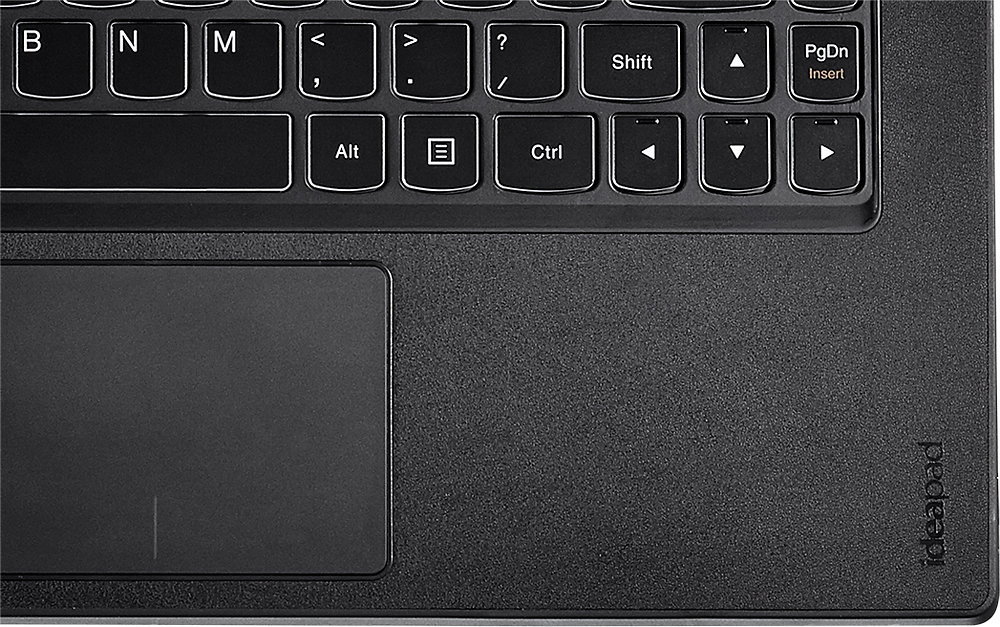
Posted .This reviewer received promo considerations or sweepstakes entry for writing a review.I was looking for a laptop to replace my 13 inch Sony Vaio. I am a doctoral student so I use this computer for both work and school. I am a professional trainer so I travel alot and often connect to a projector via HDMI. I was looking for a computer that had a 13-14 inch screen, a 4th gen i5 or i7 processor, an SSD drive and was 3.5 lbs.This Lenovo Yoga 2 meets all of these specs spot on. My experience so far has been pretty good. I really love the speed of the processor/memory/SSD on this computer however I do have a couple of complaints. It has limited connectivity - no full sized HDMI connector (has mini HDMI but requires a dongle and it is not included), only one USB 3.0 and one USB 2.0. One of the primary ways to interface with any computer is the keyboard and the trackpad. Lenovo made some adjustments to the configuration of the keyboard on this model. Specifically, they made the backspace key smaller and placed it right next to the home button. This is unfortunate because when typing sometimes instead of hitting the BACKSPACE key you hit the HOME key and your cursor jumps to the beginning of the line...Frustrating to say the least. They also made the keys relatively shallow but this is a compromise that many ultrabook makers do in order to conform to the thin and light form factor. The trackpad is ok, personally I prefer using an external mouse. I would be remiss if I did not mention a word or two about the touchscreen and the flipping form factor. The touchscreen is pretty good. I have used others before and the standard for functionality has been set by Microsoft themselves in their Surface Pro product lines. That being said I haven't experienced any problems yet. I don't really need to use the device in tablet mode or table top mode very often. To be honest, the flipping form factor is more gimmicky than practical for me. I have always appreciated laptops that could lie flat up to 180 degrees because of the multiple viewing angles but again the number of times that I fin myself needing to use that feature is often few and far between. One piece of advice to interested parties would be to make sure that you update your drivers, that should take care of a lot of the quirky problems that might pop up with this laptop as well as Windows 8.1 issues.
I would recommend this to a friend - Pros mentioned:Touch screen, Weight
Rated 5 out of 5 stars
Great laptop for drafting
Posted .This reviewer received promo considerations or sweepstakes entry for writing a review.I bought this laptop to upgrade from a Dell Inspiron for work in a design/drafting firm. The flip feature and touch screen have been fantastic for presentations in a personal meeting setting. The hardware is super speedy and has even been able to handle modern games at better than average settings. The light weight and battery life are fantastic too. Highly recommended!
I would recommend this to a friend - Pros mentioned:Touch screenCons mentioned:Battery life
Rated 5 out of 5 stars
Solid and reliable!
Posted .This reviewer received promo considerations or sweepstakes entry for writing a review.I have had this laptop for a week now. So far I have had no issues with it so far. I am a computer science student and needed a laptop that was super compact and portable but with high performance. I almost purchased the Retina Macbook Pro but I would have had to cough up some extra cash for Windows OS and other Windows applications for school. The Yoga 2 Pro was the best bang for the buck. The I7 processor, 8 GB ram, and 256 GB ssd was more than I needed to do programming. I saved about $400 from not getting the Macbook. The Yoga 2 Pro 4K resolution is so much clearer and nicer than the Macbook Pro. Even though the battery life is not as good, 6 hours suffices for me. It has a very sleek look and the lit keyboard is a plus. The speakers are full of clarity and don't have any muffle to it. I'm probably not going to be using the laptop in its other modes like the touch screen, tent, tablet, and presentation as often but those features do make this laptop so much cooler than the Macbook. Unless you're a die hard heavy PC gamer, I highly recommend this laptop to anyone who is looking for a fast, solid, and reliable laptop!
I would recommend this to a friend - Pros mentioned:Speed, Touch screen
Rated 5 out of 5 stars
Most amazing screen ever.
Posted .This reviewer received promo considerations or sweepstakes entry for writing a review.$1199 for an i7 13.3 inch 3300 x 1800 screen with 256 GB SSD and 8GB ram. Are they kidding? This is like stealing. You can't touch a similar Surface Pro 3 for $600 more. The screen is simply stunning. Full stop. It's got i7 speed but barely gets warm and the fan is whisper quiet and rarely runs. Some minor light bleed across the bottom which is only noticeable on black backgrounds. With a thin flexible LCD screen like this, light bleed of some sort is almost unavoidable. Regardless, you can't even see the little there is 99% of the time. Ok, to be super super picky, the backlight behind my "N" key is brighter than all the other keys. Have no idea if this is just my computer or they are all like this. Anyway, only an OCD person (like myself) would even notice or care. The great crime of the Y2P is that Lenovo chose not to include an active digitizer layer in the screen for use with a stylus. If they had, the Y2P at this price point would be the ultimate hybrid computer available today, period. Regardless, I've noticed that I rarely use a pen anyway since typing is faster than writing and I can actually read it a week later. Still, in a pinch a stylus works just fine on this so long as you use a cleaning cloth as a palm shield.
I would recommend this to a friend Rated 1 out of 5 stars
Dont buy this product or purchase from best buy
||Posted .This reviewer received promo considerations or sweepstakes entry for writing a review.Three months after purchase the display quit. Best buy wont replace it.
No, I would not recommend this to a friend- Pros mentioned:Touch screen, Weight
Rated 3 out of 5 stars
overall it's okay computer
Posted .This reviewer received promo considerations or sweepstakes entry for writing a review.Cons: This computer has good battery life but there are problems with the battery plug. It's hard for me to connect the battery with the plugs. After a few months, the plastic, rubber, wires isn't good...I have to push it in hard for the ac adapter to charge my computer. I don't prefer windows 8, too on the computer. I wished it had a dvd/cd drive though. Pros: However, overall the computer is good, it runs fast and the graphics are pretty good. It's lightweight compared to other computers and it's touchscreen.
No, I would not recommend this to a friend - Pros mentioned:Touch screen
Rated 4 out of 5 stars
Excellent laptop, light and fast
Posted .This reviewer received promo considerations or sweepstakes entry for writing a review.I have been waiting for this laptop after hearing how much people liked the first Yoga 13. The upgraded Yoga 2 is an excellent next generation with all the specs I wanted in an Ultrabook...i7, 8GB of RAM, 256GB SSD. The screen is amazing, clear and bright. I had to reduce the resolution due to the size of the apps on full resolution. The rubberized body is a nice addition, the outside and the area around the keyboard have a non slip coating. Overall it feels solid and the screen hinge stays tight when using the touchscreen in laptop mode. The i7 is extremely fast and using video and photoshop with the new Intel graphics is flawless (I haven't tried any games on it). My only complaint is the trackpad. I would give it 5 stars otherwise. It constantly switches the screens and it causes the mouse to jump all over. Some of the issues can be changes in settings. The trackpad is smaller than the first Yoga and it can be frustrating to use. A bluetooth mouse took care of that. I would definitely recommend it. This was a trade up from the Asus UX31A Touch, the Yoga 2 is faster and feels more solid even though it's plastic (compared to the Asus aluminum body)
I would recommend this to a friend - Pros mentioned:SpeedCons mentioned:Battery life
Rated 4 out of 5 stars
fast and reliable, shorter battery
Posted .This reviewer received promo considerations or sweepstakes entry for writing a review.Great laptop - very fast and reliable, but battery true to what I've read doesn't last as long as would like. Disappointed with quicken not keeping up with resolution.
I would recommend this to a friend Rated 4 out of 5 stars
Very cool - just not for heavy duty work
Posted .This reviewer received promo considerations or sweepstakes entry for writing a review.I have always been a Dell user. My last one was a Studio XPS I bought in 2009. It was starting to wear out, so I purchased a Lenovo Yoga 2 Pro after hearing all the rave. I will say it is definitely a snazzy little thing and I enjoyed it very much. Incredible display/graphics and super fast! But I found myself using it for light work and going back to my old XPS for more intense work, graphics, and editing. I realized it just wasn't going to work for me as much as I wanted it to. I did love that it was so thin and light, and it had all kinds of "cool" factor to it, and was super fast with the solid state hard drive. I spent almost 2 weeks with it before I gave it up. I returned my Yoga 2, and bought the Dell Inspiron 4K Ultra HD. It's exactly what I needed, and I'm MUCH happier with it! If you're just needing something to travel with and something to show off pictures and presentations, the Yoga 2 is definitely the one. If you're looking to replace a desktop or laptop, though, it just won't work. As a 2 in 1, it's one of the best out there for the money!
I would recommend this to a friend- Pros mentioned:Speed, Touch screen
Rated 5 out of 5 stars
The best laptop and value on the market
Posted .This reviewer received promo considerations or sweepstakes entry for writing a review.I have been waiting a while for this to come to market and was surprised to see it in Best Buy so soon with Windows 8.1 and in the I7 version. This display is FANTASTIC, the machine is lightning fast. The included Dragon Voice recognition software is flawless and actually helpful, saves lots of clicks. Battery life for the first charge in moderate use was upwards of 8 hours. This is the laptop to own. i7, 8g RAM and 256g SSD for less than the original Yoga 13 you can't beat it.
I would recommend this to a friend - Pros mentioned:Speed, Touch screen
Rated 5 out of 5 stars
Best ultrabook in the market
Posted .This reviewer received promo considerations or sweepstakes entry for writing a review.This is a really faster and slim device. After upgrading bios and energy manager, yellow colors are much better except in stable mode. The lack of Ethernet input is not a problem because it is easy to find a USB-Ethernet adapter, also for VGA output. The battery last 6 to 7 hours for surfing the Internet and Word. Surprising, games like starcraft 2 or unreal tournament 3 running smoothly on high/ultra settings. The problems that I found are: tablet mode leaves the keyboard exposed, no HDD led, windows 8 bugs, and no sim card slot. If you like to use android apps, BlueStacks runs these application efficiently on this machine.
I would recommend this to a friend