Customer Ratings & Reviews
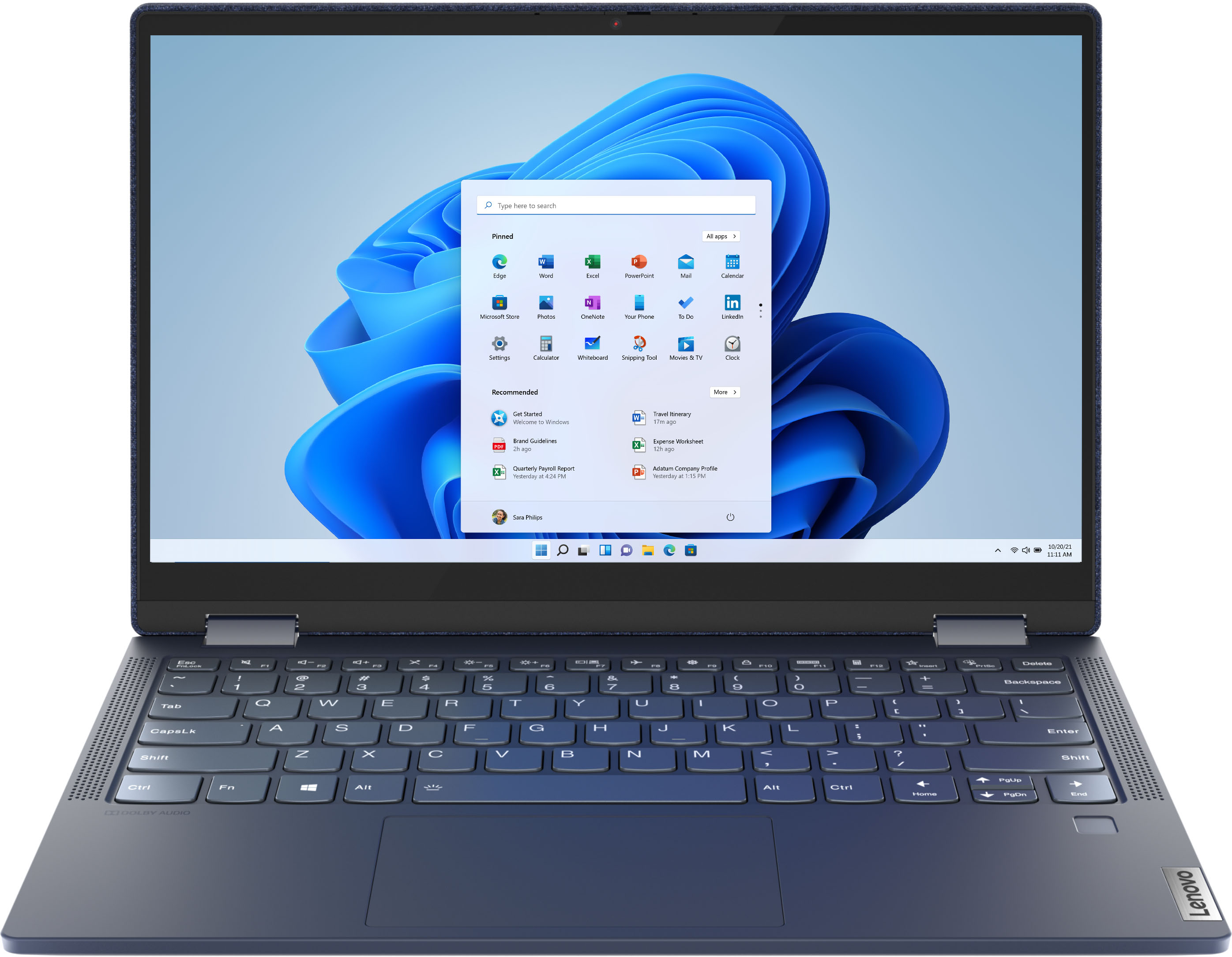


- Model:
- 82FN003TUS
- SKU:
- 6427161
Rating by feature
- Battery Life
Rating 4.4 out of 5 stars
- Speed
Rating 4.6 out of 5 stars
- Display
Rating 4.5 out of 5 stars
Customers are saying
Customers are impressed with the Yoga 6 13 2-in-1 laptop's portability, touch screen, price, and battery life. They appreciate its sleek design, light weight, and user-friendly interface. However, some customers have concerns about the limited RAM, storage, and occasional speaker or webcam issues.
This summary was generated by AI based on customer reviews.
Lenovo Lemon
||Posted . Owned for more than 2 years when reviewed.This reviewer received promo considerations or sweepstakes entry for writing a review.I’ve not been thrilled with this laptop since I purchased it 2 years ago, mostly because of its small size. It also would never fully shut down—it would only “sleep”, so the battery would constantly be dead. I started having intermittent problems with it not powering on last year and thought it was the charging cable. After having it looked at today, I found out the motherboard is bad. Only 2 years old, and it’s toast. I will not purchase a Lenovo laptop in the future (if possible).
No, I would not recommend this to a friendGreat Laptop. 0 complaints on it
||Posted . Owned for 1 week when reviewed.This reviewer received promo considerations or sweepstakes entry for writing a review.Great laptop... I returned it only because i realized i have no needs for laptop but this is a great one and so satisifing looks and mousepad. I don't need a laptop but if it goes below $500 for whatever reason, I will be pulling the trigger again.
I would recommend this to a friendGreat Laptop
||Posted . Owned for 1 week when reviewed.This reviewer received promo considerations or sweepstakes entry for writing a review.A great product from the Lenovo and I purchased it from BestBuy the very best and recommended electronic store I recommend and it's my number #1 store to search for any electronics I need. I'm really in love with my new Lenovo Yoga Laptop.
I would recommend this to a friendBrand response from Lenovo Product Expert
Posted .Thank you for choosing the Lenovo Yoga 6 13. We are pleased to hear that the Yoga 6 13 is working out so well for you.

Great little laptop
||Posted . Owned for 1 month when reviewed.This reviewer received promo considerations or sweepstakes entry for writing a review.This is an excellent PC, fast, good keyboard and does virtually everything I need. I do wish the memory was upgradable, but I swapped out the SSD for a 1GB faster drive and all was easy. For the money, especially on sale, you can't do better.
I would recommend this to a friendBrand response from Lenovo Product Expert
Posted .Hi there! Thank for choosing the Lenovo Yoga 6. We are SO happy to hear the features, performance, and design of the Yoga 6 is meeting your computing needs so well.
Great computer, but too petite for hubby
||Posted . Owned for 3 weeks when reviewed.This reviewer received promo considerations or sweepstakes entry for writing a review.This is a very compact and nice looking litter computer. I had to return it however because I ordered it for hubby online, and realized it was just to petite for him when it arrived. I may, however, go back and buy it for my self later
I would recommend this to a friendGreat unit!
||Posted . Owned for 3 weeks when reviewed.This reviewer received promo considerations or sweepstakes entry for writing a review.Got my wife this model for Christmas. It has a great screen, love the size and format, and it's not too heavy. Solid! Definitely recommend, and my wife loves the material based cover.
I would recommend this to a friendBrand response from Lenovo Product Expert
Posted .Thank you for choosing the Lenovo Yoga 6 13 for your wife. We are pleased to hear that the features and performance of the Yoga 6 13 meets your wife's computing needs so well.
Like the blue one
||Posted . Owned for 3 weeks when reviewed.This reviewer received promo considerations or sweepstakes entry for writing a review.Perfect size, I like the color and cloth feel. Prevents me from dropping it. The finger quickly gets me back from computer off or sleeping mode. I chose this over a surface pro due to more memory and it’s converting to touchscreen.
I would recommend this to a friendBrand response from Lenovo Product Expert
Posted .Thank you for choosing the Lenovo Yoga 6 13. We are pleased to hear that the features and performance of the Yoga 6 13 meets your computing needs so well.
Pretty darn good laptop.
||Posted . Owned for 3 weeks when reviewed.This reviewer received promo considerations or sweepstakes entry for writing a review.Pretty darn good laptop. Great batter life. Only wish the keyboard was a bit wider but understand the portability and light weight is a good tradeoff. So far no issues and has performed great. Love the screen flip to pad feature.
I would recommend this to a friendBrand response from Lenovo Product Expert
Posted .Thank you for choosing the Lenovo Yoga 6 13. We are pleased to hear that the features and performance of the Yoga 6 13 meets your computing needs so well.
small and elegant
||Posted . Owned for 1 week when reviewed.This reviewer received promo considerations or sweepstakes entry for writing a review.This small laptop is performing well and looks elegant with a fabric cover. But I have returned it due to the inconvenience of screen resolution for me. The screen background has looked whitewashed with insufficient brightness and sharpness.
I would recommend this to a friendBrand response from Lenovo Product Expert
Posted .Hello, we are sorry to hear you experienced this issue with the Lenovo Yoga 6 model # 82FN003TUS. This unit ships with a 13.3" FHD (1920x1080) IPS 300nits Glossy, 72% NTSC touch display. If you are experiencing quality less than this we recommend ensuring you have the latest system software, device drivers, and BIOS installed on your machine. You can easily accomplish this by scanning the computer with the Lenovo Utility software available on this computer. This system has Lenovo utilities installed to help maintain the health of the device and keep the operating system software up to date. Type "Lenovo Vantage" in the Cortana Search window (if Lenovo Vantage is not installed on your device, you can download the APP and install it now). Select Lenovo Vantage from the list. In the window that opens, click on "Health and Support". In the expanded menu, select "Hardware Scan” In the window that opens, select "Run Quick Tests". This will scan your entire system for errors. Follow any directions that may pop up. If the problem continues after this scan, now click on "System Update". First select Windows update from the menu. Scan your system to be sure you have the latest version of Windows 10. Once that scan is complete, select "Additional Updates". This will scan your device to be sure there are no new BIOS/Driver updates needed. Follow any instructions that may pop up. If the issue continues after these updates, we recommend you call Lenovo Tech Support at: 877-453-6686 for additional help.
Wonderful Machine
||Posted . Owned for less than 1 week when reviewed.This reviewer received promo considerations or sweepstakes entry for writing a review.Wow! What a wonderful, quiet, powerful machine! I knew, from review websites, just how impactful Ryzen 3rd gen was for mobile but this is amazing! Absolutely fantastic job Lenovo!
I would recommend this to a friendBrand response from Lenovo Product Expert
Posted .Thank you for choosing the Lenovo Yoga 6 13. We are pleased to hear that the features and performance of the Yoga 6 13 meets your computing needs so well.
Laptop Computer Purchase
||Posted . Owned for 1 month when reviewed.This reviewer received promo considerations or sweepstakes entry for writing a review.This was an excellent model, and the salesperson led me to a great choice and decision. I was reviewing two models that were very similar, and he was able to intelligently explain the differences, which made my decision much easier!
I would recommend this to a friendBrand response from Lenovo Product Expert
Posted .Hi there! Thank for choosing the Lenovo Yoga 6. We are SO happy to hear the features, performance, and design of the Yoga 6 is meeting your computing needs so well.
The Perfect Personal Laptop!
||Posted . Owned for 3 weeks when reviewed.This reviewer received promo considerations or sweepstakes entry for writing a review.Needed new personal computer to start my job search after receiving lay-off from work. This laptop is perfect and does everything I need it for and much more! Processor is very fast and function navigation is very user friendly!
I would recommend this to a friendBrand response from Lenovo Product Expert
Posted .Hi there! Thank for choosing the Lenovo Yoga 6. We are SO happy to hear the features, performance, and design of the Yoga 6 is meeting your computing needs so well.
Good purchase
||Posted . Owned for less than 1 week when reviewed.This reviewer received promo considerations or sweepstakes entry for writing a review.After having to return 2 other laptops to other vendors for assorted reasons since Christmas, this was my third try. The sales associate was very knowledgeable and helpful with this purchase. So far the laptop has worked well.
I would recommend this to a friendBrand response from Lenovo Product Expert
Posted .Thank you for choosing the Lenovo Yoga 6 13. We are pleased to hear that the Yoga 6 13 meets your computing needs so well.
good overall, one issue
||Posted . Owned for 3 weeks when reviewed.This reviewer received promo considerations or sweepstakes entry for writing a review.The laptop i s very versatile, quick and powerful. My one concern is with the power button. At times it will not open and allow me to power off the computer. I have needed to use control, alt, delete several times to power it down.
I would recommend this to a friendBrand response from Lenovo Product Expert
Posted .We are sorry to hear that you are having issues turning off your computer. Be sure you have the latest version of Windows 10 on the computer. Then update all of the BIOS files and drivers up to that latest version of Windows 10. You can easily accomplish this by scanning the computer with the Lenovo Utility software available on this computer. This system has Lenovo utilities installed to help maintain the health of the device and keep the operating system software up to date. Type "Lenovo Vantage" in the Cortana Search window (if Lenovo Vantage is not installed on your device, you can download the APP and install it now). Select Lenovo Vantage from the list. In the window that opens, click on "Health and Support". In the expanded menu, select "Hardware Scan" In the window that opens, select "Run Quick Tests". This will scan your entire system for errors. Follow any directions that may pop up. If the problem continues after this scan, now click on "System Update". First select Windows update from the menu. Scan your system to be sure you have the latest version of Windows 10. Once that scan is complete, select "Additional Updates". This will scan your device to be sure there are no new BIOS/Driver updates needed. Follow any instructions that may pop up. If the issue still continues after these updates, we recommend you call Lenovo Tech Support at: 877-453-6686 for additional help.
- Pros mentioned:Touch screen
Lenovo Laptop Denim Cover
||Posted . Owned for 1 month when reviewed.This reviewer received promo considerations or sweepstakes entry for writing a review.Still trying to figure out all of the features but for the most part it does support the main features I was looking for which was internet connection, touch screen, and 2 in 1.
I would recommend this to a friend Lenovo yoga 6
||Posted . Owned for 1 week when reviewed.This reviewer received promo considerations or sweepstakes entry for writing a review.Very easy to navigate. No hassle configuration initial start up. Fabric cover looks and feels amazing but a little apprehensive about wear in the future and cleaning. To improve on newer models make the cover changeable.
I would recommend this to a friendGood machine
||Posted . Owned for 1 month when reviewed.This reviewer received promo considerations or sweepstakes entry for writing a review.Very good for the price. Screen resolution is great. Solid and does not feel flimsy. Back-lit keyboard is great. I use it mainly for email, streaming and web. Have not used yet for Zoom or office but so far I'd recommend.
I would recommend this to a friendBrand response from Lenovo Product Expert
Posted .Thank you for choosing the Lenovo Yoga 6 13. We are pleased to hear that the features and performance of the Yoga 6 13 meets your computing needs so well.
Perfect for what I needed.
||Posted . Owned for 3 months when reviewed.This reviewer received promo considerations or sweepstakes entry for writing a review.Got this from the discount/clearance section, and it's been an absolute gem of a little laptop. Using it mostly in my garage for 3d printing (it churns a bit when slicing, but gets the job done!)
I would recommend this to a friendLenova Yoga
||Posted . Owned for 3 weeks when reviewed.This reviewer received promo considerations or sweepstakes entry for writing a review.My Wife got this for school and has had mixed experiences with it. we have had to have a lot of I.T. help with the built in camera going to black and white to start with and I can go on and on but that is my review.
No, I would not recommend this to a friendBrand response from Lenovo Product Expert
Posted .We are sorry to hear that you are having issues with your Lenovo Yoga 6 13 webcam. The Yoga 6 13 model number 82FN003TUS, ships with a full-color capable, 720p (HD) webcam with manual Privacy Shutter and Dual Array Microphones built in. This camera should produce, full color HD broadcast video and clear audio. Try testing your webcam offline. Use the Windows 10 camera APP to make a video recording with voice. Here is a link to instructions for doing this: https://www.digitalcitizen.life/how-use-camera-app-windows-10-your-webcam/. If you can take full color video with clear audio, check the video and audio settings within the video conferencing APP you are using. If the black and white video occurs off line too, now check to be sure you have the latest version of Windows 10 on the computer. Then update all BIOS files and drivers up to that latest version of Windows 10. You can easily accomplish this by scanning the computer with the Lenovo Utility software available on this computer. This system has Lenovo utilities installed to help maintain the health of the device and keep the operating system software up to date. Type "Lenovo Vantage" in the Cortana Search window (if Lenovo Vantage is not installed on your device, you can download the APP and install it now). Select Lenovo Vantage from the list. In the window that opens, click on "Health and Support". In the expanded menu, select "Hardware Scan" In the window that opens, select "Run Quick Tests". This will scan your entire system for errors. Follow any directions that may pop up. If the problem continues after this scan, now click on "System Update". First select Windows update from the menu. Scan your system to be sure you have the latest version of Windows 10. Once that scan is complete, select "Additional Updates". This will scan your device to be sure there are no new BIOS/Driver updates needed. Follow any instructions that may pop up. If the issue still continues after these updates, we recommend you call Lenovo Tech Support at: 877-453-6686 for additional help.
Great Buy
||Posted . Owned for 3 weeks when reviewed.This reviewer received promo considerations or sweepstakes entry for writing a review.No Regerts so far! The laptop is beautiful. The screen is very responsive and is the perfect size for my note taking. I use it for my Math Course so I can have all of my course notes available in a OneNote notebook.
I would recommend this to a friendBrand response from Lenovo Product Expert
Posted .Thank you for choosing the Lenovo Yoga 6 13. We are pleased to hear that the Yoga 6 13 meets your computing needs so well.