Customer Ratings & Reviews
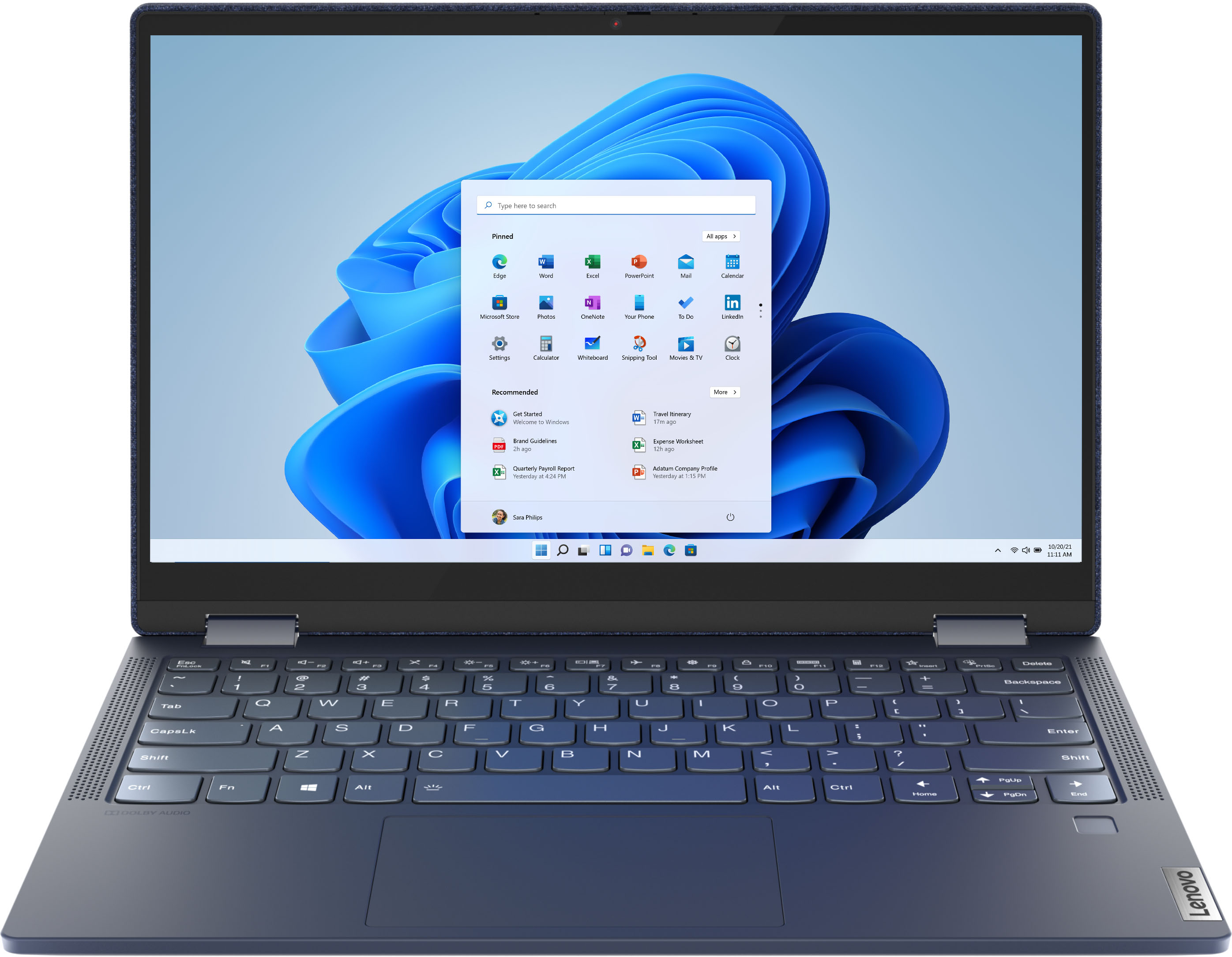


- Model:
- 82FN003TUS
- SKU:
- 6427161
Rating by feature
- Battery Life
Rating 4.4 out of 5 stars
- Speed
Rating 4.6 out of 5 stars
- Display
Rating 4.5 out of 5 stars
Customers are saying
Customers are impressed with the Yoga 6 13 2-in-1 laptop's portability, touch screen, price, and battery life. They appreciate its sleek design, light weight, and user-friendly interface. However, some customers have concerns about the limited RAM, storage, and occasional speaker or webcam issues.
This summary was generated by AI based on customer reviews.
GREAT!
||Posted . Owned for 1 month when reviewed.This reviewer received promo considerations or sweepstakes entry for writing a review.Purchased for my daughter for school. It has worked great for her so far! Very happy with the value.
I would recommend this to a friendBrand response from Lenovo Product Expert
Posted .Thank you for choosing the Lenovo Yoga 6 13 for your daughter. We are pleased to hear that the Yoga 6 13 is working out so well for your daughter.

me
||Posted . Owned for 1 month when reviewed.This reviewer received promo considerations or sweepstakes entry for writing a review.i like it its very light but when i dont use i for a few minutes its is very slow to start up again
I would recommend this to a friendBrand response from Lenovo Product Expert
Posted .We are sorry to hear that you are having issues with your Lenovo Yoga 6 13, model number 82FN003TUS. This model will wake from sleep mode virtually instantly. It will boot from off to the Windows 10 Desktop Screen in less than 10-seconds. If you are getting slower than expected performance, be sure any software you installed is compatible with Windows 10. There is no need to install Microsoft Office software. The software is already part of the operating system, you just need to activate the software with a purchased product key. If you have installed a copy of Microsoft Office, this is conflicting with the existing copy on the system and this will slow your system down. If you have installed a 3rd party anti-virus program, be sure that Windows Defender is turned off and that the trial version of McAfee Anti-Virus software is uninstalled. There can only be one anti-virus program on the system. You may need to restore your system to original factory default settings if any of the programming errors have occurred. You can do that by typing "restore" in the Cortana search window. Just click on the magnifying glass icon at the bottom left of your Windows 10 Desktop. Click on "Reset This PC" Then click on "Get Started" and follow the on screen directions to restore to factory defaults. If the problem persists, we recommend you contact Lenovo Tech Support at: 877-453-6686.
Bishop
||Posted . Owned for 1 month when reviewed.This reviewer received promo considerations or sweepstakes entry for writing a review.Excellent Customer Service and reliable, stable and competitive prices on all Bestbuy products.
I would recommend this to a friendGreat price for a basic computer with touch screen
||Posted .This reviewer received promo considerations or sweepstakes entry for writing a review.Screen is a little small, but the touch screen and tablet mode features makes it incredibly versatile.
I would recommend this to a friendGreat for kids
||Posted . Owned for 1 month when reviewed.This reviewer received promo considerations or sweepstakes entry for writing a review.Easy to setup and great for the kids to do school work on and play games and talk to friends and family.
I would recommend this to a friendBrand response from Lenovo Product Expert
Posted .Thank you for choosing the Lenovo Yoga 6 13. We are pleased to hear that the Yoga 6 13 is working out so well for your family.
I love it.
||Posted . Owned for 2 weeks when reviewed.This reviewer received promo considerations or sweepstakes entry for writing a review.Beautiful and fast laptop. It's very light and thin. It feels great to type with the keyboard.
I would recommend this to a friendBrand response from Lenovo Product Expert
Posted .Thank you for choosing the Lenovo Yoga 6 13. We are pleased to hear that the features and performance of the Yoga 6 13 meets your computing needs so well.
Review
||Posted . Owned for 3 weeks when reviewed.This reviewer received promo considerations or sweepstakes entry for writing a review.I love it, other than the fan is loud, everything else is great.
I would recommend this to a friendBrand response from Lenovo Product Expert
Posted .Thank you for choosing the Lenovo Yoga 6 13. Workload determines the frequency of the internal fan turning on and the RPMs the fan will spin at. First, be sure any software you installed is compatible with Windows 10. Incompatible software increases the system workload, thereby increasing the need for the fan to run at higher RPMs. There is no need to install Microsoft Office software. The software is already part of the operating system, you just need to activate the software with a purchased product key. If you have installed a copy of Microsoft Office, this is conflicting with the existing copy on the system and this will slow your system down. If you have installed a 3rd party anti-virus program, be sure that Windows Defender is turned off and that the trial version of McAfee Anti-Virus software is uninstalled. There can only be one anti-virus program on the system. You may need to restore your system to original factory default settings if any of the programming errors have occurred. You can do that by typing "restore" in the Cortana search window. Just click on the magnifying glass icon at the bottom left of your Windows 10 Desktop. Click on "Reset This PC" Then click on "Get Started" and follow the on screen directions to restore to factory defaults. If there is no incompatible software installed, but the fan continues to run at high RPM, you can use Lenovo Q-Control to manually control fan and system performance: ( Fn + Q ) option to change the fan by undervolting the processor. If the issue continues, we recommend you call Lenovo Tech Support at: 877-453-6686.
Great blue color
||Posted . Owned for 1 month when reviewed.This reviewer received promo considerations or sweepstakes entry for writing a review.Use it as my work laptop and does the job well for minimal extensive use it’s held up well so far.
I would recommend this to a friendBrand response from Lenovo Product Expert
Posted .Thank you for choosing the Lenovo Yoga 6 13. We are pleased to hear that the features and performance of the Yoga 6 13 meets your computing needs so well.
Goos persónal laptop
||Posted . Owned for 1 month when reviewed.This reviewer received promo considerations or sweepstakes entry for writing a review.Goos persónal laptop. Compact, good features. Decent battery life. Good graphics and accessible features
I would recommend this to a friendDoes the job
||Posted . Owned for 9 months when reviewed.This reviewer received promo considerations or sweepstakes entry for writing a review.Bought it for the wife, who seems happy enough with it. If Mama’s happy, I’m happy.
I would recommend this to a friendBrand response from Lenovo Product Expert
Posted .Thank you for choosing the Lenovo Yoga 6 13 2-in-1 Touch Screen Laptop. We are very pleased to hear that the specifications and features of the Lenovo Yoga 6 13 2-in-1 Touch Screen Laptop meet your computing needs so well.
Lenovo
||Posted . Owned for 1 month when reviewed.This reviewer received promo considerations or sweepstakes entry for writing a review.Perfect item for what I need specifically needed to accomplish.
I would recommend this to a friendBrand response from Lenovo Product Expert
Posted .Thank you for choosing the Lenovo Yoga 6 13. We are pleased to hear that the Yoga 6 13 meets your computing needs so well.
User friendly laptop.
||Posted . Owned for 1 month when reviewed.This reviewer received promo considerations or sweepstakes entry for writing a review.So far I am satisfied with my Lenovo Yoga. Battery is good as well as optics. Very user friendly
I would recommend this to a friendBrand response from Lenovo Product Expert
Posted .Hi there! Thank for choosing the Lenovo Yoga 6. We are SO happy to hear the features, performance, and design of the Yoga 6 is meeting your computing needs so well.
Review
||Posted . Owned for 1 month when reviewed.This reviewer received promo considerations or sweepstakes entry for writing a review.Very clear screen and easy to navigate. keyboard fits the hand and the tough screen is very handy.
I would recommend this to a friendBrand response from Lenovo Product Expert
Posted .Hi there! Thank for choosing the Lenovo Yoga 6. We are SO happy to hear the features, performance, and design of the Yoga 6 is meeting your computing needs so well.
Learning curve
||Posted . Owned for 3 weeks when reviewed.This reviewer received promo considerations or sweepstakes entry for writing a review.It does everything it said it would. I have to learn windows 10. I have never used it before.
I would recommend this to a friendBrand response from Lenovo Product Expert
Posted .Thank you for choosing the Lenovo Yoga 6 13. With regard to learning your way around Windows 10, you may want to try YouTube.com (just type that address in your browser address window). There are hundreds for free instructional videos there about Windows 10. Just type Windows 10 Introduction in to the YouTube search window. You can watch free videos there that will show you the basics all the way up to tips and tricks videos and they're all free.
Loves it
||Posted . Owned for 1 month when reviewed.This reviewer received promo considerations or sweepstakes entry for writing a review.I bought this as a gift for my mom and she loved it. She loves how versatile and sturdy it is.
I would recommend this to a friendBrand response from Lenovo Product Expert
Posted .Thank you for choosing the Lenovo Yoga 6 13 for your mother. We are pleased to hear that the features and performance of the Yoga 6 13 meets your mother's computing needs so well.
Nice
||Posted .This reviewer received promo considerations or sweepstakes entry for writing a review.Nice product Lenovo is a brand I know and have had good experience with them so far would recommend
I would recommend this to a friendBrand response from Lenovo Product Expert
Posted .Thank you for choosing the Lenovo Yoga 6 13. We are pleased to hear that the Yoga 6 13 meets your computing needs so well. We appreciate your loyalty to the Lenovo Brand.
Awesome!
||Posted .This reviewer received promo considerations or sweepstakes entry for writing a review.Got for daughter for Christmas and she loves it!! If a teenager says it is “Awesome” then it is!!
I would recommend this to a friendBrand response from Lenovo Product Expert
Posted .Thank you for choosing the Lenovo Yoga 6 13 for your daughter. We are pleased to hear that the Yoga 6 13 is working out so well for your daughter.
Lenovo Yoga
||Posted . Owned for 3 weeks when reviewed.This reviewer received promo considerations or sweepstakes entry for writing a review.Solid aesthetics on this laptop. Very comfy and super lightweight. Got no complaints on this one.
I would recommend this to a friendBrand response from Lenovo Product Expert
Posted .Hi there! Thank for choosing the Lenovo Yoga 6. We are SO happy to hear the features, performance, and design of the Yoga 6 is meeting your computing needs so well.
Good value for your money
||Posted . Owned for 1.5 years when reviewed.This reviewer received promo considerations or sweepstakes entry for writing a review.Perfect for young kids to execute their schoolwork
I would recommend this to a friendGreat Buy
||Posted . Owned for 1 month when reviewed.This reviewer received promo considerations or sweepstakes entry for writing a review.Great laptop very compact and sleek. I can carry it anywhere and the screen quality is great.
I would recommend this to a friendBrand response from Lenovo Product Expert
Posted .Thank you for choosing the Lenovo Yoga 6 13. We are pleased to hear that the features and performance of the Yoga 6 13 meets your computing needs so well.