Customer Ratings & Reviews
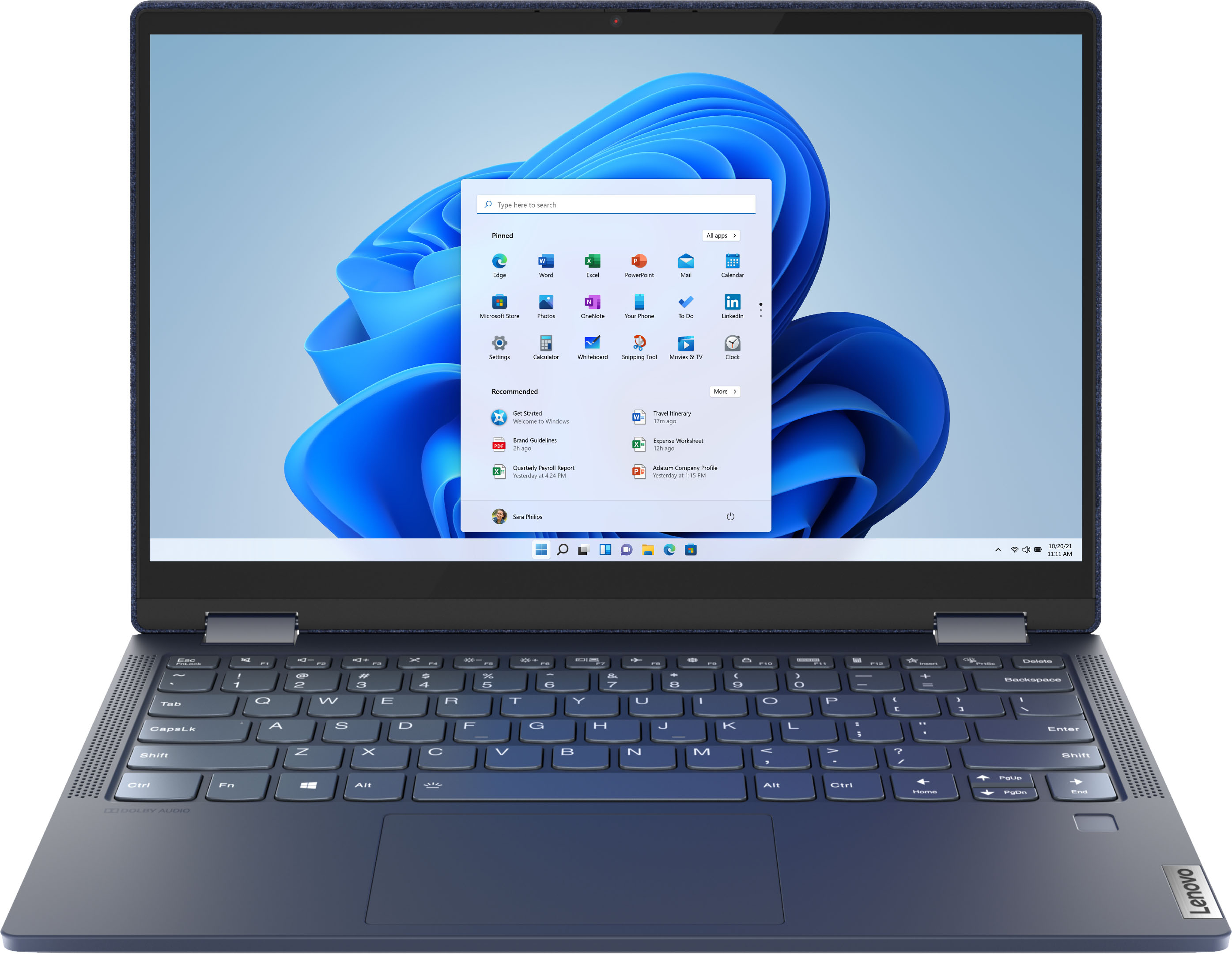



- Model:
- 82ND006YUS/82ND0009US
- SKU:
- 6455181
Rating by feature
- Battery Life
Rating 4.5 out of 5 stars
- Speed
Rating 4.5 out of 5 stars
- Display
Rating 4.6 out of 5 stars
Customers are saying
Customers are pleased with the Yoga 6 13 2-in-1 laptop's touchscreen, ease of use, size, weight, and battery life. Many appreciate its performance and find it to be a good value for the price. However, some customers expressed concerns about the limited RAM and noted that the device can get warm during use, while others wished for an HDMI port. A few also mentioned that the speakers could be improved.
This summary was generated by AI based on customer reviews.
Ideally suited to needs
||Posted .This reviewer received promo considerations or sweepstakes entry for writing a review.This purchase is ideally suited to what we require thanks to the informed advice of our technical sales representative.
I would recommend this to a friendBrand response from Lenovo Product Expert
Posted .Thank you for choosing the Lenovo Yoga 6 13. We are pleased to hear that the features and performance of the Yoga 6 13 meets your computing needs so well.

Got this one on sale
||Posted . Owned for 3 weeks when reviewed.This reviewer received promo considerations or sweepstakes entry for writing a review.Looks good so far. I'm still exploring its features, especially getting used to Windows 11.
I would recommend this to a friendBrand response from Lenovo Product Expert
Posted .Thank you for choosing the Lenovo Yoga 6 13 2-in-1 13.3in. Touch Screen Laptop. We are very pleased to see that the specifications and features of the Lenovo Yoga 6 13 2-in-1 Touch Screen Laptop meet your computing needs so well.
L E N O V O Y O G A 6
||Posted . Owned for 1 month when reviewed.This reviewer received promo considerations or sweepstakes entry for writing a review.So far, so good. I love the new laptop. I had a Lenovo previously and wanted to stick with Lenovo for this purchase. No complaints!
I would recommend this to a friendGood on Sale
||Posted . Owned for 3 months when reviewed.This reviewer received promo considerations or sweepstakes entry for writing a review.Pretty good. My only issue is with the wifi. I need to run through trouble shooting every time for it to see the WiFi.
I would recommend this to a friendBrand response from Lenovo Product Expert
Posted .Thank you for choosing the Lenovo Yoga 6 13 2-in-1 13in. Touch Screen Laptop. We are very happy to see that the specifications and features of the Lenovo Yoga 6 13 Laptop meet your computing needs so well. If there is no incompatible software installed but the issues persist, check to be sure you have the latest version of Windows on the computer. Then update all BIOS files and drivers up to that latest version of Windows. You can easily accomplish this by scanning the computer with the Lenovo Utility software available on this computer. This system has Lenovo utilities installed to help maintain the health of the device and keep the operating system software up to date. Type "Lenovo Vantage" in the Cortana Search window (if Lenovo Vantage is not installed on your device, you can download the APP and install it now). Select Lenovo Vantage from the list. In the window that opens, click on "Health and Support". In the expanded menu, select "Hardware Scan” In the window that opens, select "Run Quick Tests". This will scan your entire system for errors. Follow any directions that may pop up. If the problem continues after this scan, now click on "System Update". First select Windows update from the menu. Scan your system to be sure you have the latest version of Windows. Once that scan is complete, select "Additional Updates". This will scan your device to be sure there are no new BIOS/Driver updates needed. Follow any instructions that may pop up. If the issue continues after these updates, we recommend you call Lenovo Tech Support at: 877-453-6686 for additional help.
- Pros mentioned:Ease of use
Ok overall
||Posted .This reviewer received promo considerations or sweepstakes entry for writing a review.Ok for basic use and simple tasks. Worth the low price.
No, I would not recommend this to a friendBrand response from Lenovo Product Expert
Posted .Thank you for choosing the Lenovo Yoga 6 13 2-in-1 13.3in. Touch Screen Laptop. We are very pleased to see that the specifications and features of the Lenovo Yoga 6 13 2-in-1 Touch Screen Laptop meet your computing needs so well.
A must have for college
||Posted . Owned for 1 month when reviewed.This reviewer received promo considerations or sweepstakes entry for writing a review.Great laptop. Bought for girlfriend for college. She loves it. Great textured back it has. For the price it was a streal.
I would recommend this to a friendBrand response from Lenovo Product Expert
Posted .Thank you for choosing the Lenovo Yoga 6 13 for your girlfriend. We are pleased to hear that the value, features and performance of the Yoga 6 13 are working out so well.
Old goat learning technology
||Posted . Owned for 3 weeks when reviewed.This reviewer received promo considerations or sweepstakes entry for writing a review.Nice laptop, not very easy to use when technology is confusing. Works alright as I get to understand it.
I would recommend this to a friendBrand response from Lenovo Product Expert
Posted .Thank you for choosing the Lenovo Yoga 6 13. The heart of the Yoga 6 13 is the Windows Operating System. To learn your way around Windows - whatever version you are currently using, you may want to try YouTube.com (just type that address in your browser address window). There are hundreds for free instructional videos there about Windows. Just type Windows Introduction in to the YouTube search window. You can watch free videos there that will show you the basics all the way up to tips and tricks videos and they're all free.
Excellent product
||Posted . Owned for 3 weeks when reviewed.This reviewer received promo considerations or sweepstakes entry for writing a review.All is good about the laptop. You will not regret purchasing it. It was ready as they promised and i picked it up.
I would recommend this to a friendBrand response from Lenovo Product Expert
Posted .Thank you for choosing the Lenovo Yoga 6 13. We are pleased to hear that the Yoga 6 13 meets your computing needs so well.
Excellent back up
||Posted . Owned for 1 month when reviewed.This reviewer received promo considerations or sweepstakes entry for writing a review.I got this system for my school work and using virutal box…i can run 3 virtual machines with ease….definitely satisfied
I would recommend this to a friendBrand response from Lenovo Product Expert
Posted .Thank you for choosing the Lenovo Yoga 6 13. We are pleased to hear that the performance of the Yoga 6 13 meets your computing needs so well.
Pretty good
||Posted . Owned for 2 months when reviewed.This reviewer received promo considerations or sweepstakes entry for writing a review.Better than expected. I’m an Apple user but for a little kid to learn computer is excellent.
I would recommend this to a friendLove my New Laptop
||Posted . Owned for 2 weeks when reviewed.This reviewer received promo considerations or sweepstakes entry for writing a review.Love it and got a great deal on the price. Only wish it was available in a different color.
I would recommend this to a friendLaptop
||Posted . Owned for 3 weeks when reviewed.This reviewer received promo considerations or sweepstakes entry for writing a review.Great laptop, but was gave the wrong one at check out. It worked out in the end I guess.
I would recommend this to a friendWell balanced machine
||Posted . Owned for 3 weeks when reviewed.This reviewer received promo considerations or sweepstakes entry for writing a review.Well balanced machine. So far it’s been reliable and performs well for web browsing, multimedia, and software programming.
I would recommend this to a friendBrand response from Lenovo Product Expert
Posted .Thank you for choosing the Lenovo Yoga 6 13. We are pleased to hear that the performance of the Yoga 6 13 meets your computing needs so well.
Great purchase
||Posted . Owned for 1 month when reviewed.This reviewer received promo considerations or sweepstakes entry for writing a review.Great buy for the price but review what software is included and what is not.
I would recommend this to a friendBrand response from Lenovo Product Expert
Posted .Thank you for choosing the Lenovo Yoga 6 13 2-in-1 13.3in. Touch Screen Laptop. We are very pleased to see that the specifications and features of the Lenovo Yoga 6 13 2-in-1 Touch Screen Laptop meet your computing needs so well.
just for me
||Posted . Owned for 1 month when reviewed.This reviewer received promo considerations or sweepstakes entry for writing a review.This is a great computer for me, small light very quick start-up sharp picture.
I would recommend this to a friendBrand response from Lenovo Product Expert
Posted .Thank you for choosing the Lenovo Yoga 6 13. We are pleased to hear that the features and performance of the Yoga 6 13 meets your computing needs so well.
Nice laptop
||Posted . Owned for 3 weeks when reviewed.This reviewer received promo considerations or sweepstakes entry for writing a review.This is a very nice laptop. I didn't gave any knowledge/experience with Lenovo. The salesman was very helpful.
I would recommend this to a friendBrand response from Lenovo Product Expert
Posted .Thank you for choosing the Lenovo Yoga 6 13. We are pleased to hear that the Yoga 6 13 meets your computing needs so well.
Good Laptop
||Posted . Owned for 1 year when reviewed.This reviewer received promo considerations or sweepstakes entry for writing a review.Great little laptop. Haven't had any issues with it and have owned it for over a year.
I would recommend this to a friendgreat buy
||Posted . Owned for 1 month when reviewed.This reviewer received promo considerations or sweepstakes entry for writing a review.does what i need it to do for emails and banking and netflix it does a fine job well worth what i paid
I would recommend this to a friendBrand response from Lenovo Product Expert
Posted .Thank you for choosing the Lenovo Yoga 6 13 2-in-1 13.3in. Touch Screen Laptop. We are very pleased to see that the specifications and features of the Lenovo Yoga 6 13 2-in-1 Touch Screen Laptop meet your computing needs so well.
Good laptop
||Posted . Owned for 1 month when reviewed.This reviewer received promo considerations or sweepstakes entry for writing a review.I liked all the features on this laptop my only problem is i can't sync my gmail.
I would recommend this to a friendBrand response from Lenovo Product Expert
Posted .Thank you for choosing the Lenovo Yoga 6 13. Here is a link to instructions for adding an email account within Windows 11: https://www.youtube.com/watch?v=31NISzs_Rb4
Decent.
||Posted . Owned for 1 month when reviewed.This reviewer received promo considerations or sweepstakes entry for writing a review.It’s a decent first computer . The Jean material cover is a little strange though
I would recommend this to a friend