Customer Ratings & Reviews
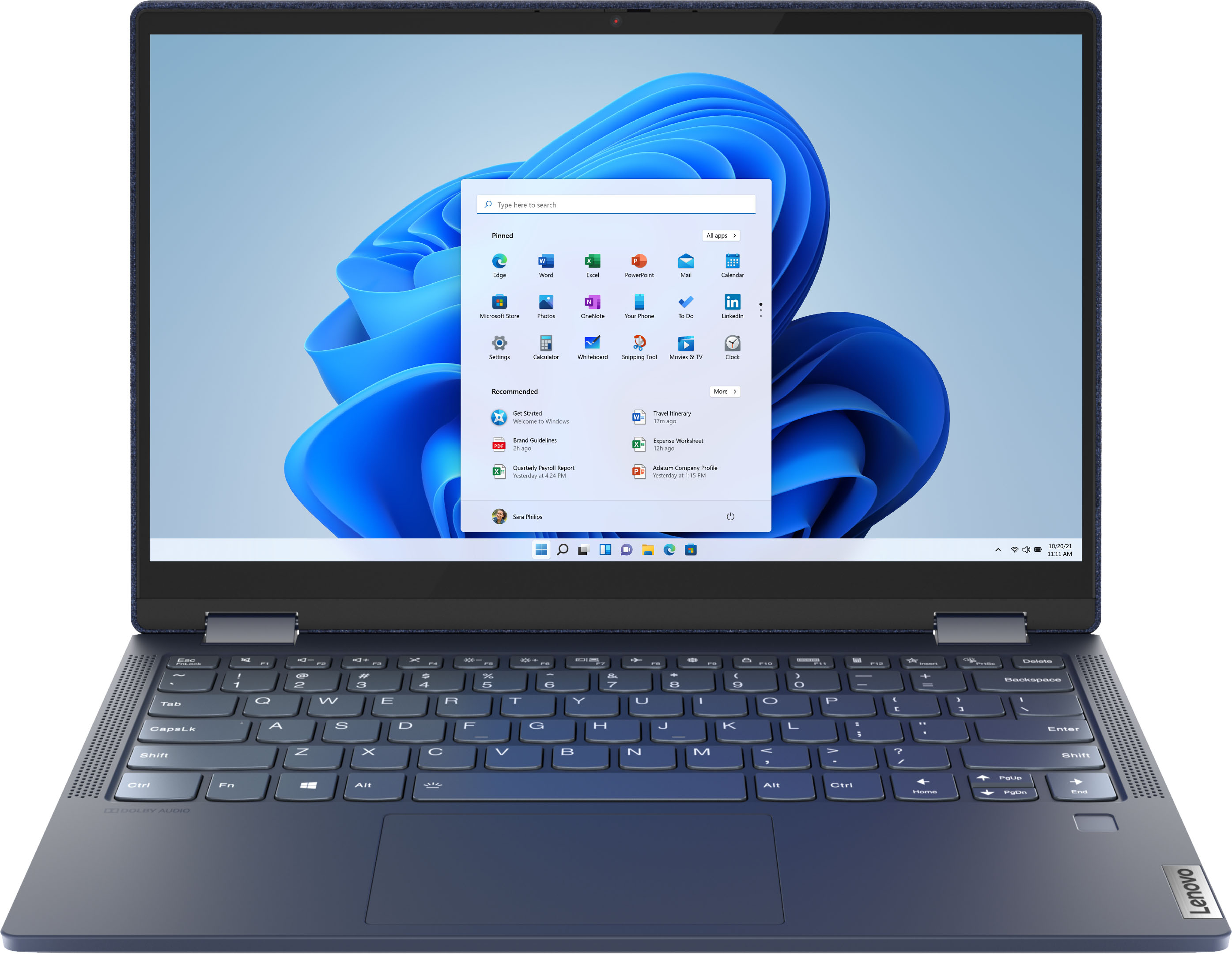



- Model:
- 82ND006YUS/82ND0009US
- SKU:
- 6455181
Rating by feature
- Battery Life
Rating 4.5 out of 5 stars
- Speed
Rating 4.5 out of 5 stars
- Display
Rating 4.6 out of 5 stars
Customers are saying
Customers are pleased with the Yoga 6 13 2-in-1 laptop's touchscreen, ease of use, size, weight, and battery life. Many appreciate its performance and find it to be a good value for the price. However, some customers expressed concerns about the limited RAM and noted that the device can get warm during use, while others wished for an HDMI port. A few also mentioned that the speakers could be improved.
This summary was generated by AI based on customer reviews.
Easy peasy
||Posted . Owned for 1 month when reviewed.This reviewer received promo considerations or sweepstakes entry for writing a review.Also tool that you can use. Easy to start and work with.
I would recommend this to a friendMs
||Posted . Owned for 1 month when reviewed.This reviewer received promo considerations or sweepstakes entry for writing a review.The HP computer is very good and the display is good
I would recommend this to a friendGreat laptop
||Posted . Owned for 1 month when reviewed.This reviewer received promo considerations or sweepstakes entry for writing a review.Everything I was looking for in a laptop! It’s great
I would recommend this to a friendBrand response from Lenovo Product Expert
Posted .Thank you for choosing the Lenovo Yoga 6 13. We are pleased to hear that the Yoga 6 13 meets your computing needs so well.

Great
||Posted .This reviewer received promo considerations or sweepstakes entry for writing a review.Great Inexpensive versatile laptop for casual use.
I would recommend this to a friendBrand response from Lenovo Product Expert
Posted .Thank you for choosing the Lenovo Yoga 6 13. We are pleased to hear that the value and performance of the Yoga 6 13 meets your computing needs so well.
The best
||Posted . Owned for 3 weeks when reviewed.This reviewer received promo considerations or sweepstakes entry for writing a review.Its perfect to me, fantastic, good, I love it....
I would recommend this to a friendBrand response from Lenovo Product Expert
Posted .Thank you for choosing the Lenovo Yoga 6 13. We are pleased to hear that the Yoga 6 13 meets your computing needs so well.
Screen Popped Loose
||Posted . Owned for 1 month when reviewed.This reviewer received promo considerations or sweepstakes entry for writing a review.Screen popped away from the case the first time I opened it. I waited a couple of weeks hoping it was just a fluke and it wouldnt be an issue. Unfortunately that was a bad choice. Lenovo said I had to buy extra insurance to cover it and it isnt even a month old. If I use the camera for video calls there is a black circle around the edges. Runs fine, Poor Quality
No, I would not recommend this to a friendBrand response from Lenovo Product Expert
Posted .The Lenovo Yoga 6 13 model number 82ND006YUS, ships with a 1-year limited manufacturer's warranty, covering OEM hardware issues. If you have an OEM hardware issue, we recommend you contact Lenovo Tech Support at: 877-453-6686.
Why did I buys this...?
||Posted . Owned for 3 months when reviewed.This reviewer received promo considerations or sweepstakes entry for writing a review.I'm extremely disappointed. I bought a Lenovo tablet and the tablet crapped out almost a year to date from when I bought it but I guess you get what you pay for...I know this review isn't about Lenovo tablets-it's about Lenovo Yoga 6. I bought this laptop on December 8, 2021 against my better judgement and with some convincing from a Best Buy salesperson. On, or around February 5, 2022, all USB ports stopped functioning; I can't even connect a wireless mouse to it; the sound died-nothing comes out on either speakers and headphones; every so often, even prior to the sound going out, the laptop would get stuck on the Lenovo splash screen; oh, and the battery overheats something incredible... I think that about cover the list of problems I've experienced. Of course, Best Buy has only a 14 day return policy so now I'm stuck jumping through hoops, working through the Lenovo tech support and the red tape associated with their warranty.
No, I would not recommend this to a friendNice laptop
||Posted . Owned for 11 months when reviewed.This reviewer received promo considerations or sweepstakes entry for writing a review.Great pc for the money. I have some security concerns and will not use any Lenovo pc on the internet. I use it in a private network isolated from the internet.
No, I would not recommend this to a friendNot reliable
||Posted . Owned for more than 2 years when reviewed.This reviewer received promo considerations or sweepstakes entry for writing a review.This laptop did not last a year. Laptop are not built to last even a single year
No, I would not recommend this to a friendlaptop
||Posted . Owned for 1 month when reviewed.This reviewer received promo considerations or sweepstakes entry for writing a review.open box device. had to take back the 2nd day I had it for a issue that was quickly resolved. small screws on back of device continue to come out.
I would recommend this to a friendBuyer beware if you need Google Chrome.
||Posted . Owned for 1 month when reviewed.This reviewer received promo considerations or sweepstakes entry for writing a review.Not happy at all with this laptop. 1 month into using it, Google Chrome (the most important app on the laptop for my to do her school work) stops working. Trying every troubleshooting method I could find; but, nothing worked. Evidently, there’s a history with Google Chrome and Microsoft 10. Ended up having to buy a MacBook, and am now stuck with the Lenovo Chromebook.
No, I would not recommend this to a friendBrand response from Lenovo Product Expert
Posted .The Lenovo Yoga 6 13 ships with Windows 10 Home 64-bit Operating System installed. You can easily install Chrome Browser to a Windows 10 laptop. Be sure you are trying to install the Chrome Browser and not the Chrome Operating System: https://support.google.com/chrome/answer/95346?hl=en&co=GENIE.Platform%3DDesktop. If the issue continues, we recommend you contact Lenovo Tech Support at: 877-453-6686.
- Pros mentioned:Size
Open box defective laptop
||Posted . Owned for 1 week when reviewed.This reviewer received promo considerations or sweepstakes entry for writing a review.I purchased an open box of this item since no new ones were in stock, upon trying to get through the setup I discovered that this laptop was most likely defective as I was unable to connect to wifi probably due to the wifi card being disconnected or defective. I returned it. One thing I will say is that the laptop was a nice size for someone looking for a more compact laptop.
No, I would not recommend this to a friendBrand response from Lenovo Product Expert
Posted .We are sorry to hear that you are having issues with the WiFi-6 capability of the Lenovo Yoga 6 13 model number 82ND006YUS. Resetting this computer back to original factory settings will clear any previously set WiFi settings. This system is equipped with OneKey Recovery System. There is a very small pin hole on the bottom right side of the device, right near the bottom right corner of the cooling vent on the bottom of the device. You will need a pin to push this reset button. Plug the device in. Let the battery charge for about 15 minutes. Push the reset button. The system should boot to a choice screen where you can choose "Restore To Factory Default". Select this. It will delete everything from the hard drive except the original factory install of the operating system. You will need to reinstall all programs and files after the reset. If you don't have copies of the files, try to make one before you restore by selecting "Boot to desktop" and trying to back up your files. Once you have the computer reset, begin your initial setup of Windows 10 as directed by the onscreen instructions. If the problem persists after the factory reset, we recommend you contact Lenovo Tech Support at: 877-453-6686.
Okay
||Posted . Owned for 8 months when reviewed.This reviewer received promo considerations or sweepstakes entry for writing a review.Been using it for school and it’s been good. The battery does have some issues though
I would recommend this to a friendBrand response from Lenovo Product Expert
Posted .This Lenovo Yoga 6 13, model number 82ND006YUS, ships with a Integrated 60Wh, Lithium-Polymer Battery, which within this model configuration, has a battery life of up to 18 hours, depending on the work the device is performing. If you are getting substantially less battery life, first, set your screen brightness at less than 100-percent - try 80-percent to start with. Then, be sure Battery conservation Mode is turned off. This power management setting should only be used when the laptop is plugged in all the time. It will prolong overall battery life by only charging the battery to 60-percent of capacity. Here is a link to instructions for turning off Battery Conservation Mode: https://support.lenovo.com/us/en/solutions/ht103159. Also check what programs are running in the background on the computer. Be sure only the programs you want running in the background are. These programs will drain the battery. Here is a link to information about how to find out what programs are running in the background on your Windows 11 computer and how to manage them for better system performance: https://websiteforstudents.com/how-to-find-what-is-running-in-windows-11/. Then, finally, be sure any software you installed is compatible with Windows 11. Incompatible software will drain the battery at a faster rate. There is no need to install Microsoft Office software. The software is already part of the operating system, you just need to activate the software with a purchased product key. If you have installed a copy of Microsoft Office, this is conflicting with the existing copy on the system and this will slow your system down. If you have installed a 3rd party anti-virus program, be sure that Windows Defender is turned off and that the trial version of McAfee Anti-Virus software is uninstalled. There can only be one anti-virus program on the system. You may need to restore your system to original factory default settings if any of the programming errors have occurred. You can do that by typing "restore" in the Cortana search window. Just click on the magnifying glass icon at the bottom of your Windows 11 Desktop. Click on "Reset This PC" Then click on "Get Started" and follow the on screen directions to restore to factory defaults. If the problem persists or there are other issues with the battery, we recommend you contact Lenovo Tech Support at: 877-453-6686.
Avoid
||Posted . Owned for 1 year when reviewed.This reviewer received promo considerations or sweepstakes entry for writing a review.Garbage! I’ve returned this model to Geek Squad 10 times for repairs. I would avoid this product.
No, I would not recommend this to a friendYoga
||Posted . Owned for 3 weeks when reviewed.This reviewer received promo considerations or sweepstakes entry for writing a review.It’s a good looking laptop but sometimes it’s freezes. Not quite sure why when this is a brand new laptop
I would recommend this to a friendBrand response from Lenovo Product Expert
Posted .We are sorry to hear that you are having issues with your Lenovo Yoga 6 13, model number 82ND006YUS. Be sure any software you installed is compatible with Windows 10/11. There is no need to install Microsoft Office software. The software is already part of the operating system, you just need to activate the software with a purchased product key. If you have installed a copy of Microsoft Office, this is conflicting with the existing copy on the system and this will slow your system down. If you have installed a 3rd party anti-virus program, be sure that Windows Defender is turned off and that the trial version of McAfee Anti-Virus software is uninstalled. There can only be one anti-virus program on the system. You may need to restore your system to original factory default settings if any of the programming errors have occurred. You can do that by typing "restore" in the Cortana search window. Just click on the magnifying glass icon at the bottom left of your Windows 10/11 Desktop. Click on "Reset This PC" Then click on "Get Started" and follow the on screen directions to restore to factory defaults. If there is no incompatible software installed but the issues persist, check to be sure you have the latest version of Windows 10/11 on the computer. Then update all BIOS files and drivers up to that latest version of Windows 10/11. You can easily accomplish this by scanning the computer with the Lenovo Utility software available on this computer. This system has Lenovo utilities installed to help maintain the health of the device and keep the operating system software up to date. Type "Lenovo Vantage" in the Cortana Search window (if Lenovo Vantage is not installed on your device, you can download the APP and install it now). Select Lenovo Vantage from the list. In the window that opens, click on "Health and Support". In the expanded menu, select "Hardware Scan" In the window that opens, select "Run Quick Tests". This will scan your entire system for errors. Follow any directions that may pop up. If the problem continues after this scan, now click on "System Update". First select Windows update from the menu. Scan your system to be sure you have the latest version of Windows 10/11. Once that scan is complete, select "Additional Updates". This will scan your device to be sure there are no new BIOS/Driver updates needed. Follow any instructions that may pop up. If the issue continues after these updates, we recommend you call Lenovo Tech Support at: 877-453-6686 for additional help.
Best Buy Was WORST BUY!
||Posted . Owned for 3 months when reviewed.This reviewer received promo considerations or sweepstakes entry for writing a review.Bought my daughter the Lenovo Yoga 6 for college in August 2021 before she flew back to Oxford, MS for college. Within 2 weeks of her starting college, her laptop screen had a defect forcing her to use 1/3rd of the screen for her first 12 weeks of school. We bought this at Best Buy in Roseville, CA. My daughter flew home last night 11/10 from Oxford, Mississippi to Sacramento, California. We immediately went into Best Buy this afternoon to explain what had happened. The Service Center agent was very professional and checked for visible damage to the Yoga 6 laptop. There wasn't even a scratch anywhere on the device. Best Buy has a 15 day return policy which had expired because my daughter was at school. We asked to speak with the store manager (a woman) and she was useless. She wouldn't even provide us with a shipping address to Lenovo. Best Buy did NOT stand behind it's products. There is NO reason to buy from brick and mortar stores if this is how consumers are treated. Buy Buy online and avoid the headaches of poor retail service. Please help?
No, I would not recommend this to a friendBrand response from Lenovo Product Expert
Posted .We are sorry to hear that you are having issues with your daughter's Lenovo Yoga 6 13. Resetting the computer back to original factory setting may correct the issue. This system is equipped with OneKey Recovery System. There is a very small pin hole on the bottom right side of the device, right near the bottom right corner of the cooling vent on the bottom of the device. You will need a pin to push this reset button. Plug the device in. Let the battery charge for about 15 minutes. Push the reset button. The system should boot to a choice screen where you can choose "Restore To Factory Default". Select this. It will delete everything from the hard drive except the original factory install of the operating system. You will need to reinstall all programs and files after the reset. If you don't have copies of the files, try to make one before you restore by selecting "Boot to desktop" and trying to back up your files. If the problem persists after the factory reset, we recommend you contact Lenovo Tech Support, for additional help at: 877-453-6686.
Me no like it
||Posted . Owned for 1 week when reviewed.This reviewer received promo considerations or sweepstakes entry for writing a review.Not a fan. To small and didnt care for keyboard.. I guess I prefer the larger keyboard with numeric lock. Also interfacing with the operating system was complicated for me. I want to change my browser and it was not simple and still opening new pages i had to go back and hit the home icon to bring up my brower if choice. Thumbsdown for me.
No, I would not recommend this to a friendBrand response from Lenovo Product Expert
Posted .We are sorry to hear that you are having issues with your Lenovo Yoga 6 13. You can change the default internet browser within easily within Windows 11. Go to Settings > Apps > Default Apps > select the web browser they want to set as default > Click “Set Default" on top. Here is a link to more information: https://www.news18.com/news/tech/windows-11-is-making-it-easier-to-change-default-browser-heres-how-to-do-it-4518113.html
Over priced Tablet
||Posted . Owned for 3 weeks when reviewed.This reviewer received promo considerations or sweepstakes entry for writing a review.I didn't like how small the keyboard was to me this computer is just over priced tablet in my opinion.
No, I would not recommend this to a friendGood
||Posted . Owned for 1 month when reviewed.This reviewer received promo considerations or sweepstakes entry for writing a review.Seem to be a fairly good computer. I haven't really had a chance to use it much.
I would recommend this to a friendLaptop
||Posted .This reviewer received promo considerations or sweepstakes entry for writing a review.Like the screen. Still trying to use features manufacturers web site not helpful.
I would recommend this to a friendBrand response from Lenovo Product Expert
Posted .Thank you for choosing the Lenovo Yoga 6 13, model number 82ND006YUS. Here is a link to a YouTube Video that demonstrates the features and functions of the Yoga 6 13 Series: https://www.youtube.com/watch?v=HGEr1UogDMw. Here too, is a link to the User Guide for the Yoga 6 13: https://download.lenovo.com/consumer/mobiles_pub/yoga_6_13_6_ug_en.pdf. This User Guide depicts Windows 10 Operating System, the Yoga 6 13 model number 82ND006YUS, ships with Windows 11 Home 64-bit Operating System installed. Here is a link to a YouTube video that demonstrates some Windows 11 tips and tricks: https://www.youtube.com/watch?v=26dXRnc0EHc&t=29s. If you have questions about your Yoga 6 13 you can go to the Lenovo Support web site at: https://support.lenovo.com/us/en/ or call Lenovo Tech Support at: 877-453-6686.