Customer Ratings & Reviews
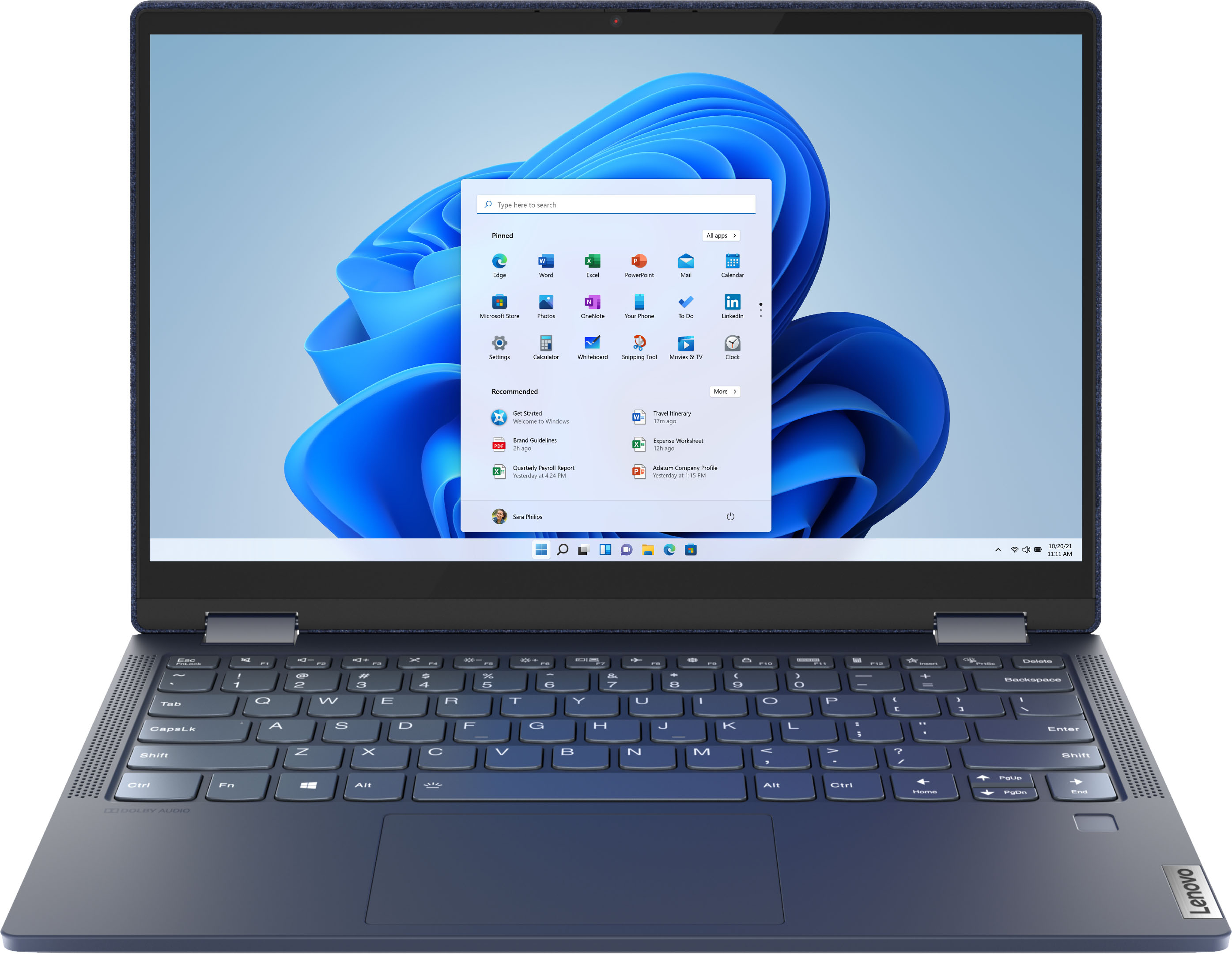



- Model:
- 82ND006YUS/82ND0009US
- SKU:
- 6455181
Rating by feature
- Battery Life
Rating 4.5 out of 5 stars
- Speed
Rating 4.5 out of 5 stars
- Display
Rating 4.6 out of 5 stars
Customers are saying
Customers are pleased with the Yoga 6 13 2-in-1 laptop's touchscreen, ease of use, size, weight, and battery life. Many appreciate its performance and find it to be a good value for the price. However, some customers expressed concerns about the limited RAM and noted that the device can get warm during use, while others wished for an HDMI port. A few also mentioned that the speakers could be improved.
This summary was generated by AI based on customer reviews.
Leveno
||Posted . Owned for 11 months when reviewed.This reviewer received promo considerations or sweepstakes entry for writing a review.Returned was not compatable with what i needed it for.
No, I would not recommend this to a friendThank You China!
||Posted . Owned for 3 months when reviewed.This reviewer received promo considerations or sweepstakes entry for writing a review.Laptop lasted 60 days and then keys on keyboard quit working. Sent in under warranty and after Lenovo have laptop in repair facility for 10 days they turned it over to BestBuy to repair. Now its been close to 3 weeks and I have no idea where it is or who has it. I will admit this Lenovo has lasted longer than my original purchase , a DELL laptop, that lasted all of 2 hours before frying its self. Seems with the chip shortage DELL has minimized its chip mass and so they easily fatally overheat. Thank You China!
No, I would not recommend this to a friendFabric is ugly
||Posted . Owned for 1 month when reviewed.This reviewer received promo considerations or sweepstakes entry for writing a review.Too small and I did not like the fabric. Other than that it's a great computer
No, I would not recommend this to a friendGet another brand
||Posted . Owned for 1 month when reviewed.This reviewer received promo considerations or sweepstakes entry for writing a review.Bought this unit and had a blown pixel. Returned it for a new unit and found a blown pixel about a month after. No longer able to return I made the claim with Lenovo and mailed it off to them. Told 5 days for service and shows online would be completed by 9/21/2021. After calling many time and being run around I got told today 9/29/2021 it would be 12 days. The service is crap never again will I buy another Lenovo product this is my first and last.
No, I would not recommend this to a friendI wouldn’t again
||Posted . Owned for 6 months when reviewed.This reviewer received promo considerations or sweepstakes entry for writing a review.Make sure you get the protection plan on this item if you purchase it. We had to have a repair done six months after purchase. Daughter was without laptop for about ten days. The fan started making a loud noise and stopped working. Smelled a little smoky afterwards. Maybe look at another laptop?
No, I would not recommend this to a friendBrand response from Lenovo Product Expert
Posted .We are sorry to hear that you had issues with your daughter's Yoga 6 13 model number 82ND006YUS. We recommend you contact lenovo Tech Support for help with your issue at: 877-453-6686.

Lenovo yoga
||Posted . Owned for 1 month when reviewed.This reviewer received promo considerations or sweepstakes entry for writing a review.I bought this laptop for work only downside is no hdmi output
I would recommend this to a friendBrand response from Lenovo Product Expert
Posted .This Lenovo Yoga 6 13, model number 82ND006YUS, ships with 2x USB-C 3.2 Gen 1 (support data transfer and DisplayPort 1.4) ports, with video out to external monitors and supports up to 3 independent displays (native display and 2 external monitors via USB-C). USB-C supports up to 3840x2160@60Hz. You can connect an HDMI monitor to this Yoga 6 13, by using a USB-c to HDMI adapter, like this one: https://www.bestbuy.com/site/insignia-usb-c-to-hdmi-adapter-black/6473497.p?skuId=6473497
Underpowered
||Posted . Owned for 2 weeks when reviewed.This reviewer received promo considerations or sweepstakes entry for writing a review.Good computer. Looks and feels solid, however it is underpowered.
No, I would not recommend this to a friendBrand response from Lenovo Product Expert
Posted .We always recommend you check the requirements and compatibility of any software you will be installing on your new computer, before you invest in any computer. Be sure your new computer can support the software you will need to use.
gg
||Posted .This reviewer received promo considerations or sweepstakes entry for writing a review.Item is alright. I wouldn't not suggest it or wouldn't stiffest it.
No, I would not recommend this to a friendok
||Posted . Owned for 1 month when reviewed.This reviewer received promo considerations or sweepstakes entry for writing a review.it's ok for the money. Keyboard sticks a lot when i am typing
I would recommend this to a friendMrs
||Posted .This reviewer received promo considerations or sweepstakes entry for writing a review.Item returned. Was not easy to use for the reason purchased.
No, I would not recommend this to a friendBrand response from Lenovo Product Expert
Posted .We are sorry to hear that the Yoga 6 13 did not meet your computing needs.
Lenovo 6 yoga
||Posted . Owned for 3 weeks when reviewed.This reviewer received promo considerations or sweepstakes entry for writing a review.It's all good Except for the battery only charges to 96%.
No, I would not recommend this to a friendBrand response from Lenovo Product Expert
Posted .We are sorry to hear that you are having issues charging your Lenovo Yoga 6 13, model number 82ND006YUS. The Windows Operating System has Battery Saving software installed that will protect the internal battery from overcharging, by stopping the charging process after the battery reaches 100 Percent capacity. When the battery level falls below 90 Percent, the Battery Saver software will begin to Trickle Charge the battery. If the computer is being used and the workload is moderate to heavy, this Trickle Charge will not be able to offset the workload and the battery level will actually go down. To charge the battery at normal charging speed, un plug the computer charger, let the battery level drop below 50 Percent. Now plug the computer charger back in and the Battery Saver software will begin charging at normal speed, back to 100 Percent battery capacity. If the issue continues after the battery level drops below 50 Percent, we recommend you contact Lenovo Tech Support for additional help at: 877-453-6686,
Not impressed with network stability
||Posted . Owned for 3 weeks when reviewed.This reviewer received promo considerations or sweepstakes entry for writing a review.I have 1 problem to report, 3 weeks since the purchase and this laptop keep dropping the network card all together, states driver is missing, its going to be returned if and when it does it again
No, I would not recommend this to a friendBrand response from Lenovo Product Expert
Posted .We are sorry to hear that you are having issues with the WiFi driver within your Yoga 6 13, model number 82ND006YUS. You can reinstall and or update your WiFi driver for your Yoga 6 13, specifically. Here is a link to instructions for doing this: https://allthings.how/how-to-install-or-update-windows-11-wifi-driver/#:~:text=In%20Settings%2C%20click%20on%20the,Download%20%26%20install'%20under%20it.. If the issue continues, we recommend you contact Lenovo Tech Support for additional help at: 877-453-6686.
Terrible product defect exchanged encounter
||Posted . Owned for less than 1 week when reviewed.This reviewer received promo considerations or sweepstakes entry for writing a review.This purchase was the 2nd in less than 30 days because the product was defected and stopped charging. Upon exchange l wanted items that were loaded to lap top 1 transfered to lap top 2 and was told that the fee was over $200. To do that. Totally appaüling for a purchase less thsn 30 days old. An additional mention the initial point of contact was not presented appropriately with his pants sagged/underware showing not a good professional look for front service. Leadership was distracted as during my encounter there were several pauses to complete my assistance.
No, I would not recommend this to a friendWish I didnt buy it
||Posted . Owned for 2 weeks when reviewed.This reviewer received promo considerations or sweepstakes entry for writing a review.It is a lot smaller than expected so my hands feel all cramped together when I type. Also the battery life is horrible. I was on it for 15 mins and it dropped 20% just using word.
No, I would not recommend this to a friendBrand response from Lenovo Product Expert
Posted .This Lenovo Yoga 6 13 model number 82ND006YUS, ships with a Integrated 60Wh, Lithium-Polymer Battery, which within this model configuration, has a battery life of up to 16 hours, depending on the work the device is performing. If you are getting substantially less battery life, first, set your screen brightness at less than 100-percent - try 80-percent to start with. Then, be sure Battery conservation Mode is turned off. This power management setting should only be used when the laptop is plugged in all the time. It will prolong overall battery life by only charging the battery to 60-percent of capacity. Here is a link to instructions for turning off Battery Conservation Mode: https://support.lenovo.com/us/en/solutions/ht103159. Also check what programs are running in the background on the computer. Be sure only the programs you want running in the background are. These programs will drain the battery. Here is a link to information about how to find out what programs are running in the background on your Windows 10 computer and how to manage them for better system performance: https://www.windowscentral.com/how-prevent-apps-running-background-windows-10. Then, finally, be sure any software you installed is compatible with Windows 10. Incompatible software will drain the battery at a faster rate. There is no need to install Microsoft Office software. The software is already part of the operating system, you just need to activate the software with a purchased product key. If you have installed a copy of Microsoft Office, this is conflicting with the existing copy on the system and this will slow your system down. If you have installed a 3rd party anti-virus program, be sure that Windows Defender is turned off and that the trial version of McAfee Anti-Virus software is uninstalled. There can only be one anti-virus program on the system. You may need to restore your system to original factory default settings if any of the programming errors have occurred. You can do that by typing "restore" in the Cortana search window. Just click on the magnifying glass icon at the bottom left of your Windows 10 Desktop. Click on "Reset This PC" Then click on "Get Started" and follow the on screen directions to restore to factory defaults. If the problem persists, we recommend you contact Lenovo Tech Support at: 877-453-6686.
Won't Charge After 3 Weeks
||Posted . Owned for 1 month when reviewed.This reviewer received promo considerations or sweepstakes entry for writing a review.This computer was great, but 3 days after the return window it quit charging. Nothing wrong with the charge cord as it works fine on a similar machine we have, but the computer itself. Unfortunately, BestBuy said we have to go through Lenovo for any repairs which requires sending it back, having it repaired and then shipping it back home to us. So, 3 weeks after getting a new computer I am going to be several weeks without it. Bummer because I usually like Lenovo products.
No, I would not recommend this to a friendBrand response from Lenovo Product Expert
Posted .We are sorry to hear that you are having issues charging your Lenovo Yoga 6 13, model number 82ND006YUS. First, check the current battery charge level by placing your cursor over the Battery Icon at the bottom of your Windows Desktop Screen. You don't need to click on the Battery Icon, just place the cursor over the Battery Icon and you will see the current Battery Charge Level. If it is above 50 Percent charge, unplug the 45W USB-C, device side (3-pin, wall side - USA Compatible) AC adapter/charger, supports PD 3.0, 100-240V, 50-60Hz that ships with this Yoga 6 13. Let the battery charge level drop below 50 Percent. Also, be sure the Battery Charge Threshold Setting is turned off. This power management setting should only be used when the laptop is plugged in all the time. It will prolong overall battery life by only charging the battery to 60-percent of capacity. You can turn off Battery Charge Threshold within the Lenovo Vantage APP installed on this computer. In Vantage select Battery Settings and turn off Battery Charge Threshold, if turned on. Once the Battery Level indicator is below 50 Percent Charge, plug in the 45W USB-c AC adapter/charger that shipped with your Yoga 6 13 and the battery will begin charging normally, back up to 100 Percent of Charge Level. If the issue continues, we recommend you contact Lenovo Tech Support again for additional help, by call at: 877-453-6686.
Cute but not worth it
||Posted .This reviewer received promo considerations or sweepstakes entry for writing a review.Laptop is cute but I’d get one without the fabric. It’s only been a few weeks but the cover is rubbing away and the laptop is barely use
No, I would not recommend this to a friendBrand response from Lenovo Product Expert
Posted .The Lenovo Yoga 6 13 model number 82ND006YUS, ships with a durable, unique fabric-wrapped and
metallic Abyss Blue cover complemented by a stain-resistant finish.
Mrs
||Posted . Owned for 1 month when reviewed.This reviewer received promo considerations or sweepstakes entry for writing a review.I would like to return the product and get my money back. Today it said my battery was low and I plugged it in and it won't charge. I have had numerous problems and been to the geek squad 3 times. It is not meeting my needs.
No, I would not recommend this to a friendBrand response from Lenovo Product Expert
Posted .We are sorry to hear that you are having issues with charging your Lenovo Yoga 6 13 model number 82ND006YUS. First, be sure you are using the right port to charge this computer. There is only one port that can charge this computer. It is the USB-c port on the left side of the computer and it has an electric plug icon next to the port. Plug the AC adapter/charger that came with your Yoga 6 13 into a wall socket. Then plug the computer side of the AC adapter/charger into the correct charging port on the computer's left side. You will see a white LED light when you plug the computer in. This indicates that the computer is plugged in and power is available to the computer. Now boot the computer to the Windows 10 Desktop Screen. On the right side of the Task Bar on the bottom of the screen, is a battery icon. Place your cursor over the battery icon. If you see a message that says, Computer plugged in, charging, let the computer continue charging to a full 100 percent charge. If you see a message that says Plugged in, not charging, this indicates that the current battery charge level is over 80 percent of charge capacity and the Battery Saver software within Windows 10 is protecting the health of the battery by not over charging the battery. To charge the computer normally, unplug the charging cable from the computer. Let the battery level drain to below 50 percent. Now plug the computer back in and the battery will begin to charge normally, back to 100 percent of battery capacity. If you continue to have issues, we recommend you contact Lenovo Tech Support for additional help at: 877-453-6686.
I would spend your money on a different laptop
||Posted . Owned for less than 1 week when reviewed.This reviewer received promo considerations or sweepstakes entry for writing a review.I purchased this and within 2 weeks of purchase the fingerprint sensor and D-pad stopped working. It also was slow.
No, I would not recommend this to a friendBrand response from Lenovo Product Expert
Posted .We are sorry to hear that you are having issues with your Lenovo Yoga 6 13 model number 82ND006YUS. Resetting this laptop back to original factory settings may correct the issues you are having. This system is equipped with OneKey Recovery System. There is a very small pin hole on the bottom right side of the device, right near the bottom right corner of the cooling vent on the bottom of the device. You will need a pin to push this reset button. Plug the device in. Let the battery charge for about 15 minutes. Push the reset button. The system should boot to a choice screen where you can choose "Restore To Factory Default". Select this. It will delete everything from the hard drive except the original factory install of the operating system. You will need to reinstall all programs and files after the reset. If you don't have copies of the files, try to make one before you restore by selecting "Boot to desktop" and trying to back up your files. If the problem persists after the factory reset, we recommend you contact Lenovo Tech Support at: 877-453-6686.
Make sure to extend warranty-
||Posted . Owned for 1 year when reviewed.This reviewer received promo considerations or sweepstakes entry for writing a review.I really loved this computer until the charging ports became loose and now it won’t charge. The only fix is to send to levono and pay out of pocket. I only have had it for a year!!! Disappointing as this was my school computer and now have to either wait a month or go out and buy a brand new one. Unfortunately my warranty ran out 10 days ago.
No, I would not recommend this to a friendBroken after 2 weeks
||Posted . Owned for 2 weeks when reviewed.This reviewer received promo considerations or sweepstakes entry for writing a review.I got the laptop 2 weeks ago, everything was working fine but after a windows update it doesn't find any Wi-Fi's anymore. Even after rebooting and trouble sbootinh there is no chance of connecting to any Wi-Fi. At best buy they tried to help and after resetting it, it doesn't even start anymore, so they took it back - first and last Lenovo PC. What a waste..
No, I would not recommend this to a friend