Customer Ratings & Reviews
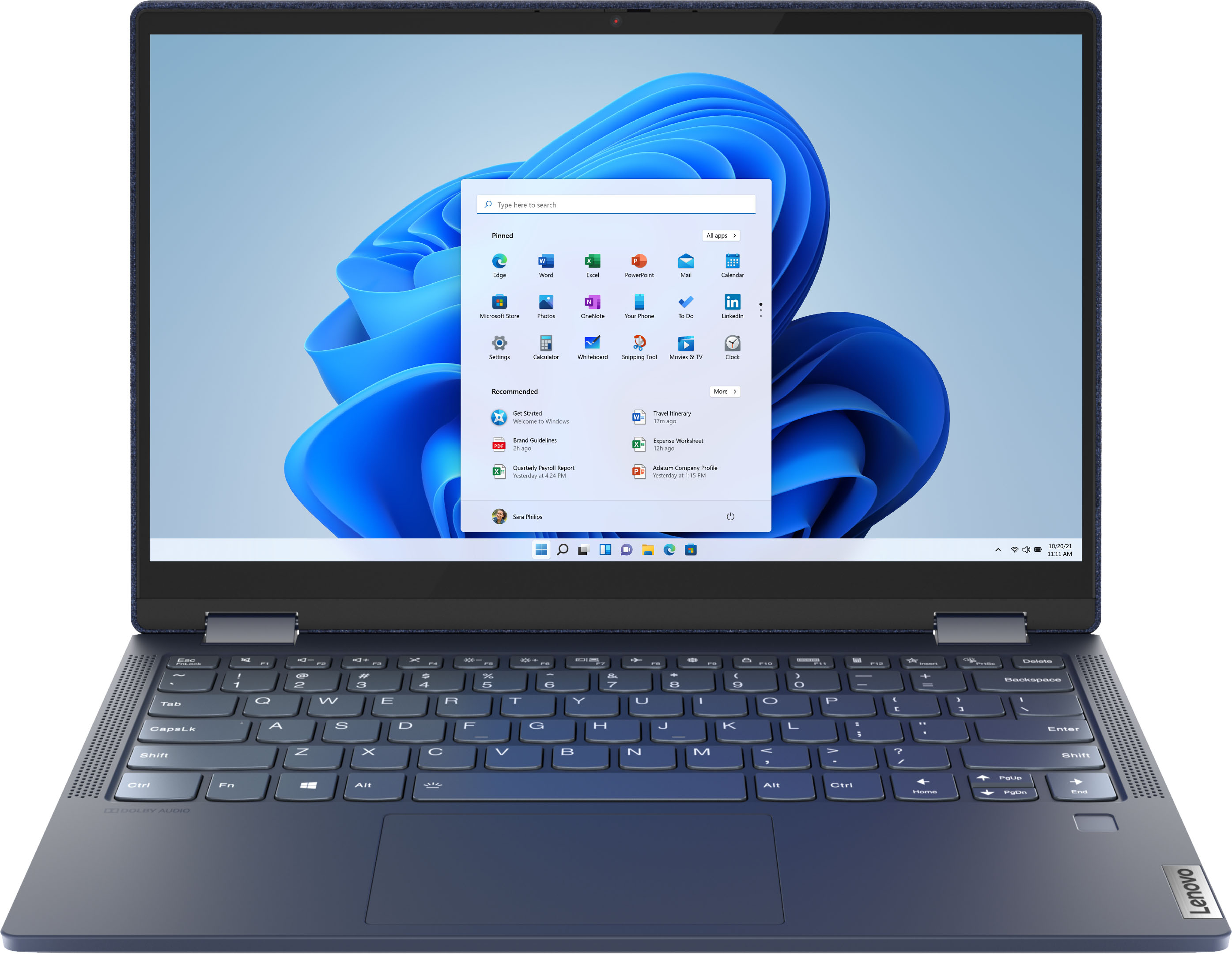



- Model:
- 82ND006YUS/82ND0009US
- SKU:
- 6455181
Rating by feature
- Battery Life
Rating 4.5 out of 5 stars
- Speed
Rating 4.5 out of 5 stars
- Display
Rating 4.6 out of 5 stars
Customers are saying
Customers are pleased with the Yoga 6 13 2-in-1 laptop's touchscreen, ease of use, size, weight, and battery life. Many appreciate its performance and find it to be a good value for the price. However, some customers expressed concerns about the limited RAM and noted that the device can get warm during use, while others wished for an HDMI port. A few also mentioned that the speakers could be improved.
This summary was generated by AI based on customer reviews.
- Pros mentioned:Processor speed, Weight
Bluejean,i just met a girl name blue jean!!
Posted .This reviewer received promo considerations or sweepstakes entry for writing a review.This lap top is the best. Its slim and easy to work with. Its doesnt weigh very much so you can take it anywhere. Its fast,smart,convenient and i love it.
I would recommend this to a friendBrand response from Lenovo Product Expert
Posted .Thank you for choosing the Lenovo Yoga 6 13 2-in-1 13.3in. Touch Screen Laptop. We are very pleased to see that the specifications and features of the Lenovo Yoga 6 13 2-in-1 Touch Screen Laptop meet your computing needs so well.

- Cons mentioned:Ram
Bang for buck
Posted .This reviewer received promo considerations or sweepstakes entry for writing a review.For 549, this laptop is a steal. The only downside for me was that the RAM is not upgradeable ( SSD is upgradeable ). The performance of the laptop is amazing! Ryzen ftw!
I would recommend this to a friend Solid device with Early adopter problems
Posted .This reviewer received promo considerations or sweepstakes entry for writing a review.Solid little device. Case isn't quite as stiff as I'd like - it has a tendency to flex more easily than I'm comfortable with. The drivers included out of the box are also REALLY unstable. I updated the video drivers to the 21.12.1 version available from AMD for Windows 11 and that helped immensely. Windows 11 is still teething a little bit (Dec. 2021) but it's not at all unusable. Screen is bright, usage feels snappy, battery life is quite good, tablet mode is quite functional.
I would recommend this to a friendBrand response from Lenovo Product Expert
Posted .Thank you for choosing the Lenovo Yoga 6 13 2-in-1 Touch Screen Laptop. To ensure that your laptop's drivers are up to date, please refer to the Lenovo Vantage software. This is an application that will aid users in keeping their devices healthy, up-to-date, and functioning smoothly. To access this application, please click on the Windows logo on your keyboard to bring up the search bar, type in "Lenovo Vantage" in the search bar, and launch it. Click "Scan for Updates" to see if there are any necessary updates for drivers for your device. This will ensure that the device has the most present software. If you have any other issues, or problems persist, we recommend you contact Lenovo Tech Support at: 877-453-6686.
Reliable
Posted .This reviewer received promo considerations or sweepstakes entry for writing a review.Very reliable laptop for school/work. I have had it since highschool and I am now in college ands it’s going on strong
I would recommend this to a friendFirst Yoga Laptop
Posted .This reviewer received promo considerations or sweepstakes entry for writing a review.I got this laptop in 2021 and it is still going strong I definitely recommend
I would recommend this to a friend- Pros mentioned:Processor speed
Great then Lag?
Posted .This reviewer received promo considerations or sweepstakes entry for writing a review.I bought this before doing online school, I had been using this for a month. The Laptop was nice and fast- AT FIRST. About a week later, it wasn't great at multitasking by then. It was still pretty fast. BeamNG.Drive ran without lag. And then, This all started about 2 weeks ago. The laptop was getting slower and slower, hotter and louder. Its okay with multitasking by today. About a week ago the laptop screen started to pop-out. I can push it back in though. It still runs okay, But way slower than it was. It can still run things fine, but needs to be faster and way less laggy. It was never laggy when I first set it up. The battery is also not as great as it was. BeamNG.Drive is a lag machine now on this laptop. The laptop isn't as great as before.
No, I would not recommend this to a friend Not sure
Posted .This reviewer received promo considerations or sweepstakes entry for writing a review.This machine was working perfectly All of the sudden stopped!!!! Tried to contact Lenovo but no way.
No, I would not recommend this to a friendLightweight Powerhouse
Posted .This reviewer received promo considerations or sweepstakes entry for writing a review.I purchased the previous model open box for $496.0 and I love it, the only issue was the SSD size, so I watched a you tube video and it comes apart easily and I upgraded it to a SanDisk - Ultra 1TB PCIe Gen 3 x4 NVMe Internal Solid State Drive for $89.99, so now plenty of storage.
I would recommend this to a friendMy computer
Posted .This reviewer received promo considerations or sweepstakes entry for writing a review.Good computer for my student, my daughter seems to like it she said is perfect for her
I would recommend this to a friendBrand response from Lenovo Product Expert
Posted .Thank you for choosing the Lenovo Yoga 6 13 for your daughter. We are pleased to hear that the Yoga 6 13 meets your daughter's computing needs so well.
- Cons mentioned:Heat
No microphone
Posted .This reviewer received promo considerations or sweepstakes entry for writing a review.Owned one day: microphone never workee. Updated drivers , spent hours troubleshooting. Would not work wirh an external mike either. Also runs very hot only after a couple hours.
No, I would not recommend this to a friendBrand response from Lenovo Product Expert
Posted .We are sorry to hear that you are having issues with the Dual Array Microphones, built into your Lenovo Yoga 6 13, model number 82ND006YUS. First, check to be sure that the microphone is off mute by tapping the HotKey in the F4 position on your keyboard. Also, here is a link to some troubleshooting tips for fixing issues with the onboard microphone within Windows 11: https://support.microsoft.com/en-us/windows/fix-microphone-problems-5f230348-106d-bfa4-1db5-336f35576011#WindowsVersion=Windows_11 If you are using a video conferencing APP, be sure the microphone is off mute within the video conferencing APP as well as on the computer itself. It the issue continues, we recommend you contact Lenovo Tech Support for additional help at: 877-453-6686.
New laptop
Posted .This reviewer received promo considerations or sweepstakes entry for writing a review.The computer was easy to get on line.it had voice to talk you right through the process
I would recommend this to a friendOpen Box surprise
Posted .This reviewer received promo considerations or sweepstakes entry for writing a review.This was a Geek Squad certified OPEN BOX purchase. I was able to charge the laptop once with the enclosed cord. The second time it no longer would charge. I returned it and purchased a new HP ENVY. I only recommend this laptop if NEW.
I would recommend this to a friendIffy wifi
Posted .This reviewer received promo considerations or sweepstakes entry for writing a review.The first one I purchased lost it's ability to connect to my WIFI. Net adapter bad less than a week old. The replacement Laptop seems fine so far.
I would recommend this to a friendBrand response from Lenovo Product Expert
Posted .We are sorry to hear that you had issues with WiFi within a Lenovo Yoga 6 13, model number 82ND006YUS. This configuration ships with the latest WiFi-6, 2x2 802.11ax frequency WiFi. If you are experiencing less than expected WiFi connectivity, check to be sure you have the latest version of Windows 11 on the computer. Then update all BIOS files and drivers up to that latest version of Windows 11. You can easily accomplish this by scanning the computer with the Lenovo Utility software available on this computer. This system has Lenovo utilities installed to help maintain the health of the device and keep the operating system software up to date. Type "Lenovo Vantage" in the Cortana Search window (if Lenovo Vantage is not installed on your device, you can download the APP and install it now). Select Lenovo Vantage from the list. In the window that opens, click on "Health and Support". In the expanded menu, select "Hardware Scan" In the window that opens, select "Run Quick Tests". This will scan your entire system for errors. Follow any directions that may pop up. If the problem continues after this scan, now click on "System Update". First select Windows update from the menu. Scan your system to be sure you have the latest version of Windows 11. Once that scan is complete, select "Additional Updates". This will scan your device to be sure there are no new BIOS/Driver updates needed. Follow any instructions that may pop up. If the issue still continues after these updates, we recommend you call Lenovo Tech Support at: 877-453-6686 for additional help.
Problems start a month after warranty expires
Posted .This reviewer received promo considerations or sweepstakes entry for writing a review.Bought this last year in August as a laptop for college, I use this laptop mostly for notetaking so the pen functionality was important, but now the touchscreen doesn't turn on sometimes and there is a region of the display that the pen input doesn't register and keep in mind I had never dropped this device ever, I am a month passed my warranty date and these issues start happening, I had never had this type of build quality issue before even with Dell's $300 laptops
No, I would not recommend this to a friendBrand response from Lenovo Product Expert
Posted .We are sorry to hear that you are having issues with your Lenovo Yoga 6 13, model number 82ND006YUS. This Yoga 6 13 is compatible with an AES Protocol active/digital pen, which is sold separately. First, be sure that your AES Protocol active/digital pen is functioning properly. If the active pen is working properly. Check with your AES Protocol active/digital pen's manufacturer's web site for driver updates for your active pen. If the issue continues or your active pen software is up to date, now check to be sure you have the latest version of Windows 11 on the computer. Then update all BIOS files and drivers up to that latest version of Windows 11. You can easily accomplish this by scanning the computer with the Lenovo Utility software available on this computer. This system has Lenovo utilities installed to help maintain the health of the device and keep the operating system software up to date. Type "Lenovo Vantage" in the Cortana Search window (if Lenovo Vantage is not installed on your device, you can download the APP and install it now). Select Lenovo Vantage from the list. In the window that opens, click on "Health and Support". In the expanded menu, select "Hardware Scan" In the window that opens, select "Run Quick Tests". This will scan your entire system for errors. Follow any directions that may pop up. If the problem continues after this scan, now click on "System Update". First select Windows update from the menu. Scan your system to be sure you have the latest version of Windows 11. Once that scan is complete, select "Additional Updates". This will scan your device to be sure there are no new BIOS/Driver updates needed. Follow any instructions that may pop up. If the issue continues after these updates, we recommend you call Lenovo Tech Support at: 877-453-6686 for additional help.
Bad Computer, Bad Customer Service
Posted .This reviewer received promo considerations or sweepstakes entry for writing a review.Not only did I have to return this computer because as soon as I loaded two apps the memory was full, the return process and customer service has been a nightmare. While I have submitted an email complaint outlining my experience, I will say here that I will not purchase from Best Buy again.
No, I would not recommend this to a friendBrand response from Lenovo Product Expert
Posted .We are sorry to hear that you are having issues with your Lenovo Yoga 6 13, model number 82ND006YUS. This model ships with a 256GB M.2 2242 PCIe 3.0x4 NVMe solid state hard drive installed, with approximately 200GB of space available for the user. Check the hard drive space required by each of the APPs you have installed on the Yoga 6 13, make sure it is below the 200GB of available space. If it is, then be sure any software you installed is compatible with Windows 10/11. There is no need to install Microsoft Office software. The software is already part of the operating system, you just need to activate the software with a purchased product key. If you have installed a copy of Microsoft Office, this is conflicting with the existing copy on the system and this will slow your system down. If you have installed a 3rd party anti-virus program, be sure that Windows Defender is turned off and that the trial version of McAfee Anti-Virus software is uninstalled. There can only be one anti-virus program on the system. Here is a link to instructions for uninstalling McAfee from a Windows computer: https://service.mcafee.com/?articleId=TS101331&page=shell&shell=article-view You may need to restore your system to original factory default settings if any of the programming errors have occurred. You can do that by typing "restore" in the Cortana search window. Just click on the magnifying glass icon at the bottom of your Windows 10/11 Desktop. Click on "Reset This PC" Then click on "Get Started" and follow the on screen directions to restore to factory defaults. If the problem persists, we recommend you contact Lenovo Tech Support at: 877-453-6686.
Booooooo
Posted .This reviewer received promo considerations or sweepstakes entry for writing a review.Horrible, already crashing had it less than a year.
No, I would not recommend this to a friendBrand response from Lenovo Product Expert
Posted .We are sorry to hear that you are having issues with your Lenovo Yoga 6 13, model number 82ND006YUS. First, be sure any software you installed is compatible with Windows 10/11. There is no need to install Microsoft Office software. The software is already part of the operating system, you just need to activate the software with a purchased product key. If you have installed a copy of Microsoft Office, this is conflicting with the existing copy on the system and this will slow your system down. If you have installed a 3rd party anti-virus program, be sure that Windows Defender is turned off and that the trial version of McAfee Anti-Virus software is uninstalled. There can only be one anti-virus program on the system. Here is a link to instructions for uninstalling McAfee from a Windows computer: https://service.mcafee.com/?articleId=TS101331&page=shell&shell=article-view You may need to restore your system to original factory default settings if any of the programming errors have occurred. You can do that by typing "restore" in the Cortana search window. Just click on the magnifying glass icon at the bottom of your Windows 10/11 Desktop. Click on "Reset This PC" Then click on "Get Started" and follow the on screen directions to restore to factory defaults. If there is no incompatible software installed but the issues persist, check to be sure you have the latest version of Windows 10/11 on the computer. Then update all BIOS files and drivers up to that latest version of Windows 10/11. You can easily accomplish this by scanning the computer with the Lenovo Utility software available on this computer. This system has Lenovo utilities installed to help maintain the health of the device and keep the operating system software up to date. Type "Lenovo Vantage" in the Cortana Search window (if Lenovo Vantage is not installed on your device, you can download the APP and install it now). Select Lenovo Vantage from the list. In the window that opens, click on "Health and Support". In the expanded menu, select "Hardware Scan" In the window that opens, select "Run Quick Tests". This will scan your entire system for errors. Follow any directions that may pop up. If the problem continues after this scan, now click on "System Update". First select Windows update from the menu. Scan your system to be sure you have the latest version of Windows 10/11. Once that scan is complete, select "Additional Updates". This will scan your device to be sure there are no new BIOS/Driver updates needed. Follow any instructions that may pop up. If the issue continues after these updates, we recommend you call Lenovo Tech Support at: 877-453-6686 for additional help.