Customer Ratings & Reviews




















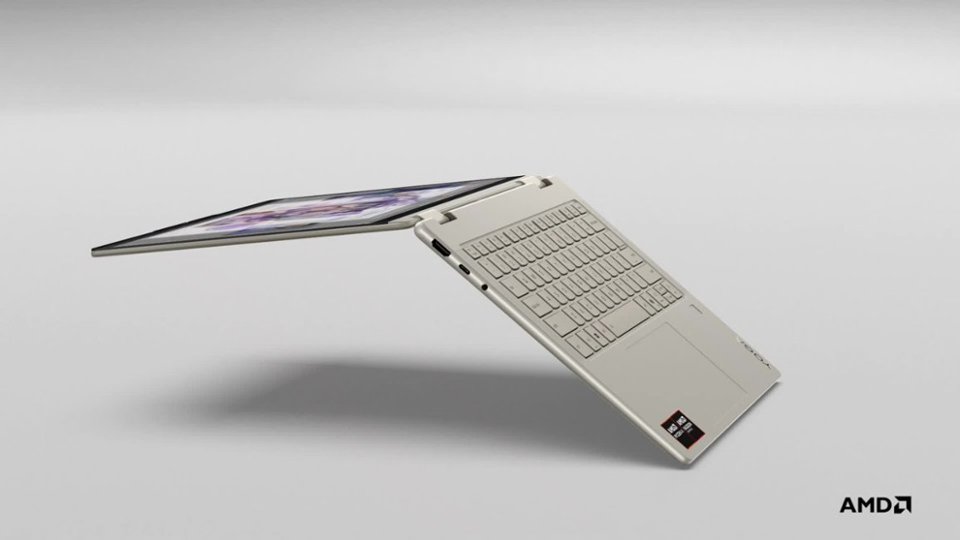
- Model:
- 83JR0002US
- SKU:
- 10936984
Rating by feature
- Battery Life
Rating 4.7 out of 5 stars
- Speed
Rating 4.7 out of 5 stars
- Display
Rating 4.8 out of 5 stars
Customers are saying
Customers are enthusiastic about the Yoga 7 2-in-1 laptop's overall performance, portability, and excellent screen quality. Many appreciate its long battery life and efficient processor speed. Some customers have noted concerns regarding heat generated during operation, fan noise, and occasional connectivity issues.
This summary was generated by AI based on customer reviews.
- Pros mentioned:Portability, Speed
Laptop Review
||Posted . Owned for 2 weeks when reviewed.This reviewer received promo considerations or sweepstakes entry for writing a review.This laptop strikes an excellent balance between compactness and affordability, while also offering sufficient power to handle PDF CAD files and deliver quick responses for stock market decisions. After using it for three weeks, I am pleased with my choice. To enhance my setup, I recently acquired a mobile 3-in-1 screen expansion, ensuring I am well-equipped for the demands of multiple screens when the stock exchange opens.
I would recommend this to a friendBrand response from Lenovo Product Expert
Posted .Hey FelixL,
Thank you for choosing Lenovo and for sharing your feedback with us!
We are glad to hear that you are pleased with your Yoga 7 2-in-1, along with its design and value.
Please feel free to reach out to us should you have any questions.
Best,
Lenovo
- Pros mentioned:Portability, Screen quality
Got this after 10 years off of my first one.
||Posted . Owned for 1 week when reviewed.This reviewer received promo considerations or sweepstakes entry for writing a review.Circled thrice in the area to think about whether I am getting or not with it's price. But after using after a few days, I just realized it was worth it. Easy to use, not heavy, and so much to explore of and to. I love the vibrance of the screen and how easy it is to use.
I would recommend this to a friendBrand response from Lenovo Product Expert
Posted .Hi,
Thanks for choosing Lenovo and for sharing your feedback with us!
We are glad to read that you are satisfied with your purchase.
Please don't hesitate to reach out to us via the Q& A section of this product page or contact Lenovo Support should you have any questions or need assistance.
Regards,
Lenovo
- Pros mentioned:Battery life, Portability
Best laptop I've ever had!
||Posted . Owned for 3 weeks when reviewed.This reviewer received promo considerations or sweepstakes entry for writing a review.I love this laptop! I bougbt this for my school assignments and its so easy to use,so much storage and so compact it fits in my tote bag for work. Also the battery life doesnt disappoint it can last a whole 8 hour work shift and it gives me lots of battery saving tips. 10 out of 10 recommend
I would recommend this to a friendBrand response from Lenovo Product Expert
Posted .Hi,
Thanks for choosing Lenovo and for sharing your feedback with us!
We are glad to read that you are satisfied with your purchase.
Please don't hesitate to reach out to us via the Q& A section of this product page or contact Lenovo Support should you have any questions or need assistance.
Regards,
Lenovo
- Pros mentioned:Screen quality
Perfect laptop for home and office
||Posted . Owned for 1 month when reviewed.This reviewer received promo considerations or sweepstakes entry for writing a review.This laptop is awesome, the Oled display is perfect with sharp colors and the design and build is perfect for home or office use,
I would recommend this to a friend - Pros mentioned:Battery life, Speed
Excellent Laptop Set
||Posted . Owned for 1 week when reviewed.This reviewer received promo considerations or sweepstakes entry for writing a review.I’m very satisfied with this laptop. The OLED screen is bright and clear, performance with AMD Ryzen is fast, and 16GB RAM is enough for multitasking. Battery life is good for daily use. Great value for the price.
I would recommend this to a friendBrand response from Lenovo Product Expert
Posted .Hey SerhiiZ,
Thanks for choosing Lenovo and for sharing your feedback with us!
We are glad to read that you are quite satisfied with this Yoga 7 2-in-1.
Please feel free to reach out to us via the Q&A section of the product page should you have any questions or need assistance.
Best,
Lenovo
- Pros mentioned:Overall performance
Super
||Posted . Owned for 6 months when reviewed.This reviewer received promo considerations or sweepstakes entry for writing a review.Good weighs little and is functional well in quality.
I would recommend this to a friend - Pros mentioned:Overall performance, Portability
Yoga laptop
||Posted . Owned for 3 weeks when reviewed.This reviewer received promo considerations or sweepstakes entry for writing a review.Works great, useful and convenient. Everywhere on the go with me
I would recommend this to a friend - Pros mentioned:Overall performance, Screen quality
Great display
||Posted .This reviewer received promo considerations or sweepstakes entry for writing a review.Amazing laptop all-round with an awesome oled display, which is what was most important to me and the reason I went for this variant.
I would recommend this to a friendBrand response from Lenovo Product Expert
Posted .Hi user118976,
Thanks for choosing Lenovo and for sharing your feedback with us!
We are pleased to read that your experience with this Yoga 7 2-in-1 has been awesome all-around.
Please feel free to reach out to us via the Q& A section of this product page should you have any questions or need assistance.
Best,
Lenovo
- Pros mentioned:Battery life, Overall performance
College laptop
||Posted .This reviewer received promo considerations or sweepstakes entry for writing a review.Amazing, works great the brightness is amazing the battery life is great and overall just a good purchase
I would recommend this to a friendBrand response from Lenovo Product Expert
Posted .Hi,
Thanks for choosing Lenovo and for sharing your feedback with us!
We are glad to read that you are satisfied with your purchase.
Please don't hesitate to reach out to us via the Q& A section of this product page or contact Lenovo Support should you have any questions or need assistance.
Regards,
Lenovo
- Pros mentioned:Overall performance, Speed
Levono yoga
||Posted . Owned for 2 months when reviewed.This reviewer received promo considerations or sweepstakes entry for writing a review.Love it works good for school especially for college works fast and even touch screen
I would recommend this to a friendBrand response from Lenovo Product Expert
Posted .Hi,
Thanks for choosing Lenovo and for sharing your feedback with us!
We are glad to read that you are satisfied with your purchase.
Please don't hesitate to reach out to us via the Q& A section of this product page or contact Lenovo Support should you have any questions or need assistance.
Regards,
Lenovo
Lenovo Yoga 7 2-in-1 (14 inch AMD) – A versatile !
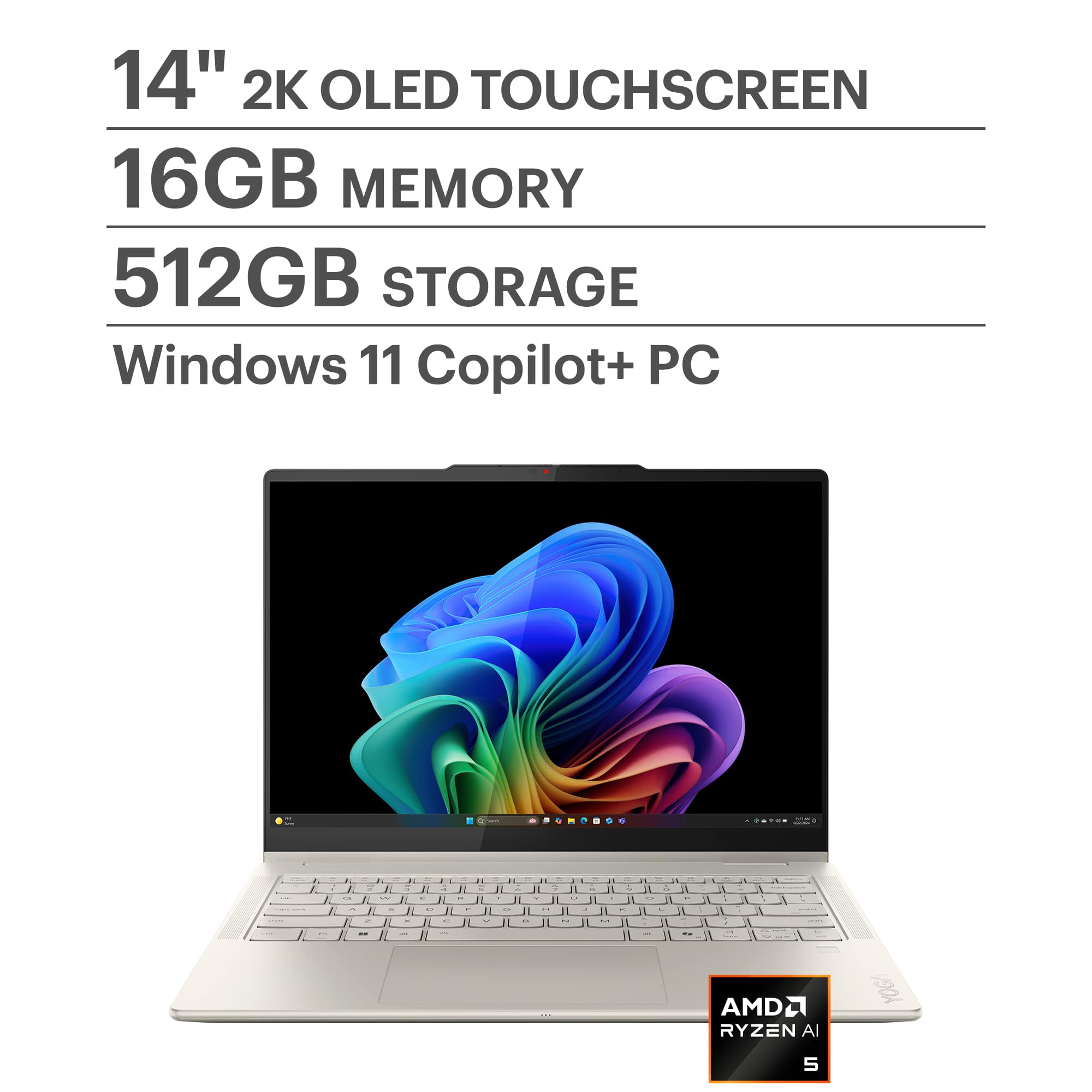
||Posted . Owned for 3 weeks when reviewed.This reviewer received promo considerations or sweepstakes entry for writing a review.I’m extremely impressed with my Lenovo Yoga 7 2-in-1 14″ OLED Touchscreen AMD Ryzen AI 5 340 2025 16GB Memory 512GB SSD SeaShell.The performance is powerful and smooth, and the AMD processor handles everything I throw at it with ease. The 14″ display is bright, crisp, and perfect for both work and entertainment. I love the 2-in-1 flexibility — switching between laptop and tablet mode feels seamless and genuinely useful. The build quality feels premium and durable, the keyboard is comfortable for long typing sessions, and the battery easily lasts throughout my day. Whether I’m multitasking, streaming, or creating content, it delivers consistently great performance. Truly a fantastic laptop that’s worth every penny — highly recommended! Loved it !!!!
I would recommend this to a friendPowerful for it's size and beautiful screen
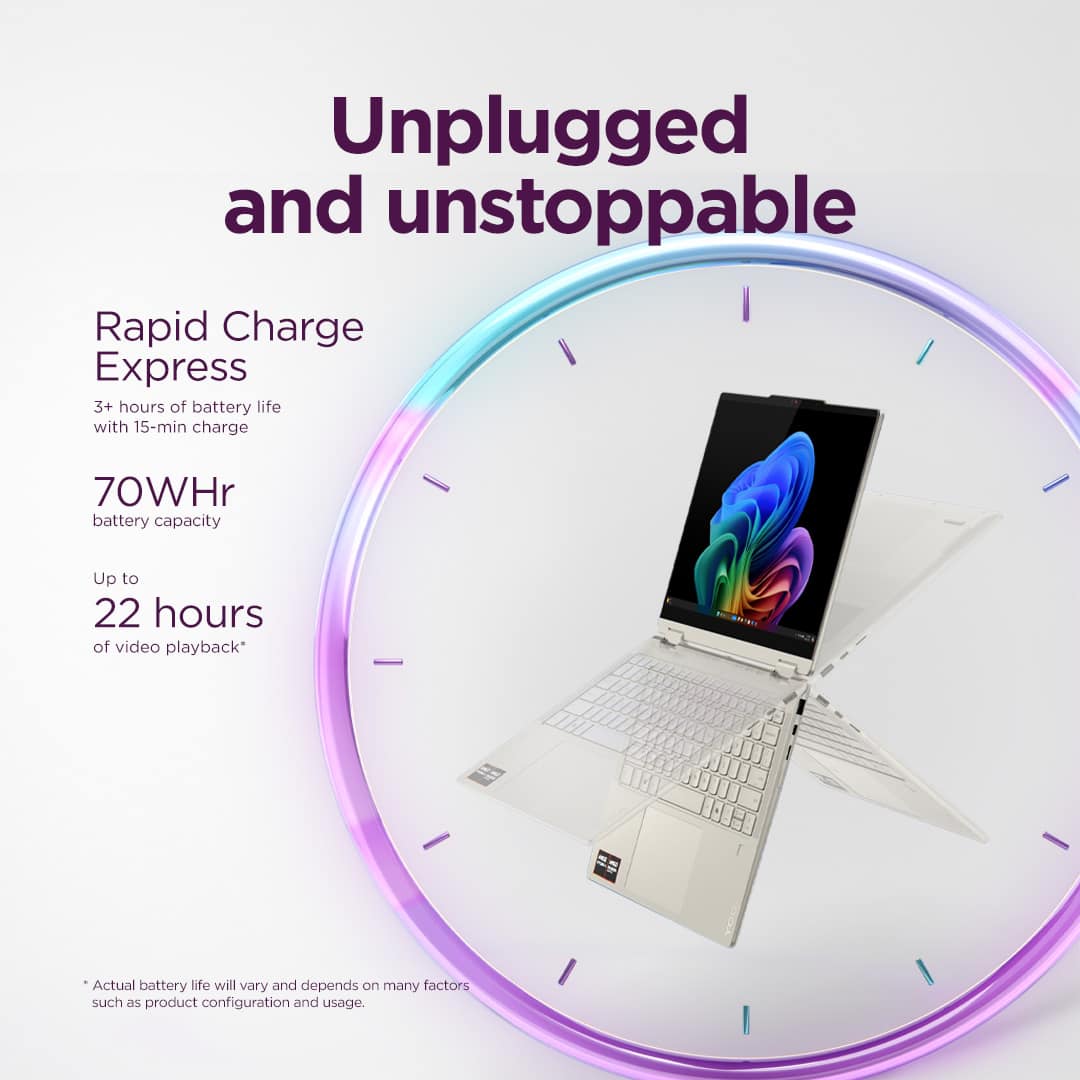
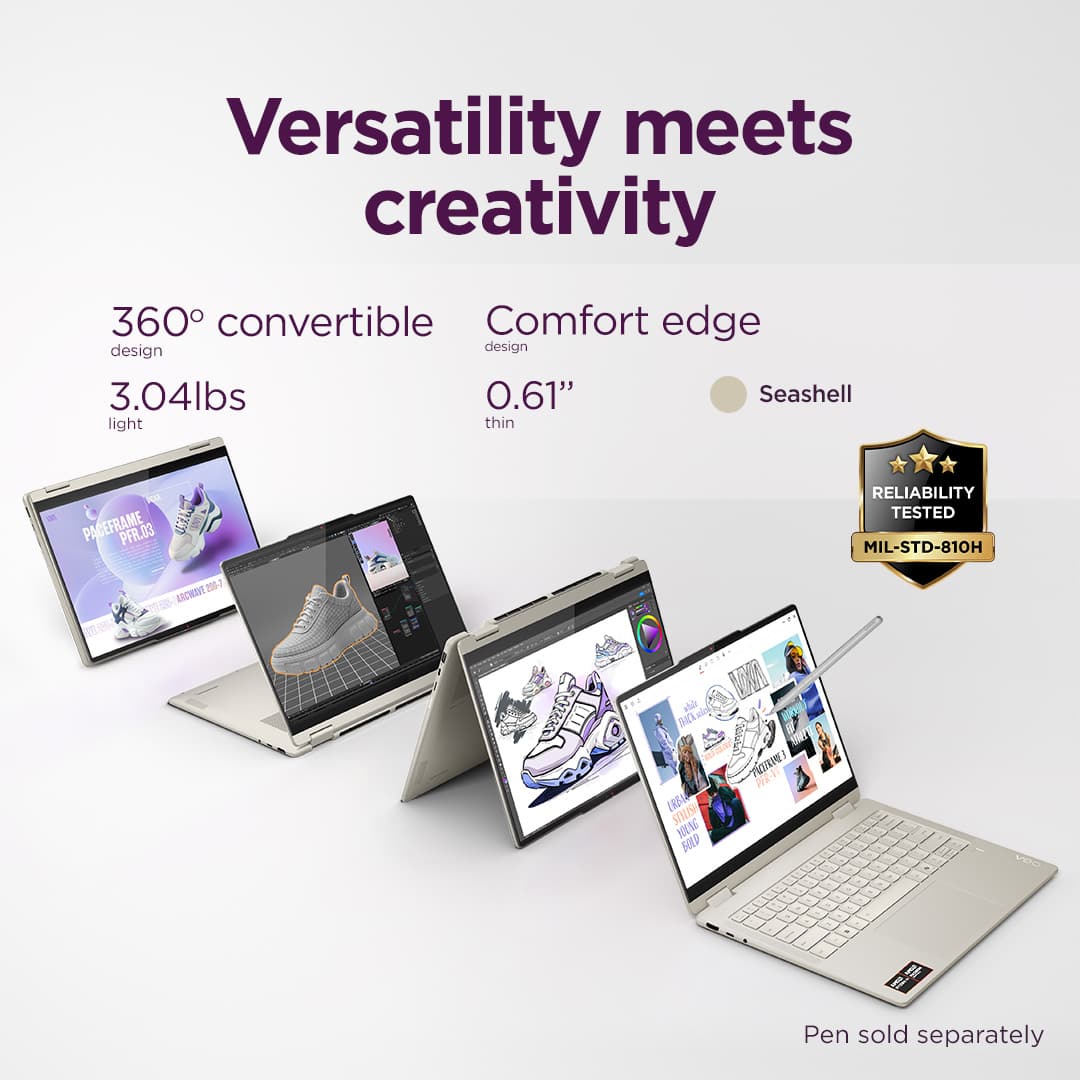
||Posted . Owned for 1 month when reviewed.This reviewer received promo considerations or sweepstakes entry for writing a review.I got this as a secondary machine to work on scripts and docs away from my main rig. My review will be through the lens of getting it on a nice Daily Deal price. It is a portable size but a little heavy for its 14" dimensions. That is mainly because it is the fold-over tent style. The OLED screen is beautiful, and I'm pleased with the performance. The AI 5 340 is a nice CPU/NPU. The keyboard and trackpad are both very nice and up to Lenovo's usual standards. The keys are separated enough to prevent typos. I'm still playing with screen brightness settings because even turned down to 25%, with no HDR, and only local video playback I'm not getting half of the mentioned 22 hours of battery life. With a mix of basic web browsing, local video playback, office docs, and plugging in headphones ad a mouse, I'm getting a little over 8hrs. It has decent venting for cooling ad so far hasn't been too loud. I have done some light voice over editing in my two DAWs with multiple EQ/Plugins and it isn't too loud. I wish it had a full size vs micro SD slot reader for transferring video, photo, and audio files, but if you just want to expand storage it works well.
I would recommend this to a friend- Pros mentioned:Portability
Notebook lenovo
||Posted . Owned for 1 week when reviewed.This reviewer received promo considerations or sweepstakes entry for writing a review.The product has excellent screen resolution, is easy to transport, and is also very aesthetically pleasing. I lowered it by one star because I ordered one color and they gave me another.
I would recommend this to a friendBrand response from Lenovo Product Expert
Posted .Hi LaraS,
Thanks for choosing Lenovo and for sharing your feedback with us!
We are pleased to read that this Yoga 7 2-in-1 is working out well for you overall.
Please feel free to reach out to us via the Q& A section of this product page should you have any questions or need assistance.
Best,
Lenovo
- Pros mentioned:Overall performance, Portability
Wonderful laptop
||Posted .This reviewer received promo considerations or sweepstakes entry for writing a review.I bought this laptop for myself and it is wonderful. It's small, compact, not very heavy and works very well
I would recommend this to a friendBrand response from Lenovo Product Expert
Posted .Hi NaomiP,
Thanks for choosing Lenovo and for sharing your feedback with us!
We are pleased to read that your experience with this Yoga 7 has been wonderful.
Please feel free to reach out to us via the Q& A section of this product page should you have any questions or need assistance.
Best,
Lenovo
Highly recommend
||Posted . Owned for 2 weeks when reviewed.This reviewer received promo considerations or sweepstakes entry for writing a review.I use my laptop for writing primarily. If you’re anything like me, this laptop will work wonderfully for you if you are any sort of creative. The sleek design makes it easy to travel with, the foldable design allows for versatile use, and the backlit keyboard feels quality rather than thin and flimsy.
I would recommend this to a friendBrand response from Lenovo Product Expert
Posted .Hi Crow,
Thanks for choosing Lenovo and for sharing your feedback with us!
We are pleased to read that this Yoga 7 is working out nicely for you in various regards.
Please feel free to reach out to us via the Q& A section of this product page should you have any questions or need assistance.
Best,
Lenovo
- Pros mentioned:Overall performance
Why I chose this over a MacBook
||Posted . Owned for 1 month when reviewed.This reviewer received promo considerations or sweepstakes entry for writing a review.The laptop has frozen once, but aside from that, I haven’t experienced any major issues. It occasionally pops up notifications suggesting I download antivirus software, but overall the performance is smooth. I really enjoy the touchscreen feature—it’s one of the main reasons I chose this laptop over a MacBook.
I would recommend this to a friendBrand response from Lenovo Product Expert
Posted .Hi,
Thanks for choosing Lenovo and for sharing your feedback with us!
We are glad to read that you are satisfied with your purchase.
Please don't hesitate to reach out to us via the Q& A section of this product page or contact Lenovo Support should you have any questions or need assistance.
Regards,
Lenovo
- Pros mentioned:Portability
Solid Laptop
||Posted . Owned for 1 month when reviewed.This reviewer received promo considerations or sweepstakes entry for writing a review.This has worked really well for me so far. I wanted something small that I could write on and needed something to replace my 10 year old gaming laptop. I was pleasantly surprised that I was able to easily transfer everything from my desktop remotely, too. I also love that the charging cable is a USB-C. Lip balm included in pics for scale.
I would recommend this to a friendBrand response from Lenovo Product Expert
Posted .Hi Mason,
Thanks for choosing Lenovo and for sharing your feedback with us!
We are pleased to read that this Yoga 7 2-in-1 is working well for you thus far.
Please feel free to reach out to us via the Q& A section of this product page should you have any questions or need assistance.
Best,
Lenovo
Perfect “cheap” windows laptop
||Posted . Owned for 3 months when reviewed.This reviewer received promo considerations or sweepstakes entry for writing a review.This laptop is awesome, full stop. Amazing battery life, great performance, beautiful screen, tactile keyboard, cold aluminum build, smooth spacious trackpad, and great speakers. It’s an amazing package. This is the laptop for the price. The only issue I have had with this laptop is niche, in that drivers can conflict because of how complicated the audio stack is on the device, since it uses Dolby, and elevoc audio enhancements. Don’t install the amd adrenaline display drivers unless you want to be in for a bad time. Other than that, amazing device, truthfully.
I would recommend this to a friendBrand response from Lenovo Product Expert
Posted .Hi Kelton-
Thank you for choosing the Lenovo Yoga 7 and for sharing your experience with us. We are happy to hear that you are enjoying the performance, display quality, and tactile keyboard of the Lenovo Yoga 7.
We have noted your comments regarding the driver conflict and may use your feedback to improve future products
Please reach out to us through the Q&A section of this product webpage if you have any questions or need assistance.
Best wishes,
Lenovo
I Love This Computer
||Posted . Owned for 3 months when reviewed.This reviewer received promo considerations or sweepstakes entry for writing a review.I really enjoy using my Lenovo Yoga laptop. It has been an excellent tool for my schoolwork, handling everything smoothly and efficiently. The performance is reliable, whether I'm working on assignments, researching online, or attending virtual classes. Its design is sleek and portable, making it easy to carry around throughout the day. Overall, this laptop has been a great investment for my education, and I would definitely recommend it to other students looking for a dependable and versatile computer.
I would recommend this to a friendDecent for the price range.
||Posted .This reviewer received promo considerations or sweepstakes entry for writing a review.What I have expected from Lenovo. It does run a little hot and I have had some issues with the drivers and it is a little slow at times when I do a lot, but not horrible at this price point. I tried 2 other brands right before this and even though they cost more, I did not like them and had to return them to go back to Lenovo. I have had it for 5 months now.
I would recommend this to a friend