Customer Ratings & Reviews
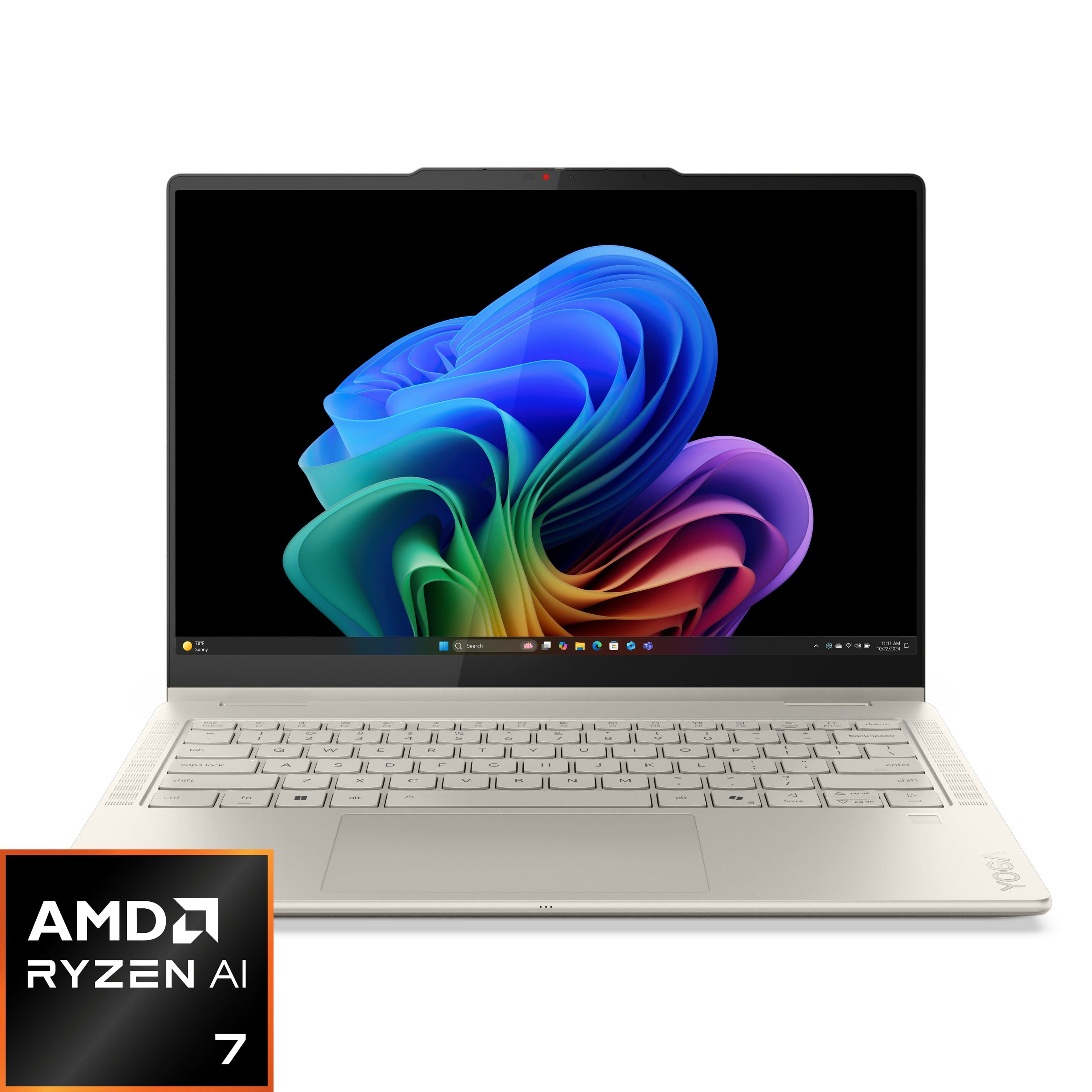


















- Model:
- 83JR0001US
- SKU:
- 10936957
Rating by feature
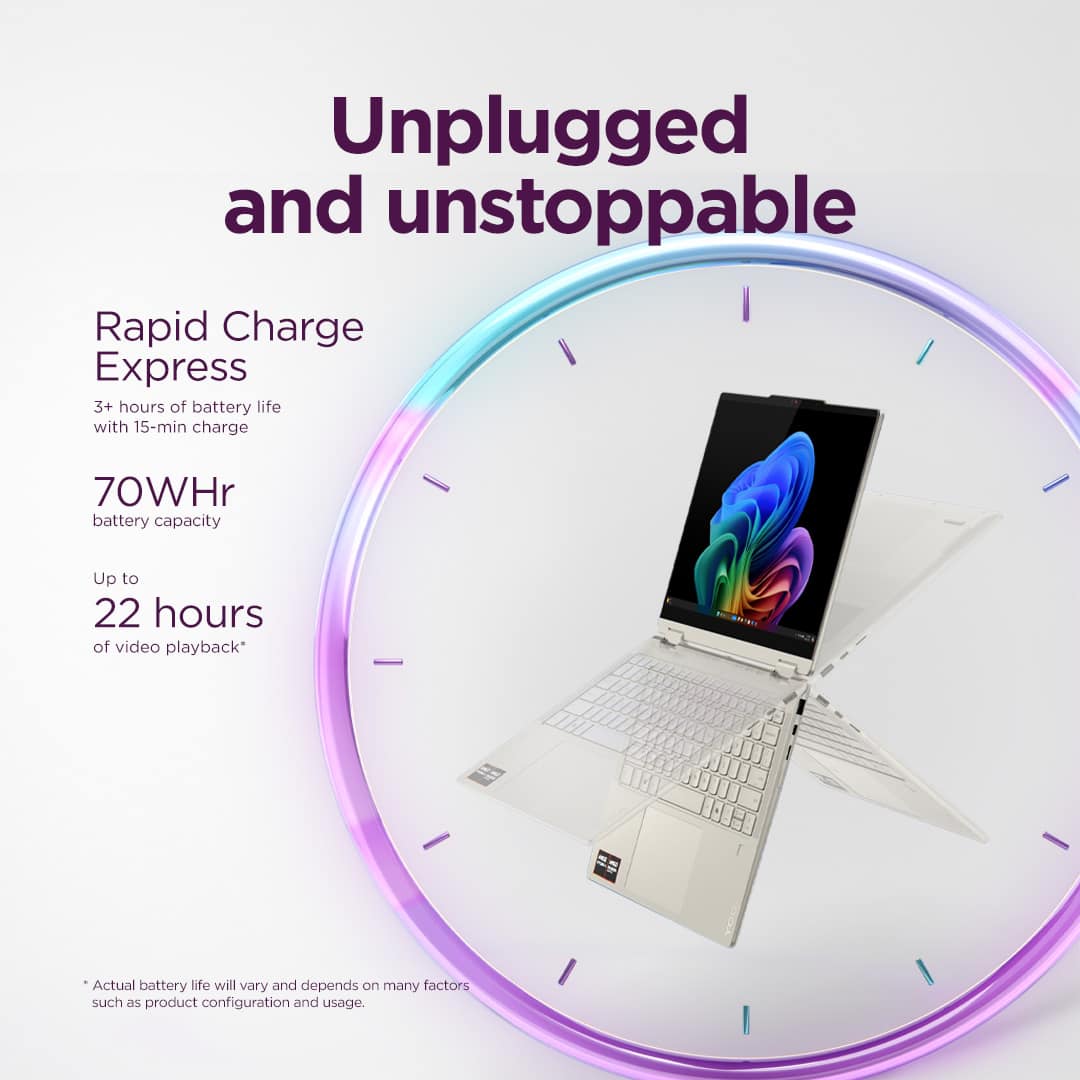
- Battery Life
Rating 4.7 out of 5 stars
- Speed
Rating 4.7 out of 5 stars
- Display
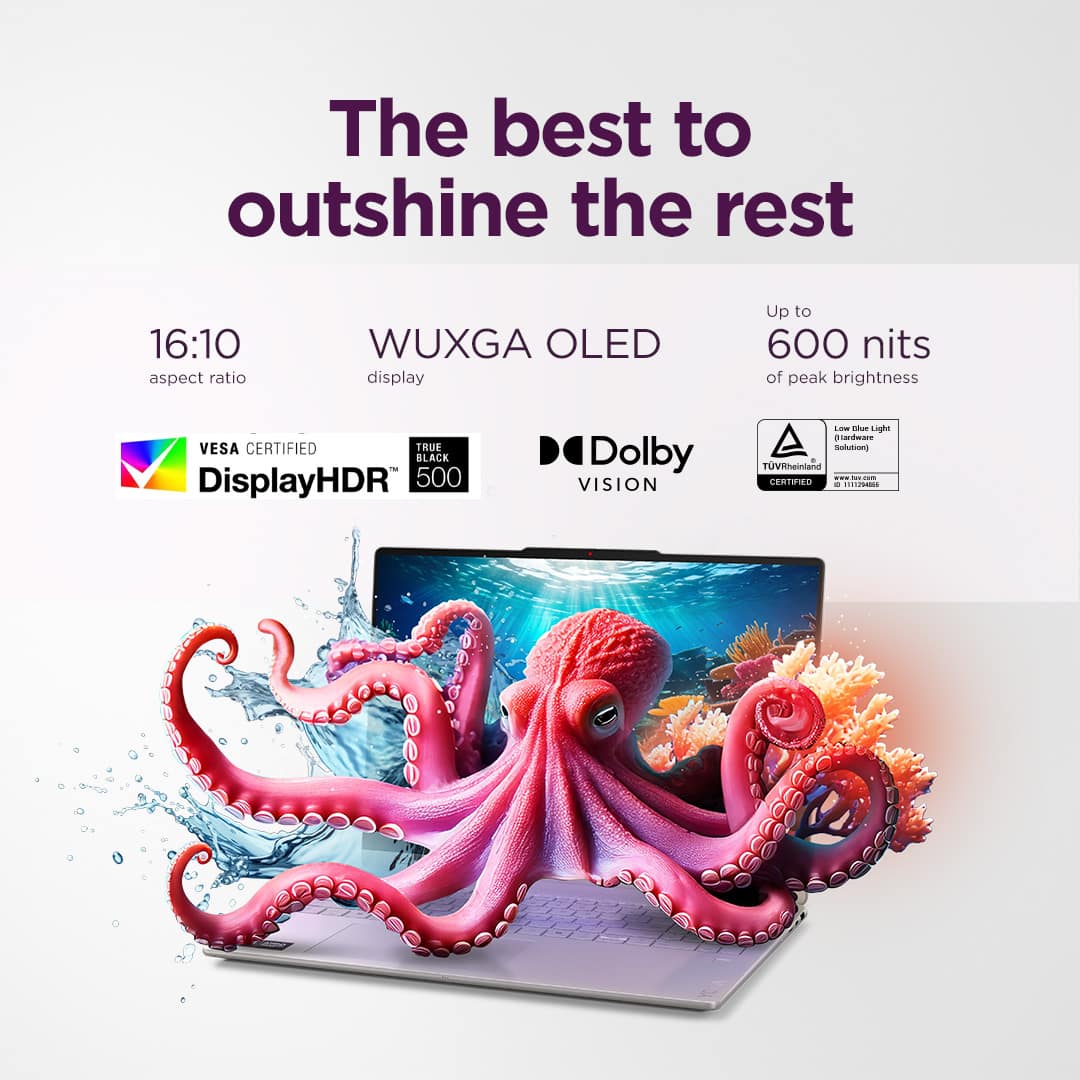
Rating 4.8 out of 5 stars
- Pros mentioned:Speed
Excellent product
||Posted . Owned for 2 weeks when reviewed.This reviewer received promo considerations or sweepstakes entry for writing a review.Very good. lt is very easy to set it up and its pretty fast. l have other laptops but now l only use only this one, favorite laptop so far.
I would recommend this to a friend Awesome product from Awesome store.
||Posted . Owned for 2 months when reviewed.This reviewer received promo considerations or sweepstakes entry for writing a review.This product is best possible configuration of laptop world in this amount with fantastic performance. The feel of keyboard and touchscreen is awesome. Fast performance of laptop. Premium laptop. I loved it.
I would recommend this to a friend- Pros mentioned:Portability
Versatile, dependable laptop
||Posted .This reviewer received promo considerations or sweepstakes entry for writing a review.I love the screen brightness and clarity and compact size. It is big enough to see docs and spreadsheets, yet small enough to be easy to travel with.
I would recommend this to a friendBrand response from Lenovo Product Expert
Posted .Hi,
Thanks for choosing Lenovo and for sharing your feedback with us!
We are glad to read that you are satisfied with your purchase.
Please don't hesitate to reach out to us via the Q& A section of this product page or contact Lenovo Support should you have any questions or need assistance.
Regards,
Lenovo
- Pros mentioned:Overall performance
Great all-around laptop
||Posted . Owned for 1 month when reviewed.This reviewer received promo considerations or sweepstakes entry for writing a review.Got it for light-medium productivity and it works great. Build quality feels good and the computer itself feels snappy
I would recommend this to a friendBrand response from Lenovo Product Expert
Posted .Hi David-
Thank you for choosing Lenovo and sharing your experience with us. We are happy to hear that you are enjoying the performance and product design of the Yoga 7. We aim to offer great user experience and are overjoyed to see that we met our goal.
Please reach out to us through the Q & A section of this product webpage if you have any questions or need any assistance.
Best wishes,
Lenovo
Laptop review
||Posted . Owned for 3 weeks when reviewed.This reviewer received promo considerations or sweepstakes entry for writing a review.The product and the packaging was great. I really like thr feel of the touch screen. I thought comparing it to a tablet, it wont be that great but I was wrong. In terms of specs, I'd say I got a pretty fair deal considering the recent price hikes in computer components. Overall, a great laptop for college and editing work.
I would recommend this to a friendGreat laptop for the price.
||Posted . Owned for 3 weeks when reviewed.This reviewer received promo considerations or sweepstakes entry for writing a review.Great screen. It has a nice set of features along with a good looking outer case. We had a great experience with Best Buy and took advantage of one of the moments it was on sale.
I would recommend this to a friendBrand response from Lenovo Product Expert
Posted .Hi,
Thanks for choosing Lenovo and for sharing your feedback with us!
We are pleased to read that this Yoga 7 is working out great for you.
Please feel free to reach out to us via the Q& A section of this product page should you have any questions or need assistance.
Best,
Lenovo
Love it
||Posted . Owned for 2 weeks when reviewed.This reviewer received promo considerations or sweepstakes entry for writing a review.My laptop failed unexpectedly and I needed a new one ASAP so I decided on the Lenova Yoga and it is a great laptop. It has an OLED screen. Iight, and the battery life is great. I highly recommend it.
I would recommend this to a friend- Pros mentioned:Battery life, Overall performance
Good laptop
||Posted . Owned for 3 weeks when reviewed.This reviewer received promo considerations or sweepstakes entry for writing a review.Working well so far. The battery life is good, but expect longer life.
I would recommend this to a friendBrand response from Lenovo Product Expert
Posted .Hi OlubukolaO,
Thanks for choosing Lenovo and for sharing your feedback with us!
Regarding your comment on battery life, first, we are sorry to hear that battery life fell short of your expectations. We wish to provide the best experience possible, so if you'd like to, we want to share some information that can help to improve your experience with battery life.
To start, there are many variables that contribute to shorter battery life. Thankfully, many of those variables can be adjusted. By default, the system will tend to give more speed when needed, which can sacrifice battery life. If you want to squeeze out more battery life, we recommend utilizing the Lenovo Vantage application that is preinstalled to adjust settings related to power and battery performance (to access relevant settings, open Vantage > Device Settings > Power). You can also take advantage of the keyboard shortcut, Fn + Q to toggle thermal modes and easily switch between prioritizing battery life or power, or even the best of both worlds.
We are pleased to read that this Yoga 7 is otherwise working well for you so far.
Please feel free to reach out to us via the Q& A section of this product page should you have any questions or need further assistance, as your satisfaction is important to us.
Best regards,
Lenovo
Lenovo - Yoga 7
||Posted . Owned for 1 month when reviewed.This reviewer received promo considerations or sweepstakes entry for writing a review.Purchased my 1st Yoga 3 years ago and has been been very user friendly and reliable. When my surface crashed (my fault) I went with the smaller size Yoga as I move around between 2 offices and home. Very happy so far
I would recommend this to a friendBrand response from Lenovo Product Expert
Posted .Hi RandallR-
Thank you for being a loyal Lenovo customer and sharing your experience with us. We are thrilled to hear that you are enjoying the versatility of the Yoga 7. We aim to offer great user experience and are overjoyed to see that we met our goal.
Please reach out to us through the Q & A section of this product page if you have any questions or need any assistance.
Best wishes,
Lenovo
- Pros mentioned:Overall performance, Portability
Very Pleased
||Posted . Owned for 1 month when reviewed.This reviewer received promo considerations or sweepstakes entry for writing a review.Love it. Great out of the box and easy to set up for my new college student.
I would recommend this to a friendBrand response from Lenovo Product Expert
Posted .Hi KevinB,
Thanks for choosing Lenovo and for sharing your feedback with us!
We are pleased to read that you love this Yoga 7 2-in-1 and that it is working out well for your college student.
Please feel free to reach out to us via the Q& A section of this product page should you have any questions or need assistance.
Best,
Lenovo
- Pros mentioned:Overall performance
Finally Upgraded
||Posted .This reviewer received promo considerations or sweepstakes entry for writing a review.Took a bit of time to get used to a new computer after giving up my "Very" old one, but this is a vast improvement!
I would recommend this to a friendBrand response from Lenovo Product Expert
Posted .Hi Oregon-
Thank you for choosing Lenovo and sharing your feedback with us. We are overjoyed to hear that you are enjoying the Yoga 7. We aim to provide excellent user experience for our products, and we are happy to hear that we achieved our goal.
Your experience is very important to us, so feel free to reach out to us through the Q & A section of this product page if you have any questions or need any assistance.
Best wishes,
Lenovo
- Pros mentioned:Portability
Nice, sleek, light laptop computer
||Posted . Owned for 1 month when reviewed.This reviewer received promo considerations or sweepstakes entry for writing a review.I really like this computer. its sleek, small and light. I do enjoy the fact that it is touch screen and can multitask. The fat that its super light also helps to take it everywhere and is fast enough to support me for my online class, webinars and meetings. I had an older version and upgraded to this one, glad I did!
I would recommend this to a friendBrand response from Lenovo Product Expert
Posted .Hey StephanieP,
Thanks for choosing Lenovo and for sharing your feedback with us!
We are glad to read that you are really liking this Yoga 7 2-in-1.
Please feel free to reach out to us via the Q& A section of this product page should you have any questions or need assistance.
Best,
Lenovo
Amazing product! 10/10
||Posted . Owned for 1 month when reviewed.This reviewer received promo considerations or sweepstakes entry for writing a review.I love everything about this product. It works flawlessly. I’m impressed with the quality of this product. It feels premium and works perfectly. My favorite part is that it doesn't weigh much at all, which makes it perfect for me
I would recommend this to a friend- Pros mentioned:Portability
Lenovo laptop
||Posted . Owned for 1 month when reviewed.This reviewer received promo considerations or sweepstakes entry for writing a review.Best laptop I have ever bought. It is user friendly and easy to carry around
I would recommend this to a friend - Pros mentioned:Overall performance
Nice laptop
||Posted . Owned for 1 month when reviewed.This reviewer received promo considerations or sweepstakes entry for writing a review.Bought it for work. It is fast and does not lag. I had to optimize settings to my needs whuch was not a problem. I dont like the new Microsoft sync but that is not the laptop problem as all new laptop running windows have that. Great for the price
I would recommend this to a friendBrand response from Lenovo Product Expert
Posted .Hi Pat66,
Thanks for choosing Lenovo and for sharing your feedback with us!
We are pleased to read that this Yoga 7 2-in-1 is working out nicely for you.
Please feel free to reach out to us via the Q& A section of this product page should you have any questions or need assistance.
Best,
Lenovo
- Pros mentioned:Overall performance
I highly recommend it.
||Posted . Owned for 1 month when reviewed.This reviewer received promo considerations or sweepstakes entry for writing a review.Very good product. Just what I was looking for. I love it.
I would recommend this to a friend Yoga 7 2-in-1
||Posted . Owned for 2 months when reviewed.This reviewer received promo considerations or sweepstakes entry for writing a review.I honestly love this laptop. It works great for school and if you want to run some games like roblox, crusader kings, etc it’s runs them pretty well. Only issue is that is constantly runs at 50-70% RAM usage even after disabling McAfee and other bloatwares. Still a great laptop though.
I would recommend this to a friendBrand response from Lenovo Product Expert
Posted .Hi Liana-
Thank you for choosing Lenovo and sharing your experience with us. We are thrilled to hear that the Yoga 7 is working well for your schoolwork and gaming. We aim to offer great user experience and would love to explain the RAM utilization you are encountering.
Windows 11 will cache background apps, resources, settings, and commonly used applications in order to achieve better responsiveness when launching apps. This is common as unused RAM is seen as a wasted resource as it is left with nothing to do. Keep in mind that if you launch an application like Adobe Premiere Pro that requires heavy RAM utilization then Windows will automatically begin closing out cached RAM to allow the app to access more RAM.
Please reach out to us through the Q & A section of this product page if you have any questions or need any assistance.
Best wishes,
Lenovo
- Pros mentioned:Portability
Laptop
||Posted . Owned for less than 1 week when reviewed.This reviewer received promo considerations or sweepstakes entry for writing a review.So modern does no weight to much love the flexibility
I would recommend this to a friend Transitioned from Mac and not disappointed
||Posted . Owned for 2 weeks when reviewed.This reviewer received promo considerations or sweepstakes entry for writing a review.Great and powerful laptop. Sleek and runs quietly. Needed to give up my MacBook and decided to transition as some programs just don’t work on Mac systems. We still have primarily Apple products, but glad we now have at least one PC that isn’t a work computer.
I would recommend this to a friend- Pros mentioned:Speed
Laptop Lenovo yoga
||Posted .This reviewer received promo considerations or sweepstakes entry for writing a review.It is a very good product I loved it start super fast in seconds if you are looking for something fast and stable is this without a doubt
I would recommend this to a friendBrand response from Lenovo Product Expert
Posted .Hi,
Thanks for choosing Lenovo and for sharing your feedback with us!
We are glad to read that you are satisfied with your purchase.
Please don't hesitate to reach out to us via the Q& A section of this product page or contact Lenovo Support should you have any questions or need assistance.
Regards,
Lenovo