Skip to contentGo to Product Search
Main Content

Customer Ratings & Reviews

$897.99
Save $152
The comparable value is $1,049.99

Customer reviews

Rating 4.7 out of 5 stars with 829 reviews

Rating Filter

Rating by feature

  • Battery Life

    Rating 4.7 out of 5 stars

  • Speed

    Rating 4.8 out of 5 stars

  • Display

    Rating 4.8 out of 5 stars

Pros mentioned filter

Cons mentioned filter

93%would recommend to a friend
The vast majority of our reviews come from verified purchases. Reviews from customers may include My Best Buy members, employees, and Tech Insider Network members (as tagged). Select reviewers may receive discounted products, promotional considerations or entries into drawings for honest, helpful reviews.
Page 40 Showing 781-800 of 829 reviews
  • Rated 1 out of 5 stars

    Skeptical about open box items now

    |
    |
    Posted . Owned for 3 weeks when reviewed.
    This reviewer received promo considerations or sweepstakes entry for writing a review.

    I had to return this open box item because it would not let me access it. The wifi was connecting but there was an issue getting set up. The laptop itself seemed to have dirt or some kind of weird feel to it like its dirty. It looked like it was as well. I should have taken pics, but i returned it pretty quickly after getting frustrated.

    No, I would not recommend this to a friend
  • Rated 1 out of 5 stars

    NEVER got it!

    |
    |
    Posted . Owned for 1 month when reviewed.
    This reviewer received promo considerations or sweepstakes entry for writing a review.

    I wouldn't know, it was NEVER delivered. Out there somewhere is a Dashpass driver who committed fraud and submitted a picture of a front door that looks nothing like mine. The best part is Best Buy believes them and not me even though I filed a police report and did everything Best Buy asked. Do not recommend Best Buy, they don't believe their acyual customers!

    No, I would not recommend this to a friend
  • Rated 2 out of 5 stars

    Not working for me

    |
    |
    Posted . Owned for 4 months when reviewed.
    This reviewer received promo considerations or sweepstakes entry for writing a review.

    It seems like I am always rebooting this PC. Apps freeze or say they need a reboot to continue way too often. My last PC ran for 7 years with minimal issues. I wish I would have returned this for a different brand. Was looking at a different brand but was swayed toward this brand by sales person.

    No, I would not recommend this to a friend
    • Brand response from Lenovo Product Expert
      Posted .

      Hello,

      Thak you for sharing your feedback with us. We're sorry to hear that you ran into an issue. We strive to provide the best experience possible, so we're disappointed and apologize that this wasn't the case for you.

      We recommend contacting Lenovo Support at this number: 877-453-6686, to work with the Customer Care team for swift action as we look to resolve this matter for you and make things right.

      Please don't hesitate to let us know what else we can do to improve your experience, as your satisfaction is important to us.

      Best regards,
      Lenovo Lenovo

  • Rated 3 out of 5 stars

    LENOVO YOGA HICUP

    |
    |
    Posted . Owned for 1 month when reviewed.
    This reviewer received promo considerations or sweepstakes entry for writing a review.

    HAVING TROUBLE WITH CURSOR IN WORD. ANY IDEA? THANKS.

    No, I would not recommend this to a friend
    • Brand response from Lenovo Product Expert
      Posted .

      Hello,

      Thank you for sharing your feedback with us. We're sorry to hear that you ran into an issue. We strive to provide the best experience possible, so if you'd like to, we want to work with you to try to resolve this.

      To start, we recommend ensuring you have the latest software by checking for updates, as this could correct the issue. To do so, first, open the Settings app > Select the Windows update tab > Select the Check for updates button, apply all available updates. Next, open the Lenovo Vantage app > on the homepage, select the Check for updates button, following on-screen prompts to apply all available updates here as well.

      If after the available updates are applied and the system restarts, yet the issue persists, in-depth troubleshooting will be necessary to fix the problem. We recommend contacting Lenovo Support here: 877-453-6686, for further assistance.

      Please don't hesitate to let us know what else we can do to improve your experience, as your satisfaction is important to us.

      Best regards,
      Lenovo Lenovo

  • Rated 2 out of 5 stars

    Poor Sound Quality

    |
    |
    Posted . Owned for 1 month when reviewed.
    This reviewer received promo considerations or sweepstakes entry for writing a review.

    This large laptop has a high-pitched sound with low volume levels. I prefer sound on the HP laptops. This isn’t good for watching videos.

    No, I would not recommend this to a friend
  • Cons mentioned:
    Charging

    Rated 1 out of 5 stars

    Bought defective Lenova Laptop

    |
    |
    Posted . Owned for 3 weeks when reviewed.
    This reviewer received promo considerations or sweepstakes entry for writing a review.

    I bought this for a birthday gift for my daughter. She was only able to use it for 2 days and it stopped charging. I went to return it to the Farmington NM Bestbuy and the General Manager would not help me. So now I'm stuck with a Laptop that is not working.

    No, I would not recommend this to a friend
    • Brand response from Lenovo Product Expert
      Posted .

      Hey YOLANDAT,

      Thank you for sharing your feedback with us. We are sorry to hear that you are experiencing this issue with your daughter's Yoga 7. We apologize for the inconvenience that this has caused you, and we'd like to work with you to try resolve these issues.

      To start, we recommend following the steps below to take steps to address the problem:

      1. Check the Charger and Cable: Ensure that the charger and cable are functioning correctly. If possible, try using a different charger and cable to see if the issue persists.

      2. Battery Reset: This laptop has a small pinhole reset button on the bottom. Use a paperclip or SIM ejector tool to press and hold the button for about 10 seconds. This can sometimes reset the battery and resolve charging issues.

      3. BIOS Update: Since you mentioned that a BIOS update is needed, you can try performing the update with the laptop plugged in. Some updates can proceed even if the battery is not fully charged.

      If after taking these steps your issue persists, we then recommend contacting Lenovo Support here: 877-453-6686, for in-depth troubleshooting.

      Please update us when you can regarding this, and feel free to reach out to us via the Q& A section of this product page should you have any questions or further comments.

      Best regards,
      Lenovo Lenovo

  • Rated 1 out of 5 stars

    Lenovo wasn’t a good choice this time

    |
    |
    Posted . Owned for 1 month when reviewed.
    This reviewer received promo considerations or sweepstakes entry for writing a review.

    This model was the second Lenovo laptop I returned to Best Buy for functional issues. This one locked me out of my Microsoft account among other processor issues. Including face rec not reliable. I bought a Dell Intel core 7 with the same speed/ memory. All is good. It’s strange— my 2019 Lenovo ideapad lasted six years with only a battery replacement and still works. I wanted an upgrade.

    No, I would not recommend this to a friend
  • Cons mentioned:
    Connectivity

    Rated 1 out of 5 stars

    Headache inducing

    |
    |
    Posted . Owned for less than 1 week when reviewed.
    This reviewer received promo considerations or sweepstakes entry for writing a review.

    I got this laptop a couple days ago, it has caused me so much frustration. It is constantly disconnecting for the internet, it even went on airplane mode once. I tried to contact the manufacturer and couldn’t even get a hold of them. It’s been a headache! Never dealt with that before and everything has been updated.

    No, I would not recommend this to a friend
    • Brand response from Lenovo Product Expert
      Posted .

      Hi AnneW,

      Thank you for sharing your feedback with us. We are sorry to hear that you are having trouble with your Yoga 7. We apologize for the frustration and inconvenience that this has caused you, along with the poor experience you had trying to contact us. We'd like to work with you to try to resolve your problems and improve your experience.

      To start, we recommend ensuring you have the latest software by checking for updates, as this could correct the inconsistent Wi-Fi connection issues. To do so, first, open the Settings app > Select the Windows update tab > Select the Check for updates button and apply all available updates. Next, open the Lenovo Vantage app > on the homepage, select the Check for updates button, ensuring all available driver and BIOS updates are applied successfully, following all on-screen instructions.

      If after the available updates are applied and the system restarts, yet the issue persists, in-depth troubleshooting will be necessary to fix the problem. We then recommend contacting Lenovo Support here: 877-453-6686, for further assistance. Also, you can comment on this post, and we can present other options to continue to assist you.

      Please update us when you can regarding this, and we appreciate you taking the time to share your feedback with us.

      Best regards,
      Lenovo Lenovo

  • Rated 1 out of 5 stars

    Do your own searching, Get what YOU want.

    |
    |
    Posted . Owned for 2 weeks when reviewed.
    This reviewer received promo considerations or sweepstakes entry for writing a review.

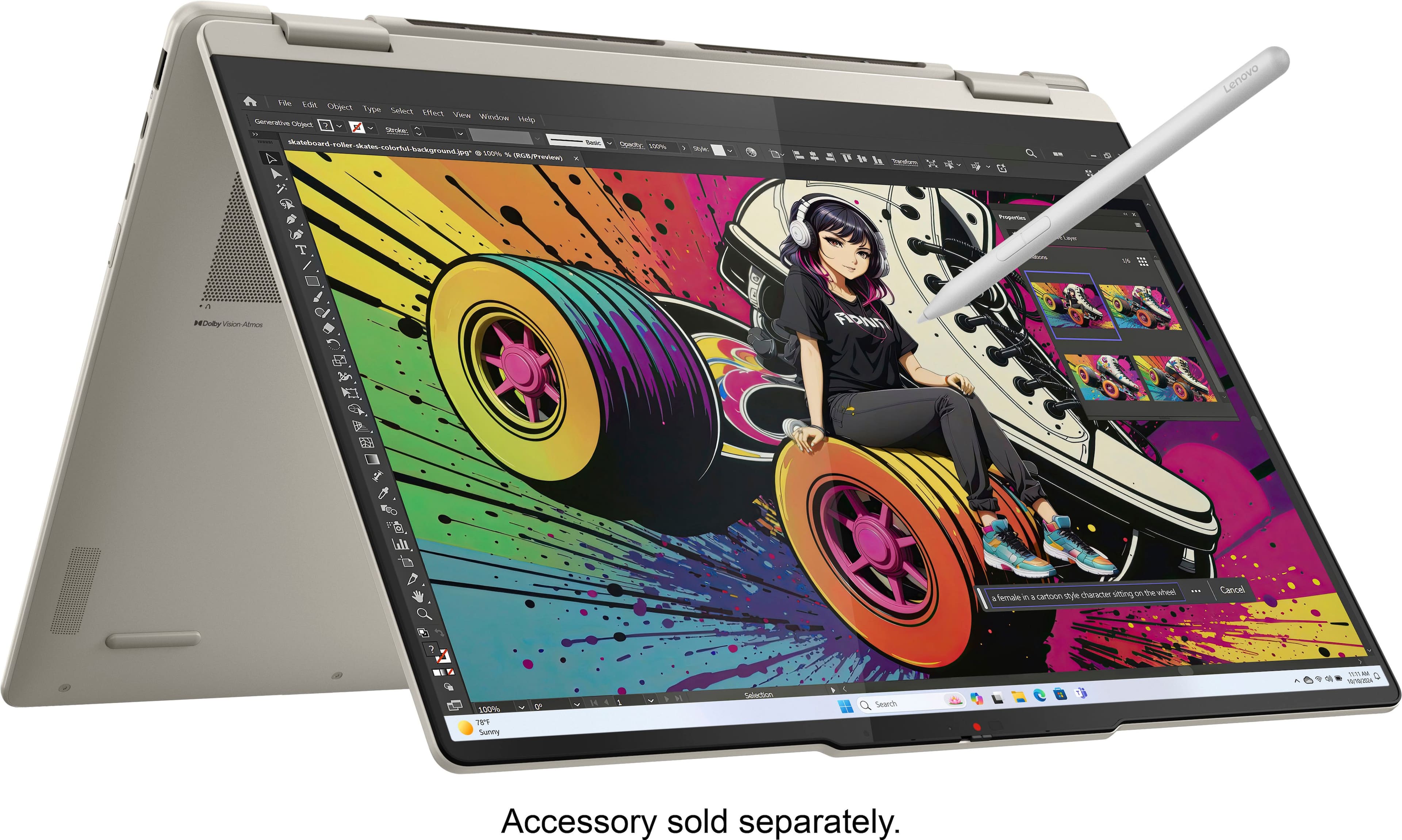
    I was given wrong information while at the store. I asked could the RAM be upgraded ,I was told "yes it can, you just have to buy what you want to upgrade" . The RAM can NOT be upgraded. The 16 G Ram is permanent. No more slots. I asked if the pen I had from my HP would work ,I was told yes. It does not. All of my info was moved to this laptop before I realized this so for that reason I did not return it. I do not trust all the info would be off. Do your own checking , do not trust others to do this.

    No, I would not recommend this to a friend
  • Rated 1 out of 5 stars

    Best Buy a joke

    |
    |
    Posted . Owned for 1 week when reviewed.
    This reviewer received promo considerations or sweepstakes entry for writing a review.

    Horrible experience with Best Buy Bought computer. Out of town on vacation. Came back and opened box and a key wasn't working. Took back to Best Buy and was told it was Levono issue and had to return to them since Best Buy only had 14 day return policy. Never go back to Best Buy

    I would recommend this to a friend
  • Rated 1 out of 5 stars

    Dont buy

    |
    |
    Posted . Owned for 3 weeks when reviewed.
    This reviewer received promo considerations or sweepstakes entry for writing a review.

    Purchased this and got home started to set up the laptop only to discover the wireless chip was damaged. Called lenovo technical.support and they said that was a common problem with this particular model.

    No, I would not recommend this to a friend
  • Rated 1 out of 5 stars

    It’s a dope looking laptop I think my is defective

    |
    |
    Posted . Owned for 3 weeks when reviewed.
    This reviewer received promo considerations or sweepstakes entry for writing a review.

    The gentlemen told me I had 30 days of anything was wrong to bring it back. I was on the 16th day the laptop froze turned black and kept crashing and resetting. I tried to bring it in to exchange it for a different one I didn’t want my money back just a working laptop. I asked him is this laptop good for all use and was it made in this year 2025 he told me it’s perfect after I wanted a different one that was like 200 dollars cheaper he kept on insisting I buy this one so I did but now I’m jus upset I’m stuck with a laptop that I can’t use or even change out for a working one.

    No, I would not recommend this to a friend
    • Brand response from Lenovo Product Expert
      Posted .

      Hi ZaidA-

      Thank you for taking the time to share your experience with us. We are disappointed to hear that you are facing issues with your Yoga 7 laptop. We understand how frustrating it must be to have a laptop that is not working correctly. We would like to work with you to help alleviate some of the issues you are encountering.

      Please reach out to Lenovo Customer support here: 877-453-6686 and our team will be happy to assist you with troubleshooting the issue. Please reach out to us through the Q & A section of this product page if you have any questions or have any updates regarding your issue.

      Best wishes,
      Lenovo Lenovo

  • Rated 3 out of 5 stars

    Too slow

    |
    |
    Posted . Owned for 3 weeks when reviewed.
    This reviewer received promo considerations or sweepstakes entry for writing a review.

    We like that it’s touch screen but it runs too slow

    No, I would not recommend this to a friend
    • Brand response from Lenovo Product Expert
      Posted .

      Hey EverynookandcrannyB,

      Thank you for sharing your feedback with us. We are sorry to hear that your Yoga 7 is underperforming to your standards. We wish to work with you to clarify how the system is not meeting your needs and try to resolve this.

      To start, is there a particular software that you are using with the system? If so, that software may have unique system requirements that may be of a higher performance output than this Yoga can allow. If this is not the case, in what situations has the system been "too slow"?

      Please reach out to us via the Q& A section of this product page with any details or further comments, as we wish to help you and your input is valued.

      Best,
      Lenovo Lenovo

  • Rated 3 out of 5 stars

    yoga laptop

    |
    |
    Posted . Owned for 3 weeks when reviewed.
    This reviewer received promo considerations or sweepstakes entry for writing a review.

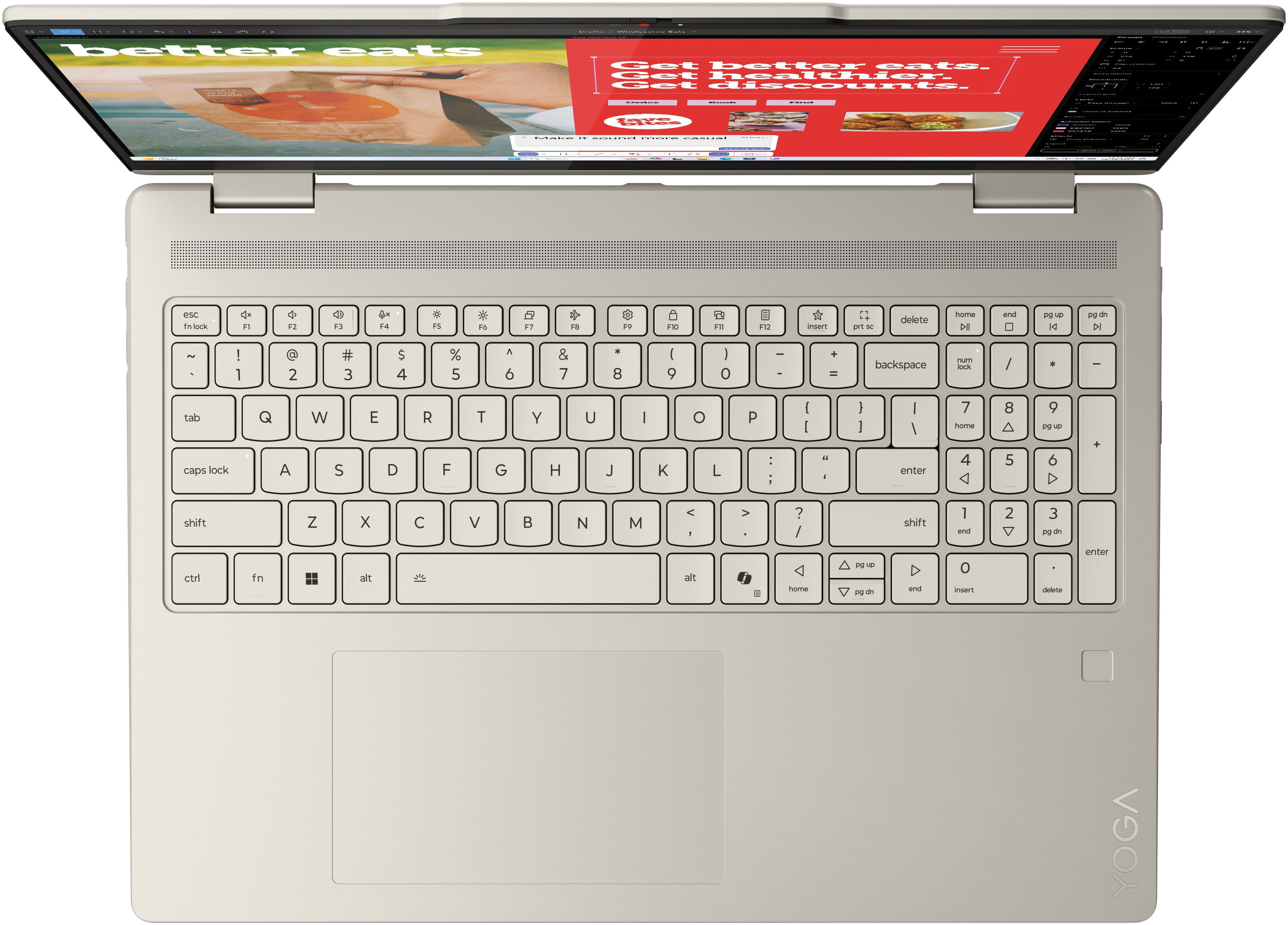
    not that great and not enough outlets to add extras - no lit keyboard

    No, I would not recommend this to a friend
    • Brand response from Lenovo Product Expert
      Posted .

      Hey PaulG,

      Thank you for sharing your feedback with us. We are sorry to hear that this Yoga 7 2-in-1 missed the mark for you in some ways. If you'd like, we wish to work with you to try to improve your experience with your Yoga.

      To start, please share more details on what's "not that great", so that we can address this aspect of your experience. Also, we wish to clarify that this model does feature backlit keys. To activate them, press the Fn + Space keys or adjusting the setting in the Lenovo Vantage app > Device Settings > Keyboard backlighting.

      We appreciate your comments regarding the port selection. We wish to provide the most value possible and meet the needs of modern users, and this will be considered for future improvements.

      Please feel free to reach out to us via the Q& A section of this product page should you have any questions or need assistance and to share additional notes.

      Best regards,
      Lenovo Lenovo

  • Rated 2 out of 5 stars

    Overheating issue

    |
    |
    Posted .
    This reviewer received promo considerations or sweepstakes entry for writing a review.

    This laptop has all the features I'm looking for, and it worked beautifully for the first few weeks. However, it developed an overheating issue, so I had to return it.

    No, I would not recommend this to a friend
    • Brand response from Lenovo Product Expert
      Posted .

      Hey JasonTiger,

      Thank you for sharing your feedback with us. We are sorry to hear that you had trouble with your Yoga 7 2-in-1, leading to you returning it. We apologize for the inconvenience that this may have caused you.

      We will investigate the matter to discover the root of this issue you experienced to make the necessary improvements. We hope that you choose our products again in the future and that you feel free to reach out us with any questions or request that you may have so that we can improve your experience.

      Best regards,
      Lenovo Lenovo

  • Rated 1 out of 5 stars

    bad computer

    |
    |
    Posted . Owned for 1 month when reviewed.
    This reviewer received promo considerations or sweepstakes entry for writing a review.

    I dont know I f I got a lemon or what.... within the first 30 days the screen keeps going black , Keeps changing the default options. I have to basically reset the computer every day . And because its past the 30 days I purchased the computer I can not return it. I am giving it away for free for anyone who wants a computer

    No, I would not recommend this to a friend
    • Brand response from Lenovo Product Expert
      Posted .

      Hello,

      Thank you for sharing your feedback with us. We're sorry to hear that you ran into an issue. We strive to provide the best experience possible. We're disappointed and apologize that this wasn't the case for you, and we'd like to work with you to try to improve your experience.

      We recommend contacting Lenovo Support at this number: 877-453-6686, to work with the Customer Care team for swift action as we look to resolve this matter for you and make things right.

      Please don't hesitate to let us know what else we can do to improve your experience, as your satisfaction is important to us.

      Best regards,
      Lenovo Lenovo

  • Rated 1 out of 5 stars

    Battery didn't work in a week

    |
    |
    Posted . Owned for 2 weeks when reviewed.
    This reviewer received promo considerations or sweepstakes entry for writing a review.

    With in a week the Battery died. I have bought this laptop and used it for a week. the second week the battery didn't charge at all. I have returned it and bought another Lenovo.

    No, I would not recommend this to a friend
  • Rated 1 out of 5 stars

    Don't do yoga

    |
    |
    Posted . Owned for 3 weeks when reviewed.
    This reviewer received promo considerations or sweepstakes entry for writing a review.

    Unfortunately, within 2 weeks the mother board had a serious problem and I returned it and bought another brand.

    No, I would not recommend this to a friend
  • Rated 2 out of 5 stars

    Poor quality screen!

    |
    |
    Posted . Owned for 2 weeks when reviewed.
    This reviewer received promo considerations or sweepstakes entry for writing a review.

    The screen on this model is poor quality, also a little blurry.

    No, I would not recommend this to a friend
    • Brand response from Lenovo Product Expert
      Posted .

      Hi ThomasA-

      Thank you for taking the time to share your feedback with us. We are sad to hear that you are having issues with the screen clarity of this Yoga 7. We aim to provide great user experience and are disappointed to hear that we missed the mark. We would like to work with you to improve your experience. We have suggestions below to address your concerns.

      Based on your experience, we believe that if this stems from a software issue, then following these next steps will enhance the visual clarity of the device. Please ensure your device is up to date on all available drivers updates through Lenovo Vantage and Windows Update Settings, these updates can improve your device’s Graphics Drivers leading to more clarity in the display. To check for updates in Lenovo Vantage, start by launching the Lenovo Vantage app and selecting the “Check for updates” button on the right-hand side of the homepage. To check for Windows Updates, start by launching the Settings app, then selecting the Windows Update tab on the left-hand side of the page, finally select the “Check for updates’ button located in the top right of the page.

      If you are unsatisfied with the display’s image production, we will happily take your feedback and consider using your comments to improve future products.

      Please reach out to us through the Q & A section of this product page if you have any questions or additional comments, as your experience is important to us.

      Best wishes,
      Lenovo Lenovo

  • Rated 1 out of 5 stars

    Laptop

    |
    |
    Posted . Owned for 1 month when reviewed.
    This reviewer received promo considerations or sweepstakes entry for writing a review.

    Brand new computer to replace a 2 yr old Mac Pro and had to return it in a week. Anytime I would type a g or h the this is what I would get continuously \\\\\\\. Also issue when opening a new window. Geek squad could not figure it out, Had to drive an hour to Best Buy to purchase a new laptop and went back to an HP

    No, I would not recommend this to a friend
    • Brand response from Lenovo Product Expert
      Posted .

      Hey JeannineP

      We are sorry to hear that you had trouble with your Yoga 7 2-in-1, leading to you returning it. We apologize for the frustration and inconvenience that this may have caused you, along with the travel to return the item.

      We wish to provide the best experience possible and we appreciate your comments, as we will investigate the matter to make the necessary improvements.

      We hope that you choose our products again in the future, and that you feel free to reach out us with any questions or request that you may have, as your satisfaction is important to us.

      Best regards,
      Lenovo Lenovo