Customer Ratings & Reviews
- Model:
- 80QD00B0US
- SKU:
- 4525803
to a friend
Customers are saying
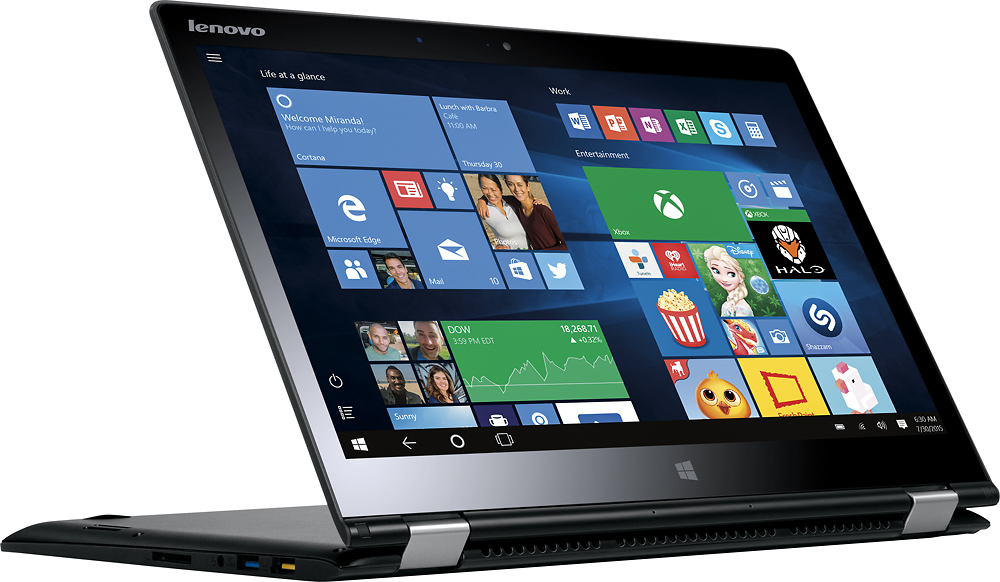
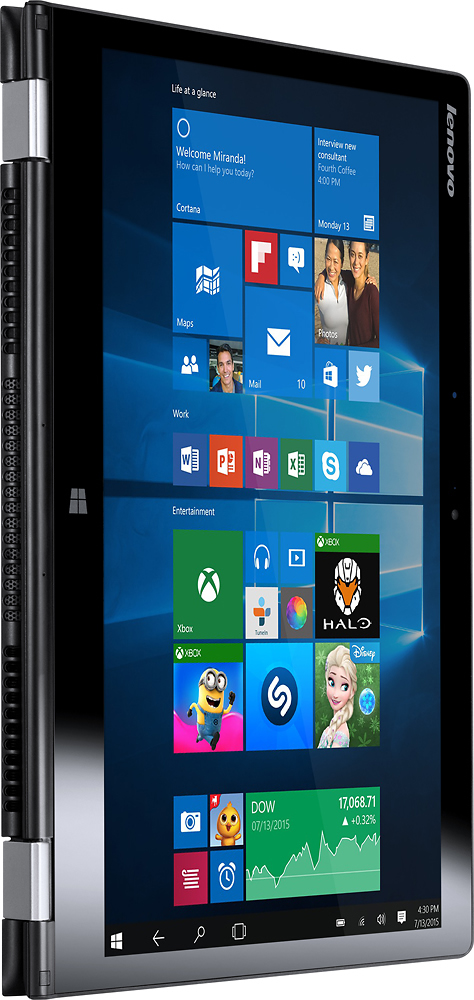
Customers value the Yoga 700 14" 2-in-1 Touch-Screen Laptop for its touch screen, light weight, long battery life, and affordable price. They appreciate the convenience of the touch screen, the portability of the device, and the ease of use. However, some customers have experienced issues with Windows 10, freezing, graphics card, and malfunctioning.
This summary was generated by AI based on customer reviews.
Intermittent problems with mousepad
||Posted .This reviewer received promo considerations or sweepstakes entry for writing a review.This laptop is great most of the time but has an intermittent problem with the mouse pad . Because it is intermittent it is hard to identify or solve the problem.
No, I would not recommend this to a friendBrand response from Lenovo Product Expert
Posted .It could be a driver that needs to be updated to correct the touchpad issue. You can follow the link below to Lenovo.com support-drivers and look for touchpad driver updates. Be sure you create a restore point on your system before you make any changes or download any new software. Hope this improves your experience:
http://support.lenovo.com/us/en/products/Laptops-and-netbooks/Yoga-Series/yoga-700-14isk/80QD/003YUS?linkTrack=Caps%253ABody_SearchProduct&tabName=downloads&beta=false
Horrible computer
||Posted .This reviewer received promo considerations or sweepstakes entry for writing a review.The touch pad sensor is out of whack goes crazy sometimes and different screens pop up all at once when I am typing. I cant even use it when it does this and Best Buy was not accommodating or helpful when I told them of my dilemma. Horrible return policy will never buy another computer there. Should not have any problems with a new computer, this is unacceptable!
No, I would not recommend this to a friendBrand response from Lenovo Product Expert
Posted .You can follow the link below to Lenovo.com support-drivers and look for driver updates for touchpad-keyboard specifically for your system. Be sure to create a restore point on your system before you make changes or download new software:
http://support.lenovo.com/us/en/products/Laptops-and-netbooks/Yoga-Series/yoga-700-14isk/80QD/003YUS?linkTrack=Caps%253ABody_SearchProduct&tabName=downloads&beta=false
Learn not to buy out of box products
||Posted .This reviewer received promo considerations or sweepstakes entry for writing a review.The laptop was purchased without a box or power cord. It took ten days to receive a new cord. The computer couldn't be used without a charge. Upon receipt of the new cord it was fully charged, worked well for a only few days then the computer wouldn't charge again. I took it into Best Buy they confirmed the cord was good. Now it appears the hard drive is bad. If the price sounds too good to be true...it is!
I would recommend this to a friendDon't buy this laptop
||Posted .This reviewer received promo considerations or sweepstakes entry for writing a review.I bought this laptop couple weeks ago. I didn't get much time to test after I bought it . Now I can't return it since I passed 15 days guarantee. Here are the issues: 1. Mirroring with smart tv doesn't work. It takes few attempts to connect and than its unstable . 2. Touch screen start working it self and you can see the dots of touching even when ur using computer mode. I wish I can return this computer.
No, I would not recommend this to a friendBrand response from Lenovo Product Expert
Posted .Here is an article about the "Ghost Touches" on your system from the Lenovo Forum:
https://forums.lenovo.com/t5/Lenovo-Yoga-Series-Notebooks/Lenovo-Yoga-700-14-ghost-touches/td-p/2239487
You can also follow this second link below to Lenovo.com support-drivers, to look for any new driver updates to your specific system. Be sure to create a restore point on your system before you make any changes or download any new software to your system. Hope this helps improve your experience:
http://support.lenovo.com/us/en/products/Laptops-and-netbooks/Yoga-Series/yoga-700-14isk/80QD/003YUS?linkTrack=Caps%253ABody_SearchProduct&tabName=downloads&beta=false
Not good
||Posted .This reviewer received promo considerations or sweepstakes entry for writing a review.I read the reviews and was pumped to get the Lenovo yoga. Well in less than a month I had to return two of them. I guess there is this problem with a ghost key. Basically out of no where the computer would start to functioning lIke it was in tablet mode when it was not. So needless to say after the second computer I gave up and returned it for good. I really liked the yoga but it was very frustrating.
No, I would not recommend this to a friendNot happy
||Posted .This reviewer received promo considerations or sweepstakes entry for writing a review.I bought this item for my wife and after about two months the screen started acting up had to send it to the manufacturer for repair then a week after that the motherboard went bad, once again back to the manufacturer. This product made me appreciate my MacBook pro more. What I had to go through getting this product repaired makes me not want to buy a computer at Bestbuy ever again.
No, I would not recommend this to a friendClever concept poorly executed
||Posted .This reviewer received promo considerations or sweepstakes entry for writing a review.Computer glitches and hangs continually. Apps freeze. Video driver crashes regularly. Overall poor unit.
No, I would not recommend this to a friendBrand response from Lenovo Product Expert
Posted .These sound like driver update issues. You can follow the link below to Lenovo.com support-drivers and look for driver updates for your specific system. Be sure to create a restore point on your system before you make any changes or download new software:
http://support.lenovo.com/us/en/products/Laptops-and-netbooks/Yoga-Series/yoga-700-14isk/80QD/003YUS?linkTrack=Caps%253ABody_SearchProduct&tabName=downloads&beta=false
I would not recommend this product
||Posted .This reviewer received promo considerations or sweepstakes entry for writing a review.I bought the Lenovo 700 2 in 1 laptop about 3 weeks ago and after a couple of days I started experiencing ghost touches all over the touchscreen. It has gotten worse to the point that I had to disable the touchscreen. I hope that someone reads this and can tell me how to fix the ghost touches. As of now I would not recommend this computer to anyone.
No, I would not recommend this to a friendBrand response from Lenovo Product Expert
Posted .Here is an article on correcting "Ghost Touches" on your Lenovo Yoga 700-14 device. Be sure to create a restore point on your system before you make any changes or download new software. Once the problem is solved, create a new restore point after the fix:
http://laptopmedia.com/news/lenovos-solution-to-the-yoga-ghost-touches-problem/
Issues with Internet connection
||Posted .This reviewer received promo considerations or sweepstakes entry for writing a review.Internet connection issues left me frustrated from the get go. Nice display and features.
No, I would not recommend this to a friendBrand response from Lenovo Product Expert
Posted .Thank you for choosing the Lenovo Yoga 700-14. With regard to the internet connection issues you mention with your device, there may be driver updates for your specific system. Follow the link below to look for new driver updates for your specific system. As always, be sure to create a restore point on your system before you make any changes. Here is the link:
http://support.lenovo.com/us/en/products/Laptops-and-netbooks/Yoga-Series/yoga-700-14isk/80QD/003YUS?query=&Shallow=1&Type=&OperatingSystems=&Component=&Symptom=&linkTrack=Caps%253ABody_SearchProduct&tabName=downloads&beta=false
Stay away from windows 10!
||Posted .This reviewer received promo considerations or sweepstakes entry for writing a review.The computer is not that fast and windows 10 is terrible! The touchpad is too sensitive.
No, I would not recommend this to a friendBrand response from Lenovo Product Expert
Posted .You can adjust your touchpad by going to the start menu, type "touchpad" into the search window. A new window will open, you can make adjustments there. Also here is a tips/tricks article on how to speed up your Windows 10 system. As always, before you make any changes to your system or download new software, create a restore point on your system. Here's the link to the article:
http://www.howtogeek.com/228570/10-quick-ways-to-speed-up-a-slow-windows-pc/
Was told they would install office and I have yet
||Posted .This reviewer received promo considerations or sweepstakes entry for writing a review.I am not able to use office or excel on my computer, I was told it would be easily accessible to me after they installed the program. I'm very disappointed with the geek squad at this time. The new salesman that helped me purchase my computer was fantastic and extremely helpful but that doesn't help me use my computer
No, I would not recommend this to a friendBrand response from Lenovo Product Expert
Posted .There is a 30-day trial of Microsoft Office 365 installed on this system as part of the Windows 10 operating system. Just go to your programs (APPs) and select Word, Excel or PowerPoint to get started. A window will open. I will ask you either to "start trial", "activate software" or "purchase". After the 30-day trial that starts when you initially activate Windows 10, you will need to activate the software with a purchase of a product key. If you have that product key now, enter the 25-digit number when you chick on "activate software".
Poor sounds
||Posted .This reviewer received promo considerations or sweepstakes entry for writing a review.We actually returned this item. We had bought it to use while working out on the treadmill for music and Netflix. We were unable to hear the sound over the treadmill and when plugged into the jack for the speakers on the treadmill that did not work
No, I would not recommend this to a friendVideo issues
||Posted .This reviewer received promo considerations or sweepstakes entry for writing a review.Video problems started 6 weeks after purchase. Updating driver didn't help
No, I would not recommend this to a friendVery limited for the money
||Posted .This reviewer received promo considerations or sweepstakes entry for writing a review.It didn't work smoothly and sometimes not at all. A waste of money
No, I would not recommend this to a friendBrand response from Lenovo Product Expert
Posted .There may be driver updates for your system that can improve its performance. You can use the link below to go to Lenovo.com support-drivers and look for updates for your system. Be sure to create a restore point on your system before you make any changes or download any new software to your system. Hope this helps:
http://support.lenovo.com/us/en/products/Laptops-and-netbooks/Yoga-Series/yoga-700-14isk/80QD/003YUS?linkTrack=Caps%253ABody_SearchProduct&tabName=downloads&beta=false
Worst laptop I have owned
||Posted .This reviewer received promo considerations or sweepstakes entry for writing a review.To be blunt, this laptop is awful. There were small glitches in the beginning, but I just thought they would go away - they didn't. My laptop now has a permanent white screen. I've had really good luck with Lenovo in the past, but this product is a piece of junk.
No, I would not recommend this to a friendBrand response from Lenovo Product Expert
Posted .We are sorry to hear about the issues you are having with your Lenovo Yoga 700-14. This system is equipped with OneKey Recovery System. There is a very small pin hole on the right side of the device, right near the power button on the device. You will need a pin to push this reset button. Plug the device in. Let the battery charge for about 15 minutes. Push the reset button. The system should boot to a choice screen where you can choose "Restore To Factory Default". Select this. It will delete everything from the hard drive except the original factory install of the operating system. You will need to reinstall all programs and files after the reset. If you don't have copies of the files, try to make one before you restore by selecting "Boot to desktop" and trying to back up your files. Once you return to factory default settings, there may be driver updates for your specific system. Follow the link below to look for new driver updates for your specific system. You can also run diagnostics from the Lenovo site as well. As always, be sure to create a restore point on your system before you make any changes. Here is the link:
http://support.lenovo.com/us/en/products/Laptops-and-netbooks/Yoga-Series/yoga-700-14isk/80QD/00B0US?linkTrack=Caps%253ABody_SearchProduct&tabName=downloads&beta=false
Good
||Posted .This reviewer received promo considerations or sweepstakes entry for writing a review.Good product for buy and i would like to recommend it
I would recommend this to a friendBrand response from Lenovo Product Expert
Posted .Thank you for choosing the Lenovo Yoga 700-14. We are pleased that the Yoga 700 14 is working so well for you.
Not worth the cost
||Posted .This reviewer received promo considerations or sweepstakes entry for writing a review.Purchased this as a Open Box with no power cord. took over 2 weeks to get cord and found that the power supply had been discontinued. Later learned that all of these models had major software issues which required service packs after FIRST use - bad choice!
No, I would not recommend this to a friendReturned with problems
||Posted .This reviewer received promo considerations or sweepstakes entry for writing a review.Got messages: display driver Intel HD graphics stopped working for Windows 8R many times.. The laptop was supposed to have Windows 10. Could not type emails - curser would jump all over the page.
No, I would not recommend this to a friendhad to return 2 of these
||Posted .This reviewer received promo considerations or sweepstakes entry for writing a review.problems right out of the box. very disappointing.
No, I would not recommend this to a friendNot like last lenovo.
||Posted .This reviewer received promo considerations or sweepstakes entry for writing a review.Multiple windows open constantly. Rebooted 9x and still has issues. Took to best buy and they said the screen was not calibrated. That didn't fix the issue and I have to return to have another diagnosis. Uhhg!
No, I would not recommend this to a friendBrand response from Lenovo Product Expert
Posted .This sound like there may be drivers that need to be updated on your system. You can follow the link below to Lenovo.com support-drivers and look for driver updates for your specific system. Be sure to create a restore point on your system before you make changes, then make a new one once the issue is fixed. Here is the link:
http://support.lenovo.com/us/en/products/Laptops-and-netbooks/Yoga-Series/yoga-700-14isk/80QD/003YUS?linkTrack=Caps%253ABody_SearchProduct&tabName=downloads&beta=false