Customer Ratings & Reviews
- Model:
- 80QD00B0US
- SKU:
- 4525803
to a friend
Customers are saying
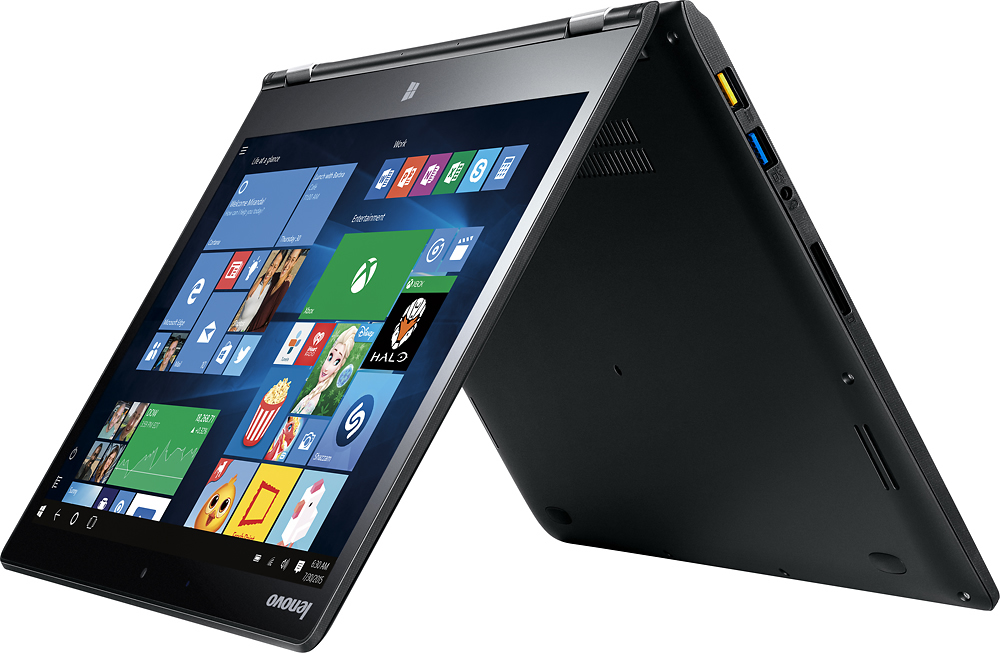
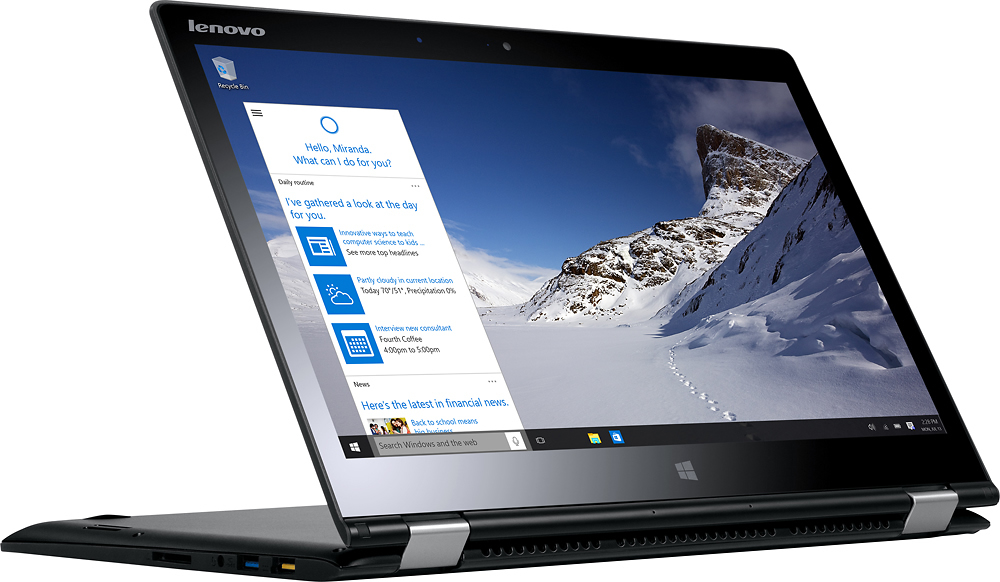
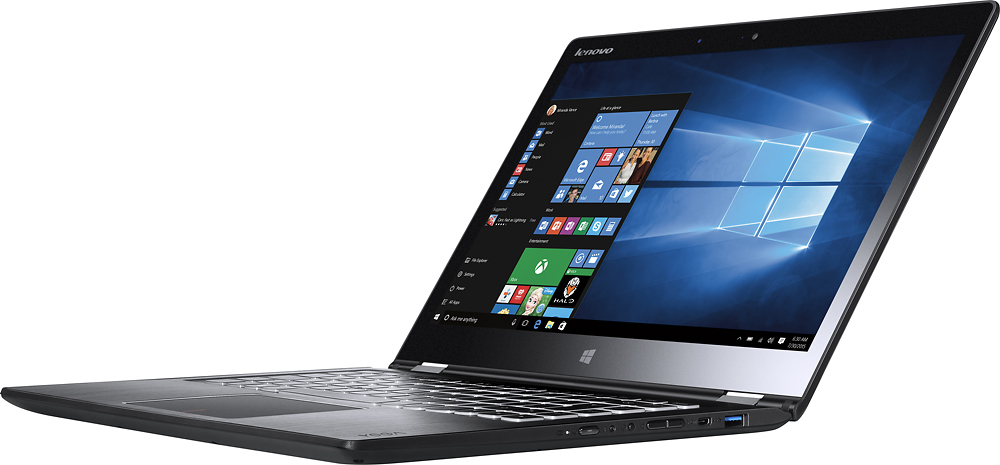
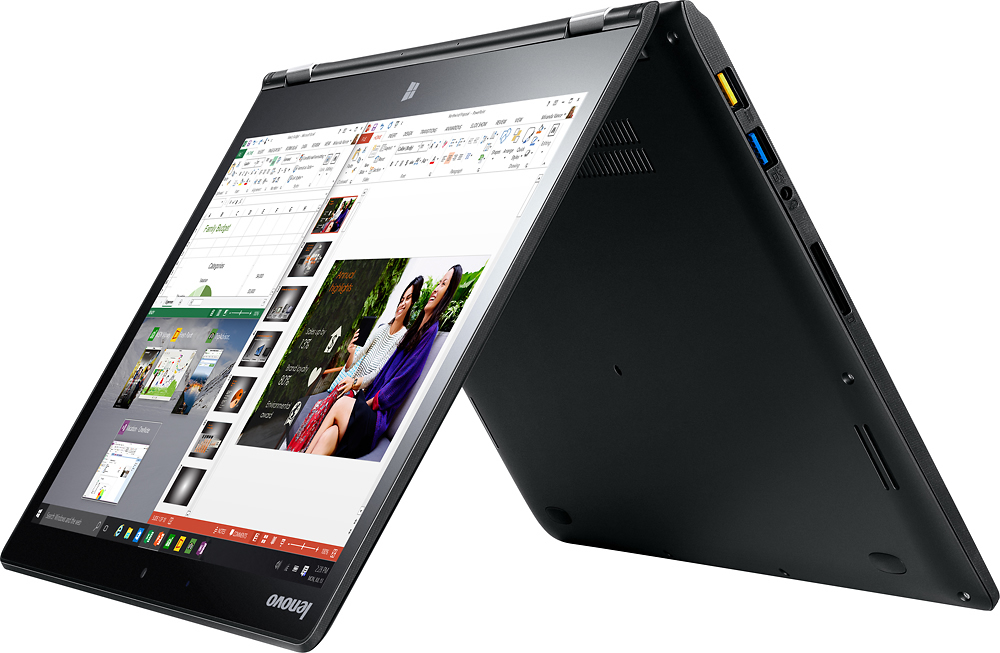
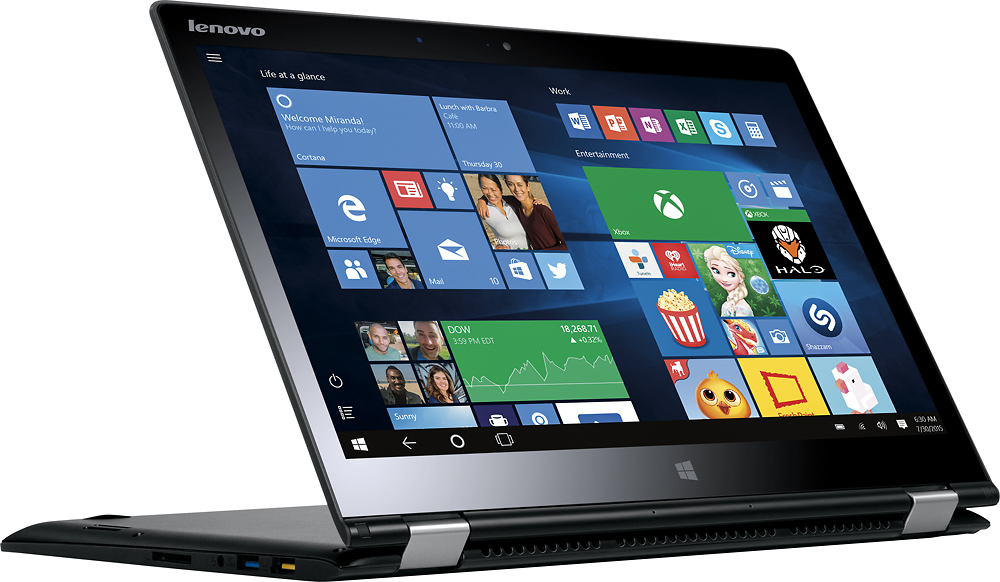
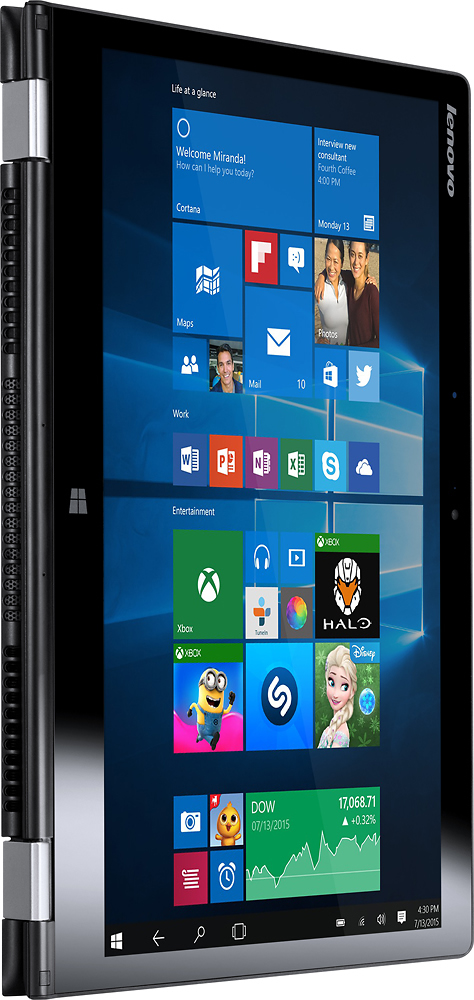
Customers value the Yoga 700 14" 2-in-1 Touch-Screen Laptop for its touch screen, light weight, long battery life, and affordable price. They appreciate the convenience of the touch screen, the portability of the device, and the ease of use. However, some customers have experienced issues with Windows 10, freezing, graphics card, and malfunctioning.
This summary was generated by AI based on customer reviews.
Stop working in 3 months
||Posted .This reviewer received promo considerations or sweepstakes entry for writing a review.Best Buy computers always break in 3 months second time this happens to me, first Samsung and now Lenovo! Would never buy again a product from Best Buy!
No, I would not recommend this to a friendTwice has needed hardware replaced
||Posted .This reviewer received promo considerations or sweepstakes entry for writing a review.I would not buy this laptop again. It has needed hardware replaced on two separate occasions due to being defective from the factory.
No, I would not recommend this to a friendGraphic card driver issue
Posted .This reviewer received promo considerations or sweepstakes entry for writing a review.The laptop is nicely designed and built. Many reviewers complained about issues with jumping mouse pointers, and graphic card test failure. It is a driver issue can be fixed like this: Confirmed It was indeed a graphics display driver issue. If you are having this issue with the integrated Intel HD 520 graphics on your new lenovo laptop then these are the steps I used to fix the issue. It appears Lenovo's drivers are behind Intel's newest released driver for the Intel HD 520. Please be aware updating using the Intel driver is done at your own discretion as lenovo uses their own driver updates for Intel graphics. Prepare your computer for driver Installation: Go to https://downloadcenter.intel.com/download/25848/Intel-Beta-Graphics-Driver-for-Windows-7-8-1-10-15-40- download the zip file and extract the contents to a location on your pc e.g. Desktop How to install the new driver Go to device manager and open display adapters double click on Intel (R) HD Graphics 520 On the new window click on the driver tab click "Update Driver" and a new window should appear Click "Browse my computer for driver software" On the next page do not click browse instead at the bottom click "Let me pick from a list of device drivers on my computer" On the next page click "Have Disk" On the new window click "Browse" and navigate to the location of the driver folder that you extracted earlier. In the driver folder double click on the graphics folder and inside select the file that shold be similiar to igdlh64.inf or it possibly igdlh32.inf if you have a 32bit OS. Once selected click okay and click next to begin installing the driver. You should now be finished and if you run the Lenovo hardware scan the updated display driver will pass the mathematical operations test. I would recommend a restart after installation of the new driver.
I would recommend this to a friendThere were better choices I could have made
||Posted .This reviewer received promo considerations or sweepstakes entry for writing a review.A little pricey for what I got. I think the salesman was guiding me toward what he wanted to sell me rather than what I wanted.
No, I would not recommend this to a friendGood all around 2 in 1...some slight issues
Posted .This reviewer received promo considerations or sweepstakes entry for writing a review.I've had this unit in my hands for a few days now and have some good and some bad things to say about it. I purchased this over the lighter 900 series mostly because I wanted the metal finish keyboard surround...and the basic specs on the 2 are very similar. The Good: Fast, reliable power, not bogged down with bloatware. Track pad is smooth and precise, keyboard is very ergonomically friendly and has a natural feel when typing. Screen resolution and screen size is just about perfect. The bad: Experiencing some audio pop / crackling when watching you tube videos or online streaming. I think this maybe an issue with the Intel Chipset....as I noticed the same problems on the Acer R14 series I tried out. Sound quality is good...but volume is not so great. The fan seems to run a lot, and at random times. I have not even pressed the system...just running 1 webpage with light browsing and the fan will come on and sounds quite loud. The chassis screen cover is a rubbery material that really grabs and holds fingerprints, dirt, etc.....it feels upscale, but after a day of use it looks bad. I would prefer a full metal chassis. Keyboard backlighting...another reason I bought this unit....while nice and bright...it is too bright and there is no settings to turn down brightness, just on and off. The screen reflects the full keyboard when backlighting is on at multiple angles. I din[t like the micro HDMI port....would prefer that Lenovo upgraded this unit to a USB-C port as well like the 900 series. Overall, despite the many small gripes...this unit functions quite flawlessly...and has everything you need in a multi-purpose, light 2 in 1. However, you might consider the 900 series as well.
I would recommend this to a friend$700+ Computer x 2 broke both times
||Posted .This reviewer received promo considerations or sweepstakes entry for writing a review.I cannot recommend this computer to others. Two of them broke and Geek Squad was unable to repair.
No, I would not recommend this to a friendproblem laptop - open box
||Posted .This reviewer received promo considerations or sweepstakes entry for writing a review.Not performing as laptop,Best Buy should not sell this even as open box. Returned to best buy.
I would recommend this to a friend- Pros mentioned:Price, Touch screen
Much better then expected!
Posted .This reviewer received promo considerations or sweepstakes entry for writing a review.I sold my mac so that i could get something with more storage and RAM. I Never really liked PC laptops because the hardware is often bulky, and flimsy, that is why i had a mac. I was really surprised with this computer. The hardware is strong and light and the touch screen with the pen is awesome and has completely changed the way I study. I am very happy with this computer and have recommended it to all my friends. Macs are great but to get the same specs with no touchscreen it would cost about 2000$
I would recommend this to a friend Computer lasted me 3 days and then completely died
||Posted .This reviewer received promo considerations or sweepstakes entry for writing a review.Lasted me 3 days, then couldn't get it to start. I'll never buy one of these again.
No, I would not recommend this to a friendBrand response from Lenovo Product Expert
Posted .This system is equipped with OneKey Recovery. There is a button just above the power button on the right side. It is very small and has an icon next to it that looks like an arch. This button will start your system even if it will not boot up on its own. Be sure your system is plugged in and give it a few minutes to build up a little charge in the battery. The press the OneKey Recovery button with a pen or other device that will fit the small button. Your system should boot up normally. You then can follow the link below to Lenovo.com support-drivers to look for updates to your system. Be sure to create a restore point on your system before you make any changes to your system or download new software. Her is the link:
http://support.lenovo.com/us/en/products/Laptops-and-netbooks/Yoga-Series/yoga-700-14isk/80QD/003YUS?linkTrack=Caps%253ABody_SearchProduct&tabName=downloads&beta=false
Outstanding computer
Posted .This reviewer received promo considerations or sweepstakes entry for writing a review.I have always been a Mac Man however I happened on this Lenovo laptop and thought for the price I would give it a try, I had purchased a Mac Book Pro 13.3 fully loaded the day before. So I kept them both and compared them for 2 days. Kept the Lenovo Yoga and returned the Mac Book. I found that it has a built in active stylist that is stored in the base of the laptop. When you fold it over you can take notes or play on it like an iPad. I have an iPad Pro and I am using it less and less. Cannot believe how easy this laptop is to use and how portable it is to carry. By the way I purchased a Lenovo Idea Centre all in one for my home computer and love it also. Plus I still have money left from returning my iPad after purchasing both computers.
I would recommend this to a frienddecent
Posted .This reviewer received promo considerations or sweepstakes entry for writing a review.I originally went in to buy a mac book but I have no idea how to use a mac book so I asked what the next best thing is. The guy at best buy showed me this. The good things are its super fast, lightweight, and has a touch screen. The bad things are The screen doesn't get very bright even at the highest level. Also, the fan seems to come off and on randomly. I've only had it for a couple weeks so I will give it some more time. I guess I wanted something more considering I felt like I spent a lot of money on this.
I would recommend this to a friend- Pros mentioned:Price
GREAT Value for Money
Posted .This reviewer received promo considerations or sweepstakes entry for writing a review.I have been shopping laptops for several months, and I believe this is a GREAT value for the $$$. Build quality is superior to other low price and moderate price Notebooks. I am a big fan of 14 inch laptops -- easier on the eyes than 13.3" yet still reasonably portable for occasional travel but with a smart phone, tablet, and 11" Chromebook travel size not a priority. Pros -- 256GB SSD, I5 processor, 14" bright screen, build quality, good enough battery, back lit and good tactile feeling keyboard. Cons -- Proprietary SHORT power cable (another 3 fee would be ideal), mini HD port (would prefer standard size), track pad is DECENT and better than CHEAP ONES but no world beater. I picked up an open box one which makes it even a better deal. High end laptop with either a I7 processor, higher end display and track pad are about twice the price. If one isn't a gamer nor video editor, this is a good value.
I would recommend this to a friend - Pros mentioned:Speed, Touch screen
Great Overall Laptop
Posted .This reviewer received promo considerations or sweepstakes entry for writing a review.I purchased this laptop for school and home use, i enjoy it very much, the display is great but could be brighter, the keyboard feels good and the trackpad is well made. The build quality is good and feels premium. The speakers have to be tweaked with a little but sound great, the laptop is fast and snappy and has no problem with everyday use. It is also good for light gaming such as Minecraft, Team Tortress 2 and Counter Strike. I would recommend this laptop to anyone who is looking for a great affordable 2 in 1 that doesnt need a gaming machine.
I would recommend this to a friendBrand response from Lenovo Product Expert
Posted .Thank you for choosing the Lenovo Yoga 700-14. We are pleased to hear that the performance of the Yoga 700-14 is meeting your computing needs so well.
- Pros mentioned:Light weight
Just a great, all-around laptop
Posted .This reviewer received promo considerations or sweepstakes entry for writing a review.I just picked up my Lenovo Yoga 700 two days ago and have been thoroughly impressed so far. Having just returned my Acer Aspire R5 14" because of a faulty trackpad (Acer said it wasn't suppose to be like that), I decided to see what else was out there in the 14" 2-in-1 category. I liked the performance offerings in both of these laptops (6th gen i5, 256 SSD, and a 14" 1080p screen) with the Acer being almost $150.00 cheaper than the Yoga it seemed to be the more appealing option. But, you have some compromises with the Acer and this is why I ended up with the Lenovo: the keyboard on the Acer is cramped--especially if you have bigger hands--and the throw on the keys feels way too short. Also, with the Acer, you get a cheap and flimsy power cord that is entirely unwieldy to pack/store. The the extra $100.00-$150.00 that you spend on the Lenovo is getting you the reliability/customer service of its namesake, a high-quality power cord that is comparable to an Apple block, and a keyboard that is more spaced out with a better throw. Also to note, the Lenovo lighter at 3.52lbs vs the Acer at 4.19lbs, it's a noticeable difference for those who travel a lot. I hope this helps someone with their decision, feel free to comment on this post if you have any questions.
I would recommend this to a friend - Pros mentioned:Touch screen
Best Computer I've Ever Owned
Posted .This reviewer received promo considerations or sweepstakes entry for writing a review.After switching over to Windows from Mac this is my family's third Lenovo and the best of the bunch. I honestly can not find anything but pro's and no con's. First the build quality. While the outside is like a tough rubberized plastic, the inside is brushed aluminum much like entire casing of our Lenovo Edge 2. This helps to save on weight, but they did carry over plastic lip that runs around the edges of both the top and bottom of the laptop and acts like a bumper to stop accidental dings and dents; maybe my favorite feature after denting my aluminum Macs to death. The keyboard is excellent and trackpad is the best on any PC I have used. Backlighting on the keyboard was a deal breaker for me and this unit had it. Second performance. It boots in about 5 seconds, no kidding, 5 seconds. Now you will need to uninstall all the factory bloatware first. The solid state drive makes it just so much more faster than a PC with a regular hard drive. The addition of a full fledged Intel Core i5 instead of an Intel Core M series even though with 8 GB of Ram and the Solid State drive you could easily get by with a Core M processor. Applications open without even the slightest hesitation and run extremely fast. Lastly it appears to have the latest Intel wireless card as it will take the full 100-110 MBPs speed that we have in our area. The tablet mode works fabulous like our other two Lenovo's couldn't ask for more in that department. If there is a downside it is that it is only a standard 720P resolution and not a Retina display, but no big deal for what you get versus what you pay for it. I had been hesitant to buy a laptop smaller than a 15" because I am a musician and run programs I need to be able to read at a little distance from; I think I found the sweet spot with a 14".
I would recommend this to a friend Fine Quality and Functionality
Posted .This reviewer received promo considerations or sweepstakes entry for writing a review.Being in the IT field, I have used many laptop systems from Sony, ASUS, Lenovo to Macs. For a Windows based machine, I would highly recommend this Lenovo Yoga 700 series system. The specs on this system are perfect and the hinges are strong and sturdy for those of you worried about 2 in 1 notebooks. The metal brushed body provides comfort for the palm to rest on. The current SSD is a thin factory based Samsung drive. The laptop is not heavy in weight either. For those of you who do not want something too small (13") or something too large (15"), this system perfectly meets your demand. It is a very quite system with no loud fan noise. Update the drivers in case you get any errors by going to the Lenovo website.
I would recommend this to a friend- Cons mentioned:Customer service
This May be Over Soon
Posted .This reviewer received promo considerations or sweepstakes entry for writing a review.I am very conflicted about the Lenovo Yoga 700 I purchased from Best Buy. I purchased it on a Saturday and didn't sit down to use it until the next business day. From the beginning I got a message that the display driver had crashed but recovered. OK, glad you recovered but something this new shouldn't get a case of the crashes out of the box. Tried using it with an external monitor and it only worked sporadically. The thing is I really love the laptop. It's got great speed and a good display when it isn't crashing. Now for the really bad part. After working with it one full day I decided I like it but couldn't take the crashing. Took it back to Best Buy Customer Service. I explained that I really didn't want to return it if it could be fixed. CS rep was nice and friendly, she went over to the Geek guys..spoke with them and then came back and told me the Geek Squad guys and they would look and see if it could be fixed. So the Geek guy looks at me and says "You didn't buy service, we won't look at it unless you pay us." What? It is a day old and you want me to pay to look at a defective device? Can't tell you how disappointed I was with how Best Buy treated me as a customer. Brought my Yoga home, ditched the preinstalled video driver for the Intel driver and all seemed to be good until I downloaded Acrobat reader. Mr. Crash returned. I really like the machine but I think I will be returning it because I think the Lenovo drivers are not good and no one wants to help me. I've had better Customer Service at Tijuana Flats buying a taco.
No, I would not recommend this to a friendBrand response from Lenovo Product Expert
Posted .You may want to follow the driver below to Lenovo.com support-drivers and look for driver updates for your system. With Windows 10 continually updating, drivers that where current at the time of manufacturer are now out of date. Updating your driver may solve many of the issues you are having. Be sure to create a restore point on your system before you make changes or download new software:
http://support.lenovo.com/us/en/products/Laptops-and-netbooks/Yoga-Series/yoga-700-14isk/80QD/003YUS?linkTrack=GPS%253ABody_Search%2BProducts&tabName=downloads&beta=false
- Pros mentioned:Touch screen
Well worth it with a little effort
Posted .This reviewer received promo considerations or sweepstakes entry for writing a review.Bought this from Best Buy as an "unboxed" (i.e. returned) computer for a little under $600. After a few days I started to have increasingly worse issues with ghost touches, which other reviewers have previously described as the screen going "wild". I suspect this is why it was returned as there were a lot of returned items of this model and it was subsequently on sale. However, an internet search showed a firmware fix for the problem which I downloaded and ran and everything has been perfect since (i.e. about a month as of this writing). As someone coming from a traditional Lenovo E545, I love this machine. It's fast (get the ssd for sure), small, and I absolutely love the 2-in-1. I'm an academic so I spend a lot of time on a computer: a tablet isn't functional enough but a touch screen can be really helpful as I've given up paper entirely and do all my reading online. I initially got the Dell Inspiron 13 i7359 2-in-1 for $999 but didn't like the mousepad and suspected that laptop was overkill (i7 processor 12GB memory) and returned it for this. With both 2-in-1s I noticed one minor formatting issue with one app that I use - Mendeley desktop - but other than that, everything works like a charm. The battery lives up to its 8 hours rating, and it has this feature with keyboard lights that you can turn on and off that comes in very handy when working in dark areas (as I often find myself doing). Lenovo also makes it possible (once you figure it out) to configure how you want the laptop to behave when you flip the screen for 2-in-1 operation. Overall, am really happy with the machine.
I would recommend this to a friendBrand response from Lenovo Product Expert
Posted .Thank you for choosing the Lenovo Yoga 700-14. We are pleased that you were able to correct any issues that existed on the system and that the Yoga 700-14 is now meeting your computing need so well.
Nice 2 in 1
Posted .This reviewer received promo considerations or sweepstakes entry for writing a review.Laptop bottom case has a nice rubber texture feel, which makes the laptop nice to hold. I experienced no "flexing" of the bottom case or keyboard. With the solid state drive Windows 10 starts up fast, and the system is very responsive. I especially like the Lenovo Settings application, where you can configure all of the Windows 10 hardware settings in one place. When using the laptop in tablet mode, I do notice the system becomes heavy to hold (for me at least). The liquid crystal display is nice, but for those that like their displays bright, I would suggest turning off the ambient light settings to increase screen brightness.
I would recommend this to a friendLenovos are making great machines!
Posted .This reviewer received promo considerations or sweepstakes entry for writing a review.Overall I love this laptop! A few less than exciting observations.The tablet take a little getting used to especially when you are using that to browse. The keyboard lighting also has just one setting so you are not able to adjust the brightness.. Other than that, this has been a joy to own.
I would recommend this to a friend