Customer Ratings & Reviews
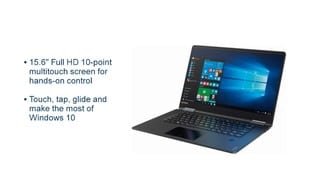
- Model:
- 80V50010US
- SKU:
- 5722735
Rating by feature
- Value
Rating 4.0 out of 5 stars
- Quality
Rating 3.9 out of 5 stars
- Ease of Use
Rating 4.3 out of 5 stars
Customers are saying
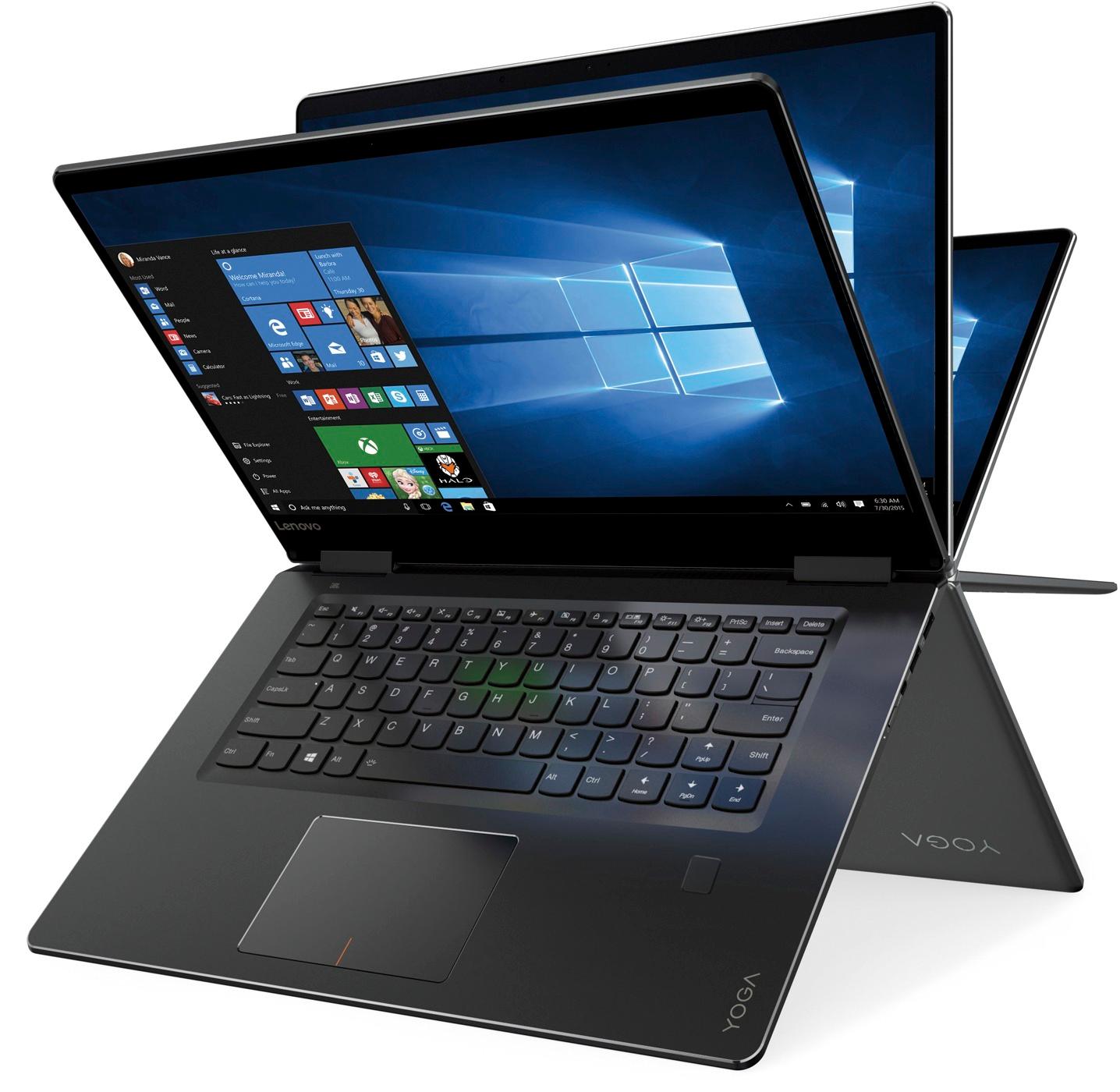
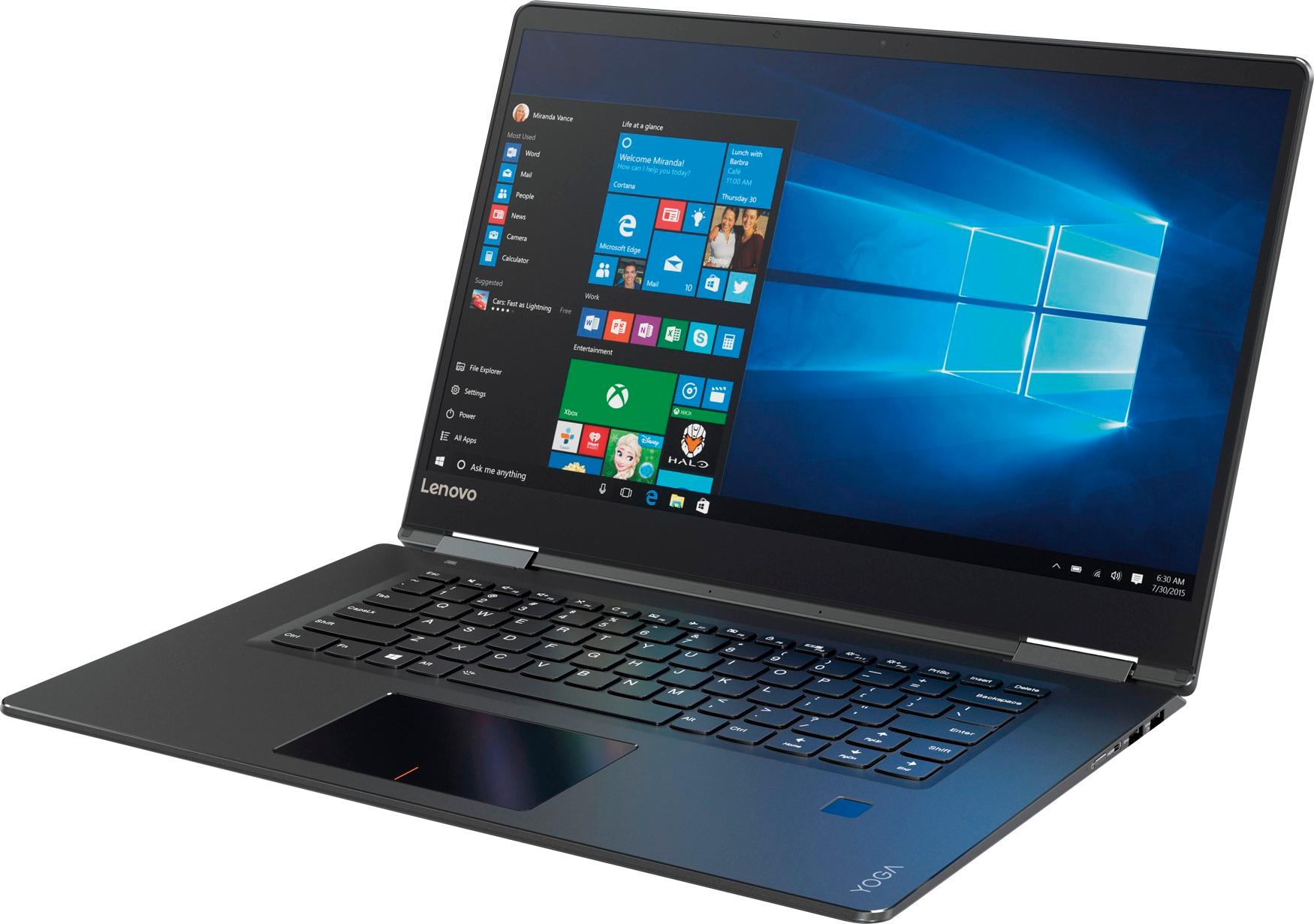
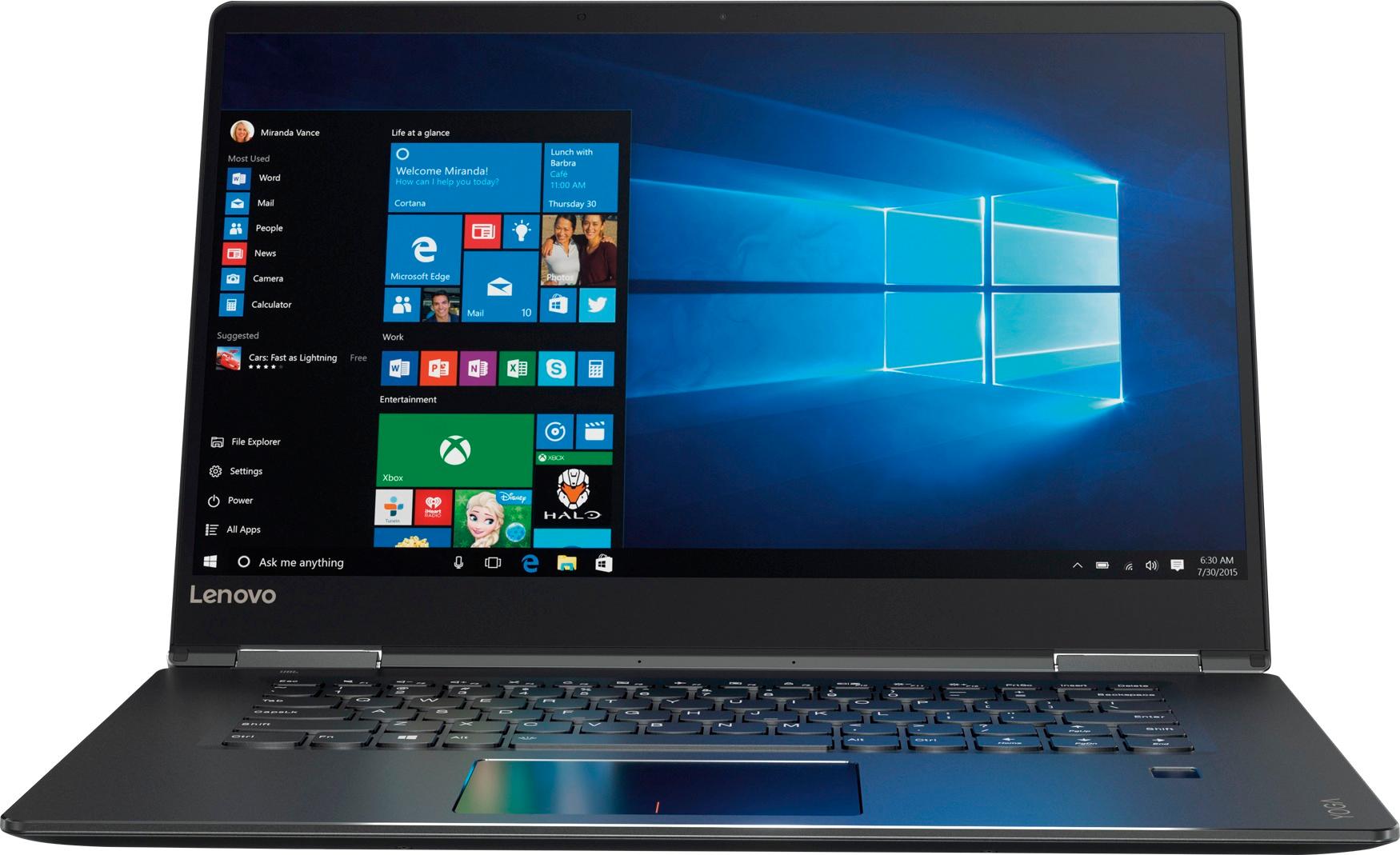
Customers praise the Yoga 710 2-in-1 laptop for its responsive touch screen, light weight, and affordable price. They also appreciate its user-friendly interface, long battery life, and fast solid state drive. On the downside, some users find the left shift key to be awkwardly positioned and a few experienced excessive fan noise.
This summary was generated by AI based on customer reviews.
- Pros mentioned:Touch screen
Excellent Buy
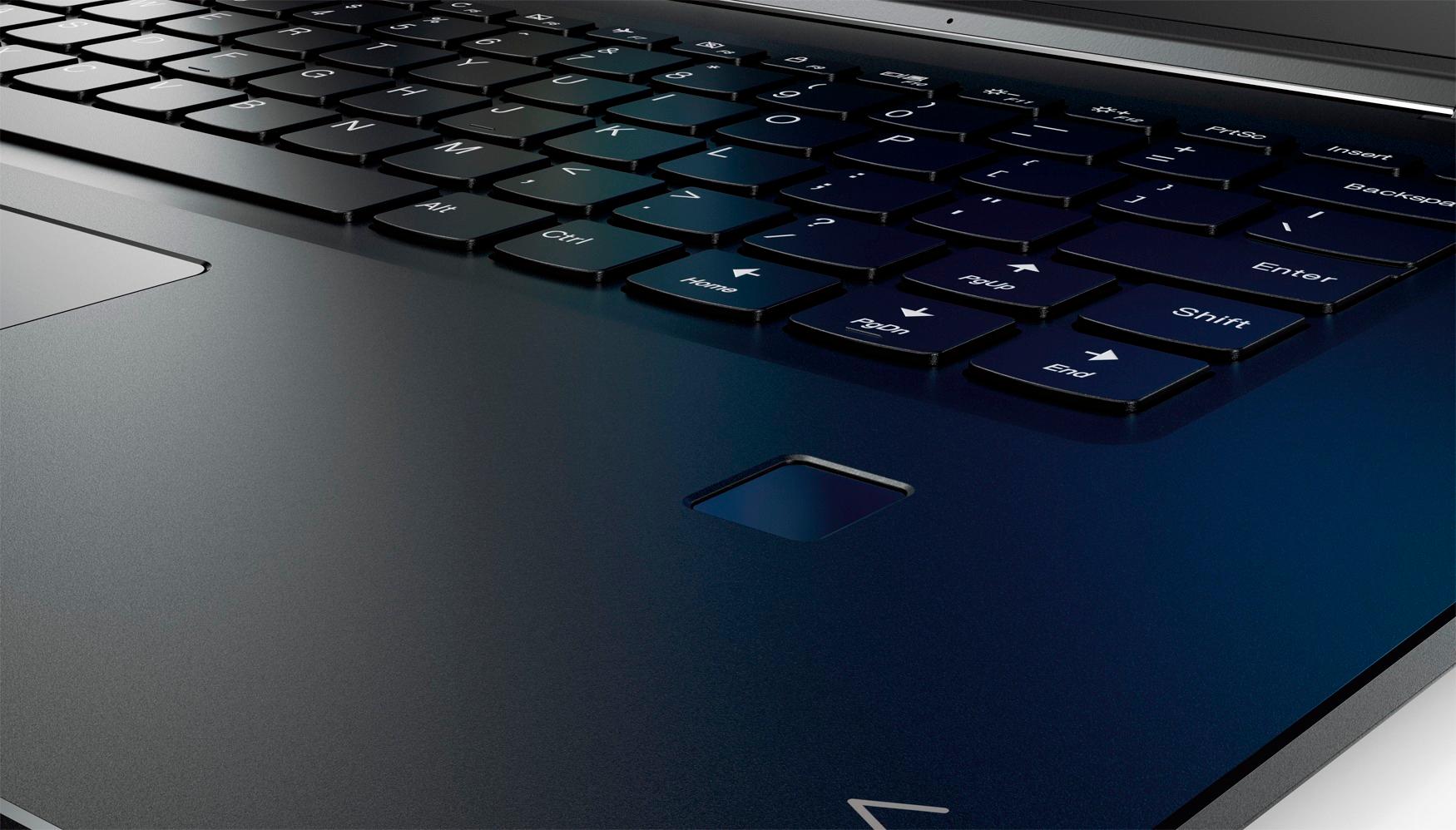
||Posted .This reviewer received promo considerations or sweepstakes entry for writing a review.Just got this today so maybe it hasn't been long enough to find complaints, but so far, I am digging this machine! The screen resolution and clarity are amazing. The keyboard is great (not sure what the big deal is with the right-hand shift key for some reviewers, doesn't bother me at all but then I tend to use the left one), good size, buttons feel good.. Very easy to set up and fast connection to the internet since it has an AC WiFi card and my router is AC, I had no idea how my last machine was dragging. Speakers are very good. The machine overall feels very sturdy. SS drive is completely quiet. Fingerprint reader programmed easily and works well. No complaints but if anything horrible comes up I'll update the review.
I would recommend this to a friendBrand response from Lenovo Product Expert
Posted .Thank you for choosing the Lenovo Yoga 710-15. We are pleased to hear that the features and performance of the Yoga 710-15 meets your computing needs so well.

- Pros mentioned:Price
Great laptop
||Posted .This reviewer received promo considerations or sweepstakes entry for writing a review.It’s good laptop with this price. It’s as 250 GB SSD and 8 GB ram. Very good deal.
I would recommend this to a friendBrand response from Lenovo Product Expert
Posted .Thank you for choosing the Lenovo Yoga 710-15. We are pleased to hear that the value and performance of the Yoga 710-15 meets your computing needs so well.
- Pros mentioned:Touch screen
Great computer for a senior
||Posted .This reviewer received promo considerations or sweepstakes entry for writing a review.Touch screen is helpful. Easy to use. Will enjoy home office app
I would recommend this to a friendBrand response from Lenovo Product Expert
Posted .Thank you for choosing the Lenovo Yoga 710-15. We are pleased to hear that the features and performance of the Yoga 710-15 meets your business computing needs so well.
- Pros mentioned:Lightweight
Great Buy
||Posted .This reviewer received promo considerations or sweepstakes entry for writing a review.Got this as an upgrade.I bought it for it light-weight and ergonomic capabilities. Very stylish and polished. Its processor is faster than my previous Lenovo U460, which I used for design, office work browsing and downloads. This Yoga is able to handle these tasks seamlessly, not to mention that Start-up is a breeze with its finger sensor technology, less than a minute from power on to login. Cons- It has only 2 usb ports, once my mouse and hard-drive are connected, I have to unplug something to use my phone or other usb device. Overall-Great Buy!
I would recommend this to a friendBrand response from Lenovo Product Expert
Posted .Thank you for choosing the Lenovo Yoga 710-15. If you need more USB ports for this device, you might want to consider using a USB Hub with this device.
Great but shy or excellent!
||Posted .This reviewer received promo considerations or sweepstakes entry for writing a review.This might but the best laptop I've used so far as a daily driver. The esthetics are very pleasing and I'm confident every time I grab it out my bag when traveling that I can get the job done. Cons: Placement of right shift key. No USB C and instead micro HDMI. Pros: -LONG lasting battery, I left me charger at work and needed to work from home... Lasted for nearly 7 hours constant use. It would've lasted much longer had I used only my external display only. -Bright responsive touchscreen, in or out of tablet mode. -Sturdy feeling construction yet light enough for travel. It's a little large for most but I prefer the 15" screen and with the screen to bezel ration it's not too much for a long flight. -I've thrown a lot at this machine multitasking and it never hung even with 10 different windows open including Office multiple remote sessions etc... -The fingerprint reader makes me wish I'd never forgot about that option on my old ThinkPad's it's extremely fast and convenient.
I would recommend this to a friendBrand response from Lenovo Product Expert
Posted .Thank you for choosing the Lenovo Yoga 710-15. With regard to the right shift key issue you mention, there is a free software APP called KeyTweak that may help you. You can switch the key functions of specific keys on your keyboard with this software, so you could change the right shift key with the key you hit in its place. Just Google search "KeyTweak" and you will find articles about what the software does and you will find the download location for this free APP.
Good laptop in the price range of $650-700
||Posted .This reviewer received promo considerations or sweepstakes entry for writing a review.The laptop is quite good. I have used it for more than 2 weeks now. The look and the feel of laptop is nice. Battery life is strong, around 6-7 hours of full usage. It sometimes gets hung/slow to respond and you can hear the noise of exhaust fan. But overall a good laptop.
I would recommend this to a friendBrand response from Lenovo Product Expert
Posted .This system should be a fast system with its Core I-5 processor and 8GB of RAM. It should not "hang/run slow". Be sure any software you installed is compatible with Windows 10. There is no need to install Microsoft Office software. The software is already part of the operating system, you just need to activate the software with a purchased product key. If you have installed a copy of Microsoft Office, this is conflicting with the existing copy on the system and this will slow your system down. If you have installed a 3rd party anti-virus program, be sure that Windows Defender is turned off and that the trial version of McAfee Anti-Virus software is uninstalled. There can only be one anti-virus program on the system. You may need to restore your system to original factory default settings if any of the programing errors have occurred. You can do that by typing "restore" in the Cortana search window. Just click on the magnifying glass icon at the bottom left of your Windows 10 Desktop. Click on "Reset This PC" Then click on "Get Started" and follow the on screen directions to restore to factory defaults.
Love the big screen
||Posted .This reviewer received promo considerations or sweepstakes entry for writing a review.Customer service was great. I love the back light keyboard and how thin the computer is.
I would recommend this to a friendBrand response from Lenovo Product Expert
Posted .Thank you for choosing the Lenovo Yoga 710-15. We are pleased to hear that the features and performance of the Yoga 710-15 meets your computing needs so well.
Excellent product
||Posted .This reviewer received promo considerations or sweepstakes entry for writing a review.Excellent laptop boots up fast and it's a little powerhouse
I would recommend this to a friendBrand response from Lenovo Product Expert
Posted .Thank you for choosing the Lenovo Yoga 710-15. We are pleased to hear that the features and performance of the Yoga 710-15 meets your computing needs so well.
Great bridge between a MacBook Pro & my Dell
||Posted .This reviewer received promo considerations or sweepstakes entry for writing a review.My daughter has a Lenovo and she really is satisfied with it. So, I looked into getting a similar device to replace the MacBook Pro that I used as a teacher. I recently retired and my old Dell computer is very limited. I was able to download everything I needed from my MacBook Pro and my Dell to an external jump storage. I’m still learning about Villanova but it is one of the best computers I’ve ever had.
I would recommend this to a friendBrand response from Lenovo Product Expert
Posted .Thank you for choosing the Lenovo Yoga 710-15. With regard to learning your way around Windows 10, you may want to try YouTube.com (just type that address in your browser address window). There are hundreds for free instructional videos there about Windows 10. Just type Windows 10 Introduction in to the YouTube search window. You can watch free videos there that will show you the basics all the way up to tips and tricks videos and they're all free.
- Pros mentioned:Lightweight, Touch screenCons mentioned:Shift key
Happy Computing!
||Posted .This reviewer received promo considerations or sweepstakes entry for writing a review.1. Shift key is in a weird spot. 2. Tablet switch mode is neat and the interface as a tablet is good. 3. Laptop is lightweight but well made. 4. Battery life is great. 5. Touchscreen works very well. 6. SSD makes it silent and very fast
I would recommend this to a friendBrand response from Lenovo Product Expert
Posted .Thank you for choosing the Lenovo Yoga 710-15. With regard to the right shift key issue you mention, there is a free software APP called KeyTweak that may help you. You can switch the key functions of specific keys on your keyboard with this software, so you could change the right shift key with the key you hit in its place. Just Google search "KeyTweak" and you will find articles about what the software does and you will find the download location for this free APP.
- Pros mentioned:Price, Touch screenCons mentioned:Shift key
All around great value
||Posted .This reviewer received promo considerations or sweepstakes entry for writing a review.I got this computer a little over a week ago and I am thoroughly impressed. I had been looking at a Mac for almost a year and ultimately decided to go for this one since it was such a steal on the Black Friday pricing—making it quite a bit less than HALF of the MacBook I’d been eyeing. The other reviews that say the right shift key being poorly placed are absolutely correct, but a quick download of a key mapper fixed it right up(I just swapped the functions of the up arrow and the right shift). I use it for basic browsing, light gaming, Microsoft office and email and it far exceeds my expectations. It boots up in a flash and navigation is a breeze, plus it’s touchscreen and has a fingerprint unlock feature. I’m super pleased with this, Lenovo. Bravo.
I would recommend this to a friendBrand response from Lenovo Product Expert
Posted .Thank you for choosing the Lenovo Yoga 710-15. We are pleased to hear that the value and performance of the Yoga 710-15 meets your computing needs so well.
- Pros mentioned:Price, Touch screen
Excellent Laptop, Great Price
||Posted .This reviewer received promo considerations or sweepstakes entry for writing a review.We bought this during the 2017 Black Friday sale and paid a great price. Having purchased a refrigerator several weeks earlier we were able to apply $200 of Rewards credits. The delivery occurred as promised, the in-store assistance was outstanding and the online order process was simple, so overall its been an excellent purchasing experience. We're using it as a basis for my wife's new home workstation. It replaces a seven-year-old desktop so the performance improvement was huge! We have no complaints about the keyboard or its layout. The screen is sharp and the sound is above average for a laptop. I would certainly recommend this to a friend.
I would recommend this to a friendBrand response from Lenovo Product Expert
Posted .Thank you for choosing the Lenovo Yoga 710-15 for your wife. We are pleased to hear that the performance of the Yoga 710-15 meets your wife's computing needs so well.
- Pros mentioned:Touch screenCons mentioned:Shift key
Everything was great except for couple of features
||Posted .This reviewer received promo considerations or sweepstakes entry for writing a review.I needed: *Touch screen - Yes *Fast hard drive (SSD) - Yes *Descent RAM - Yes, 8GB *Lightweight - Yes *Windows Ink support - No Annoying issue - the right Shift key is too far to the right. Either you would have to have large hand or long fingers to get comfortable. I tried to make it work. I just couldn't. Was good laptop.
No, I would not recommend this to a friendBrand response from Lenovo Product Expert
Posted .With regard to the right shift key issue you mention, there is a free software APP called KeyTweak that may help you. You can switch the key functions of specific keys on your keyboard with this software, so you could change the right shift key with the key you hit in its place. Just Google search "KeyTweak" and you will find articles about what the software does and you will find the download location for this free APP.
- Pros mentioned:Touch screenCons mentioned:Fan noise
No Issues after the Software Updates
||Posted .This reviewer received promo considerations or sweepstakes entry for writing a review.This is a super fast laptop compared to my desktop that has similar specs. I believe, the main difference is the SSD. Literally a second after you press a power button, this machine boots up. I find myself using the touchscreen more often than the touchpad. This is obviously not the top end machine, but it makes you feel like you own a very expensive laptop (I find $600 expensive nevertheless). The reason I gave it 4 stars out of 5 is that I had to spend a few days trying to "fix" some issues that come with it straight out of the box. The laptop's fan was super loud as soon as I started it up. I have spent a couple of hours searching online and looking for solutions. Fortunately, I was not the only person experiencing issues with the fan. As soon as I updated Lenovo Assistant, BIOS, and installed all of the Windows updates, the machine became quiet. I would still recommend it to others because it is a super fast laptop!
I would recommend this to a friendBrand response from Lenovo Product Expert
Posted .Thank you for choosing the Lenovo Yoga 710-15. We are pleased to hear that the Yoga 710-15 is working out so well for you.
- Pros mentioned:Touch screen
Great Intermediate Computer
||Posted .This reviewer received promo considerations or sweepstakes entry for writing a review.The screen quality is excellent, the keyboard is near perfect, weigth is acceptable for the 15" size if I'd wanted lighter I'd have bought the 13" version; trackpad is nice size & very responsive. And touch screen is more useful than I expected. I thought I could do without touch screen, but now having it, I find, I use it more often than I expected. My only regret is not getting more SSD capacity (was not avalaible from BB) and maybe not waiting for 8000 series CPU (for better battery life - which is still over 8hr). Camera quality is disapointing, but not a big issue to me, for this price this notebook should have a HD camera (but does not). As with all computers there are a series of tradeoffs: screen size/definition, weight, processor, memory & storage. For the price this is a very good package.
I would recommend this to a friendBrand response from Lenovo Product Expert
Posted .Thank you for choosing the Lenovo Yoga 720-15. This system has a 720p HD web cam built in.
Nice 2 in 1
||Posted .This reviewer received promo considerations or sweepstakes entry for writing a review.My current laptop is 10 years old and the blue screen of your laptop is failing at basic preference kept happening so it needed to be replaced. I did some research with what I wanted in a replacement lap top and the dell product was $800 to over $1200 so when I saw this model for $830 on sale for $699 with everything plus a touch screen which I was not looking for and tablet mode I took a hard look at it. I'm a casual user and processing/editing videos for my hobby is as hard as the unit will be exercised so it's perfect for my needs. I really like the tablet mode which I was not even considering along with the back lit key board so it can be used both ways in a dark room. The finger print log in is really nice and it starts up very fast compared to my old clunker. The HD display is great for streaming videos etc and the apps/software is very sufficient for the casual user with 90% that I will not use. It has a nice upscale feel to it and not cheap and plasticity like my last one. Overall I really like it for my needs and I find my self turning it on when I don't have a need to and just look at YouTube for a few minutes, I'm testing the finger print reader and load up speed which always amazes me. The battery life is pretty good also when you have the battery saver mode on. I'm going through everything about this machine just trying to find something that I don't like about it and I just can't, yah I'm a fam. Going from windows 7 to 10 was very easy and with not even looking into windows 10 I was at speed right from the start, the tile screen is cleaner looking than the old icon screen which I like. It takes a little getting used to at first when you go from 7 to 10, like going from a Honda Civic to a Corvette for me and there is still Mclaren level laptops out there.
I would recommend this to a friendBrand response from Lenovo Product Expert
Posted .Thank you for choosing the Lenovo Yoga 710-15. We are pleased to hear that the value, features and performance of the Yoga 710-15 meets your computing needs so well.
- Pros mentioned:Touch screen
Great for the price.
||Posted .This reviewer received promo considerations or sweepstakes entry for writing a review.With a 8 year old Mac Book Pro, I was ready for a new computer. This computer would be just for casual home use and a bit of blogging. I didn't want to spend the money on the Mac Book Pro, so I decided it was time for a cheaper Windows computer. I tested a few out at the store and decided on this one BECAUSE of these three features: the feel of the touch screen (compared to HP), the ability to flip the screen, and because the track pad behaves similar to the MacBook. Now after using it for a few weeks, I've noticed the track pad sometimes behaves as though I am clicking the right when I am clicking the left side and vice versa. So I will probably go ahead and buy a mouse for ease of use. Otherwise it gets the job done! And the battery life is way better than my old Mac.
I would recommend this to a friendBrand response from Lenovo Product Expert
Posted .Thank you for choosing the Lenovo Yoga 710-15. With regard to the touchpad, you can make adjustments to the touchpad in your system settings. You can get there by clicking on the magnifying glass at the bottom left of your Windows 10 screen. Type "touchpad" in the search window. Select "Mouse & touchpad settings" from the list of choices. You can make general adjustments to the touchpad there. You can also select "Additional mouse options" for more detailed adjustments to the touchpad sensitivity by increasing the delay of the touchpad.
- Pros mentioned:Price, Touch screen
Great touch screen laptop
||Posted .This reviewer received promo considerations or sweepstakes entry for writing a review.When it stands alone i guess it can compete with best laptops. Touch screen feature of it is the best part and strong battery and light weight are other advantage of it. Its a best choice for the its price categories.
I would recommend this to a friendBrand response from Lenovo Product Expert
Posted .Thank you for choosing the Lenovo Yoga 710-15. We are pleased to hear that the value, features and performance of the Yoga 710-15 meets your computing needs so well.
- Pros mentioned:Speed
Great Computer!
||Posted .This reviewer received promo considerations or sweepstakes entry for writing a review.I switched to a MacBook Pro three years ago after going through a series of PCs that had issues that made them unusable. I was shopping for a computer for our family to share and didn't particularly want to pay the "Apple tax" for one of their products. I came across this Yoga as an open box item and the price was excellent, so I pulled the trigger. I have been very happy with the machine. Pros: -the screen is bright and colorful, easily as nice as the Macbook -thin and portable -fast, the SSD makes all the difference. I'll never buy another computer without it -battery life Cons -the trackpad isn't the smoothest, it can be mildly annoying at times, but then you have the touchscreen option as well. -15" is ridiculous in tablet mode
I would recommend this to a friendBrand response from Lenovo Product Expert
Posted .Thank you for choosing the Lenovo Yoga 710-15. With regard to the touchpad, you can make adjustments to the touchpad in your system settings. You can get there by clicking on the magnifying glass at the bottom left of your Windows 10 screen. Type "touchpad" in the search window. Select "Mouse & touchpad settings" from the list of choices. You can make general adjustments to the touchpad there. You can also select "Additional mouse options" for more detailed adjustments to the touchpad sensitivity by increasing the delay of the touchpad.
- Pros mentioned:Touch screen
Great Slim Laptop
||Posted .This reviewer received promo considerations or sweepstakes entry for writing a review.For the price: Great slim, light, touch screen laptop that does everything you need. SSD hard-rive is nice and fast. The right shift key is in a little odd position. Other than that a great laptop for the price.
I would recommend this to a friendBrand response from Lenovo Product Expert
Posted .Thank you for choosing the Lenovo Yoga 710-15. We are pleased to hear that the value, features and performance of the Yoga 710-15 meets your computing needs so well. With regard to the right shift key issue you mention, there is a free software APP called KeyTweak that may help you. You can switch the key functions of specific keys on your keyboard with this software, so you could change the right shift key with the key you hit in its place. Just Google search "KeyTweak" and you will find articles about what the software does and you will find the download location for this free APP.