Customer Ratings & Reviews
- Model:
- 80V50000US
- SKU:
- 5579128
Rating by feature
- Value
Rating 3.6 out of 5 stars
- Quality
Rating 3.8 out of 5 stars
- Ease of Use
Rating 4.1 out of 5 stars
Customers are saying
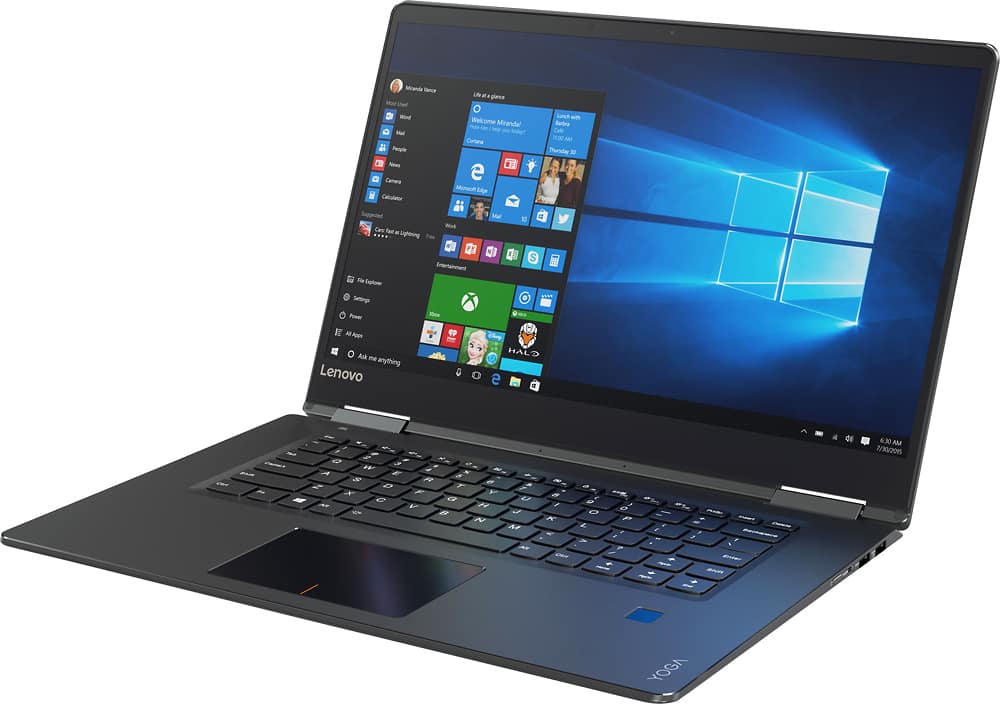
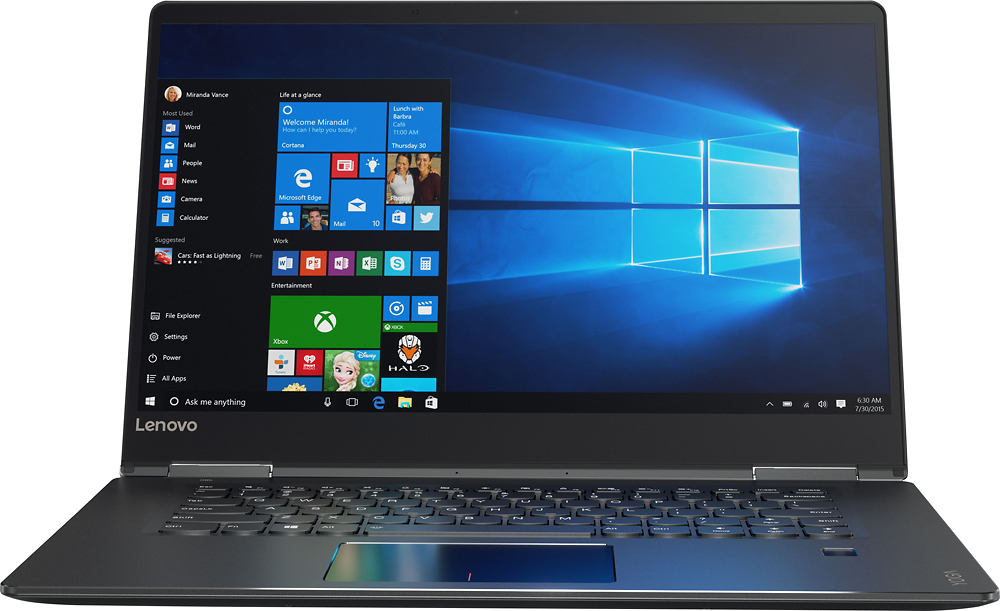
Customers are positive about the Yoga 710's touchscreen, light weight, ease of use, and SSD, with many praising its performance and design. However, customers are negative about the keyboard quality, particularly the placement and size of the right shift key, and some experienced excessive fan noise. The battery life and price also received positive feedback. While some appreciated the dedicated graphics card, others found the keyboard layout unconventional.
This summary was generated by AI based on customer reviews.
Right shift key placement horrible
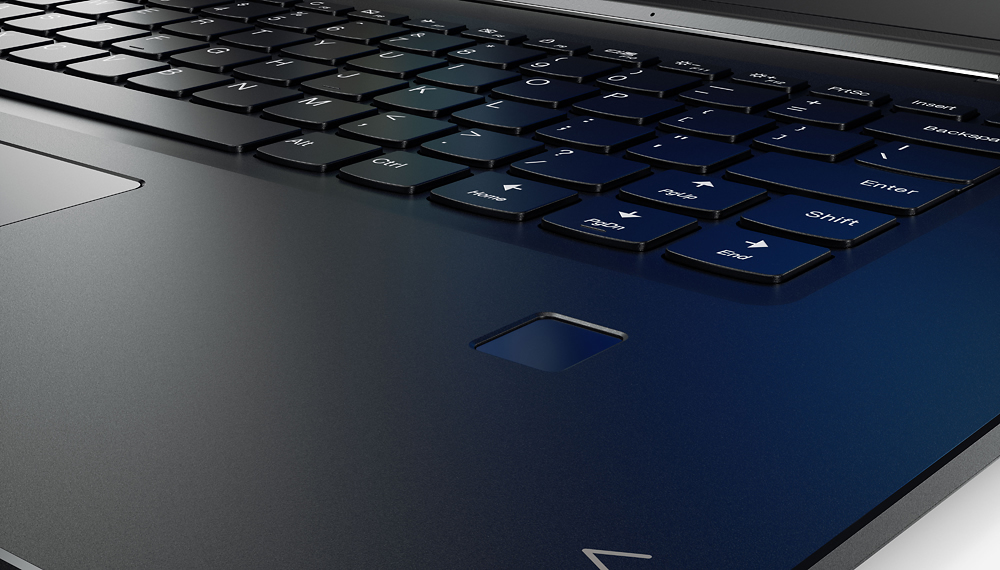
||Posted .This reviewer received promo considerations or sweepstakes entry for writing a review.For whatever reason, Lenovo decided to put the right shift key on the keyboard in a different place than every other keyboard in the world. It sounds crazy, but when you are typing and your not looking at your hands, your right pinky finger hits the "page up" key instead of shift every time. I just can't get used to this issue especially since I use multiple computers through the day. It is nerve racking to say the least.
No, I would not recommend this to a friendBrand response from Lenovo Product Expert
Posted .With regard to the right shift key issue you mention, there is a free software APP called KeyTweak that may help you. You can switch the key functions of specific keys on your keyboard with this software, so you could change the right shift key with the key you hit in its place. Just Google search "KeyTweak" and you will find articles about what the software does and you will find the download location for this free APP.

Very good size for moving from desk top to laptop
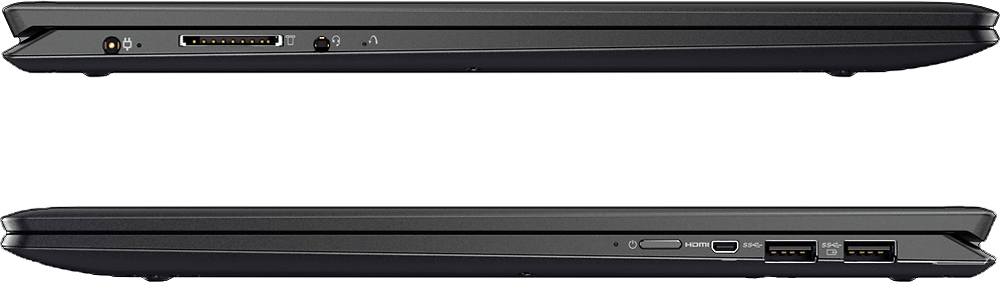
||Posted .This reviewer received promo considerations or sweepstakes entry for writing a review.I am having problems with the location of the power button. It is awkward trying to operate it from the side of the computer.
No, I would not recommend this to a friendNot reliable
||Posted .This reviewer received promo considerations or sweepstakes entry for writing a review.I bought the computer as a graduation gift for college and she didn't even have it 3 weeks until pixels went out, typing speed was slow and then it totally glitched out. Called Best Buy and asked it I could return it for a better model and they said NO, I only had 15 days to return it. Well, the product was shipped to me and that took 4 days, so I was barely over the 15. Will never shop Best Buy again.
No, I would not recommend this to a friendSent in for repair within first week of use
||Posted .This reviewer received promo considerations or sweepstakes entry for writing a review.Purchased online from Best Buy due to a promotion from workplace. No Best Buy on my city - nearest store is 2 hours away. I didn't get a chance to fully set up the computer when it arrived, so it was a week before I was able to fully run the machine. During setup of the software, a grinding noise began from the computer. It sounded like the Hard drive disk was rubbing against the casing. Best Buy's return policy is only 15 days, which I missed the window by the time the seriousness of the issue was discovered. I was told that I could bring the computer to a Best Buy store and PERHAPS the store manager could decide to exchange out the machine. Being two hours away, this would significantly increase the purchase price of the computer. I could pay to have a Best Buy service tech take a look at it (A BRAND NEW COMPUTER!).So as of now, the computer is back to Lenovo under warranty repair. So as of this review - I still have no computer a month and a half after ordering it. I believe Best Buy should stand by their sales for longer than just two weeks. This has not been a desirable purchase experience. Not impressed with Best Buy.
No, I would not recommend this to a friendToo much laptop for beginner
||Posted .This reviewer received promo considerations or sweepstakes entry for writing a review.Not being used to using Wi-Fi everywhere I go, this is somewhat concerning that there are no Internet ports on this laptop
I would recommend this to a friendBrand response from Lenovo Product Expert
Posted .Thank you for choosing the Lenovo Yoga 710-15. If you need to connect via ethernet cable to get on the internet with this device, you can easily accomplish this by using a USB to ethernet adapter. Here is a link to an example, there are many varieties available: http://www.bestbuy.com/site/insignia-usb-3-0-to-gigabit-ethernet-adapter-white/3510527.p?skuId=3510527
- Cons mentioned:Keyboard quality
Disappointed
||Posted .This reviewer received promo considerations or sweepstakes entry for writing a review.Not recommended. The keyboard has a strange layout that makes hitting the shift key with the right hand pinky finger awkward. More importantly, the screen is now failing a little more than 3 years after purchase. Not at all happy with this purchase.
No, I would not recommend this to a friend ok but needs improvements
||Posted .This reviewer received promo considerations or sweepstakes entry for writing a review.My Levono laptop is nice but the internal mouse doesn't always respond- I have to use touch screen to do anything.
No, I would not recommend this to a friendToo many bugs with wifi
||Posted .This reviewer received promo considerations or sweepstakes entry for writing a review.Wi-Fi quits working, I've had to reset computer to many times. Lenovo tech support is self help, and useless.
No, I would not recommend this to a friendReturned for credit
||Posted .This reviewer received promo considerations or sweepstakes entry for writing a review.Computer failed and was returned to the store. I do not suggest this computer whatsoever. I thought that the specs and size would be great for our daughter. She had it a week or less when black lines were seen across the screen. She returned it, they worked on it, she picked it up and it happened again within a few days. We demanded that they exchange it. She then purchased a different computer that is not Lenovo brand and a year plus later it is still functioning. Remember that this one does not have a dvd drive. you must buy an external to back things up. I think it was poor planning on manufacturer's behalf. You spend $1,100 or so on a computer, add in peripherals and expect more than this. I was very disappointed in the manufacturer. 2 years before, we bought our other daughter a Lenovo desktop and it is still running but has had a lot of problems. Not sure if this is a standard for Lenovo but I will not buy another in the future for myself or any family member.
No, I would not recommend this to a friendWish I done research before be I bought it.
||Posted .This reviewer received promo considerations or sweepstakes entry for writing a review.I didn't do any research before I bought the laptop. I was just focusing on the price. I didn't find out that it didn't have anywhere to put removable disc or connect a monitor until I got home. It also would not turn back on after I shut it down after only having it for a week. Currently it is now with geek squad for repairs and I will not see it for 2 to 4 weeks.
No, I would not recommend this to a friendDisappointed in Touch Screen
||Posted .This reviewer received promo considerations or sweepstakes entry for writing a review.Although the idea and capabilities of this Lenovo Yoga touch screen laptop are amazing, the quality is just not there. The touch screen lags and the actual picture quality of the screen is very poor. Lenovo cannot compete with Apple products. I do not recommend purchasing this product if you have ever owned Apple products...you will be disappointed.
No, I would not recommend this to a friend- Cons mentioned:Keyboard quality
Keyboard wrong
||Posted .This reviewer received promo considerations or sweepstakes entry for writing a review.I returned this after realizing the keyboard has an extra key where the right shift key would normally be. Every time I tried to type I would find the cursor jumped up a page if I had used the right shift key. Terrible design to put a page up key where a standard keyboard has the shift key.
No, I would not recommend this to a friend Yoga Laptop
||Posted .This reviewer received promo considerations or sweepstakes entry for writing a review.Never heard of this brand but overall it's a good laptop. Doesn't have a touch screen nor a 2 in 1.
I would recommend this to a friendBrand response from Lenovo Product Expert
Posted .Thank you for choosing the Lenovo Yoga 710-15. This system does have a touch screen. Be sure that the touch screen feature is turned on. You can do this by following the instructions in this Windows Forum article. It is titled "disabling touch screen" you, of course, will be enabling the touch screen. Here's the link to the article: http://www.thewindowsclub.com/disable-touch-screen-windows-10
The data tranafer was not properly done.
||Posted .This reviewer received promo considerations or sweepstakes entry for writing a review.Because the data transfer wasv9nly partially done, I can't use the new computer. Not happy at all!
No, I would not recommend this to a friendBrand response from Lenovo Product Expert
Posted .This system is equipped with OneKey Recovery System. There is a very small pin hole on the left side of the device, right near the headphone jack on the device. You will need a pin to push this reset button. Plug the device in. Let the battery charge for about 15 minutes. Push the reset button. The system should boot to a choice screen where you can choose "Restore To Factory Default". Select this. It will delete everything from the hard drive except the original factory install of the operating system. You will need to reinstall all programs and files after the reset. Test the system after the reset to be sure it is working properly before you try the data transfer again. Then, if all is well, try the data transfer again after this reset, but be sure all the files and programs are compatible with Windows 10.
Would not connect to internet
||Posted .This reviewer received promo considerations or sweepstakes entry for writing a review.From day one it would kick me off the Internet while using it. Got to the point where it would not connect at all. When I took it back to Best Buy, the geek squad guy that checked it couldn't get it to connect. It might have been a good pc had it worked. Maybe I just got a lemon, I can't say that they would all be bad. I thought about exchanging it for another one but decided to hold off for now. I'm a bit jaded after spending that kind of money and it not working. Of course Best Buy let me return it with no problems at all. 5 stars for Best Buy.
No, I would not recommend this to a friendBrand response from Lenovo Product Expert
Posted .Thank you for giving the Lenovo Yoga 710-15. We are sorry to hear about the WiFi connectivity issues you experienced. If you decide to give the Yoga 710-15 another try, we are sure you will not experience this connectivity issue again, but for other users reading this review who are experiencing a similar problem, there may be networking-wireless LAN driver updates for your specific system. Follow the link below to look for new driver updates for your specific system. You can also run diagnostics from the Lenovo site as well. As always, be sure to create a restore point on your system before you make any changes. Here is the link for those who may need it:
http://support.lenovo.com/us/en/products/Laptops-and-netbooks/Yoga-Series/yoga-710-15ikb/80V5/0000US?linkTrack=Caps%253ABody_SearchProduct&tabName=downloads&beta=false
Changed the keyboard? Are u kidding?
||Posted .This reviewer received promo considerations or sweepstakes entry for writing a review.Great computer unless you are typing. The "line up" key is located where the right shift key should be on a standard keyboard. The right shift key is an abnormal long right reach. Also to make the problem worse the right shift key is half size of the standard key. If I had noticed this I would not have purchased the computer.
No, I would not recommend this to a friendBrand response from Lenovo Product Expert
Posted .With regard to the right shift key issue you mention, there is a free software APP called KeyTweak that may help you. You can switch the key functions of specific keys on your keyboard with this software, so you could change the right shift key with the key you hit in its place. Just Google search "KeyTweak" and you will find articles about what the software does and you will find the download location for this free APP.
Satisfied
||Posted .This reviewer received promo considerations or sweepstakes entry for writing a review.The computer is performing how it was designed. There are no complaints so far.
I would recommend this to a friendHaving issues already
||Posted .This reviewer received promo considerations or sweepstakes entry for writing a review.The speaker is not working so laptop is back at Best Buy Geek getting fixed.
No, I would not recommend this to a friendBrand response from Lenovo Product Expert
Posted .With regard to the speaker/audio issues you mention with your device, there may be driver updates for your specific system. Follow the link below to look for new driver updates for your specific system. You can also run diagnostics from the Lenovo site as well. As always, be sure to create a restore point on your system before you make any changes. You can do this by just typing "restore point" in the search window within Cortana and follow the link to create a restore point. Here is the link:
http://support.lenovo.com/us/en/products/Laptops-and-netbooks/Yoga-Series/yoga-710-15ikb/80V5/0000US?tabName=Downloads&linkTrack=Mast:SubNav:Support:Drivers and Software|Drivers and Software
Cheap made laptop
||Posted .This reviewer received promo considerations or sweepstakes entry for writing a review.I tried this laptop for a week, I found it to have very cheap feeling trackpad buttons, the hinges felt like they could break easily, the cooling fan was very loud, it got very warm on the bottom, the only thing I liked was the size & display, I bought a 2016 MacBook Pro and love everything about it.
No, I would not recommend this to a friendGood
||Posted .This reviewer received promo considerations or sweepstakes entry for writing a review.I have her I can't get however I can't a program to work with it
I would recommend this to a friend