Customer Ratings & Reviews
- Model:
- 80V50000US
- SKU:
- 5579128
Rating by feature
- Value
Rating 3.6 out of 5 stars
- Quality
Rating 3.8 out of 5 stars
- Ease of Use
Rating 4.1 out of 5 stars
Customers are saying
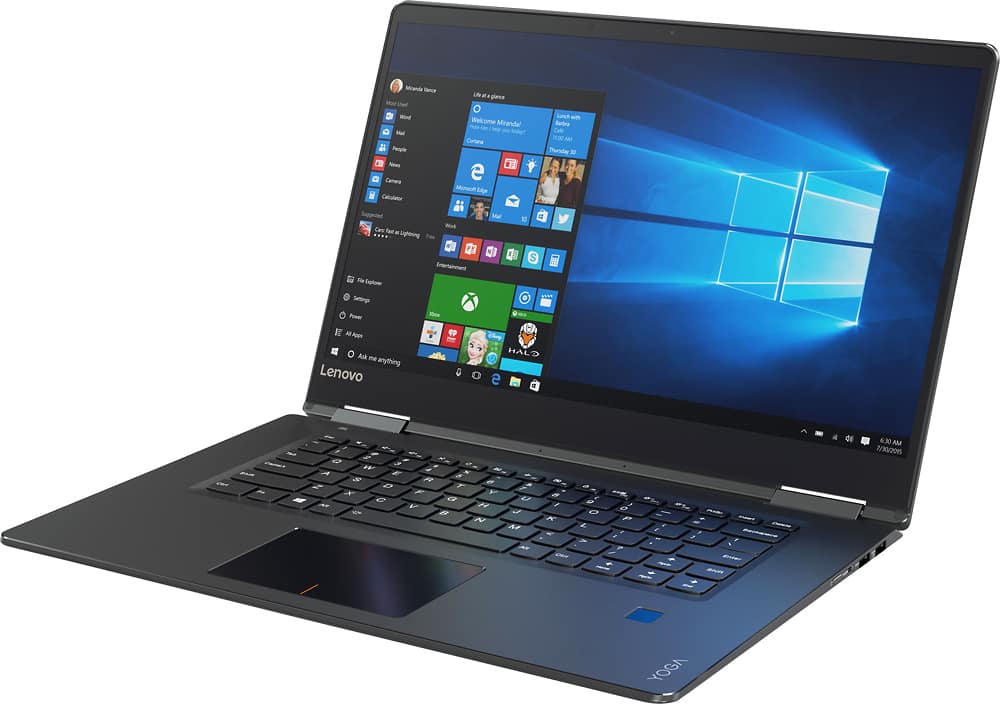
Customers are positive about the Yoga 710's touchscreen, light weight, ease of use, and SSD, with many praising its performance and design. However, customers are negative about the keyboard quality, particularly the placement and size of the right shift key, and some experienced excessive fan noise. The battery life and price also received positive feedback. While some appreciated the dedicated graphics card, others found the keyboard layout unconventional.
This summary was generated by AI based on customer reviews.
- Pros mentioned:Processor speed, Touch screenCons mentioned:Fan noise
Awesome 2 in 1
Posted .This reviewer received promo considerations or sweepstakes entry for writing a review.I purchased this laptop to replace a desktop and laptop. I love the larger screen but this does make it a little bigger so that is something to think about if you are looking for ultra-portable. I'm a little bit older so having the larger touchscreen allows me to see text without losing part of the screen. In other words, no reading glasses! I bought this over the Surface Pro 4 because I do use the computer everywhere. With the Surface Pro, the magnetic keyboard makes it difficult to use if you are sitting with the computer on your lap or other uneven surface. I also like the security features including the fingerprint reader. At night, you can make the keyboard light up so it's easier to see. It's also very thin but the larger screen makes it slightly heavier but not annoying heavy. The computer boots up quickly and watching movies has been a great experience so far. No issues with the processor, graphics etc. The touchscreen is responsive and works well. When the fan turns on you hear it but it's not very loud so you don't really notice it's running. The keyboard and mouse are all laid out great and allow for easy use. I couldn't be happier with my purchase! Overall, this laptop tablet has everything I could want and I expect years of use and enjoyment. You won't be sorry if you get it.
I would recommend this to a friendBrand response from Lenovo Product Expert
Posted .Thank you for choosing the Lenovo Yoga 710-15. We are pleased to hear that the features and performance of the Yoga 710-15 meets your computing needs so well.

Do not recommend
||Posted .This reviewer received promo considerations or sweepstakes entry for writing a review.I have had issues with the screen flashing twice. I bought the two year protection plan and it doesn't cover that. It had to go back to the company and I didn't have my computer for a week. Now, I have to send it back again because it is doing the same thing.
No, I would not recommend this to a friendso far so good
||Posted .This reviewer received promo considerations or sweepstakes entry for writing a review.hard to open ,the sound quit working three days after
No, I would not recommend this to a friendBrand response from Lenovo Product Expert
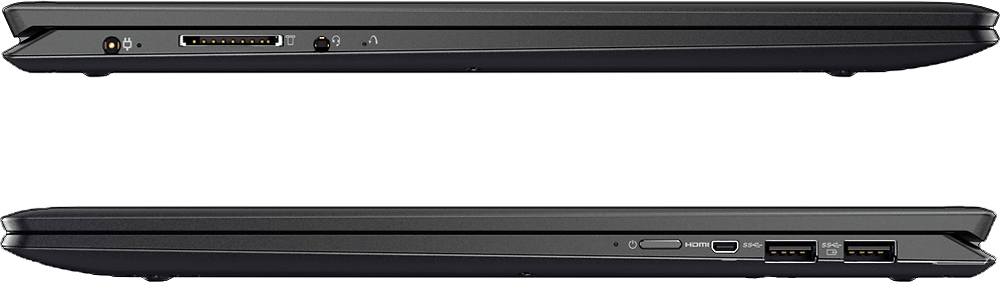
Posted .Thank you for choosing the Lenovo Yoga 710-15. With regard to the audio problem, it sounds as though there was an automatic Windows update that is in conflict with the existing audio driver. This system is equipped with OneKey Recovery System. There is a very small pin hole on the left side of the device, right near the Headphone port on the device. You will need a pin to push this reset button. Plug the device in. Let the battery charge for about 15 minutes. Push the reset button. The system should boot to a choice screen where you can choose "Restore To Factory Default". Select this. You have the choice to "leave files and programs on the device", select this. Once you restore to the factory default settings for Windows 10, the audio issue should be fixed. The next Windows 10 update should have the correct audio driver.
Basic
||Posted .This reviewer received promo considerations or sweepstakes entry for writing a review.Basic for a college kid. Nothing fancy. Affordable
I would recommend this to a friendOkay
||Posted .This reviewer received promo considerations or sweepstakes entry for writing a review.Computer is okay but I wouldn't recommend Best Buy
No, I would not recommend this to a friend- Pros mentioned:SsdCons mentioned:Fan noise
Great Laptop for Students
Posted .This reviewer received promo considerations or sweepstakes entry for writing a review.First off id like to say that i originally purchased Dells 2017 Xps 15 9560 laptop before i got this. The Dells specs on paper blow this out of the water. However i found that the dell xps was quite laggy on simple tasks such as writing a paper or watching a youtube video it would occasionally freeze up on me. And I paid nearly $2k for that laptop. I ended up taking it back and opting for this 2016 yoga with a 940mx graphics card. Pros 1) Extremely responsive to everyday tasks such as opening and closing applications or running youtube videos. Thanks to its ssd 2) Can Handle light gaming with its dedicated gpu. 3) The design of this laptop is very premium feeling. its fairly thin. When compared to the dell xps 15 i would of thought this lenovo was more expensive but its cost over $1k less. Cons 1) Alot of people dont like the placement of the shift key but i dont mind it at all. 2) Fan can be a little loud at times however this can be fixed using your own fan control. Overall this computer is super fast and responsive in a nice form factor. For the price it was well worth it. The new dell Xps 15 was a thousand dollars more and alot more buggy and slow.
I would recommend this to a friendBrand response from Lenovo Product Expert
Posted .Thank you for choosing the Lenovo Yoga 710-15. We are pleased to hear that the value, features and performance of the Yoga 710-15 meets your computing needs so well.
- Cons mentioned:Keyboard quality
Not Good
||Posted .This reviewer received promo considerations or sweepstakes entry for writing a review.Computer is a lot slower than expected. Graphics are ok, but nothing great. The layout of keyboard seems a little confined. I am returning. I will replace with the 13" HP Spectre.
No, I would not recommend this to a friendBrand response from Lenovo Product Expert
Posted .This system should be a fast system with its Core I-5 processor, Nvidia GeForce 940MX GPU and 8GB of RAM. Be sure any software you installed is compatible with Windows 10. There is no need to install Microsoft Office software. The software is already part of the operating system, you just need to activate the software with a purchased product key. If you have installed a copy of Microsoft Office, this is conflicting with the existing copy on the system and this will slow your system down. If you have installed a 3rd party anti-virus program, be sure that Windows Defender is turned off and that the trial version of McAfee Anti-Virus software is uninstalled. There can only be one anti-virus program on the system. You may need to restore your system to original factory default settings if any of the programing errors have occurred. You can do that by typing "restore" in the Cortana search window. Just click on the magnifying glass icon at the bottom left of your Windows 10 Desktop. Click on "Reset This PC" Then click on "Get Started" and follow the on screen directions to restore to factory defaults.
not happy with laptop computer or service
||Posted .This reviewer received promo considerations or sweepstakes entry for writing a review.I have had too many issues with my new laptop. Connectivity issues: won't stay connected according to the laptop but look to see if connected and says I am. Sending emails, won't be sent. opening Quik Books, won't let me work, have to shut down the whole computer and start again. The computer freezing - nothing works. Then the service at the store - terrible. Techs leaving me to help someone else and not returning. Telling me I have to leave the computer but then no, have to have a tech come to the house, but not for two weeks!!!! Really!!! Not happy. Ready to return the computer.
No, I would not recommend this to a friendBrand response from Lenovo Product Expert
Posted .There are a couple of things you can try. There may be driver updates for your specific system. Follow the link below to look for new driver updates for your specific system. You can also run diagnostics from the Lenovo site as well. As always, be sure to create a restore point on your system before you make any changes. You can do this by just typing "restore point" in the search window within Cortana and follow the link to create a restore point. Here is the link:
http://pcsupport.lenovo.com/us/en/products/Laptops-and-netbooks/Yoga-Series/yoga-710-15ikb/80V5/0000US/downloads?linkTrack=Caps%3ABody_SerialNumber
Additionally, This system is equipped with OneKey Recovery System. There is a very small pin hole on the left side of the device, right near the headphone jack on the device. You will need a pin to push this reset button. Plug the device in. Let the battery charge for about 15 minutes. Push the reset button. The system should boot to a choice screen where you can choose "Restore To Factory Default". Select this. It will delete everything from the hard drive except the original factory install of the operating system. You will need to reinstall all programs and files after the reset. If you don't have copies of the files, try to make one before you restore by selecting "Boot to desktop" and trying to back up your files.
- Cons mentioned:Keyboard quality
Would not buy again...
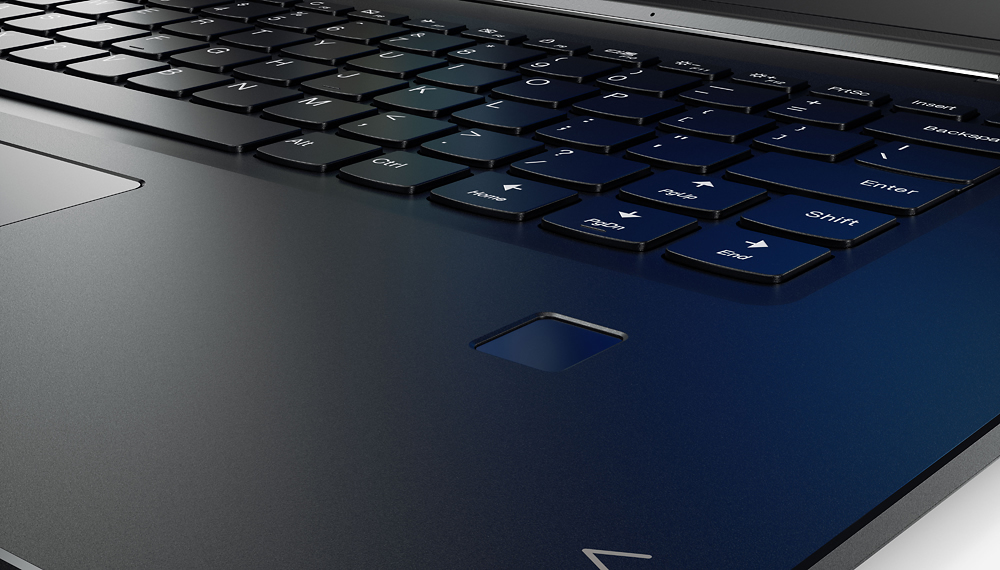
||Posted .This reviewer received promo considerations or sweepstakes entry for writing a review.I returned this to Best Buy because the shift key was in a weird place and it kept overheating. It was not worth the savings, get the 720 instead.
No, I would not recommend this to a friendBrand response from Lenovo Product Expert
Posted .With regard to the right shift key issue you mention, there is a free software APP called KeyTweak that may help you. You can switch the key functions of specific keys on your keyboard with this software, so you could change the right shift key with the key you hit in its place. Just Google search "KeyTweak" and you will find articles about what the software does and you will find the download location for this free APP. With regard to running hot, there is a fan within this system that keeps the operating temperature at the proper level of 150-degrees Fahrenheit.
touch screen went bad
||Posted .This reviewer received promo considerations or sweepstakes entry for writing a review.Had a little over 30 days and the touch screen went bad. Brought one 3 years ago and loved it. Still an excellent laptop. Disappointed with the current laptop.
No, I would not recommend this to a friendBrand response from Lenovo Product Expert
Posted .This sounds like an automatic Windows 10 update that is in conflict with an older driver. There may be driver updates for your specific system. Follow the link below to look for new driver updates for your specific system. You can also run diagnostics from the Lenovo site as well. As always, be sure to create a restore point on your system before you make any changes. You can do this by just typing "restore point" in the search window within Cortana and follow the link to create a restore point. Here is the link:
http://pcsupport.lenovo.com/us/en/products/laptops-and-netbooks/yoga-series/yoga-710-15ikb/80v5/80v50000us/downloads
- Pros mentioned:Processor speedCons mentioned:Fan noise
Fast, light, and looks smaller. great for gaming!
Posted .This reviewer received promo considerations or sweepstakes entry for writing a review.i was one of the first people to purchase this laptop, its crazy fast and looks really formal, for me, it competes with the Mac books. Im a gamer who wanted a gaming laptop that doesnt look as a gaming laptop, and i found it! it works perfectly for league of legends and CsGo. the Jbl speakers sound great too! the only thing that i found a little bit annoying is the sound of the Fan when you start gaming. its not that loud but a person siting beside you in a chair will hear it if there is no noise. touch pad and touch screens works perfectly, the best thing about the screen is that it is nearly border-less. its a great laptop. worth it if you dont mind the fan noise.
I would recommend this to a friendBrand response from Lenovo Product Expert
Posted .Thank you for choosing the Lenovo Yoga 710-15. We are pleased to hear that the features and performance of the Yoga 710-15 are working out so well for you. With regard to to the fan noise, we will look in to this for future improvements.
3 weeks; black screen
||Posted .This reviewer received promo considerations or sweepstakes entry for writing a review.We owned Yoga 710 15" screen for 3 weeks, already crashed and even BestBuy Geek squad couldn't get it to work. Took it into BestBuy to get fixed on 11/28 and 5 days later, the online status is still the same as day 1 - "checked in". I have received no communication since checking in the Yoga 710 with BestBuy Geek Squad. I am Not satisfied and not impressed by this laptop or getting it repaired or replaced in a timely manner.
No, I would not recommend this to a frienddifficult to get started
||Posted .This reviewer received promo considerations or sweepstakes entry for writing a review.New laptop, new operating system, still adjusting to everything. I'm glad to have a wireless mouse and keyboard
I would recommend this to a friendBrand response from Lenovo Product Expert
Posted .Thank you for choosing the Lenovo Yoga 710-15. With regard to learning your way around Windows 10, you may want to try YouTube.com (just type that address in your browser address window). There are hundreds for free instructional videos there about Windows 10. Just type Windows 10 Introduction in to the YouTube search window. You can watch free videos there that will show you the basics all the way up to tips and tricks videos and they're all free.
Not really impressed
||Posted .This reviewer received promo considerations or sweepstakes entry for writing a review.Had difficulty with the keyboard as the lighting kept giving out. Not impressed with the battery life either.
No, I would not recommend this to a friendkeeps freezing up
||Posted .This reviewer received promo considerations or sweepstakes entry for writing a review.The Geek Squad has looked at & worked on it twice in the month since I purchased it. Need I say more.
No, I would not recommend this to a friendKept crashing and freezing
||Posted .This reviewer received promo considerations or sweepstakes entry for writing a review.Kept crashing and freezing, read online after purchasing it has some problems like this
No, I would not recommend this to a friendScreen didn't even last 2 years
||Posted . Owned for more than 2 years when reviewed.This reviewer received promo considerations or sweepstakes entry for writing a review.Conveniently for Lenovo I started experiencing screen issues just after a year of purchasing. Then, shortly after one of the hinges popped off the back of the screen (it's taped) and went through the screen, cracking it. I'll never buy another Lenovo product again.
No, I would not recommend this to a friendBrand new and filled with issues
||Posted .This reviewer received promo considerations or sweepstakes entry for writing a review.I'm having many issues with the USB ports. Lenovo and Best buy have disappointed me on this laptop with their dropped calls, and lacking of knowledge when I speak to both on the phone. I've spent over $1000. on this problem and can't get anyone to resolve it - very disappointed
No, I would not recommend this to a friendBrand response from Lenovo Product Expert
Posted .With regard to the issues you mention with your device, there may be driver updates for your specific system. Follow the link below to look for new driver updates for your specific system. You can also run diagnostics from the Lenovo site as well. As always, be sure to create a restore point on your system before you make any changes. Here is the link:
http://support.lenovo.com/us/en/products/Laptops-and-netbooks/Yoga-Series/yoga-710-15ikb/80V5/0000US?tabName=Downloads&linkTrack=Mast:SubNav:Support:Drivers and Software|Drivers and Software
Good laptop
||Posted .This reviewer received promo considerations or sweepstakes entry for writing a review.Needs more memory! but the size of the computer is nice!
No, I would not recommend this to a friendNot a great computer. Not bad.
||Posted .This reviewer received promo considerations or sweepstakes entry for writing a review.I returned it and got an ASSUS. I am happier with it.
No, I would not recommend this to a friend