Customer Ratings & Reviews

- Model:
- 81B5001HUS
- SKU:
- 6062000
Rating by feature
- Value
Rating 3.9 out of 5 stars
- Quality
Rating 3.9 out of 5 stars
- Ease of Use
Rating 4.3 out of 5 stars
Customers are saying
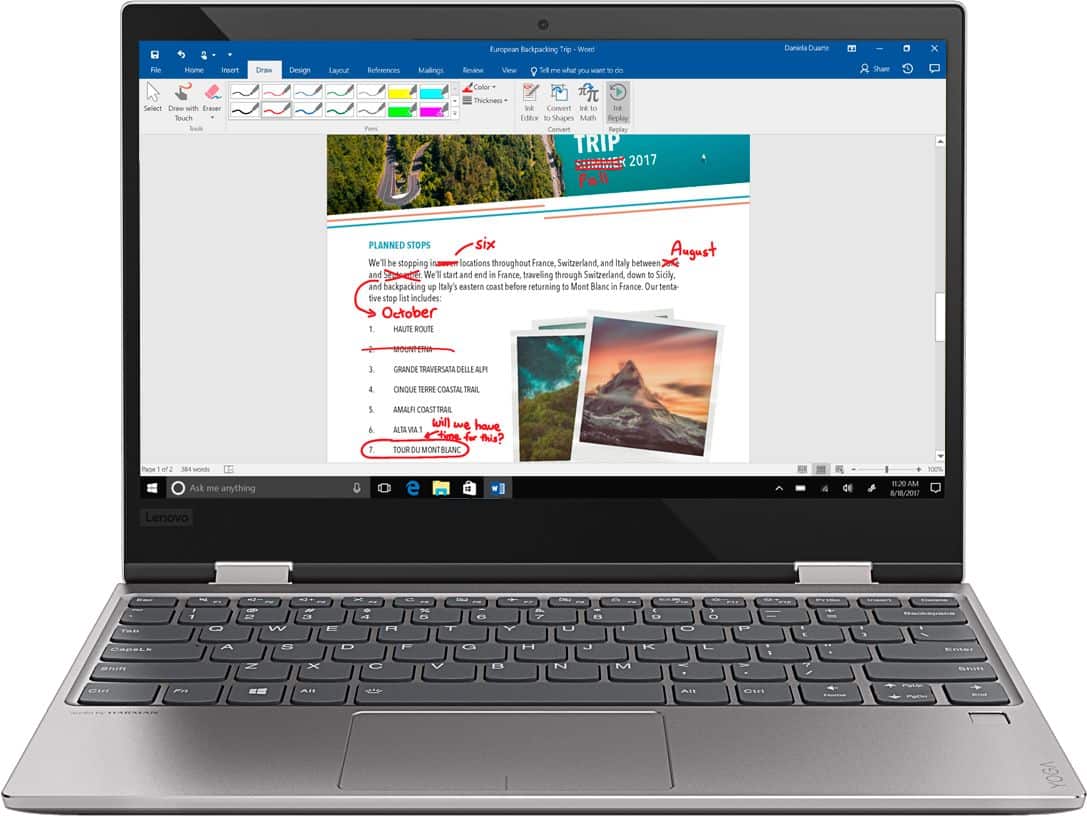
Customers recognize the Yoga 720 as a portable, lightweight, and fast laptop. They appreciate its great price and perfect weight for using on the lap. However, some users have experienced issues with the touchpad and battery life, and a few have complained about the mouse disappearing occasionally.
This summary was generated by AI based on customer reviews.
Very slow
||Posted . Owned for 11 months when reviewed.This reviewer received promo considerations or sweepstakes entry for writing a review.Not good quality very slow processor gave it to my god daughter
No, I would not recommend this to a friend- Pros mentioned:Fast, Light
Great laptop
Posted .This reviewer received promo considerations or sweepstakes entry for writing a review.Great and fast laptop, nice battery cycle, it is light
I would recommend this to a friend After Win 10 & BIOS update it's quick and stable
Posted .This reviewer received promo considerations or sweepstakes entry for writing a review.The TL;DR version is that is's speedy and stable for day to day tasks, with well over 6 hours of battery life when used hard. The pro's outweigh the cons, and I believe that I will be keeping this past the 30 day return window. While my primary computer is a late 2014 15" Macbook Pro, I was looking for a small portable budget 2-in-1, mostly to run Quicken 2017 financial software. Quicken running in a PC emulator on my Mac became too slow as my data file grew over the past 15 years. And running my copy of Win 7 Ultimate in Bootcamp for Mac to speed things up wasn't an option, because I needed occasional access to my Mac while using Quicken or other PC apps. I first looked at several sub $400 2-in-1 laptops, including a $190 Lenovo with Celeron and 2GB/64GB, and a $330 HP with Pentium and 4GB/500GB 5400 rpm drive. Demoing these proved them to be too slow with even simple tasks or booting up, as was any other unit without an SSD or at least 4GB of RAM. PROS: The Lenovo Yoga 720 blew those others away in comparison. And, the Yoga's sale price ($499) was almost the same price as the cheaper HP AFTER parts and labor to upgrade the HP to an SSD, which would have still had a much slower processor than the Yoga's i3-7100. This Yoga was about the same speed in my tests as a $700-800 Samsung and Yoga 13", but saved me over $200-300. It's fast enough to be my primary computer, if not for the small 128GB storage space. The lack of SD card slot prevents one from using the internal storage for apps on drive C: while keeping data on a Drive E: SD card, unless you don't mind having a thumb drive, card reader, or HD hanging off the PC all the time. When I first turned it on at home it was easy to set up, and Win 10 dovetailed right into my Hotmail.com account and linked my existing OneDrive to my documents folder. I was also given a Lenovo account in the process, that doesn't seem to do much of anything when you log in online. It also had me set up my fingerprint security during this process and choose a PIN (I used 8 digits). I REALLY like the fingerprint sensor which makes logging in very fast and simple, and it was quick to add another finger later. Few others if any in this price range had this feature. I also decided to try the discounted $24 1yr McAfee antivirus for Lenovo, and can switch to Microsoft Windows Defender if the renewal is too much money in a year. I didn't even know about Windows Defender when I was setting it up, so I feel like Lenovo has a stake in getting us to buy McAfee, even at their discounted price. I also had to sign into my Office 365 account after the setup was done - the Office software came preinstalled, along with about 5 unnecessary games (Candy Crush Saga, Minecraft, etc). It also had PLEX preinstalled, and it works fine with the PLEX server on my NAS. The usual compliment of Microsoft apps were preinstalled as well. After it was all set up, I used the Lenovo Vantage app that came pre-installed to update Windows 10 to the latest April 2018 version, which gave many recent reviewers problems with the trackpad. So I also ran the BIOS update that I downloaded from Lenovo, based on the tip by Lenovo support in previous reviews. This prevented any touch pad problems that other reviewers saw upon awakening the PC after they allowed it to sleep. The BIOS update I installed was dated May 25th 2018, but the previous BIOS also had this fix. Finally, I installed Quicken 2017 which was the main reason I picked this up. It runs my large Quicken data file noticeably faster than a PC emulator on my Mac, even with my data going back over 15 years. I was able to get more transactions imported, categorized, and saved in a shorter amount of time, which is important since I have a several month backlog of data entry on which to get caught up. I was worried that the small screen would be an issue with data entry, but the 1920x1080 12.5" screen is crisp and clear, and I had no trouble reading the fine print with my 56 year old eyes. While unplugged from power and green brightness at a moderate level, I used the Yoga 720 for over 6 hour straight while editing Quicken data, surfing the web, and installing apps, and the battery dropped to 15% during that time. It charged back to full in 1-2 hours (when I 1st plugged it in it estimated 1 hour to full charge). I'm sure I could stretch the battery out for another hour before it would shut down, without changing any settings. I vaguely recall that the Yoga had over 80GB of the 117GB available free before I installed or removed anything. I'm sorry I didn't pay more attention to the actual "before" storage. I removed some of the games that were preinstalled which saved 500-800MB, and then installed Adobe Reader, Dropbox, OneDrive, Spotify, Youtube, Facebook, Messenger, Netflix, Hulu, Amazon & Amazon Music, SiriusXM, and Kindle apps. With everything installed, including about 2GB of data in my OneDrive, I had 64GB free out of the 117GB available. Free space dropped to 56GB when I installed iCloud for Windows and set up Outlook with my iCloud and Hotmail accounts. It imported all my data and 2GB iCloud drive, but not iPhotos which would need another 180GB! I also didn't sync my 40GB dropbox, and I'll have to use selective sync when I do. I like that with OneDrive I can choose to have some of the files reside only on the cloud, to save SSD space when I don't need them. I found another setting to let me delete older versions of Windows which I allowed, since it has been rock stable and I don't need to roll back - that freed up 2GB, leaving me in the end with over 58GB free space and just over 58GB used, without turning on disk compression. Disk space can be saved by streaming most media instead of downloading it, but I'm barely using 50% of the hard drive right now. So, spending $200 more on the 13" Yoga 720 with 8/256GB wasn't necessary unless this was my primary PC. If one needs more space, just don't install many of the above apps to free up 1-2GB, and use the web browser interface to access those services instead. As for form factor, it's nice and thin and light, at a little over 1/2" thick and 3lbs. The footprint is only slightly larger than a sheet of paper. It feels solid when carrying it around one handed, whether open or closed, or in tablet mode. It was easy, however, to accidentally press the power button on the middle of the right side and put it to sleep when picking it up. I would have preferred the power button to be farther back, maybe near the charging port on the left side near the rear. Fortunately, it's quick to wake up and log in with the fingerprint sensor. CONS: (1) I do wish it had more ports than one USB-C and one USB-A, plus headphone jack. But $75 will buy a USB-C dongle with a USB-C pass-thru port, 2 USB 3.0, an Ethernet, and an HDMI port. One with an SD card reader and even more USB ports will cost about $115 at BestBuy. So, a person could leave the cheaper USB-C dock at home or work connected to a 4K monitor, a mouse, an external HD, Hi-Res DAC/amp for audio, and high speed ethernet > with another port left on the Yoga itself for your mobile phone or Thumb drive. Although many other cheaper PC's had more USB 3.0 and an HDMI port built-in, they had no fingerprint reader or USB-C and were a bit thicker in return. (2) Unfortunately, the USB-C port doesn't accept power delivery, so in addition to plugging the Yoga into the USB-C dock when you arrive home, you'd have to also plug in the power brick into the round DC power jack on the Yoga. (3) Not really a complaint, but I do miss having a backlit keyboard. I'm sure my $15 rechargeable book-light would work just fine for typing in the dark, but I can also tap an icon in the task bar and open an onscreen keyboard if it's too dark. (4) This is slightly irritating but not a deal breaker - there is visible flex to the top case and keyboard when you push down, so if I'm quickly pounding away at the keyboard to type up an email really fast, the center of the keyboard and top case flexes a little, and it can resonate and sound hollow and rattle. If I press down on the top case just to the left of the trackpad then the case is dampened, and there is no rattle when I tap on the keys fast and hard (one-handed pecking). There is no issue when I'm typing slow and gentle, and behaving. (5) My biggest gripe - the audio quality is poor no matter what. Also, the sound comes out from the bottom and if it's not on a hard surface then the sound can also be muffled. You really should use this with external speakers or headphones if you are an audiophile. It can play loudly without distortion, but the sound is very midrange oriented and it can get irritating, especially at high volumes. Definitely not on the same level as my 15" retina MacBook Pro. I plan to use my V-MODA Crossfade wireless headphones with it, or a miniJAMBOX if sharing a movie with someone. (6) In 2nd place for biggest gripe is the automatic screen brightness behavior, which allowed the screen to change from dim to bright and back more often than I would like, with only minor changes in room lighting. This was usually in an already dim room, early evening. Sometimes it was depending on whether a cloud was passing by a window, and sometimes it just randomly changed the brightness slightly for no real reason. I had to disable that, and simply use the brightness function button at the top of the keyboard as needed, which is NO problem at all. Fortunately, when enabled it never got too dark or too bright, but having it change for little reason was annoying.
I would recommend this to a friendBrand response from Lenovo Product Expert
Posted .Thank you for choosing the Lenovo Yoga 720-12. Concerning the audio on this device, there are two stereo Harmon 1.5W speakers on the device and there is Dolby Atmos sound enhancement. Be sure Dolby Atmos is turned on and adjusted to your tastes. About the automatic screen brightness control, you can turn this off and adjust the screen brightness manually. Here is a link to instructions for doing this: https://windows.gadgethacks.com/how-to/disable-adaptive-brightness-windows-10-for-maximum-screen-brightness-0163440/.

- Cons mentioned:Battery life
Good computer for price
Posted .This reviewer received promo considerations or sweepstakes entry for writing a review.Great laptop didn’t have any problems for about 4 years. After the four years, the battery life decreased and the touch screen went out.
I would recommend this to a friend - Pros mentioned:Portable
Love the portability and performance!
Posted .This reviewer received promo considerations or sweepstakes entry for writing a review.Really a great little machine...lightweight, packs a wallop for work applications. Plan to be with this laptop for a long time!
I would recommend this to a friendBrand response from Lenovo Product Expert
Posted .Thank you for choosing the Lenovo Yoga 720-15. We are pleased to hear that the features and performance of the Yoga 720-15 meets your computing needs so well.
- Pros mentioned:Price
Great laptop
Posted .This reviewer received promo considerations or sweepstakes entry for writing a review.Best laptop for its price. 2 in 1 touch screen is best and very supportive.
I would recommend this to a friend - Pros mentioned:WeightCons mentioned:Touchpad issue
Very happy
Posted .This reviewer received promo considerations or sweepstakes entry for writing a review.Bought this to use primarily for work. I needed the lightest weight 2 in 1 that I could get as I have to carry in a briefcase daily in and out of hospitals. The Lenovo was the only option at this price point. I love this little computer so much I have basically stopped using my Ipad at home. very quick and responsive. I did have an issue with the touch pad but after performing the BIOS update no further problems. I'm looking at the 15.6" yoga 720 for my husband now. Great computer...everyone who sees it asks me about it.
I would recommend this to a friendBrand response from Lenovo Product Expert
Posted .Thank you for choosing the Lenovo Yoga 720-12. We are pleased to hear that the features and performance of the Yoga 720-12 meets your computing needs so well.
Excellent portable laptop
Posted .This reviewer received promo considerations or sweepstakes entry for writing a review.I wasn't sure how I was going to like the small size and Lenovo, switching from a Macbook Air, but I am beyond impressed. The screen on this is bright and the perfect size for portability, and the battery life has beaten my expectations. The processor and memory, which are on the lower end for this tier of 2-in-1's, have actually been phenomenal. I actually went with the i3 over the i5 intentionally because I wanted the better battery life of the slower processor, and it's handled every task with ease. The build quality is much higher than I expected. I love my new mini-me laptop, and I expect a lot of use and life out of it.
I would recommend this to a friendBrand response from Lenovo Product Expert
Posted .Thank you for choosing the Lenovo Yoga 720-12. We are pleased to hear that the features and performance of the Yoga 720-12 meets your computing needs so well.
Great typing/writing laptop
Posted .This reviewer received promo considerations or sweepstakes entry for writing a review.Used this Laptop to get through my biomedical engineering and electronic engineering undergrad. Did everything I needed it to. Used the bamboo pen along with this to draw equations and schematics.
I would recommend this to a friend- Cons mentioned:Touchpad issue
How to Fix TouchPad Issue
Posted .This reviewer received promo considerations or sweepstakes entry for writing a review.Issue with the TouchPad is easily fixed, if you can hit the F6 key. You Welcome!
I would recommend this to a friendBrand response from Lenovo Product Expert
Posted .There is also a driver update you can try if the issue persists after using the HotKey in the F6 position. Follow the link below to look for new driver updates for your specific system. You can also run diagnostics from the Lenovo site as well. As always, be sure to create a restore point on your system before you make any changes. You can do this by just typing "restore point" in the search window within Cortana and follow the link to create a restore point. Here is the link:
https://pcsupport.lenovo.com/us/en/products/laptops-and-netbooks/yoga-series/yoga-720-12ikb/downloads?linkTrack=Caps%3ABody_SearchProduct&searchType=3&keyWordSearch=Yoga%2520720-12IKB%2520Laptop%2520%2528ideapad%2529
- Cons mentioned:Loud fan
One major flaw
Posted .This reviewer received promo considerations or sweepstakes entry for writing a review.I love this laptop. It's quick, thin, and looks nice. My one issue I've had since I first purchased was that the fan is embarrassingly loud. I'm hoping I can get this fixed before school starts back up because when I use it in public people actually turn and look to see what the noise is. The CPU usage spikes up to 98% just by opening a new browser tab and I can't handle the noise.
No, I would not recommend this to a friendBrand response from Lenovo Product Expert
Posted .With regard to the fan running, be sure there are no unwanted programs running in the background on the device using the system resources. Be sure there are no unwanted programs running in the background, draining the battery. Here is a link to some tips for finding out what is draining your battery:
https://www.laptopmag.com/articles/battery-saver-windows-10. You can also check for BIOS/Driver updates to help control fan throttling, if there are no unwanted programs driving system use. This system has Lenovo utilities installed to help maintain the health of the device and keep the operating system software up to date. Type "Lenovo Vantage" in the Cortana Search window (if Lenovo Vantage is not installed on your device, you can download the APP and install it now). Select Lenovo Vantage from the list. In the window that opens, click on "Health and Support". In the expanded menu, select "Hardware Scan" In the window that opens, select "Run Quick Tests". This will scan your entire system for errors. Follow any directions that may pop up. If the problem continues after this scan, now click on "System Update". First select Windows update from the menu. Scan your system to be sure you have the latest version of Windows 10. Once that scan is complete, select "Additional Updates". This will scan your device to be sure there are no new BIOS/Driver updates needed. Follow any instructions that may pop up. If the issue still continues after these updates, we recommend you call Lenovo Tech Support at: 877-453-6686 for additional help.
- Pros mentioned:Price
Great value and speedy!
Posted .This reviewer received promo considerations or sweepstakes entry for writing a review.Bought on sale as gift for wife/family. Despite the low cost, what a pleasant surprise. Performance exceeded all expectations. Don't do a lot, mostly web browsing or when I need a keyboard to jam out a long email that my tablet can't handle and some occasional Office use (word/excel) and this little gem really stands up to the challenge. 4GB memory has proven to be more than ample - but I don't do design or graphics work. A backlit keyboard is about the only thing its missing. Great buy!
I would recommend this to a friendBrand response from Lenovo Product Expert
Posted .Thank you for choosing the Lenovo Yoga 720-12. We are pleased to hear that the features and performance of the Yoga 720-12 meets your family's computing needs so well.
MOUSE
Posted .This reviewer received promo considerations or sweepstakes entry for writing a review.I had bought this laptop about a month ago and like all the reviews i read about the mouse disappearing, i took a risk and bought it anyway. I connected a tech at Lenovo and they gave me steps to fix the problem, but it didnt work. So i tried something else on my own. On their website they have a link DRIVERS AND SOFTWARE under PC TECHNICAL SUPPORT i did the steps it asked to do and even though it had said that BOIS (whatever that is) wasnt support by this certain laptop, i still choose to download it. Little behold it worked!!! the mouse hasnt disappered! I tested this action by leaving the laptop on, opened and walked away from it til it went into sleep mode and it still was working. I would be watching Netflix before and it would disappear but it hasn't. I would be on Word it would disappear but it still hasnt. So i think it'll stay!! i hope this makes sense to anyone who bought this laptop and that it would discourage any future buyers. FYI not computer savvy either so i took a chance!
I would recommend this to a friendBrand response from Lenovo Product Expert
Posted .That you for choosing the Lenovo Yoga 720-12. We are happy to hear that you were able to find the correct software update for your Yoga 720-12 to correct the cursor issue, caused by a recent Windows 10 update. The best way to automatically fix this issue With regard to the issues you mention with your device, is to follow the link below to look for new driver and BIOS updates for your specific system. Use the "Update Your System" feature to be sure you get all of the BIOS and drive updates for your specific device. As always, be sure to create a restore point on your system before you make any changes. You can do this by just typing "restore point" in the search window within Cortana and follow the link to create a restore point. If the problem persists, we recommend you call Lenovo Tech Support at: 877-453-6686. Here is the link for the Yoga 720-12 model:
https://pcsupport.lenovo.com/us/en/products/laptops-and-netbooks/yoga-series/yoga-720-12ikb?linkTrack=Homepage%3ABody_Search+Products&searchType=3&keyWordSearch=Yoga%2520720-12IKB%2520Laptop%2520%2528ideapad%2529
Lenovo
Posted .This reviewer received promo considerations or sweepstakes entry for writing a review.I love this computer really easy to use and the touchscreen works really well for when I want to doodle
I would recommend this to a friend- Cons mentioned:Touchpad issue
Good with mouse issues
Posted .This reviewer received promo considerations or sweepstakes entry for writing a review.Great small laptop for my daughter. However, like many users, we keep having the dissapearing trackpad pointer and have to restart.
No, I would not recommend this to a friendBrand response from Lenovo Product Expert
Posted .Thank you for choosing the Lenovo Yoga 720-12 for your daughter. There is a new driver update to fix this issue with the touchpad. Follow the link below to look for new driver updates for your specific system. You can also run diagnostics from the Lenovo site as well. As always, be sure to create a restore point on your system before you make any changes. You can do this by just typing "restore point" in the search window within Cortana and follow the link to create a restore point. Here is the link:
https://pcsupport.lenovo.com/us/en/products/laptops-and-netbooks/yoga-series/yoga-720-12ikb/downloads.
- Cons mentioned:Touchpad issue
Horrible Computer - DO NOT BUY
Posted .This reviewer received promo considerations or sweepstakes entry for writing a review.I had such high hopes for this computer. I was surprising my boyfriend with this computer for Christmas and ever since, I regret it. I thought this would be a great computer for the price (650, not cheap), but I was completely wrong. He's had this computer for THREE weeks and after the second week the touchpad stopped working. Whenever the computer falls asleep and he wakes it back up... the mouse disappears and the only way to get it back is by restarting the computer. I've tried everything... from uninstalling drivers to downloading new ones... I researched online... nothing. Now after 3 weeks the speakers rattle and make this awful sound every time he watches a video or listens to music... the rattling sound gets at least 3 times as bad if he tries to move the mouse with the touchpad... this computer is a piece of junk. I'm passed the "15 day return limit" so BestBuy won't help me at all. Such a waste of money. Never buying this type of computer again and i'm never buying from BestBuy again.
No, I would not recommend this to a friendBrand response from Lenovo Product Expert
Posted .We are sorry to hear that you are having an issue with the touchpad on your Yoga 720-12. There are new driver for the touchpad issue for your specific system. Follow the link below to look for new driver updates for your specific system. You can also run diagnostics from the Lenovo site as well. As always, be sure to create a restore point on your system before you make any changes. You can do this by just typing "restore point" in the search window within Cortana and follow the link to create a restore point. Here is the link:
https://pcsupport.lenovo.com/us/en/products/laptops-and-netbooks/yoga-series/yoga-720-12ikb/downloads?linkTrack=Caps%3ABody_SearchProduct&searchType=3&keyWordSearch=Yoga%2520720-12IKB%2520Laptop%2520%2528ideapad%2529
- Cons mentioned:Battery life
There are better laptops available
Posted .This reviewer received promo considerations or sweepstakes entry for writing a review.Needed a laptop for school and didn't want to spend more than $800. I should have done more research before purchasing this laptop. While it looks pretty and the display is nice, even at $629 it's not worth the money. The first day I had it the trackpad stopped working after the computer fell asleep and the only way to fix it is to restart the computer. Lenovo knows about this problem but even keeping the software updated doesn't help. The battery life is crap! I couldn't even take it to class for a couple hours with out it falling past 20%. And the screen would flicker between brightness settings. I took it back in today after 1 week to get a MacBook Air. I would rather pay $1000 for a laptop that works and lasts, than save money for something of lesser quality. I don't recommend this product - it's not the worst thing every but you can get better for just a few extra hundred dollars.
No, I would not recommend this to a friendBrand response from Lenovo Product Expert
Posted .You can check the health of this device and fix any errors, including the Touchpad BIOS/Driver update issue. Type "Lenovo Vantage" in the Cortana Search window. Select Lenovo Vantage from the list. In the window that opens, click on "Health and Support". In the expanded menu, select "Hardware Scan" In the window that opens, select "Run Quick Tests". This will scan your entire system for errors. Follow any directions that may pop up. If the problem continues after this scan, now click on "System Update". First select Windows update from the menu. Scan your system to be sure you have the latest version of Windows 10. Once that scan is complete, select "Additional Updates". This will scan your device to be sure there are no new BIOS/Driver updates needed. Follow any instructions that may pop up. If the issue still continues after these updates, we recommend you call Lenovo Tech Support at: 877-453-6686 for additional help.
Cool CPU for simple/internet/cloud based work
Posted .This reviewer received promo considerations or sweepstakes entry for writing a review.Cool little computer. The SSD was convenient and the i3 processor can handle multiple internet tabs with a few programs open like Word or Excel. It struggles with more complex software like Adobe Premier or Photoshop while trying to simultaneously stream Youtube or other services. Its good for basic student needs but dont try to treat it like a MAC. Its good for about 3 light programs aat once, anything heavier and you'll notice processing speed slow down significantly.
I would recommend this to a friendDisappearing Mouse
Posted .This reviewer received promo considerations or sweepstakes entry for writing a review.This is an overall great laptop, but I do have one complain. Every time the laptops goes into sleep mode or is closed when not in use, the mouse disappears. I have gone through the reviews here to try to find a solution. I have visited the website Lenovo has provided for other people with similar issues but I still can't find the correct update.
I would recommend this to a friendBrand response from Lenovo Product Expert
Posted .Thank you for choosing the Lenovo Yoga 720-12. There is a new driver update to fix this touchpad issue. Be sure to use the "automatic update" feature at the link below. Follow the link below to look for new driver updates for your specific system. Be sure to use the "automatic update" feature to be sure you get all of the updates your system needs. As always, be sure to create a restore point on your system before you make any changes. You can do this by just typing "restore point" in the search window within Cortana and follow the link to create a restore point. Here is the link:
https://pcsupport.lenovo.com/us/en/products/laptops-and-netbooks/yoga-series/yoga-720-12ikb/downloads
Fantastic for school
Posted .This reviewer received promo considerations or sweepstakes entry for writing a review.Fantastic laptop that has a great premium feel. Not the strongest in their lineup, but it packs a punch to get through many tasks for school and office work. !!!!!!!!!!!!!! FOR TRACK PAD ISSUES PLEASE READ!!!!!!!!!!!! For those experiencing track pad issues, you need to update your drivers from their website. Which also includes a UDFI update. Ever since i installed the recent updates, I haven't had an issue since.
I would recommend this to a friendBrand response from Lenovo Product Expert
Posted .Thank you for choosing the Lenovo Yoga 720-12. We are pleased to hear that the Yoga 720-12 is working out so well for you.