Customer Ratings & Reviews

- Model:
- 81B5001HUS
- SKU:
- 6062000
Rating by feature
- Value
Rating 3.9 out of 5 stars
- Quality
Rating 3.9 out of 5 stars
- Ease of Use
Rating 4.3 out of 5 stars
Customers are saying
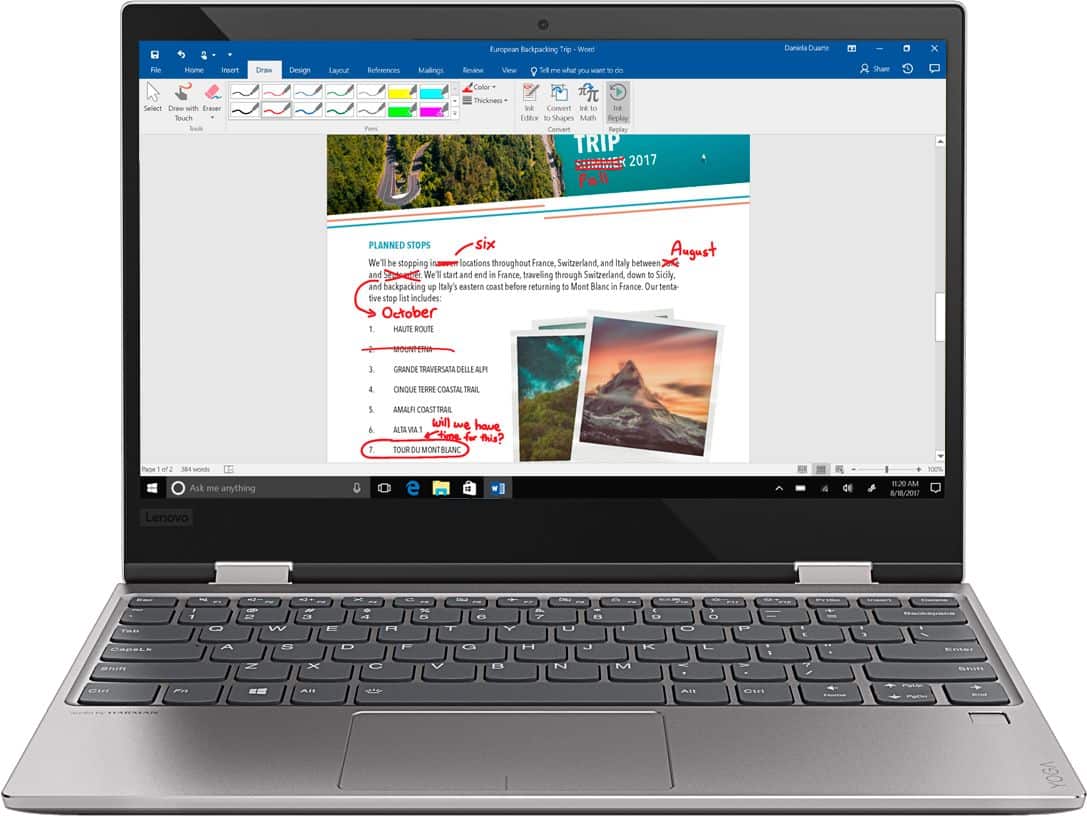
Customers recognize the Yoga 720 as a portable, lightweight, and fast laptop. They appreciate its great price and perfect weight for using on the lap. However, some users have experienced issues with the touchpad and battery life, and a few have complained about the mouse disappearing occasionally.
This summary was generated by AI based on customer reviews.
- Cons mentioned:Touchpad issue
The only problem is the touchpad
Posted .This reviewer received promo considerations or sweepstakes entry for writing a review.Everything is good about this laptop except the touchpad. When I put the laptop on sleep mode and turn it back on, the touchpad would not respond until I restart the laptop. so annoying.
No, I would not recommend this to a friendBrand response from Lenovo Product Expert
Posted .We are sorry to hear that you are having issues with your Lenovo Yoga 720-12 touchpad. Follow the link below to access the new driver updates for your specific system. You can also run diagnostics from the Lenovo site as well. As always, be sure to create a restore point on your system before you make any changes. You can do this by just typing "restore point" in the search window within Cortana and follow the link to create a restore point. Here is the link:
https://pcsupport.lenovo.com/us/en/products/laptops-and-netbooks/yoga-series/yoga-720-12ikb/downloads?linkTrack=Caps%3ABody_SearchProduct&searchType=3&keyWordSearch=Yoga%2520720-12IKB%2520Laptop%2520%2528ideapad%2529
Disappointing. I plan to return it.
Posted .This reviewer received promo considerations or sweepstakes entry for writing a review.I had my Yoga for 3 days and it died. The Flex 3 had a history of power supply issues and one would hope IBM would not repeat the mistakes on other product lines. The Yoga display was nice at 1080P and overall it seemed like a decent laptop. I wish it had 2 full-sized USB ports. I was looking forward to testing it with various software to gauge the performance. I'd give it 1 star, but this failure may not be widespread (I hope). PS I went to the product website and it was down too. I have to laugh. : OUR APOLOGIES! We seem to be experiencing site issues. Please feel free to contact us if you require immediate assistance.
No, I would not recommend this to a friendBrand response from Lenovo Product Expert
Posted .We are sorry to hear that you are having issues with your Yoga 720-12. Be sure any software you have installed is compatible with Windows 10. There is no need to install Microsoft Office software. The software is already part of the operating system, you just need to activate the software with a purchased product key. If you have installed a copy of Microsoft Office, this is conflicting with the existing copy on the system and this will slow your system down. If you have installed a 3rd party anti-virus program, be sure that Windows Defender is turned off and that the trial version of McAfee Anti-Virus software is uninstalled. There can only be one anti-virus program on the system. You may need to restore your system to original factory default settings if any of the programing errors have occurred. If you can not boot up your system to restore the device to factory settings, this system is equipped with OneKey Recovery System. There is a very small pin hole on the right side of the device, right near the power button on the device. You will need a pin to push this reset button. Plug the device in. Let the battery charge for about 15 minutes. Push the reset button. The system should boot to a choice screen where you can choose "Restore To Factory Default". Select this. It will delete everything from the hard drive except the original factory install of the operating system. You will need to reinstall all programs and files after the reset. If you don't have copies of the files, try to make one before you restore by selecting "Boot to desktop" and trying to back up your files. If the problem persists after the factory reset, we recommend you contact Lenovo Tech Support at: 877-453-6686.
- Cons mentioned:Battery life, Touchpad issue
Bad Choice for a College Student
Posted .This reviewer received promo considerations or sweepstakes entry for writing a review.While I love the size, I've had issues with this laptop since I purchased it. I'm a college student and the battery life could barely last a single lecture on the lowest brightness. The touchscreen stopped working a month after my warranty ended and now my screen is beginning to go out. Maybe I just got a dud but I've only had issues with this device.
No, I would not recommend this to a friend - Cons mentioned:Touchpad issue
Touch Pad dosen't work
Posted .This reviewer received promo considerations or sweepstakes entry for writing a review.Everytime you fold the screen and reopen it the touchpad didn't work. The only way to get it to work was to restart the laptop.
No, I would not recommend this to a friendBrand response from Lenovo Product Expert
Posted .We are sorry to hear that you are having issues with your Lenovo Yoga 720-12. With regard to the touchpad issues you mention with your device, there may be driver updates for your specific system. Follow the link below to look for new driver updates for your specific system. You can also run diagnostics from the Lenovo site as well. As always, be sure to create a restore point on your system before you make any changes. You can do this by just typing "restore point" in the search window within Cortana and follow the link to create a restore point. Here is the link:
https://pcsupport.lenovo.com/us/en/products/laptops-and-netbooks/yoga-series/yoga-720-12ikb/downloads?linkTrack=Caps%3ABody_SearchProduct&searchType=3&keyWordSearch=Yoga%2520720-12IKB%2520Laptop%2520%2528ideapad%2529
It was great til the pointer stopped working
Posted .This reviewer received promo considerations or sweepstakes entry for writing a review.ive had this laptop for a few months now. Everything was going good and liked the versatility of being able to touch screen when I wanted to. The pointer stopped working and it disappears. It looks like this is a known issue from what im reading on some lenovo forums. The fix doesnt seem clear either. They say do this, un-install that but still the issue continues. It's really frustrating having to use it as a tablet when i want to use it as a laptop. Other than that its really good laptop but i would wait on buying until lenovo fixes this known issue.
No, I would not recommend this to a friendBrand response from Lenovo Product Expert
Posted .We are sorry to hear that you are having issues with the Lenovo Yoga 720-12. This issue with the onscreen cursor may be caused by a recent Windows 10 update that requires an additional BIOS and driver update. You can easily do this by using the Lenovo Utility software installed on this device. This system has Lenovo utilities installed to help maintain the health of the device and keep the operating system software up to date. Type "Lenovo Vantage" in the Cortana Search window (if Lenovo Vantage is not installed on your device, you can download the APP and install it now). Select Lenovo Vantage from the list. In the window that opens, click on "Health and Support". In the expanded menu, select "Hardware Scan" In the window that opens, select "Run Quick Tests". This will scan your entire system for errors. Follow any directions that may pop up. If the problem continues after this scan, now click on "System Update". First select Windows update from the menu. Scan your system to be sure you have the latest version of Windows 10. Once that scan is complete, select "Additional Updates". This will scan your device to be sure there are no new BIOS/Driver updates needed. Follow any instructions that may pop up. If the issue still continues after these updates, we recommend you call Lenovo Tech Support at: 877-453-6686 for additional help.
- Cons mentioned:Touchpad issue
Touchpad Doesn't work
Posted .This reviewer received promo considerations or sweepstakes entry for writing a review.Out of the box the touch pad and pointer does not work. Very disappointing.
No, I would not recommend this to a friendBrand response from Lenovo Product Expert
Posted .We are sorry to hear you are having issues with your Lenovo Yoga 720-12. Check the HotKey in the F6 position. It toggles the touchpad on/off. If the touchpad wasn't turned off and the HotKey doesn't turn it back on, there may be touchpad driver updates for your specific system. Follow the link below to look for new driver updates for your specific system. You can also run diagnostics from the Lenovo site as well. As always, be sure to create a restore point on your system before you make any changes. You can do this by just typing "restore point" in the search window within Cortana and follow the link to create a restore point. Here is the link:
https://pcsupport.lenovo.com/us/en/products/laptops-and-netbooks/yoga-series/yoga-720-12ikb/downloads?linkTrack=Caps%3ABody_SearchProduct&searchType=3&keyWordSearch=Yoga%2520720-12IKB%2520Laptop%2520%2528ideapad%2529
- Cons mentioned:Touchpad issue
Awful Computer
Posted .This reviewer received promo considerations or sweepstakes entry for writing a review.I bought this computer yesterday and when it finished updating the mouse stopped working. I restarted and reset it and nothing worked. I went in the next day and exchanged the computer for the exact same brand. After updating the computer fell asleep and the same problem happened again. Went to the geek squad and every time the computer fell asleep the mouse would stop working. Ended up exchanging it for a completely different brand. Very disappointed.
No, I would not recommend this to a friendBrand response from Lenovo Product Expert
Posted .We are sorry to hear that you had issues with the touchpad on your Lenovo Yoga 720-12. There is a new driver update for this issue with the touchpad on this device. Follow the link below to look for new driver updates for your specific system. You can also run diagnostics from the Lenovo site as well. As always, be sure to create a restore point on your system before you make any changes. You can do this by just typing "restore point" in the search window within Cortana and follow the link to create a restore point. Here is the link:
https://pcsupport.lenovo.com/us/en/products/laptops-and-netbooks/yoga-series/yoga-720-12ikb/downloads
- Cons mentioned:Touchpad issue
Problem with mouse pointer disappearing
Posted .This reviewer received promo considerations or sweepstakes entry for writing a review.I bought this for my daughter for Christmas, and she has had trouble with it since she powered it up a week ago. The mouse arrow disappears, and despite trouble shooting, she has been unable to fix it. Best Buy will no longer accept a return (I bought this less than a month ago as a Christmas gift). Quite an eye opener--in the future, I won't buy Christmas tech from BB. The Lenova is a miss, and so is the store that sold it.
No, I would not recommend this to a friendBrand response from Lenovo Product Expert
Posted .We are sorry to hear that you are having an issue with your Lenovo Yoga 720-12. There is a driver update for the touchpad issue you mention. Follow the link below to look for new driver updates for your specific system. You can also run diagnostics from the Lenovo site as well. As always, be sure to create a restore point on your system before you make any changes. You can do this by just typing "restore point" in the search window within Cortana and follow the link to create a restore point. Here is the link:
https://pcsupport.lenovo.com/us/en/products/laptops-and-netbooks/yoga-series/yoga-720-12ikb/downloads?linkTrack=Caps%3ABody_SearchProduct&searchType=3&keyWordSearch=Yoga%2520720-12IKB%2520Laptop%2520%2528ideapad%2529
Do not buy LENOVO
Posted .This reviewer received promo considerations or sweepstakes entry for writing a review.WARNING: Do not buy LENOVO - since the upgrade to windows 10, their mouse pad does not work properly. I bought this computer 3 days ago - have spent over 4 hours on the phone with Lenovo Tech support because when the computer sits idle (goes to sleep) your mouse disappears and does not come back or after using the touch screen or using in tablet more (it's not me pressing f6, which locks the touch pad) - restarting does not always work. I was told multiple times through their tech support that the issue was fix or this would be a permanent fix - their solutions was not - what a waste of time on this. DO NOT BUY - read through the forums - simply type into a search bar "Lenovo Mouse Not Working" - you'll see...it's been going on for years and Lenovo still hasn't fixed the issue or provided a driver that will work.
No, I would not recommend this to a friendBrand response from Lenovo Product Expert
Posted .We are sorry to hear that you are having issues with the touch pad on your Lenovo Yoga 720-12. There is a new driver update that will fix this issue, due to a recent Windows 10 update. Follow the link below to look for new driver updates for your specific system. You can also run diagnostics from the Lenovo site as well. As always, be sure to create a restore point on your system before you make any changes. You can do this by just typing "restore point" in the search window within Cortana and follow the link to create a restore point. Here is the link:
https://pcsupport.lenovo.com/us/en/products/laptops-and-netbooks/yoga-series/yoga-720-12ikb/downloads
Constantly crashing the wi-fi
Posted .This reviewer received promo considerations or sweepstakes entry for writing a review.I bought this laptop for school. However, every time I would turn it on and connect it to my home wi-fi, the wi-fi would go out. It would go out and come back on for a few minutes then crash again. Thinking it was my internet provider, I called them and they came out. They said my connection was perfectly fine. It wasn't until a few hours later when I realized that whenever I turned on my laptop that is when the wi-fi would crash. Since I am taking online courses this makes the laptop completely useless for me. It has no purpose if I can't connect to the internet. Which was very frustrating. Do not get this laptop if you intend on using it with the internet (kind of the whole purpose of a laptop). WASTE OF MONEY
No, I would not recommend this to a friendBrand response from Lenovo Product Expert
Posted .The Lenovo Yoga 720-12 uses 5G WiFi, 802.11AC frequency, the latest and fastest version of WiFi currently available. Although 5G WiFi is backward compatible to older versions b/g/n frequencies, be sure your router has the latest firmware updates. You can also be sure you have the latest software on your computer as well and diagnose any hardware issues. This system has Lenovo utilities installed to help maintain the health of the device and keep the operating system software up to date. Type "Lenovo Vantage" in the Cortana Search window (if Lenovo Vantage is not installed on your device, you can download the APP and install it now). Select Lenovo Vantage from the list. In the window that opens, click on "Health and Support". In the expanded menu, select "Hardware Scan" In the window that opens, select "Run Quick Tests". This will scan your entire system for errors. Follow any directions that may pop up. If the problem continues after this scan, now click on "System Update". First select Windows update from the menu. Scan your system to be sure you have the latest version of Windows 10. Once that scan is complete, select "Additional Updates". This will scan your device to be sure there are no new BIOS/Driver updates needed. Follow any instructions that may pop up. If the issue still continues after these updates, we recommend you call Lenovo Tech Support at: 877-453-6686 for additional help.
Mouse pointer disappear most of the time
Posted .This reviewer received promo considerations or sweepstakes entry for writing a review.Bought it today and will return it tomorrow. Mouse pointer disappears most of the time. Tried to solve it but every time without any restart it will not be solved. It is a very common problem with this laptop but they are selling this without solving the problem.
No, I would not recommend this to a friendBrand response from Lenovo Product Expert
Posted .We are sorry you are having an issue with the touchpad on your Lenovo Yoga 720-12. This problem is caused by a recent Windows 10 update that requires a BIOS/Driver update. This system has Lenovo utilities installed to help maintain the health of the device and keep the operating system software up to date, including the BIOS/Drivers that control the touchpad on this device. Type "Lenovo Vantage" in the Cortana Search window. Select Lenovo Vantage from the list. In the window that opens, click on "Health and Support". In the expanded menu, select "Hardware Scan" In the window that opens, select "Run Quick Tests". This will scan your entire system for errors. Follow any directions that may pop up. If the problem continues after this scan, now click on "System Update". First select Windows update from the menu. Scan your system to be sure you have the latest version of Windows 10. Once that scan is complete, select "Additional Updates". This will scan your device to be sure there are no new BIOS/Driver updates needed. Follow any instructions that may pop up. If the issue still continues after these updates, we recommend you call Lenovo Tech Support at: 877-453-6686 for additional help.
Hinge and Screen Broke
Posted .This reviewer received promo considerations or sweepstakes entry for writing a review.The hinge broke where it attaches to the monitor which has now broken the screen. They should be ashamed of themselves for selling this low quality junk. They have wasted my money and if Best Buy wants to make it right they can fix mine for free.
No, I would not recommend this to a friendBrand response from Lenovo Product Expert
Posted .We are sorry to hear that you had an issue with the hinge on the Lenovo Yoga 720-12. This model uses hinges that have been bench tested 25,000 times (8 to 10 year of normal use) without a failure.
We recommend you call Lenovo Tech Support for help with your specific issue at: 877-453-6686.
dark screen/slow performance
Posted .This reviewer received promo considerations or sweepstakes entry for writing a review.slows considerably when more than 1 app is opened. SCREEN IS GRAY not bright. white even at brightest setting. Don't waste your $ move on to another brand. Lenovo was better but lost my loyalty. Pay a bit more and get a Microsoft surface. when on sale
No, I would not recommend this to a friendBrand response from Lenovo Product Expert
Posted .We are sorry to hear that you are having issues with your Lenovo Yoga 720-12. Be sure any software you installed is compatible with Windows 10. There is no need to install Microsoft Office software. The software is already part of the operating system, you just need to activate the software with a purchased product key. If you have installed a copy of Microsoft Office, this is conflicting with the existing copy on the system and this will slow your system down. If you have installed a 3rd party anti-virus program, be sure that Windows Defender is turned off and that the trial version of McAfee Anti-Virus software is uninstalled. There can only be one anti-virus program on the system. You may need to restore your system to original factory default settings if any of the programing errors have occurred. You can do that by typing "restore" in the Cortana search window. Just click on the magnifying glass icon at the bottom left of your Windows 10 Desktop. Click on "Reset This PC" Then click on "Get Started" and follow the on screen directions to restore to factory defaults. If the problem persists, we recommend you contact Lenovo Tech Support at: 877-453-6686.
Stop working after 3 months
Posted .This reviewer received promo considerations or sweepstakes entry for writing a review.Bought in August and can't charge after 2 months. Called technical support and they sent me another charger. Still did not work. Mailed the computer back. After 2 weeks still not fixed due to lack of parts. Still waiting........
No, I would not recommend this to a friendBrand response from Lenovo Product Expert
Posted .We are sorry to hear that you are having issues charging your Lenovo Yoga 720-12. Foe those who are reading this and may have the same issue, a reset of the battery might correct the problem. Here is a link to instructions for resetting a non-removable battery. If you need further assistance, we recommend you call Lenovo Tech Support at: 877-453-6686. Here is the link: https://www.techwalla.com/articles/how-to-reset-a-laptop-battery
Mouse
Posted .This reviewer received promo considerations or sweepstakes entry for writing a review.has anyone resolved the disappearing of the mouse problem?
I would recommend this to a friendBrand response from Lenovo Product Expert
Posted .Yes, there is a driver update for this issue caused by a recent Windows 10 update. Here is the link to the drivers page for this device. Use the automatic update to be sure to get the correct drivers. Follow the link below to look for new driver updates for your specific system. You can also run diagnostics from the Lenovo site as well. As always, be sure to create a restore point on your system before you make any changes. You can do this by just typing "restore point" in the search window within Cortana and follow the link to create a restore point. Here is the link:
https://pcsupport.lenovo.com/us/en/products/laptops-and-netbooks/yoga-series/yoga-720-12ikb/downloads