Customer Ratings & Reviews

- Model:
- 81B5001HUS
- SKU:
- 6062000
Rating by feature
- Value
Rating 3.9 out of 5 stars
- Quality
Rating 3.9 out of 5 stars
- Ease of Use
Rating 4.3 out of 5 stars
Customers are saying
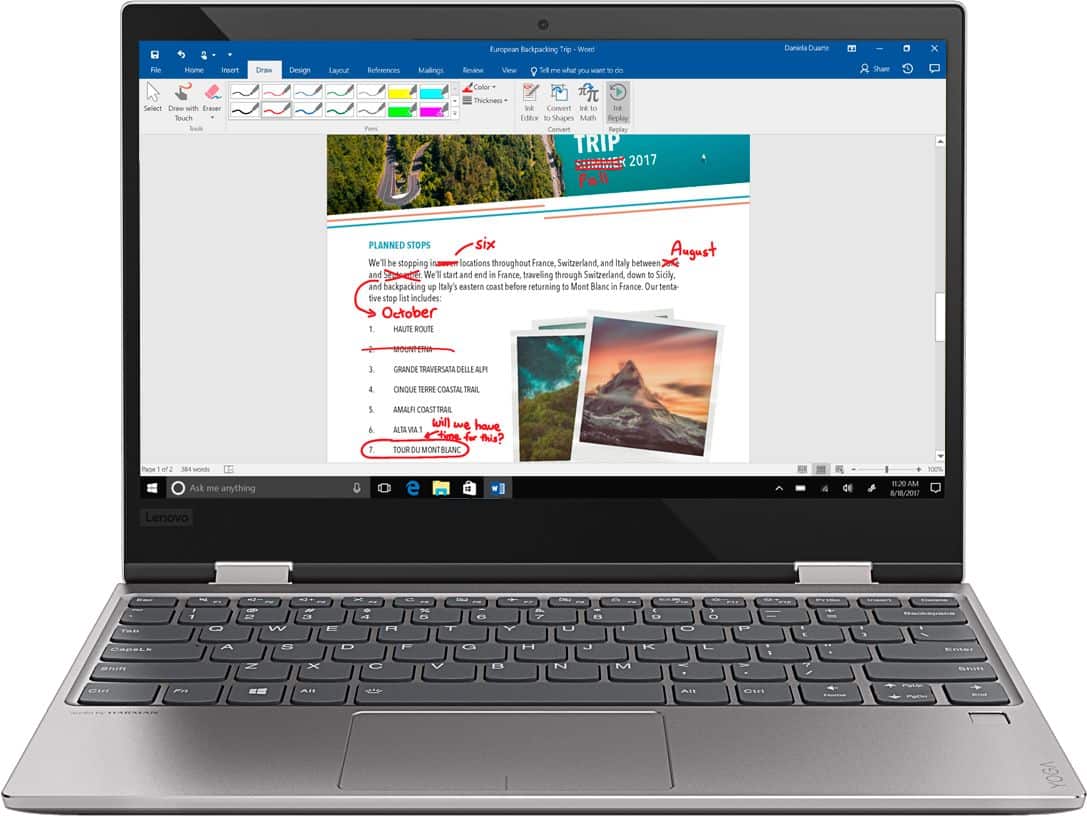
Customers recognize the Yoga 720 as a portable, lightweight, and fast laptop. They appreciate its great price and perfect weight for using on the lap. However, some users have experienced issues with the touchpad and battery life, and a few have complained about the mouse disappearing occasionally.
This summary was generated by AI based on customer reviews.
- Pros mentioned:Portable
Excellent computer, excellent value
||Posted .This reviewer received promo considerations or sweepstakes entry for writing a review.Used by my wife for personal things--email, internet, skype with grandkids, etc. Lightweight, convenient, plenty fast.
I would recommend this to a friendBrand response from Lenovo Product Expert
Posted .Thank you for choosing the Lenovo Yoga 720-12 for your wife. We are pleased to hear that the Yoga 720-12 is working out so well for your wife.

- Pros mentioned:Fast
The speed is good enough, but
||Posted .This reviewer received promo considerations or sweepstakes entry for writing a review.THe speed is good enough, but the system is bad that I need to reinstall the system again due to the malfunction of touch pad after only 2 days.
No, I would not recommend this to a friendBrand response from Lenovo Product Expert
Posted .We are sorry to hear that you are having issues with your Lenovo Yoga 720-12. There is a new driver update that will correct this issue with the touch pad. Follow the link below to look for new driver updates for your specific system. You can also run diagnostics from the Lenovo site as well. As always, be sure to create a restore point on your system before you make any changes. You can do this by just typing "restore point" in the search window within Cortana and follow the link to create a restore point. Here is the link:
https://pcsupport.lenovo.com/us/en/products/laptops-and-netbooks/yoga-series/yoga-720-12ikb/downloads
- Pros mentioned:Portable
Great laptop very fast
||Posted .This reviewer received promo considerations or sweepstakes entry for writing a review.it’s very fast for Core i3 and super light. I would recommend this to any who is looking for a lightweight laptop.
I would recommend this to a friendBrand response from Lenovo Product Expert
Posted .Thank you for choosing the Lenovo Yoga 720-12. We are pleased to hear that the features and performance of the Yoga 720-12 meets your computing needs so well.
Awesome budget laptop
||Posted .This reviewer received promo considerations or sweepstakes entry for writing a review.The specs on this lap top are entry level, but they fit my needs. I will only use this for report writing at work with Microsoft word and Adobe with a little YouTube mixed in. So far no issues. I had my brother in law remove all the bloatware immediately. If you're going to be using photoshop or multitasking, I would probably recommend upgrading to the next higher model with a better processor and better graphics. Overall this is a great computer for the price.
I would recommend this to a friendBrand response from Lenovo Product Expert
Posted .Thank you for choosing the Lenovo Yoga 720-12. You can maintain the health of the device and keep the operating software up to date easily. This system has Lenovo utilities installed to help maintain the health of the device and keep the operating system software up to date. Type "Lenovo Vantage" in the Cortana Search window (if Lenovo Vantage is not installed on your device, you can download the APP and install it now). Select Lenovo Vantage from the list. In the window that opens, click on "Health and Support". In the expanded menu, select "Hardware Scan" In the window that opens, select "Run Quick Tests". This will scan your entire system for errors. Follow any directions that may pop up. If the problem continues after this scan, now click on "System Update". First select Windows update from the menu. Scan your system to be sure you have the latest version of Windows 10. Once that scan is complete, select "Additional Updates". This will scan your device to be sure there are no new BIOS/Driver updates needed. Follow any instructions that may pop up.
- Pros mentioned:Price
Good for writing programs
||Posted .This reviewer received promo considerations or sweepstakes entry for writing a review.Got this Lenovo yoga open box for $300. Only using it for writing. It’s not powerful enough for games.
I would recommend this to a friend Good product
||Posted .This reviewer received promo considerations or sweepstakes entry for writing a review.Seems to be a good product with no problems during a short period of use. I due wish it came with a faster processor at the same price. I have some issues with the keyboard since I inadvertently touch keys tht I did not intend to touch.
I would recommend this to a friendBrand response from Lenovo Product Expert
Posted .Thank you for choosing the Lenovo Yoga 720-12. We are pleased to hear that the Yoga 720-12 is working out for you.
- Pros mentioned:Portable
Great size for my daughter
||Posted .This reviewer received promo considerations or sweepstakes entry for writing a review.The laptop is great I like the size and heavy and touch screen my daughter love it is great for school projects.
I would recommend this to a friendBrand response from Lenovo Product Expert
Posted .Thank you for choosing the Lenovo Yoga 720-12 for your daughter. We are pleased to hear that the features and performance of the Yoga 720-12 meets your daughter's computing needs so well.
- Pros mentioned:Light
love it
||Posted .This reviewer received promo considerations or sweepstakes entry for writing a review.awesome laptop for school, light to carry on person and in backpack. fast and simple layout and easy to use
I would recommend this to a friendBrand response from Lenovo Product Expert
Posted .Thank you for choosing the Lenovo Yoga 720-12. We are pleased to hear that the ease of use and performance of the Yoga 720-12 meets your computing needs so well.
- Pros mentioned:Light
Great laptop
||Posted .This reviewer received promo considerations or sweepstakes entry for writing a review.I bought this laptop for school and it works perfect! Light weight, touch screen, and turns into a tablet.
I would recommend this to a friendBrand response from Lenovo Product Expert
Posted .Thank you for choosing the Lenovo Yoga 720-12. We are pleased to hear that the features and performance of the Yoga 720-12 meets your computing needs so well.
- Pros mentioned:Portable
Great laptop
||Posted .This reviewer received promo considerations or sweepstakes entry for writing a review.I bought this for my brother as a Christmas gift. He needed something lightweight and it’s perfecr
I would recommend this to a friend - Pros mentioned:Light
Very nice small system
||Posted .This reviewer received promo considerations or sweepstakes entry for writing a review.My granddaughter was able to set it in a very short time, she loves it since it’s light to carry to work,
I would recommend this to a friendBrand response from Lenovo Product Expert
Posted .Thank you for choosing the Lenovo Yoga 720-12 for your grand daughter. We are pleased to hear that the features and performance of the Yoga 720-12 meets your daughter's business computing needs so well.
- Cons mentioned:Touchpad issue
great 2 in 1 - laptop and table
||Posted .This reviewer received promo considerations or sweepstakes entry for writing a review.only issue is with the touchpad mouse. It will not work unless you log out or restart the computer.
I would recommend this to a friendBrand response from Lenovo Product Expert
Posted .Thank you for choosing the Lenovo Yoga 720-12. Regarding the touchpad you mention, it could be a driver/BIOS software update that is necessary to correct the problem. This system has Lenovo utilities installed to help maintain the health of the device and keep the operating system software up to date. Type "Lenovo Vantage" in the Cortana Search window. Select Lenovo Vantage from the list. In the window that opens, click on "Health and Support". In the expanded menu, select "Hardware Scan" In the window that opens, select "Run Quick Tests". This will scan your entire system for errors. Follow any directions that may pop up. If the problem continues after this scan, now click on "System Update". First select Windows update from the menu. Scan your system to be sure you have the latest version of Windows 10. Once that scan is complete, select "Additional Updates". This will scan your device to be sure there are no new BIOS/Driver updates needed. Follow any instructions that may pop up. If the issue still continues after these updates, we recommend you call Lenovo Tech Support at: 877-453-6686 for additional help.
- Pros mentioned:Portable
Nice, Portable, Fast
||Posted .This reviewer received promo considerations or sweepstakes entry for writing a review.It’s a nice 12.5” laptop. Very nice to use for college as it easily fits in my back pack no problem.
I would recommend this to a friendBrand response from Lenovo Product Expert
Posted .Thank you for choosing the Lenovo Yoga 720-12. We are pleased to hear that the Yoga 720-12 meets your computing needs so well.
- Pros mentioned:Portable
simple to use
||Posted . Owned for more than 2 years when reviewed.This reviewer received promo considerations or sweepstakes entry for writing a review.this is perfect for my daily use. it is lightweight and user friendly.
I would recommend this to a friend - Pros mentioned:Portable
Very nice
||Posted . Owned for more than 2 years when reviewed.This reviewer received promo considerations or sweepstakes entry for writing a review.This laptop has helped me a lot for my work, it is strong and very compact
I would recommend this to a friend - Cons mentioned:Battery life
Lenovo Yoga Laptop
||Posted . Owned for more than 2 years when reviewed.This reviewer received promo considerations or sweepstakes entry for writing a review.It's ok. Battery does not last long at all. Disappointed. The touch screen is handy when you are in a place and don't have a mouse.
No, I would not recommend this to a friend - Pros mentioned:Fast
Love it
||Posted .This reviewer received promo considerations or sweepstakes entry for writing a review.The computer is awesome. It is fast, easy to use. Everything I was looking for and more!
I would recommend this to a friend Size is perfect for occasional use
||Posted .This reviewer received promo considerations or sweepstakes entry for writing a review.The Yoga was just what I was looking for. Compact, simple, and fast. Only complaint is it comes with 1 USB port. I had to buy a Bluetooth mouse so I could use the USB for flash drives and other devices.
I would recommend this to a friend- Pros mentioned:Fast
Great size for wife's "stuff"
||Posted .This reviewer received promo considerations or sweepstakes entry for writing a review.Nice small unit for wife to use and move around, take with her when traveling. Good speed.
I would recommend this to a friendBrand response from Lenovo Product Expert
Posted .Thank you for choosing the Lenovo Yoga 720-12 for your wife. We are pleased to hear that the Yoga 720-12 meets your wife's computing needs so well.
Love this laptop!
||Posted .This reviewer received promo considerations or sweepstakes entry for writing a review.Sleek and light. Easy to use. The cursor disappears when you 'wake' the laptop up from it's sleep mode, which is annoying but the touch screen works perfectly.
I would recommend this to a friendBrand response from Lenovo Product Expert
Posted .Thank you for choosing the Lenovo Yoga 720-12. The issue with the cursor you describe was caused by a recent Windows 10 update and there is a driver/BIOS update that corrects the issue. Follow the link below to look for new driver updates for your specific system. Use the "Update Your System" feature to be sure you get all of the BIOS and drive updates for your specific device. As always, be sure to create a restore point on your system before you make any changes. You can do this by just typing "restore point" in the search window within Cortana and follow the link to create a restore point. If the problem persists, we recommend you call Lenovo Tech Support at: 877-453-6686. Here is the link:
https://pcsupport.lenovo.com/us/en/products/laptops-and-netbooks/yoga-series/yoga-720-12ikb?linkTrack=Caps%3ABody_SearchProduct&searchType=3&keyWordSearch=Yoga%2520720-12IKB%2520Laptop%2520%2528ideapad%2529