Customer Ratings & Reviews


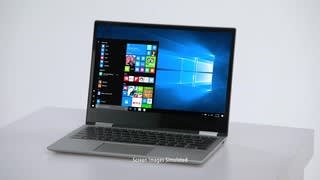

- Model:
- 80X7001TUS
- SKU:
- 5722736
Rating by feature
- Value
Rating 4.1 out of 5 stars
- Quality
Rating 4.1 out of 5 stars
- Ease of Use
Rating 4.5 out of 5 stars
Customers are saying
Customers praise the Yoga 720 for its fast performance, sleek design, and responsive touch screen. They appreciate the great value for the price, long battery life, and light weight. However, some customers have concerns about the limited number of ports and the fan noise.
This summary was generated by AI based on customer reviews.
Lenova 720
||Posted .This reviewer received promo considerations or sweepstakes entry for writing a review.I just purchased the Lenova which was highly recommended and love it
I would recommend this to a friendGood product
||Posted .This reviewer received promo considerations or sweepstakes entry for writing a review.The quality is ok m. The screen is a little big yellow.
I would recommend this to a friendBrand response from Lenovo Product Expert
Posted .We are sorry to hear that you are having issues with the screen color on your Lenovo Yoga 720-15. Here is a link to some tips for correcting this yellow tint issue within Windows 10: https://windowsreport.com/windows-10-yellow-tint-fix/

Its ok
||Posted .This reviewer received promo considerations or sweepstakes entry for writing a review.Its .............................................. ok
No, I would not recommend this to a friendBrand response from Lenovo Product Expert
Posted .The Lenovo Yoga 720-15 ships with a powerful Quad-Core/Eight-Thread Intel Core i7-7700HQ processor, 8GB of DDR4-2133MHz RAM and a 256GB solid state hard drive. This configuration has a 15.6" (measured diagonally) 1920 x 1080 (FHD) resolution screen, with a brightness level of 300 nits. This configuration can handle many of today's most demanding programs and is good with multi-tasking. If this describes the kind of computing you do, the Lenovo IdeaPad 330s-15 will be a great choice for you.
Quality not good
||Posted .This reviewer received promo considerations or sweepstakes entry for writing a review.Some times the key board not working in some parts.
No, I would not recommend this to a friendBrand response from Lenovo Product Expert
Posted .We are sorry to hear you are having issues with your Lenovo Yoga 720-15. We recommend you call Lenovo Tech Support for help with the keyboard issue you describe. The number is: 877-453-6686.
Works great.......when it works
||Posted .This reviewer received promo considerations or sweepstakes entry for writing a review.Had to be sent out for a week within first year for battery replacement, now, after $1500 and less than 3 years after purchase, blinking keyboard and power button. Will not buy Lenovo again
No, I would not recommend this to a friendZero stars
||Posted . Owned for 1.5 years when reviewed.This reviewer received promo considerations or sweepstakes entry for writing a review.If I could give this computer and the Lenovo customer service zero stars I would. My yogas touchscreen has stopped working...its a 2 n 1 laptop that shouldn't happen. I bought this in 1/2018, it's in wonderful condition and I actually barely use it. I have always regretted the purchase because of how much money it was BUT now I regret it even more. I wish I would have returned it when possible. Now I'm going to have to pay to ha e someone look at it when this is obviously something wrong with the product. I will never ever purchase another Lenovo product again.
No, I would not recommend this to a friendFried Itself
||Posted .This reviewer received promo considerations or sweepstakes entry for writing a review.I had gotten the computer on a Friday, on Sunday - by the time I had loaded all my files and everything on to it - I was using Excel to keep track of my finances. In the midst of this, the fan started spinning really fast, and the next thing I knew it just shut off. I could smell something burnt out of the charging outlet and from the keyboard so I have to assume this is just another poorly made product by Lenovo. Best Buy was super great about the return and exchange though, so that's a plus.
No, I would not recommend this to a friendUnderlying hardware issue; bad experience
||Posted . Owned for more than 2 years when reviewed.This reviewer received promo considerations or sweepstakes entry for writing a review.Bought in Mar, 2018. Started having issues by end of 2018. The issue was that the laptop used to enter sleep mode as soon as you move it. in late 2019 it used to crash/sleep mode even if it's stable and no movement. Finally in 2020, as soon as I start, it enters sleep mode within 10 secs. I'm returning it as I cannot get any work done. Hopefully I can retrieve all my data into a hard drive.
No, I would not recommend this to a friendLap top Lemon
||Posted .This reviewer received promo considerations or sweepstakes entry for writing a review.I loved my amazingly beautiful brand new and exciting laptop until I no longer could connect to the internet. That happened less than a month after I purchased the computer. I called The Geek Squad and she recommended I turn it in and get a completely different computer as this one is a lemon. She did not mean the type of lap top I chose was a lemon but just that this particular one was.
No, I would not recommend this to a friendBrand response from Lenovo Product Expert
Posted .This sounds like a Windows 10 automatic update issue. There may be wireless LAN driver updates for your specific system. Follow the link below to look for new driver updates for your specific system. You can also run diagnostics from the Lenovo site as well. As always, be sure to create a restore point on your system before you make any changes. You can do this by just typing "restore point" in the search window within Cortana and follow the link to create a restore point. Here is the link: https://pcsupport.lenovo.com/us/en/products/laptops-and-netbooks/yoga-series/yoga-720-15ikb/80x7/80x7001tus/downloads
Integrated Graphics No-Go
||Posted .This reviewer received promo considerations or sweepstakes entry for writing a review.If you are looking for external monitor use out of this laptop, it will not work.
No, I would not recommend this to a friendBrand response from Lenovo Product Expert
Posted .This system has a Thunderbolt 3.1 port which carries both HD audio and video. If you need to connect to an external HDMI port, you can use a Thunderbolt to HDMI adapter to connect an external monitor.
The solid state hard drive failed
||Posted . Owned for 1 year when reviewed.This reviewer received promo considerations or sweepstakes entry for writing a review.The solid state hard drive failed in less than 1.5 years.
No, I would not recommend this to a friend- Cons mentioned:Ports
Lenovo's take on Dell's XPS15
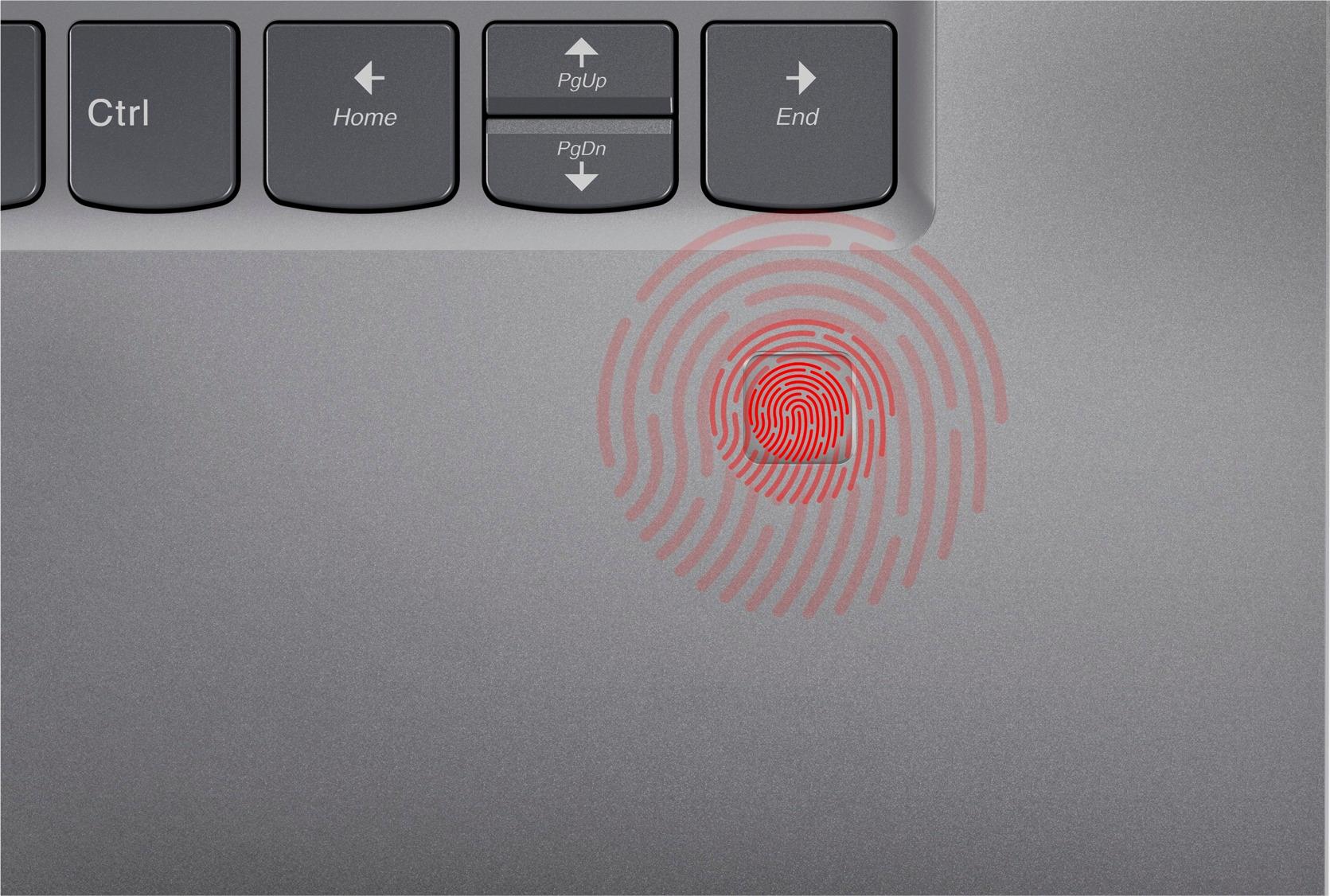
Posted .This reviewer received promo considerations or sweepstakes entry for writing a review.Normally I don't review products, I read reviews, tons of reviews, then make my purchase. But, this one had no reviews. So, why not be the first to review :D I picked up my Yoga-720 for school, and already upgraded the OS to "Windows 10 Creators Update, version 1703 (fresh install). Yay! And, here's why I think this is a good laptop: So far, this machine runs really-really well, much faster, and smoother than my laptops with more energy efficient Intel U & M series processors. Not to mention considerably thicker in size, but not as thick as some other power laptops out there, and it was expected from a performance machine like this. This was my first time playing with "Windows Hello" compatible fingerprint readers since it came out. And, it recognized my finger tapping on every single time, which is like 20/20 acceptance rate, even to the point that made me worry about possible false acceptance issue. But, it didn't recognize my other non-registered fingers, which was a relief. :) Slim bezels! I love how slim the bezel is! And, unlike XPS 15, Yoga 720's camera is located on the top of the screen, even with this slim bezel! JBL speakers produced nice and decent sound. Touchpad worked well, and keyboard was comfortable to type. It recognized and worked very well with my Dell (DisplayPort over USB Type C) docking station with dual 1080p monitors connected. NVIDIA® GeForce® GTX 1050M 2GB graphics card, and 2in1 is a nice features to have, but I don't think I'll be utilizing them fully. I don't play games, and this is a 15" computer (technically 2in1). Get a gaming desktop/laptop if you want to play high end games. Reason for only 4 stars: - There're no 4.5 star option available. BB? - Maximum of only 16GB of memory (8GB soldered) available. To be fair, 8GB is enough for most average users that run about 10-15 application instances simultaneously. - No charging capability through its Thunderbolt 3 USB Type C port, if you have USB Type C dock available. - Fan was a little loud during some app install, but I can live with it. - No HDMI, and Ethernet ports. You have to carry extra dongle(s) if you use those ports. I would definitely recommend this computer. I don't think you can find a better price, spec and quality elsewhere. I don't expect the quality would be as good as Thinkpad series, especially Carbon X1 5th GEN, but decent enough for mainstream consumers or slightly crazier computer enthusiasts like me. Perfect alternative for Dell's XPS 15 (9560), but definitely not an "XPS15 killer". If I could justify spending 2000-3000 on a laptop for what I do with them, there are some nice expensive laptops out there. Normally you get what you pay for. But this one was special! It's like love at first sight. I feel like I got more for what I paid for. Happy Friday!
I would recommend this to a friend - Pros mentioned:Fast, Sleek design
fast and lightweight- great for students
Posted .This reviewer received promo considerations or sweepstakes entry for writing a review.I got mine about four months ago and have had very few problems with it. It is fast, lightweight, and easy to use! I am a student and it makes it very easy for me to keep up with all of my classes and it helps me to stay organized! However, over the last few months, I have had a few blue screen crashes (I don't really know if it is a problem with all Yoga 720s or just mine) but they only last for about 10-20 seconds each time, which is nice.
I would recommend this to a friendBrand response from Lenovo Product Expert
Posted .Thank you for choosing the Lenovo Yoga 720-15. We are sorry to hear about the crashes you are experiencing. Recently, there was a major Windows 10 update that may require driver updates. Follow the link below to look for new driver updates for your specific system. You can also run diagnostics from the Lenovo site as well. As always, be sure to create a restore point on your system before you make any changes. You can do this by just typing "restore point" in the search window within Cortana and follow the link to create a restore point. Here is the link:
https://pcsupport.lenovo.com/us/en/products/laptops-and-netbooks/yoga-series/yoga-720-15ikb/80x7/80x7001tus/downloads
Broken laptop
||Posted .This reviewer received promo considerations or sweepstakes entry for writing a review.It came to me broken and every since then I’m trying to fix it with Lenovo and get it back with the same problem.. shuts down immediately and not charging. I am a student who spent most of my money on this laptop. And very disappointed
No, I would not recommend this to a friendBrand response from Lenovo Product Expert
Posted .We are sorry to hear you are having issues with your Yoga 720-15. We recommend you call Lenovo Tech Support at: 877-453-6686.
Nightmare
||Posted .This reviewer received promo considerations or sweepstakes entry for writing a review.Worst computer ever purchased. Windows 10 is impossible. Proof that change for the sake of change is awful. Many people I know say the same thing. Microsoft really blew it. Should have bought an Apple.
No, I would not recommend this to a friend- Pros mentioned:Fast, LightCons mentioned:Ports
Excellent work computer
Posted .This reviewer received promo considerations or sweepstakes entry for writing a review.Excellent computer that fits all my needs - web browsing, streaming videos and music, and word processing. Fast, light, compact, easily portable, and convenient to use. It doesn't have a lot of USB ports (only has 2), no CD/DVD drive, or Ethernet port. However, you can buy these separately and connect them to your Yoga via USB. Also, if you're going to use an external hard drive, keep in mind that the Yoga has insufficient voltage to maintain a connection to it, so if you connect it directly to a USB port in the Yoga, the external hard drive is probably going to disconnect/reconnect constantly. This problem is easily overcome, however, by connecting your external hard drive through an external USB hub that has its own power source (via wall outlet).
I would recommend this to a friendBrand response from Lenovo Product Expert
Posted .Thank you for choosing the Lenovo Yoga 720-15. We are pleased to hear that the Yoga 720-15 meets your computing needs so well.
Promptly returned
||Posted .This reviewer received promo considerations or sweepstakes entry for writing a review.The laptop was excellent....until you charge and try to use it at the same time. It would freeze every single time without fail and show the blue screen.
No, I would not recommend this to a friendBrand response from Lenovo Product Expert
Posted .We are sorry to hear that you are having issues with your Lenovo Yoga 720-15. Be sure any software you installed is compatible with Windows 10. There is no need to install Microsoft Office software. The software is already part of the operating system, you just need to activate the software with a purchased product key. If you have installed a copy of Microsoft Office, this is conflicting with the existing copy on the system and this will slow your system down. If you have installed a 3rd party anti-virus program, be sure that Windows Defender is turned off and that the trial version of McAfee Anti-Virus software is uninstalled. There can only be one anti-virus program on the system. You may need to restore your system to original factory default settings if any of the programing errors have occurred. You can do that by typing "restore" in the Cortana search window. Just click on the magnifying glass icon at the bottom left of your Windows 10 Desktop. Click on "Reset This PC" Then click on "Get Started" and follow the on screen directions to restore to factory defaults. If the problem persists, we recommend you contact Lenovo Tech Support at: 877-453-6686.
just got email
||Posted .This reviewer received promo considerations or sweepstakes entry for writing a review.I just purchased my laptop, and I received an email that I need to upgrade my geek squad membership, it hasn't even been a month yet
No, I would not recommend this to a friend- Pros mentioned:Light
Perfect for a traveling college student
Posted .This reviewer received promo considerations or sweepstakes entry for writing a review.I purchased this laptop over an ASUS one with similar specs that was around the same price, but had more negative reviews, weighed more, and had less battery life. So far, I am not regretting my choice. Let me begin by saying I bought this laptop for college and some light data entry for my summer job. I have had this laptop for 3 days, and have tested out programs and apps that I plan on using in college. I installed an anti-virus program, Microsoft office, Netflix, some games, and skype. I have used all of these without issue. The battery life is great, after the initial set up and installing my own programs and taking some of the preloaded ones off, it still had over half battery. It is light to carry, and pretty thin, but not a "cheap" thin where I'm afraid of snapping it. I will be traveling with it, so the light weight and thin size are perfect for my needs. Also, the laptop looks very professional in general. This was important to me as I am in business courses, and will be using this laptop for internships in large companies. The screen almost goes edge to edge, which looks amazing. Some other 15 inch laptops in the same price range have a smaller screen size, which does not appeal to me. The picture and speakers are also great quality; much better than I had expected. They were a pleasant surprise. As far as the noise complaints, I did notice some light "fan noise" when doing the initial set up and install, but it has been quiet since. Don't let it be a deal breaker, it really is minimal. In summary, this laptop has been amazing so far, and if anything changes I will update my review. It is ideal for a traveling college student. I spent weeks agonizing and reading reviews to determine what laptop would work best for me. I hope this helps you.
I would recommend this to a friendBrand response from Lenovo Product Expert
Posted .Thank you for choosing the Lenovo Yoga 720-15. We are pleased to hear that the value, features and performance of the Yoga 720-15 meets your expectations and comput9ing needs so well.
Returned
||Posted .This reviewer received promo considerations or sweepstakes entry for writing a review.I was disappointed with the laptop I purchased because it wouldn't even finish the initial set up process.
No, I would not recommend this to a friendBrand response from Lenovo Product Expert
Posted .This system is equipped with OneKey Recovery System. There is a very small pin hole on the left side of the device, right near the headphone jack on the device. You will need a pin to push this reset button. Plug the device in. Let the battery charge for about 15 minutes. Push the reset button. The system should boot to a choice screen where you can choose "Restore To Factory Default". Select this. It will delete everything from the hard drive except the original factory install of the operating system. You will need to reinstall all programs and files after the reset. If you don't have copies of the files, try to make one before you restore by selecting "Boot to desktop" and trying to back up your files.