Customer Ratings & Reviews
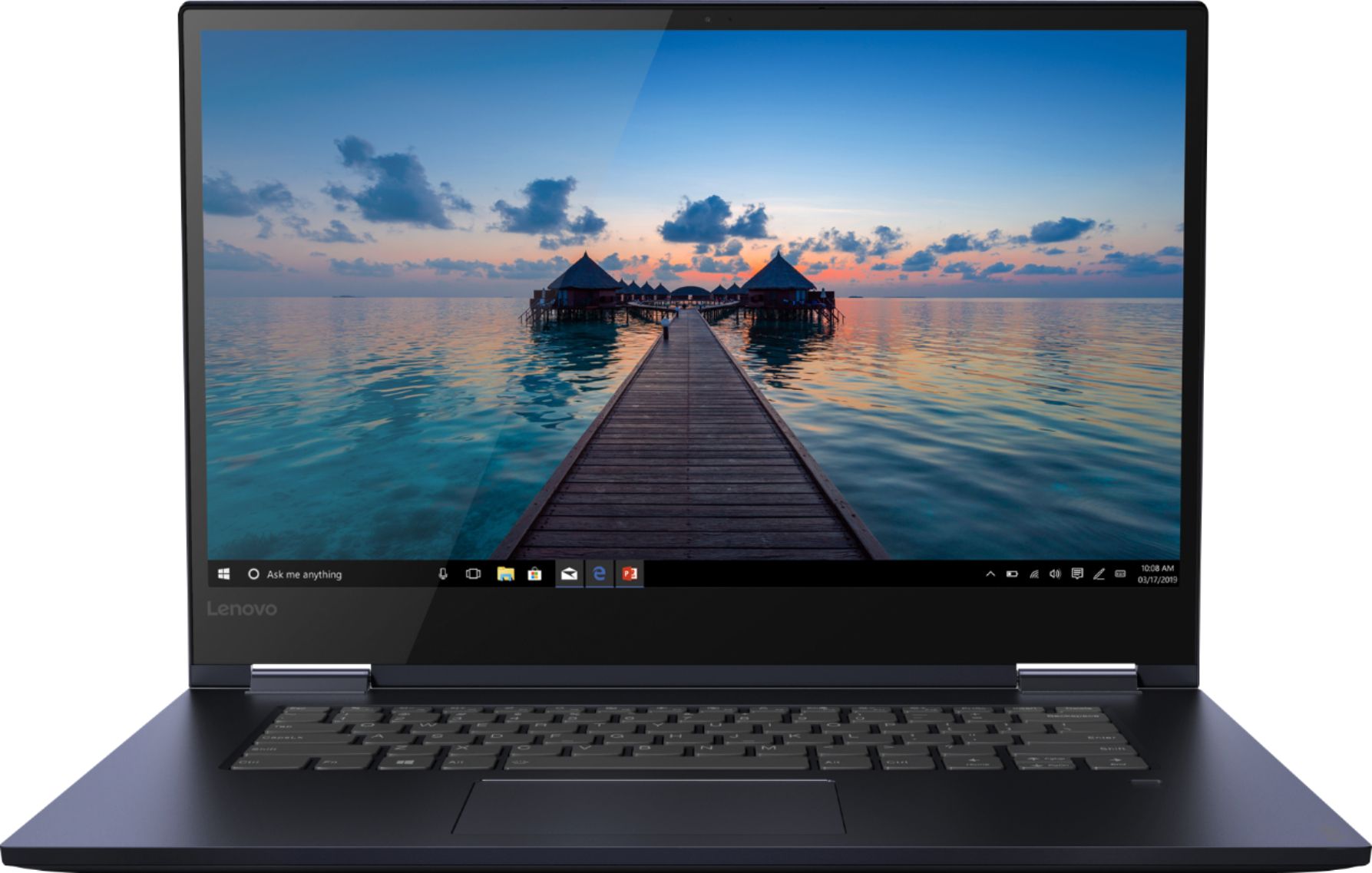

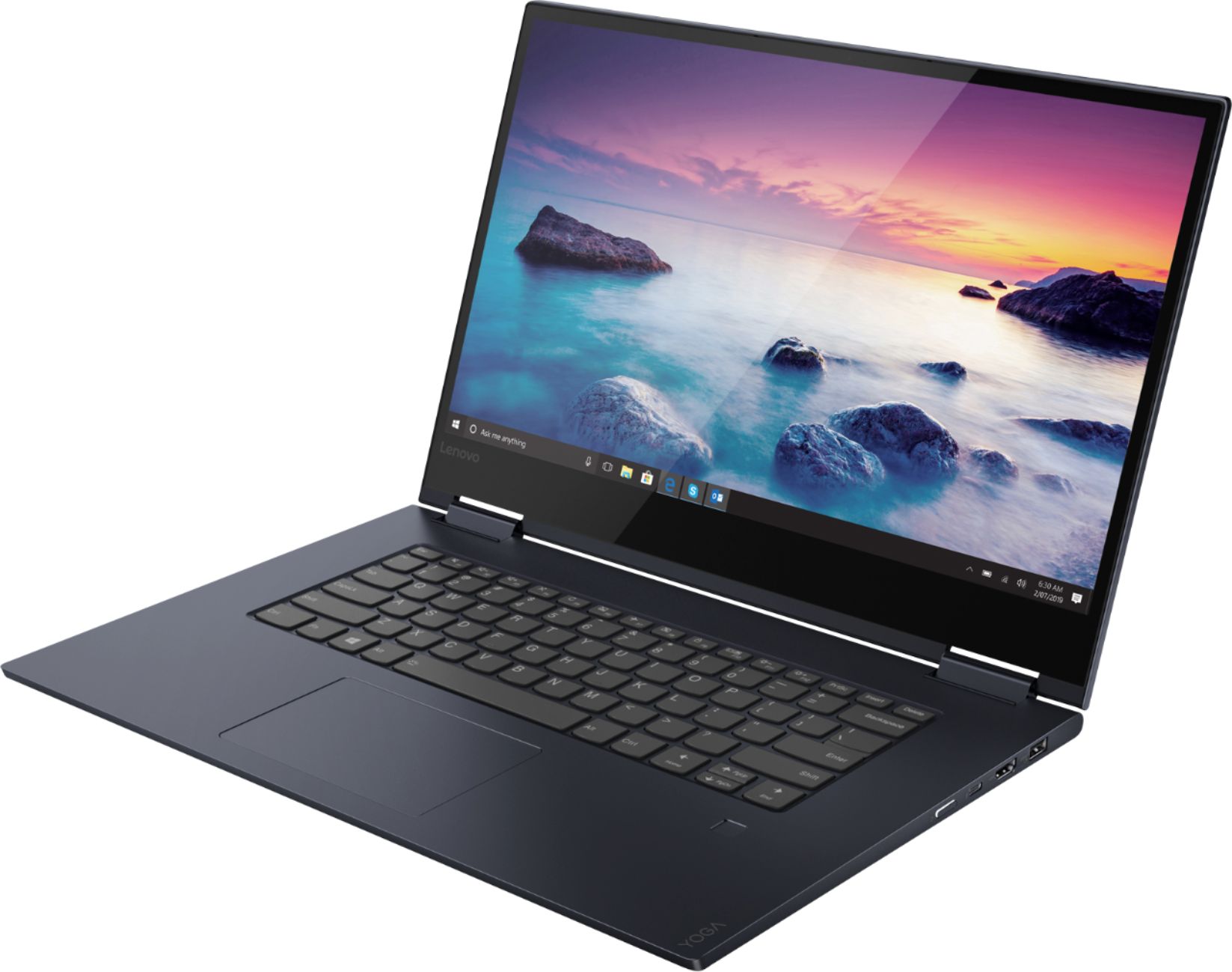
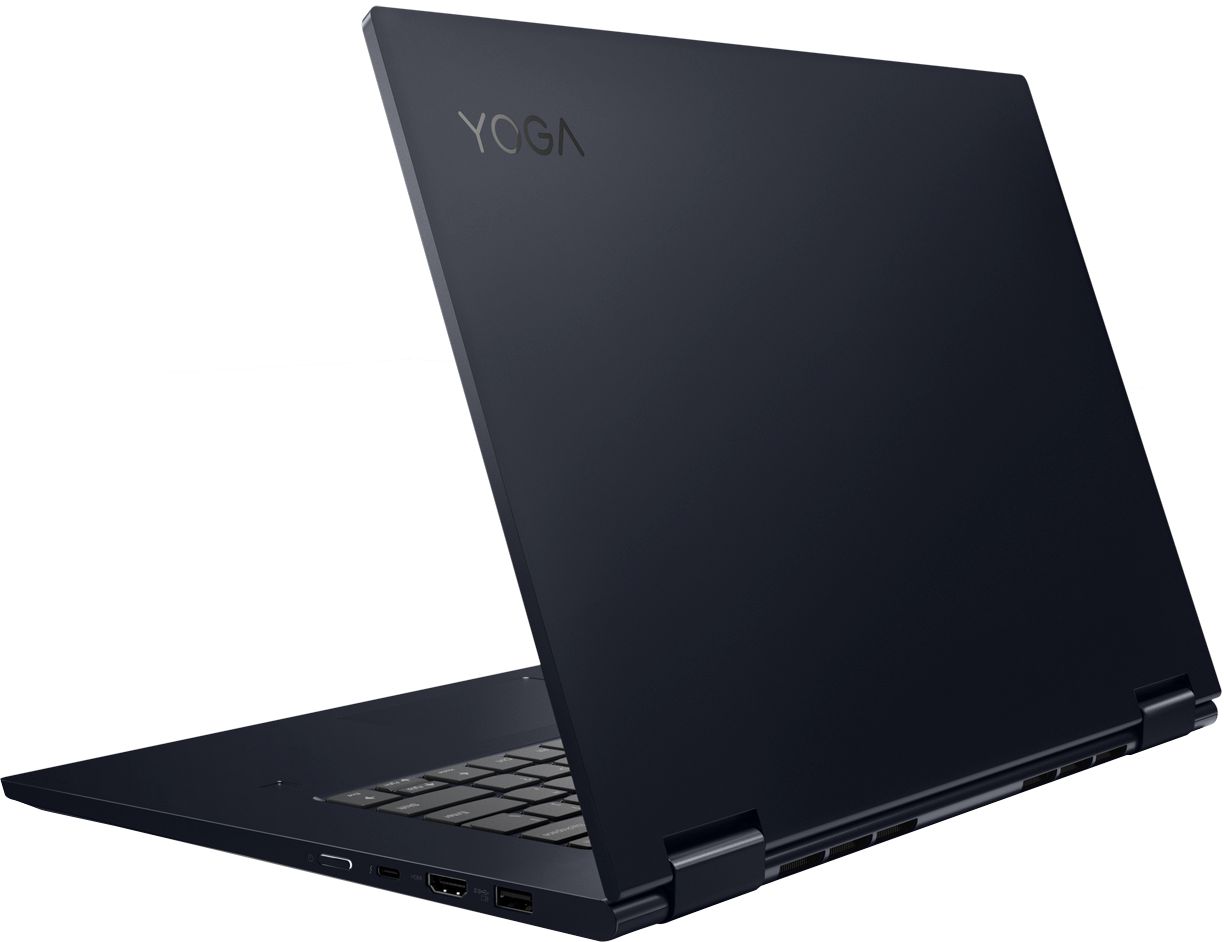
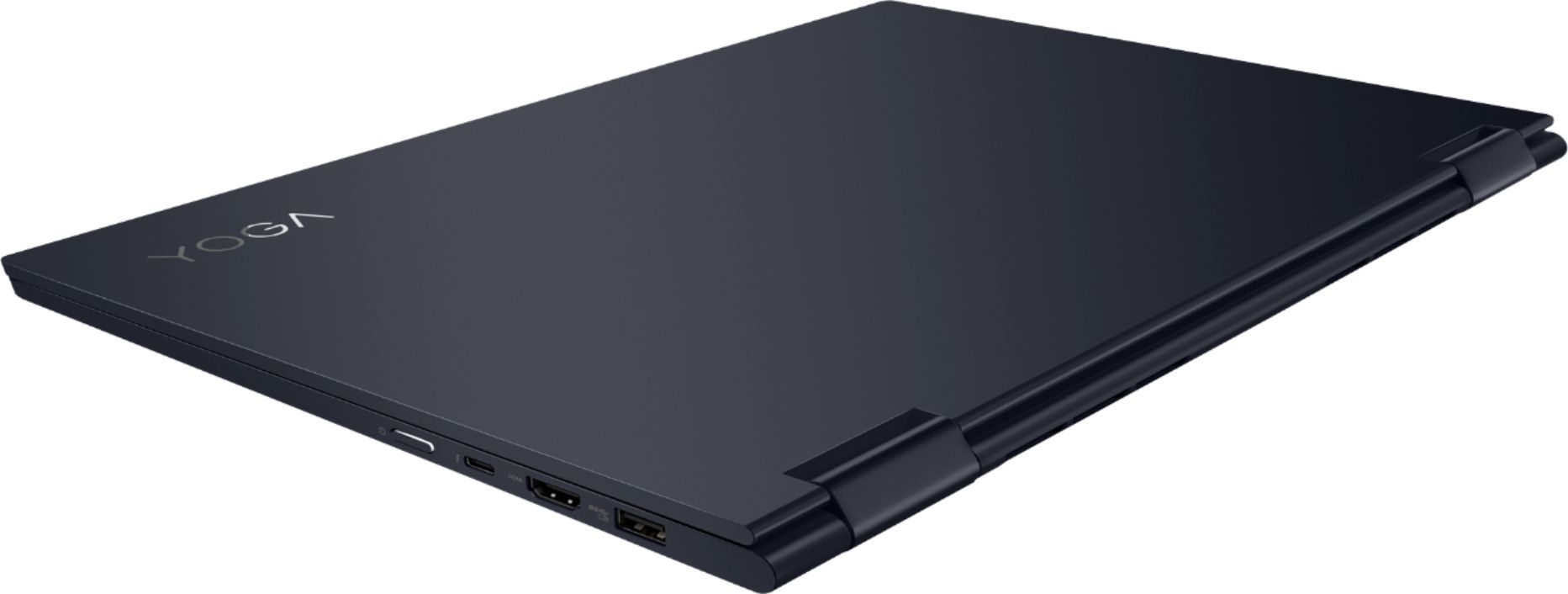





- Model:
- 81JS005BUS
- SKU:
- 6331991
Rating by feature
- Value
Rating 4.5 out of 5 stars
- Quality
Rating 4.5 out of 5 stars
- Ease of Use
Rating 4.6 out of 5 stars
Customers are saying
Customers appreciate the Yoga 730 2-in-1 laptop for its touch screen, speed, lightweight design, and affordable price. Some users have concerns about the fingerprint scanner requiring a driver update, battery life, and weight.
This summary was generated by AI based on customer reviews.
Good computer. I wish it came with a digital pen.
||Posted .This reviewer received promo considerations or sweepstakes entry for writing a review.Good computer. I wish it came with a digital pen.
I would recommend this to a friendMixed Feelings
||Posted . Owned for 9 months when reviewed.This reviewer received promo considerations or sweepstakes entry for writing a review.The computer has excellent specs but the hinges used on the rotating screen are bad. They ended up cracking the screen. When Lenovo fixed it, they included more support for the hinges. I was irritated to say the least.
No, I would not recommend this to a friendGood Laptop
||Posted . Owned for 3 weeks when reviewed.This reviewer received promo considerations or sweepstakes entry for writing a review.In general I'm not disappointed but I wished it had a little more umph. It can be a little slow with video. The other issue I am having with it is it keeps dropping the WIFI signal in my house. Other than those two issues I like it.
No, I would not recommend this to a friendBrand response from Lenovo Product Expert
Posted .We are sorry to hear that you are having issues with your Lenovo Yoga 730-15. This is a fast configuration with its 8th. Generation, Quad-Core/Eight-Thread Intel Core i5-8265U processor, with an energy saving (longer battery life) 1.6GHz base speed and a Turbo Boost speed of up to 3.9GHz for maximum computing speed for processes like video playback. This processor is supported by 12GB DDR4-2400MHz RAM. This configuration is good for many of today's most demanding programs, browsing the internet with multiple tabs open. Be sure any software you installed is compatible with Windows 10. There is no need to install Microsoft Office software. The software is already part of the operating system, you just need to activate the software with a purchased product key. If you have installed a copy of Microsoft Office, this is conflicting with the existing copy on the system and this will slow your system down. If you have installed a 3rd party anti-virus program, be sure that Windows Defender is turned off and that the trial version of McAfee Anti-Virus software is uninstalled. There can only be one anti-virus program on the system. You may need to restore your system to original factory default settings if any of the programing errors have occurred. You can do that by typing "restore" in the Cortana search window. Just click on the magnifying glass icon at the bottom left of your Windows 10 Desktop. Click on "Reset This PC" Then click on "Get Started" and follow the on screen directions to restore to factory defaults. Regarding WiFi connectivity issues, be sure you have the latest version of Windows 10 on the computer. Then update all of the BIOS files and drivers up to that latest version of Windows 10. This system has Lenovo utilities installed to help maintain the health of the device and keep the operating system software up to date. Type "Lenovo Vantage" in the Cortana Search window (if Lenovo Vantage is not installed on your device, you can download the APP and install it now). Select Lenovo Vantage from the list. In the window that opens, click on "Health and Support". In the expanded menu, select "Hardware Scan" In the window that opens, select "Run Quick Tests". This will scan your entire system for errors. Follow any directions that may pop up. If the problem continues after this scan, now click on "System Update". First select Windows update from the menu. Scan your system to be sure you have the latest version of Windows 10. Once that scan is complete, select "Additional Updates". This will scan your device to be sure there are no new BIOS/Driver updates needed. Follow any instructions that may pop up. If the issue still continues after these updates, we recommend you call Lenovo Tech Support at: 877-453-6686 for additional help

Falls apart just after warranty
||Posted . Owned for 1 year when reviewed.This reviewer received promo considerations or sweepstakes entry for writing a review.Bought June of last year. Screen dies in July just out of warranty of course. Otherwise it was a good laptop. Screen never hit, dropped, damaged or even taken out of the house. Just flickered and died.
No, I would not recommend this to a friendLasted 7 months
||Posted . Owned for 7 months when reviewed.This reviewer received promo considerations or sweepstakes entry for writing a review.had to send in for repair after 7 months, it just turned off and never restarted again.. been waiting for some response about it asked for text and email remarks sent it back 5 days ago still no word..
No, I would not recommend this to a friend- Cons mentioned:Customer service
Laptop non-functional after 5 weeks!
||Posted . Owned for 2 months when reviewed.This reviewer received promo considerations or sweepstakes entry for writing a review.There is a problem with the computer freezing up. My 15" Yoga started freezing after 3 weeks, and now it won't boot up at all. I have a MacBook Air that has worked for 8 years with no problem. Tried to take the Yoga back, but Best Buy won't take it after 30 days. Wow, thanks...
No, I would not recommend this to a friendBrand response from Lenovo Product Expert
Posted .We are sorry to hear that you are having issues with the Windows 10 Operating System on your Lenovo Yoga 730-15. Windows 10 should not freeze. Be sure any software you installed is compatible with Windows 10. There is no need to install Microsoft Office software. The software is already part of the operating system, you just need to activate the software with a purchased product key. If you have installed a copy of Microsoft Office, this is conflicting with the existing copy on the system and this will slow your system down. If you have installed a 3rd party anti-virus program, be sure that Windows Defender is turned off and that the trial version of McAfee Anti-Virus software is uninstalled. There can only be one anti-virus program on the system. You may need to restore your system to original factory default settings if any of the programing errors have occurred. You can do that by typing "restore" in the Cortana search window. Just click on the magnifying glass icon at the bottom left of your Windows 10 Desktop. Click on "Reset This PC" Then click on "Get Started" and follow the on screen directions to restore to factory defaults. If the problem persists, we recommend you contact Lenovo Tech Support at: 877-453-6686
Not UHD graphics as the specifications say
||Posted . Owned for less than 1 week when reviewed.This reviewer received promo considerations or sweepstakes entry for writing a review.Recently bought this laptop due to the specifications stating that it had the upgraded UHD Graphics 620 in it, but in fact after running tests with Intel software for upgrades, it's actually the older HD Graphics 620. The UHD runs better, as it is boosted over the HD. This should be changed on the website so that it represents the real Intel card. I'll probably be returning this device as it doesn't play certain games that the UHD can run but which the HD card cannot.
No, I would not recommend this to a friendBrand response from Lenovo Product Expert
Posted .The Lenovo Yoga 730-15, model number 81JS005BUS, ships with a IPS LCD w/LED Backlight screen, with a resolution of 1920 x 1080 (FHD). The Yoga 730-15 model number 81JS005BUS, has the 8th. Generation, Intel Quad-Core/Eight-Thread Intel Core i5-8265U processor with integrated Intel UHD Graphics 620 graphics processing.
Arrived Defective
||Posted . Owned for 1 year when reviewed.This reviewer received promo considerations or sweepstakes entry for writing a review.Really liked the laptop, but it gave blue screen of error 3 times in 4 days after i turned it on. Wanted to exchange it for a replacement but couldn't cos it was sold out.
No, I would not recommend this to a friendGood until screen came out and broke
||Posted . Owned for 2 months when reviewed.This reviewer received promo considerations or sweepstakes entry for writing a review.The laptop worked pretty well until one day I opened it and the screen came out of the frame. When I put it back it cracked. I called lenovo and they told me that I have to take to the geek squad. They got it and told me they will review the incident. A week later I got a phone call stating they need my approval. They wanted me to approve a $270 repair????? Are you kidding?? The screen is coming out, a manufacturer defect, and lenovo/geek squad agreed that I pay for it? No more lenovo for me. Never trusted geek squad and never will. Amazon does better with a cheaper extended warranty plan.
No, I would not recommend this to a friend- Cons mentioned:Fingerprint scanner
Dont even think about using the fingerprint reader
||Posted . Owned for less than 1 week when reviewed.This reviewer received promo considerations or sweepstakes entry for writing a review.I am on my 2nd laptop. Purchased on the 13th gave it to my girl for her BDay. She was so excited it had a fingerprint reader. Guess what?? It doesn't work.... Took it back to BestBuy and got another one because my girl loved it. Today is the 18th. Fingerprint worked one time. Reset laptop even tried to reinstall the drivers. Same issue... Will not recognize finger.
No, I would not recommend this to a friendBrand response from Lenovo Product Expert
Posted .We are sorry to hear that you are having issues with the fingerprint reader on your Lenovo Yoga 730-15. First, be sure you have the latest version of Windows 10 on the computer. Then update all of the BIOS files and drivers, including those drivers running the fingerprint reader as well. This is easily accomplished by scanning the computer with the Lenovo Utility software installed on the computer. This system has Lenovo utilities installed to help maintain the health of the device and keep the operating system software up to date. Type "Lenovo Vantage" in the Cortana Search window (if Lenovo Vantage is not installed on your device, you can download the APP and install it now). Select Lenovo Vantage from the list. In the window that opens, click on "Health and Support". In the expanded menu, select "Hardware Scan" In the window that opens, select "Run Quick Tests". This will scan your entire system for errors. Follow any directions that may pop up. If the problem continues after this scan, now click on "System Update". First select Windows update from the menu. Scan your system to be sure you have the latest version of Windows 10. Once that scan is complete, select "Additional Updates". This will scan your device to be sure there are no new BIOS/Driver updates needed. Follow any instructions that may pop up. If the issue still continues after these updates, we recommend you call Lenovo Tech Support at: 877-453-6686 for additional help. Here is a link to troubleshooting fingerprint reader issues: https://www.drivereasy.com/knowledge/lenovo-fingerprint-reader-not-working-windows-10-solved/
Okay for 3 months now it freezes and shuts down.
||Posted . Owned for 3 months when reviewed.This reviewer received promo considerations or sweepstakes entry for writing a review.Purchased this then realized it is too big for commuting to school, couldn’t return it because of Best Buy’s bogus return policy, even though it came out of the box once and was in perfect working condition. Now it can’t turn on for more than 2 minutes without having a mental breakdown. Don’t recommend purchasing, put your money into something that will last longer than 3 months.
No, I would not recommend this to a friendBrand response from Lenovo Product Expert
Posted .We are sorry to hear that you are having issues with your Lenovo Yoga 730-15. Be sure any software you installed is compatible with Windows 10. There is no need to install Microsoft Office software. The software is already part of the operating system, you just need to activate the software with a purchased product key. If you have installed a copy of Microsoft Office, this is conflicting with the existing copy on the system and this will slow your system down. If you have installed a 3rd party anti-virus program, be sure that Windows Defender is turned off and that the trial version of McAfee Anti-Virus software is uninstalled. There can only be one anti-virus program on the system. You may need to restore your system to original factory default settings if any of the programing errors have occurred. You can do that by typing "restore" in the Cortana search window. Just click on the magnifying glass icon at the bottom left of your Windows 10 Desktop. Click on "Reset This PC" Then click on "Get Started" and follow the on screen directions to restore to factory defaults. If the problem persists, we recommend you contact Lenovo Tech Support at: 877-453-6686.
Great Quality...questionable keyboard
||Posted . Owned for 1 month when reviewed.This reviewer received promo considerations or sweepstakes entry for writing a review.Fantastic picture, great processing. Keyboard has weird feel. Integral mouse seems to stick at times.
I would recommend this to a friendWorks fine
||Posted . Owned for 6 months when reviewed.This reviewer received promo considerations or sweepstakes entry for writing a review.Didn’t have number keyboard which didn’t notice when I ordered online. Just didn’t work for me.
No, I would not recommend this to a friendBrand response from Lenovo Product Expert
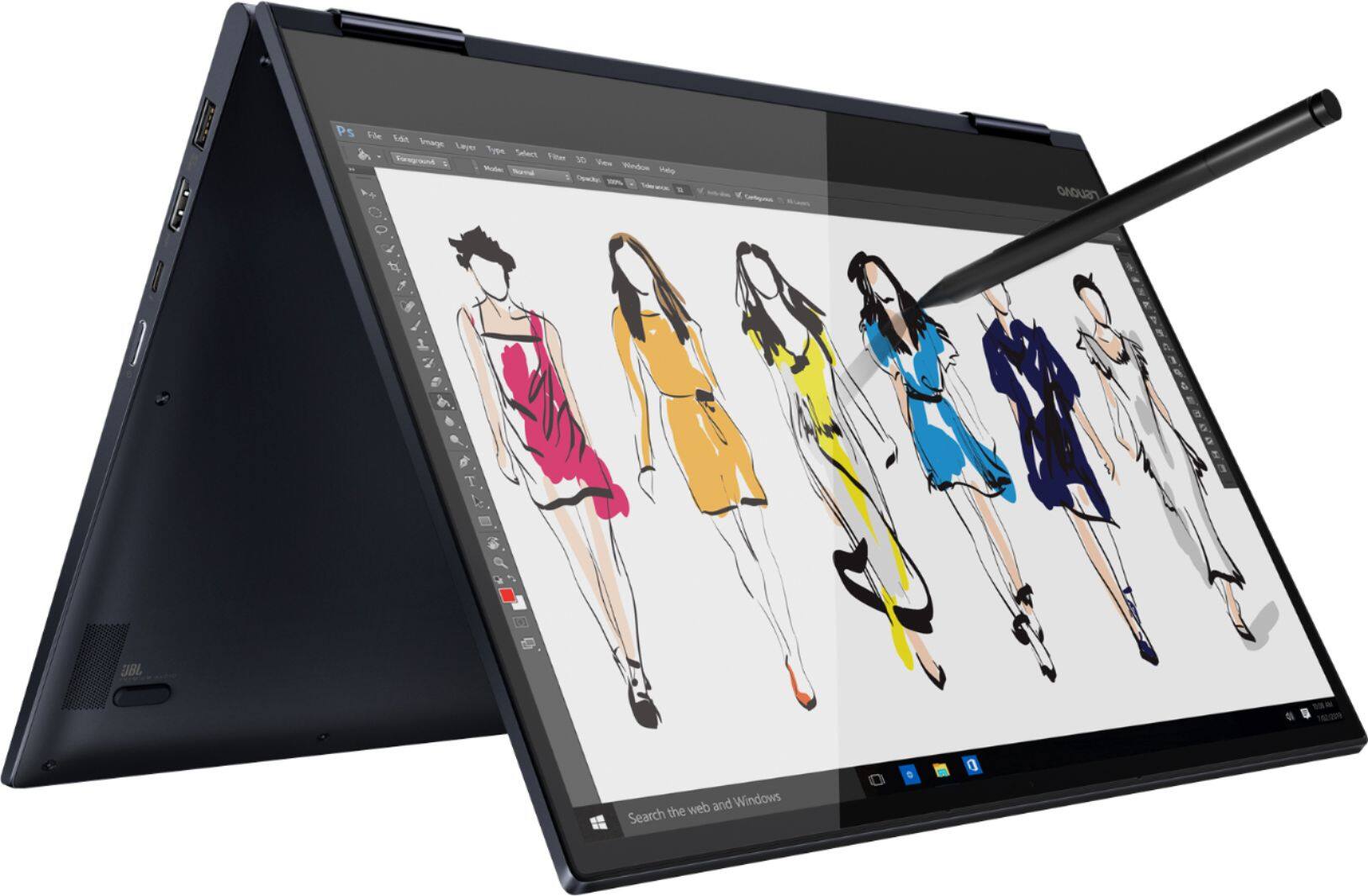
Posted .You can transition from tablet model to laptop mode and back with the new Yoga 730-15. Weighing in at 4.2 lbs and polished in premium aluminum, the Yoga 730-15 will complement your style no matter where the day takes you. The latest 8th generation Intel Core i5 processor gives the Yoga 730-15 up to a 40 percent performance boost with unprecedented touchscreen and pen responsiveness (active pen sold separately), faster bootups, and seamless multitasking. All of this speed and power to amplify your productivity and help you be ready at a moments notice. Experience truly immersive sound with Dolby Atmos, which creates a three-dimensional audio space. Sound comes alive with fullness and depth when you listen through headphones.
Have not used yet. Set up was to hard for me
||Posted . Owned for 3 weeks when reviewed.This reviewer received promo considerations or sweepstakes entry for writing a review.Probably bought to much computer for my use. Hope to get it set up to use in the near future.
No, I would not recommend this to a friendBrand response from Lenovo Product Expert
Posted .Here is a link to a YouTube video showing how to setup Windows 10 for the first time: https://www.youtube.com/watch?v=Kmy1vAbztRw. Once you have setup Windows 10, here is a link to a library of instructional videos about Windows 10: https://www.youtube.com/results?search_query=how+do+i+use+windows+10&sp=mAEB
hate this laptop
||Posted . Owned for 1 month when reviewed.This reviewer received promo considerations or sweepstakes entry for writing a review.Way too sensitive. I have the sensitivity turned down as low as possible and I still have problems with weird things happening. Fonts and windows suddenly enlarging, texts getting highlighted, different windows popping open, cursor jumping to different parts of my texts. I've had laptops before, never with these problems.
No, I would not recommend this to a friendBrand response from Lenovo Product Expert
Posted .We are sorry to hear that you are having issues with your Lenovo Yoga 730-15. It is possible, that while you are using the keyboard, you are in advertently making contact with the touchpad. With regard to the touchpad, you can make adjustments to the touchpad in your system settings. You can get there by clicking on the magnifying glass at the bottom left of your Windows 10 screen. Type "touchpad" in the search window. Select "Mouse & touchpad settings" from the list of choices. You can make general adjustments to the touchpad there. You can also select "Additional mouse options" for more detailed adjustments to the touchpad sensitivity by increasing the delay of the touchpad. If the issue persists after using the "Additional Mouse Options" settings, we recommend you call Lenovo Tech Support at: 877-453-6686.
nice computer
||Posted . Owned for 1 month when reviewed.This reviewer received promo considerations or sweepstakes entry for writing a review.it is light weight, nice pitcher. have not spent much time looking at all it can do
I would recommend this to a friendBrand response from Lenovo Product Expert
Posted .You can transition from tablet model to laptop mode and back with the new Yoga 730-15. Weighing in at 4.2 lbs and polished in premium aluminum, the Yoga 730-15 will complement your style no matter where the day takes you. The latest 8th generation Intel Core i5 processor gives the Yoga 730-15 up to a 40 percent performance boost with unprecedented touchscreen and pen responsiveness (active pen sold separately), faster bootups, and seamless multitasking. All of this speed and power to amplify your productivity and help you be ready at a moments notice. Experience truly immersive sound with Dolby Atmos, which creates a three-dimensional audio space. Sound comes alive with fullness and depth when you listen through headphones.
Poor quality keyboard
||Posted . Owned for 1 year when reviewed.This reviewer received promo considerations or sweepstakes entry for writing a review.Processing power and display is decent. Keyboard is problematic - a few keys stopped working within first 3 months. Contacted Lenovo customer service within one year of the warranty period to replace the keys. They gave an estimate of 6-8 weeks. I am not sure if I would buy it again.
No, I would not recommend this to a friendGets the job done
||Posted . Owned for 1 month when reviewed.This reviewer received promo considerations or sweepstakes entry for writing a review.Yet another Windows machine. Nothing extraordinary but it gets the job done.
I would recommend this to a friendBrand response from Lenovo Product Expert
Posted .You can transition from tablet model to laptop mode and back with the new Yoga 730-15. Weighing in at 4.2 lbs and polished in premium aluminum, the Yoga 730-15 will complement your style no matter where the day takes you. The latest 8th generation Intel Core i5 processor gives the Yoga 730-15 up to a 40 percent performance boost with unprecedented touchscreen and pen responsiveness (active pen sold separately), faster bootups, and seamless multitasking. All of this speed and power to amplify your productivity and help you be ready at a moments notice. Experience truly immersive sound with Dolby Atmos, which creates a three-dimensional audio space. Sound comes alive with fullness and depth when you listen through headphones.
Good computer but found it cheaper
||Posted .This reviewer received promo considerations or sweepstakes entry for writing a review.Good for the price and the 12 GM ram makes it so web surfing has no issues
I would recommend this to a friendSlow but easy to use
||Posted .This reviewer received promo considerations or sweepstakes entry for writing a review.This was not as expected. Slow laptop even it have 12gb ssd. Camera ok.
I would recommend this to a friendBrand response from Lenovo Product Expert
Posted .The Lenovo Yoga 730-15 ships with the powerful Quad-Core/Eight-Thread Intel Core i5-8265U processor, supported by 12GB DDR4-2400MHz RAM and a 256GB solid state hard drive. If you are experiencing slower performance, be sure any software you installed is compatible with Windows 10. There is no need to install Microsoft Office software. The software is already part of the operating system, you just need to activate the software with a purchased product key. If you have installed a copy of Microsoft Office, this is conflicting with the existing copy on the system and this will slow your system down. If you have installed a 3rd party anti-virus program, be sure that Windows Defender is turned off and that the trial version of McAfee Anti-Virus software is uninstalled. There can only be one anti-virus program on the system. You may need to restore your system to original factory default settings if any of the programing errors have occurred. You can do that by typing "restore" in the Cortana search window. Just click on the magnifying glass icon at the bottom left of your Windows 10 Desktop. Click on "Reset This PC" Then click on "Get Started" and follow the on screen directions to restore to factory defaults. If the problem persists, we recommend you contact Lenovo Tech Support at: 877-453-6686