Customer Ratings & Reviews






- Model:
- 81JS005BUS
- SKU:
- 6331991
Rating by feature
- Value
Rating 4.5 out of 5 stars
- Quality
Rating 4.5 out of 5 stars
- Ease of Use
Rating 4.6 out of 5 stars
Customers are saying
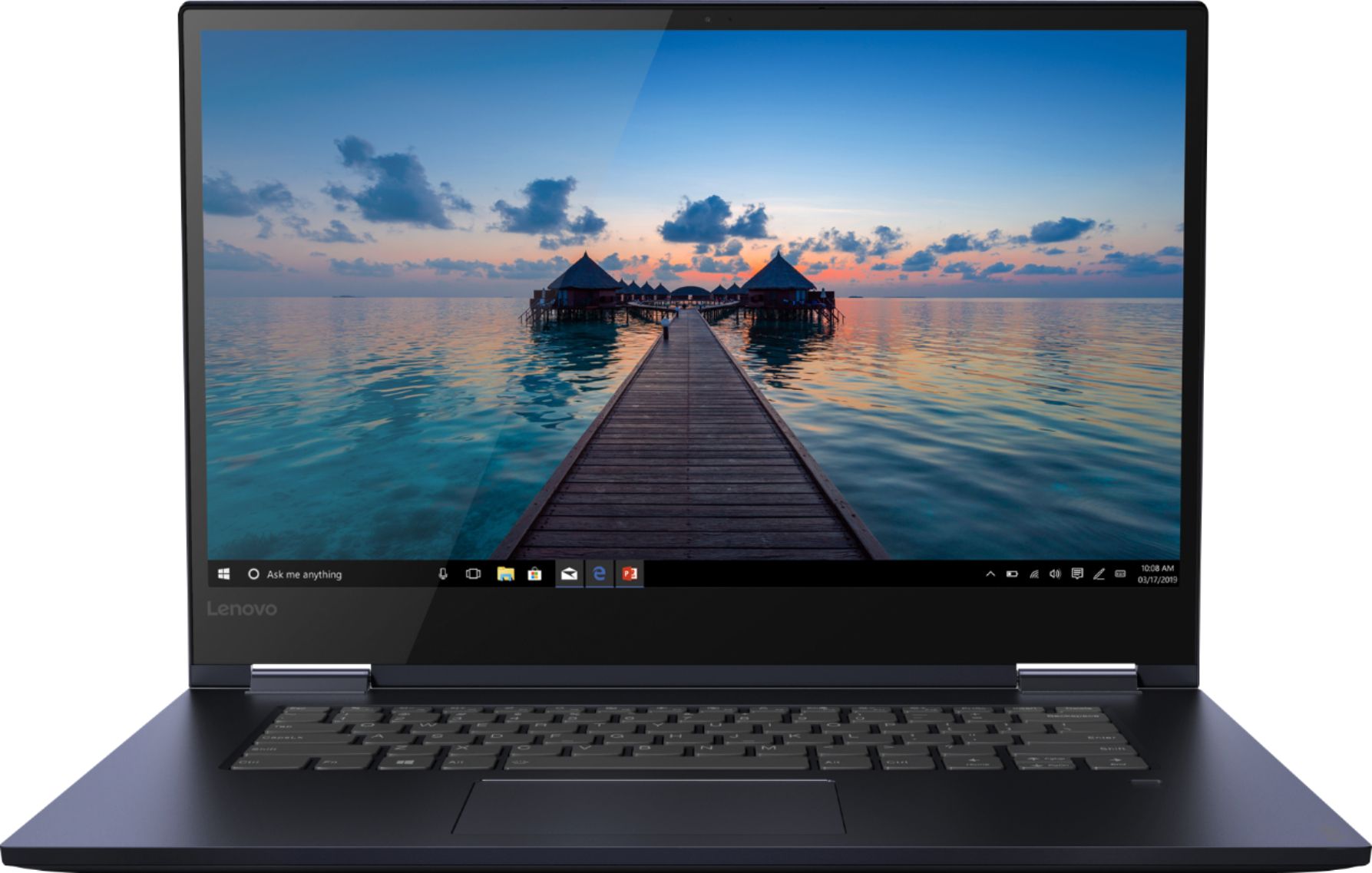
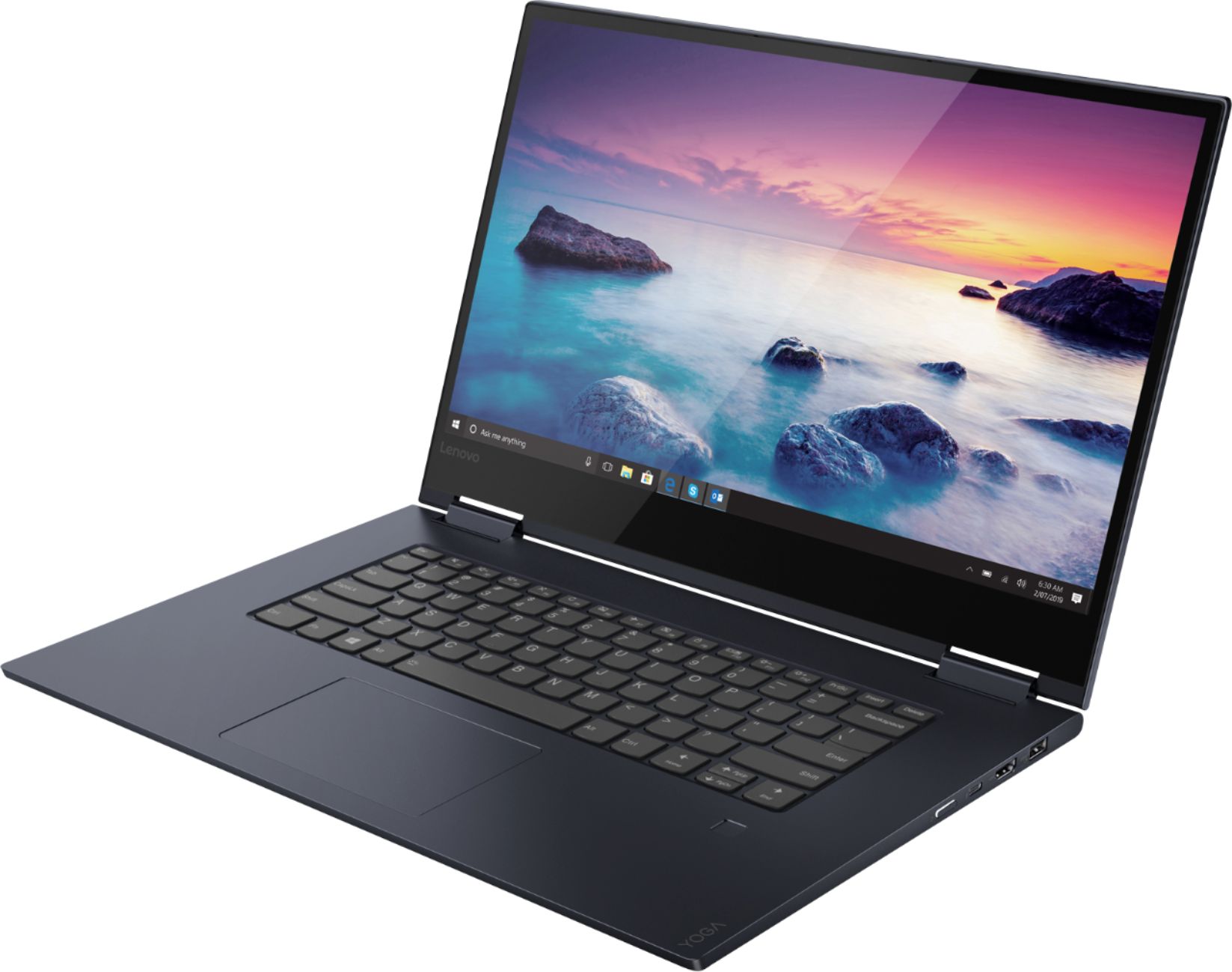
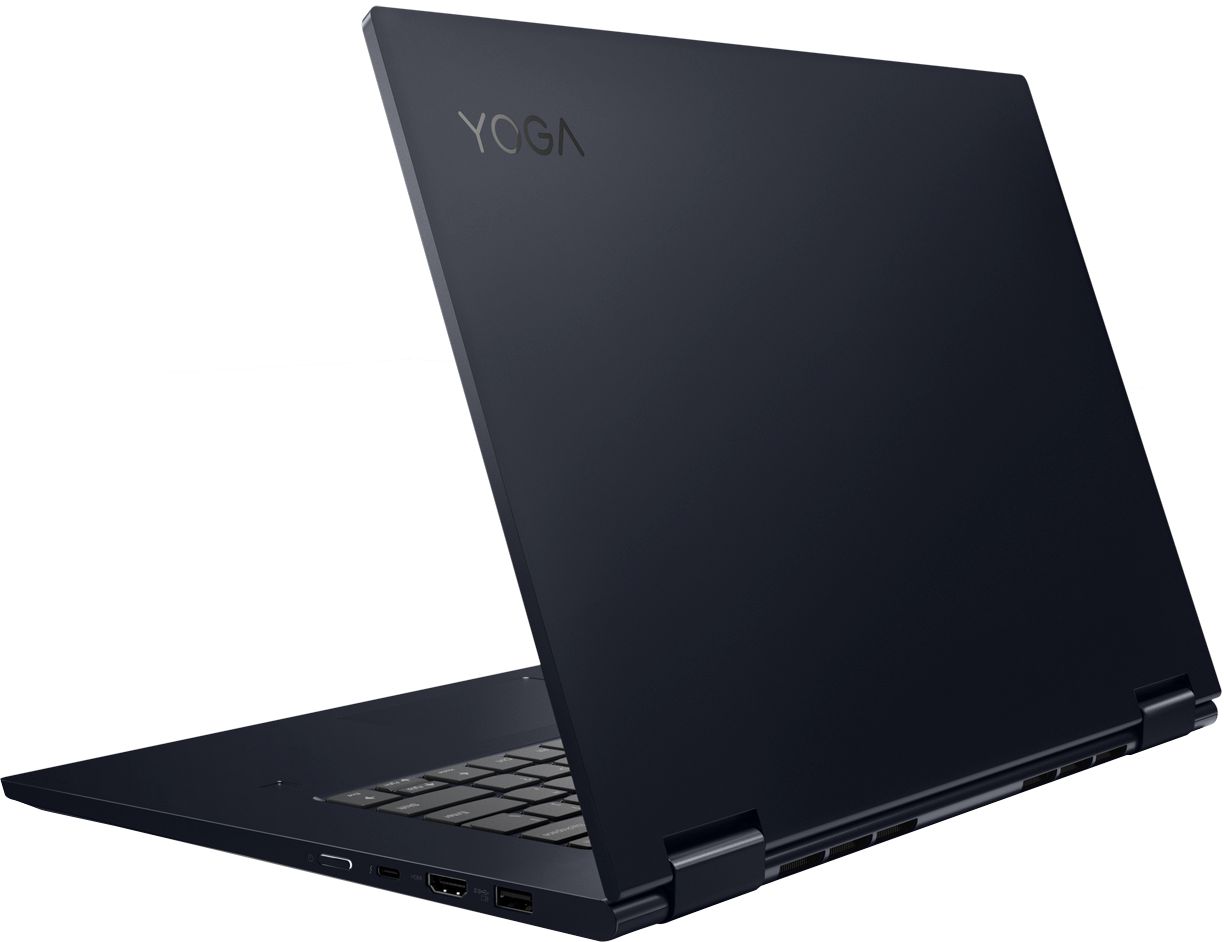
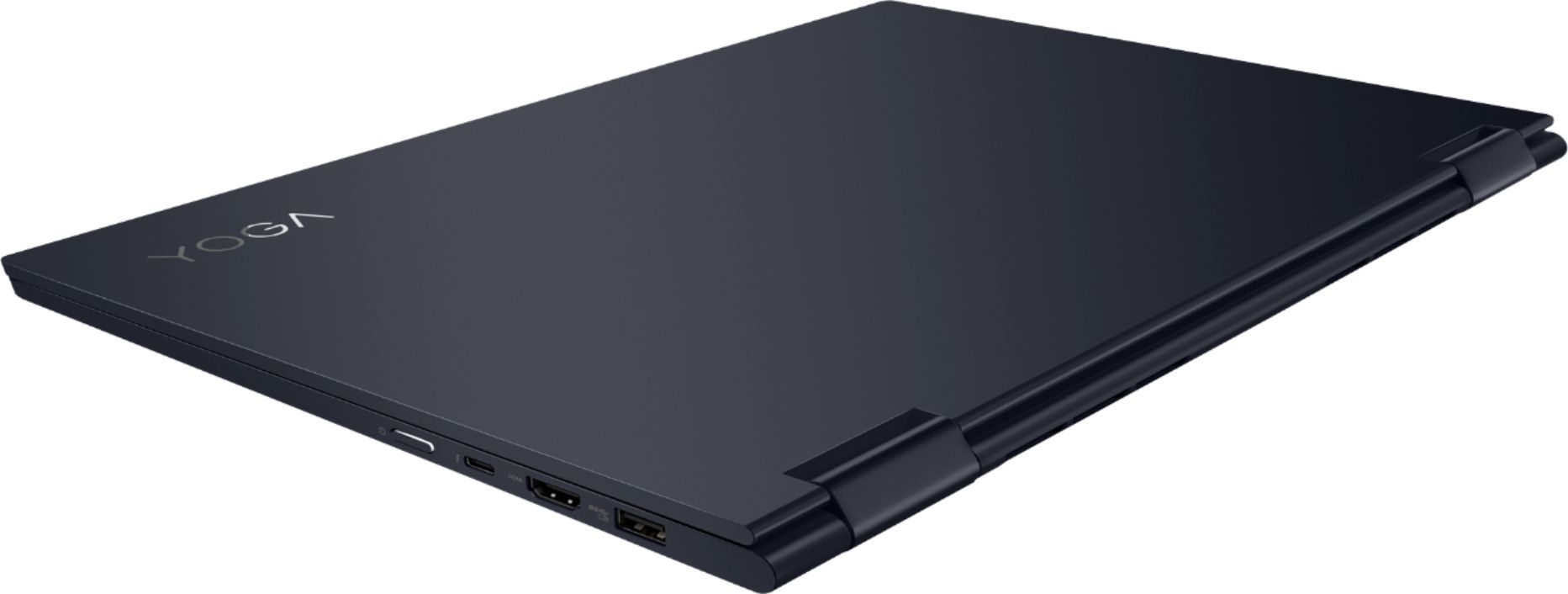
Customers appreciate the Yoga 730 2-in-1 laptop for its touch screen, speed, lightweight design, and affordable price. Some users have concerns about the fingerprint scanner requiring a driver update, battery life, and weight.
This summary was generated by AI based on customer reviews.
lap top not good
||Posted . Owned for 3 weeks when reviewed.This reviewer received promo considerations or sweepstakes entry for writing a review.Many of the amenities on the lap top would not perform as advertised.
No, I would not recommend this to a friendit was a gift.
||Posted . Owned for 1 month when reviewed.This reviewer received promo considerations or sweepstakes entry for writing a review.Not sure, it was a gift. Not sure it was a gift!!!
I would recommend this to a friendBrand response from Lenovo Product Expert
Posted .You can transition from tablet model to laptop mode and back with the new Lenovo Yoga 730-15. Weighing in at 4.2 lbs and polished in premium aluminum, the Yoga 730-15 will complement your style no matter where the day takes you. The latest 8th generation Intel Core i5 processor gives the Yoga 730-15 up to a 40 percent performance boost with unprecedented touchscreen and pen responsiveness (active pen sold separately), faster bootups, and seamless multitasking. All of this speed and power to amplify your productivity and help you be ready at a moments notice. Experience truly immersive sound with Dolby Atmos, which creates a three-dimensional audio space. Sound comes alive with fullness and depth when you listen through headphones.

Constantly Freezing
||Posted . Owned for 1 month when reviewed.This reviewer received promo considerations or sweepstakes entry for writing a review.This laptop constantly froze. When I brought it back to exchange it for a different one I couldn't even put in my password for them to factory reset it because it froze on the lock screen
No, I would not recommend this to a friendBrand response from Lenovo Product Expert
Posted .We are sorry to hear that you are having issues with your Lenovo Yoga 730-15. This model ships with Windows 10 Home Operating System. It should not freeze. It is possible that restoring the computer back to original factory settings will correct the issue. Since you can not log into the computer, this system is equipped with OneKey Recovery System. There is a very small pin hole on the left side of the device, right near the headphone jack on the device. You will need a pin to push this reset button. Plug the device in. Let the battery charge for about 15 minutes. Push the reset button. The system should boot to a choice screen where you can choose "Restore To Factory Default". Select this. It will delete everything from the hard drive except the original factory install of the operating system. You will need to reinstall all programs and files after the reset. If you don't have copies of the files, try to make one before you restore by selecting "Boot to desktop" and trying to back up your files. If the problem persists after the factory reset, we recommend you contact Lenovo Tech Support at: 877-453-6686.
Warranty problems
||Posted . Owned for 1 month when reviewed.This reviewer received promo considerations or sweepstakes entry for writing a review.We just bought this computer and the charger that came with it, is not working we call the store and its a whole process getting a charger for the computer ! I might just send the whole thing back because of this nonsense!
No, I would not recommend this to a friendBrand response from Lenovo Product Expert
Posted .We are sorry to hear that you are having issues with the charger that was supplied with your Lenovo Yoga 730-15. Be sure the issue is with the charger. Let the computer battery drain to below 50-percent charge, then plug the computer in and begin the charging process. If the computer begins charging, the issue is not with the charger. Check the Power Management settings within System Settings. Be sure Battery Conservation Mode is turned off. Here is a link to instructions for turning off Battery Conservation Mode:
https://support.lenovo.com/us/en/solutions/ht103159
3 Months and already having problems.
||Posted . Owned for 3 months when reviewed.This reviewer received promo considerations or sweepstakes entry for writing a review.This laptop was purchased open box and I was guaranteed it was fine. Barely used it for 3 months for school projects and posts and already giving issues. The laptop freezes up, sometimes doesn’t start up and the screen goes blank constant. Have to be tapping the screen to get it to come on. Took it to Best Buy and couldn’t be seen by the Geek Squad after having left work early to deal with this laptop. They offered me $50 trade in after I paid almost $600 in November of 2019 for it. It’s a complete insult! I will not buy anything from Best Buy again or ever buy an open box item. Going to reach out to Lenovo next. Let’s see why they tell me.
No, I would not recommend this to a friendBrand response from Lenovo Product Expert
Posted .We are sorry to hear that you are having issues with your Lenovo Yoga 730-15. If is possible that restoring your computer back to original factory settings may correct the problem. If you can not boot your computer to access the restore function (Follow these instructions to restore if you can boot the computer normally: https://support.microsoft.com/en-us/help/4026528/windows-10-reset-or-reinstall), this system is equipped with OneKey Recovery System. There is a very small pin hole on the left side of the device, right near the headphone jack on the device. You will need a pin to push this reset button. Plug the device in. Let the battery charge for about 15 minutes. Push the reset button. The system should boot to a choice screen where you can choose "Restore To Factory Default". Select this. It will delete everything from the hard drive except the original factory install of the operating system. You will need to reinstall all programs and files after the reset. If you don't have copies of the files, try to make one before you restore by selecting "Boot to desktop" and trying to back up your files. Once you have the computer restored, be sure any software you installed is compatible with Windows 10. There is no need to install Microsoft Office software. The software is already part of the operating system, you just need to activate the software with a purchased product key. If you have installed a copy of Microsoft Office, this is conflicting with the existing copy on the system and this will slow your system down. If you have installed a 3rd party anti-virus program, be sure that Windows Defender is turned off and that the trial version of McAfee Anti-Virus software is uninstalled. There can only be one anti-virus program on the system. You may need to restore your system to original factory default settings if any of the programming errors have occurred. You can do that by typing "restore" in the Cortana search window. Just click on the magnifying glass icon at the bottom left of your Windows 10 Desktop. Click on "Reset This PC" Then click on "Get Started" and follow the on screen directions to restore to factory defaults. If the problem persists, we recommend you contact Lenovo Tech Support at: 877-453-6686.
It’s an okay laptop
||Posted . Owned for 11 months when reviewed.This reviewer received promo considerations or sweepstakes entry for writing a review.Paid $700 for this laptop, only to have it break in its carrying case a month later. Power button stopped working, and numerous physical issues have occurred. Disappointed :/
No, I would not recommend this to a friend- Pros mentioned:Price, Touch screen
Know what you want before you do your research.
Posted .This reviewer received promo considerations or sweepstakes entry for writing a review.I just bought my computer today, so my reaction p.o.v. is based my experience hunting for the best computer to suit my needs. I'm originally a Mac user, and I use both PC and Mac platforms for teaching and graphic design. 3 years ago I purchase a cheap Dell laptop that had only an i3 intel core processor, 4GB's of RAM, 17" screen etc.. It was in my opinion a throw away computer that was only going to utilized as an internet surfing PC. At the time, I was using my work laptop, therefore I didn't have a need for a faster more efficient laptop for personal use. A month ago, I enrolled into online classes and the Dell was running a bit slow, so I decided to start with a clean slate so I performed a factory reset and permanently crippled the computer. It would not go past the set-up screen. I took it to the geek squad and they said it could possibly be this or that and it could cost me $350 to get it fixed. Jeez, that's how much the laptop costed me initially. At that point I knew it was time to buy a new computer. I went to Amazon, Newegg, Tiger direct, Staples, every online computer retailer I could find. Did all kinds of research. Then developed matrix of computers from different websites and their pricing, specs, and ratings. It was tiresome. The worst part was wasting time searching for a computer before I knew what I wanted. Please don't make this mistake. Once I knew what I wanted, it was hard finding it, especially for the right price. I wanted an i5 core with at least 12 GB RAM and a touch screen for around $500. I knew I was reaching for an unattainable feat, but I held out as long as I could before I went insane. Last night, I went down to BestBuy and went to every display looking for a touch screen laptop with an core i5 processor with at least 12 GB of RAM, and I saw this Lenovo Yoga and I was like, this would be the perfect computer, but it was $749.99. I tested it out, used the optional stylus pen, folded back the flip, and examined the sleek design. I was impressed with the solidness of the craftsmanship. Nothing about it, looked cheap. It just wasn't the right price. The very next day, I went back to the BB website to begin to compare pricing and specs with other computers elsewhere and lo & behold, it was on sale for $599. I was sold. Because of the sale, I was able get the service plan. When I have had it after a month, I will let you know how the performance is.
I would recommend this to a friendBrand response from Lenovo Product Expert
Posted .Thank you for choosing the Lenovo Yoga 730-15. We are pleased to hear that the value, features and performance of the Yoga 730-15 meets your computing needs so well. You can transition from tablet model to laptop mode and back with the new Yoga 730-15. Weighing in at 4.2 lbs and polished in premium aluminum, the Yoga 730-15 will complement your style no matter where the day takes you. The latest 8th generation Intel Core i5 processor gives the Yoga 730-15 up to a 40 percent performance boost with unprecedented touchscreen and pen responsiveness (active pen sold separately), faster bootups, and seamless multitasking. All of this speed and power to amplify your productivity and help you be ready at a moments notice. Experience truly immersive sound with Dolby Atmos, which creates a three-dimensional audio space. Sound comes alive with fullness and depth when you listen through headphones.
- Cons mentioned:Fingerprint scanner
hopefully they are not all as bad as this one
||Posted . Owned for 2 weeks when reviewed.This reviewer received promo considerations or sweepstakes entry for writing a review.fingerprint scanner never worked. Started to have a hard time turning on. Took it back. Best Buy gave me no trouble.
No, I would not recommend this to a friendBrand response from Lenovo Product Expert
Posted .We are sorry to hear that you had issues with your Lenovo Yoga 730-15. From the description of the issues you were having, it sounds like there may have been incompatible software installed. Be sure any software you installed is compatible with Windows 10. There is no need to install Microsoft Office software. The software is already part of the operating system, you just need to activate the software with a purchased product key. If you have installed a copy of Microsoft Office, this is conflicting with the existing copy on the system and this will slow your system down. If you have installed a 3rd party anti-virus program, be sure that Windows Defender is turned off and that the trial version of McAfee Anti-Virus software is uninstalled. There can only be one anti-virus program on the system. You may need to restore your system to original factory default settings if any of the programing errors have occurred. You can do that by typing "restore" in the Cortana search window. Just click on the magnifying glass icon at the bottom left of your Windows 10 Desktop. Click on "Reset This PC" Then click on "Get Started" and follow the on screen directions to restore to factory defaults. If the problem persists, we recommend you contact Lenovo Tech Support at: 877-453-6686
Not Geek Certified
||Posted . Owned for 2 months when reviewed.This reviewer received promo considerations or sweepstakes entry for writing a review.Before purchasing this laptop, I'd never had an issue purchasing Best Buy open box computers. This one...no. It had the sticker on it, but there was no way it was gone through. As for the computer, as it turns out, the Yoga just wasn't all that great. We bought a second one, and it didn't want to work either. I've got an IdeaPad and I love it, so I'm not anti-Lenovo. This particular line of laptops just didn't impress me.
No, I would not recommend this to a friendSpazzed out on me
||Posted . Owned for 2 months when reviewed.This reviewer received promo considerations or sweepstakes entry for writing a review.Bought this laptop brand new 08/15/19, today is 10/21/2019. Laptop does not turn on anymore. Blinking screen with lenovo sign on and off, it's trying to boot to windows but not going. Was great for what I used it for but no idea why it's doing this now. Could be hardware issue? Software? Don't know. Not too happy right now, I need it for Homework.
No, I would not recommend this to a friendBrand response from Lenovo Product Expert
Posted .We are sorry to hear that you are having issues with your Lenovo Yoga 730-15. Since the screen issue developed just recently, it is possible a Windows 10 update is causing the problem. Resetting the computer back to original factory settings may correct the problem. This system is equipped with OneKey Recovery System. There is a very small pin hole on the left side of the device, right near the headphone jack on the device. You will need a pin to push this reset button. Plug the device in. Let the battery charge for about 15 minutes. Push the reset button. The system should boot to a choice screen where you can choose "Restore To Factory Default". Select this. It will delete everything from the hard drive except the original factory install of the operating system. You will need to reinstall all programs and files after the reset. If you don't have copies of the files, try to make one before you restore by selecting "Boot to desktop" and trying to back up your files. Once you have restored the computer back to original settings, be sure any software you installed is compatible with Windows 10. There is no need to install Microsoft Office software. The software is already part of the operating system, you just need to activate the software with a purchased product key. If you have installed a copy of Microsoft Office, this is conflicting with the existing copy on the system and this will slow your system down. If you have installed a 3rd party anti-virus program, be sure that Windows Defender is turned off and that the trial version of McAfee Anti-Virus software is uninstalled. There can only be one anti-virus program on the system. You may need to restore your system to original factory default settings if any of the programing errors have occurred. You can do that by typing "restore" in the Cortana search window. Just click on the magnifying glass icon at the bottom left of your Windows 10 Desktop. Click on "Reset This PC" Then click on "Get Started" and follow the on screen directions to restore to factory defaults. If the problem persists, we recommend you contact Lenovo Tech Support at: 877-453-6686
Cracked Screen
||Posted . Owned for 1 year when reviewed.This reviewer received promo considerations or sweepstakes entry for writing a review.We purchased these for our college aged daughters and without dropping it or anything, the corner cracked and she is unable to use the touch screen. After much research online, this is a constant problem with this model. We would like to have it fixed but doubt there is any type of warranty. Disappointed for sure, it wasn't cheap and should last longer than a year.
No, I would not recommend this to a friendPoor quality
||Posted . Owned for 11 months when reviewed.This reviewer received promo considerations or sweepstakes entry for writing a review.We purchased this laptop in new condition and not even a month later started having issues with it. When turning on the laptop, nothing was able to be seen. We returned it and they gave us another one and that one was also a problem. Many of the keys did not function properly. We will never but this brand again.
No, I would not recommend this to a friendNo issue with BestBuy but the laptop has issues
||Posted . Owned for 2 months when reviewed.This reviewer received promo considerations or sweepstakes entry for writing a review.Yoga 730-15 purchased at a heavy discount from BestBuy. Laptop started freezing after a month or so. No fixes available. Sent to Lenovo for repair and has seriously impeded my studies. I am guessing this is why it was so discounted at BestBuy -_-
No, I would not recommend this to a friendBrand response from Lenovo Product Expert
Posted .We are sorry to hear that you have issues with your Lenovo Yoga 730-15. Windows 10 should not freeze. It is possible that restoring the computer back to original factory settings may correct the problem. Since you can not boot the computer, this system is equipped with OneKey Recovery System. There is a very small pin hole on the left side of the device, right near the headphone jack on the device. You will need a pin to push this reset button. Plug the device in. Let the battery charge for about 15 minutes. Push the reset button. The system should boot to a choice screen where you can choose "Restore To Factory Default". Select this. It will delete everything from the hard drive except the original factory install of the operating system. You will need to reinstall all programs and files after the reset. If you don't have copies of the files, try to make one before you restore by selecting "Boot to desktop" and trying to back up your files. Once you restore the computer to original factory settings, be sure any software you installed is compatible with Windows 10. There is no need to install Microsoft Office software. The software is already part of the operating system, you just need to activate the software with a purchased product key. If you have installed a copy of Microsoft Office, this is conflicting with the existing copy on the system and this will slow your system down. If you have installed a 3rd party anti-virus program, be sure that Windows Defender is turned off and that the trial version of McAfee Anti-Virus software is uninstalled. There can only be one anti-virus program on the system. You may need to restore your system to original factory default settings if any of the programing errors have occurred. You can do that by typing "restore" in the Cortana search window. Just click on the magnifying glass icon at the bottom left of your Windows 10 Desktop. Click on "Reset This PC" Then click on "Get Started" and follow the on screen directions to restore to factory defaults. If the problem persists, we recommend you contact Lenovo Tech Support at: 877-453-6686
Not good order
||Posted . Owned for 1 year when reviewed.This reviewer received promo considerations or sweepstakes entry for writing a review.Purchased on September 12, 2019 but on September 19, 2020 it’s not working already. It’s really very bad. What will the Lenovo company do to help me. Please help restore the computer.
No, I would not recommend this to a friendDelicate
||Posted . Owned for 3 weeks when reviewed.This reviewer received promo considerations or sweepstakes entry for writing a review.Screen has a hairline crack, I have barely used it and overall pretty unsatisfied with my best buy purchases but customer service was great!
No, I would not recommend this to a friendI Irishit real well
||Posted . Owned for 3 weeks when reviewed.This reviewer received promo considerations or sweepstakes entry for writing a review.Once I was shown how to use it, it is easy to use and can do things I did not realize it could.
I would recommend this to a friendBrand response from Lenovo Product Expert
Posted .The heart of the Lenovo Yoga 730-15 is the Windows 10 operating system. With regard to learning your way around Windows 10, you may want to try YouTube.com (just type that address in your browser address window). There are hundreds for free instructional videos there about Windows 10. Just type Windows 10 Introduction in to the YouTube search window. You can watch free videos there that will show you the basics all the way up to tips and tricks videos and they're all free.
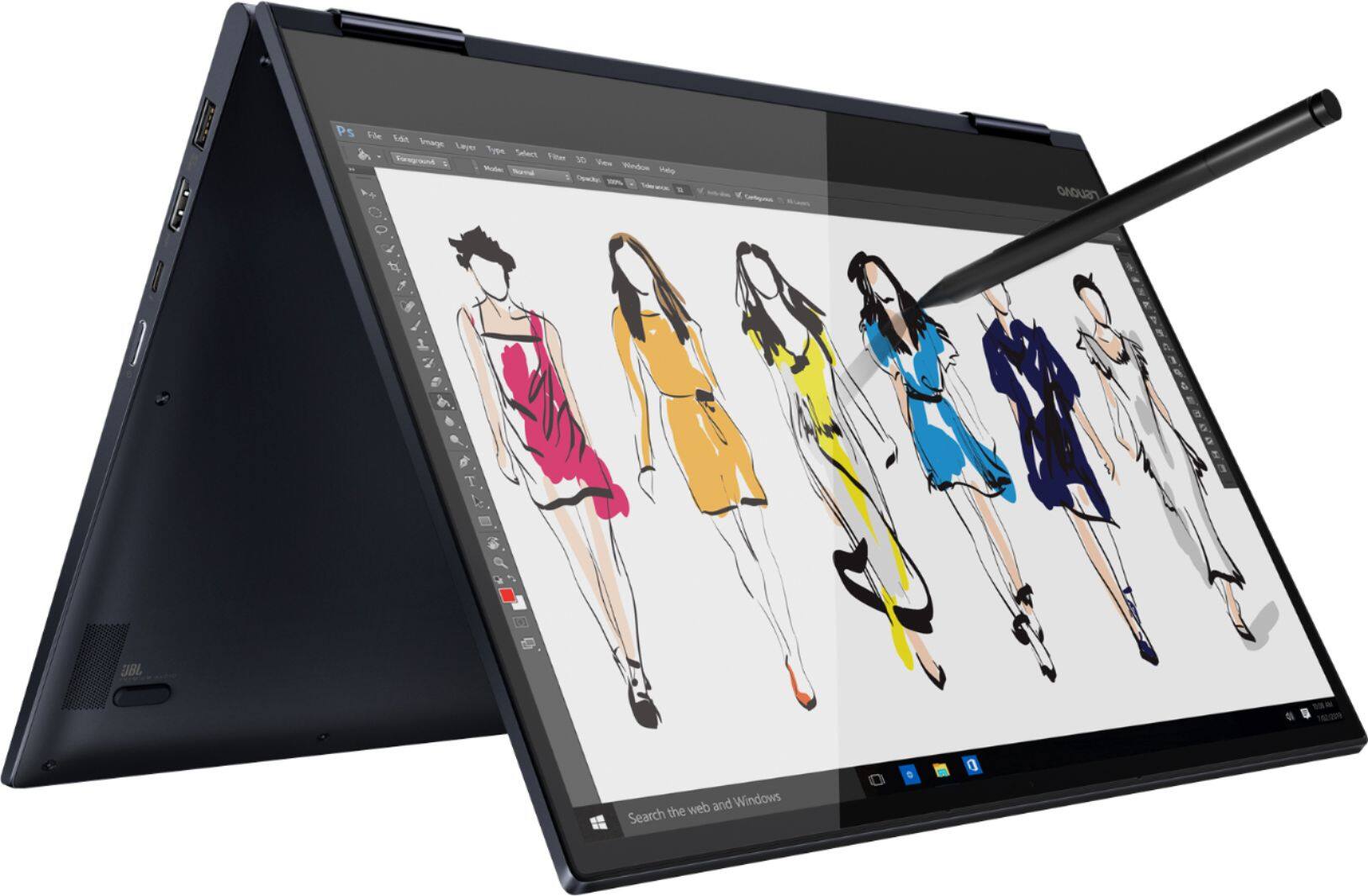
Works great with Photoshop!
Posted .This reviewer received promo considerations or sweepstakes entry for writing a review.I was looking for a lightweight laptop to replace my old Asus (still going strong, just slowing down with age). I have a tricked-out desktop computer for when I am home, but wanted something that could handle Photoshop CC while traveling. I was hesitant about buying an i5 processor with only 12 GB of RAM (home computer has i7 with 32) but the cost difference swayed me (bought this laptop on sale for $650). I've had it about a week now on vacation and am VERY happy. It handles large RAW files with ease and has no trouble with multiple filters/layers. The screen is gorgeous. I paired it with a bluetooth mouse (although I love the touchpad, a mouse is better for PS work). I plan to order the Active 2 pen so I can use the computer like a tablet. Very pleased. The only shortcoming - and I was aware of this when I bought it - is that there is no built-in card reader, so I had to purchase one. I bought the Insignia brand from BB. It's rated to USB 3.0 speed and transfers my photos quickly. If you are on the fence because you couldn't find a review that specifically mentions Photoshop, I hope this helps you make up your mind.
I would recommend this to a friendBrand response from Lenovo Product Expert
Posted .Thank you for choosing the Lenovo Yoga 730-15. We are pleased to hear that the performance of the Yoga 730-15 meets your computing needs so well. You can transition from tablet model to laptop mode and back with the new Yoga 730-15. Weighing in at 4.2 lbs and polished in premium aluminum, the Yoga 730-15 will complement your style no matter where the day takes you. The latest 8th generation Intel Core i5 processor gives the Yoga 730-15 up to a 40 percent performance boost with unprecedented touchscreen and pen responsiveness (active pen sold separately), faster bootups, and seamless multitasking. All of this speed and power to amplify your productivity and help you be ready at a moments notice. Experience truly immersive sound with Dolby Atmos, which creates a three-dimensional audio space. Sound comes alive with fullness and depth when you listen through headphones.
- Cons mentioned:Fingerprint scanner
Very happy student!
Posted .This reviewer received promo considerations or sweepstakes entry for writing a review.I just grabbed this today. Couldn't beat the sale price plus the student discount currently available. It was easy to set it up. However, I couldn't get my fingerprint to register. It would catch part of it then wouldn't complete. I ended up skipping this and began to wonder if I was going to have to return it. I was able to go back and after a LONG time got my fingerprint to register. But, it wouldn't really work. It would take multiple times to login to my acct. I was reading the reviews on here and saw one posted about a week before in which Lenovo responded with a link to a website. To see if it helped with troubleshooting the problem. I followed the first step and updated the bios driver (fingerprint driver) and it now works perfectly. I am very relieved and am very happy with my purchase now. Don't get me wrong it could be used without this feature. I just hated buying something and it not fully working. Overall the computer is pretty fast, I love the color, I like the features and the display is nice. It does have backlit keys which can be turned on or off. Which is helpful to me. I would recommend this laptop.
I would recommend this to a friendBrand response from Lenovo Product Expert
Posted .Thank you for choosing the Lenovo Yoga 730-15. You can keep your new computer running at its best by keeping the latest version of Windows 10 on the computer, then updating the BIOS files and drivers to that latest version. You can easily accomplish this by scanning the computer with the Lenovo Utility software on the computer. This system has Lenovo utilities installed to help maintain the health of the device and keep the operating system software up to date. Type "Lenovo Vantage" in the Cortana Search window (if Lenovo Vantage is not installed on your device, you can download the APP and install it now). Select Lenovo Vantage from the list. In the window that opens, click on "Health and Support". In the expanded menu, select "Hardware Scan" In the window that opens, select "Run Quick Tests". This will scan your entire system for errors. Follow any directions that may pop up. If the problem continues after this scan, now click on "System Update". First select Windows update from the menu. Scan your system to be sure you have the latest version of Windows 10. Once that scan is complete, select "Additional Updates". This will scan your device to be sure there are no new BIOS/Driver updates needed. Follow any instructions that may pop up. If the issue still continues after these updates, we recommend you call Lenovo Tech Support at: 877-453-6686 for additional help.
Lenovo yoga
Posted .This reviewer received promo considerations or sweepstakes entry for writing a review.To this day I think I have the best laptop. Bought it in 2019 …. 2024 now still works magic.
I would recommend this to a friendLenovo Yoga 730
Posted .This reviewer received promo considerations or sweepstakes entry for writing a review.4 years later still working perfectly fine with no glitches or lags
I would recommend this to a friend