Customer Ratings & Reviews




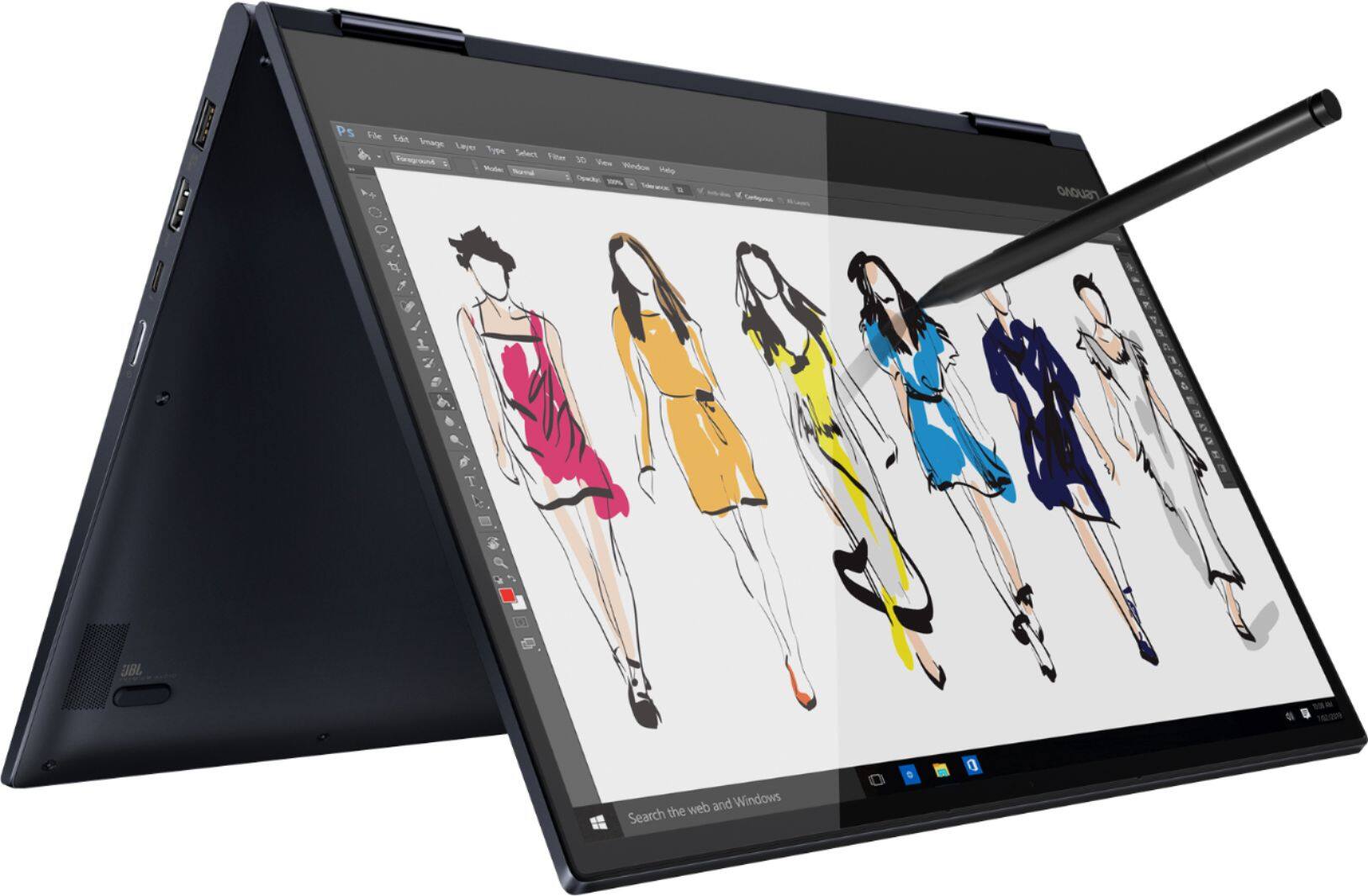


- Model:
- 81JS005BUS
- SKU:
- 6331991
Rating by feature
- Value
Rating 4.5 out of 5 stars
- Quality
Rating 4.5 out of 5 stars
- Ease of Use
Rating 4.6 out of 5 stars
Customers are saying
Customers appreciate the Yoga 730 2-in-1 laptop for its touch screen, speed, lightweight design, and affordable price. Some users have concerns about the fingerprint scanner requiring a driver update, battery life, and weight.
This summary was generated by AI based on customer reviews.
- Pros mentioned:Lightweight
Great Laptop. Just what i was looking for
||Posted . Owned for 3 weeks when reviewed.This reviewer received promo considerations or sweepstakes entry for writing a review.Easy to use. Great features. Lightweight and easy to carry
I would recommend this to a friend - Pros mentioned:Design
Great 2-in-1 computer
||Posted . Owned for 1 month when reviewed.This reviewer received promo considerations or sweepstakes entry for writing a review.Very nice computer. Love it!! Would definitely recommend.
I would recommend this to a friendBrand response from Lenovo Product Expert
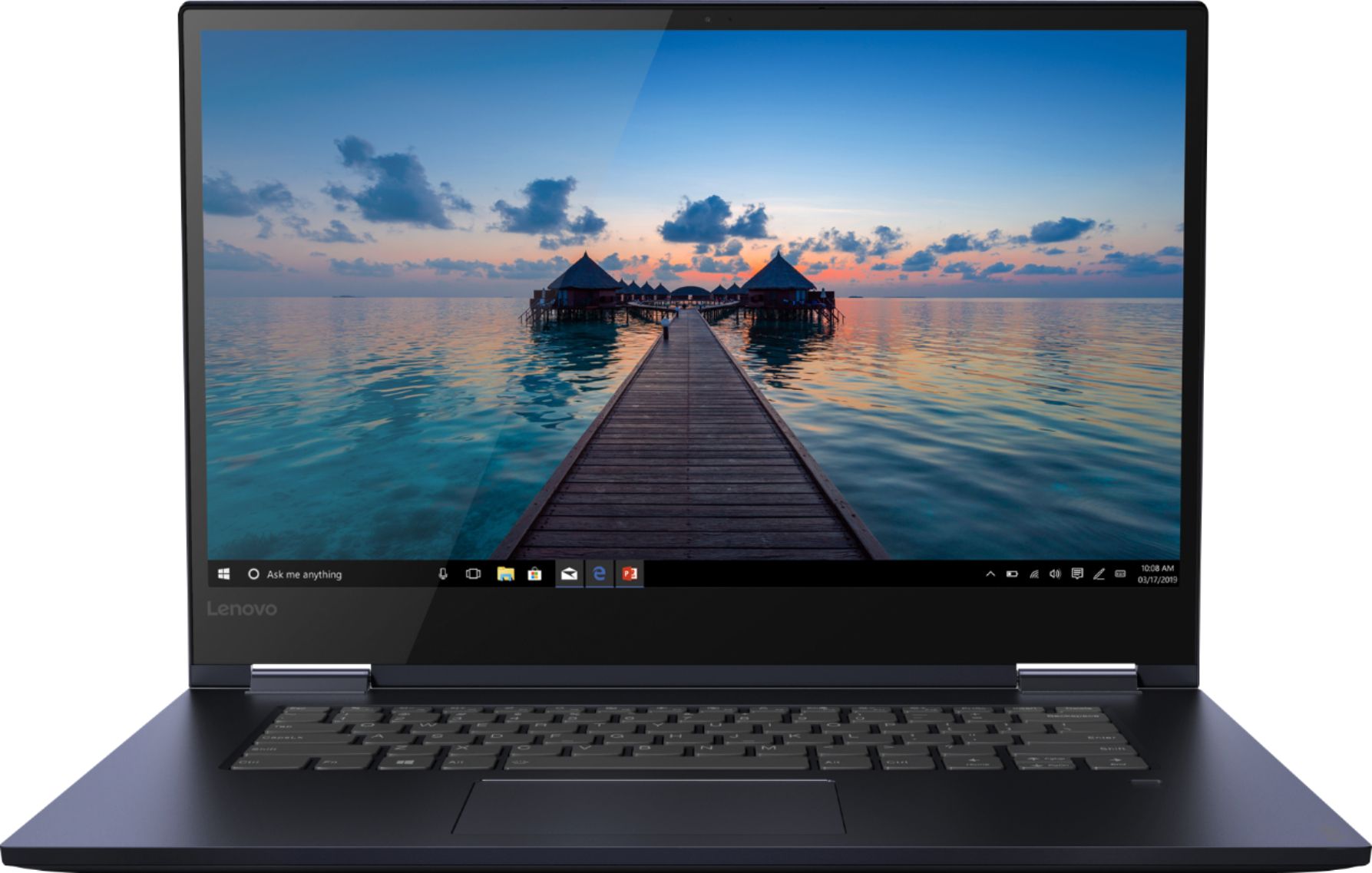
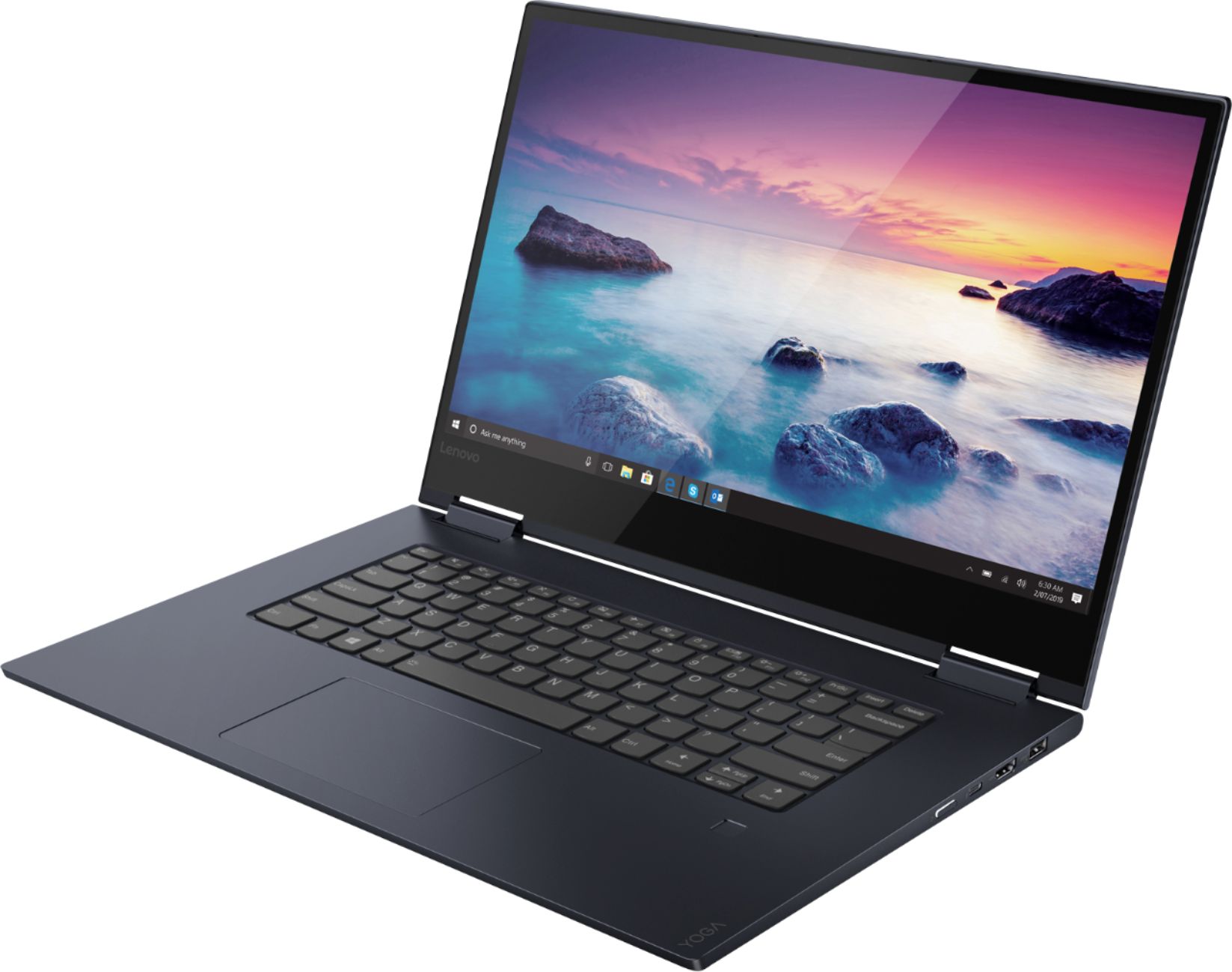
Posted .Thank you for choosing the Lenovo Yoga 730-15. You can transition from tablet model to laptop mode and back with the new Yoga 730-15. Weighing in at 4.2 lbs and polished in premium aluminum, the Yoga 730-15 will complement your style no matter where the day takes you. The latest 8th generation Intel Core i5 processor gives the Yoga 730-15 up to a 40 percent performance boost with unprecedented touchscreen and pen responsiveness (active pen sold separately), faster bootups, and seamless multitasking. All of this speed and power to amplify your productivity and help you be ready at a moments notice. Experience truly immersive sound with Dolby Atmos, which creates a three-dimensional audio space. Sound comes alive with fullness and depth when you listen through headphones.

- Pros mentioned:Price
Great bang for the buck
||Posted . Owned for 3 weeks when reviewed.This reviewer received promo considerations or sweepstakes entry for writing a review.Nothing that you'd use for gaming, but a solid value for the money.
I would recommend this to a friend - Pros mentioned:Price
Value for money
||Posted . Owned for 1 month when reviewed.This reviewer received promo considerations or sweepstakes entry for writing a review.Good value for money. Fingerprint sometimes has problems.
I would recommend this to a friendBrand response from Lenovo Product Expert
Posted .Thank you for choosing the Lenovo Yoga 730-15. Here's a tip for making your fingerprint reader work every time: Try lightly sliding your finger over the fingerprint reader. No need to press hard on the reader, in fact pressing hard on the fingerprint reader will distort your fingerprint and cause read errors.
- Pros mentioned:Fast
Good
||Posted . Owned for 1 month when reviewed.This reviewer received promo considerations or sweepstakes entry for writing a review.It was fast and easy. The pick up line is always helpful
I would recommend this to a friendBrand response from Lenovo Product Expert
Posted .Thank you for choosing the lenovo Yoga 730-15. We are pleased to hear that the ease of use and performance of the Yoga 730-15 meets your computing needs so well. You can transition from tablet model to laptop mode and back with the new Yoga 730-15. Weighing in at 4.2 lbs and polished in premium aluminum, the Yoga 730-15 will complement your style no matter where the day takes you. The latest 8th generation Intel Core i5 processor gives the Yoga 730-15 up to a 40 percent performance boost with unprecedented touchscreen and pen responsiveness (active pen sold separately), faster bootups, and seamless multitasking. All of this speed and power to amplify your productivity and help you be ready at a moments notice. Experience truly immersive sound with Dolby Atmos, which creates a three-dimensional audio space. Sound comes alive with fullness and depth when you listen through headphones.
- Pros mentioned:Fast
Simply put, loving my Lenovo PC
||Posted . Owned for 3 weeks when reviewed.This reviewer received promo considerations or sweepstakes entry for writing a review.I like the performance of the Lenovo and how fast it is.
I would recommend this to a friendBrand response from Lenovo Product Expert
Posted .Thank you for choosing the Lenovo Yoga 730-15. You can transition from tablet model to laptop mode and back with the new Yoga 730-15. Weighing in at 4.2 lbs and polished in premium aluminum, the Yoga 730-15 will complement your style no matter where the day takes you. The latest 8th generation Intel Core i5 processor gives the Yoga 730-15 up to a 40 percent performance boost with unprecedented touchscreen and pen responsiveness, faster bootups, and seamless multitasking. All of this speed and power to amplify your productivity and help you be ready at a moments notice. Experience truly immersive sound with Dolby Atmos, which creates a three-dimensional audio space. Sound comes alive with fullness and depth when you listen through headphones.
- Pros mentioned:Price
Great laptop for beginners
||Posted . Owned for 1 month when reviewed.This reviewer received promo considerations or sweepstakes entry for writing a review.Great buying experience great .value for the money...
I would recommend this to a friendBrand response from Lenovo Product Expert
Posted .Thank you for choosing the Lenovo Yoga 730-15. We are pleased to hear that the value and performance of the Yoga 730-15 meets your computing needs so well. You can transition from tablet model to laptop mode and back with the new Yoga 730-15. Weighing in at 4.2 lbs and polished in premium aluminum, the Yoga 730-15 will complement your style no matter where the day takes you. The latest 8th generation Intel Core i5 processor gives the Yoga 730-15 up to a 40 percent performance boost with unprecedented touchscreen and pen responsiveness (active pen sold separately), faster bootups, and seamless multitasking. All of this speed and power to amplify your productivity and help you be ready at a moments notice. Experience truly immersive sound with Dolby® Atmos®, which creates a three-dimensional audio space. Sound comes alive with fullness and depth when you listen through headphones.
- Pros mentioned:Touch screen
Awesome!
||Posted . Owned for 3 weeks when reviewed.This reviewer received promo considerations or sweepstakes entry for writing a review.It's easy to navigate and love the touch screen feature.
I would recommend this to a friendBrand response from Lenovo Product Expert
Posted .Thank you for choosing the Lenovo Yoga 730-15. We are pleased to hear that the features and performance of the Yoga 730-15 meets your computing needs so well.
- Pros mentioned:Fast
Fast !
||Posted .This reviewer received promo considerations or sweepstakes entry for writing a review.I love this laptop ! best one i ever had ! It’s fast !
I would recommend this to a friendBrand response from Lenovo Product Expert
Posted .Thank you for choosing the Lenovo Yoga 730-15. We are pleased to hear that the Yoga 730-15 meets your computing needs so well. You can transition from tablet model to laptop mode and back with the new Yoga 730-15. Weighing in at 4.2 lbs and polished in premium aluminum, the Yoga 730-15 will complement your style no matter where the day takes you. The latest 8th generation Intel Core i5 processor gives the Yoga 730-15 up to a 40 percent performance boost with unprecedented touchscreen and pen responsiveness, faster bootups, and seamless multitasking. All of this speed and power to amplify your productivity and help you be ready at a moments notice. Experience truly immersive sound with Dolby Atmos, which creates a three-dimensional audio space. Sound comes alive with fullness and depth when you listen through headphones.
- Pros mentioned:Fast
Easy to use
||Posted . Owned for 1 month when reviewed.This reviewer received promo considerations or sweepstakes entry for writing a review.Great functionality. Good speed and picture quality.
I would recommend this to a friendBrand response from Lenovo Product Expert
Posted .Thank you for choosing the Lenovo Yoga 730-15. We are pleased to hear that the features and performance of the Yoga 730-15 meets your computing needs so well. You can transition from tablet model to laptop mode and back with the new Yoga 730-15. Weighing in at 4.2 lbs and polished in premium aluminum, the Yoga 730-15 will complement your style no matter where the day takes you. The latest 8th generation Intel Core i5 processor gives the Yoga 730 up to a 40 percent performance boost with unprecedented touchscreen and pen responsiveness (active pen sold separately), faster bootups, and seamless multitasking. All of this speed and power to amplify your productivity and help you be ready at a moments notice. Experience truly immersive sound with Dolby Atmos, which creates a three-dimensional audio space. Sound comes alive with fullness and depth when you listen through headphones.
- Pros mentioned:Fast
Wow
||Posted . Owned for 3 months when reviewed.This reviewer received promo considerations or sweepstakes entry for writing a review.Great specs and super fast definitely happy with this purch.
I would recommend this to a friend - Pros mentioned:Touch screen
nice
||Posted . Owned for 3 months when reviewed.This reviewer received promo considerations or sweepstakes entry for writing a review.nice i like it i well buy it agen........................ok
I would recommend this to a friendBrand response from Lenovo Product Expert
Posted .Thank you for choosing the Lenovo Yoga 730-15. You can transition from tablet model to laptop mode and back with the new Yoga 730-15. Weighing in at 4.2 lbs and polished in premium aluminum, the Yoga 730-15 will complement your style no matter where the day takes you. The latest 8th generation Intel Core i5 processor gives the Yoga 730-15 up to a 40 percent performance boost with unprecedented touchscreen and pen responsiveness (active pen sold separately), faster bootups, and seamless multitasking. All of this speed and power to amplify your productivity and help you be ready at a moments notice. Experience truly immersive sound with Dolby Atmos, which creates a three-dimensional audio space. Sound comes alive with fullness and depth when you listen through headphones.
- Cons mentioned:Fingerprint scanner
Disappointing
||Posted . Owned for 2 months when reviewed.This reviewer received promo considerations or sweepstakes entry for writing a review.Less than a month after buying this laptop it began inexplicably freezing up on me and was not responsive to the mouse, touchscreen, touch pad or the CTRL-Alt-Delete command. Had to take it into Geek Squad who couldn't figure out if it was hardware or software related and they eventually wiped my machine. Very frustrating. Haven't had anything as serious since but it has seized up occasionally. More generally, the fingerprint scanner works only infrequently and the touch pad functionality is a little off (does a lot more right-clicking than you would want). The tablet function is decently responsive but not great.
No, I would not recommend this to a friendBrand response from Lenovo Product Expert
Posted .We are sorry to hear that you are having issues with your Lenovo Yoga 730-15. Restoring the device back to original factory settings may correct the initial problem you were having with the device seizing up. This system is equipped with OneKey Recovery System. There is a very small pin hole on the left side of the device, right near the headphone jack on the device. You will need a pin to push this reset button. Plug the device in. Let the battery charge for about 15 minutes. Push the reset button. The system should boot to a choice screen where you can choose "Restore To Factory Default". Select this. It will delete everything from the hard drive except the original factory install of the operating system. You will need to reinstall all programs and files after the reset. If you don't have copies of the files, try to make one before you restore by selecting "Boot to desktop" and trying to back up your files. Once you have the computer restored, be sure any software you installed is compatible with Windows 10. There is no need to install Microsoft Office software. The software is already part of the operating system, you just need to activate the software with a purchased product key. If you have installed a copy of Microsoft Office, this is conflicting with the existing copy on the system and this will slow your system down. If you have installed a 3rd party anti-virus program, be sure that Windows Defender is turned off and that the trial version of McAfee Anti-Virus software is uninstalled. There can only be one anti-virus program on the system. You may need to restore your system to original factory default settings if any of the programming errors have occurred. You can do that by typing "restore" in the Cortana search window. Just click on the magnifying glass icon at the bottom left of your Windows 10 Desktop. Click on "Reset This PC" Then click on "Get Started" and follow the on screen directions to restore to factory defaults. Here's a tip for making your fingerprint reader work every time: Try lightly sliding your finger over the fingerprint reader. No need to press hard on the reader, in fact pressing hard on the fingerprint reader will distort your fingerprint and cause read errors. With regard to the touchpad, you can make adjustments to the touchpad in your system settings. You can get there by clicking on the magnifying glass at the bottom left of your Windows 10 screen. Type "touchpad" in the search window. Select "Mouse & touchpad settings" from the list of choices. You can make general adjustments to the touchpad there. You can also select "Additional mouse options" for more detailed adjustments to the touchpad sensitivity by increasing the delay of the touchpad. If you have additional questions about your Yoga 730-15, we recommend you call Lenovo Tech Support at: 877-453-6686.
- Pros mentioned:Touch screen
Love the touch screen makes things so much easier
||Posted . Owned for 1 week when reviewed.This reviewer received promo considerations or sweepstakes entry for writing a review.Does everything I needed to do love the touch screen
I would recommend this to a friendBrand response from Lenovo Product Expert
Posted .Thank you for choosing the Lenovo Yoga 730-15. You can transition from tablet model to laptop mode and back with the new Yoga 730-15. Weighing in at 4.2 lbs and polished in premium aluminum, the Yoga 730-15 will complement your style no matter where the day takes you. The latest 8th generation Intel Core i5 processors gives the Yoga 730-15 up to a 40 percent performance boost with unprecedented touchscreen and pen responsiveness (active pen sold separately), faster bootups, and seamless multitasking. All of this speed and power to amplify your productivity and help you be ready at a moments notice.
So far no problems...love it.
||Posted .This reviewer received promo considerations or sweepstakes entry for writing a review.I love the lighted keys and the dual way the computer lets you know if you are using upper/lower case. I use Chrome and on this computer I can have multiple pages open at the same time. This feature is very important to me. Only shortfall is the lack of a resource pamphlet that provides information/description about this computer's features.
I would recommend this to a friendBrand response from Lenovo Product Expert
Posted .Thank you for choosing the Lenovo Yoga 730-15. All product information is now available online. Here is a link to the Yoga 730-15 Product Manual: https://download.lenovo.com/consumer/mobiles_pub/yoga730-15ikb_hmm_201802.pdf
Great PC
||Posted . Owned for 1 week when reviewed.This reviewer received promo considerations or sweepstakes entry for writing a review.This device does everything I need and then some. Big, sharp display, fast solid state memory, comfortable keyboard. Reasonable price and great customer service from Best Buy. Set up was somewhat tedious. Reliability is important- only time will tell.
I would recommend this to a friendBrand response from Lenovo Product Expert
Posted .Thank you for choosing the Lenovo Yoga 730-15. The new Windows 10 guides you through the initial setup and activation of the Yoga 730-15, either with audio Cortana-based instructions or through step by step, on screen instructions for setting up and activating the Yoga 730-15.
Great laptop for college students
||Posted . Owned for 1 month when reviewed.This reviewer received promo considerations or sweepstakes entry for writing a review.I'm thoroughly impressed by this laptop from Lenovo, it has pretty much everything you would want if you are not a heavy user and need a powerful device for day to day tasks, some programming and basic gaming. I would only complain about the fingerprint sensor as it doesn't work at times and I have to use the password or pin.
I would recommend this to a friendBrand response from Lenovo Product Expert
Posted .Thank you for choosing the Lenovo Yoga 730-15. Here's a tip for making your fingerprint reader work every time: Try lightly sliding your finger over the fingerprint reader. No need to press hard on the reader, in fact pressing hard on the fingerprint reader will distort your fingerprint and cause read errors. We are pleased to hear that the performance of The Yoga 730-15 meets your computing needs so well. You can transition from tablet model to laptop mode and back with the new Yoga 730-15. Weighing in at 4.2 lbs and polished in premium aluminum, the Yoga 730-15 will complement your style no matter where the day takes you. The latest 8th generation Intel Core i5 processor gives the Yoga 730-15 up to a 40 percent performance boost with unprecedented touchscreen and pen responsiveness, faster bootups, and seamless multitasking. All of this speed and power to amplify your productivity and help you be ready at a moments notice. Experience truly immersive sound with Dolby Atmos, which creates a three-dimensional audio space. Sound comes alive with fullness and depth when you listen through headphones.
Feature rich 2 in 1
||Posted . Owned for 3 weeks when reviewed.This reviewer received promo considerations or sweepstakes entry for writing a review.Still in initial use. The metal casing gives it a very sturdy feel. So far love the sound - atmos speakers. The screen is very nice resolution. Keyboard and especially touchpad is excellent. Too early to comment on battery. One gripe the bottom edge is a little sharp. A nice to have would have been a backlit keyboard.
I would recommend this to a friend- Pros mentioned:Touch screen
Good quality
||Posted . Owned for 1 month when reviewed.This reviewer received promo considerations or sweepstakes entry for writing a review.Good for school. I really like the touchscreen!!!!
I would recommend this to a friend Great for work, but has some Issues
||Posted . Owned for 2 months when reviewed.This reviewer received promo considerations or sweepstakes entry for writing a review.It's definitely a nice looking laptop, and it has a good price as well. It runs fast, the battery lasts really long, and it works great for using the internet and doing my schoolwork. However, there's a few jarring problems: the headphone jack doesn't really work unless you twist the cord around and get it in the right spot, the microphone and the camera don't work either, which I've tried resolving several times with Windows so I think it's a Lenovo issue, and it would constantly crash on me in tablet mode. It also scuffs very easily. Overall, I'd say that despite these issues, this laptop works very well for someone who only uses it for simpler things.
No, I would not recommend this to a friendBrand response from Lenovo Product Expert
Posted .We are sorry to hear that you are having issues with your Lenovo Yoga 730-15. Updating your computer to the latest version of Windows 10, then updating all of the BIOS files and drivers up to that latest version of Windows 10 may correct the issues. You can easily accomplish this by scanning the computer with the Lenovo Utility software installed on the computer. This system has Lenovo utilities installed to help maintain the health of the device and keep the operating system software up to date. Type "Lenovo Vantage" in the Cortana Search window (if Lenovo Vantage is not installed on your device, you can download the APP and install it now). Select Lenovo Vantage from the list. In the window that opens, click on "Health and Support". In the expanded menu, select "Hardware Scan" In the window that opens, select "Run Quick Tests". This will scan your entire system for errors. Follow any directions that may pop up. If the problem continues after this scan, now click on "System Update". First select Windows update from the menu. Scan your system to be sure you have the latest version of Windows 10. Once that scan is complete, select "Additional Updates". This will scan your device to be sure there are no new BIOS/Driver updates needed. Follow any instructions that may pop up. If the issue still continues after these updates, we recommend you call Lenovo Tech Support at: 877-453-6686 for additional help.