Customer Ratings & Reviews
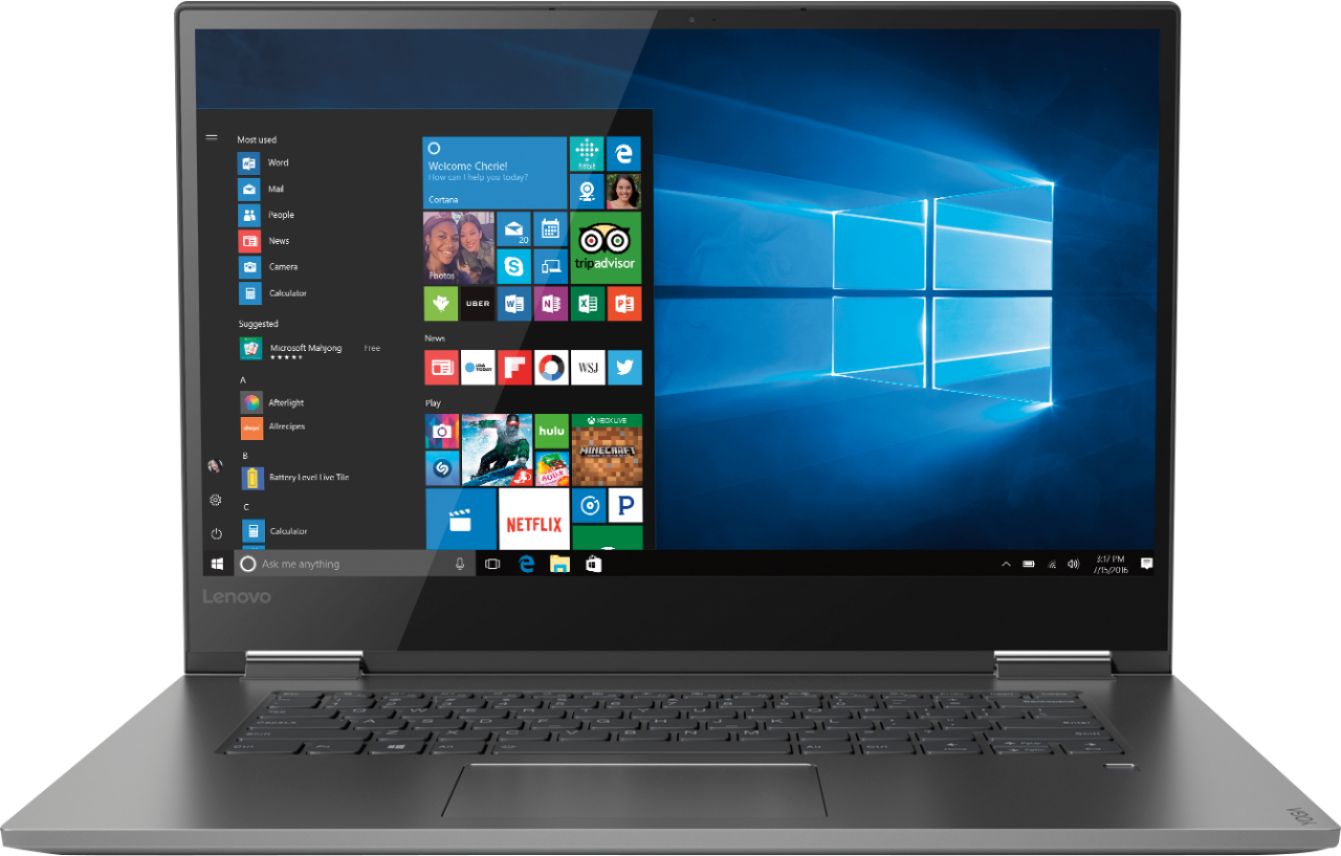
- Model:
- 81CU0009US
- SKU:
- 6201037
Rating by feature
- Value
Rating 4.2 out of 5 stars
- Quality
Rating 4.2 out of 5 stars
- Ease of Use
Rating 4.4 out of 5 stars
Customers are saying
Customers recognize the Yoga 730 2-in-1 laptop for its touchscreen capabilities, lightweight design, and affordable price. Many users appreciate the laptop's user-friendly interface and solid-state drive, which offers improved performance and speed. However, some customers have experienced issues with the laptop's Wi-Fi connectivity and weight.
This summary was generated by AI based on customer reviews.
Great and user friendly
||Posted .This reviewer received promo considerations or sweepstakes entry for writing a review.I purchased this for school and have loved it so far. My only complaint is that at times I'm typing and the cursor moves if the edge of my hand slightly touches the "mouse pad area" so then I'm typing elsewhere. I think this is an issue I can resolve with changing my hand placement though until then its quite annoying.
I would recommend this to a friendBrand response from Lenovo Product Expert
Posted .Thank you for choosing the Lenovo Yoga 730-15. With regard to the touchpad, you can make adjustments to the touchpad in your system settings. You can get there by clicking on the magnifying glass at the bottom left of your Windows 10 screen. Type "touchpad" in the search window. Select "Mouse & touchpad settings" from the list of choices. You can make general adjustments to the touchpad there. You can also select "Additional mouse options" for more detailed adjustments to the touchpad sensitivity by increasing the delay of the touchpad.

- Pros mentioned:Lightweight
Works great
||Posted .This reviewer received promo considerations or sweepstakes entry for writing a review.The right size and weigh for both travel and home.
I would recommend this to a friendBrand response from Lenovo Product Expert
Posted .Thank you for choosing the Lenovo Yoga 730-15. We are pleased to hear that the features and performance of the Yoga 730-15 meets your computing needs so well.
Great price
||Posted .This reviewer received promo considerations or sweepstakes entry for writing a review.Good buy for the I 7 system. So far so good. I won’t have time to golf, I’ll be working to hard for you on my new laptop.
I would recommend this to a friendWorks Great
||Posted .This reviewer received promo considerations or sweepstakes entry for writing a review.I have been using this computer for a few weeks now, pretty much daily, and I like it, it is sleek, and works way better than the last one I had. I do miss the 10 key, but I am sure I will get used to it not having it. I like the finger unlock feature. Defenitely an upgrade from my last one.
I would recommend this to a friendBrand response from Lenovo Product Expert
Posted .Thank you for choosing the Lenovo Yoga 730-15. We are pleased to hear that the features and performance of the Yoga 730-15 meets your computing needs so well.

Lenovo Yoga is versatile
||Posted .This reviewer received promo considerations or sweepstakes entry for writing a review.Overall this laptop is great for small business owners like myself. I like that it's light weight for travel, but it functions as a tablet and a laptop. Good processor speed and screen size.
I would recommend this to a friendBrand response from Lenovo Product Expert
Posted .Thank you for choosing the lenovo Yoga 730-15 for you business. We are pleased to hear that the features and performance of the Yoga 730-15 meets your computing needs so well. For 2018, Lenovo retained its place for a second year as the best laptop vendor:
https://www.laptopmag.com/articles/laptop-brand-ratings
Not too happy with this.
||Posted . Owned for 10 months when reviewed.This reviewer received promo considerations or sweepstakes entry for writing a review.I purchased this computer for my school work and within a month I already had to take it in to get the screen fixed due to a malfunction. After that everything was fine, but a few months later it started kicking me off out of every Wi-Fi spot that I was connected to randomly. Every now and then the keyboard it will stop working and turn into command functions whenever I type. It’s also decently heavy and I don’t really like that. Maybe all of these problems are just happening with my computer, but I can’t recommend this device.
No, I would not recommend this to a friendBrand response from Lenovo Product Expert
Posted .We are sorry to hear that you are having issues with your Lenovo Yoga 730-15. From the description you provide of the issues you are having, it sounds like Windows 10 needs to be updated to the latest version and the supporting BIOS files and drivers also need to be updated. This is easily accomplished by scanning the computer with the Lenovo Utility software installed on the computer. This system has Lenovo utilities installed to help maintain the health of the device and keep the operating system software up to date. Type "Lenovo Vantage" in the Cortana Search window (if Lenovo Vantage is not installed on your device, you can download the APP and install it now). Select Lenovo Vantage from the list. In the window that opens, click on "Health and Support". In the expanded menu, select "Hardware Scan" In the window that opens, select "Run Quick Tests". This will scan your entire system for errors. Follow any directions that may pop up. If the problem continues after this scan, now click on "System Update". First select Windows update from the menu. Scan your system to be sure you have the latest version of Windows 10. Once that scan is complete, select "Additional Updates". This will scan your device to be sure there are no new BIOS/Driver updates needed. Follow any instructions that may pop up. If the issue still continues after these updates, we recommend you call Lenovo Tech Support at: 877-453-6686 for additional help. For 2018, Lenovo retained its place for a second year as the best laptop vendor:
https://www.laptopmag.com/articles/laptop-brand-ratings
Decent
||Posted .This reviewer received promo considerations or sweepstakes entry for writing a review.Haven’t had it very long. Little learning curve with the touch pad (still haven’t figured it out). Battery life is a disappointment. Kind of wish I had gone with the think pad.
No, I would not recommend this to a friendBrand response from Lenovo Product Expert
Posted .With regard to the touchpad on the Lenovo Yoga 730-15, you can make adjustments to the touchpad in your system settings. You can get there by clicking on the magnifying glass at the bottom left of your Windows 10 screen. Type "touchpad" in the search window. Select "Mouse & touchpad settings" from the list of choices. You can make general adjustments to the touchpad there. You can also select "Additional mouse options" for more detailed adjustments to the touchpad sensitivity by increasing the delay of the touchpad. The Yoga 730-15 ships with a 3CELL 51.5WH, Lithium Polymer Battery, with a battery life of up to 9 hours, depending on the work that the device is performing. To maximize battery life, first adjust your battery saver settings. Here is a link to instruction for doing this in Windows 10: https://www.digitalcitizen.life/how-use-configure-battery-saver-windows-10. Next, to maximize battery life, be sure there are no unwanted programs running in the background, draining the battery. Here is a link to some tips for finding out what is draining your battery:
https://www.laptopmag.com/articles/battery-saver-windows-10. Also, to maximize battery life, try changing your power management setting to a more conservative one. You can do this in the control panel, in the power management category on your system. Select a more conservative power management setting to extend battery life. Finally, if the battery life does not improve, a battery reset may help. Here is a link to instructions for reconditioning a non-removable battery, using the Battery Management Software installed on the computer. If you need further assistance, we recommend you call Lenovo Tech Support at: 877-453-6686. Here is the link: https://windowsreport.com/laptop-battery-not-charging-windows-10/. For 2018, Lenovo retained its place for a second year as the best laptop vendor:
https://www.laptopmag.com/articles/laptop-brand-ratings
OK for a Grad student
||Posted .This reviewer received promo considerations or sweepstakes entry for writing a review.I’m in PA school, I download 5-6 massive powerpoints a day, plus other things that need to be downloaded for school. So far so good, the computer is just under 3 months old, and it has frozen on me 4x, and gave me a yellow screen once. Not sure if this is pathologic, since I’m coming from using a mac for the last 5 years. but i have a warranty so not worried! If these things could be troublesome look elsewhere, but if you can deal then go for it, great size, great battery life, light weight, gets the job done for the most part!
No, I would not recommend this to a friendBrand response from Lenovo Product Expert
Posted .We are sorry to hear that you are having issues with your Lenovo Yoga 730-15. Be sure any software you installed is compatible with Windows 10. There is no need to install Microsoft Office software. The software is already part of the operating system, you just need to activate the software with a purchased product key. If you have installed a copy of Microsoft Office, this is conflicting with the existing copy on the system and this will slow your system down. If you have installed a 3rd party anti-virus program, be sure that Windows Defender is turned off and that the trial version of McAfee Anti-Virus software is uninstalled. There can only be one anti-virus program on the system. You may need to restore your system to original factory default settings if any of the programing errors have occurred. You can do that by typing "restore" in the Cortana search window. Just click on the magnifying glass icon at the bottom left of your Windows 10 Desktop. Click on "Reset This PC" Then click on "Get Started" and follow the on screen directions to restore to factory defaults. If the problem persists, we recommend you contact Lenovo Tech Support at: 877-453-6686.
Like it, the second time
||Posted .This reviewer received promo considerations or sweepstakes entry for writing a review.Its a decent computer. The first one didn't work right when we took it out of the box, but we took it back to the store and they exchanged it for another that seems to work fine.
I would recommend this to a friendBrand response from Lenovo Product Expert
Posted .Thank you for choosing the Lenovo Yoga 30-15. We are pleased to hear that the Yoga 730-15 is working out for you.
Great Laptop Computer
||Posted .This reviewer received promo considerations or sweepstakes entry for writing a review.We recently replaced our aging laptop with a new Lenovo computer. Its amazing how much better the newer computers are with SSD drive instead of hard drive. It seems to weigh about half of our previous computer.
I would recommend this to a friendBrand response from Lenovo Product Expert
Posted .Thank you for choosing the Lenovo Yoga 730-15. We are pleased to hear that the performance of the Yoga 730-15 meets your computing needs so well.
Nice computer
||Posted .This reviewer received promo considerations or sweepstakes entry for writing a review.It’s a nice computer, fast, light. Just don't care for the keyboard. I'm really good at typing but it seems more difficult with this keyboard. Maybe because the keys are flatter??
I would recommend this to a friendNice mid line computer
||Posted . Owned for 10 months when reviewed.This reviewer received promo considerations or sweepstakes entry for writing a review.Needed a laptop for basic home computing, email etc. Has become my work laptop since Covid. Seems to be able to keep up for the most part. No complaints
I would recommend this to a friendCool item
||Posted .This reviewer received promo considerations or sweepstakes entry for writing a review.Does wonders but I don’t suggest as a replacement for a tablet. Extremely heavy so if using as a tablet hybrid i suggest less than 5% of the time to use as a tablet.
I would recommend this to a friendBrand response from Lenovo Product Expert
Posted .The Lenovo Yoga 730-15 ships with a full size, 15.6" (screen size measured diagonally) screen. The Yoga 730-15 is a 2 in 1 configuration. You can use the Yoga 730-15 as a full size laptop or fold the 360-degree hinge screen back and use this device as a 15.6" (screen size measured diagonally) tablet. The Yoga 730-15 weighs just 4.17 lbs. If you are looking for an ultra portable, 2 in 1 computing device, the Yoga 730-15 is the right choice. For 2018, Lenovo retained its place for a second year as the best laptop vendor:
https://www.laptopmag.com/articles/laptop-brand-ratings
Great Graphics fast Processor
||Posted .This reviewer received promo considerations or sweepstakes entry for writing a review.Got this laptop on sale. Has really good graphics and a fast processor. Load time is super fast and the fact that it turns into a tablet is pretty awesome too. Only thing is that the I don't think the keyboard locks when it's on tablet mode.
I would recommend this to a friendBrand response from Lenovo Product Expert
Posted .Thank you for choosing the Lenovo Yoga 730-13. We are pleased to hear that the features and performance of the Yoga 730-13 meets your computing needs so well. You are correct, when you rotate the screen 360-degrees to use this device as a tablet the keyboard and touchpad automatically turn off. This is so there are no inadvertent entries made while holding the device in tablet mode. There is an onscreen keyboard that is usable for data entry while in tablet mode, similar to any tablet or phone. For 2018, Lenovo retained its place for a second year as the best laptop vendor:
https://www.laptopmag.com/articles/laptop-brand-ratings
- Pros mentioned:Touch screen
Okay
||Posted .This reviewer received promo considerations or sweepstakes entry for writing a review.Loved the touch screen but didn’t like the lack of face recognition and the keyboard was too small and awkward to type in.
No, I would not recommend this to a friendBrand response from Lenovo Product Expert
Posted .This system uses a fingerprint reader for biometric security. This configuration has a standard QWERTY keyboard in a 15.6" format. There is no 10-kry numeric pad.
My second Yoga
||Posted .This reviewer received promo considerations or sweepstakes entry for writing a review.Was time for an upgrade for my previous Yoga and I loved that one so much that I invested in another. Beautiful screen, ultra fast processor, and so light that it feels more like a tablet than a laptop. Buy this laptop and you won't be disappointed.
I would recommend this to a friendBrand response from Lenovo Product Expert
Posted .Thank you for choosing the Lenovo Yoga 730-15. We appreciate your loyalty to Yoga and the Lenovo Brand. We are pleased to hear that your new Yoga 730-15 meets your computing needs so well.
Great laptop for the price
||Posted .This reviewer received promo considerations or sweepstakes entry for writing a review.Suddenly needed a new laptop - computer manager at Best Buy listened to my needs, suggested various options and I selected the Lenova Yoga. Convenient size and weight, easily understood key layout, great touch when typing - so far very satisfied
I would recommend this to a friendBrand response from Lenovo Product Expert
Posted .Thank you for choosing the Lenovo Yoga 730-15. We are pleased to hear that the features and performance of the Yoga 730-15 meets your computing needs so well.
Excellent Product Under budget limits
||Posted .This reviewer received promo considerations or sweepstakes entry for writing a review.I bought a Geek Certified product and which is exactly looks like and performs like a new product . I am so happy with this product and suggest others. :)
I would recommend this to a friendBrand response from Lenovo Product Expert
Posted .Thank you for choosing the Lenovo Yoga 730-15. We are pleased to hear that the value and performance of the Yoga 730-15 meets your computing needs so well.
Really nice
||Posted .This reviewer received promo considerations or sweepstakes entry for writing a review.Love the look, wish there were more colors available. Not too heavy. Easy to use. Nice display. But cannot connect to my beats bluetooth earphones..
I would recommend this to a friendBrand response from Lenovo Product Expert
Posted .Thank you for choosing the Lenovo Yoga 730-15. This model ships with Bluetooth 4.1 capability. With regard to pairing your Beats earphones to this computer, here is a link to some tips from the Beats Support Page: https://www.beatsbydre.com/support/how-to/bluetooth-troubleshooting. For 2018, Lenovo retained its place for a second year as the best laptop vendor:
https://www.laptopmag.com/articles/laptop-brand-ratings
Great laptop so far
||Posted .This reviewer received promo considerations or sweepstakes entry for writing a review.I really like this laptop. I watch some reviews and they didn't like it. But, I have not seen any problems. I used to have a yoga then I had to get rid of it.
I would recommend this to a friendBrand response from Lenovo Product Expert
Posted .Thank you for choosing the Lenovo Yoga 730-15. We are pleased to hear that the Yoga 730-15 meets your computing needs so well.