Customer Ratings & Reviews
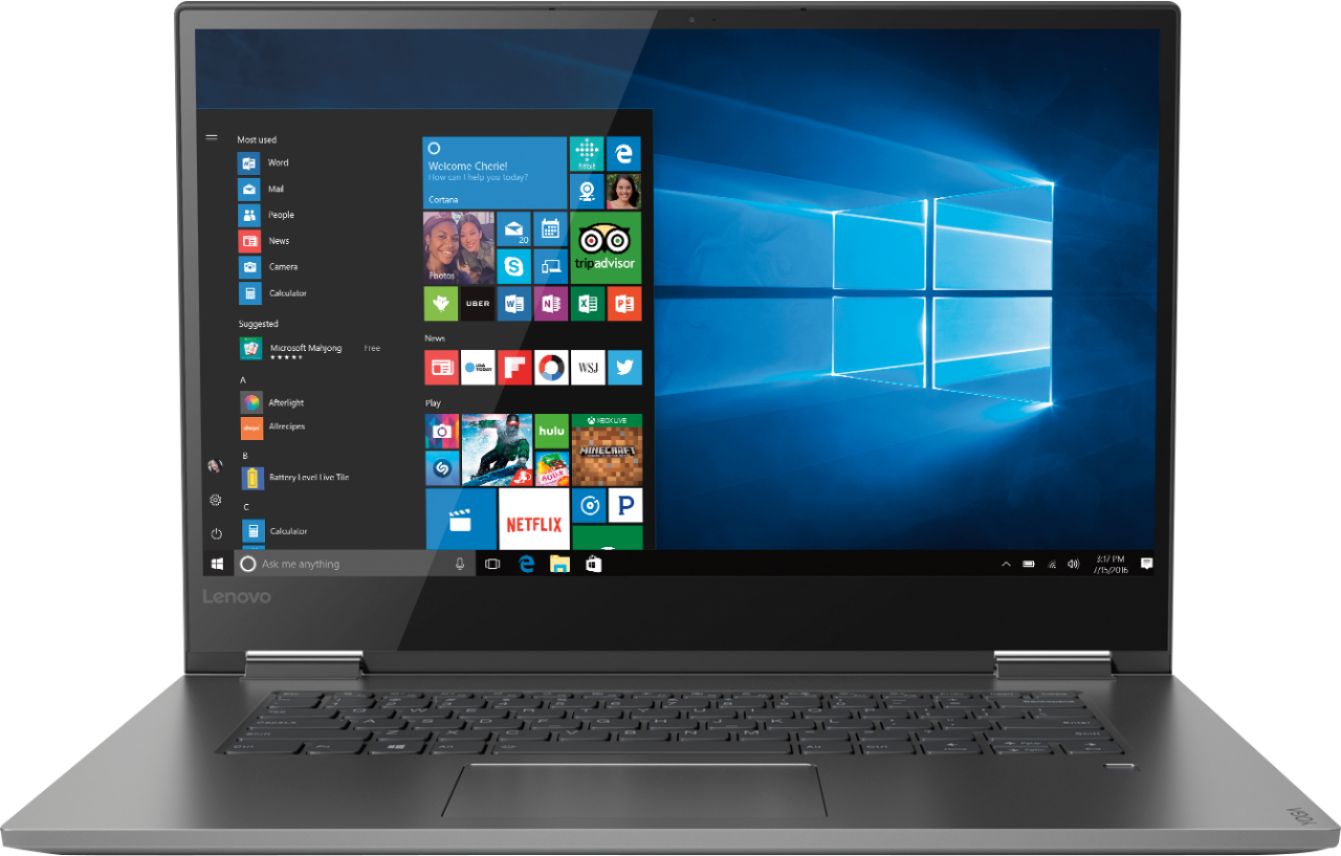
- Model:
- 81CU0009US
- SKU:
- 6201037
Rating by feature
- Value
Rating 4.2 out of 5 stars
- Quality
Rating 4.2 out of 5 stars
- Ease of Use
Rating 4.4 out of 5 stars
Customers are saying
Customers recognize the Yoga 730 2-in-1 laptop for its touchscreen capabilities, lightweight design, and affordable price. Many users appreciate the laptop's user-friendly interface and solid-state drive, which offers improved performance and speed. However, some customers have experienced issues with the laptop's Wi-Fi connectivity and weight.
This summary was generated by AI based on customer reviews.
Great Product
||Posted .This reviewer received promo considerations or sweepstakes entry for writing a review.I purchased this laptop for my wife as she had an old HP Tower. It's working very well and I also signed up for the Geek Squad that includes training, now I have to get my wife into the training I think I might attend as well.
I would recommend this to a friendBrand response from Lenovo Product Expert
Posted .Thank you for choosing the Lenovo Yoga 730-15 for your wife. We are pleased to hear that the performance of the Yoga 730-15 meets your computing needs so well. For 2018, Lenovo retained its place for a second year as the best laptop vendor:
https://www.laptopmag.com/articles/laptop-brand-ratings
Screen Trouble
Posted .This reviewer received promo considerations or sweepstakes entry for writing a review.Bought an open box which worked for 10mins, ashamed considering I liked the thing but I will go for another open box I hope I don’t have any issues.
I would recommend this to a friendBrand response from Lenovo Product Expert
Posted .We are sorry to hear that you are having issues with your Lenovo Yoga 730-15. We recommend you call Lenovo Tech Support for help with your specific issues at: 877-453-6686.
Satisfied
||Posted .This reviewer received promo considerations or sweepstakes entry for writing a review.I’m satisfied with this purchase. Great features & screen size! Only reason not 5 stars is because the touchpad often gets in the way when typing.
I would recommend this to a friendBrand response from Lenovo Product Expert
Posted .Thank you for choosing the Lenovo Yoga 730-15. With regard to the touchpad, you can make adjustments to the touchpad in your system settings. You can get there by clicking on the magnifying glass at the bottom left of your Windows 10 screen. Type "touchpad" in the search window. Select "Mouse & touchpad settings" from the list of choices. You can make general adjustments to the touchpad there. You can also select "Additional mouse options" for more detailed adjustments to the touchpad sensitivity by increasing the delay of the touchpad. For 2018, Lenovo retained its place for a second year as the best laptop vendor:
https://www.laptopmag.com/articles/laptop-brand-ratings
Time to get onboard with SSD
||Posted .This reviewer received promo considerations or sweepstakes entry for writing a review.Watch the sales and this is a great purchase. Not plastic, great. Processor, and the SSD flies in comparison to HDD. Handles multiple tasks at once without any snags. Keyboard takes some getting used to so try it before you buy.
I would recommend this to a friendBrand response from Lenovo Product Expert
Posted .Thank you for choosing the Lenovo Yoga 730-15. This model ships with a standard QWERTY keyboard layout.
Awesome Price!Awesome Laptop
||Posted .This reviewer received promo considerations or sweepstakes entry for writing a review.I am totally happy with my new Yoga laptop. I especially like the fingerprint login. This unit is very responsive and meets all of my expectations.
I would recommend this to a friendBrand response from Lenovo Product Expert
Posted .Thank you for choosing the lenovo Yoga 730-15. We are pleased to hear that the features and performance of the Yoga 730-15 meets your computing needs so well.
Great Computer
||Posted .This reviewer received promo considerations or sweepstakes entry for writing a review.It has a lot of power, light and doesn't overheat. Downside is that it makes a lot of noise when u use the mousepad; so better to get a mouse.
I would recommend this to a friendBrand response from Lenovo Product Expert
Posted .Thank you for choosing the Lenovo Yoga 730-15. With regard to the touchpad, you can make adjustments to the touchpad in your system settings. You can get there by clicking on the magnifying glass at the bottom left of your Windows 10 screen. Type "touchpad" in the search window. Select "Mouse & touchpad settings" from the list of choices. You can make general adjustments to the touchpad there. You can also select "Additional mouse options" for more detailed adjustments to the touchpad sensitivity by increasing the delay of the touchpad. For 2018, Lenovo retained its place for a second year as the best laptop vendor:
https://www.laptopmag.com/articles/laptop-brand-ratings
Nice laptop
||Posted .This reviewer received promo considerations or sweepstakes entry for writing a review.I do miss the side numbers. I like the Lenovo brand. This is my second Lenovo. My first one was 5 years old and still running. I wanted to upgrade.
I would recommend this to a friendBrand response from Lenovo Product Expert
Posted .Thank you for choosing the lenovo Yoga 730-15. This is an ultra portable configuration and in order to keep the total size of the computer as small as possible, 14.17 x 9.80 x 0.68 inches, weighing just 4.62 lbs, for a 15.6" (screen size measured diagonally) screen size, the 10-key numeric pad was eliminated. Larger format models like the ThinkPad Series still maintain the numeric pad.
Well crafted, minimalistic and beautiful.
||Posted .This reviewer received promo considerations or sweepstakes entry for writing a review.I love the simplistic, yet beautiful sleek design of the Lenovo Yoga 730. This model has the powerful 8th gen i7. It has power for multitasking when needed, and low power consumption when on battery. I love this laptop!
I would recommend this to a friendBrand response from Lenovo Product Expert
Posted .Thank you for choosing the Lenovo Yoga 730-15. We are pleased to hear that the features and performance of the Yoga 730-15 meets your computing needs so well. For 2018, Lenovo retained its place for a second year as the best laptop vendor:
https://www.laptopmag.com/articles/laptop-brand-ratings
Just what I needed
||Posted . Owned for 3 weeks when reviewed.This reviewer received promo considerations or sweepstakes entry for writing a review.I am be very pleased with this laptop. It's light but it has all the power I need. I like that it can be used like a tablet or a laptop. It's got a full sized hdml port and fingerprint recognition is a cool bonus
I would recommend this to a friendBrand response from Lenovo Product Expert
Posted .Thank you for choosing the Lenovo Yoga 730-15. We are pleased to hear that the features and performance of the Yoga 730-15 meets your computing needs so well.
Great laptop.
||Posted . Owned for 1 month when reviewed.This reviewer received promo considerations or sweepstakes entry for writing a review.This laptop was to replace an Acer one that I was very happy with. This one is faster and does not get hot like the Acer did. It has a beautiful picture. It is a nice computer. I am happy with it.
I would recommend this to a friendLove this laptop!
||Posted .This reviewer received promo considerations or sweepstakes entry for writing a review.I bought this laptop when my (old, slow) Toshiba died and I love it. I've had it for a few months now and it is great. It's got enough power for what I need it for - school and part time working from home.
I would recommend this to a friendBrand response from Lenovo Product Expert
Posted .Thank you for choosing the Lenovo Yoga 730-15. We are pleased to hear that the performance of the Yoga 730-15 meets your computing needs so well. For 2018, Lenovo retained its place for a second year as the best laptop vendor:
https://www.laptopmag.com/articles/laptop-brand-ratings
Great Laptop
||Posted .This reviewer received promo considerations or sweepstakes entry for writing a review.I love my new Lenovo. Although I was unfamiliar with the brand a friend who is an accountant has the Lenovo think pad and she highly recommended the brand and I agree with her. I am very happy with my purchase.
I would recommend this to a friendBrand response from Lenovo Product Expert
Posted .Thank you for choosing the Lenovo Yoga 730-15. We are pleased to hear that the Yoga 730-15 meets your computing needs so well.

Very nice computer.
||Posted .This reviewer received promo considerations or sweepstakes entry for writing a review.I love the Lenovo computer, The Epson printer I have not made a decision yet but think I will like it a lot I like the new way of using the ink and hope it will work as well as it looks like it will.
I would recommend this to a friendBrand response from Lenovo Product Expert
Posted .Thank you for choosing the Lenovo Yoga 730-15. We are pleased to hear that the Yoga 730-15 is working out so well for you.
Nice laptop with basic features
||Posted .This reviewer received promo considerations or sweepstakes entry for writing a review.Nice laptop. Good resolution. Got good reviews. Bummed that it doesn't have a number pad or a way to use one. But I'm adjusting.
I would recommend this to a friendBrand response from Lenovo Product Expert
Posted .Thank you for choosing the lenovo Yoga 730-15. You can connect an external 10-key pad to this device via a USB port on the computer.
Great buy
||Posted .This reviewer received promo considerations or sweepstakes entry for writing a review.Never heard of Lenovo before but my son said it was a great computer so I bought one that was one sale. Fast and easy to set up. Love the touch recognition to log in and the screen colors are great.
I would recommend this to a friendBrand response from Lenovo Product Expert
Posted .Thank you for choosing the lenovo Yoga 730-15. We are pleased to hear that the features and performance of the Yoga 730-15 meets your computing needs so well. For 2018, Lenovo retained its place for a second year as the best laptop vendor:
https://www.laptopmag.com/articles/laptop-brand-ratings
- Pros mentioned:Speed
Good quality
||Posted . Owned for 1.5 years when reviewed.This reviewer received promo considerations or sweepstakes entry for writing a review.The price is kind of high. It runs pretty faster than my old one.
I would recommend this to a friend Great laptops
||Posted .This reviewer received promo considerations or sweepstakes entry for writing a review.Bigger screen makes a difference Finger print login is convenient but doesn’t recognize every time Overall great buy
I would recommend this to a friendBrand response from Lenovo Product Expert
Posted .Thank you for choosing the lenovo Yoga 730-15 laptop. With regard to your fingerprint scanner not working, here is a link to some fixes for a Windows 10 fingerprint reader: https://www.drivereasy.com/knowledge/lenovo-fingerprint-reader-not-working-windows-10-solved/
So far my Yoga has been great!
||Posted .This reviewer received promo considerations or sweepstakes entry for writing a review.This is my second Yoga and I really like the features they offer for what I use the laptop for. However, my last one was started having issues after the first year, I hope this one lasts longer.
I would recommend this to a friendBrand response from Lenovo Product Expert
Posted .Thank you for choosing the lenovo Yoga 730-15. You can keep your new Yoga running at its best by scanning the device regularly with the Lenovo Utility software installed on this computer. This system has Lenovo utilities installed to help maintain the health of the device and keep the operating system software up to date. Type "Lenovo Vantage" in the Cortana Search window (if Lenovo Vantage is not installed on your device, you can download the APP and install it now). Select Lenovo Vantage from the list. In the window that opens, click on "Health and Support". In the expanded menu, select "Hardware Scan" In the window that opens, select "Run Quick Tests". This will scan your entire system for errors. Follow any directions that may pop up. If the problem continues after this scan, now click on "System Update". First select Windows update from the menu. Scan your system to be sure you have the latest version of Windows 10. Once that scan is complete, select "Additional Updates". This will scan your device to be sure there are no new BIOS/Driver updates needed. Follow any instructions that may pop up. If the issue still continues after these updates, we recommend you call Lenovo Tech Support at: 877-453-6686 for additional help.
Hands Down Great Product
||Posted .This reviewer received promo considerations or sweepstakes entry for writing a review.I have purchased several Lenovo laptops and when it was time to replace my conference room computer, there was not a choice to be made. This new one has been great in the presentations to clients.
I would recommend this to a friendBrand response from Lenovo Product Expert
Posted .Thank you for choosing the Lenovo Yoga 730-15. We are pleased to hear that the Yoga 730-15 meets your business computing needs so well. We appreciate your loyalty to the Lenovo Brand.
- Cons mentioned:Customer support, Wifi connectivity
Stay away!
||Posted . Owned for 1 year when reviewed.This reviewer received promo considerations or sweepstakes entry for writing a review.This product, sadly, did not at all perform well whatsoever. The REAL issue is that it continually loses connection with your home WiFi Network so often, that it renders this product useless. Lenovo support is if little to no help either.
No, I would not recommend this to a friend