Customer Ratings & Reviews
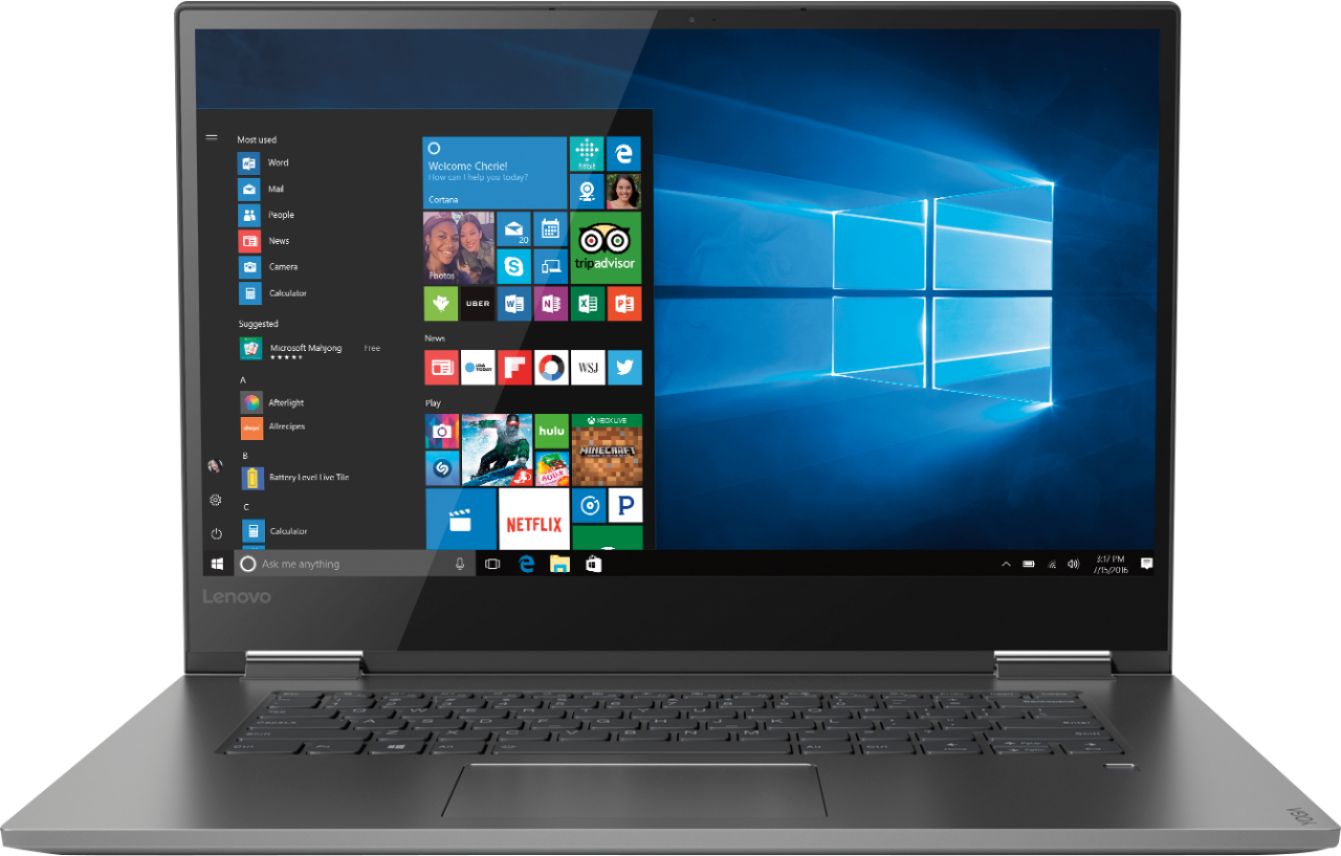
- Model:
- 81CU0009US
- SKU:
- 6201037
Rating by feature
- Value
Rating 4.2 out of 5 stars
- Quality
Rating 4.2 out of 5 stars
- Ease of Use
Rating 4.4 out of 5 stars
Customers are saying
Customers recognize the Yoga 730 2-in-1 laptop for its touchscreen capabilities, lightweight design, and affordable price. Many users appreciate the laptop's user-friendly interface and solid-state drive, which offers improved performance and speed. However, some customers have experienced issues with the laptop's Wi-Fi connectivity and weight.
This summary was generated by AI based on customer reviews.
Bad build
||Posted .This reviewer received promo considerations or sweepstakes entry for writing a review.Very fast laptop. Comes with all the bells and whistles but one problem is build quality Lenovo has an issue with hinges. On my laptop the hinge started separating from the body, pushing out the screen. which caused a crack and now I must try and repair it myself cause everyone is like the adhesive came off and it's disconnected from the body so it's not only the screen.
No, I would not recommend this to a friendScreen good. Battery life below average.
||Posted .This reviewer received promo considerations or sweepstakes entry for writing a review.Battery life is very low after a year. People can not afford laptop every year due to battery life.
No, I would not recommend this to a friendnot great
||Posted . Owned for 1.5 years when reviewed.This reviewer received promo considerations or sweepstakes entry for writing a review.not so much as i expected, i purchased it 2 years ago and it broke down, disappointed in this
No, I would not recommend this to a friendNot a fan
||Posted . Owned for 1.5 years when reviewed.This reviewer received promo considerations or sweepstakes entry for writing a review.Tried to go PC w/ this 17 inch ... wanted big screen to read documents, but machine too clunky
No, I would not recommend this to a friendDied in 18 Months
||Posted . Owned for 1.5 years when reviewed.This reviewer received promo considerations or sweepstakes entry for writing a review.Worked well for the first 10-months then performance slowed down and became a bit sluggish. by month 17, the screen started flickering. A month later it was dead ($998 down the drain). No power indicator light. New Power supply accomplished nothing ($50 more down the drain). Very disappointed. Don't know what to do with this door-stop now.
No, I would not recommend this to a friendjunk screen
||Posted . Owned for 1.5 years when reviewed.This reviewer received promo considerations or sweepstakes entry for writing a review.I've owned this computer for a year and a half and it is trash. The screen flicker that I read about and was worried about has rendered the computer a useless device. Constant updates to BIOS would remedy the flicker for a few days and then it would come back with a vengeance. Now the screen does not even come on, just stays gray. Of course it's out of warranty and Lenovo never wanted to actually take it back during the warranty period because the flicker would go away. I have never, ever, been the owner of a bigger piece of junk. I've used Lenovo desktops and they have had issues that were minor, but this is a major problem and they should replace all the computers with new ones or offer a full refund for this lemon of a computer. The worst part is that "if" the screen worked properly it would be a great computer. But the screen problem is junk and there is no way around that problem.
No, I would not recommend this to a friendWorked-Then Didnt
||Posted . Owned for 1 month when reviewed.This reviewer received promo considerations or sweepstakes entry for writing a review.When it worked it was good. I kinda was talked in to this computer. It seemed like a good deal but has issues from the beginning: everything from internet connection issues to finally not working at all. The customer service was good but the resulting quality of the laptop leaves me questioning going to Best Buy for my next computer purchase.
No, I would not recommend this to a friendBrand response from Lenovo Product Expert
Posted .We are sorry to hear that you are having issues with your Lenovo Yoga 730-15. From the fact that you Yoga 730-15 was working fine then the issues occurred, points to a problem with a Windows 10 update. Resetting the device back to original factory settings and letting the update cycle start again, may fix the problems you mention. Since you can no longer boot the computer, this system is equipped with OneKey Recovery System. There is a very small pin hole on the left side of the device, right near the headphone jack on the device. You will need a pin to push this reset button. Plug the device in. Let the battery charge for about 15 minutes. Push the reset button. The system should boot to a choice screen where you can choose "Restore To Factory Default". Select this. It will delete everything from the hard drive except the original factory install of the operating system. You will need to reinstall all programs and files after the reset. If you don't have copies of the files, try to make one before you restore by selecting "Boot to desktop" and trying to back up your files. If the problem persists after the factory reset, we recommend you contact Lenovo Tech Support at: 877-453-6686. For 2018, Lenovo retained its place for a second year as the best laptop vendor:
https://www.laptopmag.com/articles/laptop-brand-ratings
Lag While Typing
||Posted .This reviewer received promo considerations or sweepstakes entry for writing a review.Sometimes while typing there is a serious delay although it hasn't happened in the last week or so.
No, I would not recommend this to a friendBrand response from Lenovo Product Expert
Posted .Thank you for choosing the Lenovo Yoga 730-15. The lag issue you mention may be due to a recent Windows 10 update. You can scan Windows 10 software and other operating software on the device to be sure you are running the latest versions, by using the Lenovo Utility software installed on your computer. This system has Lenovo utilities installed to help maintain the health of the device and keep the operating system software up to date. Type "Lenovo Vantage" in the Cortana Search window (if Lenovo Vantage is not installed on your device, you can download the APP and install it now). Select Lenovo Vantage from the list. In the window that opens, click on "Health and Support". In the expanded menu, select "Hardware Scan" In the window that opens, select "Run Quick Tests". This will scan your entire system for errors. Follow any directions that may pop up. If the problem continues after this scan, now click on "System Update". First select Windows update from the menu. Scan your system to be sure you have the latest version of Windows 10. Once that scan is complete, select "Additional Updates". This will scan your device to be sure there are no new BIOS/Driver updates needed. Follow any instructions that may pop up. If the issue still continues after these updates, we recommend you call Lenovo Tech Support at: 877-453-6686 for additional help.

Good Computer for office users
||Posted .This reviewer received promo considerations or sweepstakes entry for writing a review.If you want a computer for only use of office and a little bit more , this is a good option
I would recommend this to a friendBrand response from Lenovo Product Expert
Posted .The Lenovo Yoga is a powerful 2 in 1 ultra portable computing system. The Yoga 730-15 ships with the Quad-Core/Eight-Thread Intel Core i7-8550U processor, supported by 8GB of DDR4-2400MHz and a 256GB solid state hard drive. The Yoga 730-15 can support many of today's most demanding programs. If you need portable computing power, the Yoga 730-15 is your choice.
wi-fi performance inferior
||Posted .This reviewer received promo considerations or sweepstakes entry for writing a review.My Lenova did not connect satisfactorily by wi-fi where my 8-year old PC had performed well. A replacement machine from a different manufacturer also works well in the same location. I had to return the Lenovo and accept a loss of several hundred dollars.
No, I would not recommend this to a friendBrand response from Lenovo Product Expert
Posted .We are sorry to hear you had an issue with WiFi connectivity with your Lenovo Yoga 730-15. This device ships with the latest 5G 802.11AC frequency WiFi. Be sure the router you are using has the latest firmware updates from the router manufacturer's web site for the best WiFi performance. You can update the operating software on this computer by using the Lenovo Utility software installed on the computer. This system has Lenovo utilities installed to help maintain the health of the device and keep the operating system software up to date. Type "Lenovo Vantage" in the Cortana Search window (if Lenovo Vantage is not installed on your device, you can download the APP and install it now). Select Lenovo Vantage from the list. In the window that opens, click on "Health and Support". In the expanded menu, select "Hardware Scan" In the window that opens, select "Run Quick Tests". This will scan your entire system for errors. Follow any directions that may pop up. If the problem continues after this scan, now click on "System Update". First select Windows update from the menu. Scan your system to be sure you have the latest version of Windows 10. Once that scan is complete, select "Additional Updates". This will scan your device to be sure there are no new BIOS/Driver updates needed. Follow any instructions that may pop up. If the issue still continues after these updates, we recommend you call Lenovo Tech Support at: 877-453-6686 for additional help.
Keeps dropping WiFi
||Posted .This reviewer received promo considerations or sweepstakes entry for writing a review.WiFi Adapter problem and no matter what I do to fix it ,the problem continues
No, I would not recommend this to a friendBrand response from Lenovo Product Expert
Posted .We are sorry to hear that you are having WiFi issues with your Lenovo Yoga 730-15. This model ships with the latest 5G, 802.11AC frequency WiFi capability. By sure the router you are using has the latest firmware updates available from the router manufacturer's web site. Second, check to be sure you have the latest version of Windows 10 on the computer, the update the BIOS files and communications drivers on the device. You can easily do this by using the Lenovo Utility software installed on the computer. This system has Lenovo utilities installed to help maintain the health of the device and keep the operating system software up to date. Type "Lenovo Vantage" in the Cortana Search window (if Lenovo Vantage is not installed on your device, you can download the APP and install it now). Select Lenovo Vantage from the list. In the window that opens, click on "Health and Support". In the expanded menu, select "Hardware Scan" In the window that opens, select "Run Quick Tests". This will scan your entire system for errors. Follow any directions that may pop up. If the problem continues after this scan, now click on "System Update". First select Windows update from the menu. Scan your system to be sure you have the latest version of Windows 10. Once that scan is complete, select "Additional Updates". This will scan your device to be sure there are no new BIOS/Driver updates needed. Follow any instructions that may pop up. If the issue still continues after these updates, we recommend you call Lenovo Tech Support at: 877-453-6686 for additional help.
Geek squad is worthless
||Posted . Owned for 1 month when reviewed.This reviewer received promo considerations or sweepstakes entry for writing a review.Did not complete the transfer over from my old computer that I paid for.
No, I would not recommend this to a friendKeyboard too small
||Posted . Owned for 3 months when reviewed.This reviewer received promo considerations or sweepstakes entry for writing a review.Returned product. No number pad and keyboard was too cramped.
No, I would not recommend this to a friendBrand response from Lenovo Product Expert
Posted .The Lenovo Yoga 730-15 ships with a standard QWERTY keyboard, without a 10-key numeric pad. The Yoga 730-15 is an ultra portable, 2 in 1 computing device, with a full size 15.6-inch screen (screen size measured diagonally) but total device dimensions are only: 14.69 x 10.24 x 2.76 inches and weighs just 4.17 lbs. The latest 8th generation Intel Core i7 processor gives the Yoga 730-15 up to a 40 percent performance boost with unprecedented touchscreen and pen responsiveness (active pen sold separately), faster bootups, and seamless multitasking. All of this speed and power to amplify your productivity and help you be ready at a moments notice. For 2018, Lenovo retained its place for a second year as the best laptop vendor:
https://www.laptopmag.com/articles/laptop-brand-ratings
- Cons mentioned:Wifi connectivity
Junk
||Posted .This reviewer received promo considerations or sweepstakes entry for writing a review.Bought this unit , returned it 2 days later wouldn't connect to internet . Geek squad it is a known problem with this brand.told me to return it and buy a different brand.
No, I would not recommend this to a friendBrand response from Lenovo Product Expert
Posted .The Lenovo Yoga 730-13 ships with the latest 5G, 802.11AC frequency WiFi capability. Be sure the router you are using has the latest firmware updates available from the router manufacturer's web site. You can keep the operating software on the computer up to date, including the BIOS and drivers by using the Lenovo Utility software installed on the computer. This system has Lenovo utilities installed to help maintain the health of the device and keep the operating system software up to date. Type "Lenovo Vantage" in the Cortana Search window (if Lenovo Vantage is not installed on your device, you can download the APP and install it now). Select Lenovo Vantage from the list. In the window that opens, click on "Health and Support". In the expanded menu, select "Hardware Scan" In the window that opens, select "Run Quick Tests". This will scan your entire system for errors. Follow any directions that may pop up. If the problem continues after this scan, now click on "System Update". First select Windows update from the menu. Scan your system to be sure you have the latest version of Windows 10. Once that scan is complete, select "Additional Updates". This will scan your device to be sure there are no new BIOS/Driver updates needed. Follow any instructions that may pop up. If the issue still continues after these updates, we recommend you call Lenovo Tech Support at: 877-453-6686 for additional help.
great computer if you don't unplug it
||Posted .This reviewer received promo considerations or sweepstakes entry for writing a review.I do really like this computer but it has a major flaw - it keeps dropping the wifi when unplugged. I returned the first computer and I was hoping this computer wouldn't have the same problems but it does. Others have claimed that its the realtex network adapter - it doesn't work well with windows 10 and if you replace the adapter then the computer works fine. You can send it off to lenovo but you won't get it back for 3 wks and they won't necessarily replace the adapter. It's too bad because this is a great mid-priced computer. Looks like I'm going to take this one back too.
No, I would not recommend this to a friendBrand response from Lenovo Product Expert
Posted .The Lenovo Yoga 730-15 ships with the latest 5G 802.11AC WiFi frequency. You can update to the latest version of Windows 10 and all the supporting BIOS files and drivers on the device by scanning the computing with the Lenovo Utility software on this computer. This system has Lenovo utilities installed to help maintain the health of the device and keep the operating system software up to date. Type "Lenovo Vantage" in the Cortana Search window (if Lenovo Vantage is not installed on your device, you can download the APP and install it now). Select Lenovo Vantage from the list. In the window that opens, click on "Health and Support". In the expanded menu, select "Hardware Scan" In the window that opens, select "Run Quick Tests". This will scan your entire system for errors. Follow any directions that may pop up. If the problem continues after this scan, now click on "System Update". First select Windows update from the menu. Scan your system to be sure you have the latest version of Windows 10. Once that scan is complete, select "Additional Updates". This will scan your device to be sure there are no new BIOS/Driver updates needed. Follow any instructions that may pop up. If the issue still continues after these updates, we recommend you call Lenovo Tech Support at: 877-453-6686 for additional help. For 2018, Lenovo retained its place for a second year as the best laptop vendor:
https://www.laptopmag.com/articles/laptop-brand-ratings
broken within 6 months
||Posted . Owned for 8 months when reviewed.This reviewer received promo considerations or sweepstakes entry for writing a review.I am so unhappy with this purchase. Just stopped powering on. Taken to Geek Squad because it was still on factory warranty. Sent off, returned to G Squad and was still not powering on. Sent off to Lenovo again... 2 weeks later returned to store. Went in to pick up and the tech had trouble powering on. Turned on finally (thought it was poor charge) Took home and would not power on AGAIN the next day. This is a 1000$ paper weight. Now, even if they allow me to return it I am out the money spent on Virus protection, Microsoft package and an paid extension for my college courses. DO NOT BUY!!!!
No, I would not recommend this to a friendBrand response from Lenovo Product Expert
Posted .We are sorry to hear that you are having issues with powering on your Lenovo Yoga 730-15. It is possible that restoring the device back to original factory settings may correct the problem. This system is equipped with OneKey Recovery System. There is a very small pin hole on the left side of the device, right near the headphone jack on the device. You will need a pin to push this reset button. Plug the device in. Let the battery charge for about 15 minutes. Push the reset button. The system should boot to a choice screen where you can choose "Restore To Factory Default". Select this. It will delete everything from the hard drive except the original factory install of the operating system. You will need to reinstall all programs and files after the reset. If you don't have copies of the files, try to make one before you restore by selecting "Boot to desktop" and trying to back up your files. Once you have the device restored back to original settings, be sure any software you installed is compatible with Windows 10. There is no need to install Microsoft Office software. The software is already part of the operating system, you just need to activate the software with a purchased product key. If you have installed a copy of Microsoft Office, this is conflicting with the existing copy on the system and this will slow your system down. If you have installed a 3rd party anti-virus program, be sure that Windows Defender is turned off and that the trial version of McAfee Anti-Virus software is uninstalled. There can only be one anti-virus program on the system. You may need to restore your system to original factory default settings if any of the programming errors have occurred. You can do that by typing "restore" in the Cortana search window. Just click on the magnifying glass icon at the bottom left of your Windows 10 Desktop. Click on "Reset This PC" Then click on "Get Started" and follow the on screen directions to restore to factory defaults. If the problem persists, we recommend you contact Lenovo Tech Support at: 877-453-6686.
I returned mine as it had multiple problems.
||Posted .This reviewer received promo considerations or sweepstakes entry for writing a review.It did not work well with my HP printer. The screen was flaky, blinking on and off which caused me to have to reload programs. Best Buy Geek Squad was very good at helping me try to figure out the problems, but we finally gave up and they helped me trade it in.
No, I would not recommend this to a friendBrand response from Lenovo Product Expert
Posted .We are sorry to hear that you had issues with your Lenovo Yoga 730-15. With regard to the printer issues, be sure you have a printer that is compatible with Windows 10, you have installed the proper Windows 10 drivers provided by the printer manufacturer to the computer and you follow the "pairing a new device" instructions provided by the printer manufacturer. Regarding the screen flicker issues you mention, you can easily check the health of the device and update any BIOS/Drivers on the computer. This system has Lenovo utilities installed to help maintain the health of the device and keep the operating system software up to date. Type "Lenovo Vantage" in the Cortana Search window (if Lenovo Vantage is not installed on your device, you can download the APP and install it now). Select Lenovo Vantage from the list. In the window that opens, click on "Health and Support". In the expanded menu, select "Hardware Scan" In the window that opens, select "Run Quick Tests". This will scan your entire system for errors. Follow any directions that may pop up. If the problem continues after this scan, now click on "System Update". First select Windows update from the menu. Scan your system to be sure you have the latest version of Windows 10. Once that scan is complete, select "Additional Updates". This will scan your device to be sure there are no new BIOS/Driver updates needed. Follow any instructions that may pop up. If the issue still continues after these updates, we recommend you call Lenovo Tech Support at: 877-453-6686 for additional help.
2 computers returned
||Posted .This reviewer received promo considerations or sweepstakes entry for writing a review.I had yoga 910 before but it got stolen so wanted something almost the same. The first laptop arrived bended and the other one had broken hardware so decoded to go with HP and leave Lenovo brand after like 10 years.
No, I would not recommend this to a friend- Cons mentioned:Wifi connectivity
not user friendly
||Posted .This reviewer received promo considerations or sweepstakes entry for writing a review.I can't get it to work correctly. Having trouble getting things connected, staying on network without it suddenly "not connected" when I just connected it.
No, I would not recommend this to a friendBrand response from Lenovo Product Expert
Posted .We are sorry to hear that you are having WiFi issues with your Lenovo Yoga 730-15. The issues you describe may indicate the need to update Windows 10 and the BIOS files and drivers supporting Windows 10. This system has Lenovo utilities installed to help maintain the health of the device and keep the operating system software up to date. Type "Lenovo Vantage" in the Cortana Search window (if Lenovo Vantage is not installed on your device, you can download the APP and install it now). Select Lenovo Vantage from the list. In the window that opens, click on "Health and Support". In the expanded menu, select "Hardware Scan" In the window that opens, select "Run Quick Tests". This will scan your entire system for errors. Follow any directions that may pop up. If the problem continues after this scan, now click on "System Update". First select Windows update from the menu. Scan your system to be sure you have the latest version of Windows 10. Once that scan is complete, select "Additional Updates". This will scan your device to be sure there are no new BIOS/Driver updates needed. Follow any instructions that may pop up. If the issue still continues after these updates, we recommend you call Lenovo Tech Support at: 877-453-6686 for additional help. For 2018, Lenovo retained its place for a second year as the best laptop vendor:
https://www.laptopmag.com/articles/laptop-brand-ratings
Was good but then showed it’s true colors
||Posted . Owned for more than 2 years when reviewed.This reviewer received promo considerations or sweepstakes entry for writing a review.Ok so I’ve had this product for two years now, and it stinks cause I needed it for school when I was in college and I needed something to keep up with me and school but in reality it doesn’t work that way it takes wayyy to long to update, then if you haven’t used the laptop for a while it takes a long time to get on to the wifi and it’s just freezes and goes really slow like it’s so frustrating it now takes me 25 mins to login to my laptop
No, I would not recommend this to a friend